Page 2 - such as baseboard electric heat.; Welcome
69-2715EF—07 ii This thermostat works with common 24 V systems such as forced air, hydronic, heat pump, oil, gas, and electric. It will not work with millivolt systems, such as a gas fireplace, or with 120 V/240 V systems such as baseboard electric heat. MERCURY NOTICE: Do not place your old thermos...
Page 3 - Table of contents; Your new thermostat provides:
69-2715EF—07 1 About your new thermostat Controls and Home screen quick reference ....................................................... 2Preset energy-saving schedules ................... 2 Installation Installing your thermostat ................................ 3Connecting to your Wi-Fi network ....
Page 4 - Controls and home screen quick reference; Preset energy-saving schedules; Default Heat Settings
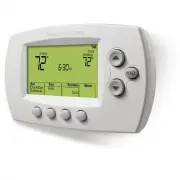
69-2715EF—07 2 Controls and home screen quick reference Once your thermostat is installed, it will display the home screen. Portions of this display will change depending on how you are viewing it. The screen lights when you press any button. It stays lit for 8 seconds after you complete changes. M3...
Page 6 - Installing your thermostat; Do not label by wire color.
69-2715EF—07 4 C C MCR33823 If you have an older thermostat with a sealed mercury tube, turn to page ii for proper disposal instructions. Terminal designation Installing your thermostat 2 Remove old thermostat faceplate and leave wires connected.2a Take a picture of the wire connections for later re...
Page 7 - Wiring; conventional; You must have a C wire.; only
5 69-2715EF—07 Installing your thermostat 6 Mount wallplate for thermostat. Mount your new wallplate using screws and anchors included with the thermostat.If necessary:Drill 3/16-in holes for drywall.Drill 7/32-in holes for plaster. Note: You may be able to use your existing wall anchors. Hold the w...
Page 8 - Alternate wiring key (conventional system)
69-2715EF—07 6 Installing your thermostat Wiring (heat pump system only) 7B Wire thermostat to your heat pump. a Starting with the C Wire, match the sticky tag on the wire to the terminal labels. You must have a C wire. b Loosen screw, insert wire on inside edge of terminal, then tighten screw. c Ve...
Page 9 - Use this if your wire labels don’t match the terminal labels.; Alternate wiring key (heat pump system only)
7 69-2715EF—07 Installing your thermostat Alternate wiring (heat pump system only) Use this if your wire labels don’t match the terminal labels. Note: You must have a C wire or equivalent. See page 6. Alternate wiring key (heat pump system only) Do not use K terminal. For future use. If old thermost...
Page 11 - Set Day; If your system type
9 69-2715EF—07 Installing your thermostat 11 Set clock to current day and time. 11a Press s or t to set clock. 11b Press Set Day . 11c Press s or t to select the day of week. 11d Press Done to save. (Press and hold a st button to quickly change a setting.) MCR33908 HOLD MCR33909 HOLD 12 Determine yo...
Page 12 - Home Network; Connecting to your Wi-Fi network; Connect
69-2715EF—07 10 1 Connect to your thermostat. 1a Make sure the thermostat displays Wi-Fi Setup . 1b On the wireless device (laptop, tablet, smartphone), view the list of available Wi-Fi networks. 1c Connect to the network called NewThermostat _123456 (the number will vary). Note: If you are asked to...
Page 13 - Wait
11 69-2715EF—07 Connecting to your Wi-Fi network Note: If your Wi-Fi network does not appear in the list on the Thermostat Wi-Fi Setup page: • Tr y performing a network rescan by pressing the Rescan button. This is helpful in areas with a lot of networks. • If you are connecting to a hidden network,...
Page 14 - Registering your thermostat online; Login; Check your email
69-2715EF—07 12 Registering your thermostat online M31570 To view and set your thermostat remotely, you must have a Total Connect Comfort account. Use the following steps.1 Open the Total Connect Comfort web site. Go to mytotalconnectcomfort.com View the Thermostat Registration video at honeywellhom...
Page 15 - Setup Complete; Search for local rebates
13 69-2715EF—07 3c Also notice that your thermostat displays its signal strength. Congratulations! You’re done. You can now control your thermostat from anywhere through your tablet, laptop, or smartphone Total Connect Comfort free app is available for Apple ® iPhone ® , iPad ® and iPod touch ® devi...
Page 16 - On; Setting the fan; Selecting system mode; Heat; Cool; Off; Em Heat
69-2715EF—07 14 Press Fan to select On or Auto (toggle to re-select). Auto : Fan runs only when the heating or cooling system is on. Auto is the most commonly used setting. On : Fan is always on. Note: Options may vary depending on your heating/cooling equipment. Setting the fan MCR33895 1 Press Set...
Page 17 - Overriding schedules permanently
15 69-2715EF—07 Adjusting program schedules 1 Press Set Clock/Day/Schedule , then Set Schedule . 2 Press s or t to set your Monday (Mon) Wake time, then press Next . 3 Press s or t to set the temperature for this period, then press Next . 4 Set time and temperature for the next time period (Leave). ...
Page 18 - Unregistering thermostat; Register at Total Connect; Replacing your router; Software updates; Updating
69-2715EF—07 16 Unregistering thermostat If you remove the thermostat from your Total Connect Comfort website account (for example, you’re moving and leaving the thermostat behind), the thermostat will display Register at Total Connect until it is re-registered. M33876 Disconnecting Wi-Fi Replacing ...
Page 19 - Smart Response Technology; before; Recovery; Compressor protection; Cool On; Auto changeover; Auto
17 69-2715EF—07 Smart Response Technology This feature allows the thermostat to “learn” how long the heating/cooling system takes to reach programmed temperature settings, so the temperature is reached at the time you set.For example: Set the Wake time to 6:00 am, and the temperature to 70 °F (21 °C...
Page 20 - Setting functions and options; System setup; Function
69-2715EF—07 18 Setting functions and options You can change options for a number of system functions. Available functions depend on the type of system you have. The functions, along with available options, are described on pages 18–19.This thermostat is pre-set for a single-stage heating/cooling sy...
Page 22 - Frequently asked questions
69-2715EF—07 20 Frequently asked questions Q: Q Will my thermostat still work if I lose my Wi-Fi connection? Q: A Yes, the thermostat will operate your heating and/or cooling system with or without Wi-Fi. Q: Q How do I find the password to my router? Q: A Contact the manufacturer of the router or ch...
Page 23 - Troubleshooting; Lost Signal; • Check another device to be sure Wi-Fi; Error Code
21 69-2715EF—07 Troubleshooting Lost Signal If the no-Wi-Fi indicator displays in place of the Wi-Fi strength indicator in the upper right hand corner of the home screen: • Check another device to be sure Wi-Fi is working in your home; if not, call your Internet Ser vice Provider. • Move the router....
Page 25 - Glossary; Regulatory information
23 69-2715EF—07 Glossary C wire The “C” or common wire brings 24 VAC power to the thermostat from the heating/cooling system. Some older mechanical or battery operated thermostats may not have this wire connection. It is necessary for establishing a Wi-Fi connection to your home network. Heat Pump h...
Page 26 - -year limited warranty
69-2715EF—07 24 1-year limited warranty For warranty information go to Honeywellhome.com/support
Page 29 - Serie inteligente; Guía del usuario; Lea y guarde estas; termostato
HOLD M37771 RTH6500WF Serie inteligente RTH6580WF1001 RTH6585R1006 Termostato programable Guía del usuario Lea y guarde estas instrucciones. Para obtener ayuda, visite honeywellhome.com/support En la caja, encontrará lo siguiente: • Termostato• Placa de pared (adherida al termostato) • Tornillos y a...
Page 30 - como la calefacción de zócalo eléctrica.; AVISO SOBRE MERCURIO:; No coloque el termostato existente en la basura si este contiene; PRECAUCIÓN: AVISO DE DESECHO ELECTRÓNICO:; El producto no se debe desechar; Bienvenido
69-2715EF—07 ii Este termostato funciona con sistemas comunes de 24 V, como aplicaciones de aire forzado, hidrónicas, de una bomba de calor, de aceite, de gas y eléctricas. No funciona con sistemas de milivoltios, como una chimenea a gas, ni con sistemas de 120 V/240 V, como la calefacción de zócalo...
Page 31 - Índice; Con el nuevo termostato, podrá realizar lo siguiente:
69-2715EF—07 1 Acerca de su nuevo termostato Referencia rápida de los controles y la pantalla de inicio........................................... 2Cronogramas de ahorro de energía predeterminados .................................. 2 Instalación Instalación del termostato ..............................
Page 32 - Referencia rápida de los controles y la pantalla de inicio; Cronogramas de ahorro de energía predeterminados
69-2715EF—07 2 Referencia rápida de los controles y la pantalla de inicio Una vez que el termostato esté instalado, podrá visualizar la pantalla de inicio. Partes de esta pantalla cambiarán según cómo la vea. La pantalla se ilumina cuando presiona cualquier botón. Permanece iluminada durante 8 segun...
Page 34 - Instalación del termostato; No etiquete por color del cable.
69-2715EF—07 4 Instalación del termostato C C MCR33823 Si el termostato existente tiene un tubo de mercurio sellado, vaya a la página ii para obtener instrucciones sobre cómo desecharlo adecuadamente. Designación de los terminales 2 Retire el termostato existente. 2a Tome una fotografía de las conex...
Page 35 - Cableado; convencionales; Debe tener un cable C.; solo
5 69-2715EF—07 Instalación del termostato 6 Monte la placa de pared para termostato. Monte la nueva placa de pared con los tornillos y anclajes incluidos con el termostato.Si fuese necesario:Taladre agujeros de 3/16 in (4.8 mm) en paneles de yeso.Taladre agujeros de 7/32 in (5.6 mm) en yeso. Nota: p...
Page 36 - Cableado (sistema de bomba de calor únicamente); Cableado alternativo (sistema convencional); Clave para cableado alternativo (sistema convencional)
69-2715EF—07 6 Instalación del termostato Cableado (sistema de bomba de calor únicamente) 7B Coloque los cables del termostato a su bomba de calor. a Comience con el cable C y coloque la etiqueta autoadhesiva en el cable con las etiquetas del terminal. Debe tener un cable C. b Afloje el tornillo, in...
Page 37 - Cableado alternativo (sistema de bomba de calor únicamente); debe tener un
7 69-2715EF—07 Instalación del termostato Cableado alternativo (sistema de bomba de calor únicamente) Utilícelo si las etiquetas de los cables no coinciden con las etiquetas de los terminales. Nota: debe tener un cable C o equivalente. Refiérase a la página 6. Clave para cableado alternativo (sistem...
Page 39 - Si se trata de un sistema
9 69-2715EF—07 Instalación del termostato 11 Configure el reloj al día y hora actual.11a Presione s o t para configurar el reloj. 11b Presione Set Day . 11c Presione s o t para seleccionar el día de la semana. 11d Presione Done (terminado) para guardar. (Presione y sostenga un botón st para cambiar ...
Page 40 - Red doméstica; Conexión a la red WiFi
69-2715EF—07 10 1 Conecte el termostato. 1a Verifique que el termostato muestre Wi-Fi Setup (configuración de WiFi). 1b Consulte la lista de todas las redes WiFi disponibles en el dispositivo inalámbrico (computadora tipo tablet, computadora portátil o teléfono inteligente). 1c Conéctese a la red de...
Page 42 - Registro del termostato en línea; Revise su correo electrónico
69-2715EF—07 12 Registro del termostato en línea M31570 Para ver y configurar el termostato de manera remota, debe tener una cuenta en Total Connect Comfort. Siga los siguientes pasos.1 Abra el sitio web Total Connect Comfort. Vaya a mytotalconnectcomfort.com Mire el video Thermostat Registration (R...
Page 43 - Buscar rebajas locales
13 69-2715EF—07 Registro del termostato en línea 3b Cuando el termostato se haya registrado correctamente, la pantalla de registro de Total Connect Comfort le mostrará el mensaje SUCCESS (registro exitoso). En la pantalla del termostato, verá Setup Complete (se ha completado la configuración) durant...
Page 44 - Selección de la modalidad del sistema
69-2715EF—07 14 Configuración del ventilador Presione Fan (Ventilador) para seleccionar la opción On (Encendido) o Auto (alterne para volver a seleccionar la opción). Auto : el ventilador funciona solo cuando el sistema de calefacción o refrigeración está encendido. La configuración de uso más frecu...
Page 45 - Anulación permanente de los cronogramas
15 69-2715EF—07 Ajuste de los cronogramas del programa 1 Presione Set Clock/Day/Schedule (configurar reloj/ día/cronograma) y luego, Set Schedule (configurar cronograma). 2 Presione s o t para configurar la hora de despertarse el lunes (Mon) y luego presione Next (siguiente). 3 Presione s o t para c...
Page 46 - Baja del termostato; Register at; que se vuelva a registrar.; Desconexión de la red WiFi; Cambio de su enrutador; Actualizaciones del software; Porcentaje de; si no está conectado a WiFi, no recibirá
69-2715EF—07 16 Baja del termostato Si usted retira el termostato de su cuenta en el sitio Web Total Connect Comfort (por ejemplo, si se muda y deja el termostato), el termostato mostrará el mensaje Register at Total Connect (Registar en Total Connect) hasta que se vuelva a registrar. M33876 Descone...
Page 47 - Tecnología Smart Response; antes; Protección del compresor; El mensaje; Conversión automática; la función de configuración del sistema 12 controla
17 69-2715EF—07 M33881 Tecnología Smart Response Esta característica permite que el termostato “sepa” cuánto demora el sistema de calefacción/refrigeración en alcanzar las configuraciones de temperatura programadas, de manera que se alcance esa temperatura a la hora que usted configuró.Por ejemplo: ...
Page 48 - Opciones y funciones de configuración; Configuración del sistema; Función
69-2715EF—07 18 Opciones y funciones de configuración Puede cambiar las opciones en diversas funciones del sistema. Las funciones disponibles dependen del tipo de sistema que usted tenga. Las funciones junto con las opciones disponibles se describen en las páginas 18–19.Este termostato está preconfi...
Page 50 - Preguntas frecuentes
69-2715EF—07 20 Preguntas frecuentes Q: P ¿Mi termostato seguirá funcionando si pierdo la conexión a la red WiFi? Q: R Sí, el termostato pondrá en funcionamiento el sistema de calefacción o refrigeración con o sin la conexión a la red WiFi. Q: P ¿Cómo encuentro la contraseña de mi enrutador? Q: R Co...
Page 51 - Localización y solución de problemas; Señal perdida; • Revise otro dispositivo para verificar que la conexión; Códigos de error
21 69-2715EF—07 Localización y solución de problemas Señal perdida Si se muestra el indicador no-Wi-Fi en vez del indicador de potencia WiFi en la esquina superior derecha de la pantalla de inicio: • Revise otro dispositivo para verificar que la conexión WiFi está funcionando en su hogar; si no, lla...
Page 53 - Glosario; Información sobre normativas
23 69-2715EF—07 Glosario Cable C El cable “C”, o común, le transmite 24 V CA al termostato desde el sistema de calefacción/refrigeración. Es posible que algunos termostatos mecánicos o con batería más antiguos no tengan esta conexión de cables. Es necesario para establecer una conexión de la red WiF...
Page 54 - POLIZA DE GARANTIA
69-2715EF—07 24 POLIZA DE GARANTIA IMPORTADO EN MEXICO POR: INSTROMET MEXICANA S DE R L DE C V Avenida Insurgentes 2453, Piso 6, Tizapan, Alvaro Obregon, Ciudad de Mexico, CP 01090 Telefono: 01 (55) 800 00423Instromet Mexicana S. de R.L. de C.V. garantiza que éste producto está libre de defectos en ...


 Honeywell RTH2410B User Manual
 Honeywell RTH2510B User Manual
 Honeywell RTH4110U2000-2PK/E User Manual
 Honeywell RTH5160 User Manual
 Honeywell RTH6360 User Manual
 Honeywell RTH6360D1002 User Manual
 Honeywell RTH6580WF1001 User Manual
 Honeywell RTH7560E User Manual
 Honeywell RTH7600D User Manual
 Honeywell RTH8560D User Manual
 Honeywell RTH8560D1002 User Manual
 Honeywell RTH8800WF2022 User Manual
 Honeywell RTH9585WF User Manual
 Honeywell RTH9585WF1004/W User Manual