DeLonghi ECAM35020B - User Manual

DeLonghi ECAM35020B Coffee Machine – User Manual, read for free online in PDF format. We hope this helps you resolve any issues you may have. If you have further questions, please contact us through the contact form.


Table of Contents:
- Page 2 – I M P O R T A N T S A F E G U A R D S; should be done by authorized service personnel only!; SAVE THESE INSTRUCTIONS; THIS APPLIANCE IS FOR HOUSEHOLD USE ONLY; SHORT CORD INSTRUCTIONS
- Page 4 – Description of the accessories; TURNING THE MACHINE ON
- Page 6 – Adjusting the coffee grinder
- Page 8 – Making coffee using pre-ground coffee; Customising strength and quantity
- Page 9 – MAKING CAPPUCCINO
- Page 10 – Cleaning the drip tray and condensate tray; Cleaning the water tank
- Page 13 – Installing the filter; Replacing the filter
- Page 14 – EXPLANATION OF LIGHTS
6
CONTENTS
1. INTRODUCTION .......................................... 8
1.1 Letters in brackets .........................................8
1.2 Troubleshooting and repairs ..........................8
2. DESCRIPTION............................................. 8
2.1 Description of the machine ...........................8
2.2 Description of the touch screen .....................8
3. BEFORE USE............................................... 9
3.1 Checking the machine ...................................9
3.2 Installing the machine ..................................9
3.3 Connecting the machine ...............................9
3.4 Setting up the machine .................................9
4. TURNING THE MACHINE ON ........................ 9
5. TURNING THE MACHINE OFF ..................... 10
6. SETTING WATER HARDNESS ...................... 10
7. SETTING TEMPERATURE ........................... 10
8. AUTO-OFF ................................................ 10
9. ENERGY SAVING ....................................... 11
10. BEEP ....................................................... 11
11. DEFAULT VALUES (RESET) ......................... 11
12. RINSING .................................................. 11
13. MAKING COFFEE ....................................... 11
13.1 Adjusting the coffee grinder ........................11
13.2 Tips for a hotter coffee.................................12
13.3 Making coffee using coffee beans ...............12
13.4 Temporarily varying the coffee strength......12
13.5 Making coffee using pre-ground coffee .......13
13.6 Customising strength and quantity ............13
14. TRUEBREW OVER ICE™ COFFEE .................. 13
14.1 Programming over ice lenght ......................13
15. MAKING CAPPUCCINO .............................. 14
15.1 Cleaning the frother after use......................14
16. DELIVERING HOT WATER .......................... 14
17. CLEANING ............................................... 14
17.1 Cleaning the machine .................................14
17.2 Cleaning the machine's internal circuit .......15
17.3 Cleaning the coffee grounds container ........15
17.4 Cleaning the drip tray and condensate tray .15
17.5 Cleaning the inside of the coffee machine ...15
17.6 Cleaning the water tank ..............................15
17.7 Cleaning the coffee spouts ..........................16
17.8 Cleaning the pre-ground coffee funnel .......16
17.9 Cleaning the infuser ....................................16
18. DESCALING .............................................. 16
19. SETTING WATER HARDNESS ...................... 17
19.1 Measuring water hardness ..........................17
19.2 Setting water hardness ...............................17
20. WATER SOFTENER FILTER ......................... 17
20.1 Installing the filter ......................................18
20.2 Replacing the filter ......................................18
21. TECHNICAL DATA ...................................... 18
22. EXPLANATION OF LIGHTS .......................... 19
23. TROUBLESHOOTING ................................. 21
"Loading the manual" means you need to wait until the file loads and becomes available for online reading. Some manuals are very large, and the time they take to appear depends on your internet speed.
Was this manual helpful?
About this manual
- Brand
- DeLonghi
- Model
- ECAM35020B
- Document type
- User Manual
- Category
- Coffee Machine
- Language(s)
- English
- Pages
- 17
- File size
- 8.5 MB
- Format
Summary
7 I M P O R T A N T S A F E G U A R D S When using electrical appliances, basic safety precautions should always be followed, including the following. • Read all instructions carefully. • Make sure the voltage of your electrical system corresponds to the voltage shown on the bottom of the machine. •...
9 B13. : “Long” B14. ESC : - on steadily: press to turn the steam function on ( when in the settings menu: press to exit the current programming) - flashing: the steam/hot water dial (A22) must be turned on or off B15. OK : to perform a rinse cycle. (When in the settings menu: press to confirm the c...
11 5. Press the OK icon (B15) to confirm (or ESC (B14) to exit without making the change). The lights go off. The auto-off time is now programmed. 9. ENERGY SAVING Use this function to enable or disable energy saving. This mode is active by default, reducing energy consumption while the ma-chine is ...
Ask a question
Related manuals
Popular DeLonghi Coffee Machines
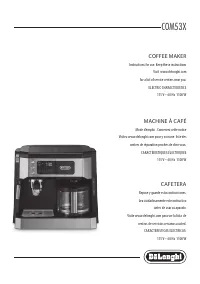

More DeLonghi Coffee Machines models
 DeLonghi ECAM550.65.SB User Manual
 DeLonghi ECAM22031SB User Manual
 DeLonghi ECAM22110B User Manual
 DeLonghi ECAM22110SB User Manual
 DeLonghi ECAM29031SB User Manual
 DeLonghi ECAM29083TB User Manual
- DeLonghi ECAM35025SB User Manual
 DeLonghi ECAM35055B User Manual
 DeLonghi ECAM35075SI User Manual
 DeLonghi ECAM45055G User Manual
 DeLonghi ECAM45760B User Manual
 DeLonghi ECO310BK User Manual
 DeLonghi ECO310R User Manual
 DeLonghi ECO310W User Manual
 DeLonghi ECP3630 User Manual
 DeLonghi EN80BAE User Manual
 DeLonghi EN80CWAE User Manual
 DeLonghi EN85RAE User Manual