DeLonghi EC9255M - User Manual
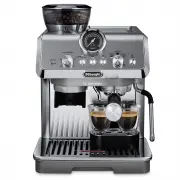
DeLonghi EC9255M Coffee Machine – User Manual, read for free online in PDF format. We hope this helps you resolve any issues you may have. If you have further questions, please contact us through the contact form.


Table of Contents:
- Page 4 – and; Whit
- Page 5 – Blue
- Page 6 – Press the temperature button:; the light corresponding to the corrent setting flashes.; Press the temperature button again to change the setting:; Descaling is selected
- Page 7 – Press the; Save new; CUSTOMISING THE QUANTITY OF DRINKS; Prepare the appliance to
- Page 8 – Clean the attachment area with the brush
- Page 9 – CLEANING THE STEAM NOZZLE
- Page 10 – Keep pressed for at least; RED; Minutes; Please note; The descale programme starts and the descaler liquid
- Page 11 – DESCALING; Position a recipient
- Page 13 – How to read the statistics
EC9255
COFFEE MAKER
Instructions for use
"Loading the manual" means you need to wait until the file loads and becomes available for online reading. Some manuals are very large, and the time they take to appear depends on your internet speed.
Was this manual helpful?
About this manual
- Brand
- DeLonghi
- Model
- EC9255M
- Document type
- User Manual
- Category
- Coffee Machine
- Language(s)
- English
- Pages
- 16
- File size
- 5.3 MB
- Format
Summary
4 Before using the appliance, always read the safety warnings. This appliance shall not be used by children. Keep the appliance and its cord out of reach of children. 1. DESCRIPTION1.1 Description of appliance - A A1. Main switchA2. Grinding level selector (fine to coarse)A3. Beans containerA4. Bean...
5 LIGHTS EXPLANATION OF LIGHTS OPERATION + On (The indicator shows the current selection The machine is ready to deliver Cold Brew Prepare the machine and press OK to start delivery On Insufficient water in tank (A7) or water tank not inserted correctly Fill the tank or extract the tank and put it b...
6 + Press both buttons (B5) and (B7) for 3 seconds to enter setting menu Keep pressed steam but-ton (B9) for 3 seconds Enter the setting menu Reset to default values ➡ 9 minutes ➡ 1,5 hours ➡ 3 hours Auto off ➡ soft ➡ medium ➡ hard Water hardness ➡ No ➡ 1 sec ➡ 2 sec Pre-infusion delay For Servicing...
Ask a question
Related manuals
Popular DeLonghi Coffee Machines

More DeLonghi Coffee Machines models
 DeLonghi EC9155GR User Manual
 DeLonghi EC9155GRPKK User Manual
 DeLonghi EC9155MB User Manual
 DeLonghi EC9155MBPK User Manual
 DeLonghi EC9155W User Manual
 DeLonghi EC9155WPKK User Manual
 DeLonghi EC9335BM User Manual
 DeLonghi EC9335M User Manual
 DeLonghi EC9355BM User Manual
 DeLonghi EC9355M User Manual
 DeLonghi EC9665M User Manual
 DeLonghi EC9865M User Manual
 DeLonghi ECAM370.95.T Dinamica Plus User Manual
 DeLonghi ECAM550.65.SB User Manual
 DeLonghi ECAM22031SB User Manual
 DeLonghi ECAM22110B User Manual
 DeLonghi ECAM22110SB User Manual
 DeLonghi ECAM29031SB User Manual