Citizen LC-310N - User Manual
This user manual is designed for the Citizen electronic calculator models LC-110N, 210N, and 310N. It serves as a comprehensive guide to the device's functionality, beginning with a cover page that identifies the brand and specific models. The manual outlines the keyboard layout and explains the functions of specific keys, such as [C/CE], [M+], [M-], and [MRC], presented in multiple languages. It includes detailed examples of arithmetic operations, ranging from basic addition and multiplication to percentages and complex formulas. Additionally, the document covers environmental disposal regulations under the WEEE directive and provides essential company contact information and legal notices.
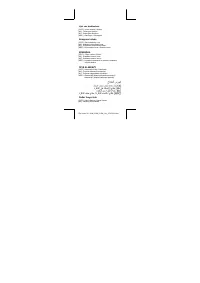
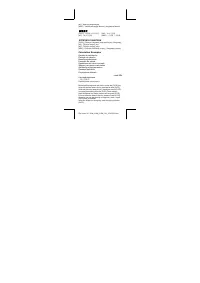


Table of Contents:
- Page 1 – Cover Page, Brand, Model, Multilingual Support
- Page 2 – Keyboard Shortcuts and Key Descriptions
- Page 3 – Calculation Examples and Key Instructions
- Page 4 – Arithmetic Examples and Key Operations
- Page 5 – Advanced Calculations and Battery Disposal
- Page 6 – WEEE Directive and Environmental Disposal
- Page 7 – Company Information and Legal Notices
CITIZEN
ELECTRONIC CALCULATOR
LC-110N/210N/310N
Instruction Manual
Manual de Instrucciones
Livro de Especificacoes
Anweisungshandbuch
Manuel d'instructions
Istruzioni all'Uso
Gebruiksaanwyzing
Manual
Инструкция по эксплуатации
Instrmkcja Obslugi
امرات يداك
Peraturan pemakaian
指导说明书
Εγχειρίδιο χρήσης
"Loading the manual" means you need to wait until the file loads and becomes available for online reading. Some manuals are very large, and the time they take to appear depends on your internet speed.
Summary
The cover page of the instruction manual for the Citizen electronic calculator models LC-110N, 210N, and 310N, featuring multilingual titles.
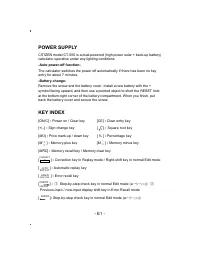
A list of keyboard buttons and their functions in multiple languages including Dutch, Polish, Arabic, and Indonesian, covering keys like [C/CE], [M+], [M-], and [MRC].
Multilingual descriptions of calculator keys, including memory operations, and examples of calculation steps in various languages.
Tips
- Always press the [C/CE] key to clear previous inputs before starting a new calculation.
- Use [M+] to add numbers to memory and [MRC] to recall or clear the stored data.
- When disposing of the device, follow local regulations for electronic waste, as the manual outlines specific separate collection systems for WEEE compliance.