Yamaha RX-V567 - Manuals
Yamaha RX-V567 Amplifier – Manual, User Manual in PDF format online.
Manuals:
Manual Yamaha RX-V567


Summary
Firmware Update Procedure for RX-V467/RX-V567 Page.2 of 5 Instructions for Firmware Update: STEP1 CREATE UPDATE DISC Download the firmware from YAMAHA website. Unzip and burn the WAV file onto CD-R/RW as an Audio-CD. This will be your update disc. If you need instructions on creating this firmware u...
Firmware Update Procedure for RX-V467/RX-V567 Page.3 of 5 STEP3 ENTER FIRMWARE UPDATE MODE Plug the AC power cable of the AV receiver. Press and hold the [STRAIGHT] button on the front panel and keep it pressed while you press the [STANDBY/ON] button. Once the front panel displays "Advance Setup...
Firmware Update Procedure for RX-V467/RX-V567 Page.5 of 5 IN CASE OF ERROR Case1 Display on the receiver “CDDA Upgrader” doesn’t change after playing the BD/DVD/CD player. Check digital cable wiring. Only optical or coaxial connection can be used for this update. HDMI connection will not work. C...
User Manual Yamaha RX-V567


Yamaha Amplifiers Manuals
-
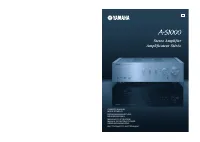 Yamaha A-S1000
User Manual
Yamaha A-S1000
User Manual
-
Yamaha A-S1000
Manual
-
 Yamaha A-S1200BL
User Manual
Yamaha A-S1200BL
User Manual
-
Yamaha A-S1200SL
User Manual
-
 Yamaha A-S2200BL
User Manual
Yamaha A-S2200BL
User Manual
-
Yamaha A-S2200SL
User Manual
-
 Yamaha AS-301BL
User Manual
Yamaha AS-301BL
User Manual
-
 Yamaha A-S3200BL
User Manual
Yamaha A-S3200BL
User Manual
-
Yamaha A-S3200SL
User Manual
-
 Yamaha AS-501BL
User Manual
Yamaha AS-501BL
User Manual
-
Yamaha AS-501SL
User Manual
-
 Yamaha A-S700
User Manual
Yamaha A-S700
User Manual
-
Yamaha A-S700
Manual
-
Yamaha AS-701SL
User Manual
-
 Yamaha AS-801BL
User Manual
Yamaha AS-801BL
User Manual
-
Yamaha AS-801SL
User Manual
-
 Yamaha AX-397
User Manual
Yamaha AX-397
User Manual
-
Yamaha AX-397
Manual
-
Yamaha AX-497
User Manual
-
Yamaha AX-497
Manual