Yamaha DSP-Z7 - Manuals
Yamaha DSP-Z7 Amplifier – Manual in PDF format online.
Manuals:
Manual Yamaha DSP-Z7


Summary
Firmware Update Procedure for DSP-Z7 Page.2 of 5 Firmware Update by USB Step1: Delete any existing files in the USB flash drive. Step2: Download and copy the firmware “RXZ7-xxxx.bin” into the root directory of the USB flash drive. Step3: Set the MASTER ON/OFF button on the front panel to OFF, and co...
Firmware Update Procedure for DSP-Z7 Page.4 of 5 Firmware Update Through the Internet Step1: Set the MASTER ON/OFF button on the front panel to OFF, and confirm that the AC power cable is properly connected to an outlet. Step2: While pressing the STRAIGHT button, press (and release) the MASTER ON/OF...
Firmware Update Procedure for DSP-Z7 Page.5 of 5 Troubleshooting Case #1: Instead of “ UPDATE OK ”, an error message appeared on the display during updating or “ ERROR ” appeared when confirming the firmware version in Advanced Setup. To recover, retry the update procedure of USB/Network from step1 ...
Yamaha Amplifiers Manuals
-
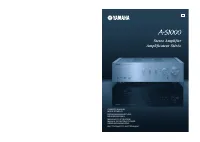 Yamaha A-S1000
User Manual
Yamaha A-S1000
User Manual
-
Yamaha A-S1000
Manual
-
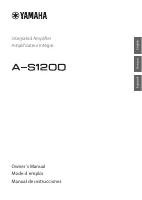 Yamaha A-S1200BL
User Manual
Yamaha A-S1200BL
User Manual
-
Yamaha A-S1200SL
User Manual
-
 Yamaha A-S2200BL
User Manual
Yamaha A-S2200BL
User Manual
-
Yamaha A-S2200SL
User Manual
-
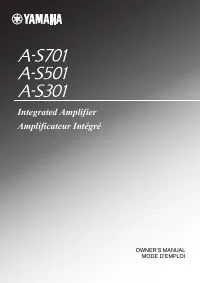 Yamaha AS-301BL
User Manual
Yamaha AS-301BL
User Manual
-
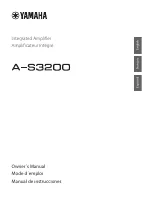 Yamaha A-S3200BL
User Manual
Yamaha A-S3200BL
User Manual
-
Yamaha A-S3200SL
User Manual
-
 Yamaha AS-501BL
User Manual
Yamaha AS-501BL
User Manual
-
Yamaha AS-501SL
User Manual
-
 Yamaha A-S700
User Manual
Yamaha A-S700
User Manual
-
Yamaha A-S700
Manual
-
Yamaha AS-701SL
User Manual
-
 Yamaha AS-801BL
User Manual
Yamaha AS-801BL
User Manual
-
Yamaha AS-801SL
User Manual
-
 Yamaha AX-397
User Manual
Yamaha AX-397
User Manual
-
Yamaha AX-397
Manual
-
Yamaha AX-497
User Manual
-
Yamaha AX-497
Manual