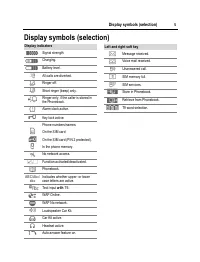
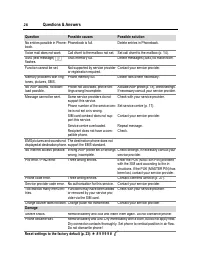
Page 2 - This is a short version of the operating instructions.
© Contents 1 This is a short version of the operating instructions. You can download the detailed version from the Internet at: www.siemens-mobile.com/a57 Safety precautions ............................. 2Overview of the phone ...................... 3Display symbols (selection) ................ 5Get...
Page 3 - Safety precautions
Safety precautions 2 Safety precautions Important: Information for parents Please read the operating instructions and safety precautions carefully before use.Explain the content and the hazards associated with using the phone to your children. Remember to comply with legal re-quirements and local re...
Page 4 - Overview of the phone
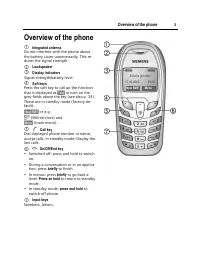
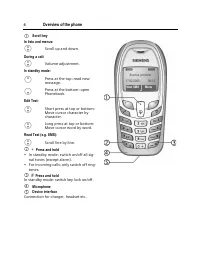
© 3 Overview of the phone Overview of the phone 1 Integrated antenna Do not interfere with the phone above the battery cover unnecessarily. This re-duces the signal strength. 2 Loudspeaker 3 Display indicators Signal strength/battery level. 4 Soft keys Press the soft key to call up the function that...
Page 7 - Getting Started; To attach
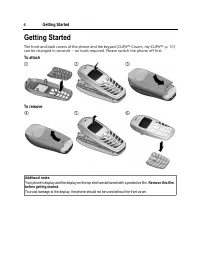
© 6 Getting Started Getting Started The front and back covers of the phone and the keypad (CLIPit™ Covers, my-CLIPit™: p. 31) can be changed in seconds – no tools required. Please switch the phone off first. To attach To remove Additonal notes Your phone's display and the display on the top shell ar...
Page 8 - Insert SIM card/battery
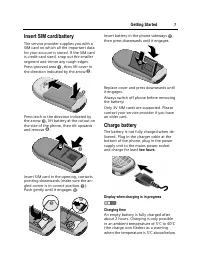
© 7 Getting Started Insert SIM card/battery The service provider supplies you with a SIM card on which all the important data for your account is stored. If the SIM card is credit-card sized, snap out the smaller segment and trimm any rough edges.Press grooved area ‹ , then lift cover in the directi...
Page 9 - a d g; Enter PIN; Standby mode; General information; User Guide; Menu Control
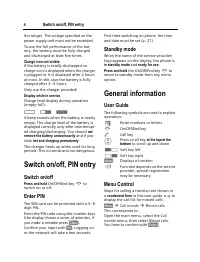
Switch on/off, PIN entry 8 this range). The voltage specified on the power supply unit must not be exceeded.To use the full performance of the bat-tery, the battery must be fully charged and discharged at least five times. Charge icon not visible If the battery is totally discharged no charge icon i...
Page 10 - Security; Making a phone call
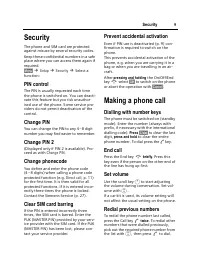
© 9 Security Security The phone and SIM card are protected against misuse by several security codes. Keep these confidential numbers in a safe place where you can access them again if required. §Menu§ ¢ Setup ¢ Security ¢ Select a function: PIN control The PIN is usually requested each time the phon...
Page 11 - Accept the waiting call
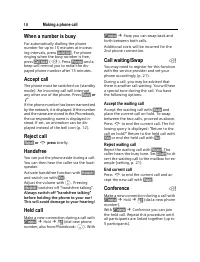
Making a phone call 10 When a number is busy For automatically dialling the phone number for up to 15 minutes at increas-ing intervals, press §Auto dial§ . For phone ringing when the busy number is free, press §Call back§ ( L ). Press §Prompt§ and a beep will remind you to redial the dis-payed phone...
Page 12 - Call menu; Switch on; Phonebook; Text entry
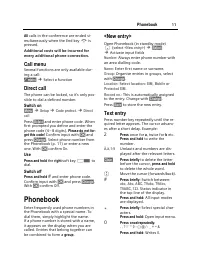
© 11 Phonebook All calls in the conference are ended si- multaneously when the End key B is pressed. Additional costs will be incurred for every additional phone connection. Call menu Several functions are only available dur-ing a call: y menu§ ¢ Select a function Direct call The phone can be locked...
Page 13 - Call/search for an entry; Assign animation; Delete/change animation; Groups; Select a group
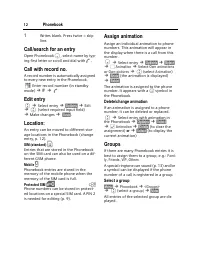
Phonebook 12 1 Writes blank. Press twice = skip line. Call/search for an entry Open Phonebook F , select name by typ- ing first letter or scroll and dial with A . Call with record no. A record number is automatically assigned to every new entry in the Phonebook. J Enter record number (in standby mod...
Page 15 - Voicemail/CB services; Voice message/Mailbox; Play back messages; Cell broadcast services
Voicemail/CB services 14 Charge settings §Menu§ ¢ Call records ¢ Duration/charges ¢ Charge settings Currency b (PIN 2 query) Currency for charge display. Personal rate b (PIN 2 query) Charges per unit/period. A/c limit b (PIN 2 query) Fix a credit/usage period on a special SIM card. §Select§ ¢ Setup...
Page 16 - Read messages
© 15 Messages (SMS) Receive CB b You can activate and deactivate the CB service. If activated, the standby time of the phone will be reduced. Read new CB All unread CB messages are displayed. Topic list You can add an unrestricted number of topics to this personal list from the topic index ( Topic i...
Page 18 - SMS to group
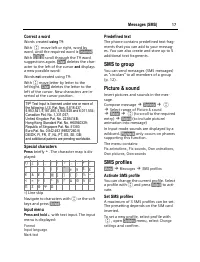
© 17 Messages (SMS) Correct a word Words created using T9: With G move left or right, word by word, until the required word is §inverted§ . With » scroll through the T9 word suggestions again. §Clear§ deletes the char- acter to the left of the cursor and displays a new possible word!Words not create...
Page 20 - Calculator
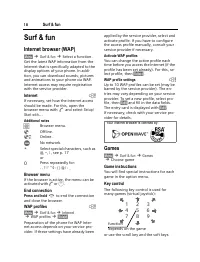
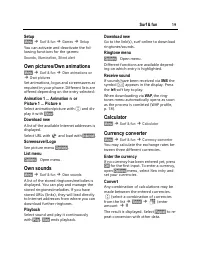
© 19 Surf & fun Setup §Menu§ ¢ Surf & fun ¢ Games ¢ Setup You can activate and deactivate the fol-lowing functions for the games: Sounds , Illumination , Silent alert Own pictures/Own animations §Menu§ ¢ Surf & fun ¢ Own animations or ¢ Own pictures Set animations, logos and screensavers...
Page 21 - Profiles; Display
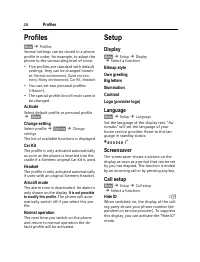
Profiles 20 Profiles §Menu§ ¢ Profiles Several settings can be stored in a phone profile in order, for example, to adapt the phone to the surrounding level of noise.• Five profiles are standard with default settings, they can be changed howev-er: Normal environment , Quiet environ- ment , Noisy envi...
Page 22 - Divert; Clock
© 21 Setup Call waiting b If you are registered for this service, you can check whether it is set and you can activate/deactivate it with Call waiting . Minute beep During the call, you will hear a beep after each minute as a reminder of the time elapsed. §Menu§ ¢ Setup ¢ Call setup ¢ Select a funct...
Page 23 - Network
Setup 22 Buddhist year Switch to the Buddhist calendar (not available in all models). Security §Menu§ ¢ Setup ¢ Security ¢ Select a function. Direct call Only one phone number can be dialled. Press and hold control key on the right . This SIM only b Your phone is prevented from being used with a dif...
Page 24 - Master reset; Ring tones; More Tones; Alarm clock; Setting
© 23 Ring tones Master reset §Menu§ ¢ Setup ¢ Master reset The phone is reset to the default values (does not apply to SIM card and network settings).Alternative input in standby mode: * # 9 9 9 9 # A Ring tones §Menu§ ¢ Ring tones ¢ Select a function. You can set the tones to match your needs. Ring...
Page 25 - Fast access key; Left soft key; Speed dialling keys; Key lock; Send control code; Use the Phonebook
Fast access key 24 Fast access key You can program an important phone number or a function on the left soft key. You can program an important phone number on the number keys 2 to 9 (speed dialling numbers). The phone number can then be dialled or the function can be started at the touch of a button....
Page 28 - Customer Care
© 27 Customer Care Customer Care You can also get personal advice about our range of products on our Premium Hotline: United Kingdom ............................ 0906 9597500 (£0.75 per minute) Qualified Siemens employees are waiting to offer you expert information about our products and in-stallati...
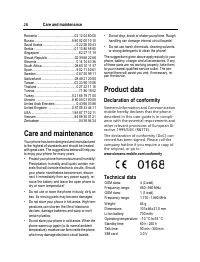
Page 29 - Care and maintenance; Declaration of conformity
Care and maintenance 28 Romania .........................................02 12 04 60 00Russia .......................................... 8 80 02 00 10 10Saudi Arabia .....................................0 22 26 00 43Serbia .............................................01 13 80 95 50Singapore ...........
Page 30 - Battery quality statement
© 29 Battery quality statement Battery quality statement The capacity of your mobile phone bat-tery will reduce each time it is charged/ emptied. Storage at too high or low tem-peratures will also result in a gradual ca-pacity loss. As a result the operating time of your mobile phone may be consider...
Page 32 - Accessories; Energy; Headset Basic
© 31 Accessories Accessories Energy Li-Ion Battery (700 mAh) EBA-510 Spare battery for additonal standby and talk time. Travel Charger Travel Charger ETC-500 (EU)Travel Charger ETC-510 (UK)Travel charger with an extended input voltage range of 100 – 240V for international use. Car Charger Plus ECC-6...
Page 35 - Index
Index 34 Index A Accepted calls, call list......................... 13 Accessories ......................................... 31 Account limit ...................................... 14 Aircraft mode, profile .......................... 20 Alarm clock ......................................... 23 Alarm ...