Page 2 - Contents; This is a short version of User Guide. You
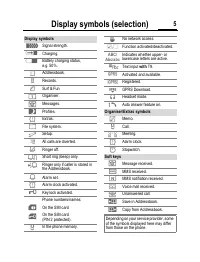
Contents 1 This is a short version of User Guide. You can download the detailed version from the Internet at: www.my-siemens.com/c62 Safety precautions ...................... 2Phone overview .......................... 3Display symbols (selection) ........ 5Getting started...............................
Page 3 - Safety precautions
Safety precautions 2 ty cautions Please note Information for parents Please read the operating instructions and safety precautions carefully before use.Explain the content and the hazards associated with using the phone to your children. Remember to comply with legal requirements and local restric-t...
Page 4 - Phone overview
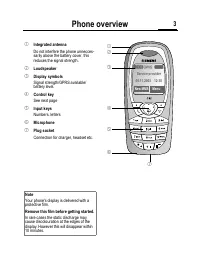
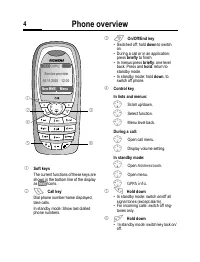
Phone overview 3 hone view 1 Integrated antenna Do not interfere the phone unnecces-sarily above the battery cover, this reduces the signal strength. 2 Loudspeaker 3 Display symbols Signal strength/GPRS available/battery level. 4 Control key See next page 5 Input keys Numbers, letters 6 Microphone 7...
Page 7 - Getting started; Insert SIM card/battery
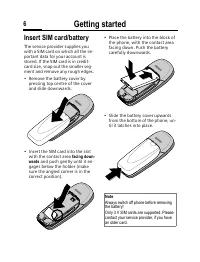
Getting started 6 ing ted Insert SIM card/battery The service provider supplies you with a SIM card on which all the im-portant data for your account is stored. If the SIM card is in credit-card size, snap out the smaller seg-ment and remove any rough edges.• Remove the battery cover by pressing top...
Page 8 - Charging the battery
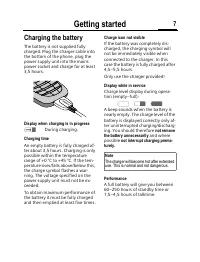
Getting started 7 Charging the battery The battery is not supplied fully charged. Plug the charger cable into the bottom of the phone, plug the power supply unit into the mains power socket and charge for at least 3,5 hours. Display when charging is in progress During charging. Charging time An empt...
Page 9 - Time and date
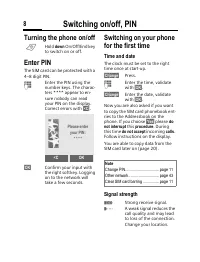
Switching on/off, PIN 8 ching on/ f, PIN Turning the phone on/off B Hold down On/Off/End key to switch on or off. Enter PIN The SIM card can be protected with a 4–8 digit PIN. J Enter the PIN using the number keys. The charac-ters **** appear to en-sure nobody can read your PIN on the display. Corre...
Page 10 - Standby mode
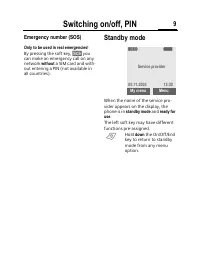
Switching on/off, PIN 9 Emergency number (SOS) Only to be used in real emergencies! By pressing the soft key, §SOS§ you can make an emergency call on any network without a SIM card and with- out entering a PIN (not available in all countries). Standby mode When the name of the service pro-vider appe...
Page 11 - General information; User guide; y Ñ m
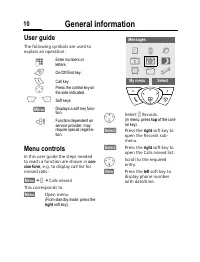
General information 10 neral rmation User guide The following symbols are used to explain an operation: Menu controls In this user guide the steps needed to reach a function are shown in con- cise form , e.g. to display call list for missed calls: §Menu§ ¢ Z ¢ Calls missed This corresponds to: §Menu...
Page 12 - Codes; PIN control; Clear SIM-card barring
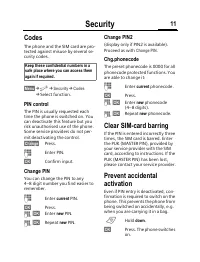
Security 11 rity Codes The phone and the SIM card are pro-tected against misuse by several se-curity codes. §Menu§ ¢ m ¢ Security ¢ Codes ¢ Select function. PIN control The PIN is usually requested each time the phone is switched on. You can deactivate this feature but you risk unauthorised use of t...
Page 13 - Making a phone call; End call; Redial previous numbers
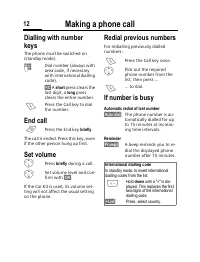
Making a phone call 12 king a hone call Dialling with number keys The phone must be switched on (standby mode). J Dial number (always with area code, if necessary with international dialling code). §<C§ A short press clears the last digit, a long press clears the entire number. A Press the Call k...
Page 14 - Accept call; Reject call; Handsfree
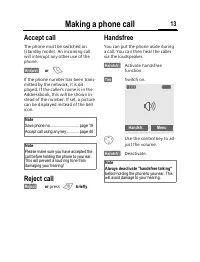
Making a phone call 13 Accept call The phone must be switched on (standby mode). An incoming call will interrupt any other use of the phone. §Answer§ or A If the phone number has been trans-mitted by the network, it is dis-played. If the caller's name is in the Addressbook, this will be shown in-ste...
Page 15 - Hold call; Conference; End
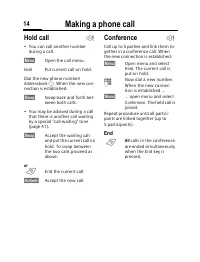
Making a phone call 14 Hold call • You can call another number during a call. §Menu§ Open the call menu. Hold Put current call on hold. Dial the new phone number/ Addressbook F . When the new con- nection is established: §Swap§ Swap back and forth bet-ween both calls. • You may be advised during a c...
Page 16 - Text entry; Enter text without T9; Special characters
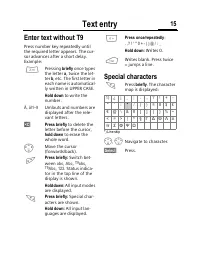
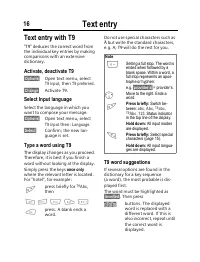
Text entry 15 ext entry Enter text without T9 Press number key repeatedly until the required letter appears. The cur-sor advances after a short delay. Example: 2 Pressing briefly once types the letter a , twice the let- ter b , etc. The first letter in each name is automatical-ly written in UPPER CA...
Page 17 - Text entry with T9; Activate, deactivate T9; Select Input language; Type a word using T9; T9 word suggestions
Text entry 16 Text entry with T9 "T9" deduces the correct word from the individual key entries by making comparisons with an extensive dictionary. Activate, deactivate T9 §Options§ Open text menu, select T9 input , then T9 preferred . §Change§ Activate T9. Select Input language Select the la...
Page 18 - Correct a word; Write personal stored text; Use text modules
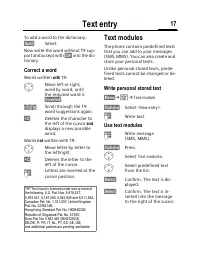
Text entry 17 To add a word to the dictionary: §Spell§ Select. Now write the word without T9 sup-port and accept with §OK§ into the dic- tionary. Correct a word Words written with T9: H Move left or right, word by word, until the required word is §inverted§ . Scroll through the T9 word suggestions a...
Page 19 - Groups
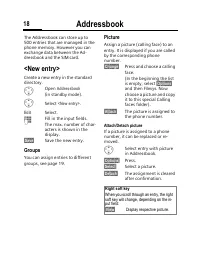
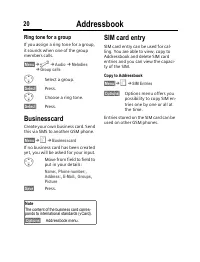
Addressbook 18 ddressbook The Addressbook can store up to 500 entries that are managed in the phone memory. However you can exchange data between the Ad-dressbook and the SIM card. <New entry> Create a new entry in the standard directory. F Open Addressbook (in standby mode). G Select <New ...
Page 20 - Edit entry
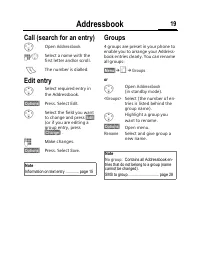
Addressbook 19 Call (search for an entry) F Open Addressbook . J / G Select a name with the first letter and/or scroll. A The number is dialled. Edit entry G Select required entry in the Addressbook. §Options§ Press. Select Edit . G Select the field you want to change and press §Edit§ (or if you are...
Page 21 - Ring tone for a group; Businesscard
Addressbook 20 Ring tone for a group If you assign a ring tone for a group, it sounds when one of the group members calls. §Menu§ ¢ m ¢ Audio ¢ Melodies ¢ Group calls G Select a group. §Select§ Press. I Choose a ring tone. §Select§ Press. Businesscard Create your own business card. Send this via SMS...
Page 22 - Records; Call list menu
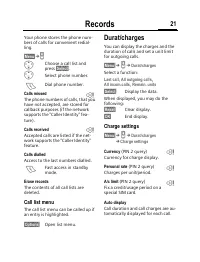
Records 21 ecords Your phone stores the phone num-bers of calls for convenient redial-ling. §Menu§ ¢ v G Choose a call list and press §Select§ . G Select phone number. A Dial phone number. Calls missed The phone numbers of calls, that you have not accepted, are stored for callback purposes (if the n...
Page 23 - Homepage; WAP profiles
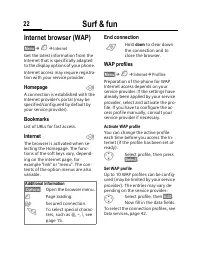
Surf & fun 22 & fun Internet browser (WAP) §Menu§ ¢ É ¢ Internet Get the latest information from the Internet that is specifically adapted to the display options of your phone. Internet access may require registra-tion with your service provider. Homepage A connection is established with the...
Page 24 - Games
Surf & fun 23 Games The phone includes games. §Menu§ ¢ É ¢ Games G Select the game, then press §Select§ . There are special instructions and/or notes in the §Options§ menu of each game.
Page 25 - Organiser; Calendar; Appointments
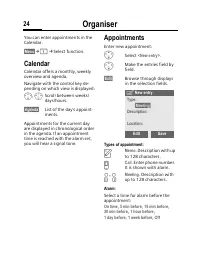
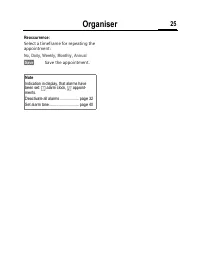
Organiser 24 niser You can enter appointments in the Calendar. §Menu§ ¢ ¢ Select function. Calendar Calendar offers a monthly, weekly overview and agenda. Navigate with the control key de-pending on which view is displayed: G , H Scroll between weeks/days/hours. §Agenda§ List of the day’s appoint-me...
Page 27 - Voice mail/CB services; Settings; Listen to; CB services
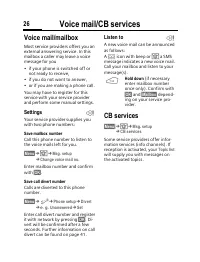
Voice mail/CB services 26 ce mail/ ervices Voice mail/mailbox Most service providers offers you an external answering service. In this mailbox a caller may leave a voice message for you• if your phone is switched off or not ready to receive, • if you do not want to answer,• or if you are making a ph...
Page 28 - SMS; Receiving SMS; Archive
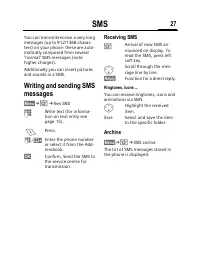
SMS 27 You can transmit/receive a very long messages (up to 912/1368 charac-ters) on your phone: these are auto-matically composed from several "normal" SMS messages (note higher charges).Additionally you can insert pictures and sounds in a SMS. Writing and sending SMS messages §Menu§ ¢ ] ¢ ...
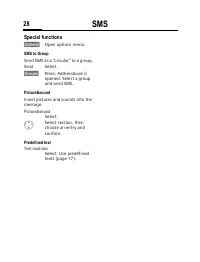
Page 29 - Special functions
SMS 28 Special functions §Options§ Open options menu. SMS to Group Send SMS as a "circular" to a group: Send Select. §Groups§ Press. Addressbook is opened. Select a group and send SMS. Picture&sound Insert pictures and sounds into the message. Picture&sound Select. G Select section, ...
Page 30 - MMS
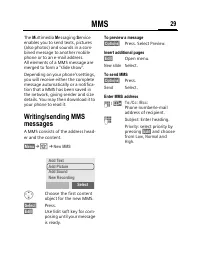
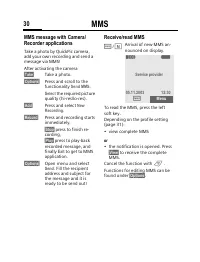
MMS 29 The M ultimedia M essaging S ervice enables you to send texts, pictures (also photos) and sounds in a com-bined message to another mobile phone or to an e-mail address. All elements of a MMS message are merged to form a "slide show".Depending on your phone’s settings, you will receive...
Page 32 - Message lists and profiles; Message lists; Inbox; Unsent; Sent; Message profiles
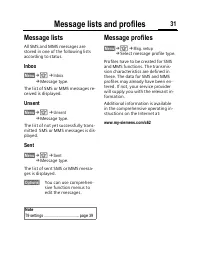
Message lists and profiles 31 ssage lists nd profiles Message lists All SMS and MMS messages are stored in one of the following lists according to status. Inbox §Menu§ ¢ ] ¢ Inbox ¢ Message type. The list of SMS or MMS messages re-ceived is displayed. Unsent §Menu§ ¢ ] ¢ Unsent ¢ Message type. The l...
Page 33 - Profiles; Setup; Car Kit
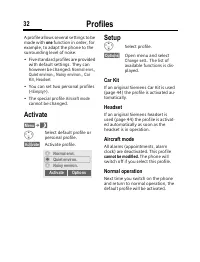
Profiles 32 iles A profile allows several settings to be made with one function in order, for example, to adapt the phone to the surrounding level of noise.• Five standard profiles are provided with default settings. They can however be changed: Normal envi. , Quiet environ. , Noisy environ. , Car K...
Page 34 - Extras; SAT menu; Setting; Calculator
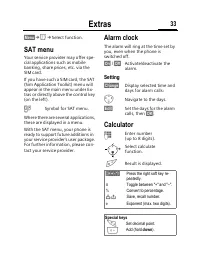
Extras 33 as §Menu§ ¢ y ¢ Select function. SAT menu Your service provider may offer spe-cial applications such as mobile banking, share prices, etc. via the SIM card.If you have such a SIM card, the SAT (Sim Application Toolkit) menu will appear in the main menu under Ex-tras or directly above the c...
Page 35 - Recorder
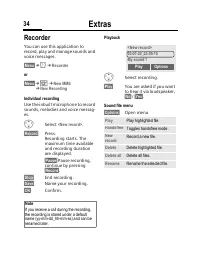
Extras 34 Recorder You can use this application to record, play and manage sounds and voice messages. §Menu§ ¢ y ¢ Recorder or §Menu§ ¢ ] ¢ New MMS ¢ New Recording Individual recording Use the inbuilt microphone to record sounds, melodies and voice messag-es. G Select <New record> . §Record§ P...
Page 36 - Stopwatch
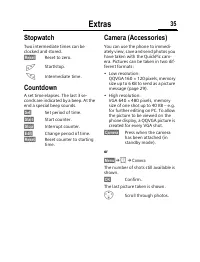
Extras 35 Stopwatch Two intermediate times can be clocked and stored. §Reset§ Reset to zero. Start/stop. * Intermediate time. Countdown A set time elapses. The last 3 se-conds are indicated by a beep. At the end a special beep sounds. §Set§ Set period of time. §Start§ Start counter. §Stop§ Interrupt...
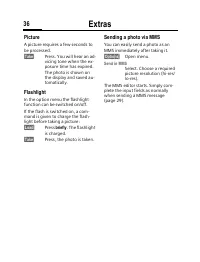
Page 37 - Picture; Flashlight; Sending a photo via MMS
Extras 36 Picture A picture requires a few seconds to be processed. §Take§ Press. You will hear an ad-vicing tone when the ex-posure time has expired. The photo is shown on the display and saved au-tomatically. Flashlight In the option menu the flashlight function can be switched on/off.If the flash...
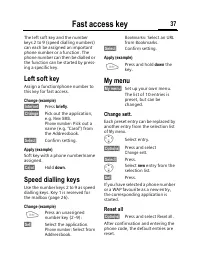
Page 38 - Fast access key; Left soft key; Speed dialling keys; My menu; Reset all
Fast access key 37 ast access The left soft key and the number keys 2 to 9 (speed dialling numbers) can each be assigned an important phone number or a function. The phone number can then be dialled or the function can be started by press-ing a specific key. Left soft key Assign a function/phone num...
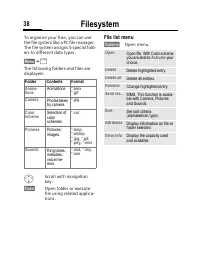
Page 39 - Filesystem; File list menu
Filesystem 38 system To organise your files, you can use the file system like a PC file manager. The file system assigns 5 special fold-ers to different data types. §Menu§ ¢ Ñ The following folders and files are displayed: G Scroll with navigation key. §Open§ Open folder or execute file using relate...
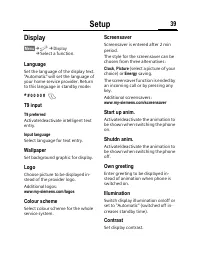
Page 40 - Display
Setup 39 p Display §Menu§ ¢ m ¢ Display ¢ Select a function. Language Set the language of the display text. "Automatic" will set the language of your home service provider. Return to this language in standby mode: * # 0 0 0 0 # A T9 input T9 preferred Activate/deactivate intelligent text ent...
Page 41 - Audio; Keys
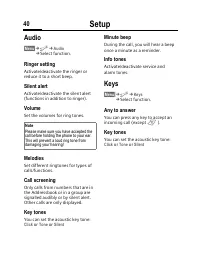
Setup 40 Audio §Menu§ ¢ m ¢ Audio ¢ Select function. Ringer setting Activate/deactivate the ringer or reduce it to a short beep. Silent alert Activate/deactivate the silent alert (functions in addition to ringer). Volume Set the volumes for ring tones. Melodies Set different ringtones for types of c...
Page 42 - Phone setup; Call waiting; Phone identity
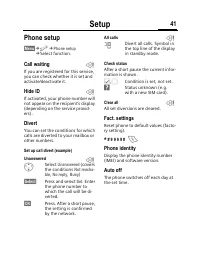
Setup 41 Phone setup §Menu§ ¢ m ¢ Phone setup ¢ Select function. Call waiting If you are registered for this service, you can check whether it is set and activate/deactivate it. Hide ID If activated, your phone number will not appear on the recipient’s display (depending on the service provid-ers). ...
Page 43 - Connectivity
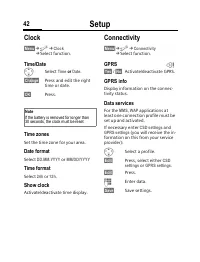
Setup 42 Clock §Menu§ ¢ m ¢ Clock ¢ Select function. Time/Date G Select Time or Date . §Change§ Press and edit the right time or date. §OK§ Press. Time zones Set the time zone for your area. Date format Select DD.MM.YYYY or MM/DD/YYYY Time format Select 24h or 12h . Show clock Activate/deactivate ti...
Page 44 - Network
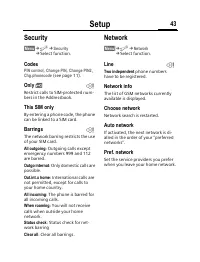
Setup 43 Security §Menu§ ¢ m ¢ Security ¢ Select function. Codes PIN control , Change PIN , Change PIN2 , Chg.phonecode (see page 11). Only ‚ Restrict calls to SIM-protected num-bers in the Addressbook. This SIM only By entering a phone code, the phone can be linked to a SIM card. Barrings The netwo...
Page 45 - Accessories; Headset
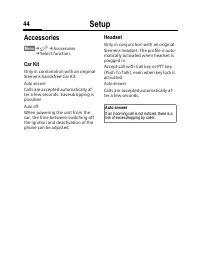
Setup 44 Accessories §Menu§ ¢ m ¢ Accessories ¢ Select function. Car Kit Only in combination with an original Siemens handsfree Car Kit. Auto answer Calls are accepted automatically af-ter a few seconds. Eavesdropping is possible! Auto off When powering the unit from the car, the time between switch...
Page 46 - Data Exchange Software
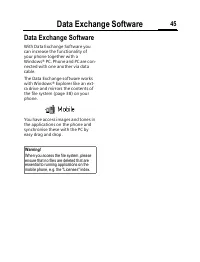
Data Exchange Software 45 ange ware Data Exchange Software With Data Exchange Software you can increase the functionality of your phone together with a Windows® PC. Phone and PC are con-nected with one another via data cable.The Data Exchange software works with Windows® Explorer like an ext-ra driv...
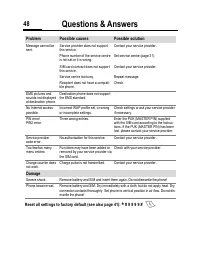
Page 50 - Customer Care
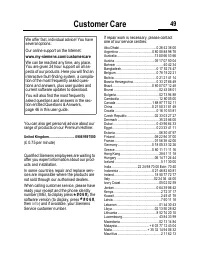
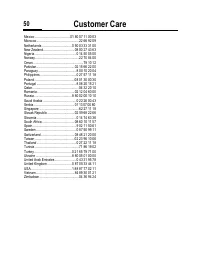
Customer Care 49 stomer You can also get personal advice about our range of products on our Premium Hotline: United Kingdom ............................ 0906 9597500 (£ 0.75 per minute) Qualified Siemens employees are waiting to offer you expert information about our prod-ucts and installation.In so...
Page 52 - Care and maintenance
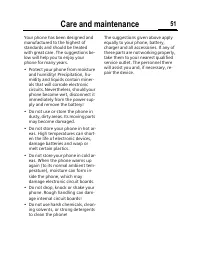
Care and maintenance 51 and tenance Your phone has been designed and manufactured to the highest of standards and should be treated with great care. The suggestions be-low will help you to enjoy your phone for many years.• Protect your phone from moisture and humidity! Precipitation, hu-midity and l...
Page 53 - Product data; Declaration of conformity
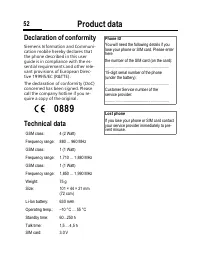
Product data 52 uct data Declaration of conformity Siemens Information and Communi-cation mobile hereby declares that the phone described in this user guide is in compliance with the es-sential requirements and other rele-vant provisions of European Direc-tive 1999/5/EC (R&TTE).The declaration o...
Page 54 - Battery quality statement
Battery quality statement 53 ery lity ement The capacity of your mobile phone battery will reduce each time it is charged/emptied. Storage at too high or low temperatures will also result in a gradual capacity loss. As a result the operating time of your mo-bile phone may be considerably re-duced, e...
Page 57 - Menu tree
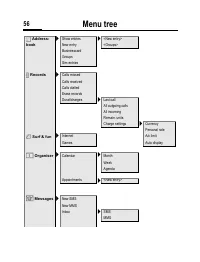
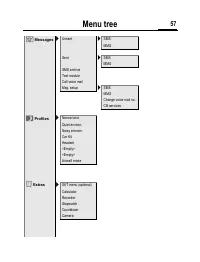
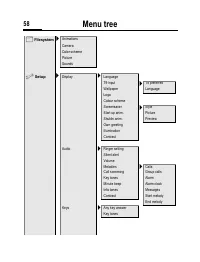
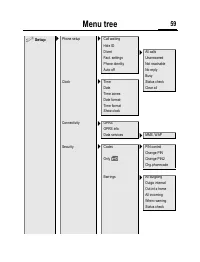
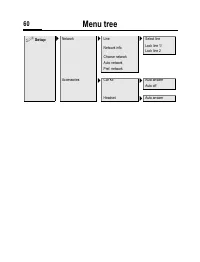
Menu tree 56 nu tree è Address- book > Show entries > <New entry> New entry <Groups> Businesscard Groups Sim entries Z Records > Calls missed Calls received Calls dialled Erase records Durat/charges > Last call All outgoing calls All incoming Remain. units Charge settings >...
Page 65 - Index
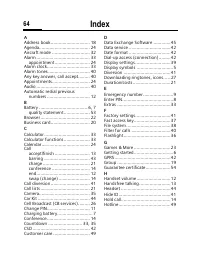
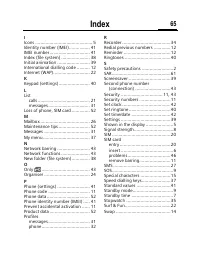
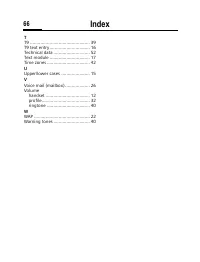
Index 64 x A Address book .............................. 18Agenda....................................... 24 Aircraft mode ............................. 32Alarm ......................................... 33 appointment ........................... 24 Alarm clock................................. 33Alarm...
 Siemens Xelibri 6 User Manual
 Siemens Xelibri 7 User Manual
 Siemens Xelibri 8 User Manual
 Siemens A57 User Manual
 Siemens AP75 User Manual
 Siemens C72 User Manual
 Siemens CF62 User Manual
 Siemens CX75 User Manual
 Siemens M50 User Manual
 Siemens M75 User Manual
 Siemens ME75 User Manual
 Siemens S55 User Manual
 Siemens S75 User Manual
 Siemens SL45i User Manual
 Siemens SL55 User Manual
 Siemens SL65 User Manual
 Siemens SL75 User Manual
 Siemens ST55 User Manual
 Siemens ST60 User Manual