Page 2 - IMPORTANT SAFETY INSTRUCTIONS
English-2 IMPORTANT SAFETY INSTRUCTIONS 1. Read these instructions. 2. Keep these Instructions. 3. Heed all warnings. 4. Follow all instructions. 5. Do not use this apparatus near water. 6. Clean only with dry cloth. 7. Do not block any ventilation openings. Install in accordance with the manufactur...
Page 4 - IMPORTANT SAFEGUARDS
English-4 IMPORTANT SAFEGUARDS Caution Power source is indicated on the rear of the set. It contains high-voltage parts. If you remove the cover, it may cause fire or electric shock. Do not remove the cover by yourself. (Control switches are at the front of the monitor.) 1. Read Instructions : All t...
Page 7 - FCC information; Warning; User-Installer Caution
English-7 19.Safety Check : Upon completion of any service or repairs to this monitor, ask the service technician to preform safety checks to determine that the monitor is in proper operating condition. FCC information Warning This equipment has been tested and found to comply the limits for a class...
Page 8 - Information to user
English-8 Information to user Changes or modifications not expressly approved by the party responsible for compliance could void the user's authority to operate the equipment. NOTE: This equipment has been tested and found to comply with the limits for a Class A digital device, pursuant to Part 15 o...
Page 9 - IC Compliance Notice
English-9 The party responsible for product compliance: SAMSUNG ELECTRONICS CO., LTD. America QA Lab of Samsung 3351 Michelson Drive, Suite #290, Irvine, CA92612 USA IC Compliance Notice This Class (A) digital apparatus meets all requirements of the Canadian Interference-Causing Equipment Regulation...
Page 10 - Contents
English-10 Contents IMPORTANT SAFETY INSTRUCTIONS.......................English-2 IMPORTANT SAFEGUARD............................................English-4 FCC informatio...................................................................English-7 Front Panel Components and Controls(SMC-213).............
Page 13 - Settings Range of Each Button
English-13 Settings Range of Each Button Explanation To select a specific Contrast within the setting range. To select a specific Brightness within the setting range. To select a specific Sharpness within the setting range. To select a specific Color within the setting range. To select specific Tint...
Page 16 - Structure of the Setup Menu; • Choose the MENU and then press; • If you want to turn up the setting of function of the
English-16 Structure of the Setup Menu ADJUST Contrast : 50 Brightness : 50 Sharpness : 50 Colour : 50 Tint : G 50 R 50Colour Tone : Cool /Cool2 /Normal/Warm1/Warm2 Reset Return Ch1 : Sec Dwell time Ch2 : Sec Ch3 : Sec Ch4 : Sec Return Ch OSD : On/Off OSD Setting Auto OSD : On/Off No Input OSD : On/...
Page 17 - Rear Panel Components and Controls
English-17 Rear Panel Components and Controls SMC-213 VIDEO A (IN) / VIDEO B (IN) This is connector for inputting Video signals. VIDEO A (OUT) / VIDEO B (OUT) This is connector for outputting Video signal. AUDIO A (IN) / AUDIO B (IN) This is connector for inputting audio signal. AUDIO A (OUT) / AUDI...
Page 18 - AUDIO OUT; VIDEO OUT
English-18 Rear Panel Components and Controls AUDIO 1~4 This is connector for inputting AUDIO signal. AUDIO OUT This is connector for outputting AUDIO signal. CAMERA IN 1~4 This is connector for inputtingVIDEO signal. VIDEO OUT This is connector for outputting VIDEO signal. 1 2 3 4 3 4 SMC-214 @@@@@...
Page 19 - Connections
English-19 Connections Camera A Camera B SMC-213 1 2 3 4 3 4 SMC-214 CAMERA IN 3 CAMERA IN 4 and CAMERA IN 1 CAMERA IN 2 have the same connectionmethod. E @@@@@@@@@@@@ @@g?@ @@g?@ @@g?@ @@h @@g@? @@g@? @@@@@@@@@? @@g@? @@g@? @@h @@h @@h @@h @@h @@@@@@@@@@@@ ? ? ? ? ? ? ? @@@6X?f?@@@@ @@)Xg?@H @@@1g?...
Page 20 - Maintenance
English-20 Maintenance If the quality of the picture on the COLOR MONITOR is poor and cannot be improved, inspect all system connections and cable runs. Repairs should be performed by a qualified technician with adequate test equipment and facilities. @@@@@@@@@@@@ @@g?@ @@g?@ @@g?@ @@h @@g@? @@g@? @...
Page 21 - Specifications
English-21 Specifications SMC-213 / SMC-214 (NTSC/PAL) 21” diagonal, 0.7stripe pitch, 90° deflection 2 Channel Input/2 Channel Ouput( SMC-213 ) 4 Channel Input/1 Channel Ouput( SMC-214 ) 2 Channel Input/2 Channel Ouput( SMC-213 ) 4 Channel Input/1 Channel Ouput( SMC-214 ) Control range of main secti...
Page 23 - COLOR MONITOR; Guide de l'utilisateur
COLOR MONITOR SMC-213SMC-214 Guide de l'utilisateur F @@@@@@@@@@@@ @@h @@h @@h @@h @@g@? @@g@? @@@@@@@@@? @@g@? @@g@? @@h @@h @@h @@h @@h @@@@@@g ? ? ? ? ? ? ? @@@@@@@@@6X?e? @@fI')Xe? @@f?N@1e? @@g@@e? @@g@@e? @@g@@e? @@f?J@5e? @@fO&0Ye? @@@@@@@Uf? @@eI'@1f? @@e?N@@L?e? @@f3@)Xe? @@fV'@1e? @@f?...
Page 25 - CONSIGNES IMPORTANTES
Français-3 CONSIGNES IMPORTANTES Attention Le point d’alimentation est indiqué à l’arrière de l'appareil. Il contient des pièces sous haute tension. Si vous retirez le couvercle, un incendie ou une décharge électrique risque de se produire. Ne retirez pas vous-même le couvercle. (Les boutons de comm...
Page 29 - Table des matières
Français-7 Table des matières CONSIGNES IMPORTANTES ........................................ ......Français-3 Commandes et composants de la façade W.h ?W&Hh ?75?h J@H?h 75he ?J@Hhe ?7@?he ?@@?he ?@@?he ?@@?he ?@@?he ?@@?he ?@@?he ?3@?he ?N@Lhe 31he N@L?h ?31?h ?V'Lh V/h SMC-213).............. Fr...
Page 30 - Bouton POWER
Français-8 Commandes et composants de la façade SMC-213 Utilisation des boutons du panneau avant Bouton POWER Bouton Marche/Arrêt. Appuyez sur ce bouton pour allumer le moniteur. LaLED rouge du signal d’entrée sélectionné s’allume. Touche SOURCE (SOURCE) (Sélection de l'entrée VIDEO)Cette touche per...
Page 32 - Plage de réglage de chaque bouton
Français-10 Plage de réglage de chaque bouton Explication Permet de sélectionner un niveau de contraste (Contrast) spécifique dans la plage de réglage. Permet de sélectionner un niveau de luminosité (Brightness) spécifique dans la plage de réglage. Permet de sélectionner un niveau de netteté (Sharpn...
Page 34 - Eléments et commandes de la façade; Utilisation des boutons de la façade
Français-12 Eléments et commandes de la façade (SMC-214) Utilisation des boutons de la façade CH1 CH2 CH3 CH4 Touche Power (Mise sous/hors tension) Touche On/Off (Marche/Arrêt) Cette touche vous permet d'activer l'écran ; la DEL du signal d'entrée sélectionné s'allume également. Commutateur de régla...
Page 35 - • Si vous souhaitez augmenter le réglage de MENU (MENU), appuyez sur
Français-13 Structure du menu Setup (Configuration) R é gler Contraste : 50 Luminosité : 50 Netteté : 50 Couleur : 50 Teinte : G 50 R 50 Nuance Coul . : Froide 1 / Froide 2 / Normal / Chaude1 / Chaude2 Réinit Retour . Ch. 1 : sec. Dwell time Ch. 2 : sec. Ch. 3 : sec. Ch. 4 : sec. Return Ch.OSD : Mar...
Page 38 - Branchements
Français-16 Branchements SMC-213 Appareil photo A Appareil photo B 1 2 3 4 3 4 Camera A Camera B Les entrées d’appareils photo CAMERA IN 3 (ENTREE APPAREIL PHOTO 3)et CAMERA IN 4 (ENTREE APPAREILPHOTO 4) utilisent les mêmes méthodesd e c o n n e x i o n q u e C A M E R A I N 1( E N T R E E A P P A R...
Page 39 - Entretien
Français-17 Entretien Si la qualité d’image du MONITEUR COULEUR est mauvaise ou s’il est impossible de l’améliorer, contrôlez tous les branchements et les parcours de câbles.Les réparations doivent être effectuées par un technicien qualifié disposant d’installations et d’équipements de contrôle appr...
Page 40 - Caractéristiques techniques
Français-18 Caractéristiques techniques SMC-213 / SMC-214 (NTSC/PAL) 21" en diagonale ; pas de 0,7 bande ; déflexion de 90° 2 entrées et 2 sorties de canal (SMC-213) 4 entrées et 1 sortie de canal (SMC-214) 2 entrées et 2 sorties de canal (SMC-213) 4 entrées et 1 sortie de canal (SMC-214)Plage d...
Page 41 - Notes
Français-19 Notes F @@@@@@@@@@@@ @@h @@h @@h @@h @@g@? @@g@? @@@@@@@@@? @@g@? @@g@? @@h @@h @@h @@h @@h @@@@@@g ? ? ? ? ? ? ? @@@@@@@@@6X?e? @@fI')Xe? @@f?N@1e? @@g@@e? @@g@@e? @@g@@e? @@f?J@5e? @@fO&0Ye? @@@@@@@Uf? @@eI'@1f? @@e?N@@L?e? @@f3@)Xe? @@fV'@1e? @@f?N@@L?? @@g3@)K? @@@@@@fV4@@@ ? ? ?...
Page 42 - FARBMONITOR; Bedienungsanleitung
FARBMONITOR SMC-213 SMC-214 Bedienungsanleitung D ? ? ? ? ? ? ? O2@@@@@6KO@ W2(Mf?I'@@ ?W&(Y?gV'@ ?7@Hh?N@ J@5?he@ 7@H?he? @@hf? @@hf? @@hf? @@h?@@@@ 3@L?h?@@ N@1?h?@@ ?3@Lh?@@ ?V')X?gJ@@ V4)Kf?O&@@ I4@@@@@@0M? ? ? ? ? ? ? ? ? @@@@@@@@@@@@ @@g?@ @@g?@ @@g?@ @@h @@g@? @@g@? @@@@@@@@@? @@g@? @...
Page 44 - WICHTIGE SICHERHEITSHINWEISE
Deutsch-3 WICHTIGE SICHERHEITSHINWEISE Warnhinweise Das Netzteil befindet sich an der Rückseite des Geräts. Es enthält Hochspannungsbauteile. Das Entfernen der Abdeckung kann zu Bränden oder Stromschlägen führen. Entfernen Sie daher unter keinen Umständen die Abdeckung. (Die Bedienelemente befinden ...
Page 48 - Inhalt
Deutsch-7 Inhalt WICHTIGE SICHERHEITSHINWEISE ?@@?f ?@@?f ?@@?f ?@@?f ?@@?f ?@@?f ?@@?f ?@@?f ?@@?f ?@@?f ?@@?f ?@@?f ?@@?f ?@@?f ?@@?f ?@@?f ?@@?f ?@@?f Deutsch-3 Komponenten und Bedienelemente an der Vorderseite(SMC-213)...................................Deutsch-8 Vorderseite des Geräts .............
Page 49 - Netzschalter
Deutsch-8 Komponenten und Bedienelemente an der Vorderseite SMC-213 Vorderseite des Geräts Netzschalter Mit diesem Schalter wird die Stromversorgung des Monitors ein- undausgeschaltet. SOURCE (Video-Eingangssignal auswählen) Mit dieser Taste können Sie die Signalquelle für den Videoeingang wählen.Dr...
Page 51 - Mögliche Einstellungen der Tasten
Deutsch-10 Mögliche Einstellungen der Tasten Erklärung Einstellen eines Wertes für den Kontrast (Contrast). Einstellen eines Wertes für die Helligkeit (Brightness). Einstellen eines Wertes für die Schärfe (Sharpness). Einstellen eines Wertes für die Farbsättigung (Color) Einstellen eines Wertes für ...
Page 53 - Tastenfunktion Vorderseite
Deutsch-12 Komponenten und Bedienelemente an der Vorderseite(SMC-214) Tastenfunktion Vorderseite CH1 CH2 CH3 CH4 POWER (Netzschalter) Zum Ein- und Ausschalten des Geräts. Wenn Sie diese Taste drücken, wird der Monitor eingeschaltet, und die LED des gewählten Eingangssignals leuchtet auf. VOL/DATA (L...
Page 54 - Menüaufbau
Deutsch-13 Menüaufbau Einstellen Kontrast : 50 Helligkeit : 50 Schärfe : 50 Farbe : 50 Farbton : G 50 R 50Farbton : Kalt /Kaltl2 /Normal/Warm1/Warm2 Reset Return Send 1 : Sek . Dwell time Send 2 : Sek . Send 3 : Sek . Send 4 : Sek . Return OSD Setting Send.Osd : Ein/Aus Auto.Osd : Ein/Aus No Eingang...
Page 55 - Komponenten und Bedienelemente an der Rückseite
Deutsch-14 VIDEO A (EINGANG) / VIDEO B (EINGANG) Videoeingänge VIDEO A (AUSGANG) / VIDEO B (AUSGANG) Videoausgänge AUDIO A (EINGANG) / AUDIO B (EINGANG) Audioeingänge AUDIO A (AUSGANG) / AUDIO B (AUSGANG) Audioausgänge Komponenten und Bedienelemente an der Rückseite (SMC-213) ? ? ? ? ? ? ? O2@@@@@6K...
Page 56 - AUDIOAUSGANG; KAMERAEINGÄNGE 1–4; VIDEOAUSGANG
Deutsch-15 Komponenten und Bedienelemente an der Rückseite (SMC-214) 1 2 3 4 3 4 SMC-214 AUDIO 1–4 Audioeingänge AUDIOAUSGANG Audioausgänge KAMERAEINGÄNGE 1–4 Videoeingänge VIDEOAUSGANG Videoausgänge D ? ? ? ? ? ? ? O2@@@@@6KO@ W2(Mf?I'@@ ?W&(Y?gV'@ ?7@Hh?N@ J@5?he@ 7@H?he? @@hf? @@hf? @@hf? @@h...
Page 57 - Anschlüsse
Deutsch-16 Anschlüsse SMC-213 Kamera A Kamera B 1 2 3 4 3 4 CAMERA IN 3 undCAMERA IN 4 sowieCAMERA IN 1 undCAMERA IN 2 werden aufdieselbe Weiseangeschlossen. SMC-214 Kamera A Kamera B ? ? ? ? ? ? ? O2@@@@@6KO@ W2(Mf?I'@@ ?W&(Y?gV'@ ?7@Hh?N@ J@5?he@ 7@H?he? @@hf? @@hf? @@hf? @@h?@@@@ 3@L?h?@@ N@1...
Page 58 - Wartung
Deutsch-17 Wartung Falls Sie die Bildqualität des Farbmonitors schlecht ist und durch Anpassen der Menüeinstellungen nicht verbessert werden kann, überprüfen Sie alle Anschlüsse und Kabel. Reparaturen sollten ausschließlich von einem Techniker mit entsprechender Ausbildung sowie mit geeigneten Testw...
Page 59 - Technische Daten
Deutsch-18 Technische Daten SMC-213 / SMC-214 (NTSC/PAL) Bildschirmdiagonale 21 Zoll, vertikaler Streifenabstand 0,7 mm, Sichtwinkel 90° 2 Eingangskanäle / 2 Ausgangskanäle (SMC213) 4 Eingangskanäle / 1 Ausgangskanal (SMC214) 2 Eingangskanäle / 2 Ausgangskanäle (SMC213) 4 Eingangskanäle / 1 Ausgangs...
Page 60 - Notizen
Deutsch-19 Notizen D ? ? ? ? ? ? ? O2@@@@@6KO@ W2(Mf?I'@@ ?W&(Y?gV'@ ?7@Hh?N@ J@5?he@ 7@H?he? @@hf? @@hf? @@hf? @@h?@@@@ 3@L?h?@@ N@1?h?@@ ?3@Lh?@@ ?V')X?gJ@@ V4)Kf?O&@@ I4@@@@@@0M? ? ? ? ? ? ? ? ? @@@@@@@@@@@@ @@g?@ @@g?@ @@g?@ @@h @@g@? @@g@? @@@@@@@@@? @@g@? @@g@? @@h @@h @@h @@h @@h @@@@...
Page 61 - MONITOR EN COLOR; Guía del Usuario
MONITOR EN COLOR SMC-213SMC-214 Guía del Usuario ES ?W2@@6KO@?f W&(M?I'@@?f 7@H?eV'@?f @@f?N@?f @@L?f@?f 3@)Khe V4@@6Xh I'@)K?g ?V4@@6X?f ?I'@)Xf V'@1f @?f?N@@f @Lg@@f @)X?e?J@5f @@)KeO&0Yf @MI4@@0Mg @@@@@@@@6Kf @@fI'6Xe @@f?N@1e @@g@@e @@g@@e @@g@@e @@f?J@5e @@fO&0Ye @@@@@@0Mf @@he @@he...
Page 63 - INSTRUCCIONES DE SEGURIDAD
Español-3 INSTRUCCIONES DE SEGURIDAD Precaución La fuente de alimentación está indicada en la parte posterior del aparato. Contiene piezas de alto voltaje. Si retira la cubierta, puede producir un incendio o una descarga eléctrica. No retire la cubierta usted mismo. (Los interruptores de control est...
Page 67 - Índice
Español-7 Índice INSTRUCCIONES DE SEGURIDAD.....................................Español-3 Componentes y controles del panel frontal...............................Español-8 (SMC-213) • Utilización de los botones del panel frontal .......................... .........Español-8 Gama de ajustes de cada b...
Page 68 - Componentes y controles del panel frontal; Utilización de los botones del panel frontal.; Interruptor de corriente
Español-8 Componentes y controles del panel frontal SMC-213 Utilización de los botones del panel frontal. Interruptor de corriente Interruptor On/Off. Al pulsar este botón, el monitor se conecta y se enciendeel Diodo LED de señal de entrada. Interruptor SOURCE (Selección de entrada de VIDEO)Seleccio...
Page 69 - Botón de COLOR; Interruptor LANGUAGE
Español-9 Botón de CONTRAST (CONTRASTE) Este control sirve para ajustar el contraste de la imagen. Pulse el botón CONTRAST y a continuación el interruptor VOL (DATA). Botón de BRIGHTNESS (BRILLO) Este botón sirve para ajustar el brillo de la imagen. Pulse el botón BRIGHT y luego el botón VOL para ef...
Page 70 - Gama de ajustes de cada botón
Español-10 Gama de ajustes de cada botón Explicación Selecciona un contraste específico dentro de la gama de valores. Selecciona un brillo específico dentro de la gama de valores. Selecciona una nitidez específica dentro de la gama de valores. Selecciona un color específico dentro de la gama de valo...
Page 73 - Estructura del menú Setup
Español-13 Estructura del menú Setup AJUSTAR Contraste : 50 Brillo : 50 Nitidez : 50 Color : 50 Matiz : G 50 R 50Color : Frío /Frío2 /Normal/Cálido 1/Cálido 2 Reinic Volver Canal : 3 seg (0-30) Tiempo de fijación Cana2 : 3 seg (0-30) Cana3 : 3 seg (0-30) Cana4 : 3 seg (0-30) Volver OSD Canal : Sí/No...
Page 74 - Componentes y controles del panel posterior
Español-14 VIDEO A (IN) / VIDEO B (IN) Es el conector de entrada de señales de vídeo. VIDEO A (OUT) / VIDEO B (OUT) Es el conector de salida de la señal de vídeo. AUDIO A (IN) / AUDIO B (IN) Es el conector de entrada de la señal de audio. AUDIO A (OUT) / AUDIO B (OUT) Es el conector de salida de la ...
Page 76 - Conexiones
Español-16 Conexiones SMC-213 Camera A Camera B 1 2 3 4 3 4 CAMERA IN 3 CAMERA IN 4 yCAMERA IN 1 CAMERA IN 2t i e n e n e l m i s m o m é t o d o d econexión. SMC-214 Cámara A Cámara B ?W2@@6KO@?f W&(M?I'@@?f 7@H?eV'@?f @@f?N@?f @@L?f@?f 3@)Khe V4@@6Xh I'@)K?g ?V4@@6X?f ?I'@)Xf V'@1f @?f?N@@f @L...
Page 77 - Mantenimiento
Español-17 Mantenimiento Si la calidad de la imagen del monitor en color es mala y no puede mejorarla, inspeccione todas las conexiones y cables del sistema. Confíe las reparaciones a un técnico cualificado que disponga de los aparatos de prueba e instrumentos adecuados. ES ?W2@@6KO@?f W&(M?I'@@...
Page 78 - Especificaciones técnicas
Español-18 Especificaciones técnicas SMC-213 / SMC-214 (NTSC/PAL) diagonal de 21 pulg., distancia entre líneas de 0,7, deflexión de 90° 2 entradas de canal /2 salidas de canal (SMC-213) 4 entradas de canal /1 salida de canal (SMC-214) 2 entradas de canal /2 salidas de canal (SMC-213) 4 entradas de c...
Page 79 - Notas
Español-19 Notas ES ?W2@@6KO@?f W&(M?I'@@?f 7@H?eV'@?f @@f?N@?f @@L?f@?f 3@)Khe V4@@6Xh I'@)K?g ?V4@@6X?f ?I'@)Xf V'@1f @?f?N@@f @Lg@@f @)X?e?J@5f @@)KeO&0Yf @MI4@@0Mg @@@@@@@@6Kf @@fI'6Xe @@f?N@1e @@g@@e @@g@@e @@g@@e @@f?J@5e @@fO&0Ye @@@@@@0Mf @@he @@he @@he @@he @@he @@he @@@@@@h @@h...
Page 80 - MONITOR A COLORI; Manuale d’uso
MONITOR A COLORI SMC-213SMC-214 U Manuale d’uso I ? ? ? ? ? ? ? @@@@@@e? @@f? @@f? @@f? @@f? @@f? @@f? @@f? @@f? @@f? @@f? @@f? @@f? @@f? @@f? @@@@@@e? ? ? ? ? ? ? ? ? @@@@@@@@@@@@ @?f@@f @?f@@f @?f@@f @@f @@f @@f @@f @@f @@f @@f @@f @@f @@f @@f ?@@@@@@@@? @@he @@he ?J@@L?h ?7Y@1?h J5?3@Lh 7H?N@1h @...
Page 82 - NORME DI SICUREZZA
Italiano-3 NORME DI SICUREZZA Attenzione La tensione di rete è indicata nella parte posteriore del prodotto. Contiene componenti ad alto voltaggio. La rimozione del coperchio può provocare incendi o scariche elettriche. Non rimuovere il coperchio. I comandi sono situati nella parte anteriore del mon...
Page 86 - Sommario
Italiano-7 Sommario IMPORTANTI ISTRUZIONI DI SICUREZZA ...........................Italiano-3 Componenti e comandi del pannello anteriore ..............................Italiano-8 ( SMC-213) • Uso dei pulsanti del pannello anteriore ..............................................Italiano-8 Valori per l...
Page 87 - Componenti e comandi del pannello anteriore; Interruttore di accensione; Interruttore di regolazione VOL, DATI
Italiano-8 Componenti e comandi del pannello anteriore SMC-213 Uso dei pulsanti del pannello anteriore Interruttore di accensione Interruttore di accensione/spegnimento. Premendo questo tasto il monitor siaccende e il LED del segnale di ingresso selezionato si illumina. Interruttore SOURCE (selezion...
Page 89 - Valori per l'impostazione di ogni tasto
Italiano-10 Valori per l'impostazione di ogni tasto Spiegazione Per selezionare un contrasto specifico all'interno dei valori per l'impostazione. Per selezionare una brillantezza specifica all'interno dei valori per l'impostazione. Per selezionare una nitidezza specifica all'interno dei valori per l...
Page 91 - Struttura del menu Configurazione
Italiano-12 Struttura del menu Configurazione Regola Contrasto : 50 Luminosià : 50 Nitidezza : 50 Colore : 50 Tinta : G 50 R 50 Toni Colour : Cool /Cool2 /Normal/Warm1/Warm2 Reset Return Can1 : Sec . Dwell time Can 2 : Sec . Can 3 : Sec . Can 4 : Sec . Return Cam OSD : On/Off OSD Setting Automatico ...
Page 92 - Utilizzo dei pulsanti sul pannello anteriore; Interruttore POWER
Italiano-13 Componenti e comandi del pannello anteriore SMC-214 Utilizzo dei pulsanti sul pannello anteriore CH1 CH2 CH3 CH4 Interruttore POWER Interruttore ON/OFF. Se si preme questo pulsante, si accendono il monitore il LED del segnale di ingresso selezionato. Interruttore di comando VOL, DATA Il ...
Page 93 - Componenti e comandi del pannello posteriore
Italiano-14 VIDEO A (IN) / VIDEO B (IN) Questo è il connettore per l'ingresso dei segnali video. VIDEO A (OUT) / VIDEO B (OUT) Questo è il connettore per l'uscita del segnale video. AUDIO A (IN) / AUDIO B (IN) Questo è il connettore per l'ingresso del segnale audio. AUDIO A (OUT) / AUDIO B (OUT) Que...
Page 95 - Collegamenti
Italiano-16 Collegamenti SMC-213 Videocamera A Videocamera B 1 2 3 4 3 4 Videocamera A Videocamera B CAMERA IN 3 CAMERA IN 4 eCAMERA IN 1 CAMERA IN 2u t i l i z z a n o l o s t e s s o t i p o d iconnettore. SMC-214 ? ? ? ? ? ? ? @@@@@@e? @@f? @@f? @@f? @@f? @@f? @@f? @@f? @@f? @@f? @@f? @@f? @@f? @...
Page 96 - Manutenzione
Italiano-17 Manutenzione Se la qualità dell'immagine del MONITOR A COLORI è scadente e non può essere migliorata, ispezionare tutti i collegamenti del sistema e i cavi esterni. Le riparazioni devono essere eseguite da un tecnico qualificato, dotato di adeguate attrezzature e apparecchiature per eseg...
Page 97 - Specifiche
Specifiche SMC-213 / SMC-214 (NTSC/PAL) Diagonale 21", stripe pitch 0.7, angolo di deflessione 90° Ingresso 2 canali/uscita 2 canali (SMC-213) Ingresso 4 canali/uscita 1 canale (SMC-214) Ingresso 2 canali/uscita 2 canali (SMC-213) Ingresso 4 canali/uscita 1 canale (SMC-214) 110V~220V o come indi...
Page 98 - Promemria
Italiano-19 Promemria I ? ? ? ? ? ? ? @@@@@@e? @@f? @@f? @@f? @@f? @@f? @@f? @@f? @@f? @@f? @@f? @@f? @@f? @@f? @@f? @@@@@@e? ? ? ? ? ? ? ? ? @@@@@@@@@@@@ @?f@@f @?f@@f @?f@@f @@f @@f @@f @@f @@f @@f @@f @@f @@f @@f @@f ?@@@@@@@@? @@he @@he ?J@@L?h ?7Y@1?h J5?3@Lh 7H?N@1h @?e@@h ?J5?e3@L?g ?7H?eN@1?...
Page 112 - ëÚÛÍÚÛ‡ ÏÂÌ ̨ ̇ÒÚÓÈÍË
ëÚÛÍÚÛ‡ ÏÂÌ˛ ̇ÒÚÓÈÍË êÛÒÒÍËÈ-14 ê„ÛÎËӂ͇ äÓÌÚ‡ÒÚÌÓÒÚ¸ : 50üÍÓÒÚ¸ : 50 êÂÁÍÓÒÚ¸ : 50 ñ‚ÂÚ : 50 íÓÌ : G 50 R 50 éÚÚÂÌÓÍ: ïÓÎÓ‰Ì˚È1/ïÓÎÓ‰Ì˚È2/çÓχθÌ˚È/íÂÔÎ˚È1/íÂÔÎ˚È2C·poc ❿ ÇÓÁ‚‡Ú ❿ Ch1 : 3 ÒÂÍ ( 0 ~ 30 ) ÇÂÏfl Á‡‰ÂÊÍË Ch2 : 3 ÒÂÍ ( 0 ~ 30 ) Ch3 : 3 ÒÂÍ ( 0 ~ 30 ) Ch4 : 3 ÒÂÍ ( 0 ~ 30 ) Ç...
Page 115 - SM
êÛÒÒÍËÈ-17 ê ê‡ ‡ÁÁ˙ ˙ ÂÏ Ï˚ ˚ ä‡Ï‡ A ä‡Ï‡ B S SM MC C--2 21 13 3 1 2 3 4 3 4 S SM MC C--2 21 14 4 CAMERA IN 3 CAMERA IN 4 ËCAMERA IN 1 CAMERA IN 2ÔÓ‰Íβ˜‡˛ÚÒfl Ó‰ÌËÏ Ë ÚÂÏ ÊÂÏÂÚÓ‰ÓÏ. SMC-213-214-RUS 2007.4.18 10:16 AM ˘ ` 17 1000 Acrobat PDF T
Page 126 - Spis treÊci
Polski-8 Spis treÊci NAJWA˚NIEJSZE INSTRUKCJE DOTYCZÑCE BEZPIECZE¡STWA .................................................................Polski-2 WA˚NE INFORMACJE NA TEMATBEZPIECZE¡STWA............................................ .....................Polski-4 Komponenty i elementy sterowania panelu p...
Page 129 - Zakres ustawieƒ dla ka ̋dego przycisku
Polski-11 Zakres ustawieƒ dla ka˝dego przycisku WyjaÊnienie Do wybrania okreÊlonego kontrastu wpodanym zakresie. Do wybrania okreÊlonej jasnoÊci w podanymzakresie. Do wybrania okreÊlonej ostroÊci w podanymzakresie. Do wybrania okreÊlonego koloru w podanymzakresie. Do wybrania okreÊlonego odcienia w ...
Page 132 - Struktura menu konfiguracji
Polski-14 Struktura menu konfiguracji REGULACJA Kontrast : 50 JasnoÊç : 50 OstroÊç : 50 Kolor : 50 Odcieƒ : G 50 R 50 Temperatura koloru : Ch∏odny1/Ch∏odny2/Normalny/Ciep∏y1/Ciep∏y2Resetuj ❿ Powrót ❿ Ch1 : 3 Sec ( 0 ~ 30 ) Czas wyÊwietlania Ch2 : 3 Sec ( 0 ~ 30 ) obrazu Ch3 : 3 Sec ( 0 ~ 30 ) Ch4 : ...
Page 133 - Komponenty i elementy sterowania panelu tylnego
Polski-15 Komponenty i elementy sterowania panelu tylnego SMC-213 VIDEO A (IN) / VIDEO B (IN) To z∏àcze s∏u˝y do doprowadzania sygna∏u wideo. VIDEO A (OUT) / VIDEO B (OUT) To z∏àcze s∏u˝y do wyprowadzania sygna∏u wideo. AUDIO A (IN) / AUDIO B (IN) To z∏àcze s∏u˝y do doprowadzania sygna∏u audio. AUDI...
Page 134 - AUDIO 1; CAMERA IN 1
Polski-16 Komponenty i elementy sterowania panelu tylnego AUDIO 1 ~ 4 To z∏àcze s∏u˝y do doprowadzania sygna∏u AUDIO. AUDIO OUT To z∏àcze s∏u˝y do wyprowadzania sygna∏u AUDIO. CAMERA IN 1 ~ 4 To z∏àcze s∏u˝y do doprowadzania sygna∏u WIDEO. VIDEO OUT To z∏àcze s∏u˝y do wyprowadzania sygna∏u WIDEO. 1 ...
Page 135 - Po∏àczenia
Polski-17 Po∏àczenia Kamera A Kamera B SMC-213 1 2 3 4 3 4 SMC-214 CAMERA IN 3 CAMERA IN 4 iCAMERA IN 1 CAMERA IN 2majà tà samà metod´ po∏àczenia. SMC-213-214-PL 2007.4.18 10:15 AM ˘ ` 17 1000 Acrobat PDF T
Page 136 - Dane techniczne
Polski-18 Dane techniczne SMC-213 / SMC-214 (NTSC/PAL) przekàtna 21”, gruboÊç linii 0,7, kàt odchylenia 90 ° 2 wejÊcia kana∏ów/2 wyjÊcia kana∏ów ( SMC-213 ) 4 wejÊcia kana∏ów/1 wyjÊcie kana∏u ( SMC-214 ) 2 wejÊcia kana∏ów/2 wyjÊcia kana∏u ( SMC-213 ) 4 wejÊcia kana∏ów/1 wyjÊcie kana∏u ( SMC-214 ) Za...
Page 137 - Konserwacja
Polski-19 Konserwacja JeÊli jakoÊç obrazu na MONITORZE KOLOROWYM jest z∏a i nie mo˝na jej poprawiç, nale˝y sprawdziç wszystkie po∏àczenia systemu i kable. Naprawy powinny byç wykonywane przez wykwalifikowanego pracownika technicznego wyposa˝onego w odpowiedni sprz´t testowy. SMC-213-214-PL 2007.4.18...
Page 141 - KKAT
D İ KKAT ELEKTR İ K Ş OKU R İ SK İ AÇMAYIN D İ KKAT: ELEKTR İ K Ş OKU R İ SK İ N İ AZALTMAK İ Ç İ N KAPA Ğ INI (VEYA ARKASINI) AÇMAYIN. İ ÇERDE KULLANICININ SERV İ S VEREB İ LECE Ğİ PARÇA YOKTUR. SERV İ S İ Ç İ N KAL İ F İ YE PERSONELE BA Ş VURUN. Grafik Sembollerinin Aç ı klamas ı Bir üçgen içerisi...
Page 145 - FCC bilgileri; Uyar
l _ A A 6 8 - 0 3 4 7 7 A - 0 4 0 4 E n g 2 0 0 7 4 . 9 1 0 : 0 5 A M 19. Emniyet Kontrolü : Monitörün servis veya onar ı m i ş i tamamland ı ktan sonra servis teknisyeninden emniyet kontrolü yapmas ı n ı ve monitörü uygun çal ı ş t ı ğ ı n ı belirlemesini isteyin. FCC bilgileri Uyar ı Bu ekipman te...
Page 147 - IC Uygunluk Bildirimi
l _ A A 6 8 - 0 3 4 7 7 A - 0 4 0 4 E n g 2 0 0 7 4 . 9 1 0 : 0 5 A M Ürün uygunlu ğ undan sorumlu taraf: SAMSUNG ELECTRONICS CO., LTD. America QA Lab of Samsung 3351 Michelson Drive, Suite #290, Irvine, CA92612 USA IC Uygunluk Bildirimi Bu S ı n ı f (A) dijital cihaz Kanada Enterferans Olu ş turan ...
Page 148 - çindekiler
l _ A A 6 8 - 0 3 4 7 7 A - 0 4 0 4 E n g 2 0 0 7 4 . 9 1 0 : 0 5 A M ÖNEML İ EMN İ YET TAL İ MATLARI ............................. Turkish -2 ÖNEML İ EMN İ YET ÖNLEMLER İ ................................. Turkish -4 FCC Bilgileri ........................................................................
Page 149 - Ön Panodaki Tu; Güç anahtar; VOL, DATA Kontrol Anahtar
l _ A A 6 8 - 0 3 4 7 7 A - 0 4 0 4 E n g 2 0 0 7 4 . 9 1 0 : 0 5 A M Ön Pano Parçalar ı ve Kontrol Tu ş lar ı (SMC-213) Ön Panodaki Tu ş lar ı n Kullan ı m ı I POWER SOURCE Güç anahtar ı Açma/Kapama anahtar ı d ı r. Bu tu ş a basarsan ı z monitör aç ı l ı r ve seçilen giri ş sinyalinin LED ı ş ı ğ ...
Page 154 - Setup Menünün Yap
l _ A A 6 8 - 0 3 4 7 7 A - 0 4 0 4 E n g 2 0 0 7 4 . 9 1 0 : 0 5 A M Setup Menünün Yap ı s ı ADJUST Contrast Brightness Sharpness Colour Tint Colour Tone Reset Return ► ► 50 50 50 50 G 50 R 50 Cool 1 /Cool2 /Normal/Warm 1/Warm2 Dwell time Ch1 Ch2 Ch3 Ch4 Return OSD Setting Ch OSD Auto OSD No Input ...
Page 156 - AUDIO; CAMERA IN
l _ A A 6 8 - 0 3 4 7 7 A - 0 4 0 4 E n g 2 0 0 7 4 . 9 1 0 : 0 5 A M Arka Pano Parçalar ı ve Kontrol Tu ş lar ı AUDIO Bu konektör ses sinyal giri ş i içindir. AUDIO OUT Bu konektör ses sinyal ç ı k ı ş ı içindir. CAMERA IN Bu konektör video sinyal giri ş i içindir. VIDEO OUT Bu konektör video sinya...
Page 158 - Bak
l _ A A 6 8 - 0 3 4 7 7 A - 0 4 0 4 E n g 2 0 0 7 4 . 9 1 0 : 0 5 A M Bak ı m Renkli monitördeki görüntü kalitesi zay ı fsa ve iyile ş tirilemiyorsa, tüm sistem ba ğ lant ı lar ı n ı ve kablolar ı n ı kontrol edin. Onar ı mlar ı n ehliyetli bir teknisyen taraf ı ndan ve yeterli test aleti ve tesisle...
Page 159 - Özellikler
l _ A A 6 8 - 0 3 4 7 7 A - 0 4 0 4 E n g 2 0 0 7 4 . 9 1 0 : 0 5 A M Özellikler Sistem SMC-213/SMC-214 (NTSC/PAL) CRT 21" diagonal, 0.7stripe pitch, 90° deflection Video Giri ş /Ç ı k ı ş 2 Kanal Giri ş /2 Kanal Ç ı k ı ş (SMC-213) 4 Kanal Giri ş /1 Kanal Ç ı k ı ş (SMC-214) Ses Giri ş /Ç ı k ı...


 Samsung HW-A650
User Manual
Samsung HW-A650
User Manual
 Samsung HW-B450
User Manual
Samsung HW-B450
User Manual
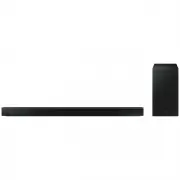 Samsung HW-B650-XY
User Manual
Samsung HW-B650-XY
User Manual
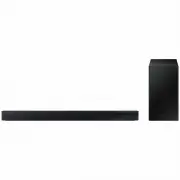 Samsung HW-C450-XY
User Manual
Samsung HW-C450-XY
User Manual
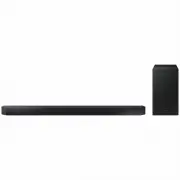 Samsung HW-Q600C-XY
User Manual
Samsung HW-Q600C-XY
User Manual
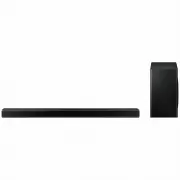 Samsung HW-Q700AXY
User Manual
Samsung HW-Q700AXY
User Manual
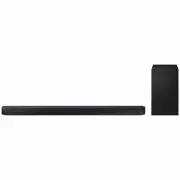 Samsung HW-Q700C-XY
User Manual
Samsung HW-Q700C-XY
User Manual
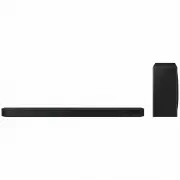 Samsung HW-Q800C-XY
User Manual
Samsung HW-Q800C-XY
User Manual
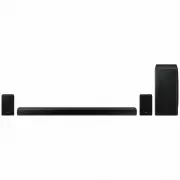 Samsung HW-Q870AXY
User Manual
Samsung HW-Q870AXY
User Manual
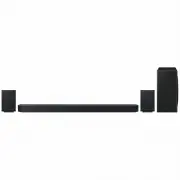 Samsung HW-Q930C-XY
User Manual
Samsung HW-Q930C-XY
User Manual
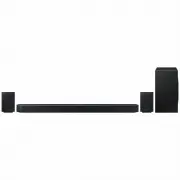 Samsung HW-Q990C-XY
User Manual
Samsung HW-Q990C-XY
User Manual
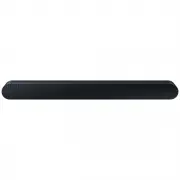 Samsung HW-S60B-XY
User Manual
Samsung HW-S60B-XY
User Manual
 Samsung HW-S61
User Manual
Samsung HW-S61
User Manual
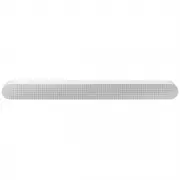 Samsung HW-S61B-XY
User Manual
Samsung HW-S61B-XY
User Manual
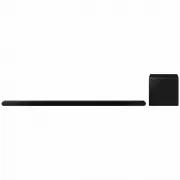 Samsung HW-S800B-XY
User Manual
Samsung HW-S800B-XY
User Manual
 Samsung HW-S801B-XY
User Manual
Samsung HW-S801B-XY
User Manual
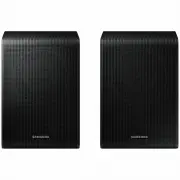 Samsung SWA-9200SXY
User Manual
Samsung SWA-9200SXY
User Manual
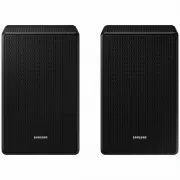 Samsung SWA-9500SXY
User Manual
Samsung SWA-9500SXY
User Manual
 Samsung HW-A430
User Manual
Samsung HW-A430
User Manual
 Samsung HW-A440
User Manual
Samsung HW-A440
User Manual