Page 2 - SAFETY INFORMATION; SAFETY WARNINGS; WARNING; CAUTION
ENG - 2 SAFETY INFORMATION SAFETY WARNINGS TO REDUCE THE RISK OF ELECTRIC SHOCK, DO NOT REMOVE THE COVER (OR BACK). NO USER-SERVICEABLE PARTS ARE INSIDE. REFER SERVICING TO QUALIFIED SERVICE PERSONNEL.Refer to the table below for an explanation of symbols which may be on your Samsung product. CAUTIO...
Page 3 - PRECAUTIONS
ENG - 3 PRECAUTIONS 1. Ensure that the AC power supply in your house complies with the power requirements listed on the identification sticker located on the bottom of your product. Install your product horizontally, on a suitable base (furniture), with enough space around it for ventilation (7~10 c...
Page 4 - CONTENTS
ENG - 4 CONTENTS 01 Checking the Components 6 02 Product Overview 7 Top Panel of the Soundbar ------------------------- 7 Bottom Panel of the Soundbar ------------------------- 8 03 Using the Remote Control 9 Inserting Batteries before using the Remote Control (AAA batteries X 2) -------------------...
Page 5 - Specifications and Guide
ENG - 5 08 Connecting a USB Storage Device 21 09 Connecting a Mobile Device 23 Connecting via Bluetooth ------------------------- 23 Connecting a Soundbar to a mobile device via NFC function ------------------------- 26 10 Installing the Wall Mount (Optional) 27 Installation Precautions ------------...
Page 6 - 1 CHECKING THE COMPONENTS
ENG - 6 01 CHECKING THE COMPONENTS SOUND MODE WOOFER TONE CONTROL CH LEVEL Soundbar Main Unit Power Cord (Soundbar) Soundbar Remote Control / Batteries • For more information about the power supply and power consumption, refer to the label attached to the product. (Label: Bottom of the Soundbar Main...
Page 7 - 2 PRODUCT OVERVIEW; Top Panel of the Soundbar
ENG - 7 02 PRODUCT OVERVIEW Top Panel of the Soundbar Top Panel NFC LED indicator The LED Indicator flashes, glows, or changes colour depending on the Soundbar's current mode or status. The colour of the LED indicator and the number of lights indicate the active mode as described below. W White LED ...
Page 8 - Bottom Panel of the Soundbar
ENG - 8 NFC Logo You can activate your Bluetooth connection by placing your phone in the NFC detection area of the Soundbar. • When you plug in the AC cord, the power button will begin working in 4 to 6 seconds. • When you turn on this unit, there will be a 4 to 5 second delay before it produces sou...
Page 9 - 3 USING THE REMOTE CONTROL; How to Use the Remote Control
ENG - 9 03 USING THE REMOTE CONTROL Inserting Batteries before using the Remote Control (AAA batteries X 2) Slide the back cover in the direction of the arrow until it is completely removed. Insert 2 AAA batteries (1.5V) so that their orientation is correct. Slide the back cover back into position. ...
Page 15 - Adjusting the Soundbar volume with a TV remote control; TV remote control On/Off
ENG - 15 Adjusting the Soundbar volume with a TV remote control Adjust the Soundbar volume using the TV’s remote control. • This function can be used with IR remote controls only. Bluetooth remote controls (remote controls that require pairing) are not supported. • Set the TV speaker to External Spe...
Page 16 - 4 CONNECTING THE SOUNDBAR; Connecting Electrical Power
ENG - 16 04 CONNECTING THE SOUNDBAR Connecting Electrical Power Use the power components to connect the Soundbar to an electrical outlet in the following order: • For more information about the required electrical power and power consumption, refer to the label attached to the product. (Label: Botto...
Page 17 - 5 USING A WIRED CONNECTION TO THE TV; Connecting using an Optical Cable; Pre-connection Checklist
ENG - 17 05 USING A WIRED CONNECTION TO THE TV Connecting using an Optical Cable Pre-connection Checklist • When you use an optical cable and the terminals have covers, be sure to remove the covers. LED Indicator White On -> Off “ Digital Audio In ” OPTICAL OUT DIGITAL AUDIO IN (OPTICAL) HDMI (AR...
Page 18 - 6 USING A WIRELESS CONNECTION TO THE TV; Connecting via Bluetooth; The initial connection
ENG - 18 06 USING A WIRELESS CONNECTION TO THE TV Connecting via Bluetooth When a Samsung TV is connected using Bluetooth, you can hear stereo sound without the hassle of cables. • Only one Samsung TV can be connected at a time. • Samsung TV that supports Bluetooth can be connected. Check the specif...
Page 19 - If the device fails to connect; Disconnecting the Soundbar from the Samsung TV; TV Auto connect On/Off; Notes on Bluetooth connection
ENG - 19 If the device fails to connect • If you have an existing Soundbar (e.g., [AV]Soundbar C4-Series ) on the list of speakers on the Samsung TV, delete it. • Then repeat steps 1 through 3. Disconnecting the Soundbar from the Samsung TV Press the (Source) button on the top panel or on the remote...
Page 20 - 7 CONNECTING AN EXTERNAL DEVICE
ENG - 20 07 CONNECTING AN EXTERNAL DEVICE Connecting using an Optical Cable LED Indicator White On -> Off “ Digital Audio In ” - AUDIO - R L OPTICAL OUT DIGITAL AUDIO IN (OPTICAL) HDMI (ARC) DIGITAL AUDIO IN (OPTICAL) USB (5V 0.5A) Bottom of the Soundbar Optical Cable (not supplied) Top of the So...
Page 21 - 8 CONNECTING A USB STORAGE DEVICE
ENG - 21 08 CONNECTING A USB STORAGE DEVICE You can play music files located on USB storage devices through the Soundbar. POWER POWER DIGITAL AUDIO IN (OPTICAL) USB (5V 0.5A) DIGITAL AUDIO IN (OPTICAL) HDMI (ARC) DIGITAL AUDIO IN (OPTICAL) USB (5V 0.5A) USB port LED Indicator White On -> Off “ US...
Page 22 - File Format Type Compatibility list
ENG - 22 File Format Type Compatibility list Extension Codec Sampling Rate Bit Rate *.mp3 MPEG1 Layer2 32kHz ~ 48kHz 32kbps ~ 320kbps MPEG1 Layer3 32kHz ~ 48kHz 32kbps ~ 320kbps MPEG2 Layer3 16kHz ~ 24kHz 8kbps ~ 160kbps MPEG2.5 Layer3 8kHz ~ 12kHz 8kbps ~ 160kbps *.wma WMA7/8/9 32kHz ~ 48kHz 32kbps...
Page 23 - 9 CONNECTING A MOBILE DEVICE
ENG - 23 09 CONNECTING A MOBILE DEVICE Connecting via Bluetooth When a mobile device is connected using Bluetooth, you can hear stereo sound without the hassle of cables. • When you connect a paired Bluetooth device with the Soundbar off, the Soundbar automatically turns on. The initial connection •...
Page 25 - Bluetooth Power On/Off; Disconnecting the Bluetooth device from a Soundbar; Disconnecting the Soundbar from the Bluetooth device
ENG - 25 Bluetooth Power On/Off If a previously paired Bluetooth device tries to pair with the Soundbar when the Bluetooth Power On function is on and the Soundbar is turned off, the Soundbar turns on automatically. 1. Press and hold the SOUND MODE button for more than 5 seconds on the remote while ...
Page 26 - Connecting a Soundbar to a mobile device via NFC function
ENG - 26 Connecting a Soundbar to a mobile device via NFC function Place your mobile device in the NFC detection area on top of the Soundbar. Bluetooth device NFC Top of the Soundbar NOTES • Make sure that your mobile device has the NFC function turned on and that the screen is active. • Bluetooth c...
Page 27 - 0 INSTALLING THE WALL MOUNT; Installation Precautions; Wall mount Components
ENG - 27 10 INSTALLING THE WALL MOUNT (OPTIONAL) Installation Precautions • Install on a vertical wall only. • Do not install in a place with high temperature or humidity. • Verify whether the wall is strong enough to support the product’s weight. If not, reinforce the wall or choose another install...
Page 30 - UPDATE
ENG - 30 11 SOFTWARE UPDATE Important : After upgrading, keep the original Settings. POWER POWER DIGITAL AUDIO IN (OPTICAL) USB (5V 0.5A) DIGITAL AUDIO IN (OPTICAL) HDMI (ARC) DIGITAL AUDIO IN (OPTICAL) USB (5V 0.5A) USB port 1. Connect a USB memory stick to the USB port on your computer. Important ...
Page 31 - If LED sequence flashing is not; Reset
ENG - 31 • This product has a DUAL BOOT function. If the firmware fails to update, you can update the firmware again. If LED sequence flashing is not displayed 1. Turn off the Soundbar, disconnect and then reconnect the USB storage device that contains the update files to the Soundbar’s USB port. 2....
Page 32 - 2 TROUBLESHOOTING
ENG - 32 12 TROUBLESHOOTING Before seeking assistance, check the following. Soundbar does not turn on. ; Check whether the power cord of the Soundbar is correctly inserted into the outlet. Soundbar works erratically. ; After removing the power cord, insert it again. ; Power cycle the external device...
Page 35 - 6 SPECIFICATIONS AND GUIDE
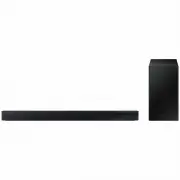
ENG - 35 16 SPECIFICATIONS AND GUIDE Specifications Model Name HW-C400 USB 5V/0.5A Weight 2.0 kg Dimensions (W x H x D) 641.0 x 66.5 x 107.0 mm Operating Temperature Range +5°C to +35°C Operating Humidity Range 10 % ~ 75 % AMPLIFIER Rated Output power 20W x 2 Supported play formats LPCM 2ch, Dolby A...
Page 36 - THÔNG TIN AN TOÀN; CẢNH BÁO AN TOÀN; CẢNH BÁO
VIE - 2 THÔNG TIN AN TOÀN CẢNH BÁO AN TOÀN ĐỂ GIẢM NGUY CƠ BỊ ĐIỆN GIẬT, KHÔNG THÁO VỎ (HOẶC PHÍA SAU). BÊN TRONG KHÔNG CÓ BỘ PHẬN NÀO CÓ THỂ DÙNG ĐƯỢC VỚI NGƯỜI DÙNG. ĐƯA SẢN PHẨM ĐẾN NHÂN VIÊN BẢO DƯỠNG CÓ ĐỦ CHUYÊN MÔN ĐỂ BẢO DƯỠNG.Tham khảo bảng dưới đây để xem ...
Page 37 - PHÒNG NGỪA
VIE - 3 PHÒNG NGỪA 1. Đảm bảo nguồn cấp điện AC trong nhà bạn tuân theo các yêu cầu về nguồn điện được nêu trên nhãn nhận biết nằm ở phía dưới cùng của sản phẩm. Lắp đặt sản phẩm của bạn theo chiều ngang, trên một đế thích hợp (vật đỡ ), với khoảng không gian xung quanh đủ thông thoáng 7~10 cm....
Page 38 - NỘI DUNG
VIE - 4 NỘI DUNG 01 Kiểm tra thành phần 6 02 Tổng quan về sản phẩm 7 Bảng mặt trên của Soundbar ------------------------- 7 Mặt dưới của Soundbar ------------------------- 8 03 Sử dụng Điều khiển từ xa 9 Lắp Pin trước khi dùng Điều khiển từ xa (pin AAA X 2) ------------------------- 9 Cách sử d...
Page 40 - KIỂM TRA THÀNH PHẦN
VIE - 6 01 KIỂM TRA THÀNH PHẦN SOUND MODE WOOFER TONE CONTROL CH LEVEL Thiết bị chính Soundbar Dây nguồn (Soundbar) Pin/điều khiển từ xa Soundbar • Để biết thêm thông tin về nguồn điện cũng như mức tiêu thụ điện năng, hãy tham khảo nhãn đính kèm sản phẩm. (Nhãn: Mặt đáy của thiết bị chính Soundb...
Page 41 - TỔNG QUAN VỀ SẢN PHẨM; Bảng mặt trên của Soundbar
VIE - 7 02 TỔNG QUAN VỀ SẢN PHẨM Bảng mặt trên của Soundbar Bảng mặt trên NFC Đèn báo LED Đèn báo LED sẽ nhấp nháy, sáng lên hoặc đổi màu tùy theo trạng thái hoặc chế độ hiện tại của Soundbar. Màu của đèn báo LED và số lượng đèn cho biết chế độ hiện hoạt của Soundbar như mô tả dưới đây. W Đèn LED...
Page 42 - Mặt dưới của Soundbar
VIE - 8 Biểu trưng NFC Bạn có thể kích hoạt kết nối Bluetooth bằng cách đặt điện thoại vào khu vực phát hiện NFC trên Soundbar. • Khi bạn cắm dây AC, nút nguồn sẽ bắt đầu hoạt động sau 4 đến 6 giây. • Khi bạn bật thiết bị này, thiết bị sẽ phát ra âm thanh sau 4 đến 5 giây. • Nếu bạn nghe thấy âm...
Page 43 - SỬ DỤNG ĐIỀU KHIỂN TỪ XA; Lắp Pin trước khi dùng Điều khiển từ xa (pin AAA X 2)
VIE - 9 03 SỬ DỤNG ĐIỀU KHIỂN TỪ XA Lắp Pin trước khi dùng Điều khiển từ xa (pin AAA X 2) Trượt nắp lưng theo hướng mũi tên cho đến khi tháo nắp ra hoàn toàn. Lắp 2 pin AAA (1,5 V) theo đúng hướng. Trượt nắp lưng về đúng vị trí. Cách sử dụng điều khiển từ xa SOUND MODE WOOFER TONE CONTROL CH LE...
Page 49 - Điều chỉnh âm lượng Soundbar bằng điều khiển từ xa TV; Bật/Tắt điều khiển từ xa TV
VIE - 15 Điều chỉnh âm lượng Soundbar bằng điều khiển từ xa TV Điều chỉnh âm lượng Soundbar bằng điều khiển từ xa của TV. • Chức năng này chỉ có thể sử dụng bằng điều khiển từ xa IR. Điều khiển từ xa Bluetooth (điều khiển từ xa yêu cầu ghép đôi) không được hỗ trợ. • Đặt loa TV thành Loa ngoài ...
Page 50 - KẾT NỐI SOUNDBAR; Kết nối nguồn điện
VIE - 16 04 KẾT NỐI SOUNDBAR Kết nối nguồn điện Sử dụng các bộ phận nguồn để kết nối Soundbar với ổ cắm điện theo tứ tự sau: • Để biết thêm thông tin về nguồn điện cũng như mức tiêu thụ điện năng yêu cầu, hãy tham khảo nhãn đính kèm sản phẩm. (Nhãn: Mặt đáy của thiết bị chính Soundbar) 1. Kết n...
Page 51 - DÙNG KẾT NỐI CÓ DÂY VỚI TV; Kết nối bằng Cáp quang; Danh sách kiểm tra trước khi kết nối
VIE - 17 05 DÙNG KẾT NỐI CÓ DÂY VỚI TV Kết nối bằng Cáp quang Danh sách kiểm tra trước khi kết nối • Khi bạn sử dụng cáp quang và thiết bị đầu cuối có nắp, hãy nhớ tháo nắp ra. Đèn báo LED Sáng màu trắng -> Tắt “ Digital Audio In ” OPTICAL OUT DIGITAL AUDIO IN (OPTICAL) HDMI (ARC) DIGITAL AUDIO...
Page 52 - 6 DÙNG KẾT NỐI KHÔNG DÂY VỚI TV; Kết nối qua Bluetooth; Kết nối ban đầu
VIE - 18 06 DÙNG KẾT NỐI KHÔNG DÂY VỚI TV Kết nối qua Bluetooth Khi TV Samsung kết nối qua Bluetooth, bạn có thể nghe thấy âm thanh nổi mà không cần kết nối cáp rườm rà. • Bạn chỉ kết nối được một TV Samsung mỗi lần. • Bạn có thể kết nối TV Samsung hỗ trợ Bluetooth. Hãy kiểm tra thông số kỹ thuật củ...
Page 53 - Nếu thiết bị không kết nối được; Ngắt kết nối Soundbar khỏi TV Samsung; Bật/Tắt tự động kết nối TV; Lưu ý khi kết nối Bluetooth
VIE - 19 Nếu thiết bị không kết nối được • Nếu bạn hiện đã có Soundbar (ví dụ: [AV]Soundbar C4-Series ) trong danh sách loa trên TV Samsung, hãy xóa đi. • Sau đó lặp lại các bước từ 1 đến 3. Ngắt kết nối Soundbar khỏi TV Samsung Nhấn nút (Nguồn tín hiệu) ở mặt trên hoặc trên điều khiển từ xa đ...
Page 54 - 7 KẾT NỐI VỚI THIẾT BỊ BÊN NGOÀI
VIE - 20 07 KẾT NỐI VỚI THIẾT BỊ BÊN NGOÀI Kết nối bằng Cáp quang Đèn báo LED Sáng màu trắng -> Tắt “ Digital Audio In ” - AUDIO - R L OPTICAL OUT DIGITAL AUDIO IN (OPTICAL) HDMI (ARC) DIGITAL AUDIO IN (OPTICAL) USB (5V 0.5A) Mặt đáy của Soundbar Cáp quang (không đi kèm) Mặt trên của Soundbar BD...
Page 55 - 8 KẾT NỐI VỚI THIẾT BỊ LƯU TRỮ USB
VIE - 21 08 KẾT NỐI VỚI THIẾT BỊ LƯU TRỮ USB Bạn có thể phát tập tin nhạc trên thiết bị lưu trữ USB qua Soundbar. POWER POWER DIGITAL AUDIO IN (OPTICAL) USB (5V 0.5A) DIGITAL AUDIO IN (OPTICAL) HDMI (ARC) DIGITAL AUDIO IN (OPTICAL) USB (5V 0.5A) Cổng USB Đèn báo LED Sáng màu trắng -> Tắt “ USB ”...
Page 56 - Danh sách loại định dạng tệp tương thích
VIE - 22 Danh sách loại định dạng tệp tương thích Phần mở rộng Codec Tốc độ lấy mẫu Tốc độ bit *.mp3 MPEG1 Layer2 32kHz ~ 48kHz 32kbps ~ 320kbps MPEG1 Layer3 32kHz ~ 48kHz 32kbps ~ 320kbps MPEG2 Layer3 16kHz ~ 24kHz 8kbps ~ 160kbps MPEG2.5 Layer3 8kHz ~ 12kHz 8kbps ~ 160kbps *.wma WMA7/8/9 32kHz ~...
Page 57 - 9 KẾT NỐI VỚI THIẾT BỊ DI ĐỘNG
VIE - 23 09 KẾT NỐI VỚI THIẾT BỊ DI ĐỘNG Kết nối qua Bluetooth Khi thiết bị di động được kết nối qua Bluetooth, bạn có thể nghe thấy âm thanh nổi mà không cần kết nối cáp rườm rà. • Khi bạn kết nối thiết bị Bluetooth được ghép nối với Soundbar đã tắt, Soundbar sẽ tự động bật. Kết nối ban đầu • Kh...
Page 59 - Bật/Tắt Bluetooth Power; Ngắt kết nối giữa thiết bị Bluetooth và Soundbar; Ngắt kết nối giữa Soundbar và thiết bị Bluetooth
VIE - 25 Bật/Tắt Bluetooth Power Nếu thiết bị Bluetooth đã được ghép nối trước đó cố gắng ghép nối với Soundbar khi chức năng Bluetooth Power On bật và Soundbar tắt thì Soundbar sẽ tự động bật. 1. Nhấn và giữ nút SOUND MODE lâu hơn 5 giây trên điều khiển từ xa khi Soundbar bật. 2. Đèn LED nhiề...
Page 60 - Kết nối Soundbar với thiết bị di động qua chức năng NFC
VIE - 26 Kết nối Soundbar với thiết bị di động qua chức năng NFC Đặt thiết bị di động vào khu vực phát hiện NFC ở mặt trên của Soundbar. Thiết bị Bluetooth NFC Mặt trên cùng của Soundbar GHI CHÚ • Đảm bảo rằng thiết bị di động đã bật chức năng NFC và màn hình đang hoạt động. • Không thể kết nối B...
Page 61 - Những điểm cần cân nhắc khi lắp đặt; Phụ kiện Treo tường
VIE - 27 10 LẮP GIÁ TREO TƯỜNG (TÙY CHỌN) Những điểm cần cân nhắc khi lắp đặt • Chỉ lắp đặt trên tường thẳng đứng. • Không lắp đặt ở vị trí có nhiệt độ hoặc độ ẩm cao. • Xác minh xem tường có đủ chắc để đỡ trọng lượng của sản phẩm hay không. Nếu không, hãy gia cố lại tường hoặc chọn điểm lă...
Page 63 - CHÚ Y
VIE - 29 4. POWER POWER POWER DIGITAL AUDIO IN (OPTICAL) USB (5V 0.5A) POWER POWER POWER DIGITAL AUDIO IN (OPTICAL) USB (5V 0.5A) 5. LƯU Ý – Các linh kiện hỗ trợ lắp đặt trên tường nằm ở phía sau của Soundbar. CHÚ Y – Hãy ấn xuống bằng một lực vừa đủ sao cho Soundbar gắn cố định trên tường. Nếu...
Page 65 - Đặt lại
VIE - 31 • This product has a DUAL BOOT function. If the firmware fails to update, you can update the firmware again. Nếu chuỗi đèn LED không nhấp nháy 1. Tắt Soundbar, ngắt kết nối rồi kết nối lại thiết bị lưu trữ USB chứa tệp cập nhật với cổng USB của Soundbar. 2. Ngắt kết nối dây nguồn Sou...
Page 66 - XỬ LÝ SỰ CÔ
VIE - 32 12 XỬ LÝ SỰ CÔ Tham khảo các hướng dẫn bên dưới nếu sản phẩm này không hoạt động đúng. Soundbar không bật. ; Kiểm tra xem dây nguồn của Soundbar đã được cắm đúng cách vào ổ cắm hay chưa. Soundbar hoạt động chập chờn. ; Sau khi tháo dây nguồn, hãy cắm lại. ; Tắt rồi bật lại thiết bị ...
Page 67 - GIẤY PHÉP
VIE - 33 Rớt âm thanh khi được kết nối qua Bluetooth. ; Một số thiết bị có thể gây nhiễu sóng vô tuyến nếu chúng được đặt quá gần Soundbar. Ví dụ: lò vi sóng, bộ điều hợp không dây, v.v. ; Nếu thiết bị của bạn được kết nối qua Bluetooth di chuyển quá xa khỏi Soundbar, việc này có thể khiến rớt â...
Page 69 - 6 THÔNG SỐ KỸ THUẬT VÀ HƯỚNG DẪN; Thông số kỹ thuật
VIE - 35 16 THÔNG SỐ KỸ THUẬT VÀ HƯỚNG DẪN Thông số kỹ thuật Tên kiểu máy HW-C400 Trọng lượng 2,0 kg Kích thước (Rộng x Cao x Sâu) 641,0 x 66,5 x 107,0 mm Phạm vi nhiệt độ hoạt động +5°C đến +35°C Phạm vi độ ẩm hoạt động 10 % ~ 75 % BỘ KHUẾCH ĐẠICông suất đâ ̀u ra danh định 20W x 2 Định dạng phá...