Samsung HW-Q700C-XY - User Manual
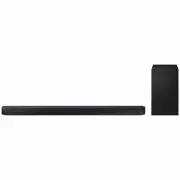
Samsung HW-Q700C-XY Sound Bar – User Manual, read for free online in PDF format. We hope this helps you resolve any issues you may have. If you have further questions, please contact us through the contact form.


User Manual
Figures and illustrations in this User Manual are provided for reference only and
may differ from actual product appearance
AH81-16777W-02
NSPBI01388A-02
HW-Q700C
You can access the FULL MANUAL on Samsung’s on-line customer support centre by scanning the QR code
on the left.
To see the manual on your PC or mobile device, download the manual in document format from Samsung’s
website. (http://www.samsung.com/support)
© 2023 Samsung Electronics Co., Ltd. All rights reserved.
Contact SAMSUNG WORLD WIDE
If you have any questions or comments relating to Samsung products, please contact the SAMSUNG customer care Centre.
Country/Region
Samsung Service Center
Web Site
SINGAPORE
1800 7267864 | 1800-SAMSUNG
www.samsung.com/sg/support
AUSTRALIA
1300 362 603
www.samsung.com/au/support
NEW ZEALAND
0800 726 786
www.samsung.com/nz/support
VIETNAM
Toll free numbers:
_ 1800 588 889
Hotline: (028)73056888
www.samsung.com/vn/support
THAILAND
Hotline no : 1282
1800-29-3232
(Toll free for all product)
www.samsung.com/th/support
MYANMAR
+95-1-2399-888
www.samsung.com/mm/support
CAMBODIA
1800-20-3232 (Toll free)
www.samsung.com/th/support
LAOS
+856-214-17333
MALAYSIA
1800-88-9999
+603-7713 7420
(Overseas contact)
www.samsung.com/my/support
INDONESIA
021-5699-7777
0800-112-8888
(All Product, Toll Free)
0800-112-7777
(All Product, Toll Free)
www.samsung.com/id/support
PHILIPPINES
1-800-10-7267864
[ PLDT - Toll Free ]
1-800-8-7267864
[ Globe - Toll Free ]
84222111 [ Landline ]
www.samsung.com/ph/support
INDIA
1800 5 SAMSUNG
(1800 5 7267864) (Toll-Free)
1800 40 SAMSUNG
(1800 40 7267864) (Toll-Free)
www.samsung.com/in/support
NEPAL
16600172667
(Toll Free for NTC Only)
9801572667
(Toll Free for Ncell users)
SRI LANKA
011 SAMSUNG (011 7267864)
BANGLADESH
08000-300-300 (Toll free)
09612-300-300
www.samsung.com/bd/support
SAFETY INFORMATION
SAFETY WARNINGS
TO REDUCE THE RISK OF ELECTRIC SHOCK, DO NOT
REMOVE THE COVER (OR BACK).
NO USER-SERVICEABLE PARTS ARE INSIDE. REFER
SERVICING TO QUALIFIED SERVICE PERSONNEL.
Refer to the table below for an explanation of symbols
which may be on your Samsung product.
CAUTION
RISK OF ELECTRIC SHOCK. DO NOT
OPEN.
This symbol indicates that high voltage is
present inside. It is dangerous to make any
kind of contact with any internal part of this
product.
This symbol indicates that this product has
included important literature concerning
operation and maintenance.
Class II product : This symbol indicates that a
safety connection to electrical earth (ground)
is not required.
If this symbol is not present on a product
with a power cord, the product MUST have
a reliable connection to protective earth
(ground).
AC voltage : Rated voltage marked with this
symbol is AC voltage.
DC voltage : Rated voltage marked with this
symbol is DC voltage.
Caution. Consult Instructions for use : This
symbol instructs the user to consult the user
manual for further safety related information.
WARNING
•
To reduce the risk of fire or electric shock, do not expose
this appliance to rain or moisture.
CAUTION
• TO PREVENT ELECTRIC SHOCK, MATCH WIDE BLADE OF
PLUG TO WIDE SLOT, FULLY INSERT.
• This apparatus shall always be connected to a AC outlet
with a protective grounding connection.
• To disconnect the apparatus from the mains, the plug
must be pulled out from the mains socket, therefore the
mains plug shall be readily operable.
• Do not expose this apparatus to dripping or splashing.
Do not put objects filled with liquids, such as vases, on
the apparatus.
• To turn this apparatus off completely, you must pull the
power plug out of the wall socket. Consequently, the
power plug must be easily and readily accessible at all
times
PRECAUTIONS
1.
Ensure that the AC power supply in your house complies
with the power requirements listed on the identification
sticker located on the bottom of your product. Install
your product horizontally, on a suitable base (furniture),
with enough space around it for ventilation (7~10 cm).
Make sure the ventilation slots are not covered. Do not
place the unit on amplifiers or other equipment which
may become hot. This unit is designed for continuous
use.
To fully turn off the unit, disconnect the AC plug from
the wall outlet. Unplug the unit if you intend to leave it
unused for a long period of time.
2.
During thunderstorms, disconnect the AC plug from
the wall outlet. Voltage peaks due to lightning could
damage the unit.
3.
Do not expose the unit to direct sunlight or other heat
sources. This could lead to overheating and cause the
unit to malfunction.
4.
Protect the product from moisture (i.e. vases), and
excess heat (e.g. a fireplace) or equipment creating
strong magnetic or electric fields. Unplug the power
cable from the AC wall socket if the unit malfunctions.
Your product is not intended for industrial use. It
is for personal use only. Condensation may occur if
your product has been stored in cold temperatures.
If transporting the unit during the winter, wait
approximately 2 hours until the unit has reached room
temperature before using.
5.
The battery used with this product contains chemicals
that are harmful to the environment. Do not dispose
of the battery in the general household trash. Do not
expose the battery to excess heat, direct sunlight, or
fire. Do not short circuit, disassemble, or overheat the
battery.
CAUTION : Danger of explosion if the battery is replaced
incorrectly. Replace only with the same or equivalent
type.
01 CHECKING THE
COMPONENTS
Soundbar Main Unit / Soundbar Remote Control /
Batteries / Subwoofer / Power Cord X 2 (Subwoofer,
Soundbar) / HDMI Cable / Wall Mount Guide /
Holder-Screw X 2 / Screw (M4 x L10) X 2 /
Bracket-Wall Mount X 2 / Rubber-Foot X 4
NOTE
• For more information about the power supply and
power consumption, refer to the label attached to the
product. (Label: Rear of the Soundbar Main Unit)
• To purchase additional components or optional
cables, contact a Samsung Service Centre or Samsung
Customer Care.
02 PRODUCT OVERVIEW
Top Panel of the Soundbar
Volume
Source
Power
Display
Bottom Panel of the Soundbar
HDMI IN 1
HDMI IN 2
SERVICE
DIGITAL AUDIO IN
(OPTICAL)
HDMI TO TV
(eARC/ARC)
HDMI
SERVICE
DIGITAL AUDIO IN
(OPTICAL)
HDMI TO TV
(eARC/ARC)
HDMI
HDMI IN 1
HDMI IN 2
SERVICE
DIGITAL AUDIO IN
(OPTICAL)
HDMI TO TV
(eARC/ARC)
HDMI
SERVICE
DIGITAL AUDIO IN
(OPTICAL)
HDMI TO TV
(eARC/ARC)
HDMI
HDMI IN 1
HDMI IN 2
SERVICE
DIGITAL AUDIO IN
(OPTICAL)
HDMI TO TV
(eARC/ARC)
HDMI
SERVICE
DIGITAL AUDIO IN
(OPTICAL)
HDMI TO TV
(eARC/ARC)
HDMI
HDMI IN 1
HDMI IN 2
SERVICE
DIGITAL AUDIO IN
(OPTICAL)
HDMI TO TV
(eARC/ARC)
HDMI
SERVICE
DIGITAL AUDIO IN
(OPTICAL)
HDMI TO TV
(eARC/ARC)
HDMI
2
1
3
5
4
1
POWER
Connect the Soundbar’s AC power cable.
2
SERVICE
Connect a USB storage device to upgrade the
product’s software.
3
DIGITAL AUDIO IN (OPTICAL)
Connect to the digital (optical) output of an external
device.
4
HDMI
Inputs digital video and audio signals
simultaneously using an HDMI cable.
Connect to the HDMI output of an external device.
5
HDMI TO TV (eARC/ARC)
Connect to the HDMI jack on a TV.
03 CONNECTING THE
SOUNDBAR
Connecting the power and units
HDMI IN 1
HDMI IN 2
ID SET
(WOOFER, REAR)
POWER
NETWORK
SERVICE
DIGITAL AUDIO IN
(OPTICAL)
HDMI TO TV
(eARC/ARC)
HDMI 1
HDMI 2
ID SET
HDMI IN 1
HDMI IN 2
SERVICE
DIGITAL AUDIO IN
(OPTICAL)
HDMI TO TV
(eARC/ARC)
HDMI 1
HDMI IN 1
HDMI IN 2
ID SET
(WOOFER, REAR)
POWER
NETWORK
SERVICE
DIGITAL AUDIO IN
(OPTICAL)
HDMI TO TV
(eARC/ARC)
HDMI 1
HDMI 2
ID SET
HDMI IN 1
HDMI IN 2
SERVICE
DIGITAL AUDIO IN
(OPTICAL)
HDMI TO TV
(eARC/ARC)
HDMI 1
Rear of
Subwoofer
Blue Blinks
Bottom of the
Soundbar Main Unit
• The LINK LED indicator stops blinking and glows a solid
blue when a connection is established between the
Soundbar and the Subwoofer.
04 USING A WIRED
CONNECTION
1
HDMI Cable
2
Optical Cable (not supplied)
HDMI IN
(ARC)
HDMI OUT
DIGITAL AUDIO IN
(OPTICAL)
HDMI TO TV
(eARC/ARC)
HDMI
1
1
Connecting using an HDMI Cable
(External Device (HDMI) / TV ARC/eARC)
OPTICAL OUT
DIGITAL AUDIO IN
(OPTICAL)
HDMI 1
HDMI 2
2
Connecting using an Optical Cable (D.IN)
NOTE
• When the TV sound is not output, press the
(Source)
button at the top of the Soundbar or the
(Source)
button on the remote control to select the “
D.IN
”
mode. The screen displays “
D.IN
” and “
TV ARC/eARC
” in
sequence, and TV sound is played.
• The recommended cable is a
Premium High Speed
HDMI Cable with Ethernet
certified by HDMI.org.
• When you use an optical cable and the terminals have
covers, be sure to remove the covers.
"Loading the manual" means you need to wait until the file loads and becomes available for online reading. Some manuals are very large, and the time they take to appear depends on your internet speed.


