Page 2 - CONTENTS
ENG - 2 CONTENTS 01 Checking the Components 3 02 Product Overview 4 Top Panel of the Soundbar. . . . . . . . . . . . . . . . . . . . . . . . . . . . . . . . . . 4 Bottom Panel of the Soundbar . . . . . . . . . . . . . . . . . . . . . . . . . . . . . . 4 03 Using the Soundbar Remote Control 5 Inserti...
Page 3 - 1 CHECKING THE COMPONENTS
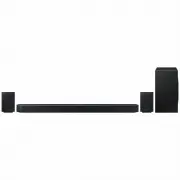
ENG - 3 01 CHECKING THE COMPONENTS SOUNDBAR Soundbar Main Unit Soundbar Remote Control / Batteries Subwoofer POWER x 2 x 4 Surround Speaker (Left / Right) Power Cord (Subwoofer, Surround Speaker, Soundbar) HDMI Cable A TYPE : 450mm x 2 x 2 (M4 x L10) Wall Mount Guide Holder-Screw Screw x 2 x 4 Brack...
Page 4 - 2 PRODUCT OVERVIEW; Top Panel of the Soundbar
ENG - 4 02 PRODUCT OVERVIEW Top Panel of the Soundbar 2 1 3 4 1 (Multi Function) Button • In standby mode, press the (Multi Function) button to turn on the Soundbar. • Press the (Multi Function) button to change the input source. 2 (Volume) Button Adjusts the volume. 3 (Mic On/Off) Button Press the ...
Page 5 - 3 USING THE SOUNDBAR REMOTE CONTROL; How to Use the Remote Control
ENG - 5 03 USING THE SOUNDBAR REMOTE CONTROL Inserting Batteries before using the Remote Control (AAA batteries X 2) Slide the back cover in the direction of the arrow until it is completely removed. Insert 2 AAA batteries (1.5V) oriented so that their polarity is correct. Slide the battery cover ba...
Page 8 - Adjusting the Soundbar volume with a TV remote control
ENG - 8 Adjusting the Soundbar volume with a TV remote control Adjust the Soundbar volume using the TV’s remote control. • This function can be used with IR remote controls only. Bluetooth remote controls (remote controls that require pairing) are not supported. • Set the TV speaker to External Spea...
Page 9 - 4 CONNECTING THE SOUNDBAR; Connecting the power and units
ENG - 9 04 CONNECTING THE SOUNDBAR Connecting the power and units Use the Power cord to connect the Subwoofer, Surround Speakers, and Soundbar to an electrical outlet in the following order: • For more information about the required electrical power and power consumption, refer to the label attached...
Page 10 - Recommended Speaker Layout; Surround speaker mode
ENG - 10 Recommended Speaker Layout 150° 150° 135° 135° 0° Subwoofer Soundbar Surround Speaker L Surround Speaker R CAUTION • Wireless receiving antennas are built into the subwoofer and surround speakers. Keep the units away from water and moisture. • For optimal listening performance, make sure th...
Page 11 - Manually connecting the Subwoofer or Surround Speakers; ID SET
ENG - 11 Manually connecting the Subwoofer or Surround Speakers Before performing the manual connection procedure below: • Check whether the power cables for the Soundbar and subwoofer or Surround Speakers are connected properly. • Make sure that the Soundbar is turned off. 1. Turn off the Soundbar ...
Page 13 - 5 CONNECTING TO A TV; Connecting the TV that supports HDMI ARC (Audio Return Channel); TV ARC
ENG - 13 05 CONNECTING TO A TV Connecting the TV that supports HDMI ARC (Audio Return Channel) CAUTION • When both the HDMI cable and optical cable are connected, the HDMI signal is received first. • To connect the HDMI cable between the TV and Soundbar, be sure to connect the terminals marked ARC. ...
Page 14 - Connecting using an Optical Cable
ENG - 14 Connecting using an Optical Cable Pre-connection Checklist • When both the HDMI cable and optical cable are connected, the HDMI signal is received first. • When you use an optical cable and the terminals have covers, be sure to remove the covers. OPTICAL OUT DIGITAL AUDIO IN (OPTICAL) Optic...
Page 15 - Connecting via Bluetooth; BT READY; Disconnecting the Soundbar from the Samsung TV
ENG - 15 Connecting via Bluetooth When a Samsung TV is connected using Bluetooth, you can hear stereo sound without the hassle of cabling.• Only one Samsung TV can be connected at a time.• Samsung TV that supports Bluetooth can be connected. Check the specifications of your TV. The initial connectio...
Page 17 - Using the Q-Symphony Function
ENG - 17 Using the Q-Symphony Function • When the Soundbar connects to a Samsung TV that supports the Q-Symphony function you can play the sound simultaneously through the Soundbar and the TV. If you use the Q-Symphony function, the surround sound played on the TV allows you to enjoy a richer, more ...
Page 18 - Using the SpaceFit Sound; Method 1. Connecting via Soundbar
ENG - 18 Using the SpaceFit Sound This function analyzes the user’s listening space with the Soundbar’s microphone and provide optimal sound for the space. Sound optimization proceeds automatically. Method 1. Connecting via Soundbar To enable this function, turn on the SpaceFit Sound mode with the r...
Page 19 - 6 CONNECTING AN EXTERNAL DEVICE
ENG - 19 06 CONNECTING AN EXTERNAL DEVICE Method 1. Connecting using an HDMI Cable (Capable of Dolby Atmos / DTS:X decoding and playback) Pre-connection Checklist • If the Audio Output options include Secondary Audio, make sure Secondary Audio is set to Off.• Make sure that the content supports Dolb...
Page 20 - Method 2. Connecting using an Optical Cable
ENG - 20 Method 2. Connecting using an Optical Cable DIGITAL AUDIO IN (OPTICAL) OPTICAL OUT BD / DVD player / Set- top box / Game console Top of the Soundbar D.IN Optical Cable (not supplied) Bottom of the Soundbar 1. Use an optical cable (not supplied) to connect the DIGITAL AUDIO IN (OPTICAL) on t...
Page 21 - 7 CONNECTING A MOBILE DEVICE; Method 1. Connecting via Bluetooth; What is the difference between BT READY and BT PAIRING?
ENG - 21 07 CONNECTING A MOBILE DEVICE Method 1. Connecting via Bluetooth When a mobile device is connected using Bluetooth, you can hear stereo sound without the hassle of cabling.• When you connect a paired Bluetooth device with the Soundbar off, the Soundbar automatically turns on. The initial co...
Page 22 - Disconnecting the Soundbar from the Bluetooth device
ENG - 22 Notes on Bluetooth connection • Locate a new device within 1 m to connect via Bluetooth communication.• If asked for a PIN code when connecting a Bluetooth device, enter <0000>.• The Soundbar automatically turns off after 18 minutes in the Ready state.• The Soundbar may not perform Bl...
Page 23 - Using the SmartThings Hub; Connecting via Apple Airplay 2
ENG - 23 Method 2. Connecting via Wi-Fi (Wireless Network) To connect a Soundbar to a mobile device via a wireless network (Wi-Fi), the SmartThings app is required. The initial connection 1. Install and launch the SmartThings app from your mobile device (smartphone or tablet). 2. On the app, follow ...
Page 24 - Using the Tap Sound; Setting the Tap Sound function
ENG - 24 Using the Tap Sound Tap the Soundbar with your mobile device to play the sound of content on the mobile device through the Soundbar. • This function may not be supported, depending on the mobile device.• This function is only compatible with Samsung mobile devices with Android 8.1 or later....
Page 25 - Installation Precautions; Wallmount Components
ENG - 25 08 INSTALLING THE WALL MOUNT Installation Precautions • Install on a vertical wall only.• Do not install in a place with high temperature or humidity.• Verify whether the wall is strong enough to support the product’s weight. If not, reinforce the wall or choose another installation point. ...
Page 26 - Notes for Wall Mounting the Surround Speakers; 9 INSTALLING THE; Component
ENG - 26 7. Install the Soundbar with the attached Bracket-Wall Mounts by hanging the Bracket-Wall Mounts on the Holder-Screws on the wall. 8. Slide the Soundbar down as shown below so that the Bracket-Wall Mounts rest securely on the Holder-Screws . • Insert the Holder-Screws into the wide (bottom)...
Page 27 - 0 SOFTWARE UPDATE; Auto Update
ENG - 27 As illustrated in the image, align the centre of the Soundbar with the centre of the TV, carefully place the Soundbar onto the TV stand. At this time, place the microphones at the front of the stand not to interfere with voice recognition. Right end of Soundbar TV NOTE • Make sure the Sound...
Page 28 - Initialisation; INIT; 1 TROUBLESHOOTING
ENG - 28 Initialisation Top of the Soundbar INIT With the Soundbar on, press the (Volume) buttons on the body at the same time for at least 5 seconds. “ INIT ” appears on the display and then the Soundbar is initialised. CAUTION • All the settings of the Soundbar are initialised. Be sure to perform ...
Page 30 - NỘI DUNG
VIE - 2 NỘI DUNG 01 Kiểm tra thành phần 3 02 Tổng quan về sản phẩm 4 Bảng mặt trên của Soundbar 4 Mặt dưới Soundbar 4 03 Sử dụng điều khiển từ xa Soundbar 5 Lắp Pin trước khi dùng Điều khiển từ xa (pin AAA X 2) 5 Cách sử dụng điều khiển từ xa 5 Bộ khuếch đại giọng nói chủ động (AVA) 7 Sử dụng các N...
Page 31 - 1 KIỂM TRA THÀNH PHẦN
VIE - 3 01 KIỂM TRA THÀNH PHẦN SOUNDBAR Thiết bị chính Soundbar Điều khiển từ xa Soundbar / Pin Loa siêu trầm POWER x 2 x 4 Loa vòm (Trái / Phải) Dây nguồn (Loa siêu trầm, Loa vòm, Soundbar) Cáp HDMI A TYPE : 450mm x 2 x 2 (M4 x L10) Thanh dẫn giá treo tường Vít đỡ Vít x 2 x 4 Giá gắn tường-Giá treo...
Page 32 - 2 TỔNG QUAN VỀ SẢN PHẨM; Bảng mặt trên của Soundbar; Mặt dưới Soundbar
VIE - 4 02 TỔNG QUAN VỀ SẢN PHẨM Bảng mặt trên của Soundbar 2 1 3 4 1 Nút (Đa chức năng) • Ở chế độ chờ, nhấn nút (Đa chức năng) để bật Soundbar. • Nhấn nút (Đa chức năng) để thay đổi nguồn đầu vào. 2 Nút (Âm lượng) Điều chỉnh âm lượng. 3 Nút (Bật/tắt micrô) Nhấn nút để bật hoặc tắt micrô.Khi micrô ...
Page 33 - 3 SỬ DỤNG ĐIỀU KHIỂN TỪ XA SOUNDBAR; Lắp Pin trước khi dùng Điều khiển từ xa (pin AAA X 2)
VIE - 5 03 SỬ DỤNG ĐIỀU KHIỂN TỪ XA SOUNDBAR Lắp Pin trước khi dùng Điều khiển từ xa (pin AAA X 2) Trượt nắp sau theo hướng mũi tên cho đến khi tháo nắp ra hoàn toàn. Lắp 2 pin AAA (1,5 V) theo đúng hướng của các cực. Trượt nắp pin về đúng vị trí. • Hình minh họa có thể khác nhau tùy theo model Điều...
Page 36 - Điều chỉnh âm lượng Soundbar bằng điều khiển từ xa TV
VIE - 8 Điều chỉnh âm lượng Soundbar bằng điều khiển từ xa TV Điều chỉnh âm lượng Soundbar bằng điều khiển từ xa của TV. • Chức năng này chỉ có thể sử dụng bằng điều khiển từ xa IR. Điều khiển từ xa Bluetooth (điều khiển từ xa yêu cầu ghép đôi) không được hỗ trợ. • Đặt loa TV thành Loa ngoài để sử d...
Page 37 - 4 KẾT NỐI SOUNDBAR; Kết nối nguồn và thiết bị
VIE - 9 04 KẾT NỐI SOUNDBAR Kết nối nguồn và thiết bị Sử dụng Dây nguồn để kết nối Loa siêu trầm, Loa vòm và Soundbar với ổ cắm điện theo tứ tự sau: • Để biết thêm thông tin về nguồn điện cũng như mức tiêu thụ điện năng yêu cầu, hãy tham khảo nhãn đính kèm sản phẩm. (Nhãn: Mặt sau của Thiết bị chính...
Page 38 - Đề xuất bố trí loa; Chế độ loa vòm
VIE - 10 Đề xuất bố trí loa 150° 150° 135° 135° 0° Loa siêu trầm Soundbar Loa vòm T Loa vòm P CẨN THẬN • Ăng-ten thu không dây được tích hợp vào loa siêu trầm không dây và loa vòm. Để những thiết bị này tránh xa nước và hơi ẩm. • Để đạt hiệu suất nghe tối ưu, hãy đảm bảo các khu vực xung quanh vị tr...
Page 39 - Kết nối thủ công Loa siêu trầm hoặc Loa vòm
VIE - 11 Kết nối thủ công Loa siêu trầm hoặc Loa vòm Trước khi thực hiện quy trình kết nối thủ công bên dưới: • Kiểm tra xem cáp nguồn cho Soundbar và loa siêu trầm hoặc Loa vòm có được kết nối đúng không. • Đảm bảo đã tắt Soundbar. 1. Tắt thiết bị chính Soundbar. 2. Nhấn và giữ ID SET ở phía sau lo...
Page 40 - Đèn chỉ báo LED ở phía sau Loa siêu trầm và Loa vòm
VIE - 12 Đèn chỉ báo LED ở phía sau Loa siêu trầm và Loa vòm Đèn LED Trạng thái Mô tả Giải pháp Màu lam Loa siêu trầm Loa vòm Màu lam Bật Đã kết nối thành công (hoạt động bình thường) - Nhấp nháy Đang khôi phục kết nối Kiểm tra xem cáp nguồn cắm vào thiết bị Soundbar chính đã được kết nối đúng cách ...
Page 41 - 5 KẾT NỐI VỚI TV; Kết nối TV có hỗ trợ HDMI ARC (Kênh chuyển âm thanh)
VIE - 13 05 KẾT NỐI VỚI TV Kết nối TV có hỗ trợ HDMI ARC (Kênh chuyển âm thanh) CẨN THẬN • Khi kết nối cả cáp HDMI và cáp quang, thiết bị sẽ nhận được tín hiệu HDMI trước. • Để kết nối cáp HDMI giữa TV và Soundbar, hãy nhớ kết nối các thiết bị đầu cuối được đánh dấu ARC. Nếu không, âm thanh TV có th...
Page 42 - Kết nối bằng Cáp quang
VIE - 14 Kết nối bằng Cáp quang Danh sách kiểm tra trước khi kết nối • Khi kết nối cả cáp HDMI và cáp quang, thiết bị sẽ nhận được tín hiệu HDMI trước. • Khi bạn sử dụng cáp quang và thiết bị đầu cuối có nắp, hãy nhớ tháo nắp ra. OPTICAL OUT DIGITAL AUDIO IN (OPTICAL) Cáp quang (không đi kèm) Mặt dư...
Page 43 - Kết nối qua Bluetooth; Ngắt kết nối Soundbar khỏi TV Samsung
VIE - 15 Kết nối qua Bluetooth Khi TV Samsung kết nối qua Bluetooth, bạn có thể nghe thấy âm thanh nổi mà không cần kết nối cáp rườm rà. • Bạn chỉ kết nối được một TV Samsung mỗi lần. • Bạn có thể kết nối TV Samsung hỗ trợ Bluetooth. Hãy kiểm tra thông số kỹ thuật của TV. Kết nối ban đầu 1. Nhấn nút...
Page 44 - Sự khác nhau giữa BT READY và BT PAIRING là gì?; Lưu ý khi kết nối Bluetooth
VIE - 16 Sự khác nhau giữa BT READY và BT PAIRING là gì? • BT READY : Ở chế độ này, bạn có thể kết nối lại bất kỳ TV Samsung hay thiết bị di động nào đã được kết nối trước đó. • BT PAIRING : Ở chế độ này, bạn có thể kết nối thiết bị mới với Soundbar. (Nhất nút PAIR trên điều khiển từ xa Soundbar hoặ...
Page 45 - Sử dụng chức năng Q-Symphony
VIE - 17 Sử dụng chức năng Q-Symphony • Khi Soundbar kết nối với TV Samsung hỗ trợ chức năng Q-Symphony, bạn có thể phát âm thanh đồng thời qua Soundbar và TV. Nếu sử dụng chức năng Q-Symphony, âm thanh vòm được phát trên TV cho phép bạn thưởng thức hiệu ứng âm thanh vòm ba chiều phong phú hơn. • Kh...
Page 46 - Sử dụng SpaceFit Sound; Phương pháp 1. Kết nối qua Soundbar
VIE - 18 Sử dụng SpaceFit Sound Chức năng này phân tích không gian nghe của người dùng bằng micrô của Soundbar và cung cấp âm thanh tối ưu cho không gian đó. Quá trình tối ưu hóa âm thanh diễn ra tự động. Phương pháp 1. Kết nối qua Soundbar Để bật chức năng này, hãy bật chế độ SpaceFit Sound bằng đi...
Page 47 - 6 KẾT NỐI THIẾT BỊ BÊN NGOÀI
VIE - 19 06 KẾT NỐI THIẾT BỊ BÊN NGOÀI Phương pháp 1. Cách kết nối bằng Cáp HDMI (Hỗ trợ giải mã và phát lại Dolby Atmos / DTS:X) Danh sách kiểm tra trước khi kết nối • Nếu các tùy chọn Đầu ra âm thanh bao gồm Âm thanh phụ, hãy nhớ đặt tùy chọn này về Tắt. • Đảm bảo rằng nội dung đó có hỗ trợ Dolby ...
Page 48 - Phương pháp 2. Kết nối bằng Cáp quang
VIE - 20 Phương pháp 2. Kết nối bằng Cáp quang DIGITAL AUDIO IN (OPTICAL) OPTICAL OUT BD / Đầu DVD / Hộp thu phát kỹ thuật số / Máy chơi game Mặt trên của Soundbar D.IN Cáp quang (không đi kèm) Mặt dưới của Soundbar 1. Sử dụng cáp quang (không đi kèm) để kết nối cổng DIGITAL AUDIO IN (OPTICAL) trên ...
Page 49 - 7 KẾT NỐI THIẾT BỊ DI ĐỘNG; Phương pháp 1. Kết nối qua Bluetooth
VIE - 21 07 KẾT NỐI THIẾT BỊ DI ĐỘNG Phương pháp 1. Kết nối qua Bluetooth Khi thiết bị di động được kết nối qua Bluetooth, bạn có thể nghe thấy âm thanh nổi mà không cần kết nối cáp rườm rà. • Khi bạn kết nối thiết bị Bluetooth được ghép nối với Soundbar đã tắt, Soundbar sẽ tự động bật. Kết nối ban...
Page 50 - Ngắt kết nối Soundbar với thiết bị Bluetooth
VIE - 22 Lưu ý khi kết nối Bluetooth • Tìm thiết bị mới trong phạm vi 1 m để kết nối qua giao tiếp Bluetooth. • Nếu được yêu cầu nhập mã PIN khi kết nối với thiết bị Bluetooth, hãy nhập <0000>. • Soundbar tự động tắt sau 18 phút ở trạng thái Sẵn sàng. • Soundbar có thể không thực hiện đúng quá...
Page 51 - Sử dụng SmartThings Hub; Kết nối qua Apple AirPlay 2
VIE - 23 Phương pháp 2. Kết nối qua Wi-Fi (Mạng không dây) Để kết nối Soundbar với thiết bị di động qua mạng không dây (Wi-Fi), bạn cần có ứng dụng SmartThings Kết nối ban đầu 1. Cài đặt và khởi chạy ứng dụng SmartThings trên thiết bị di động (điện thoại thông minh hoặc máy tính bảng) của bạn. 2. Tr...
Page 52 - Sử dụng Tap Sound; Cài đặt chức năng Tap Sound
VIE - 24 Sử dụng Tap Sound Chạm thiết bị di động vào Soundbar để phát âm thanh của nội dung trên thiết bị di động qua Soundbar. • Chức năng này có thể không được hỗ trợ, tùy thuộc vào thiết bị di động. • Chức năng này chỉ tương thích với các thiết bị di động Samsung chạy hệ điều hành Android 8.1 trở...
Page 53 - 8 LẮP GIÁ TREO TƯỜNG; Lưu ý khi lắp đặt
VIE - 25 08 LẮP GIÁ TREO TƯỜNG Lưu ý khi lắp đặt • Chỉ lắp đặt trên tường thẳng đứng. • Không lắp đặt ở vị trí có nhiệt độ hoặc độ ẩm cao. • Xác minh xem tường có đủ chắc để đỡ trọng lượng của sản phẩm hay không. Nếu không, hãy gia cố lại tường hoặc chọn điểm lắp đặt khác. • Mua và sử dụng các vít h...
Page 54 - Lắp Loa vòm trên tường; Lưu ý khi lắp Loa vòm trên tường; 9 LẮP ĐẶT SOUNDBAR TRƯỚC; Chi tiết
VIE - 26 7. Lắp Soundbar đã gắn Giá đỡ gắn trên tường bằng cách treo Giá đỡ gắn trên tường lên Vít đỡ ở trên tường. 8. Trượt Soundbar xuống như minh họa ở dưới để Giá đỡ gắn trên tường nằm chắc chắn trên Vít đỡ • Lắp Vít đỡ vào phần rộng (bên dưới) Giá đỡ gắn trên tường rồi trượt Giá đỡ gắn trên tườ...
Page 55 - 0 CẬP NHẬT PHẦN MỀM; Tự động cập nhật
VIE - 27 Như trong hình ảnh minh họa, hãy căn cho phần chính giữa của Soundbar thẳng với phần chính giữa của TV, cẩn thận đặt Soundbar lên kệ TV. Lúc này, hãy đặt micrô ở phía trước chân đế sao cho không cản trở tính năng nhận diện giọng nói. Đầu bên phải của Soundbar TV LƯU Ý • Đảm bảo đặt Soundbar...
Page 56 - Khởi tạo; 1 KHẮC PHỤC SỰ CỐ
VIE - 28 Khởi tạo Mặt trên của Soundbar INIT Khi Soundbar đang bật, nhấn đồng thời các nút (Âm lượng) trên thân thiết bị trong ít nhất 5 giây. “ INIT ” sẽ xuất hiện trên màn hình và sau đó Soundbar được khởi tạo. CẨN THẬN • Tất cả cài đặt của Soundbar được khởi tạo. Hãy nhớ chỉ thực hiện điều này kh...
Page 58 - 目錄
TPE - 2 目錄 01 檢查元件 3 02 產品概覽 4 有源音箱的上方面板 4 有源音箱的底部面板 4 03 使用有源音箱遙控器 5 在使用遙控器前插入電池 (AAA 電池 X 2) 5 如何使用遙控器 5 智慧抗噪模式 (AVA) 7 使用隱藏按鈕 (具有多種功能的按鈕) 7 適用於不同音效模式的輸出規格 7 使用電視遙控器調整有源音箱音量 8 04 連接有源音箱 9 連接電源和裝置 9 ‒ 建議的揚聲器配置 10 ‒ 後環繞喇叭名稱 10 ‒ 手動連接有源重低音音箱或後環繞喇叭 11 ‒ 有源重低音音箱和環場音效揚聲器後側的 LED 指示燈 12 05 連接至電視 13 連接支援 H...
Page 59 - 檢查元件
TPE - 3 01 檢查元件 SOUNDBAR 有源音箱主裝置 有源音箱遙控器 / 電池 有源重低音音箱 POWER x 2 x 4 後環繞喇叭 (左/右聲道) 電源線 (有源重低音音箱、後環繞喇叭、有源音箱) HDMI 纜線 A TYPE : 450mm x 2 x 2 (M4 x L10) 牆面安裝導桿 支撐螺絲 螺絲 x 2 x 4 掛牆托架 橡膠墊 • 如需更多關於電源和電力消耗的資訊,請參閱貼在本產品上的標籤。(標籤:有源音箱主裝置底部) • 若要購買其他元件或選用纜線,請聯絡 Samsung 服務中心或 Samsung 客戶服務。 • 如需更多關於掛牆托架或橡膠墊的資訊,請參閱第...
Page 60 - 產品概覽; 有源音箱的上方面板
TPE - 4 02 產品概覽 有源音箱的上方面板 2 1 3 4 1 (多功能) 按鈕 • 在待機模式下,按下 (多功能) 按鈕,以開啟有源音箱。 • 按下 (多功能) 按鈕,以變更輸入訊號源。 2 (音量) 按鈕 調整音量。 3 (麥克風開啟/關閉) 按鈕 按下按鈕可開啟或關閉麥克風。 麥克風關閉時,LED 指示燈會發出紅色光。 紅燈亮起 麥克風關閉 紅燈熄滅 麥克風開啟 4 顯示器 顯示產品的狀態和目前模式。 D.IN → HDMI 1 →HDMI 2 → Wi-Fi → BT • 插入交流電源線時,電源按鈕將會在 4 到 6 秒後開始運作。 • 開啟本裝置時,在產生聲音前將會有 4 到...
Page 61 - 如何使用遙控器
TPE - 5 03 使用有源音箱遙控器 在使用遙控器前插入電池 (AAA 電池 X 2) 依箭頭方向滑動後蓋,直到完全取下。插入 2 個 AAA 電池 (1.5V),並配合正確的極性方向。將電池蓋滑 回原本位置。 • 圖片會因各個遙控器型號而異。 如何使用遙控器 SOUNDBAR 1 2 3 10 11 13 8 9 4 6 5 7 12 1 電源 開啟並關閉有源音箱。 • 電源自動關閉功能 裝置會在下列情況自動關閉: • 若 18 分鐘都沒有音訊訊號,則會進入 D.IN / HDMI 1 / HDMI 2 / Wi-Fi / BT 模式。 2 訊號源 按下可選擇連接至有源音箱的訊號源。 •...
Page 63 - 適用於不同音效模式的輸出規格
TPE - 7 智慧抗噪模式 (AVA) • 在有源音箱播放時即時分析外部雜音,以確保永遠聽得清楚聲音音訊。 • 分析期間不會儲存任何資料。 使用隱藏按鈕 (具有多種功能的按鈕) 隱藏按鈕 參考頁面 遙控器按鈕 功能 有源重低音音箱 (向上) 電視遙控器開啟/關閉 (待命) 頁面 8 向上 ID SET 頁面 11 (聲音控制) 7 頻段 EQ 頁面 6 (訊號源) 語音回饋開啟/關閉 (待機) 頁面 5 適用於不同音效模式的輸出規格 效果 輸入 輸出 使用有源重低音音箱與環場音效揚聲器 Standard 2.0 ch 2.1 ch 5.1 ch 5.1 ch / 7.1 ch (DTS) 7...
Page 64 - 使用電視遙控器調整有源音箱音量
TPE - 8 使用電視遙控器調整有源音箱音量 使用電視遙控器調整有源音箱音量。 • 只有在使用紅外線遙控器時才能使用此功能。不支援藍牙遙控器 (需要配對的遙控器)。 • 將電視揚聲器設定為外部揚聲器以使用此功能。 • 支援此功能的製造商: Samsung, VIZIO, LG, Sony, Sharp, PHILIPS, PANASONIC, TOSHIBA, Hisense, RCA 1 關閉有源音箱。 2 將 WOOFER 按鈕向上推動並按住 5 秒。 每次您將 WOOFER 按鈕向上推動並按住 5 秒時,就會按照下列順序切換模式:「OFF-TV REMOTE」(預設模式)、「SAMSU...
Page 65 - 連接電源和裝置
TPE - 9 04 連接有源音箱 連接電源和裝置 依照下列順序,使用電源線將有源重低音音箱、後環繞喇叭和有源音箱連接到電源插座: • 如需更多關於所需電源和電力消耗的資訊,請參閱貼在本產品上的標籤。(標籤:有源音箱主裝置底部) 1 將電源線連接至有源重低音音箱。 有源重低音音箱後側 電線 2 將電源線連接到左聲道和右聲道後環繞喇叭。 左右後環繞喇叭底部 電線 3. 將電源線連接至有源音箱。 PO WER PO WER DIGITAL AUDIO IN (OPTICAL) HDMI TO TV (eARC/ARC) HDMI 1 HDMI 2 SERVICE POWER 有源音箱主裝置底部 電...
Page 70 - 使用光纖纜線連接
TPE - 14 使用光纖纜線連接 連接之前的檢查清單 • 若同時連接了 HDMI 纜線和光纖纜線,則會先收到 HDMI 訊號。 • 若使用光纖纜線且終端有蓋子,請務必取下蓋子。 OPTICAL OUT DIGITAL AUDIO IN (OPTICAL) 光纖纜線 (未提供) 有源音箱底部 D.IN 有源音箱上方 1 在關閉電視和有源音箱的情況下,連接有源音箱上的 DIGITAL AUDIO IN (OPTICAL) 連接埠並使用光纖纜線 (未提供) 連接電視上的 OPTICAL 輸出連接埠,如圖所示。 2 開啟有源音箱和電視。 3. 按下有源音箱頂端的 (多功能) 按鈕或遙控器上的 (訊號...
Page 71 - 透過 Bluetooth 連線
TPE - 15 透過 Bluetooth 連線 使用藍牙連線 Samsung TV 時,您可以聽見立體聲,不必煩惱纜線問題。 • 一次只能連線一個 Samsung TV。 • 可以連線支援藍牙的 Samsung TV。檢查電視規格。 初始連線 1 按下有源音箱遙控器上的 PAIR 按鈕,以進入「BT PAIRING」模式。 PAIR (或) a. 按下上方面板的 (多功能) 按鈕,然後選擇「BT」。 「BT」會在幾秒鐘後自動變更為「BT PAIRING」,或者若有正確記錄,則會變更為「BT READY」。 有源音箱上方 BT READY b. 出現「BT READY」時,按住有源音箱上方面板...
Page 74 - 使用 SpaceFit Sound
TPE - 18 使用 SpaceFit Sound 此功能會使用有源音箱的麥克風分析使用者的聆聽空間,並根據空間提供最佳的聲音。聲音最佳化會自動進行。 方法 1。透過有源音箱連接 若要啟用此功能,請使用有源音箱的遙控器開啟 SpaceFit Sound 模式。 1 請按下 (聲音控制) 按鈕,以開啟 SpaceFit Sound 模式。 「SPACEFIT SOUND OFF」會出現在顯示器上。 2 請按下遙控器上的向上按鈕,以開啟 SpaceFit Sound 模式。 「ON」會出現在顯示器上。 SOU ND MOD E PAIR 3. 請按下遙控器上的向下按鈕,以關閉 SpaceFit ...
Page 75 - 連接外部裝置
TPE - 19 06 連接外部裝置 方法 1。使用 HDMI 纜線連接 (能夠使用 Dolby Atmos / DTS:X 解碼和播放) 連接之前的檢查清單 • 若音訊輸出選項包括次要音訊,請務必將其設定為關閉。 • 確認內容支援 Dolby Atmos® / DTS:X。 DIGITAL AUDIO IN (OPTICAL) HDMI TO TV (eARC/ARC) HDMI 2 HDMI 1 HDMI IN (ARC) HDMI OUT 有源音箱底部 HDMI 1 或 HDMI 2 外部裝置 HDMI 纜線 HDMI 纜線 或 有源音箱上方 1 使用 HDMI 纜線,連接外部裝置的 H...
Page 76 - 方法 2。使用光纖纜線連接
TPE - 20 方法 2。使用光纖纜線連接 DIGITAL AUDIO IN (OPTICAL) OPTICAL OUT BD / DVD 播放器 / 機上 盒 / 遊戲主機 有源音箱上方 D.IN 光纖纜線 (未提供) 有源音箱底部 1 使用光纖纜線 (未提供) 連接有源音箱主裝置上的 DIGITAL AUDIO IN (OPTICAL) 和外部裝置上的 OPTICAL OUT 連接埠。 2 開啟有源音箱和外部裝置。 3. 若要選擇「D.IN」模式,請按下有源音箱頂端的 (多功能) 按鈕或遙控器上的 (訊號源) 按鈕。 4. 您的有源音箱將會播放來自外部裝置的聲音。
Page 77 - 連接行動裝置; 方法 1。透過藍牙連線
TPE - 21 07 連接行動裝置 方法 1。透過藍牙連線 使用藍牙連線行動裝置時,您可以聽見立體聲,不必煩惱纜線問題。 • 在有源音箱關閉的情況下連線已配對的藍牙裝置時,有源音箱會自動開啟。 初始連線 • 連線至新的藍牙裝置時,請確認裝置位於 1 公尺的距離內。 1 按下有源音箱遙控器上的 PAIR 按鈕,以進入「BT PAIRING」模式。 PAIR 行動裝置 (或) a. 按下上方面板的 (多功能) 按鈕,然後選擇「BT」。 「BT」會在幾秒鐘後自動變更為「BT PAIRING」,或者若有正確記錄,則會變更為「BT READY」。 有源音箱上方 BT READY b. 出現「BT RE...
Page 79 - 使用 SmartThings Hub; 透過 Apple Airplay 2 連線
TPE - 23 方法 2。透過 Wi-Fi (無線網路) 連線 若要透過無線網路 (Wi-Fi) 將有源音箱連線至行動裝置,需要 SmartThings 應用程式。 初始連線 1 從行動裝置 (智慧型手機或平板電腦) 安裝並啟動 SmartThings 應用程式。 2 在應用程式上,按照螢幕上的指示新增有源音箱。 • 自動快顯視窗 (以下第二張螢幕擷取畫面) 在某些裝置上可能無法顯示。 若沒有顯示快顯視窗,請按下 Home 畫面上的「 」。有源音箱已新增至應用程式。 • 以下圖片可能會根據應用程式版本而異。 啟動應用程式 自動快顯視窗 新增裝置 SmartThings 應用程式 使用 Sma...
Page 80 - 使用 Tap Sound
TPE - 24 使用 Tap Sound 使用行動裝置輕觸有源音箱,以透過有源音箱播放行動裝置上內容的聲音。 • 此功能可能不受支援,視行動裝置而定。 • 此功能僅與具有 Android 8.1 或更高版本的 Samsung 行動裝置相容。 有源音箱上方 行動裝置 SmartThings 應用程式 1 在行動裝置上開啟 Tap Sound 功能。 • 如需如何開啟功能的詳細資訊,請參閱下面的「設定 Tap Sound 功能」。 2 使用行動裝置輕觸有源音箱。在顯示的訊息視窗中選擇「Start now」。 會透過藍牙在行動裝置和有源音箱之間建立連線。 3. 透過有源音箱播放行動裝置上內容的聲音...
Page 81 - 安裝牆上支架選用; 安裝注意事項
TPE - 25 08 安裝牆上支架選用 安裝注意事項 • 僅安裝於垂直牆面。 • 請勿安裝於高溫或潮溼的地方。 • 確認牆壁是否夠堅固,可支撐產品的重量。若否,請加強牆壁或選 擇另一個安裝點。 • 購買和使用固定螺絲或適合牆壁種類的固定器 (石膏板、鐵板、木 頭等)。若可能,請將支撐螺絲固定在牆壁螺柱內。 • 根據您要安裝有源音箱的牆壁類型和厚度,購買牆面安裝螺絲。 ‒ 直徑:M5 ‒ 長度:建議使用 35 公釐或更長。 • 在將有源音箱安裝到牆上之前,先將纜線從裝置連接至外部裝置。 • 在安裝前,請確認裝置已關閉並拔下插頭。否則,可能會造成觸 電。 牆面安裝元件 A TYPE : 450m...
Page 82 - 在牆上安裝後環繞喇叭; 9 將有源音箱安裝於電視前; 元件
TPE - 26 7 使用已固定的掛牆托架安裝有源音箱,只要將掛牆托架掛在牆上的 支撐螺絲即可。 8 向下滑動有源音箱 (如下圖所示),讓掛牆托架牢牢固定在支撐螺絲 上。 • 將支撐螺絲插入掛牆托架的較寬 (底部) 部分,然後向下滑動掛 牆托架,讓掛牆托架牢牢固定在支撐螺絲上。 在牆上安裝後環繞喇叭 您可以另行購買壁掛架,將後環繞喇叭安裝在牆上。 Samsung Electronics 沒有販售壁掛架。 在牆壁安裝後環繞喇叭的注意事項 • 環場音效揚聲器壁掛架必須能夠支撐 8.0 公斤 以上的重量。 • 孔洞大小:1/4 - 20 UNC 螺紋襯套 ‒ 標準螺絲: 6.35 公釐 ø, 1.2...
Page 83 - 軟體更新; 自動更新
TPE - 27 如圖中所示,對齊有源音箱中央與電視中央,小心地將有源音箱置於 電視架上。 此時,將麥克風置於支架前方,不要干擾語音辨識。 有源音箱的右側 電視 備註 • 務必將有源音箱置於平坦且堅固的表面。 • 若與電視的間距不足,可能會造成語音辨識和聲音問題。 • 以上圖片會因各個型號而異。 • 為求麥克風的最佳效能,請將有源音箱放置在離電視面板至少 2 公 分的位置。 10 軟體更新 自動更新 當有源音箱連線至網際網路時,即使有源音箱關閉,也會自動進行軟 體更新。 • 若要使用自動更新功能,有源音箱必須連線至網際網路。 若拔除有源音箱的電源線或切斷電源,將會終止對於有源音箱的 Wi-Fi...
Page 84 - 初始化; 疑難排解
TPE - 28 初始化 有源音箱上方 INIT 在有源音箱開啟同時,按下機身上的 (音量) 按鈕至少 5 秒。 「INIT」會出現在顯示器上,並接著初始化有源音箱。 注意 • 有源音箱的所有設定都會經過初始化。務必僅在需要初始化時 才執行。 11 疑難排解 尋求協助之前,請先檢查下列項目。 有源音箱未開啟。 • 檢查有源音箱的電源線是否正確插入插座中。 有源音箱不正常運作。 • 在拔下電源線後,重新插入。 • 重啟外部裝置,然後重試。 • 若沒有訊號,有源音箱會在一段特定時間後自動關閉。開啟電 源。(請參閱第 5 頁。) 遙控器沒有作用 • 將遙控器直接對準有源音箱。 • 更換新的電池。 有...