Page 2 - SAFETY INFORMATION; SAFETY WARNINGS
ENG - 2 SAFETY INFORMATION SAFETY WARNINGS TO REDUCE THE RISK OF ELECTRIC SHOCK, DO NOT REMOVE THE COVER (OR BACK). NO USER-SERVICEABLE PARTS ARE INSIDE. REFER SERVICING TO QUALIFIED SERVICE PERSONNEL.Refer to the table below for an explanation of symbols which may be on your Samsung product. CAUTIO...
Page 3 - PRECAUTIONS
ENG - 3 PRECAUTIONS 1. Ensure that the AC power supply in your house complies with the power requirements listed on the identification sticker located on the bottom of your product. Install your product horizontally, on a suitable base (furniture), with enough space around it for ventilation (7~10 c...
Page 4 - CONTENTS
ENG - 4 CONTENTS 01 Checking the Components 6 02 Product Overview 7 Top Panel of the Soundbar . . . . . . . . . . . . . . . . . . . . . . . . . . . . . . . . . . . . . . . . . . . . . . . . . . . . . . . . . . . . . . . . . . . . . . . . . . . . . . . . . . . . . . . . . . . . . . . . . . . . . .7 R...
Page 6 - 1 CHECKING THE COMPONENTS
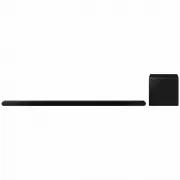
ENG - 6 01 CHECKING THE COMPONENTS Soundbar Main Unit Soundbar Remote Control Subwoofer x 2 AC/DC Adapter (Soundbar) Power Cord (Subwoofer, Soundbar) HDMI to Micro HDMI Cable AH81-15127A-01 A TYPE : 740mm B TYPE : 700mm x 2 x 2 Wall Mount Guide Bracket-Wall Mount Holder-Screw x 4 (M5 X L55) x 4 Scre...
Page 7 - 2 PRODUCT OVERVIEW; Top Panel of the Soundbar
ENG - 7 02 PRODUCT OVERVIEW Top Panel of the Soundbar 2 4 3 1 1 LED indicator The LED Indicator flashes, glows, or changes colour depending on the Soundbar’s current mode or status. The colour of the LED indicator and the number of lights indicate the active mode as described below. W White LED W Wh...
Page 8 - Rear Panel of the Soundbar
ENG - 8 Rear Panel of the Soundbar DC 19V SERVICE HDMI (ARC) DC 19V SERVICE HDMI (ARC) DC 19V SERVICE HDMI (ARC) DC 19V SERVICE HDMI (ARC) DC 19V SERVICE HDMI (ARC) DC 19V SERVICE HDMI (ARC) 3 1 2 1 SERVICE Connect a USB storage device to upgrade the product’s software. 2 HDMI (ARC) Connect to the H...
Page 9 - 3 USING THE SOUNDBAR REMOTE CONTROL; About the Remote control
ENG - 9 03 USING THE SOUNDBAR REMOTE CONTROL About the Remote control • Use the Remote less than 6 m from the product. The usable distance may vary with the wireless environmental conditions. • When the remote control does not work due to low battery, charge it by using the USB-C type port.• The ill...
Page 11 - Using the Hidden Buttons (Buttons with more than one function)
ENG - 11 12 TONE CONTROL By pressing the button, you can adjust the volume of the treble or bass sound. The defired item can be adjusted using the Up / Down buttons. This function is enabled in Sound mode excluding in Standard mode. • To control the volume of the treble or bass sound, select “ Trebl...
Page 13 - Adjusting the Soundbar volume with a TV remote control
ENG - 13 Adjusting the Soundbar volume with a TV remote control Adjust the Soundbar volume using the TV’s remote control. • This function can be used with IR remote controls only. Bluetooth remote controls (remote controls that require pairing) are not supported. • Set the TV speaker to External Spe...
Page 14 - 4 CONNECTING THE SOUNDBAR; Connecting the power and units
ENG - 14 04 CONNECTING THE SOUNDBAR Connecting the power and units Use the Power cord to connect the Subwoofer and Soundbar to an electrical outlet in the following order: • For more information about the required electrical power and power consumption, refer to the label attached to the product. (L...
Page 15 - Manually connecting the Subwoofer
ENG - 15 Manually connecting the Subwoofer Before performing the manual connection procedure below: • Check whether the power cables for the Soundbar and subwoofer is connected properly. • Make sure that the Soundbar is turned off. 1. Turn off the Soundbar main. 2. Press and hold ID SET on the rear ...
Page 16 - LED Indicator Lights on the Rear of Subwoofer
ENG - 16 LED Indicator Lights on the Rear of Subwoofer LED Status Description Resolution Blue On Successfully connected (normal operation) - Blinking Recovering the connection Check if the power cable attached to the main Soundbar unit is connected properly or wait about 5 minutes. If blinking persi...
Page 17 - 5 CONNECTING TO A TV; Connecting the TV that supports HDMI ARC (Audio Return Channel)
ENG - 17 05 CONNECTING TO A TV Connecting the TV that supports HDMI ARC (Audio Return Channel) CAUTION • When using an HDMI to Micro HDMI cable, take caution not to break the cable terminal.• When the HDMI cable is connected, the HDMI signal is received first. • To connect the HDMI cable between the...
Page 18 - Connecting via Bluetooth; Disconnecting the Soundbar from the Samsung TV
ENG - 18 Connecting via Bluetooth When a Samsung TV is connected using Bluetooth, you can hear stereo sound without the hassle of cabling.• Only one Samsung TV can be connected at a time.• Samsung TV that supports Bluetooth can be connected. Check the specifications of your TV. The initial connectio...
Page 20 - Connecting to a TV that supports Dolby Atmos
ENG - 20 Connecting to a TV that supports Dolby Atmos Pre-connection Checklist • Dolby Atmos® is supported in “ TV ARC ” or “ Wi-Fi ” mode. • Make sure that the content supports Dolby Atmos®. HDMI IN (ARC) SERVICE HDMI (ARC) Connect to the HDMI IN (ARC) port of your TV. HDMI to Micro HDMI Cable Rear...
Page 21 - Using the Q-Symphony Function
ENG - 21 Using the Q-Symphony Function For Q-Symphony, the Soundbar syncs with a Samsung TV to output sound through two devices for optimum surround effect. When the Soundbar is connected, the menu, “ TV+Soundbar ” appears under the Sound Output menu of the TV. Select the corresponding menu. TV menu...
Page 22 - Using the Spacefit sound; Method 1. Connecting via Soundbar; Method 2. Connecting via TV
ENG - 22 Using the Spacefit sound Provides optimized sound quality by analyzing the listening spaces. Method 1. Connecting via Soundbar To enable this function, turn on the SpaceFit Sound mode with the remote control of the Soundbar.( ( Sound Control ) → “SpaceFit Sound Off” → ( Up ) → “ SpaceFit So...
Page 23 - 6 CONNECTING A MOBILE DEVICE; Method 1. Connecting via Bluetooth; Notes on Bluetooth connection
ENG - 23 06 CONNECTING A MOBILE DEVICE Method 1. Connecting via Bluetooth When a mobile device is connected using Bluetooth, you can hear stereo sound without the hassle of cabling.• When you connect a paired Bluetooth device with the Soundbar off, the Soundbar automatically turns on. Mobile device ...
Page 24 - Disconnecting the Bluetooth device from a Soundbar; Disconnecting the Soundbar from the Bluetooth device
ENG - 24 • A Bluetooth device may experience noise or malfunction under in the following conditions: ‒ When the body is in contact with the signal transceiver on the Bluetooth device or Soundbar ‒ In corners or when there is an obstacle in proximity, such as a wall or partition, where electrical cha...
Page 26 - Using the Tap Sound; Setting the Tap Sound function
ENG - 26 Using the Tap Sound Tap the Soundbar with your mobile device to play the sound of content on the mobile device through the Soundbar. • This function may not be supported, depending on the mobile device.• This function is only compatible with Samsung mobile devices with Android 8.1 or later....
Page 27 - 7 CONNECTING VIA APPLE AIRPLAY 2
ENG - 27 07 CONNECTING VIA APPLE AIRPLAY 2 • This feature may not be available in some countries.• This Samsung Soundbar supports AirPlay 2 and requires iOS 11.4 or later. With AirPlay 2, you can stream music, podcasts, and other audio from your Apple devices to the Samsung Soundbar.• Make sure the ...
Page 28 - Installation Precautions; Wallmount Components
ENG - 28 08 INSTALLING THE WALL MOUNT Installation Precautions • Install on a vertical wall only.• Do not install in a place with high temperature or humidity.• Verify whether the wall is strong enough to support the product’s weight. If not, reinforce the wall or choose another installation point. ...
Page 29 - 9 INSTALLING THE
ENG - 29 6. Install the 2 Bracket-Wall Mounts in the correct orientation on the rear of the Soundbar using 2 Holder-screws . • When assembling, make sure the hanger part of the Bracket- Wall Mounts are located behind the rear of the Soundbar. Rear of Soundbar Right end of Soundbar 7. Install the Sou...
Page 30 - 0 SOFTWARE UPDATE; Auto Update; Reset
ENG - 30 10 SOFTWARE UPDATE Auto Update When the Soundbar is connected to the Internet, software updates automatically occur even when the Soundbar is turned off.• To use the Auto Update function, the Soundbar must be connected to the Internet. The Wi-Fi connection to the Soundbar will be terminated...
Page 31 - 1 TROUBLESHOOTING
ENG - 31 11 TROUBLESHOOTING Before seeking assistance, check the following. Soundbar does not turn on. • Check whether the power cord of the Soundbar is correctly inserted into the outlet. Soundbar works erratically. • After removing the power cord, insert it again.• Power cycle the external device ...
Page 33 - 3 OPEN SOURCE LICENCE
ENG - 33 [ENERGY STAR] ENERGY STAR qualified model only • Your Samsung product is ENERGY STAR qualified in its factory default setting. Change to certain features, settings and functionality in this product can change the power consumption, possibly beyond the limits required for ENERGY STAR qualifi...
Page 34 - 5 SPECIFICATIONS AND GUIDE
ENG - 34 15 SPECIFICATIONS AND GUIDE Specifications Model Name HW-S800B / HW-S801B Weight 1.4 kg Dimensions (W x H x D) 1160.0 x 38.0 x 39.9 mm Operating Temperature Range +5°C to +35°C Operating Humidity Range 10 % ~ 75 % AMPLIFIERRated Output power (20W x 2) + (10W x 2) + (20W x 2) + (10W x 1) + (...
Page 35 - THÔNG TIN AN TOÀN; CẢNH BÁO AN TOÀN
VIE - 2 THÔNG TIN AN TOÀN CẢNH BÁO AN TOÀN ĐỂ GIẢM THIỂU NGUY CƠ ĐIỆN GIẬT, KHÔNG THÁO NẮP MÁY (HOẶC LƯNG MÁY). KHÔNG CÓ BỘ PHẬN NÀO BÊN TRONG MÀ NGƯỜI DÙNG CÓ THỂ BẢO DƯỠNG ĐƯỢC. ĐỂ NHÂN VIÊN BẢO DƯỠNG CÓ TRÌNH ĐỘ CHUYÊN MÔN THỰC HIỆN CÔNG TÁC BẢO DƯỠNG.Tham khảo bảng dưới đây để ...
Page 36 - THẬN TRỌNG
VIE - 3 THẬN TRỌNG 1. Đảm bảo nguồn cấp điện AC trong nhà bạn tuân theo các yêu cầu về nguồn điện được nêu trên nhãn nhận biết nằm ở phía dưới cùng của sản phẩm. Lắp đặt sản phẩm theo chiều ngang, trên điểm tựa thích hợp (đồ đạc trong nhà) và có đủ không gian quanh sản phẩm để thông khí (7~10 cm). Đ...
Page 37 - NỘI DUNG
VIE - 4 NỘI DUNG 01 Kiểm tra thành phần 6 02 Tổng quan về sản phẩm 7 Bảng mặt trên của Soundbar . . . . . . . . . . . . . . . . . . . . . . . . . . . . . . . . . . . . . . . . . . . . . . . . . . . . . . . . . . . . . . . . . . . . . . . . . . . . . . . . . . . . . . . . . . . . . . . . . . . . . ....
Page 39 - KIỂM TRA THÀNH PHẦN
VIE - 6 01 KIỂM TRA THÀNH PHẦN Thiết bị chính Soundbar Điều khiển từ xa Soundbar Loa siêu trầm x 2 Bộ điều hợp AC/DC (Soundbar) Dây nguồn (Loa siêu trầm, Soundbar) Cáp HDMI to Micro HDMI AH81-15127A-01 A TYPE : 740mm B TYPE : 700mm x 2 x 2 Thanh dẫn giá treo tường Giá gắn tường-Giá treo tường Vít đỡ...
Page 40 - TỔNG QUAN VỀ SẢN PHẨM; Bảng mặt trên của Soundbar
VIE - 7 02 TỔNG QUAN VỀ SẢN PHẨM Bảng mặt trên của Soundbar 2 4 3 1 1 Đèn báo LED Đèn báo LED sẽ nhấp nháy, sáng lên hoặc đổi màu tùy theo trạng thái hoặc chế độ hiện tại của Soundbar. Màu của đèn báo LED và số lượng đèn cho biết chế độ hiện hoạt của Soundbar như mô tả dưới đây. W Đèn LED màu trắng ...
Page 41 - Bảng mặt sau của Soundbar
VIE - 8 Bảng mặt sau của Soundbar DC 19V SERVICE HDMI (ARC) DC 19V SERVICE HDMI (ARC) DC 19V SERVICE HDMI (ARC) DC 19V SERVICE HDMI (ARC) DC 19V SERVICE HDMI (ARC) DC 19V SERVICE HDMI (ARC) 3 1 2 1 SERVICE Kết nối một thiết bị lưu trữ USB để nâng cấp phần mềm của sản phẩm. 2 HDMI (ARC) Kết nối với c...
Page 42 - SỬ DỤNG ĐIỀU KHIỂN TỪ XA SOUNDBAR; Giới thiệu về Điều khiển từ xa
VIE - 9 03 SỬ DỤNG ĐIỀU KHIỂN TỪ XA SOUNDBAR Giới thiệu về Điều khiển từ xa • Sử dụng Điều khiển từ xa cách sản phẩm dưới 6 m. Khoảng cách sử dụng có thể thay đổi theo điều kiện môi trường không dây. • Khi điều khiển từ xa không hoạt động do pin yếu, hãy sạc điều khiển bằng cổng USB loại C. • Hình m...
Page 44 - Sử dụng các Nút Ẩn (Các nút có nhiều chức năng)
VIE - 11 12 TONE CONTROL Bạn có thể nhấn nút này để điều chỉnh âm lượng của âm cao hoặc âm trầm. Bạn có thể điều chỉnh mục mong muốn bằng nút Lên / Xuống . Chức năng này được bật trong chế độ Âm thanh không bao gồm trong chế độ Standard . • Để điều chỉnh âm lượng của âm cao hoặc âm trầm, hãy chọn &#...
Page 45 - Thông số kỹ thuật đầu ra cho các chế độ hiệu ứng âm thanh khác nhau
VIE - 12 Thông số kỹ thuật đầu ra cho các chế độ hiệu ứng âm thanh khác nhau Hiệu ứng Đầu vào Đầu ra Chỉ có Loa siêu trầm Có Loa siêu trầm và Bộ loa sau không dây Surround 2.0 ch 3.1.2 ch 5.1.4 ch 5.1 ch 3.1.2 ch 5.1.4 ch Dolby Atmos® 3.1.2 ch 5.1.4 ch Game 2.0 ch 3.1.2 ch 5.1.4 ch 5.1 ch 3.1.2 ch 5...
Page 46 - Điều chỉnh âm lượng Soundbar bằng điều khiển từ xa TV
VIE - 13 Điều chỉnh âm lượng Soundbar bằng điều khiển từ xa TV Điều chỉnh âm lượng Soundbar bằng điều khiển từ xa của TV. • Chức năng này chỉ có thể sử dụng bằng điều khiển từ xa IR. Điều khiển từ xa Bluetooth (điều khiển từ xa yêu cầu ghép đôi) không được hỗ trợ. • Đặt loa TV thành Loa ngoài để sử ...
Page 47 - KẾT NỐI SOUNDBAR; Kết nối nguồn và thiết bị
VIE - 14 04 KẾT NỐI SOUNDBAR Kết nối nguồn và thiết bị Sử dụng Dây nguồn để kết nối Loa siêu trầm và Soundbar với ổ cắm điện theo tứ tự sau: • Để biết thêm thông tin về nguồn điện cũng như mức tiêu thụ điện năng yêu cầu, hãy tham khảo nhãn đính kèm sản phẩm. (Nhãn: Mặt đáy của thiết bị chính Soundba...
Page 48 - Kết nối Loa siêu trầm theo cách thủ công
VIE - 15 Kết nối Loa siêu trầm theo cách thủ công Trước khi thực hiện quy trình kết nối thủ công bên dưới: • Hãy kiểm tra xem cáp nguồn của Soundbar và loa siêu trầm đã được kết nối đúng cách chưa. • Đảm bảo đã tắt Soundbar. 1. Tắt thiết bị chính Soundbar. 2. Nhấn và giữ ID SET ở mặt sau của loa siê...
Page 49 - Các đèn chỉ báo LED ở mặt sau của Loa siêu trầm
VIE - 16 Các đèn chỉ báo LED ở mặt sau của Loa siêu trầm Đèn LED Trạng thái Mô tả Giải pháp Màu lam Bật Đã kết nối thành công (hoạt động bình thường) - Nhấp nháy Đang khôi phục kết nối Kiểm tra xem cáp nguồn cắm vào thiết bị Soundbar chính đã được kết nối đúng cách hay chưa hoặc chờ khoảng 5 phút. N...
Page 50 - KẾT NỐI VỚI TV; Kết nối TV có hỗ trợ HDMI ARC (Kênh chuyển âm thanh)
VIE - 17 05 KẾT NỐI VỚI TV Kết nối TV có hỗ trợ HDMI ARC (Kênh chuyển âm thanh) CẨN THẬN • Khi sử dụng cáp HDMI to Micro HDMI, hãy cẩn thận để không làm gãy đầu nối của cáp. • Khi kết nối cáp HDMI, thiết bị sẽ nhận được tín hiệu HDMI trước. • Để kết nối cáp HDMI giữa TV và Soundbar, hãy nhớ kết nối ...
Page 51 - Kết nối qua Bluetooth; Ngắt kết nối Soundbar khỏi TV Samsung
VIE - 18 Kết nối qua Bluetooth Khi TV Samsung kết nối qua Bluetooth, bạn có thể nghe thấy âm thanh nổi mà không cần kết nối cáp rườm rà. • Bạn chỉ kết nối được một TV Samsung mỗi lần. • Bạn có thể kết nối TV Samsung hỗ trợ Bluetooth. Hãy kiểm tra thông số kỹ thuật của TV. Kết nối ban đầu 1. Nút ghép...
Page 53 - Kết nối với một TV hỗ trợ Dolby Atmos
VIE - 20 Kết nối với một TV hỗ trợ Dolby Atmos Danh sách kiểm tra trước khi kết nối • Dolby Atmos® được hỗ trợ ở chế độ " TV ARC " hoặc " Wi-Fi ". • Đảm bảo rằng nội dung hỗ trợ Dolby Atmos®. HDMI IN (ARC) SERVICE HDMI (ARC) Kết nối với cổng HDMI IN (ARC) của TV. Cáp HDMI to Micro HD...
Page 54 - Sử dụng chức năng Q-Symphony
VIE - 21 Sử dụng chức năng Q-Symphony Với Q-Symphony, Soundbar sẽ đồng bộ hóa với TV Samsung để phát âm thanh ra hai thiết bị cho hiệu ứng vòm tối ưu. Khi kết nối Soundbar, menu, " TV+Soundbar " sẽ xuất hiện bên dưới menu Đầu ra â.thanh của TV. Chọn menu tương ứng. Menu TV Cáp HDMI to Micro ...
Page 55 - Sử dụng âm thanh Spacefit; Phương pháp 1. Kết nối qua Soundbar; Phương pháp 2. Kết nối qua TV
VIE - 22 Sử dụng âm thanh Spacefit Cung cấp chất lượng âm thanh tối ưu bằng cách phân tích các không gian nghe. Phương pháp 1. Kết nối qua Soundbar Để bật chức năng này, hãy bật chế độ SpaceFit Sound bằng điều khiển từ xa của Soundbar.( ( Điều khiển âm thanh ) → "SpaceFit Sound Off" → ( Lên ...
Page 56 - 6 KẾT NỐI THIẾT BỊ DI ĐỘNG; Phương pháp 1. Kết nối qua Bluetooth; Lưu ý khi kết nối Bluetooth
VIE - 23 06 KẾT NỐI THIẾT BỊ DI ĐỘNG Phương pháp 1. Kết nối qua Bluetooth Khi thiết bị di động được kết nối qua Bluetooth, bạn có thể nghe thấy âm thanh nổi mà không cần kết nối cáp rườm rà. • Khi bạn kết nối thiết bị Bluetooth được ghép nối với Soundbar đã tắt, Soundbar sẽ tự động bật. Thiết bị di...
Page 57 - Ngắt kết nối thiết bị Bluetooth với Soundbar; Ngắt kết nối Soundbar với thiết bị Bluetooth
VIE - 24 • Thiết bị Bluetooth có thể gặp nhiễu hoặc trục trặc trong các điều kiện sau: ‒ Khi cơ thể chạm vào bộ thu tín hiệu trên thiết bị Bluetooth hoặc Soundbar ‒ Ở các góc hoặc khi có chướng ngại vật ở gần như tường hoặc vách ngăn là những nơi có thể có sự thay đổi về điện. ‒ Khi tiếp xúc với nhi...
Page 59 - Sử dụng Tap Sound; Cài đặt chức năng Tap Sound
VIE - 26 Sử dụng Tap Sound Chạm thiết bị di động vào Soundbar để phát âm thanh của nội dung trên thiết bị di động qua Soundbar. • Chức năng này có thể không được hỗ trợ, tùy thuộc vào thiết bị di động. • Chức năng này chỉ tương thích với các thiết bị di động Samsung chạy hệ điều hành Android 8.1 trở...
Page 60 - 7 KẾT NỐI QUA APPLE AIRPLAY 2
VIE - 27 07 KẾT NỐI QUA APPLE AIRPLAY 2 • Tính năng này có thể không khả dụng tại một số quốc gia. • Soundbar Samsung hỗ trợ AirPlay 2 và cần có iOS 11.4 hoặc phiên bản mới hơn. Với AirPlay 2, bạn có thể phát nhạc, podcast và nội dung âm thanh khác từ thiết bị của Apple tới Samsung Soundbar. • Đảm b...
Page 61 - LẮP GIÁ TREO TƯỜNG; Lưu ý khi lắp đặt
VIE - 28 08 LẮP GIÁ TREO TƯỜNG Lưu ý khi lắp đặt • Chỉ lắp đặt trên tường thẳng đứng. • Không lắp đặt ở vị trí có nhiệt độ hoặc độ ẩm cao. • Xác minh xem tường có đủ chắc để đỡ trọng lượng của sản phẩm hay không. Nếu không, hãy gia cố lại tường hoặc chọn điểm lắp đặt khác. • Kết nối cáp từ thiết bị ...
Page 62 - 9 LẮP ĐẶT SOUNDBAR TRƯỚC
VIE - 29 6. Lắp 2 Giá đỡ gắn trên tường theo đúng hướng ở phía sau của Soundbar bằng cách sử dụng 2 Vít đỡ . • Khi lắp ghép, hãy đảm bảo rằng bộ phận treo của Giá đỡ gắn trên tường nằm ở phía sau mặt sau của Soundbar. Mặt sau của Soundbar Đầu bên phải của Soundbar 7. Lắp Soundbar đã gắn Giá đỡ gắn t...
Page 63 - CẬP NHẬT PHẦN MỀM; Tự động cập nhật; Đặt lại
VIE - 30 10 CẬP NHẬT PHẦN MỀM Tự động cập nhật Khi Soundbar được kết nối với Internet, quá trình cập nhật phần mềm tự động diễn ra ngay cả khi Soundbar tắt. • Để sử dụng chức năng Tự động cập nhật, Soundbar phải được kết nối với Internet. Kết nối giữa Wi-Fi với Soundbar sẽ bị ngắt nếu dây nguồn của ...
Page 64 - KHẮC PHỤC SỰ CỐ
VIE - 31 11 KHẮC PHỤC SỰ CỐ Trước khi tìm trợ giúp, hãy kiểm tra các điều sau. Soundbar không bật. • Kiểm tra xem dây nguồn của Soundbar đã được cắm đúng cách vào ổ cắm hay chưa. Soundbar hoạt động chập chờn. • Sau khi tháo dây nguồn, hãy cắm lại. • Tắt rồi bật lại thiết bị bên ngoài, sau đó thử lại...
Page 65 - GIẤY PHÉP
VIE - 32 Rớt âm thanh khi được kết nối qua Bluetooth. • Một số thiết bị có thể gây nhiễu sóng vô tuyến nếu chúng được đặt quá gần Soundbar. Ví dụ: lò vi sóng, bộ điều hợp không dây, v.v. • Nếu thiết bị của bạn được kết nối qua Bluetooth di chuyển quá xa khỏi soundbar, việc này có thể khiến rớt âm th...
Page 66 - LƯU Ý VỀ GIẤY PHÉP MÃ
VIE - 33 [ENERGY STAR]Chỉ model đủ điều kiện dán nhãn ENERGY STAR • Sản phẩm Samsung của bạn đủ điều kiện dán nhãn ENERGY STAR ở chế độ cài đặt mặc định của nhà sản xuất. Các thay đổi đối với một số tính năng, cài đặt và chức năng nhất định trong sản phẩm này có thể làm thay đổi mức tiêu thụ điện nă...
Page 67 - CÁC THÔNG SỐ KỸ THUẬT VÀ HƯỚNG DẪN; Các thông số kỹ thuật
VIE - 34 15 CÁC THÔNG SỐ KỸ THUẬT VÀ HƯỚNG DẪN Các thông số kỹ thuật Tên kiểu máy HW-S800B / HW-S801B Trọng lượng 1,4 kg Kích thước (R x C x S) 1160,0 x 38,0 x 39,9 mm Khoảng nhiệt độ hoạt động +5°C đến +35°C Khoảng độ ẩm hoạt động 10 % ~ 75 % BỘ KHUẾCH ĐẠICông suất đầu ra định mức (20W x 2) + (10W ...
Page 69 - 安全資訊; 安全警告
TPE - 2 安全資訊 安全警告 為降低觸電的風險,請勿取下外蓋 (或背板)。 內部沒有任何使用者可維修的零件。維修作業請交由合格維修人員負 責。 請參閱以下表格,查看可能出現在 Samsung 產品上的符號說明。 注意 有觸電的風險,請勿打開。 此符號表示內部有高壓電。以任何方式碰觸本產品的任何 內部零件均有危險。 此符號表示本產品隨附關於操作與維護的重要文件。 II 類產品:此符號表示不需要進行接地的安全連接。 若此符號沒有出現在含電源線的產品上,則該產品必須牢 固連接至保護性接地 (地線)。 交流電電壓:標記此符號的額定電壓是交流電電壓。 直流電電壓:標記此符號的額定電壓是直流電電壓。...
Page 70 - 注意事項
TPE - 3 注意事項 1. 請確保家中的交流電源符合本產品底部識別貼紙上所列的電源要 求。在適當的底座 (傢俱) 上水平安裝本產品,並在其周圍留有足夠 通風空間 (7~10 公分)。請確保通風槽未蓋住。請勿將裝置放在擴音 器或其他可能會變熱的設備上。此裝置是針對長期使用所設計。 若要完全關閉此裝置,請從牆式插座中拔下交流電插頭。若有很長 的時間不打算使用本裝置,請拔下裝置的插頭。 2. 在雷雨期間,請從牆式插座拔下交流電插頭。閃電所導致的高壓電 可能會損壞本裝置。 3. 請勿將裝置直接暴露在陽光下或其他熱源中。這可能會導致過熱並 造成裝置故障。 4. 保護產品,使其遠離濕氣 (例如花瓶) ...
Page 71 - 目錄
TPE - 4 目錄 01 檢查元件 6 02 產品概覽 7 有源音箱的上方面板 . . . . . . . . . . . . . . . . . . . . . . . . . . . . . . . . . . . . . . . . . . . . . . . . . . . . . . . . . . . . . . . . . . . . . . . . . . . . . . . . . . . . . . . . . . . . . . . . . . . . . 7 有源音箱的後方面板 . . . . . . . . . . . . . . . . . . . . . . ....
Page 74 - 有源音箱的上方面板
TPE - 7 02 產品概覽 有源音箱的上方面板 2 4 3 1 1 LED 指示燈 LED 指示燈根據有源音箱的目前模式或狀態閃爍、發光或改變顏色。LED 指示燈的顏色和燈光數量依下列所述指示使用中的模式。 W 白色 LED W 白色 LED M 多彩 LED W 白色 LED W 白色 LED • 多彩 LED 指示燈根據目前模式或狀態改變成白色、青色、綠色、紅色以及藍色。 2 (多功能) 按鈕 • 在待機模式下,按下 (多功能) 按鈕,以開啟有源音箱。 • 按下 (多功能) 按鈕,以變更模式。每當變更模式時,LED 會發出白色光,然後熄滅。 LED 指示燈 白光亮起 → 熄滅 白光亮起...
Page 75 - 有源音箱的後方面板
TPE - 8 有源音箱的後方面板 DC 19V SERVICE HDMI (ARC) DC 19V SERVICE HDMI (ARC) DC 19V SERVICE HDMI (ARC) DC 19V SERVICE HDMI (ARC) DC 19V SERVICE HDMI (ARC) DC 19V SERVICE HDMI (ARC) 3 1 2 1 SERVICE 連接 USB 儲存裝置,以升級產品的軟體。 2 HDMI (ARC) 連接到電視上的 HDMI (ARC) 連接埠。(請參閱第 17 頁) 3 DC 19V 連接交流電/直流電變壓器。(電源輸入) (請參閱第 14 頁)...
Page 76 - 3 使用 有源音箱遙控器; 關於遙控器
TPE - 9 03 使用 有源音箱遙控器 關於遙控器 • 請在距離本產品 6 公尺內使用遙控器。可用距離會因無線環境因素而有所不同。 • 當遙控器因為電力不足而無法運作時,請以 USB-C type 連接埠充電。 • 圖片會因各個遙控器型號而異。 充電用 USB 連接埠 (C-type) 如何使用遙控器 1 3 5 8 11 13 7 10 12 2 4 9 6 14 1 電源 開啟並關閉有源音箱。 LED 指示燈 青色閃爍 1 次 亮燈 紅色閃爍 3 次 關閉 • 電源自動關閉功能 裝置會在下列情況自動關閉: • 若 18 分鐘都沒有音訊訊號,則會進入 TV ARC / Wi-Fi / B...
Page 79 - 適用於不同音效模式的輸出規格
TPE - 12 適用於不同音效模式的輸出規格 效果 輸入 輸出 僅使用低音揚聲器 使用有源重低音音箱與無線後置揚 聲器套件 Surround 2.0 ch 3.1.2 ch 5.1.4 ch 5.1 ch 3.1.2 ch 5.1.4 ch Dolby Atmos® 3.1.2 ch 5.1.4 ch Game 2.0 ch 3.1.2 ch 5.1.4 ch 5.1 ch 3.1.2 ch 5.1.4 ch Dolby Atmos® 3.1.2 ch 5.1.4 ch Standard 2.0 ch 2.1 ch 2.1 ch 5.1 ch 3.1 ch 5.1 ch Dolby Atmo...
Page 80 - 使用電視遙控器調整有源音箱音量
TPE - 13 使用電視遙控器調整有源音箱音量 使用電視遙控器調整 有源音箱音量。 • 只有在使用紅外線遙控器時才能使用此功能。不支援藍牙遙控器 (需要配對的遙控器)。 • 將電視揚聲器設定為外部揚聲器以使用此功能。 • 支援此功能的製造商: Samsung, VIZIO, LG, Sony, Sharp, PHILIPS, PANASONIC, TOSHIBA, Hisense, RCA 1. 關閉有源音箱。 2. 將 WOOFER 按鈕向上推動並按住 5 秒。 每次您將 WOOFER 按鈕向上推動並按住 5 秒時,就會按照下列順序切換模式:「OFF-TV REMOTE」(預設模式)、「S...
Page 81 - 連接電源和裝置
TPE - 14 04 連接有源音箱 連接電源和裝置 依照下列順序,使用電源線將有源重低音音箱和有源音箱連接到電源插座: • 如需更多關於所需電源和電力消耗的資訊,請參閱貼在本產品上的標籤。(標籤:有源音箱主裝置底部) 1. 將電源線連接至低音揚聲器。 低音揚聲器後側 電線 2. 將電源線連接至有源音箱。 有源音箱主裝置底部 DC 19V DC 19V 電線 交流電/直流電變壓器 3. 將電源連接至有源音箱和有源重低音音箱。開啟有源音箱時,有源重低音音箱會自動連接。 連結 LED - 藍燈亮起 備註 • 請先連接有源重低音音箱電源,再連接至有源音箱。開啟有源音箱時,有源重低音音箱將會自動連接。...
Page 85 - 透過 Bluetooth 連線
TPE - 18 透過 Bluetooth 連線 使用藍牙連線 Samsung TV 時,您可以聽見立體聲,不必煩惱纜線問題。 • 一次只能連線一個 Samsung TV。 • 可以連線支援藍牙的 Samsung TV。檢查電視規格。 初始連線 1. Bluetooth 配對按鈕 LED 指示燈 SOUNDBAR SOU ND MOD E WOOFER + _ CH LE VEL TONE CONTR OL (或) 在 Bluetooth 模式時 5 Sec 紅色 → 綠色 → 藍色閃爍 正在配對 青色閃爍 3 次 連接完成 • 在配對完成前,多彩 LED 會依紅色 → 綠色 → 藍色的順序變...
Page 87 - 連接至支援 Dolby Atmos 的電視
TPE - 20 連接至支援 Dolby Atmos 的電視 連接之前的檢查清單 • Dolby Atmos® 僅在「TV ARC」或「Wi-Fi」模式中才受到支援。 • 確認內容支援 Dolby Atmos®。 HDMI IN (ARC) SERVICE HDMI (ARC) 連接至電視上的 HDMI IN (HDMI 輸入) (ARC) HDMI 轉接 Micro HDMI 纜線 有源音箱的後方 有源音箱上方 LED 指示燈 白光亮起 → 熄滅 “ TV ARC ” 1. 在關閉 有源音箱和電視的情況下,連接 HDMI 纜線,如圖所示。 2. 開啟 有源音箱和電視。 3. 電視聲音會從有源...
Page 89 - 使用 SpaceFit 音效
TPE - 22 使用 SpaceFit 音效 藉由分析聆聽空間,提供最佳的聲音品質。 方法 1。透過有源音箱連接 若要啟用此功能,請使用有源音箱的遙控器開啟 SpaceFit Sound 模式。 ( (聲音控制) → “SpaceFit Sound Off” → ( 向上 ) → “SpaceFit Sound On”) • 在所有聲音模式中皆適用。 方法 2。透過電視連接 若要啟用此功能,請開啟 Samsung TV 功能表中的 Adaptive Sound+ 模式。 (首頁 ( ) → 選單 → 設定 ( ) → 所有設定 ( ) → General → 智慧模式設定 → Adaptiv...
Page 90 - 方法 1。透過藍牙連線
TPE - 23 06 連接行動裝置 方法 1。透過藍牙連線 使用藍牙連線行動裝置時,您可以聽見立體聲,不必煩惱纜線問題。 • 在 有源音箱關閉的情況下連線已配對的藍牙裝置時,有源音箱會自動開啟。 行動裝置 初始連線 連線至新的藍牙裝置時,請確認裝置位於 1 公尺的距離內。 1. Bluetooth 配對按鈕 LED 指示燈 SOUNDBAR SOU ND MOD E WOOFER + _ CH LE VEL TONE CONTR OL (或) 在 Bluetooth 模式時 5 Sec 紅色 → 綠色 → 藍色閃爍 正在配對 青色閃爍 3 次 連接完成 • 在配對完成前,多彩 LED 會依紅...
Page 93 - 使用 Tap Sound
TPE - 26 使用 Tap Sound 使用行動裝置輕觸有源音箱,以透過有源音箱播放行動裝置上內容的聲音。 • 此功能可能不受支援,視行動裝置而定。 • 此功能僅與具有 Android 8.1 或更高版本的 Samsung 行動裝置相容。 有源音箱上方 行動裝置 SmartThings 應用程式 1. 在行動裝置上開啟 Tap Sound 功能。 • 如需如何開啟功能的詳細資訊,請參閱下面的「設定 Tap Sound 功能」。 2. 使用行動裝置輕觸有源音箱。在顯示的訊息視窗中選擇「Start now」。 會透過藍牙在行動裝置和有源音箱之間建立連線。 3. 透過有源音箱播放行動裝置上內容的...
Page 94 - 7 透過 APPLE AIRPLAY 2 連接
TPE - 27 07 透過 APPLE AIRPLAY 2 連接 • 某些國家/地區可能無法使用此功能。 • 此 Samsung 有源音箱支援 AirPlay 2,並需要 iOS 11.4 或更新版本。 只要有了 AirPlay 2,您就可以透過 Apple 裝置將音樂、Podcast 以及其他音訊串流至 Samsung 有源音箱。 • 確認有源音箱是否已經開啟電源並連線至與您 Apple 裝置相同的 Wi-Fi 網路。 • 在支援 AirPlay 的應用程式或 iPhone、iPad、Mac 上選取 。 • 在可用裝置清單中選取有源音箱,以透過有源音箱播放目前的音訊。
Page 96 - 9 將有源音箱安裝於電視前
TPE - 29 6. 使用 2 個支撐螺絲,在有源音箱背面以正確方向安裝 2 個掛牆托 架。 • 組裝時,確認掛牆托架的掛鉤部分位於有源音箱後側。 有源音箱的後側 有源音箱的右側 7. 使用已固定的掛牆托架安裝有源音箱,只要將掛牆托架掛在牆上的 支撐螺絲即可。 8. 向下滑動有源音箱 (如下圖所示),讓掛牆托架牢牢固定在支撐螺絲 上。 • 將支撐螺絲插入掛牆托架的較寬 (背面) 部分,然後向下滑動掛 牆托架,讓掛牆托架牢牢固定在支撐螺絲上。 SERVICE HDMI (ARC) SERVICE HDMI (ARC) SERVICE HDMI (ARC) DC 19V 09 將有源音箱安裝於電...
Page 97 - 重設
TPE - 30 10 軟體更新 自動更新 當 有源音箱連線至網際網路時,即使 有源音箱關閉,也會自動進行軟 體更新。 • 若要使用自動更新功能,有源音箱必須連線至網際網路。 若拔除 有源音箱的電源線或切斷電源,將會終止對於 有源音箱的 Wi-Fi 連線。若切斷電源,則當恢復電源或重新連接電源線時,請 開啟有源音箱,然後重新連線至網際網路。 USB 更新 有源音箱的後方 SERVICE HDMI (ARC) SERVICE HDMI (ARC) Micro USB 對 USB 轉接器纜線 (未提供) Samsung 可提供未來 有源音箱系統韌體的更新。 有更新可用時,您可以將包含更新韌體的 U...
Page 98 - 疑難排解
TPE - 31 11 疑難排解 尋求協助之前,請先檢查下列項目。 有源音箱未開啟。 • 檢查 有源音箱的電源線是否正確插入插座中。 有源音箱不正常運作。 • 在拔下電源線後,重新插入。 • 重啟外部裝置,然後重試。 • 若沒有訊號,有源音箱會在一段特定時間後自動關閉。開啟電 源。(請參閱第 9 頁。) 遙控器沒有作用 • 將遙控器直接對準有源音箱。 • 為遙控器充電。 有源音箱指示燈變為紅色恆亮。 • 麥克風已關閉。 開啟麥克風。(請參閱第 7 頁。) 聲音未從有源音箱輸出。 • 有源音箱音量太低或靜音。調整音量。 • 連接任何外部裝置 (STB 藍牙裝置、行動裝置等) 時,請調整外部 裝置...
Page 99 - 授權
TPE - 32 透過 Bluetooth 連接時,聲音中斷。 • 有些裝置在太靠近有源音箱時會造成無線電干擾。例如,微波 爐、無線路由器等。 • 若透過 Bluetooth 連接的裝置離有源音箱過遠,可能會造成聲音中 斷。請將裝置移到更靠近有源音箱的位置。 • 若機身一部分接觸到 Bluetooth 收發器,或將本產品安裝在金屬傢 俱上,則聲音可能會中斷。請檢查安裝環境和使用情況。 有源音箱無法透過 Wi-Fi 連接。 • 檢查無線路由器是否開啟。 • 關閉路由器,再重新開啟,然後重試。 • 若無線訊號太弱,有源音箱將無法連接。如有可能,請嘗試將路 由器移到更靠近有源音箱的位置,或清空有源音...
Page 101 - 規格與指南; 規格
TPE - 34 15 規格與指南 規格 型號名稱 HW-S800B / HW-S801B 重量 1.4 公斤 尺寸 (寬 x 高 x 深) 1160.0 x 38.0 x 39.9 公釐 操作溫度範圍 +5°C 到 +35°C 操作濕度範圍 10 % ~ 75 % AMPLIFIER 額定輸出功率 (20W x 2) + (10W x 2) + (20W x 2) + (10W x 1) + (10W x 2) 支援的播放格式 Dolby 5.1ch / Dolby Digital Plus / Dolby ATMOS (Dolby Digital Plus) / DTS 5.1ch / L...