Page 2 - IMPORTANT SAFETY INSTRUCTIONS
IMPORTANT SAFETY INSTRUCTIONS 1. Read these instructions. 2. Keep these Instructions. 3. Heed all warnings. 4. Follow all instructions. 5. Do not use this apparatus near water. 6. Clean only with dry cloth. 7. Do not block any ventilation openings. Install in accordance with the manufacturer’s instr...
Page 4 - IMPORTANT SAFEGUARDS
Eng-4 IMPORTANT SAFEGUARDS Caution Power source is indicated on the rear of the set. It contains high-voltage parts. If you remove the cover, it may cause fire or electric shock. Do not remove the cover by yourself. (Control switches are at the front of the monitor.) 1. Read Instructions : All the s...
Page 7 - FCC information; Warning
Eng-7 18. Replacement Parts : When replacement parts are required, be sure the service technician has used replacement parts specified by Samsung or have the same characteristics as the original parts. Unauthorized substitutions may result in fire, electric shock or other hazards. 19. Safety Check :...
Page 8 - Information to user
Eng-8 Information to user Changes or modifications not expressly approved by the party responsible for compliance could void the user's authority to operate the equipment. NOTE: This equipment has been tested and found to comply with the limits for a Class A digital device, pursuant to Part 15 of th...
Page 9 - IC Compliance Notice
Eng-9 The party responsible for product compliance: SAMSUNG ELECTRONICS CO., LTD. America QA Lab of Samsung 3351 Michelson Drive, Suite #290, Irvine, CA92612 USA IC Compliance Notice This Class (A) digital apparatus meets all requirements of the Canadian Interference-Causing Equipment Regulations. C...
Page 10 - Contents
Eng-10 Contents IMPORTANT SAFETY INSTRUCTIONS .................Eng-2 IMPORTANT SAFEGUARDS ................................... Eng-4 FCC information .......................................................... Eng-7 Front Panel Components and Controls ...................... Eng-11 SMC-210F, SMC-150F • ...
Page 11 - Front Panel Components and Controls; Using buttons on the front panel
Eng-11 Power Switch On/off switch. If you press this button, the monitor is turned on and the LED of selected input signal is lit. VIDEO Input Selection Switch It selects video and audio input signal. To change input signal, press this button. VOLUME, DATA Control Switch VOLUME key has two functions...
Page 14 - Using the Auto Mode
Eng-14 Using the Auto Mode The RED indicator light is lit when Auto Mode is selected. In the Auto mode, the camera input channels will automatically switch by following sequence: Camera 1 → Camera 2 → Camera 3 → Camera 4, where the switching interval is set in the MENU option. (In the MENU option, a...
Page 15 - Using the Auto-Skip Mode
Eng-15 Using the Auto-Skip Mode When the Auto-skip options is set in the MENU settings, and no input signals are found for the channels 2, 4 and VCR, the Monitor will operate as follows: After 1 second After 1 second After 1 second (After scanning 4 channels) Camera 2 Scanning No Input Signal Camera...
Page 16 - Using the Manual Mode
Eng-16 Using the Manual Mode The GREEN indicator light is lit when Manual Mode is selected. This option allows the user to manually select either Camera OR VCR input channel accordingly as follows: CAMERA 1 Button If this button is pressed, the menu setting will be set to Camera 1. CAMERA 2 Button I...
Page 17 - Using the MENU button
Eng-17 Using the MENU button Press the MENU button for MENU settings. MENU Button - VOLUME If the MENU Button is pressed, all user controllable menus will be displayed in the following sequence: Contrast ➔ Brightness ➔ Sharpness ➔ Color ➔ Tint(NTSC only) ➔ Auto Timer ➔ Auto Skip ➔ Camera OSD ➔ (Lang...
Page 20 - Exit MENU
Eng-20 Exit MENU • The Menu mode will exit automatically after 20 seconds of no user input. Adjusting VOLUME • In the MANUAL Mode, use the VOLUME button to adjust the volume of the selected channel. • Press the VOLUME button to decrease, or press the VOLUME button to increase the volume. • Monitor d...
Page 21 - Rear Panel Components and Controls
Eng-21 Rear Panel Components and Controls CAMERA IN (1~4), VIDEO LINE IN(A, B) Camera INPUT connector. Input connectors for up to 4(2) cameras MONITOR OUT, VIDEO LINE OUT(A,B) VIDEO OUTPUT connector. VCR IN(VIDEO) VCR INPUT connector. Connect to the VCR. AUDIO IN (1~4), AUDIO LINE IN(A, B) AUDIO INP...
Page 22 - Connections
Eng-22 Connections CCD Camera 1 CCD Camera 2 CCD Camera 1 CCD Camera 2 CCD Camera 3 CCD Camera 4 TimeLaps VCR SMC-212F, SMC-152F SMC-210F, SMC-150F
Page 23 - Maintenance
Eng-23 Maintenance If the quality of the picture on the COLOR MONITOR is poor and cannot be improved, inspect all system connections and cable runs. Repairs should be performed by a qualified technician with adequate test equipment and facilities.
Page 24 - Specifications
Eng-24 Specifications SMC-152FP/SMC-150FP/SMC-152FN/SMC-150FN (NTSC/PAL) 15” diagonal, 0.6mm stripe pitch, 90° deflection SMC-152FP/152FN : 4 Channel Input/1 Channel Output. SMC-150FP/150FN : 2 Channel Input/2 Channel Output. VCR INPUT 1.0Vp-p BNC jack SMC-152FP/152FN : 4 Channel Input/1 Channel out...
Page 26 - COLOR MONITOR; Mode d’emploi
COLOR MONITOR SMC-212FP/SMC-210FPSMC-152FP/SMC-150FPSMC-212FN/SMC-210FNSMC-152FN/SMC-150FN Mode d’emploi
Page 28 - CONSIGNES IMPORTANTES
Fra-3 CONSIGNES IMPORTANTES Attention Le point d’alimentation est indiqué à l’arrière de l'appareil. Il contient des pièces sous haute tension. Si vous retirez le couvercle, un incendie ou une décharge électrique risque de se produire. Ne retirez pas vous-même le couvercle. (Les boutons de commande ...
Page 32 - Table des matières
Fra-7 Table des matières CONSIGNES IMPORTANTES .................................. Fra-3 Commandes et composants de la façade ....................... Fra-8 SMC-210F, SMC-150F • Utilisation des boutons du panneau avant ..................Fra-8 SMC-212F, SMC-152F • Utilisation des boutons du panneau ava...
Page 33 - Commandes et composants de la façade; Bouton POWER
Fra-8 Commandes et composants de la façade SMC-210F, SMC-150F Utilisation des boutons du panneau avant Bouton POWER Bouton Marche/Arrêt. Appuyez sur ce bouton pour allumer le moniteur. LaLED rouge du signal d’entrée sélectionné s’allume. Bouton VIDEO Input Selection (Sélection d’entrée VIDEO) Il sél...
Page 35 - Bouton de sélection du mode Auto/Manual/VCR
Fra-10 Bouton de mise sous/hors tension. Si vous appuyez sur ce bouton, le moniteur s’allume ainsi que le voyant du signal d’entrée sélectionné. Bouton de sélection du mode Auto/Manual/VCR (Auto/Manuel/Magnétoscope) Si vous appuyez sur le bouton de sélection de mode Auto/Manual/VCR (Auto/Manuel/Magn...
Page 36 - Utilisation du mode Auto
Fra-11 Utilisation du mode Auto Le voyant ROUGE s’allume lorsque le mode Auto est sélectionné. En mode Auto, les canaux d’entrée de la caméra changeront automatiquement dans l’ordre suivant : Caméra 1 → Caméra 2 → Caméra 3 → Caméra 4, pour lequel l’intervalle de changement est déterminé dans l’optio...
Page 39 - Utilisation du bouton MENU
Fra-14 Utilisation du bouton MENU Appuyez sur le bouton MENU pour obtenir les réglages du MENU. Bouton MENU - VOLUME Si le bouton MENU est actionné, tous les menus réglables par l’utilisateur s’afficheront de la manière suivante : Contrast ➔ Brightness ➔ Sharpness ➔ Color ➔ Tint(NTSC only) ➔ Auto Ti...
Page 42 - Quitter le MENU
Fra-17 Quitter le MENU • Le mode Menu sera fermé automatiquement si l’utilisateur n’effectue aucune saisie pendant 20 secondes. Réglage du VOLUME • En mode MANUAL (MANUEL), utilisez le bouton VOLUME pour régler le volume du canal sélectionné. • Appuyez sur le bouton VOLUME pour baisser le volume, ou...
Page 43 - Commandes et composants du panneau arrière
Fra-18 Commandes et composants du panneau arrière CAMERA IN (1~4), VIDEO LINE IN(A, B) Connecteur INPUT (ENTREE) de la caméra. Connecteurs d’entrée de 4(2) caméras maximum MONITOR ORT, VIDEO LINE OUT(A,B) Connecteur OUTPUT (SORTIE) du VIDEO. VCR IN (VIDEO) Connecteur INPUT (ENTREE) du magnétoscope. ...
Page 44 - Branchements
Fra-19 Branchements Caméra 1 à dispositif à transfert de charge Caméra 2 à dispositif à transfert de charge Caméra 1 à dispositif à transfert de charge Caméra 2 à dispositif à transfert de charge Caméra 3 à dispositif à transfert de charge Caméra 4 à dispositif à transfert de charge Magnétoscope àen...
Page 45 - Entretien
Fra-20 Entretien Si la qualité d’image du MONITEUR COULEUR est mauvaise ou s’il est impossible de l’améliorer, contrôlez tous les branchements et les parcours de câbles. Les réparations doivent être effectuées par un technicien qualifié disposant d’installations et d’équipements de contrôle appropri...
Page 46 - Caractéristiques techniques
Fra-21 Caractéristiques techniques SMC-152FP/SMC-150FP/SMC-152FN/SMC-150FN (NTSC/PAL) Diagonale 15”, pas de masque de 0,6 mm ; déviation de 90° SMC-152FP/152FN : Entrée 4 canaux/Sortie 1 canal. SMC-150FP/150FN : Entrée 2 canaux/Sortie 2 canal. ENTREE MAGNETOSCOPE prise BNC 1,0 Vp-p SMC-152FP/152FN :...
Page 48 - Bedienungsanleitung
COLOR MONITOR SMC-212FP/SMC-210FPSMC-152FP/SMC-150FPSMC-212FN/SMC-210FNSMC-152FN/SMC-150FN Bedienungsanleitung
Page 50 - WICHTIGE SICHERHEITSHINWEISE
Deu-3 WICHTIGE SICHERHEITSHINWEISE Warnhinweise Das Netzteil befindet sich an der Rückseite des Geräts. Es enthält Hochspannungsbauteile. Das Entfernen der Abdeckung kann zu Bränden oder Stromschlägen führen. Entfernen Sie daher unter keinen Umständen die Abdeckung. (Die Bedienelemente befinden sich...
Page 54 - Inhalt
Deu-7 Inhalt WICHTIGE SICHERHEITSHINWEISE.................... Deu-3 Komponenten und Bedienelemente an der Vorderseite ............................................................ Deu-8 SMC-210F, SMC-150F • Verwendung der Tasten auf der Vorderseite des Geräts ............................................
Page 55 - Komponenten und Bedienelemente an der Vorderseite; Verwendung der Tasten auf der Vorderseite des Geräts; Netzschalter
Komponenten und Bedienelemente an der Vorderseite SMC-210F, SMC-150F Verwendung der Tasten auf der Vorderseite des Geräts Netzschalter Mit diesem Schalter wird die Stromversorgung des Monitors ein- undausgeschaltet. VIDEO-Taste Mit dieser Taste werden Video/Audio-Eingänge ausgew hlt. UmEingangssigna...
Page 57 - Die Taste POWER On/Off
Deu-10 Die Taste POWER On/Off Wenn Sie diese Taste drücken, schaltet sich das Gerät ein, und die LED des gewählten Eingangssignals leuchtet auf. Die Taste Auto/Manual/VCR Mode Selection Wenn Sie die Taste Auto/Manual/VCR Mode Selection drücken, leuchtet im automatischen Modus eine ROTE, im manuellen...
Page 58 - Automatischen Modus verwenden
Deu-11 Automatischen Modus verwenden Die ROTE Anzeige leuchtet, wenn der automatische Modus ausgewählt wurde. Im automatischen Modus werden die Eingangskanäle für Kamera automatisch entsprechend der folgenden Reihenfolge getauscht: Camera 1 (Kamera 1) → Camera 2 (Kamera 2) → Camera 3 (Kamera 3) → Ca...
Page 60 - Manuellen Modus verwenden
Deu-13 Manuellen Modus verwenden Die GRÜNE Anzeige leuchtet, wenn der manuelle Modus ausgewählt wurde. Mit Hilfe dieser Option können Sie wie folgt manuell entweder den Kamera- ODER den Video-Eingangskanal auswählen: Taste Camera 1 Wenn Sie diese Taste drücken, wird die Menüeinstellung auf Camera 1 ...
Page 61 - Verwenden der Taste MENU.
Deu-14 Verwenden der Taste MENU. Drücken Sie die Taste MENU, um die Menüeinstellungen anzuzeigen. Taste MENU – VOLUME Wenn Sie die Taste MENU drücken, werden alle steuerbaren Menüs in der folgenden Reihenfolge angezeigt: Contrast (Kontrast) ➔ Brightness (Helligkeit) ➔ Sharpness(Bildschärfe) ➔ Color ...
Page 64 - Schließen des Menüs
Deu-17 Schließen des Menüs • Der Menümodus wird automatisch geschlossen, wenn Sie 20 Sekunden lang keine Eingabe vornehmen. Ändern der Lautstärke • Über die Taste VOLUME können Sie im manuellen Modus die Lautstärke des ausgewählten Kanals ändern. • Drücken Sie Taste VOLUME zum Verringern und die Tas...
Page 65 - Komponenten und Bedienelemente an der Rückseite
Deu-18 Komponenten und Bedienelemente an der Rückseite CAMERA IN (1~4), VIDEO LINE IN(A, B) Anschluss für den Kameraeingang. Anschlüsse für bis zu zwei Kameras MONITOR OUT, VIDEO LINE OUT(A,B) Anschluss für den VIDEO. VCR IN (VIDEO) Anschluss für den Videoeingang. Anschluss an den Videorekorder AUDI...
Page 66 - Anschlüsse
Deu-19 Anschlüsse CCD Camera 1 CCD Camera 2 CCD Camera 1 CCD Camera 2 CCD Camera 3 CCD Camera 4 TimeLaps-Videorekorder SMC-212F, SMC-152F SMC-210F, SMC-150F
Page 67 - Wartung
Deu-20 Wartung Falls Sie die Bildqualität des Farbmonitors schlecht ist und durch Anpassen der Menüeinstellungen nicht verbessert werden kann, überprüfen Sie alle Anschlüsse und Kabel. Reparaturen sollten ausschließlich von einem Techniker mit entsprechender Ausbildung sowie mit geeigneten Testwerkz...
Page 68 - Technische Daten
Deu-21 Technische Daten SMC-152FP/SMC-150FP/SMC-152FN/SMC-150FN (NTSC/PAL) Bildschirmdiagonale 15 Zoll, vertikaler Streifenabstand 0,6 mm, Sichtwinkel 90° SMC-152FP/152FN : 4 Eingangskanäle / 1 Ausgangskanal. SMC-150FP/150FN : 2 Eingangskanäle / 2 Ausgangskanal. Videoeingang 1,0 Vp-p-BNC-Buchse SMC-...
Page 72 - NORME DI SICUREZZA
Ita-3 NORME DI SICUREZZA Attenzione La tensione di rete è indicata nella parte posteriore del prodotto. Contiene componenti ad alto voltaggio. La rimozione del coperchio può provocare incendi o scariche elettriche. Non rimuovere il coperchio. I comandi sono situati nella parte anteriore del monitor....
Page 76 - Sommario
Ita-7 Sommario IMPORTANTI ISTRUZIONI DI SICUREZZA ........... Ita-3 Componenti e comandi del pannello anteriore .............. Ita-8 SMC-210F, SMC-150F • Uso dei pulsanti del pannello anteriore .....................Ita-8 SMC-212F, SMC-152F • Uso dei pulsanti del pannello anteriore .....................
Page 77 - Componenti e comandi del pannello anteriore; Uso dei pulsanti del pannello anteriore; Interruttore di accensione; Interruttore di regolazione VOLUME, DATI
Componenti e comandi del pannello anteriore SMC-210F, SMC-150F Uso dei pulsanti del pannello anteriore Interruttore di accensione Interruttore di accensione/spegnimento. Premendo questo tasto il monitor siaccende e il LED del segnale di ingresso selezionato si illumina. Interruttore di selezione del...
Page 78 - Tasto SHARP
Tasto CONTRAST Regola il contrasto dell’immagine. Premere questo tasto quindi il tasto VOLUME (DATA) per regolare il contrasto. Tasto BRIGHT Regola la luminosità dell’immagine. Premere questo tasto quindi il tasto VOLUME (DATA) per regolare la luminosità. Tasto COLOR Regola l’intensità del colore de...
Page 80 - Utilizzo della modalità Auto
Ita-11 Utilizzo della modalità Auto L'indicatore ROSSO si accende quando viene selezionata la modalità Auto. In modalità Auto, i canali di ingresso della telecamera verranno automaticamente commutati nella sequenza indicata di seguito: Camera 1 → Camera 2 → Camera 3 → Camera 4, quando l'intervallo d...
Page 81 - Utilizzo della modalità Auto-Skip
Ita-12 Utilizzo della modalità Auto-Skip Quando l'opzione Auto-skip è impostata nel MENU, e non sono presenti segnali di ingresso per i canali 2, 4 e VCR, il monitor funzionerà nel modo seguente: Dopo 1 secondo Dopo 1 secondo Dopo 1 secondo Camera 2 Scansione No Input Signal Camera 4 Scansione Camer...
Page 82 - Utilizzo della modalità Manual
Ita-13 Utilizzo della modalità Manual L'indicatore VERDE si accende quando viene selezionata la modalità Manual. Questa opzione consente all'utente di selezionare manualmente il canale di ingresso della telecamera O del VCR nel modo seguente: Tasto CAMERA 1 Premendo questo tasto, il menu viene impos...
Page 83 - Utilizzo del tasto MENU
Ita-14 Utilizzo del tasto MENU Premere il tasto MENU per visualizzare le impostazioni del MENU. Tasto MENU - VOLUME Premendo il tasto MENU, tutti i menu controllabili dall'utente verranno visualizzati nella sequenza indicata di seguito: Contrast ➔ Brightness ➔ Sharpness ➔ Color ➔ Tint(NTSC only) ➔ A...
Page 86 - Uscita MENU
Ita-17 Uscita MENU • La visualizzazione della modalità Menu si disattiva automaticamente dopo 20 secondi di inattività. Regolazione VOLUME • In modalità MANUAL, premere il tasto VOLUME per regolare il volume del canale selezionato. • Sul monitor verrà visualizzata una barra per la regolazione del vo...
Page 87 - Componenti e comandi del pannello posteriore
Ita-18 Componenti e comandi del pannello posteriore CAMERA IN (1~4), VIDEO LINE IN(A, B) Connettore Camera INPUT. Connettori di ingresso per un massimo di 4(2) telecamere MONITOR OUT, VIDEO LINE OUT(A,B) Connettore VIDEO OUTPUT. VCR IN (VIDEO) Connettore VCR INPUT. Collegare al VCR. AUDIO IN (1~4), ...
Page 88 - Collegamenti
Ita-19 Collegamenti CCD Camera 1 CCD Camera 2 CCD Camera 1 CCD Camera 2 CCD Camera 3 CCD Camera 4 TimeLaps VCR SMC-212F, SMC-152F SMC-210F, SMC-150F
Page 89 - Manutenzione
Ita-20 Manutenzione Se la qualità dell'immagine del MONITOR A COLORI è scadente e non può essere migliorata, ispezionare tutti i collegamenti del sistema e i cavi esterni. Le riparazioni devono essere eseguite da un tecnico qualificato, dotato di adeguate attrezzature e apparecchiature per eseguire ...
Page 90 - Specifiche
Ita-21 Specifiche SMC-152FP/SMC-150FP/SMC-152FN/SMC-150FN (NTSC/PAL) Diagonale da 15", distanza tra linee di pixel di 0,6 mm, 15” diagonal, 0.6mm stripe pitch, 90° deflection SMC-152FP/152FN : Ingresso canale 4 /Uscita canale 1. SMC-150FP/150FN : Ingresso canale 2 /Uscita canale 2. INGRESSO VCR ...
Page 92 - Guía del usuario
COLOR MONITOR SMC-212FP/SMC-210FPSMC-152FP/SMC-150FPSMC-212FN/SMC-210FNSMC-152FN/SMC-150FN Guía del usuario
Page 94 - INSTRUCCIONES DE SEGURIDAD
Esp-3 INSTRUCCIONES DE SEGURIDAD Precaución La fuente de alimentación está indicada en la parte posterior del aparato. Contiene piezas de alto voltaje. Si retira la cubierta, puede producir un incendio o una descarga eléctrica. No retire la cubierta usted mismo. (Los interruptores de control están e...
Page 98 - Índice
Esp-7 Índice INSTRUCCIONES DE SEGURIDAD ........................ Esp-3 Componentes y controles del panel frontal ...................Esp-8 SMC-210F, SMC-150F • Utilización de los botones del panel frontal ..............Esp-8 SMC-212F, SMC-152F • Utilización de los botones del panel frontal .............
Page 99 - Componentes y controles del panel frontal; Utilización de los botones del panel frontal.; Interruptor de corriente
Esp-8 Componentes y controles del panel frontal SMC-210F, SMC-150F Utilización de los botones del panel frontal. Interruptor de corriente Interruptor On/Off. Al pulsar este botón, el monitor se conecta y se enciendeel Diodo LED de señal de entrada. Interruptor de Selección Entrada VIDEO Selecciona l...
Page 100 - Botón de COLOR
Botón de CONTRAST (CONTRASTE) Este control sirve para ajustar el contraste de la imagen. Pulse el botón CONTRAST y a continuación el interruptor VOLUME (DATA). Botón de BRIGHT (BRILLO) Este botón sirve para ajustar el brillo de la imagen. Pulse el botón BRIGHT y luego el botón VOLUME para efectuar e...
Page 101 - Botón de selección de modo Auto/Manual/VCR
Esp-10 Interruptor de encendido/apagado. Si pulsa este interruptor, el monitor se enciende y el LED de la señal de entrada seleccionada se ilumina. Botón de selección de modo Auto/Manual/VCR Si se pulsa el botón de selección de modo Auto/Manual/VCR, aparecerá un indicador luminoso ROJO para modo Aut...
Page 102 - Uso del modo Auto
Esp-11 Uso del modo Auto El indicador ROJO se enciende cuando se selecciona el modo Auto. En el modo Auto, los canales de entrada de la cámara cambiarán automáticamente en la siguiente secuencia: Cámara 1 → Cámara 2 → Cámara 3 → Cámara 4, donde el intervalo de cambio se define en la opción MENU. (En...
Page 103 - Uso del modo Auto-Skip
Esp-12 Uso del modo Auto-Skip Cuando se definen las opciones de Auto-skip en los ajustes de MENU, y no se encuentra ninguna señal de entrada para los canales 2, 4 y VCR, el monitor funcionará de la siguiente forma: Después de 1 segundo Después de 1 segundo Después de 1 segundo Cámara 2 Exploración N...
Page 104 - Uso del modo Manual
Esp-13 Uso del modo Manual El indicador VERDE se enciende cuando se selecciona el modo Manual. Esta opción permite al usuario seleccionar manualmente el canal de entrada de cámara o de aparato de vídeo de forma adecuada de la siguiente forma: Botón CAMERA 1 Si se pulsa este botón, el ajuste del menú...
Page 105 - Utilización del botón MENU
Esp-14 Utilización del botón MENU Pulse el botón MENU para los ajustes de MENU. Botón MENU - VOLUME Si se pulsa el botón MENU, aparecerán todos los menús controlables por el usuario en la secuencia siguiente: Contrast ➔ Brightness ➔ Sharpness ➔ Color ➔ Tint(NTSC only) ➔ Auto Timer ➔ Auto Skip ➔ Came...
Page 108 - Salir de MENU
Esp-17 Salir de MENU • Del modo Menu se sale automáticamente después de que no haya entrada de usuario durante 20 segundos. Ajuste de volumen • En el modo MANUAL, utilice el botón VOLUME para ajustar el volumen del canal seleccionado. • Pulse el botón VOLUME para reducir, o pulse el botón VOLUME par...
Page 109 - Componentes y controles del panel posterior
Esp-18 Componentes y controles del panel posterior CAMERA IN (1~4), VIDEO LINE IN(A, B) Conector de entrada de la cámara. Conectores de entrada para hasta 4(2) cámaras. MONITOR OUT, VIDEO LINE OUT(A,B) Conector de salida del VIDEO. VCR IN (VIDEO) Conector de entrada del aparato de vídeo. Conexión co...
Page 110 - Conexiones
Esp-19 Conexiones CCD Camera 1 CCD Camera 2 CCD Camera 1 CCD Camera 2 CCD Camera 3 CCD Camera 4 Vídeo TimeLaps SMC-212F, SMC-152F SMC-210F, SMC-150F
Page 111 - Mantenimiento
Esp-20 Mantenimiento Si la calidad de la imagen del monitor en color es mala y no puede mejorarla, inspeccione todas las conexiones y cables del sistema. Confíe las reparaciones a un técnico cualificado que disponga de los aparatos de prueba e instrumentos adecuados.
Page 112 - Especificaciones técnicas
Esp-21 Especificaciones técnicas SMC-152FP/SMC-150FP/SMC-152FN/SMC-150FN (NTSC/PAL) diagonal de 15 pulg., distancia entre líneas de 0,6 mm, deflexión de 90° SMC-152FP/152FN :4 canales de entrada /1 canal de salida. SMC-150FP/150FN : 2 canales de entrada /2 canal de salida. clavija BNC de 1,0 Vp-p pa...
Page 114 - Memo


 Samsung HW-A650
User Manual
Samsung HW-A650
User Manual
 Samsung HW-B450
User Manual
Samsung HW-B450
User Manual
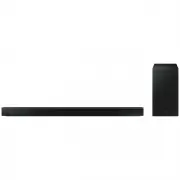 Samsung HW-B650-XY
User Manual
Samsung HW-B650-XY
User Manual
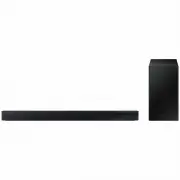 Samsung HW-C450-XY
User Manual
Samsung HW-C450-XY
User Manual
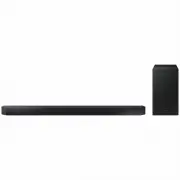 Samsung HW-Q600C-XY
User Manual
Samsung HW-Q600C-XY
User Manual
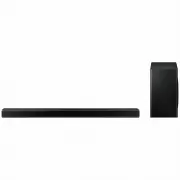 Samsung HW-Q700AXY
User Manual
Samsung HW-Q700AXY
User Manual
 Samsung HW-Q700C-XY
User Manual
Samsung HW-Q700C-XY
User Manual
 Samsung HW-Q800C-XY
User Manual
Samsung HW-Q800C-XY
User Manual
 Samsung HW-Q870AXY
User Manual
Samsung HW-Q870AXY
User Manual
 Samsung HW-Q930C-XY
User Manual
Samsung HW-Q930C-XY
User Manual
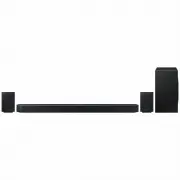 Samsung HW-Q990C-XY
User Manual
Samsung HW-Q990C-XY
User Manual
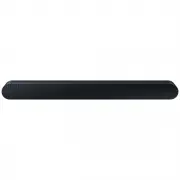 Samsung HW-S60B-XY
User Manual
Samsung HW-S60B-XY
User Manual
 Samsung HW-S61
User Manual
Samsung HW-S61
User Manual
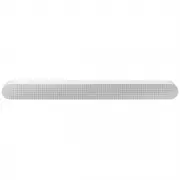 Samsung HW-S61B-XY
User Manual
Samsung HW-S61B-XY
User Manual
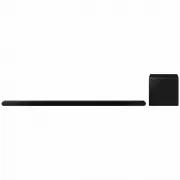 Samsung HW-S800B-XY
User Manual
Samsung HW-S800B-XY
User Manual
 Samsung HW-S801B-XY
User Manual
Samsung HW-S801B-XY
User Manual
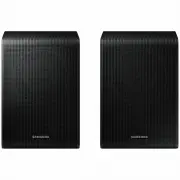 Samsung SWA-9200SXY
User Manual
Samsung SWA-9200SXY
User Manual
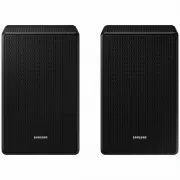 Samsung SWA-9500SXY
User Manual
Samsung SWA-9500SXY
User Manual
 Samsung HW-A430
User Manual
Samsung HW-A430
User Manual
 Samsung HW-A440
User Manual
Samsung HW-A440
User Manual