Page 2 - Warning; Warnings
1 E Safety Precautions Important Safety Instructions 2 The purpose of safety precautions is to prevent accidentalinjury or property damage. Always observe all safetyprecautions. ❖ The precautions are divided into "Warnings" and "Cautions" as distinguished below: Warning Ignoring this...
Page 3 - Cautions
4 E 3 Cautions 1. Do not drop objects on the product or apply strong shock to it. Keep away from a location subject to excessivevibration or magnetic interference. 2. Do not install in a location subject to high temperature, low temperature, or high humidity. (Doing so may causefire or electrical sh...
Page 4 - Contents; FCC Statement
5 E 6 Contents 1. Overview .............................................................7 2. Part Names and Functions ...............................8 3. Installation ........................................................11 Checking the Package Contents .......................11 Preparing the Cabl...
Page 5 - Broadcast System
7 Overview 1 8 Part Names and Functions 2 E This is a state-of-art WDR zoom camera which employed thex32 zoom lens and digital zoom IC to monitor up to 320 timesas large as an original image. SCC-C4207(P)/C4307(P) has the following functions. ● WDR for distinct photographing of both bright and darkp...
Page 7 - Video Cable; Installation; Checking the Package Contents; Before Installation
E 12 To install and use the camera, first prepare the followingcables. The requirements for the power adapter, which connects tothe camera's POWER IN terminal, are as follows: ● SCC-C4207(P) : DC12V 600mA ● SCC-C4307(P) : AC24V 300mA DC12V 600mA Video Cable Use a BNC cable, such as the one shown bel...
Page 8 - Connecting the Cables
E 14 6. The requirements for RS485 control is as follows : ● Signaling Speed: 9600 bps ● Data Bit : 8 bits ● Stop Bit : 1 bit ● Parity Bit : none SAMSUNG PROTOCOL ADDRESS 0 TYPE RS-485, HALF BAUD RATE 9600 LENS OK ROM VER 1.000 EEP VER 1.000 4. Determine the type of power supply and set the POWER SE...
Page 9 - Navigating the Setup Menu; Structure of the Setup Menu; CAMERA ID; ALC
E 16 15 Navigating the Setup Menu 4 In this chapter, we will take a look at the menu system of theSCC-C4207(P),C4307(P). First, we will take a look at thestructure of the Setup Menu and then describe the functionsof each menu item in the menu. Structure of the Setup Menu OFF/ON... ALC.../WDR.../MANU...
Page 10 - WDR
E 18 17 Press the ENTER button. ✔ WDR WDR(Wide Dynamic Range) enlarges the advantage of ascreen, mostly effective photographing both indoor andoutdoor subjects simultaneously. In short, both subjectscan be distinctly revived. Select WDR... and press[ENTER] to set up WDR LEVEL and FLICKERLESS. - LEVE...
Page 11 - SHUTTER; MANU
20 E 19 ❙ SHUTTER In the SHUTTER menu, you may determine the fastelectronic shutter speed or slow AUTO shutter speed. Thefast electronic shutter supports 7 speeds from 1/100(1/120)sec. to 1/10K sec. to photograph a bright and quick movingimage. The slow AUTO shutter supports about 10 speedfrom x2 to...
Page 12 - WHITE BAL
22 E 21 ❙ WHITE BAL You can select one of four modes for white balance adjustment asfollows: - ATW1/ATW2(Auto-Tracing White Balance Mode): In these modes, the color temperature is monitored continuously andthereby white balance is set automatically. The following are theapproximate supported color t...
Page 13 - FOCUS MODE; MOTION DET
24 E 23 If you select ON and press the ENTER button, the MOTIONDET screen will come up. You can set the AREA to which theMotion Detection function will be applied to either PRESET orUSER. If you set the AREA option to PRESET, the MotionDetection function will be applied to the areas preset as factor...
Page 14 - COLOR
26 E 25 ✔ AUTO... Depending on illumination, it is automatically switched tothe COLOR or BW mode. In the poor illuminationenvironment, turns IR Filter off to convert to the Black-and-White mode for better sensitivity and in the goodillumination environment, turns it on to convert to theCOLOR mode fo...
Page 15 - PRIVACY; SPECIAL
28 E 27 Press the ENTER button. PRIVACY NO. 0 POSITION SET ON... SIZE … LOCATION … EXIT QUIT ❖ The rim of the screen cannot be hidden by thePRIVACY ZONE area. Please be careful for setup. ❖ It is recommended to deactivate the DIS function in the no vibration environment. You shall set up the positio...
Page 17 - EXIT; HOME RETURN Time Setup; PRESET
32 E 31 CAMERA ID OFF IRIS ALC... SHUTTER OFF AGC LOW WHITE BAL ATW1 FOCUS MODE AF MOTION DET OFF COLOR/BW COLOR PRIVACY OFF SPECIAL ... PRESET ... EXIT QUIT ❙ EXIT The EXIT menu is used to terminate the CAMERA SETUPmenu. ✔ QUIT : Select to ignore any changes you have made and restore the previously...
Page 18 - Product Specification
34 E 33 SCC-C4207P/C4307P Product Type Power Supply Voltage Power Consumption Broadcast System Imaging Device Effective Pixe Scanning Method Line Frequency Synchronization Method Resolution S/N Ratio Minimum Scene Illumination Dynamic Range Color Temp. Signal Output Lens Remote Control Alarm Operati...
Page 19 - Memo
E Memo Correct Disposal of This Product(Waste Electrical & ElectronicEquipment) (Applicable in the European Union and other Europeancountries with separate collection systems) This marking shown on the product or its literature, indicatesthat it should not be disposed with other household wastes...
Page 20 - Guide d’utilisation; CAMERA WDR ZOOM PUISSANT 320X
F ✽ Veuillez lire attentivement les ‘ précautions de sécurité ’ de ce manuel afin d’assurer une utilisation et unfonctionnement corrects de l’appareil. Guide d’utilisation CAMERA WDR ZOOM PUISSANT 320X SCC-C4207(P)/C4307(P)
Page 21 - Précautions de sécurité; Avertissement
F 1 Précautions de sécurité 2 Les précautions de sécurité sont des mesures à prendre pouréviter toute blessure accidentelle ou un dommage sur l’appareil.Veuillez toujours respecter toutes les précautions. ❖ Ces précautions comportent les mention ‘Avertissement’ et ‘Attention’ comme indiqué ci-dessou...
Page 22 - Sommaire; Attention
F 3 4 Sommaire Attention 1. Ne faites pas tomber d’objet sur l’appareil et ne lui donnez pas de choc. L’emplacement de l’appareil doit être éloignédes l’interférences magnétique ou de vibration excessive. 2. N’installez pas l’appareil dans un endroit humide ou à une température trop haute ou trop ba...
Page 23 - Système de diffusion
5 Introduction 1 6 Noms et fonctions des composants 2 F Les SCC-C4207(P)/4307(P) sont des caméras WDR zoomultramodernes dotées d’un objectif zoom x32 et d’un circuitintégré avec zoom numérique permettant une surveillancejusqu’à 320 fois plus étendue par rapport à l’image originale. Les caméras SCC-C...
Page 25 - Câble Vidéo; Vérification du contenu de l’emballage; Avant installation
F 10 Avant d’installer et d’utiliser la caméra, préparez les câblessuivants. Les caractÉristiques de l’adaptateur qui sera connectÉ au terminalPOWER IN de la camera sont les suivantes : ● SCC-C4207(P) : 12V CC 600mA ● SCC-C4307(P) : 24V CA 300mA 12V CC 600mA Câble Vidéo Utilisez un câble BNC comme i...
Page 26 - Connexion des câbles
F 12 6. Les caractÉristiques pour le contrôle RS485 sont les suivantes : ● Vitesse de transmission : 9600 bps ● Bits des données : 8 bits ● Bits d’arrêt : 1 bit ● Bits de parité : aucun SAMSUNG PROTOCOLO ADRESSE 0 TYPE RS-485, DEMI VITASSE 9600 OBJECTIF OK VERS EEP1.000VERS ROM 1.000 4. Vérifiez la ...
Page 27 - Utilisation du menu Setup; Structure de menu Setup; IRIS
14 F 13 Utilisation du menu Setup 4 Ce chapitre contient des informations sur l’utilisation du menusystème de SCC-C4207(P),C4307(P). Après une observationglobale de la structure du menu Setup, prenez connaissance desfonctions de chaque article de ce menu. Structure de menu Setup ❖ Le menu V-SYNC n'e...
Page 30 - BAL BLANCS
20 F ❙ CAG/MOUVEMENT Dans l’option CAG (Automatic Gain Control), vous pouvez régler lecontrôle automatique du GAIN lorsque la luminosité de la vidéo esten dessous d’un certain niveau à cause d’un éclairage insuffisant.Pour contrôler automatiquement le GAIN, réglez l’option CAG surBAS ou HAUT. Sinon,...
Page 31 - MODE FOCUS; AF; MF; UNAF; DET MOUVE
22 F 21 ❙ MODE FOCUS Le menu MODE FOCUS permet d’exécuter les fonctions AF(AutoFocus), MF (Focus Manuel) et ONEAF (AutoFocusPonctuel). ✔ AF : Mode de focalisation automatique par la surveillance en continu de l’écran en mode AUTO FOCUS. Dans ce mode,vous ne pouvez pas utiliser le bouton FOCUS car il...
Page 32 - COULEUR
24 F 23 ❙ COULEUR/N&B La fonction COULEUR/NB permet d’activer ou désactiver le FiltreIR (Infrarouge). Dans des conditions de faible éclairage, désactivezle Filtre IR afin d’augmenter la sensibilité au même niveau quecelle d’une caméra monochrome dans des conditions d’éclairagefort et activez-le ...
Page 35 - Réglage du Temps RETOUR ACCUEIL; SORTIE; QUITTER
30 F 29 ❖ Le menu RETOUR ACCUEIL permet de revenir automatiquement en position ACCUEIL lorsqu’il n’y aaucune entrée pendant un certain temps. La positionACCUEIL est réglée sur PRESET 0 si elle estenregistrée ou sur Off dans le cas contraire. Réglage du Temps RETOUR ACCUEIL OFF ➞ 1MIN ➞ 2MIN ➞ 3~60MI...
Page 36 - Spécifications techniques
31 32 F 5 Spécifications techniques SCC-C4207/C4307 Type de produit Tension d’alimentation Consommation électrique Système de diffusion Dispositif de prise de vue Nombre de pixels Mode de balayage Fréquences ligne Mode de synchronisation Résolution Rapport S/B Luminosité minimale Dynamic Range Temp....
Page 38 - Gebrauchsanleitung; 20X POWER ZOOM WDR KAMERA
D ✽ Die “Sicherheitshinweise” in diesem Handbuch sorgfältiglesen, damit Sie dieses Produkt korrekt benutzen undbetreiben können. Gebrauchsanleitung 320X POWER ZOOM WDR KAMERA SCC-C4207(P)/C4307(P)
Page 39 - Sicherheitshinweise; Warnung
D 1 Sicherheitshinweise 2 5. Bei der Wand - oder Deckeninstallation bringen Sie die Kamera sicher und fest an. (Fällt die Kamera herunter, kann es zur Verletzung vonPersonen kommen.) 6. Plazieren Sie keine leitfähigen Gegenstände (wie z.B. Schraubenzieher, Münzen und metallene Objekte) oder mitWasse...
Page 40 - Inhalt; Achtungen
D 3 4 Inhalt Achtungen 1. Lassen Sie keine Gegenstände auf das Gerät fallen, und setzen Sie es einen starken Stößen aus. Setzen Sie dieKamera keinen Starken Vibrationen oder magnetischenStörfeldern aus. 2. Die Kamera darf nicht an Orten mit hohen Temperaturen bzw .tiefen Temperaturen oder hoher Luft...
Page 41 - Übersicht; Übertragung System
5 Übersicht 1 6 Bezeichnung der Teile und ihrerFunktionen 2 D Dieses ist eine State-Of-Art WDR Zoom Kamera, die dasx32 Objektiv Zoom und Digital Zoom IC einsetzte, um bis320mal so groß wie ein ursprüngliches Bild zu überwachen. SCC-C4207(P)/4307(P) hat die folgenden Funktionen. ● WDR für das eindeut...
Page 43 - Video Kabel; Überpüfung des Lieferumfangs; Vor der Installation
D 10 Folgende Kabel werden für die Installation und den Einsatz derKamera benötigt. Der Netzadapter, der an die POWER IN Buchse der Kameraangeschloßen wird, sind wie folgt : ● SCC-C4207(P) : DC 12V 600mA ● SCC-C4307(P) : AC 24V 300mA DC 12V 600mA Video Kabel Das Kabel, das den VIDEO OUT der Kamera m...
Page 44 - Anschluß der Kabel
D 12 6. Bei der RS485-Steuerung überprüfen Sie bitte Folgendes : ● Kommunikations-geschwindigkeit : 9600 bps ● Daten Bit : 8 Bits ● Stopp Bit : 1 Bit ● Parität Bit : None SAMSUNG PROTOKOL ADDRESSE 0 TYPE RS-485, HALB BAUD RATE 9600 ROM VER 1.000 EEP VER 1.000 4. Wählen Sie die Art der Stromquelle, d...
Page 45 - Übersicht über das Einstellmenu; Aufbau des Einstellmenu; BLENDE; KAMERA ID
D 14 13 Übersicht über das Einstellmenu 4 In diesem Kapitel, wir werden einen Überblick über dem MenuSystem des SCC-C4207(P),C4307(P) geben.Zuerst, wir werdeneinen Überblick über den Aufbau der Einstellmenu und ihrerFunktionen des jeden Menu Artikels geben. Aufbau des Einstellmenu ❖ Das Menü V-SYNC ...
Page 48 - WEISSABGL
20 D ❙ AGC/BEWEGUNG Sie können angeben, ob die AGC (Automatische VerstärkungKontrolle) Option aktiviert werden soll, wenn das erhaltene Videobildunter einer bestimmten Helligkeit-stufe liegt, weil es beiunzureichenden Licht Verhältnissen aufgenommen wurde.Der GAINautomatisch zu kontrollieren, stelle...
Page 49 - FOKUS MODE; EINAF; AKTIVITAET
22 D 21 ❙ FOKUS MODE Das FOKUS MODE Menü führt AF(Auto Fokus),MF(Manuelle Fokus) und EINAF(One Auto Fokus) durch. ✔ AF : Fokussiert automatisch durch kontinuierliche Überwachung des Bildschirms in der AUTO FOKUSMode. In dieser Mode bleibt ein Druck auf der TasteFOKUS ohne Reaktion, da die fokussieru...
Page 50 - FARBE
24 D 23 ❙ FARBE S/W FARBE/S/W stellt IR(Infrarot) Filter an oder ab. In schlechterBeleuchtung Umgebung stellt IR Filter ab, um die Empfindlichkeitzum gleichen Niveau wie eine Schwarzweiß Kamera zu erhöhen,während es in guter Beleuchtung Umgebung, anstellt, um denFarbe Modus in normalen Schirmzustand...
Page 53 - HOME RETURN Zeit Einstellung; AUSGANG; VERL; SICHERN
30 D 29 ❖ HOME RETURN geht automatisch zur Ausgangsposition, und sollte dort kein Taste Eingabe geben, während einerbestimmten Zeit. Die HOME Position wird auf PRESET 0einstellt, wenn es gespeichert wird, oder aus wenn esnicht. HOME RETURN Zeit Einstellung AUS ➞ 1MIN ➞ 2MIN ➞ 3~60MIN ➞ 2 HOUR ➞ 3~12...
Page 54 - Produkt Spezifikation
32 D 31 Produkt Typ Spannungsquelle Leistungsaufnahme Fernsehnorm Bildaufnehmer Effektive Pixel Abtastverfahren Zeilenfrequenz Synchronisationsverfa hren Auflösung S/N Abstand Minimum Szenen Beleuchtung Dynamic Range Farbe Temp. Signalausgang Objektiv Remote Control Alarm Betriebstemp. Betriebsfeuch...
Page 55 - Hinweis
Hinweis Korrekte Entsorgung diesesProdukts (Elektromüll) (Anzuwenden in den Ländern der Europäischen Union undanderen euroäischen Ländern mit einem separatenSammelsystem) Die Kennzeichnung auf dem Produkt bzw. auf derdazugehörigen Literatur gibt an, dass es nach seinerLebensdauer nicht zusammen mit ...
Page 56 - Guía del usuario; CÁMARA DE WDR POWER ZOOM 320X
Es ✽ Asegúrese de leer las advertencias de seguridad deeste manual para asegurar el correcto uso y operaciónde este producto. Guía del usuario CÁMARA DE WDR POWER ZOOM 320X SCC-C4207(P)/C4307(P)
Page 57 - Advertencias de seguridad; Advertencia; Advertencias
Es 1 Advertencias de seguridad 2 El propósito de estas advertencias de seguridad esevitar posibles accidentes o daños materiales.Siempre observe todas precauciones de la seguridad. ❖ Este apartado está dividido en "Advertencias" y "Precauciones" según definido a continuación: Adverte...
Page 58 - Contenido; Precaución
Es 3 4 Contenido Precaución 1. No deje caer objetos sobre el producto ni sométalo a golpes fuertes. Guárdelo lejos de una localizaciónconforme a la vibración excesiva o la interferenciamagnética. 2. No instale en una ubicación sujeta temperaturas altas o bajas, ni en lugares de mucha humedad. (El no...
Page 59 - Sistema De Transmisión
5 Generalidades 1 6 Nombres de las piezas y sus Funciones 2 Es Esta es una cámara zoom WDR que emplea una lente zoomx32 y un IC de zoom digital para ampliar hasta 320 vecesmás grande la imagen original. SCC-C4207(P)/4307(P) tiene las funciones siguientes ● WDR para fotografiar distinto de ambas part...
Page 61 - El Cable de video; Instalación; Verificar el Contenido del Paquete; Antes de instalar
Es 10 Para instalar y utilizar la cámara, prepare primero los cablessiguientes. Los requisitos para el transformador, que conecte con elterminal de ENTRADA de la cámara, son como sigue: ● SCC-C4207(P) : DC12V 600mA ● SCC-C4307(P) : AC24V 300mA DC12V 600mA El Cable de video Utilice un cable BNC, tal ...
Page 62 - Conexión de los Cables
Es 12 6. Los requisitos para el control RS485 son como sigue: ● Velcodidad de señal: 9600 bps ● Bits de datos: de 8 bits ● Stop bits: de 1 bit ● Bit de paridad: ninguno SAMSUNG PROTOCOLO DIRECCIÓN 0 TIPO RS-485, MEDIO VELOCIDAD 9600 LENTE OK! VER. ROM 1.000 VER. EEP 1.000 4. Determine el tipo de fue...
Page 63 - Menú de Configuración; La estructura del Menú de Configuración; DIAFRAGMA; CÁMERA ID
Es 14 13 Menú de Configuración 4 En este capítulo, veremos el sistema de menús del SCC-C4207(P),C4307(P). Primero, veremos la estructura del Menú de Configuración y después describiremos lasfunciones de cada apartado del mismo. La estructura del Menú de Configuración ❖ El menú V-SYNC sólo está dispo...
Page 65 - OBTURADOR
18 Es 17 Presione el bóton ENTER (MANUAL) NIVEL (00) ----I----VUE ✔ MANU Cuando pulse la tecla [ENTER] tras seleccionar MANU en laopción DIAFRAGMA, aparece una pantalla adicional en laque puede ajustar manualmente la abertura o el cierre delIRIS. CÁMARA ID ON... DIAFRAGMA MANU... OBTURADOR OFF CAG B...
Page 66 - BAL BLANCO
20 Es ❙ CAG/MOVIMIENTO En la opción del CAG (el Control Automático de Aumento) sepuede especificar si controla automáticamente el AUMENTOcuando el video obtenido está por debajo de un cierto nivel de brilloporque se grabó con iluminación insuficiente. Para controlarautomáticamente el AUMENTO, ajuste...
Page 69 - PRIVADA; ESPECIAL
26 Es 25 ❙ PRIVADA Esta función designa un área que pueda violar la PRIVADAy la oculta cuando la cámara dispara una pantallaincluyendo el área para proteger la Privada. Hasta 8 ZONASde la PRIVADA están disponibles para la configuración.Después de la configuración del menú de la PRIVADA,presione ENTE...
Page 71 - Configuración de Tiempo de REGRESAR AL INICIO; SALIDA
30 Es 29 ❖ REGRESAR AL INICIO vuelve automáticamente a la posición HOME si no hay ninguna entrada dominantepor cierto tiempo. La posición HOME se fija PRESET 0 si se guarda o apaga si no. Configuración de Tiempo de REGRESAR AL INICIO OFF ➞ 1MIN ➞ 2MIN ➞ 3~60MIN ➞ 2 HOUR ➞ 3~12 HOUR ➞ PRESET NO. 0 PR...
Page 72 - Especificación de Producto
32 Es 31 5 Especificación de Producto SCC-C4207/C4307 Tipo de Producto Alimentación Consumo elétrico Sistema de Transmisión Dispositivo de imagen Píxeles eficaces Método de digitalización Frecuencia de Línea Método De Sincronización Resolución Indice S/N Iluminación Mínima de Escena Gama Dinámica Te...
Page 73 - El memorándum
El memorándum Eliminación correcta de esteproducto (material eléctrico yelectrónico de descarte) (Aplicable en la Unión Europea y en países europeos consistenmas de recogida selectiva de residuos) La presencia de esta marca en el producto o en el materialinformativo que lo acompaña, indica que al fi...
Page 74 - Istruzioni per l’uso; TELECAMERA WDR POWER ZOOM 320X
I ✽ Leggete attentamente tutte le "Precauzioni per lasicurezza"all’interno di questo manuale per un uso correttodel prodotto. Istruzioni per l’uso TELECAMERA WDR POWER ZOOM 320X SCC-C4207(P)/C4307(P)
Page 75 - Precauzioni per la sicurezza; ATTENZIONE; AVVERTENZE
I 1 Precauzioni per la sicurezza 2 Lo scopo di queste precauzioni è di prevenire danniaccidentali alle cose o alle persone. Osservate sempretutte le precauzioni. ❖ Le istruzioni si dividono in “Avvertenze“ e“Attenzione” in base alla seguente distinzione: ATTENZIONE Ignorare questaprecauzione puòprov...
Page 76 - Indice
I 3 4 Indice ATTENZIONE 1. Non far cadere oggetti sul prodotto e non sottoporlo a forti colpi. Conservare lontano da luoghi soggettiad eccessive vibrazioni o ad interferenzemagnetiche. 2. Non installare in ambienti soggetti a temperature troppo elevate o troppo basse o molto umidi. (così facendo si ...
Page 77 - Sistema di trasmissione; In Modalità Operativa Normale (Normal Operation)
5 Introduzione 1 6 Nomi e funzioni delle parti 2 I E' una telecamera WDR con zoom d'alta tecnologia cheutilizza un obiettivo con zoom x32 e zoom IC digitale chepermettono un monitoraggio fino a 320 volte più estesorispetto all'immagine originale. SCC-C4207(P)/4307(P) ha le seguenti funzioni: ● Funzi...
Page 79 - Cavo Video; Installazione; Controllo del contenuto dell’imballaggio; Prima dell’installazione
I 10 Per installare e utilizzare la telecamera, per prima cosapreparate i seguenti cavi. Queste sono i requisiti dell’alimentatore che va collegato allapresa POWER IN della telecamera: ● SCC-C4207(P) : DC12V 600mA ● SCC-C4307(P) : AC24V 300mA Cavo Video Utilizzate un cavo BNC come quello mostrato so...
Page 80 - Collegamento dei cavi
I 12 6. I requisiti per il controllo a distanza RS485 sono le seguenti: ● Velocità del segnale: 9600bps. ● Data Bit : 8 bits ● Stop Bit : 1 bit ● Parity Bit : nessuna SAMSUNG PROTOCOLLO INDIRIZZO0 TIPO RS-485, HALF VELOCITÁ 9600 OBIETTIVO OK! VERS. ROM 1.000 VERS. EEP 1.000 4. Controllate il tipo di...
Page 81 - Struttura del Menu Impostazione (Menu Setup); ID CAMERA
I 14 13 Esplorazione del MenuImpostazione (Menu Setup) 4 In questo capitolo illustreremo il menu dei modelli SCC-C4207/C4307. Per prima cosa descriveremo la struttura delMenu Impostazione (Menu Setup) e in seguito le funzioni diciascuna voce all’interno del menu. Struttura del Menu Impostazione (Men...
Page 84 - BIL BIANCO
20 I ❙ AGC/MOVIMENTO All'interno dell'opzione AGC (Controllo Automatico del Guadagno)potete regolare automaticamente il GAIN nel caso in cui le imma-gini siano al di sotto di un certo livello di luminosità in quanto re-gistrate in condizioni di insufficiente illuminazione. Per regolareautomaticament...
Page 85 - ONEAF; ACTIVITY DET
22 I 21 ❙ MODALITA' FOCUS Il menu MODALITA' FOCUS esegue le funzioni AF(AutoFocus), MF(Focus Manuale), e ONEAF(One Auto Focus) ✔ AF : messa a fuoco automatica attraverso un controllo continuo dello schermo in modalità AUTO FOCUS.Non elabora i comandi in entrata del pulsante FOCUSperché mette a fuoco...
Page 86 - COLORE
24 I 23 ❙ COLORE-B/N Nel menu COLORE-B/N è possibile attivare o disattivare il filtro araggi infrarossi (IR) In condizioni di scarsa illuminazione, disattivare ilfiltro IR e la sensibilità alla scarsa illuminazione aumenta fino araggiungere quella di una telecamerea in bianco e nero. In condizionidi...
Page 89 - impoostazione Tempo Ritorno HOME; USCITA; QUIT
30 I 29 ❖ RITORNO HOME ritorna automaticamente alla posizione HOME quando per un certo tempo nessun tasto è statopremuto. La posizione HOME è impostata su PRESET 0se è salvata o su OFF in caso contrario. impoostazione Tempo Ritorno HOME OFF ➞ 1MIN ➞ 2MIN ➞ 3~60MIN ➞ 2 HOUR ➞ 3~12 HOUR ➞ PRESET NO. 0...
Page 90 - Specifiche di Prodotto
31 32 I 5 Specifiche di Prodotto SCC-C4207/C4307 Prodotto Alimentazione Consumo Sistema di trasmissione Schermo Pixel effettivi Sistema di scansione Frequenza di scansione Sincronismo Risoluzione Rapporto S/N lluminazione minima Serie Dinamica Temp. Colore Uscita del segnale Obiettivo CONTROLLO REMO...


 Samsung HW-A650
User Manual
Samsung HW-A650
User Manual
 Samsung HW-B450
User Manual
Samsung HW-B450
User Manual
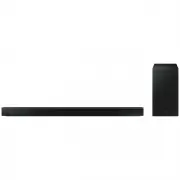 Samsung HW-B650-XY
User Manual
Samsung HW-B650-XY
User Manual
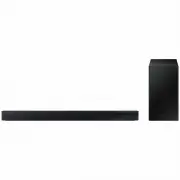 Samsung HW-C450-XY
User Manual
Samsung HW-C450-XY
User Manual
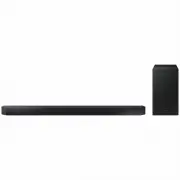 Samsung HW-Q600C-XY
User Manual
Samsung HW-Q600C-XY
User Manual
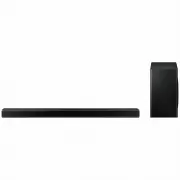 Samsung HW-Q700AXY
User Manual
Samsung HW-Q700AXY
User Manual
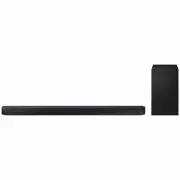 Samsung HW-Q700C-XY
User Manual
Samsung HW-Q700C-XY
User Manual
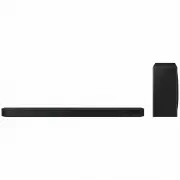 Samsung HW-Q800C-XY
User Manual
Samsung HW-Q800C-XY
User Manual
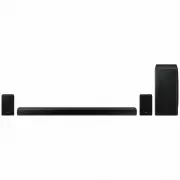 Samsung HW-Q870AXY
User Manual
Samsung HW-Q870AXY
User Manual
 Samsung HW-Q930C-XY
User Manual
Samsung HW-Q930C-XY
User Manual
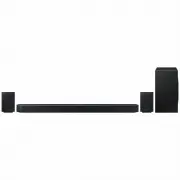 Samsung HW-Q990C-XY
User Manual
Samsung HW-Q990C-XY
User Manual
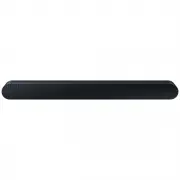 Samsung HW-S60B-XY
User Manual
Samsung HW-S60B-XY
User Manual
 Samsung HW-S61
User Manual
Samsung HW-S61
User Manual
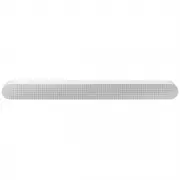 Samsung HW-S61B-XY
User Manual
Samsung HW-S61B-XY
User Manual
 Samsung HW-S800B-XY
User Manual
Samsung HW-S800B-XY
User Manual
 Samsung HW-S801B-XY
User Manual
Samsung HW-S801B-XY
User Manual
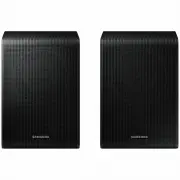 Samsung SWA-9200SXY
User Manual
Samsung SWA-9200SXY
User Manual
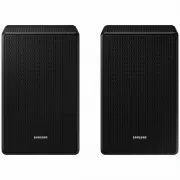 Samsung SWA-9500SXY
User Manual
Samsung SWA-9500SXY
User Manual
 Samsung HW-A430
User Manual
Samsung HW-A430
User Manual
 Samsung HW-A440
User Manual
Samsung HW-A440
User Manual