Page 2 - WARNING; Safety Precautions
2 3 This symbol indicates high voltage is present inside. It is dangerous to make any kind of contact with any inside part of this product. This symbol alerts you that important literature concerning operation and maintenance has been included with this product. To prevent damage which may result in...
Page 3 - ENG
2 ENG 3 8. If any unusual smells or smoke come from the unit, stop using the product. In such case, immediately disconnect the power source and contact the service center. Continued use in such a condition may cause fire or electric shock. 9. If this product fails to operate normally, contact the nea...
Page 4 - Important Safety Instructions
4 5 Important Safety Instructions 1. Read these instructions. 2. Keep these instructions. 3. Heed all warnings. 4. Follow all instructions. 5. Do not use this apparatus near water. 6. Clean only with dry cloth. 7. Do not block any ventilation openings. Install in accordance with the manufacturer’s i...
Page 5 - Contents
4 ENG 5 Overview .............................................................................................. 6 About this guide ............................................................................ 6 Product overview ............................................................................
Page 6 - About this guide
6 7 Overview ❚ About this guide This user guide includes basic instructions for the product. It is recommended that all users read this guide before use. This guide is divided as follows: Chapter 1, “Overview,” introduces the user guide and product related information. (This chapter) Chapter 2, ...
Page 7 - Components; Checking components in the package
6 ENG 7 ❚ Components Checking components in the package Please check your camera and accessories are included in the package. Those components are as shown below: Camera Test Monitor Cable User’s Guide Image Part name Standard Quantity Usage Plastic anchor HUD 5 4 (EA) Attach each piece to screw con...
Page 8 - Components of your camera
8 9 Components of your camera Your camera has the following components: 1. Dome cover : Covers the inner cover, lens, and main body to protect them. 2. Cover screw : Use it to assemble or disassemble both dome cover and case. 3. Inner cover : Covers the main body to protect it. 4. Wing locker : Push...
Page 9 - Setting switches; Setting function switches; Installation
8 ENG 9 ❚ Setting switches Setting function switches To set the available functions on your camera, adjust eight switches as shown below: Installation 1. Switch 1 (LL) : When this switch is set to OFF , the camera operates in the internal synchronization mode, while when it is set to ON , the camera...
Page 11 - Connecting cables and changing the settings; To connect cables
10 ENG 11 ❚ Connecting cables and changing the settings Before installing your camera, you have to adjust the lens focus, zoom, and switch settings. To connect cables 1. Connect the BNC cable to the Video connector attached on your camera. 2. Connect the BNC cable to the Video Input on a monitor. 3....
Page 12 - Installing camera; Before installation
12 13 ❚ Installing camera Before installation Before installing your camera, you have to read the following cautions: You have to check whether the location (ceiling or wall) can bear five times the weight of your camera. Don’t let the cable to be caught in improper place or the electric line cov...
Page 13 - Installing on a pipe; To install your camera bottom on a pipe
12 ENG 13 Installing on a pipe Before installation, you have to be familiar with the above cautions and fill in the holes that are not used for installation. To install your camera bottom on a pipe 1. After connecting the power and video cables, throw them inside the pipeline and screw the male threa...
Page 14 - To install the camera side on a pipe
14 15 To install the camera side on a pipe 1. Pull the power and video cables through the pipe connection hole on the camera side 1) Remove the side cover from the Case using a coin or minus (-) driver. (Rotate counterclockwise.) 2) Push the power and video cables stretched outside of the bottom hol...
Page 15 - Installing the camera on the ceiling
14 ENG 15 Installing the camera on the ceiling Before installation, you have to be familiar with the above cautions and fill in the holes that are not used for installation. To install your camera bottom on a pipe 1. Attach the provided template to the place to be installed and penetrate a hole (5mm ...
Page 16 - Disassembling/assembling the Main body from the Case
16 17 Disassembling/assembling the Main body from the Case The holes that are not used should be tightly sealed up using the screws provided for waterproofing. To detach the Main body from the Case, follow the instructions below: 1. 1. Remove the Dome cover first. 2. Detach the Main body of the camera...
Page 17 - Adjusting the camera direction
16 ENG 17 ❚ Adjusting the camera direction When the camera is fixed on the ceiling, you can adjust the camera viewing angle. You can rotate your camera leftward or rightward (Panning), and can change the slope of your camera upward or downward (Tilting). In case of panning, the rotation limit of your...
Page 18 - Appendix A: Specifications for NTSC Standard
18 19 Appendix A: Specifications for NTSC Standard Item Details Product type CCTV color dome camera Power input AC 24V ± 10% (60Hz ± 0.3 Hz), DC 12V +10%/-5% Broadcast type NTSC Standard System (525 Lines, 60 Fields) Power consumption Approx. 1.7W Image device 1/3 inch IT Type Super-HAD CCD Pixels To...
Page 19 - Appendix B: Specifications for PAL Standard
18 ENG 19 Appendix B: Specifications for PAL Standard Item Details Product type CCTV color dome camera Power input AC 24V ± 10% (60Hz ± 0.3 Hz), DC 12V +10%/-5% Broadcast type NTSC Standard System (525 Lines, 60 Fields) Power consumption Approx. 1.7W Image device 1/3 inch IT Type Super-HAD CCD Pixels...
Page 21 - Correct Disposal of This Product
Correct Disposal of This Product (Waste Electrical & Electronic Equipment)(Applicable in the European Union and other European countries with separate collection systems)This marking shown on the product or its literature, indicates that it should not be disposed with other household wastes at t...
Page 23 - Digitale Dome-Farbkamera; GER; Benutzerh andbuch
Digitale Dome-Farbkamera GER Benutzerh andbuch SCC-B539X AB68-00649D(00)Ger.indd 1 2007-03-02 ¿ÀÈÄ 6:38:56
Page 24 - Sicherheitsvorsichtsmaßnahmen
2 3 Dieses Symbol weist auf hohe Spannung im Innern des Geräts hin. Der Kontakt mit innenliegenden Teilen dieses Produktes ist gefährlich. Dieses Symbol macht Sie darauf aufmerksam, dass wichtige Dokumente bezüglich Betrieb und Wartung dem Produkt beiliegen. Setzen Sie dieses Gerät nicht Regen oder ...
Page 25 - VORSICHT
2 GER 3 8. Verwenden Sie das Produkt nicht weiter, wenn eine ungewöhnliche Geruchs- oder Rauchentwicklung auftritt. Ziehen Sie in diesem Fall sofort den Netzstecker und wenden Sie sich an den Kundendienst. Wenn Sie das Gerät unter diesen Bedingungen weiterhin verwenden, kann Brand oder Elektroschock...
Page 26 - Wichtige Sicherheitshinweise
4 5 Wichtige Sicherheitshinweise 1. Lesen Sie diese Anweisungen. 2. Bewahren Sie sie auf. 3. Beachten Sie alle Warnungen. 4. Befolgen Sie alle Anweisungen. 5. Verwenden Sie dieses Gerät nicht in der Nähe von Wasser. 6. Reinigen Sie es nur mit einem trockenen Lappen. 7. Blockieren Sie keine Belüftung...
Page 27 - Inhaltsangabe
4 GER 5 Inhaltsangabe Übersicht ............................................................................................. 6 Über diese Anleitung ..................................................................... 6 Produktübersicht .................................................................
Page 28 - Über diese Anleitung
6 7 Übersicht ❚ Über diese Anleitung Diese Bedienungsanleitung enthält grundlegende Anweisungen für das Gerät. Es wird empfohlen, dass alle Benutzer diese Anleitung vor Gebrauch lesen. Diese Anleitungist wie folgt unterteilt: Kapitel 1, “Übersicht”, führt in das Benutzerhandbuch und die produktbez...
Page 29 - Teile; Prüfen Sie die Teile in der Verpackung
6 GER 7 ❚ Teile Prüfen Sie die Teile in der Verpackung Überprüfen Sie bitte, ob Ihre Kamera und die Zubehörteile sich in der Verpackung befinden. Diese Teile sind wie folgt dargestellt: Kamera Test Monitorkabel Benutzerhandbuch Bild Name des Teils Standard Menge Verwendungszweck Kunststoffdübel HUD 5...
Page 30 - Einzelteile Ihrer Kamera
8 9 Einzelteile Ihrer Kamera Ihre Kamera verfügt über folgende Einzelteile: 1. Kuppelabdeckung : Dient als Schutz für die Innenabdeckung, das Objektiv und das Hauptgehäuse. 2. Schraube der Abdeckung : Dient für die Montage oder Demontage von Kuppelabdeckung und Gehäuse. 3. Innenabdeckung : Dient als...
Page 31 - Einstellung der Schalter; Einstellung der Funktionsschalter
8 GER 9 ❚ Einstellung der Schalter Einstellung der Funktionsschalter Verstellen Sie die acht Schalter wie nachfolgend dargestellt, um die verfügbaren Funktionen an Ihrer Kamera einzustellen: Installation 1. Schalter 1 (LL) : Wenn dieser Schalter auf AUS gestellt wird, läuft die Kamera im internen Sy...
Page 33 - Kabelanschluss und Einstellungsänderungen
10 GER 11 ❚ Kabelanschluss und Einstellungsänderungen Vor der Installation Ihrer Kamera, müssen Sie das Fokusobjektiv, Zoom und die Schaltereinstellungen einstellen. Anschluss der Kabel: 1. Schließen Sie das BNC-Kabel an den Videoanschluss an, der sich an Ihrer Kamera befindet. 2. Schließen Sie das B...
Page 34 - Installation der Kamera; Vor der Installation
12 13 ❚ Installation der Kamera Vor der Installation Vor der Installation Ihrer Kamera müssen Sie folgende Vorsichtsmaßregeln lesen: Sie müssen prüfen, ob der Standort (Decke oder Wand) das fünffache Gewicht Ihrer Kamera tragen kann. Lassen Sie das Kabel sich nicht an einer ungeeigneten Position...
Page 35 - Installation an einem Rohr; Für die Installation Ihrer
12 GER 13 Installation an einem Rohr Sie müssen sich vor der Installation mit den oben aufgeführten Vorsichtsmaßnahmen vertraut machen und die Bohrlöcher abdichten, die für die Installation nicht gebraucht werden. Für die Installation Ihrer Kameraunterseite auf einem Rohr 1. Verlegen Sie nach Anschl...
Page 37 - Installation der Kamera an der Decke
14 GER 15 Installation der Kamera an der Decke Sie müssen sich vor der Installation mit den oben aufgeführten Vorsichtsmaßnahmen vertraut machen und die Bohrlöcher abdichten, die für die Installation nicht gebraucht werden. Für die Installation Ihrer Kameraunterseite auf einem Rohr 1. Befestigen Sie...
Page 38 - Demontage/Montage des Hauptgehäuses vom Gehäuse
16 17 Demontage/Montage des Hauptgehäuses vom Gehäuse Die Bohrlöcher, die nicht gebraucht werden, sollten fest mit den Schrauben abgedichtet werden, so dass sie wasserdicht sind. Befolgen Sie nachfolgende Anweisungen, um das Hauptgehäuse vom Gehäuse abzunehmen: 1. 1. Nehmen Sie zuerst die Kuppelabde...
Page 39 - Einstellen der Kamerarichtung
16 GER 17 ❚ Einstellen der Kamerarichtung Wenn die Kamera an der Decke befestigt ist, können Sie den Kamerabetrachtungswinkel einstellen. Sie können Ihre Kamera nach links oder rechts drehen (Schwenken) und Sie können Ihre Kamera nach oben oder unten neigen (Kippen). Beim Schwenken ist das Rotations...
Page 40 - Anhang A: Spezifikationen für NTSC-Standard
18 19 Anhang A: Spezifikationen für NTSC-Standard Objekt Beschreibung Produkttyp CCTV Farb-Domekamera Leistungsaufnahme 24V Wechselstrom ± 10% (60Hz ± 0,3 Hz), 12V Gleichstrom +10%/-5% Übertragungsart NTSC-Standard System (525 Zeilen, 60 Felder) Leistungsaufnahme Ungefähr 1,7W Bildwandler 1/3 Zoll IT...
Page 41 - Anhang B: Spezifikationen für PAL-Standard
18 GER 19 Anhang B: Spezifikationen für PAL-Standard Objekt Beschreibung Produkttyp CCTV Farb-Domekamera Leistungsaufnahme 24V Wechselstrom ± 10% (60Hz ± 0,3 Hz), 12V Gleichstrom +10%/-5% Übertragungsart NTSC-Standard System (525 Zeilen, 60 Felder) Leistungsaufnahme Ungefähr 1,7W Bildwandler 1/3 Zoll...
Page 43 - Korrekte Entsorgung von Altgeräten
Korrekte Entsorgung von Altgeräten (Elektroschrott)(In den Ländern der Europäischen Union und anderen europäischen Ländern mit einem separaten Sammelsystem)Die Kennzeichnung auf dem Produkt bzw. auf der dazugehörigen Dokumentation gibt an, dass es nach seiner Lebensdauer nicht zusammen mit dem norma...
Page 45 - FRE; Caméra Dôme Numérique Couleur; Guide de l’utilisateur
FRE Caméra Dôme Numérique Couleur Guide de l’utilisateur SCC-B539X AB68-00649D(00)Fre.indd 1 2007-03-02 ¿ÀÈÄ 6:37:53
Page 46 - Précautions de sécurité
2 3 Ce symbole indique la présence de haute tension dans l’appareil. Il est dangereux de vouloir toucher les pièces internes de ce produit. Ce symbole attire votre attention sur le fait que des documentations importantes relatives au fonctionnement ou à la maintenance ont été incluses avec ce produi...
Page 47 - MISE EN GARDE
2 FRE 3 9. Si ce produit ne fonctionne pas normalement, contactez le centre de maintenance le plus proche. Ne jamais démonter ou modifier le produit de quelque manière que ce soit. (SAMSUNG n’est pas responsable des problèmes causés par des modifications ou des tentatives de réparation non autorisées....
Page 48 - Instructions importantes relatives à la sécurité
4 5 Instructions importantes relatives à la sécurité 1. Veuillez lire ces instructions. 2. Conservez ces instructions. 3. Prêtez attention à tous les avertissements. 4. Veuillez suivre toutes les instructions. 5. N’utilisez pas cet appareil à proximité de l’eau. 6. Nettoyez-le avec un tissu sec. 7. ...
Page 49 - Table des matières
4 FRE 5 Table des matières Synthèse ............................................................................................. 6 A propos de ce guide .................................................................... 6 Synthèse du produit ...........................................................
Page 50 - A propos de ce guide
6 7 Synthèse ❚ A propos de ce guide Ce guide utilisateur inclut les instructions de base relatives à ce produit. Nous recommandons à tous les utilisateurs de lire ce guide avant d’utiliser l’appareil. Ce guide est divisé en plusieurs parties : Le chapitre1 , “Synthèse” introduit le guide utilisate...
Page 51 - Composants; Vérification des composants dans l’emballage
6 FRE 7 ❚ Composants Vérification des composants dans l’emballage Veuillez vérifier que votre caméra et ses accessoires soient tous inclus dans l’emballage. Ces composants sont comme illustrés ci-dessous : Caméra : Câble du moniteur de test Guide de l’utilisateur Image Nom de la pièce Norme Quantité U...
Page 52 - Composants de votre caméra
8 9 Composants de votre caméra Votre caméra est composée des éléments suivants : 1. Couvercle du dôme : Recouvre le couvercle intérieur, l’optique et le corps principal pour les protéger. 2. Vis du couvercle : Utilisez cette vis pour assembler ou désassembler le couvercle du dôme et l’habitacle. 3. ...
Page 53 - Réglage des interrupteurs; Régler les interrupteurs de fonction
8 FRE 9 ❚ Réglage des interrupteurs Régler les interrupteurs de fonction Pour régler les fonctions disponibles sur votre caméra, ajustez les huit interrupteurs comme indiqué ci-dessous : Installation 1. Interrupteur 1 (LL) : Si cet interrupteur est positionné sur OFF , la caméra fonctionne en mode d...
Page 55 - Connexion des câbles et modification des paramètres; Connexion des câbles
10 FRE 11 ❚ Connexion des câbles et modification des paramètres Avant d’installer votre caméra, vous devez ajuster la mise au point et le zoom de l’optique et modifier les paramètres. Connexion des câbles 1. Connectez le câble BNC au connecteur vidéo fixé à votre caméra. 2. Connectez le câble BNC à l’ ...
Page 56 - Installation de la caméra; Avant l’installation
12 13 ❚ Installation de la caméra Avant l’installation Avant l’installation de votre caméra, veuillez lire les mises en garde suivantes : Vous devez vérifier si le lieu d’installation (plafond ou mur) peut supporter le poids de cinq fois votre caméra. Ne laissez pas le câble pendre à un emplaceme...
Page 57 - Installation sur un conduit; Installer la base de la caméra sur un
12 FRE 13 Installation sur un conduit Avant l’installation, vous devez vous familiariser avec les mises en garde ci-dessus et remplir les trous non utilisés pour l’installation. Installer la base de la caméra sur un conduit 1. Après avoir connecté les câbles d’ alimentation et les câbles vidéos, ins...
Page 59 - Installer la caméra au plafond
14 FRE 15 Installer la caméra au plafond Avant l’installation, vous devez vous familiariser avec les mises en garde ci-dessus et remplir les trous non utilisés pour l’installation. Installer la base de la caméra sur un conduit 1. Fixez le modèle qui vous est fourni à l’ emplacement choisi et faites ...
Page 60 - Assembler/désassembler le corps principal de l’habitacle
16 17 Assembler/désassembler le corps principal de l’habitacle Les trous non utilisés doivent être fermement scellés à l’aide des vis pour garantir l’étanchéité. Pour détacher le corps principal de l’habitacle, veuillez suivre les instructions ci-dessous : 1. 1. Retirez dans un premier temps le couv...
Page 61 - Ajuster la direction de la caméra
16 FRE 17 ❚ Ajuster la direction de la caméra Une fois la caméra fixée au plafond, vous pouvez ajuster son angle de vue. Vous pouvez tourner votre caméra sur la gauche ou sur la droite (Panoramique) et remonter ou descendre son angle (basculement). Pour un panorama, la limite de rotation de la caméra...
Page 62 - Appendice A : Caractéristiques standard NTSC Standard
18 19 Appendice A : Caractéristiques standard NTSC Standard Fonctions Détails Type de produit Caméra dôme couleur CCTV Entrée alimentation 24V CA ± 10% (60Hz ± 0,3 Hz), 12V CC +10%/-5% Type de diffusion Système standard NTSC (525 lignes, 60 champs) Consommation électrique Approx. 1,7 W Dispositif d’...
Page 63 - Appendice B : Caractéristiques PAL Standard
18 FRE 19 Appendice B : Caractéristiques PAL Standard Fonctions Détails Type de produit Caméra dôme couleur CCTV Entrée alimentation 24 V CA ± 10% (50Hz ± 0,3 Hz), 12 V CC +10%/-5% Type de diffusion Système standard PAL (625 lignes, 50 champs) Consommation électrique Approx. 1,7 W Dispositif d’image...
Page 65 - Comment éliminer ce produit
Comment éliminer ce produit (déchets d’équipements électriques et électroniques)(Applicable dans les pays de l’Union Européen et aux autres pays européens disposant de systémes de collecte sélective)Ce symbole sur le produit ou sa documentation indique qu’il ne doit pas être éliminé en fin de vie ave...
Page 67 - SP; Guía de Usuario; Cámara digital color tipo domo
SP A Guía de Usuario SCC-B539X Cámara digital color tipo domo AB68-00649D(00)Spa.indd 1 2007-03-02 ¿ÀÈÄ 6:40:52
Page 68 - ADVERTENCIA; Precauciones de seguridad
2 3 Este símbolo indica que dentro del aparato hay alto voltaje. Es peligroso tener cualquier tipo de contacto con cualquier parte del interior de este producto. Este símbolo le advierte de que este aparato incluye información importante relacionada con su funcionamiento y mantenimiento. Para evitar...
Page 70 - Instrucciones de seguridad importantes
4 5 Instrucciones de seguridad importantes 1. Lea estas instrucciones. 2. Consérvelas. 3. Preste atención a todas las advertencias. 4. Siga todas las instrucciones. 5. No utilice este aparato cerca del agua. 6. Límpielo únicamente con un paño seco. 7. No obstruya ninguna abertura de ventilación. Ins...
Page 71 - Contenidos
4 SP A 5 Contenidos Vista preliminar ................................................................................ 6 Sobre esta guía .............................................................................. 6 Vista preliminar del producto ........................................................
Page 72 - Sobre esta guía
6 7 Vista preliminar ❚ Sobre esta guía Esta guía de usuario incluye instrucciones básicas del aparato. Se recomienda que todos los usuarios lean esta guía antes de utilizarlo. Esta guía está dividida de la siguiente manera: Capítulo 1, «Vista preliminar», presenta la guía del usuario y la informac...
Page 73 - Componentes; Comprobación de los componentes del paquete
6 SP A 7 ❚ Componentes Comprobación de los componentes del paquete Compruebe que su cámara y accesorios están incluidos en la caja. Los componentes son los siguientes: Cámara Cable para probar el monitor Guía de usuario Imagen Nombre de la pieza Estándar Cantidad Uso Taco de fijación de plástico HUD ...
Page 74 - Componentes de la cámara
8 9 Componentes de la cámara La cámara tiene los siguientes componentes: 1. Cubierta tipo domo : Cubre la cubierta interior, la lente y el cuerpo principal, protegiéndolos. 2. Tornillo de la cubierta : Se utiliza para montar y desmontar tanto la cubierta tipo domo como la carcasa. 3. Cubierta interi...
Page 75 - Ajuste de interruptores; Ajuste de interrupores de función; Instalación
8 SP A 9 ❚ Ajuste de interruptores Ajuste de interrupores de función Para ajustar las funciones disponibles de su cámara, ajuste los ocho interruptores de la siguiente manera: Instalación 1. Interruptor 1 (LL) : Cuando este interruptor está en la posición OFF (DESACTIVADO), la cámara funciona en el ...
Page 77 - Conexión de cables y cambio de la configuración; Para conectar los cables:
10 SP A 11 ❚ Conexión de cables y cambio de la configuración Antes de instalar la cámara se ha de ajustar el foco de la lente, el zoom y se han de configurar los interruptores. Para conectar los cables: 1. Conecte el cable BNC al conector de video de la cámara. 2. Conecte el cable BNC a la entrada de ...
Page 78 - Instalación de la cámara; Antes de la instalación; Sobre los orificios de instalación
12 13 ❚ Instalación de la cámara Antes de la instalación Antes de la instalación debe leer las siguientes advertencias: Debe comprobar si la ubicación de la cámara (techo o pared) puede aguantar cinco veces el peso de la cámara. Evite que el cable se quede atrapado en lugares inadecuados o que s...
Page 79 - Instalación en un conducto
12 SP A 13 Instalar la parte inferior de la cámara en un conducto 1. Después de conectar los cables de vídeo y de corriente, colóquelos dentro del conducto y atornille la rosca de tubo macho en la rosca de tubo hembra firmemente dentro de la cámara para ajustar el Cuerpo principal . (En este caso, as...
Page 81 - Instalar la cámara en el techo
14 SP A 15 Instalar la cámara en el techo Antes de la instalación debe conocer las precauciones indicadas anteriormente y sellar los orificios que no se van a utilizar en la instalación. Instalar la parte inferior de la cámara en un conducto 1. Coloque la plantilla incluida en el lugar en el que se v...
Page 82 - Montaje y desmontaje del cuerpo principal de la carcasa
16 17 Montaje y desmontaje del cuerpo principal de la carcasa Los orificios que no se van a utilizar, deben sellarse firmemente utilizando los tornillos incluidos para evitar que se filtre el agua. Para separar el cuerpo principal de la carcasa, siga las siguientes instrucciones: 1. 1. En primer lugar,...
Page 83 - Ajuste de la dirección de la cámara
16 SP A 17 ❚ Ajuste de la dirección de la cámara Cuando la cámara ya está colocada en el techo se puede ajustar el ángulo de visión de la cámara. La cámara se puede girar de izquiera a derecho o de derecha a izquierda (Panorámica) y se puede modificar la inclinación de la cámara hacia adelante y haci...
Page 84 - Apéndice A: Especificaciones para el estándar NTSC
18 19 Apéndice A: Especificaciones para el estándar NTSC Descripción Información Tipo de producto Cámara color tipo domo para circuito cerrado de televisión Alimentación 24 VCA ± 10% (60Hz ± 0,3 Hz), 12 VCC +10%/-5% Tipo de emisión Sistema NTSC estándar (525 Líneas, 60 Campos) Consumo de energía 1,7 ...
Page 85 - Apéndice B: Especificaciones para el estándar PAL
18 SP A 19 Apéndice B: Especificaciones para el estándar PAL Descripción Información Tipo de producto Cámara color tipo domo para circuito cerrado de televisión Alimentación 24 VCA ± 10% (60Hz ± 0,3 Hz), 12 VCC +10%/-5% Tipo de emisión Sistema NTSC estándar (525 Líneas, 60 Campos) Consumo de energía ...
Page 87 - Eliminación correcta de este producto
Eliminación correcta de este producto (material eléctrico y electrónico de descarte)(Aplicable en la Unión Europea y en países europeos con sistenmas de recogida selectiva de residuos)La presencia de esta marca en el producto o en el material informativo que lo acompaña, indica que al finalizar su vi...
Page 89 - Manuale Utente; Telecamera aDome Digitale a Colori
Manuale Utente SCC-B539X Telecamera aDome Digitale a Colori IT A AB68-00649D(00)Ita.indd 1 2007-03-02 ¿ÀÈÄ 6:39:55
Page 90 - AVVERTENZA; Precauzioni di sicurezza
2 3 Questo simbolo indica la presenza di alto voltaggio all’interno dell’ apparecchio. È pericoloso il contatto con qualsiasi parte interna del prodotto. Questo simbolo avvisa che con il prodotto sono state incluse importanti informazioni di funzionamento e manutenzione. Per prevenire danni che poss...
Page 92 - Istruzioni di Sicurezza Importanti
4 5 Istruzioni di Sicurezza Importanti 1. Leggere queste istruzioni. 2. Conservare queste istruzioni. 3. Rispettare tutti gli avvertimenti. 4. Seguire tutte le istruzioni. 5. Non utilizzare questo apparecchio vicino all’acqua. 6. Pulire solo con un panno asciutto. 7. Non bloccare nessuna apertura di...
Page 93 - Indice
4 IT A 5 Indice Introduzione ....................................................................................... 6 Riguardo a questo manuale ......................................................... 6 Introduzione al prodotto ............................................................... 6 Cara...
Page 94 - Riguardo a questo manuale
6 7 Introduzione ❚ Riguardo a questo manuale Questo manuale dell’utentecomprende istruzioni base sul prodotto. Si consiglia a tutti gli utenti di leggerlo prima dell’uso. Il manuale èsuddiviso come segue: Capitolo 1, “Introduzione”, introduce il manuale dell’utente e informazioni riguardo al prodo...
Page 95 - Componenti; Controllare i componenti nella confezione
6 IT A 7 ❚ Componenti Controllare i componenti nella confezione Controllare che la telecamera e gli accessori siano inclusi nella confezione. Tali componenti sono indicati qui sotto: Telecamera Cavo Test Monitor Manuale utente Immagine Nome pezzo Standard Quantità Uso Ancoraggio di plastica HUD 5 4 ...
Page 96 - Componenti della telecamera
8 9 Componenti della telecamera La telecamera si compone delle seguenti parti: 1. Involucr o a cupola : Copre l’involucro interno, la lente e il corpo principale per proteggerli. 2. Viti Involucro : Usate per montare o smontare l’ involucro a cupola e la cassa. 3. Involucro interno : Copre il corpo ...
Page 97 - Istallazione; Interruttori di impostazione; Impostare le levette di funzione
8 IT A 9 Istallazione ❚ Interruttori di impostazione Impostare le levette di funzione Per impostare le funzioni disponibili sulla telecamera, regolare le otto levette come indicato sotto: 1. Levetta 1 (LL) : Quando questa levetta è posizionata su OFF , la telecamera funziona in modalità sincronizzaz...
Page 99 - Collegare i cavi e cambiare le impostazioni; Per collegare i cavi
10 IT A 11 ❚ Collegare i cavi e cambiare le impostazioni Prima di istallare la telecamera occorre regolare il fuoco dell’obiettivo, lo zoom e l’impostazione delle levette. Per collegare i cavi 1. Collegare il cavo BNC al connettore video della telecamera. 2. Collegare il cavo BNC all’ entrata video ...
Page 100 - Istallare la telecamera; Prima dell’istallazione; Riguardo ai fori di istallazione
12 13 ❚ Istallare la telecamera Prima dell’istallazione Prima d’istallare la telecamera, leggere le seguenti avvertenze: Controllare che il luogo di ubicazione (soffitto o parete) possa sopportare cinque volte il peso della telecamera. Evitare che il cavo si impigli in luoghi inadatti o che venga...
Page 101 - Istallazione su una conduttura; Per istallare il fondo della telecamera su
12 IT A 13 Istallazione su una conduttura Prima dell’istallazione occorre conoscere le avvertenze precedenti e riempire i fori che non vengono utilizzati per l’istallazione. Per istallare il fondo della telecamera su una conduttura 1. Prima di collegare l’alimentazione e i cavi video, farli passare ...
Page 103 - Istallare la telecamera sul soffitto
14 IT A 15 Istallare la telecamera sul soffitto Prima dell’istallazione occorre conoscere le avvertenze precedenti e riempire i fori che non vengono utilizzati per l’istallazione. Per istallare il fondo della telecamera su una conduttura 1. Collocare la mascherina in dotazione sul luogo in cui si des...
Page 104 - Smontare/montare il Corpo principale dalla Cassa
16 17 Smontare/montare il Corpo principale dalla Cassa I fori che non vengono utilizzati devono essere attentamente sigillati con le viti in dotazione per la tenuta all’acqua. Per staccare il Corpo principale dalla Cassa, seguire le istruzioni sottostanti: 1. Rimuovere l’involucro a cupola . 2. Stac...
Page 105 - Regolare la direzione della telecamera
16 IT A 17 ❚ Regolare la direzione della telecamera Quando la telecamera è fissata al soffitto, si può regolare l’angolo visuale. Si può ruotare la telecamera verso sinistra o destra (Panning) e cambiare l’inclinazione verso l’alto e verso il basso (Tilting). Nel caso di panning, il limite di rotazion...
Page 106 - Appendice A: Specifiche per lo Standard NTSC
18 19 Appendice A: Specifiche per lo Standard NTSC Voce Particolari Tipo di prodotto Telecamera dome a colori a circuito chiuso Alimentazione AC 24V ± 10% (60Hz ± 0,3 Hz), DC 12V +10%/-5% Tipo di trasmissione Sistema standard NTSC (525 Linee, 60 Campi) Consumo energetico Circa 1,7W Dispositivo immagi...
Page 107 - Appendice B: Specifiche per lo Standard PAL
18 IT A 19 Appendice B: Specifiche per lo Standard PAL Voce Particolari Tipo di prodotto Telecamera dome a colori a circuito chiuso Alimentazione AC 24V ± 10% (60Hz ± 0,3 Hz), DC 12V +10%/-5% Tipo di trasmissione Sistema standard NTSC (525 Linee, 60 Campi) Consumo energetico Circa 1,7W Dispositivo im...
Page 109 - Corretto smaltimento del prodotto
Corretto smaltimento del prodotto (rifiuti elettrici ed elettronici)(Applicabile in i paesi dell’Unione Europea e in quelli con sistema di raccolta differenziata)Il marchio riportato sul prodotto o sulla sua documentazione indica che il prodotto non deve essere smaltito con altri rifiuti domestici al ...


 Samsung HW-A650
User Manual
Samsung HW-A650
User Manual
 Samsung HW-B450
User Manual
Samsung HW-B450
User Manual
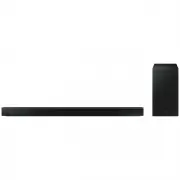 Samsung HW-B650-XY
User Manual
Samsung HW-B650-XY
User Manual
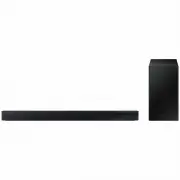 Samsung HW-C450-XY
User Manual
Samsung HW-C450-XY
User Manual
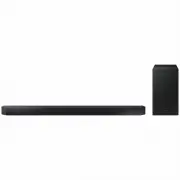 Samsung HW-Q600C-XY
User Manual
Samsung HW-Q600C-XY
User Manual
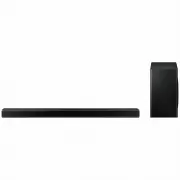 Samsung HW-Q700AXY
User Manual
Samsung HW-Q700AXY
User Manual
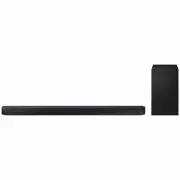 Samsung HW-Q700C-XY
User Manual
Samsung HW-Q700C-XY
User Manual
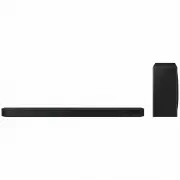 Samsung HW-Q800C-XY
User Manual
Samsung HW-Q800C-XY
User Manual
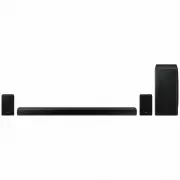 Samsung HW-Q870AXY
User Manual
Samsung HW-Q870AXY
User Manual
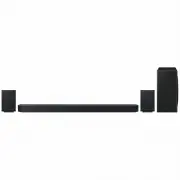 Samsung HW-Q930C-XY
User Manual
Samsung HW-Q930C-XY
User Manual
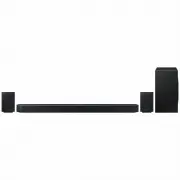 Samsung HW-Q990C-XY
User Manual
Samsung HW-Q990C-XY
User Manual
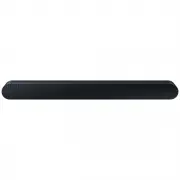 Samsung HW-S60B-XY
User Manual
Samsung HW-S60B-XY
User Manual
 Samsung HW-S61
User Manual
Samsung HW-S61
User Manual
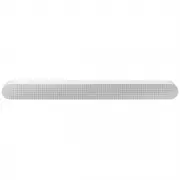 Samsung HW-S61B-XY
User Manual
Samsung HW-S61B-XY
User Manual
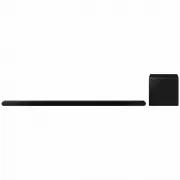 Samsung HW-S800B-XY
User Manual
Samsung HW-S800B-XY
User Manual
 Samsung HW-S801B-XY
User Manual
Samsung HW-S801B-XY
User Manual
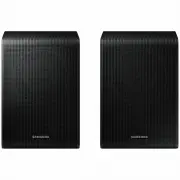 Samsung SWA-9200SXY
User Manual
Samsung SWA-9200SXY
User Manual
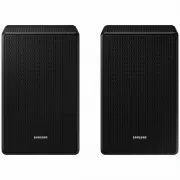 Samsung SWA-9500SXY
User Manual
Samsung SWA-9500SXY
User Manual
 Samsung HW-A430
User Manual
Samsung HW-A430
User Manual
 Samsung HW-A440
User Manual
Samsung HW-A440
User Manual