Page 2 - Important Safety Instructions; CAUTION
E Important Safety Instructions CAUTION: TO REDUCE THERISK OF ELECTRIC SHOCK,DO NOT REMOVE REARCOVER. NO USERSERVICEABLE PARTS INSIDE.REFER TO QUALIFIEDSERVICE PERSONNEL. To prevent damage which may result in fire or electric shock hazard,do not expose this appliance to rain or moisture. This device...
Page 4 - Contents
4 E Chapter 1 Introduction ........................................................ 5 Chapter 2 Special Features ............................................. 6 Chapter 3 Installation ........................................................... 7 Checking the contents of the package .............. 7 ...
Page 5 - Chapter 1 Introduction
5 E DAYNIGHT camera is a low brightness camera, which improves the sensitivity by operating with a color mode at the over of regular brightness and operated with a B/W mode by canceling the IR Cut function at the below of regular brightness. Also, it can be used linked with the separated infrared ra...
Page 6 - Digital Power Supply Synchronization Method; Chapter 2 Special Features
6 E High Sensitivity It has an up-to-date 1/3" Super-HAD IT CCD for an image of high sensitivity. Resolution It realizes high resolution resulting from full digital image processing supported by a state-of-art digital signal technology. Superior Back Light Adjustment Function In case the object ...
Page 7 - Chapter 3 Installation; Checking the contents of the package
7 E This chapter describes what should be checked before installation, how toset the installation environment, and what should be done during installation.Then, it describes how to install the camera and connect the cable in actualcircumstances. Camera Holder(Mount) C Mount Adapter Chapter 3 Install...
Page 8 - Precautions in Installation and Use
8 E ① Do not attempt to disassemble the camera yourself. ➁ Be cautious in handling the camera. Avoid striking or shaking the camera. Be cautious to avoid damage on the camera caused by improper storage or operation. ➂ Do not expose this camera to rain or moisture. Do not operate this camera on a wet...
Page 9 - Connecting Auto Iris Lens Connector
9 E Connecting Auto Iris Lens Connector Prepare the following Auto Iris Lens Connector supplied with the camera. Connect the cable of the control cable, whose covering is stripped, to the Auto Iris Lens Connector as shown below. Rb Pin3 Pin2 Pin4 Pin1 Pin No. DC Control Type VIDEO Control Type 1 Dam...
Page 10 - In case of CS lenses; In case of C lenses; Lens Fixing; CS lens
In case of CS lenses Turn the CS lens clockwise until it is fixed as shown as follows. In case of C lenses Turn the C-mount adapter clockwise to fix it. Then turn the C lens clockwise until it is fixed as follows. Lens Fixing CS lens C lens 10 E
Page 11 - Lenses without zoom function
Setting Lens Selection Switch 11 E Back Focus Adjustment The camera back focus is adjusted at the plant before delivery, but some lenses are out of focus though the number differs in types. If it's the case, you should make the back focus adjustment as follows. First, this is the back focus adjustme...
Page 12 - Lenses with zoom function
12 E Lenses with zoom function ① Image an object with high resolution(letticed) at a distance of 3 to 5 m and zoom in the lens as close to TELE as possible. Then adjust the lens focus bar until the object is seen best. ➁ Zoom in the lens as close to WIDE as possible and adjust the BACK FOCUS adjustm...
Page 13 - Connecting Cables and Checking Operation
Connecting Cables and Checking Operation 13 E 1 First, connect the connector of the BNC cable to the Video Out terminal 2 Second, connect the other connector of the BNC cable to the Video In terminal. BNC cable Video Out Terminal Video In Terminal of Monitor Rear Surface
Page 15 - Chapter 4 Part Names and Functions; Side View
15 E Chapter 4 Part Names and Functions Side View ① Mount Adapter Fixing GrooveThis groove is used for screwing the mount adapter, a part of the bracket where thecamera will be installed. ➁ Camera Lens(Option)This lens is installed in the camera. ❉ A camera lens with a stained surface should be clea...
Page 16 - Rear View
Rear View 16 E AC24V/DC12V Camera (SCC-B2391(P)/B2300) AC230V Camera (SCC-B2091P) ⑤ ⑤ ⑦ ⑧ ⑨ ➁➅ ⑦ ⑧ ① ① ⑨ ➂ ➃ ➂ ➃ ➁➅
Page 17 - FUNCTION Switch
17 E ① Power connection port AC24V/DC12V Camera : It is a port connected to the power adaptor cable. AC230V Camera : It is Power cord. ➁ POWER LEDIf the power of a camera is supplied normally, the LED is ON. ➂ ➃ INC and DEC Switch Both switches increase or decrease the profit of RED and BLUE to fix ...
Page 20 - Product Specification; ITEM
20 E Product Specification SCC-B2391P/2091P ITEM Contents Product Type CCTV Camera Broadcasting System PAL STANDARD SYSTEM CCD 1/3 Super-HAD CCD Effective Pixels 752(H) x 582(V) Scanning Type 625 Line, 2:1 Interlace INTERNAL : 15,625Hz(H) 50 Hz(V) LINE LOCK : 15,625Hz(H) 50 Hz(V) INTERNAL LINE LOCK(...
Page 25 - BEDIENUNGSANLEITUNG; DIGITAL FARBE KAMERA
BEDIENUNGSANLEITUNG DIGITAL FARBE KAMERA D SCC-B2391(P)SCC-B2091PSCC-B2300
Page 26 - Sicherheitshinweise; Warnung; Achtung
D Ziel dieser Informationen ist es, den ordnungsgemäßen Gebrauch diesesGeräts sicherzustellen und dadurch Gefahren oder Sachbeschädigungen zuvermeiden. Bitte befolgen Sie alle Anweisungen. Sicherheitshinweise Warnung Warnung Achtung 1. Achten Sie darauf, dass Sie nur den mitgelieferten Adapter verwe...
Page 28 - Einstellung des Rück-brennpunktes; Kapitel 4; INHALTVERZEICHNIS
4 D Kapitel 1 ÜBERSICHT ......................................................... 5 Kapitel 2 SPEZIALE MERKMALE ...................................... 6 Kapitel 3 Installation .............................................................. 7 Überprüfung des Inhalts in der Verpackung ........ 7 Sicher...
Page 29 - Kapitel 1
DAYNIGHT(TAG/NACHT) Kamera ist eine niedrige Helligkeit Kamera, die in der Umgebung von über die bestimmten Helligkeit im Farbe Modus funktioniert, und die unter bestimmte Helligkeit IR Cut Funktion behebt und den S/W Modus aktiviert, um in der dunklen Umgebung den Gegenstand gut sichtbar zu machen....
Page 30 - Hohe Empfindlichkeit; Resolution; Superior Gegenlicht Einstellung Funktion; Kapitel 2 Speziale Merkmale
6 D Hohe Empfindlichkeit Es hat ein neuesten 1/3" Super-HAD IT CCD für ein Bild der hohen Empfindlichkeit. Resolution Es verwirklicht eine hohe Resolution von vollen digitalen Bild-Entwickellung mit der höchsten Digital Signal Technologie. Superior Gegenlicht Einstellung Funktion Im Fall von ein...
Page 31 - Kapitel 3 Installation; Überprüfung des Inhalts in der Verpackung
7 D In diesem Kapitel wird erläutert, was vor der Installation der Kamera zubeachten ist, wie man eine geeignete Installationsstelle auswählt undwelche Vorsichtsmaßnahmen bei der Installation zu treffen sind. Nunkönnen Sie die Kamera installieren und die Kabel anschließen. Kapitel 3 Installation Übe...
Page 32 - Sicherheitsmaßnahme bei Installation und Verwendung
8 D ① Versuchen Sie nicht, sich die Kamera auseinanderzubauen. ➁ Nehmen Sie sich von der Behandlung der Kamera in Acht. Vermeiden Sie, die Kamera anzuschlagen oder zu rütteln. Seien Sie vorsichtig, Beschädigung auf der Kamera zu vermeiden, die durch ungeeignete Lagerung oder Betrieb verursacht wird....
Page 33 - Anschließen des Auto Blende Objektiv Konnektor
9 D Anschließen des Auto Blende Objektiv Konnektor Vorbereiten Sie den folgenden Auto Blende Objektiv Konnektor vor, der mit der Kamera geliefert wird. Schließen Sie das Kabel des Kontrollkabels, dessen Verkleidung abgestreift wird, an den Auto Blende Objektiv Konnektor an, wie unten gezeigt. Steckn...
Page 34 - Einstellung des Objektivs; CS Objektive
CS Objektive Fall Der CS Objektiv im Uhrzeigersinn drehen, bis es wie unten befestigt wird. C Objektive Fall Der C Passepartout Adapter im Uhrzeigersinn drenen, um es zu befestigen. Dann drehen der C Objektiv im Uhrzeigersinn, bis es wie unten befestigt wird. Einstellung des Objektivs CS Objektive C...
Page 35 - Einstellung Objektiv Auswahl Schalter; Objektive ohne Zoom Funktion
Einstellung Objektiv Auswahl Schalter 11 D Einstellung des Rück-brennpunktes (Back Focus) Die Kamera Rück-brennpunkt ist in der Fabrik vor der Lieferung eingestellt,aber einige Objektive sind aus dem Brennpunkt, je nach der Objektivtypen.Wenn es so ist, müßen Sie der Rück-brennpunkt wie folgt einste...
Page 36 - Objektive mit Zoom Funktion
12 D Objektive mit Zoom Funktion ① Ein Gegenstand mit hocher Resolution (Gitterförmige Gegenstand) einer Entfernung 3m bis 5m einbilden und der Zoom in dem Objektiv zu TELE als möglich nahe einstellen. Dann drehen der Objektiv Brennpunktring, bis der Gegenstand deutlicher sein wird. ➁ Der Zoom in de...
Page 37 - Anschluß der Kabel und Überprüfung des Betriebs
Anschluß der Kabel und Überprüfung des Betriebs 13 D 1Schließen Sie zuerst das eine Ende des BNC-Videokabels an den Videoausgang (VIDEO OUT) an. 2 Schließen Sie als nächstens das andere Ende des BNC-Kabels an die Videoeingangsbuchse des Monitors an. BNC KABEL VIDEO AUSTERMINAL VIDEO EIN TERMINAL des...
Page 39 - Kapitel 4 Teilnamen und Funktionen; Rückseite Ansich
15 D Kapitel 4 Teilnamen und Funktionen Rückseite Ansich ① Passepartout Adapter BefestigungsrilleDiese Rille benutzt für die Befestigung des Adapters, ein Teil der Klammer wo die Kamera installiert wird. ➁ Automatische Verschluß Objektive (Option) Dieses Objektiv ist in der Kamera installiert werden...
Page 40 - Vista Posteriore
Vista Posteriore 16 D AC24V/DC12V KAMERA(SCC-B2391(P)/B2300) AC230V KAMERA(SCC-B2091P) ⑤ ⑦ ⑧ ⑨ ① ➂ ➃ ➁ ➅ ⑤ ➁➅ ⑦ ⑧ ① ⑨ ➂ ➃
Page 41 - Strom Anschlussport; INC und DEC Schalter
17 D ① Strom Anschlussport AC24V/DC12V Kamera : Es ist ein Port, das an das Strom Adapter Kabel angeschlossen wird. AC230V Kamera : Es ist Netzanschlusskabel. ➁ Strom LEDWenn der Strom einer Kamera normalerweise geliefert wird, schaltet LED ein. ➂ ➃ INC und DEC Schalter Beide Schalter erhöhen oder v...
Page 44 - Produkt Spezifikationen; ARTIKEL
20 D Produkt Spezifikationen SCC-B2391P/B2091P ARTIKEL BESCHREIBUNG Produkt Typ CCTV Kamera Rundfunksystem PAL STANDARD SYSTEM CCD 1/3” Super-HAD CCD Effektive Pixel 752 (H) x 582 (V) Scanning Typ 625 Linien, 2:1 Zeilensprung Intern : 15,625Hz(H) 50 Hz(V) LINIE Schleuse : 15,625Hz(H) 50 Hz(V) INTERN...
Page 49 - Manuel d’Utilisation; CAMÉRA NUMÉRIQUE COULEUR
F Manuel d’Utilisation CAMÉRA NUMÉRIQUE COULEUR SCC-B2391(P)SCC-B2091PSCC-B2300
Page 50 - Précautions de sécurité; Avertissement
2 F L’objectif des précautions de sécurité est d’assurer l’utilisation correcte de ceproduit afin d’éloigner tout risque et tout dégât à la propriété. Assurez-vous debien observer toutes les précautions. Précautions de sécurité Avertissement Avertissement Mise en garde 1. Assurez-vous d’utiliser uni...
Page 51 - Mise en garde
3 F caméra. (Cela pourrait présenter un risque de blessures corporelles en raisond’un incendie, d’une décharge électrique ou de la chute d’un objet.) 7. N’installez pas la caméra dans un emplacement plein de suie, de poussière ou d’humidité. Cela pourrait causer un incendie ou provoquer une décharge...
Page 52 - Brancher le connecteur automatique; Chapitre 4; Sommaire
4 F Chapitre 1 Introduction ............................................................5 Chapitre 2 Caractéristiques .....................................................6 Chapitre 3 Installation ..............................................................7 Lors du déballage, vérifiez le contenu ...
Page 53 - Chapitre 1 Introduction
La caméra DAYNIGHT(JOUR/NUIT) est une caméra de basse luminosité, qui améliore la sensibilité par le fonctionnement avec un mode de couleur à l'excédent de la luminositét régulière et avec un mode de Noir/Blanc en décommandant la fonction de coupe IRE au ci-dessous de la luminosité régulière. En out...
Page 54 - Haute sensibilité; Résolution; Excellente correction du contre-jour; Mode de synchronisation numérique; Chapitre 2 Caractéristiques
6 F Haute sensibilité La technologie de pointe ‘1/3" Super-HAD IT CCD’ permet d’obtenir des images d’une haute sensibilité. Résolution La caméra offre une haute résolution grâce à une technologie ultramoderne de traitement numérique des images. Excellente correction du contre-jour Malgré la prés...
Page 55 - Chapitre 3 Installation; Lors du déballage, vérifiez le contenu du paquet
7 F Ce chapitre contient des informations relatives aux vérifications avantl’installation de la caméra, au choix de sa mise en place et aux précautionsd’installation. Veuillez lire attentivement ces indications avant d’installer lacaméra et de connecter le câble Adaptateur (‘Mount’) Chapitre 3 Insta...
Page 56 - Précautions dans l’Installation et Utilisatio
8 F ① N’essayez pas de démonter la caméra par vous même. ➁ Soyez prudent en manipulant la caméra. Évitez de la frapper ou secouer. Soyez prudent pour éviter des dommages sur la caméra provoqué par stockage ou opération inapproprié. ➂ N'exposez pas cette caméra à la pluie ou à l'humidité. Ne l'action...
Page 58 - Fixation de l’objectif; Lors de l’objectif CS :; Lors de l’objectif C :
Fixation de l’objectif 10 F Lors de l’objectif CS : Vissez l’objectif CS dans le sens des aiguilles d’une montre, comme l’indique la figure ci-dessous. Lors de l’objectif C : Vissez d’abord le support d’installation dans le sens des aiguilles d’une montre. Vissez ensuite l’objectif C dans le même se...
Page 59 - Objectif sans fonction de zoom
Réglage du bouton de sélection de l'objectif 11 F Focalisation La focale de la caméra est déjà réglée en sortie d’usine, mais cettefocalisation peut ne pas correspondre à certains types d’objectif. Dans cecas, réglez la focale selon les indications suivantes. Ceci est une méthodepour le réglage d’un...
Page 60 - Objectif avec fonction de zoom
12 F Objectif avec fonction de zoom ① Prenez l’image d’un objet net (en forme de carreau) placé à une distance de 3 à 5 m, puis réglez le zoom au maximum vers TELE. Ensuite, réglez l’anneau de la focale jusqu’à ce que l’image de l’objet soit la plus nette possible. ➁ Réglez le zoom au maximum vers W...
Page 61 - Connexion du câble & Vérification du fonctionnement
Connexion du câble & Vérification du fonctionnement 13 F 1 Reliez d’abord un côté du connecteur du câble BNC à la sortie VIDEO (VIDEO OUT). 2 Reliez l’autre côté du connecteur du câble BNC à l’entrée VIDEO du moniteur. Câble BNC Sortie Vidéo Entrée Vidéo située derrièrele moniteur
Page 63 - Chapitre 4 Noms et Fonctions des Composants; Seite Ansicht
15 F Chapitre 4 Noms et Fonctions des Composants Seite Ansicht ① La cannelure de fixage d'adaptateur de monture Cette cannelure est employée pour visser l'adaptateur de monture, une pièce dusupport où la caméra sera installée. ➁ Objectif du caméra ( Option )Cet objectif est installé dans le caméra. ...
Page 64 - Vue arrière
Vue arrière 16 F CA24V/CC12V Caméra(SCC-B2391(P)/B2300) CA230V Caméra (SCC-B2091P) ⑤ ⑤ ⑦ ⑧ ⑨ ➁➅ ⑦ ⑧ ① ① ⑨ ➂ ➃ ➂ ➃ ➁➅
Page 65 - Prise d’alimentation; Boutons INC et DEC; Sélecteur de fonctions
17 F ① Prise d’alimentation Caméra CA24V/CC12V: C’est un port relié au câble électrique d’adaptateur. Caméra CA230V : C’est un câble électrique. ➁ LED D’ALIMENTATIONSi la caméra est alimentée normalement, le LED est allumé. ➂ ➃ Boutons INC et DEC Ces deux boutons augmentent ou diminuent la valeur de...
Page 68 - Spécification du produit
ELÉMENT Contenu Type de produit Caméra surveillance Système De Radiodiffusion Système standard PAL CCD CCD Super HAD 1/3 pouce’ Pixels effectifs 752(H) x 582(V) Type de balayage 625 Lignes, 2:1 entrelacement INTERNE : 15,625Hz(H) 50 Hz(V) Verrouillage de ligne : 15,625Hz(H) 50 Hz(V) Résolution 540(c...
Page 73 - Sp; Manual del usuario; CÁMARA DIGITAL A COLOR
Sp Manual del usuario CÁMARA DIGITAL A COLOR SCC-B2391(P)SCC-B2091PSCC-B2300
Page 74 - Advertencia
2 Sp Précautions de sécurité El propósito de esta información es garantizar el uso apropiado de esteproducto con el fin de prevenir cualquier peligro o daño a la propiedad.Sírvase tomar en cuenta todas las medidas de seguridad. Advertencia Advertencia Precaución 1. Asegúrese de usar solamente el ada...
Page 75 - Precaución
3 Sp fuego, choque eléctrico o la caída de los objetos.) 7. No la instale en un lugar tiznado, polvoriento o húmedo. (El hacerlo puede ocasionar un incendio o un choque eléctrico.) 8. Si hubiera olores inusuales o humo que parecieran ser causados por el producto, desconecte inmediatamente la fuente ...
Page 76 - Capítulo 1; Contenido
4 Sp Capítulo 1 Introducción .............................................................5 Capítulo 2 Características Especiales .....................................6 Capítulo 3 Instalación ...............................................................7 Lors du déballage, vérifiez le contenu du p...
Page 78 - Resolución; Función del Ajuste de Ligera Trasera del Superior; Capítulo 2 Características Especiales
6 Sp Alta Sensibilidad Tiene un actualizado 1/3" Super-HAD IT CCD por la imagen de la alta sensibilidad. Resolución Realiza alta resolución resultado de proceso de imagen digital completo apoyado por la tecnología digital de la señal del estado-de-arte. Función del Ajuste de Ligera Trasera del S...
Page 79 - Capítulo 3 Instalación; Lors du déballage, vérifiez le contenu du paquet :
7 Sp Este capítulo describe qué se debe comprobar antes de instalación, cómofijar el ambiente de la instalación, y qué se debe hacer durante lainstalación. Entonces, describe cómo instalar la cámara y conectar el cableen circunstancias reales Capítulo 3 Instalación Configurese de que los artículos s...
Page 80 - Precautions en la instalación y el uso
8 Sp ① No procure desmontar la cámara por usted mismo. ➁ Tenga cuidado en el manejo de la cámara. Evite golpear o sacudir la cámara. Tenga cuidado de evitar el daño en la cámara causada por almacenamiento u operación incorrectos. ➂ No exponga esta cámara a la lluvia o a la humedad. No funcione esta ...
Page 81 - Conectar Auto Conector de Lente de Iris
9 Sp Conectar Auto Conector de Lente de Iris Prepare el Auto Conectador siguiente de Lente de Iris suministrado con lacámara. Conecte el cable del cable de control, que se pela cubierta, al Auto Conectador del Lente del Iris según lo mostrado abajo. Número de Pin El Tipo de Control de DC El Tipo de ...
Page 82 - En caso de las lentes de C; Fijación de la Lente; lentes de CS
10 Sp En caso de las lentes de CS Dé vuelta la lente a la derecha hasta que está fijada según lo demostrado como sigue. En caso de las lentes de C Dé vuelta el adaptador de C-Montaje a la derecha para fijarlo. Y luego dé vuelta la lente de C a la derecha hasta que está fijada como sigue. Fijación de...
Page 83 - Fijar El Interruptor de Selección de Lente; Ajuste de Foco Trasero; Lentes sin la Función de Zoom
Fijar El Interruptor de Selección de Lente 11 Sp Ajuste de Foco Trasero El Foco Trasero (BACK FOCUS)de la cámara se ajusta en la planta antes de la entrega, pero algunas lentes están desenfocado aunque el número diferencia en tipos. Si es el caso, usted debe hacer el ajuste foco trasero como sigue. ...
Page 85 - Conectar Cables y Comprobar la Operación
Conectar Cables y Comprobar la Operación 13 Sp 1 Primero, conecte el conectador del cable de BNC con el terminal de salida de video. 2 En segundo lugar, conecte el otro conectador del cable de BNC con el terminal de entrada de video. Cable de BNC TERMINAL DESALIDA DE VÍDEO terminal de entrada de vid...
Page 87 - Capítulo 4 Nombres de los Componentes y Funciones; Vista Lateral
15 Sp Capítulo 4 Nombres de los Componentes y Funciones Vista Lateral ① Adaptador de Montaje de la Fijación de Groove Este groove se utiliza para atornillar el adaptador de montaje, un par del soporte donde la cámara será instalada. ➁ Lente Automática de Obturador (Opción) Esta lente está instalada ...
Page 89 - Interruptor FUNCI
17 Sp ① Puerto de la conexión de alimentación Cámara AC24V/DC12V : Es un puerto conectado al cable del adaptador de la energía. Cámara AC230V : Es cable eléctrico. ➁ Indicador de encendidoSi la alimentación de una cámara se provee normalmente, el LED estáENCENDIDO. ➂ ➃ Interruptor INC y DEC Ambos in...
Page 92 - Especificación de Producto
SCC-B2391P/2091P ARTÍCULO DESCRIPCIÓN Tipo de Producto Cámara CCTV Sistema de Radiodifusión Sistema de Estándar PAL CCD 1/3” CCD Súper HAD Pixeles Eficaces 752(H) x 582(V) Tipo de Exploración 625 Líneas, 2:1 Entrelazado INTERNO : 15,625Hz(H) 50 Hz(V) LÍNEA BLOC : 15,625Hz(H) 50 Hz(V) INT LÍNEA BLOC(...
Page 97 - Manuale d’Utente; CAMERA COLORE DIGITALE
I Manuale d’Utente CAMERA COLORE DIGITALE SCC-B2391(P)SCC-B2091PSCC-B2300
Page 98 - Norme di sicurezza; Avvertenza
2 I Scopo di queste informazioni è garantire l’uso corretto del prodotto perprevenire pericoli o danni alla proprietà. Attenersi a tutte le precauzioni. Norme di sicurezza Avvertenza Avvertenza Attenzione 1. Utilizzare esclusivamente l’adattatore in dotazione. (L’uso di un adatattatore diverso da qu...
Page 99 - Attenzione
3 I 7. Non installare l’apparecchio in luoghi sporchi, polverosi o umidi. (In caso contrario si possono provocare incendi o scosse elettriche.) 8. Se dall’apparecchio provengono odori insoliti oppure fumo, scollegare immediatamente dall’alimentazione elettrica e rivolgersi al centro diassistenza. (S...
Page 100 - Collegamento cavi e controllazione; Capitolo 4; Contenuti
4 I Capitolo 1 Introduzione ..........................................................5 Capitolo 2 Caratteri Speciali ..................................................6 Capitolo 3 Installazione ..........................................................7 Controllazione Gli Contenuti del Pacco .........
Page 101 - Capitolo 1 Introduzione
Camera DAYNIGHT(GIORNO/NOTTE) è una camera luminosità bassa, che migliora la sensività da operando con una modalità colore alla sopra di luminosità regolare e operato con una modalità B/N da cancellando la funzione CUT IR al sotto di luminosità regolare. Anche, questo può essere usato collegato con ...
Page 102 - Capitolo 2 Caratteri Speciali
6 I Sensibilità Alta Ha un up-to-date 1/3" Super-HAD IT CCD per un imaggine di sensibilità alta. Risoluzione Realizza la risoluzione alta risultando dall’immagine digitale intera di trasformazione sostenutp dalla tecnologia migliore di segnale digitale. Funzione Adattamento Luce Retro Superiore ...
Page 103 - Capitolo 3 Installazione; Controllazione Gli Contenuti del Pacco
7 I Questo capitolo descrive che cosa dovrebbe essere controllato primal’installazione, come mettere l’ambiente d’installazione, e che cosa dovrebbeessere fatto mentre installazione. Poi, descrivere come per installare lacamera e collegare il cavo nelle circostanze reale. Capitolo 3 Installazione No...
Page 104 - Precauzioni in Installazione e Uso
8 I ① Non tentare per smontare da solo la camera. ➁ Attentare per la trattamento della camera. Evitare colpendo o tremando la camera. Attenta per evitare il danneggio sulla camera causato dall’immagazinamento improprio o l’operazione. ➂ Non esporre questa camera allla pioggia o l’umidità. Non operar...
Page 105 - Collegamento Auto Iris Lenti Connettore
9 I Collegamento Auto Iris Lenti Connettore Preparare Auto Iris Lenti Connettore seguente fornito con la camera. Collegare il cavo del cavo di controllo, suo coperto è tolto, al Auto Iris Lenti Connettore come mostrato a sotto. Numero Pin Tipo Controllo DC Tipo Controllo Video 1 Damp(-) Potenza (+12...
Page 106 - Fissaggio Lente; lenti CS
Nel caso di lenti CS Girare il lenti CS in senso orario fino questo è fissato come è mostrato come seguente. Nel caso di lenti C Girare l’adattore C-supporto in senso orario per fissarlo. Poi girare il lente C in senso orario fino è fissato come seguenti. Fissaggio Lente lenti CS lenti C 10 I
Page 107 - Lenti senza funzione zoom
Aggiustamento Fuoco Retro Posizione Lenti Selezione Interruttore 11 I La camera del fuoco retro è aggiustato alla pianta prima consegna, maqualche lenti sono fuori di fuoco attraverso il numero differisce in tipi. Sequesti è il caso, dovrebbe produrre il fuoco retro aggiustamento comeseguenti. Prima...
Page 108 - Lenti con funzione zoom
12 I Lenti con funzione zoom ① Immaginare un oggetto con la risoluzione(letticed) alta a una distanza di 3 a 5m e zoom nel lente al più chiudere a TELE. Poi aggiustare il fuoco del lente anello fino l’oggetto è visto migliore. ➁ Zoom nel lente al più vicinare a WIDE e aggiustare il BACK FOCUS aggius...
Page 109 - Collegamento cavi e controllazione operazione
Collegamento cavi e controllazione operazione 13 I 1 Prima, collegare il collegatore del cavo BNC al terminale Video Out. 2 Secondo, collegare il collegatore altro del cavo BNC al terminale Video IN. CAVO BNC MORSETTO VIDEOOUT Morsetto di Video in delloschermo posteriore.
Page 111 - Capitolo 4 Nomi e Funzione dei componenti; Vista Fianco
15 I Capitolo 4 Nomi e Funzione dei componenti Vista Fianco ① Solco Fissando Adattore Supporto Questo solco è usato per avvitando l’adattore supporto, una parte del parente dove lacamera sarà essere installato. ➁ Lenti Otturatore Automatica (Opzionale)Questo lente è installato nella camera. ❉ La len...
Page 113 - Porto collegamento Potenza; INC e DEC Interrutore; Interruttore FUNZIONE
17 I ① Porto collegamento Potenza Camera AC24V/DC12V : Questo è un porto collegato al cavo di adattatore energia elettrica. Camera AC230V : Questo è corda di Energia elettrica. ➁ LED POTENZASe la camera della potenza è fornito normalmente, il LED è ON. ➂ ➃ INC e DEC Interrutore Tutti due interrutori...
Page 116 - Specificazione Prodotto
ARTICOLO Contenuti Tipo Prodotto Camera CCTV CCD 1/3" Supero-HAD CCD Pixel Efficace 752(H) X 582(V) Tipo Scansione Linea 625, 2:1 Intreccia INTERNALE : 15,625Hz(H) 50 Hz(V) CHIUSA LINEA : 15,625Hz(H) 50 Hz(V) Risoluzione 540(colore)/570(B/W) TV Linea Rapporto S/N Circa 50dB DAYNIGHT AUTO / EXT 2...
Page 121 - Instrukcja obs∏ugi; DIGITAL KOLOR KAMERA
Pl Instrukcja obs∏ugi DIGITAL KOLOR KAMERA SCC-B2391(P)SCC-B2091PSCC-B2300
Page 124 - Ârodki ostro ̋noÊci podczas instalacji i; Rozdzia∏ 4; Spis treÊci
4 Pl Rozdzia∏ 1 Wprowadzenie .......................................................5 Rozdzia∏ 2 Charakterystyka .....................................................6 Rozdzia∏ 3 Instalacja ................................................................7 Sprawdzanie zawartoÊci opakowania .............
Page 125 - Rozdzia∏ 1 Wprowadzenie; Falowanie barw; polega na nieregularnych zmianach
Kamera DAYNIGHT(Dzieƒ/noc) jest kamerà o niskiej jasnoÊci, co powoduje zwi´kszenie czu∏oÊci przy funkcjonowaniu w trybie kolorów w jasnoÊci powy˝ej przeci´tnej jasnoÊci zaÊ w trybie B/W po anulowaniu funkcji IR Cut poni˝ej regularnej jasnoÊci. Mo˝e byç równie˝ stosowana w po∏àczeniu z oddzielnym urz...
Page 126 - Wysoka czu∏oÊç; RozdzielczoÊç; Funkcja regulacji oÊwietlenia w tle; Rozdzia∏ 2 Charakterystyka
6 Pl Wysoka czu∏oÊç Dla obrazu o wysokiej czu∏oÊci posiada nowoczesny 1/3" Super-HAD IT CCD . RozdzielczoÊç Wysoka rozdzielczoÊç zapewniona jest dzi´ki pe∏nemu cyfrowemu przetwarzaniu obrazu w po∏àczeniu z doskona∏à technologià sygna∏u cyfrowego. Funkcja regulacji oÊwietlenia w tle W przypadku, ...
Page 127 - Rozdzia∏ 3 Instalacja; Sprawdzanie zawartoÊci opakowania
7 Pl Rozdzia∏ ten opisuje co nale˝y sprawdziç przed zainstalowaniem, w jakisposób przygotowaç otoczenie instalowanego urzàdzenia i w jaki sposóbnale˝y je zainstalowaç. Nast´pnie opisany zosta∏ sposób instalacji kameryoraz po∏àczenia przewodów w danych warunkach. Rozdzia∏ 3 Instalacja Sprawdê, czy na...
Page 128 - Ârodki ostro ̋noÊci podczas instalacji i u ̋ytkowania
8 Pl ① Nie rozmontowuj kamery samodzielnie ➁ Ostro˝nie obchodê si´ z kamerà. Unikaj wstrzàsów lub uderzeƒ. Przechowuj i pos∏uguj si´ kamerà we w∏aÊciwy sposób, by uniknàç jej uszkodzenia. ➂ Nie wystawiaj kamery na dzia∏anie deszczu lub wilgoci. Nie u˝ywaj kamery w mokrych miejscach. ➃ Podczas czyszc...
Page 129 - Pod∏àczanie z∏àcza obiektywu z automatycznà przes∏onà
9 Pl Pod∏àczanie z∏àcza obiektywu z automatycznà przes∏onà Przygotuj do∏àczone do kamery z∏àcze obiektywu z automatycznà przes∏onà. Pod∏àcz przewód obs∏ugi z os∏onà w paski do z∏àcza obiektywu z automatycznà przes∏onà. Nr Koƒcówki Typ kontroli pràdu sta∏ego Typ kontroli VIDEO 1 Damp(-) Power (+12V) ...
Page 130 - Dla obiektywów CS; Dla obiektywów C; Mocowanie obiektywu; Obiektyw CS
Dla obiektywów CS Przekr´caj obiektyw CS zgodnie z kierunkiem ruchu wskazówek zegara dopóki nie zostanie zamocowany jak na obrazku. Dla obiektywów C Przekr´caj z∏àcze do monta˝u C zgodnie z ruchem wskazówek zegara, by go zamocowaç. Nast´pnie przekr´ç obiektyw C zgodnie z ruchem wskazówek zegara w ce...
Page 131 - Obiektywy bez funkcji zoom
Regulacja ostroÊci t∏a Ustawienia w∏àcznika wyboru obiektywu 11 Pl OstroÊç t∏a regulowana jest przed dostarczeniem, jednak niektóreobiektywy sà nieostre mimo ˝e liczba ró˝ni si´ w zale˝noÊci od typu. Wtakim przypadku nale˝y dokonaç nast´pujàcej regulacji.Jest to proces regulacji ostroÊci t∏a dla zam...
Page 132 - Obiektywy z funkcjà zoom
12 Pl Obiektywy z funkcjà zoom ① Obejmij obiekt o du˝ej rozdzielczoÊci w dystwnsie 3-5 m i przybli˝ zoom obiektywu najbli˝ej TELE jak to mo˝liwe. Nast´pnie reguluj ostroÊç obiektywu by ustawiç go w najlepszej widocznoÊçi. ➁ Przybli˝ zoom w oobiektywie najbli˝ej jak to mo˝liwe do WIDE i reguluj BACK ...
Page 133 - Pod∏àczanie przewodów I sprawdzania funkcjonowania
Pod∏àczanie przewodów I sprawdzania funkcjonowania 13 Pl 1 Po∏àcz z∏àcze przewodu BNC do terminaly Video In. 2 Pod∏àcz inne z∏àcza kabla BNC do terminalu Video In. Przewód BNC Terminal WyjÊciaVideo terminal Video In z ty∏uurzàdzenia
Page 135 - Rozdzia∏ 4 Nazwy i funkcje cz ́Êci; Widok z boku
15 Pl Rozdzia∏ 4 Nazwy i funkcje cz´Êci Widok z boku ① Mocowanie zasilania Wy˝∏obienie Wy˝∏obienie to wykorzystywane jest w celu przykr´cenia z∏àcznika, tego elementugdzie kamera b´dzie zainstalowana. ➁ Obiektyw kamery (opcja) Obiektyw ten instalowany jest w kamerze. ❉ Obiektyw kamery w przypadku po...
Page 136 - Widok z ty∏u
16 Pl Widok z ty∏u AC24V/DC12V Kamera (SCC-B2391(P)/B2300) AC230V Kamera (SCC-B2091P) ⑦ ⑧ ⑨ ➁➅ ⑦ ⑧ ① ➁➅ ⑤ ⑤ ① ⑨ ➂ ➃ ➂ ➃
Page 137 - Port zasilania; Dioda zasilania; Prze∏àcznik funkcji
17 Pl ① Port zasilania Kamera AC24V/DC12V: Jest to port po∏àczony do przewodu zasilania. Kamera AC230V: Przewód zasilania. ➁ Dioda zasilania JeÊli zasilanie kamery odbywa si´ bez zak∏óceƒ dioda jest w pozycjiON(w∏àczonej). ➂ ➃ Prze∏àcznik INC oraz DEC Obydwa prze∏àczniki zwi´kszajà lub zmniejszajà k...
Page 140 - Dane techniczne; POZYCJA
20 Pl Dane techniczne SCC-B2391P/B2091P POZYCJA OPIS Typ produktu Kamera CCTV System nadawania SYSTEM PAL STANDARD CCD 1/3”Super-HAD CCD Pixele efektywne 752(H) x 582(V) Typ skanowania 625 linii, 2:1 Interlace WEWN¢TRZNE : 15,625Hz(H) 50 Hz(V) BLOKADA LINII : 15,625Hz(H) 50 Hz(V) RozdzielczoÊç 540(k...
Page 145 - êÛÍÓ‚Ó‰ÒÚ‚Ó ÔÓÎ ̧ÁÓ‚‡ÚÂÎfl
R êÛÍÓ‚Ó‰ÒÚ‚Ó ÔÓθÁÓ‚‡ÚÂÎfl ñ ñÇ ÇÖ Öí íç çÄ Äü ü ñ ñà àî îê êé éÇ ÇÄ Äü ü Ç Çà àÑ ÑÖ Öé éä äÄ Äå åÖ Öê êÄ Ä SCC-B2391(P)SCC-B2091PSCC-B2300
Page 146 - LJÊÌ ̊ ԇ‚Ë· ÚÂıÌËÍË ·ÂÁÓÔ‡ÒÌÓÒÚË; ÇçàåÄçàÖ
2 R LJÊÌ˚ ԇ‚Ë· ÚÂıÌËÍË ·ÂÁÓÔ‡ÒÌÓÒÚË ÇçàåÄçàÖ : Çé àáÅÖÜÄçàÖ èéêÄÜÖçàü ùãÖäíêàóÖëäàåíéäéå, çÖ ëçàåÄâíÖ áÄÑçûûäêõòäì. Ççìíêà àáÑÖãàü çÖíÑÖíÄãÖâ, íêÖÅìûôàïéÅëãìÜàÇÄçàü èéãúáéÇÄíÖãÖå.éÅëãìÜàÇÄçàÖ ÑéãÜçéÇõèéãçüíúëüäÇÄãàîàñàêéÇÄççõåàëèÖñàÄãàëíÄåà èéíÖïçàóÖëäéåì éÅëãìÜàÇÄçàû ùÚÓÚ ÒËÏ‚ÓÎ Û͇Á˚‚‡ÂÚ Ì‡ ÚÓ...
Page 148 - ëÓ‰ÂʇÌËÂ
4 R É·‚‡ 1 ǂ‰ÂÌË ....................................................................5 É·‚‡ 2 ëÔˆˇθÌ˚ ÙÛÌ͈ËË .............................................6 É·‚‡ 3 ìÒÚ‡Ìӂ͇................................................................... 7 èÓ‚Â͇ ÍÓÏÔÎÂÍÚ‡ ÔÓÒÚ‡‚ÍË ......................
Page 149 - É·‚‡ 1 ǂ‰ÂÌËÂ
ä‡Ï‡ DAYNIGHT(ÑÖçú/çéóú) Ô‰ÒÚ‡‚ÎflÂÚ ÒÓ·ÓÈ Í‡ÏÂÛ ÌËÁÍÓÈflÍÓÒÚË, ÍÓÚÓ‡fl ÛÎÛ˜¯‡ÂÚ ˜Û‚ÒÚ‚ËÚÂθÌÓÒÚ¸, ·Î‡„Ó‰‡flÔÓ‰Íβ˜ÂÌ˲ Í ÂÊËÏÛ ˆ‚ÂÚÌÓ„Ó ‚ÓÒÔÓËÁ‚‰ÂÌËfl ÔË Ô‚˚¯ÂÌËË̇‰ÎÂʇ˘ÂÈ flÍÓÒÚË, Ë ‚Á‡ËÏÓ‰ÂÈÒÚ‚ÛÂÚ Ò ÂÊËÏÓÏ B/M, ·Î‡„Ó‰‡flÛÒÚ‡ÌÂÌ˲ ÙÛÌ͈ËË IR Cut (Ó·ÂÁ‡ÌË ËÌه͇ÒÌÓ„Ó ËÁÎÛ˜ÂÌËfl)ÔË Ò...
Page 150 - É·‚‡ 2 ëÔˆˇΠ̧Ì ̊ ÙÛÌ͈ËË
6 R Ç˚ÒÓ͇fl ˜Û‚ÒÚ‚ËÚÂθÌÓÒÚ¸ Ç ‚ˉÂÓ͇Ï ËÒÔÓθÁÛÂÚÒfl ÒÓ‚ÂÏÂÌ̇fl èáë-χÚˈ‡ ÔÓ‚˚¯ÂÌÌÓȘۂÒÚ‚ËÚÂθÌÓÒÚË ‚ ‚ˉËÏÓÈ Ë ·ÎËÊÌÂÈ àä ӷ·ÒÚË ÒÔÂÍÚ‡ Ò̇ÍÓÔÎÂÌËÂÏ ‰˚ÓÍ Ë ÔÓÒÚÓ˜Ì˚Ï ÔÂÂÌÓÒÓÏ Super ‡ÁÏÂÓÏ 1/3‰˛Èχ. ê‡Á¯ÂÌË Ç˚ÒÓÍÓ ‡Á¯ÂÌË ‚ˉÂÓ͇ÏÂ˚ Ó·ÂÒÔ˜˂‡ÂÚÒfl Ò ÔÓÏÓ˘¸˛ËÒÔÓθÁÓ‚‡ÌËfl ÔÓÎÌÓÒÚ...
Page 151 - É·‚‡ 3 ìÒÚ‡Ìӂ͇; èÓ‚Â͇ ÍÓÏÔÎÂÍÚ‡ ÔÓÒÚ‡‚ÍË
7 R Ç ˝ÚÓÏ ‡Á‰ÂΠÓÔËÒ‡ÌÓ, ͇ÍË ÔÓ‚ÂÍË ‰ÓÎÊÌ˚ ·˚Ú¸ ‚˚ÔÓÎÌÂÌ˚Ô‰ ÛÒÚ‡ÌÓ‚ÍÓÈ ‚ˉÂÓ͇ÏÂ˚, Í‡Í ÔÓ‰„ÓÚÓ‚ËÚ¸ ÏÂÒÚÓ ‰Îfl ÛÒÚ‡ÌÓ‚Í˂ˉÂÓ͇ÏÂ˚, ‡ Ú‡ÍÊ ˜ÚÓ ÌÛÊÌÓ Ë ˜ÚÓ Ì ÌÛÊÌÓ ‰Â·ڸ ‚Ó ‚ÂÏflÛÒÚ‡ÌÓ‚ÍË ‚ˉÂÓ͇ÏÂ˚. á‡ÚÂÏ ÓÔËÒ˚‚‡ÂÚÒfl, Í‡Í ‚˚ÔÓÎÌËÚ¸ ÛÒÚ‡ÌÓ‚ÍۂˉÂÓ͇ÏÂ˚ Ë Í‡Í ÔÓ‰Íβ˜ËÚ¸ Í ÌÂÈ Í‡·Âθ ‚ Í...
Page 154 - ìÒÚ‡Ìӂ͇ Ó· ̇ÂÍÚË‚‡
10 R ÑÎfl Ó·˙ÂÍÚË‚Ó‚ Ò CS-ÍÂÔÎÂÌËÂÏ Ç‚ÂÌËÚ ‚ ‚ˉÂÓ͇ÏÂÛ Ó·˙ÂÍÚË‚ (‚‚Ó‡˜Ë‚‡ÂÚÒfl ÔÓ ˜‡ÒÓ‚ÓÈÒÚÂÎÍÂ, ‰Ó ÛÔÓ‡), Í‡Í ÔÓ͇Á‡ÌÓ Ì‡ Ô‰ÒÚ‡‚ÎÂÌÌÓÏ ÌËÊ ËÒÛÌÍÂ. ÑÎfl Ó·˙ÂÍÚË‚Ó‚ Ò C-ÍÂÔÎÂÌËÂÏ Ç‚ÂÌËÚ ‚ ‚ˉÂÓ͇ÏÂÛ ÔÂÂıÓ‰ÌËÍ ‰Îfl Ó·˙ÂÍÚË‚‡ Ò ë-ÍÂÔÎÂÌËÂÏ(‚‚Ó‡˜Ë‚‡ÂÚÒfl ÔÓ ˜‡ÒÓ‚ÓÈ ÒÚÂÎÍÂ, ‰Ó ÛÔÓ‡). á‡ÚÂ...
Page 155 - ìÒÚ‡Ìӂ͇ ÒÂÎÂÍÚÓÌÓ„Ó ÔÂÂÍÎ ̨ ̃‡ÚÂÎfl Ó· ̇ÂÍÚË‚‡; é· ̇ÂÍÚË‚ ̊ Ò ÔÓÒÚÓflÌÌ ̊Ï ÙÓÍÛÒÌ ̊Ï ‡ÒÒÚÓflÌËÂÏ(·ÂÁ Ú‡ÌÒÙÓ͇ÚÓ‡)
ê„ÛÎËӂ͇ Á‡‰ÌÂ„Ó ÙÓÍÛÒ‡(ÔÓ‰ÒÚÓÈ͇ ÔÓÎÓÊÂÌËfl èáë-χÚˈ˚) ìÒÚ‡Ìӂ͇ ÒÂÎÂÍÚÓÌÓ„Ó ÔÂÂÍβ˜‡ÚÂÎfl Ó·˙ÂÍÚË‚‡ 11 R ê„ÛÎËӂ͇ Á‡‰ÌÂ„Ó ÙÓÍÛÒ‡ ‚ˉÂÓ͇ÏÂ˚ ‚˚ÔÓÎÌflÂÚÒfl ̇ Á‡‚Ó‰Â- ËÁ„ÓÚÓ‚ËÚÂΠÔ‰ ÓÚÔ‡‚ÍÓÈ Á‡Í‡Á˜ËÍÛ, ÌÓ ‚ ÌÂÍÓÚÓ˚ı ÒÎÛ˜‡flı Á‡‰ÌËÈ ÙÓÍÛÒ ÏÓÊÂÚ ·˚Ú¸ ̇ۯÂÌ ËÁ-Á‡ ÚÓ„Ó, ˜ÚÓ ËÒÔÓθÁÛ˛ÚÒfl Ó...
Page 157 - èÓ‰ÍÎ ̨ ̃ÂÌË ͇·ÂÎÂÈ Ë ÔÓ‚ÂÍË
èÓ‰Íβ˜ÂÌË ͇·ÂÎÂÈ Ë ÔÓ‚ÂÍË 13 R 1 ë̇˜‡Î‡ ÔÓ‰ÒÓ‰ËÌËÚ ‡Á˙ÂÏ Í‡·ÂÎfl BNC (͇·Âθ ÒÏËÌˇڲÌ˚ÏË ·‡ÈÓÌÂÚÌ˚ÏË ÒÓ‰ËÌËÚÂÎflÏË) Í „ÌÂÁ‰Û ‚˚ıÓ‰‡‚ˉÂÓÒ˄̇· (VIDEO OUT) ‚ˉÂÓ͇ÏÂ˚. 2 á‡ÚÂÏ ÔÓ‰ÒÓ‰ËÌËÚ ‚ÚÓÓÈ ‡Á˙ÂÏ Í‡·ÂÎfl BNC Í „ÌÂÁ‰Û ‚ıÓ‰‡‚ˉÂÓÒ˄̇· ̇ ÏÓÌËÚÓÂ. 䇷Âθ BNC Ç˚ıÓ‰ ‚ˉÂÓÒ˄̇· ‚ˉÂÓ...
Page 159 - É·‚‡ 4 ç‡Á‚‡ÌË ÍÓÏÔÓÌÂÌÚÓ‚ Ë ÙÛÌ͈ËË; Çˉ Ò·ÓÍÛ
15 R É·‚‡ 4 ç‡Á‚‡ÌË ÍÓÏÔÓÌÂÌÚÓ‚ Ë ÙÛÌ͈ËË Çˉ Ò·ÓÍÛ ① éÚ‚ÂÒÚËfl ‰Îfl ÍÂÔÎÂÌËfl ÔÂÂıÓ‰ÌË͇ ÛÒÚ‡ÌÓ‚Ó˜ÌÓ„Ó ÍÓ̯ÚÂÈ̇ ùÚË ÓÚ‚ÂÒÚËfl ËÒÔÓθÁÛ˛ÚÒfl ‰Îfl ÍÂÔÎÂÌËfl ÔÂÂıÓ‰ÌË͇ ÛÒÚ‡ÌÓ‚Ó˜ÌÓ„Ó ÍÓ̯ÚÂÈ̇, ÍÓÚÓ˚È fl‚ÎflÂÚÒfl ˜‡ÒÚ¸˛ ÍÓ̯ÚÂÈ̇, ̇ ÍÓÚÓÓÏ ÛÒڇ̇‚ÎË‚‡ÂÚÒfl ‚ˉÂÓ͇χ. ➁ é·˙ÂÍÚË‚ ‚ˉÂÓ͇ÏÂ˚ (‰ÓÔÓ...
Page 160 - Çˉ ÒÁ‡‰Ë
Çˉ ÒÁ‡‰Ë 16 R ä‡Ï‡ ÔÂÂÏ.ÚÓÍ 24Ç/ÔÓÒÚÓflÌ.ÚÓÍ 12Ç (SCC-B2391(P)/B2300) ä‡Ï‡ ÔÂÂÏÂÌ.ÚÓÍ 230Ç (SCC-B2091P) ⑤ ⑤ ⑦ ⑧ ⑨ ➁➅ ⑦ ⑧ ① ① ⑨ ➂ ➃ ➂ ➃ ➁➅
Page 164 - íÂıÌË ̃ÂÒÍË ı‡‡ÍÚÂËÒÚËÍË ÚÓ‚‡‡
åËÌËχθ̇flÓÒ‚Â˘ÂÌÌÓÒÚ¸Ó·˙ÂÍÚ‡ ï ï‡ ‡ ‡ ‡Í ÍÚÚÂ Â Ë ËÒ ÒÚÚË ËÍ Í‡ ‡ á áÌ Ì‡ ‡˜ ˜Â ÂÌ ÌË Ë  Çˉ ÚÓ‚‡‡ ä‡Ï‡ CCTV ëËÒÚÂχ ‚¢‡ÌËfl ëàëíÖåÄ ëíÄçÑÄêíÄ PAL CCD 1/3” Super-HAD CCD ùÙÙÂÍÚË‚Ì˚ ÔËÍÒÂÎ˚ 752 (H) x 582(V) ë͇ÌËÛ˛˘ËÈ ÚËÔ ãËÌËfl 625, èÂÂÏÂÊÂÌË 2:1 ÇçìíêÖççüü ëàçïêéçàáÄñàü : 15,625Ɉ(H) ...


 Samsung HW-A650
User Manual
Samsung HW-A650
User Manual
 Samsung HW-B450
User Manual
Samsung HW-B450
User Manual
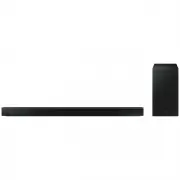 Samsung HW-B650-XY
User Manual
Samsung HW-B650-XY
User Manual
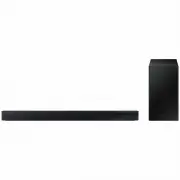 Samsung HW-C450-XY
User Manual
Samsung HW-C450-XY
User Manual
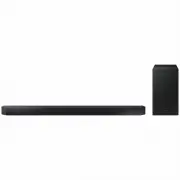 Samsung HW-Q600C-XY
User Manual
Samsung HW-Q600C-XY
User Manual
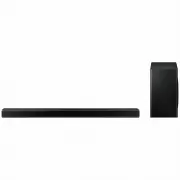 Samsung HW-Q700AXY
User Manual
Samsung HW-Q700AXY
User Manual
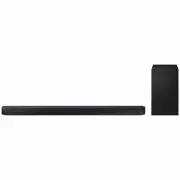 Samsung HW-Q700C-XY
User Manual
Samsung HW-Q700C-XY
User Manual
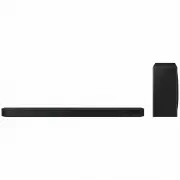 Samsung HW-Q800C-XY
User Manual
Samsung HW-Q800C-XY
User Manual
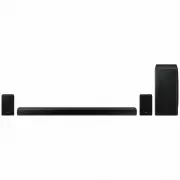 Samsung HW-Q870AXY
User Manual
Samsung HW-Q870AXY
User Manual
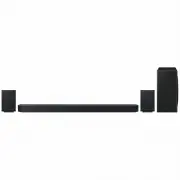 Samsung HW-Q930C-XY
User Manual
Samsung HW-Q930C-XY
User Manual
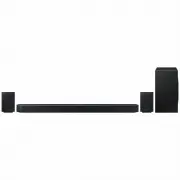 Samsung HW-Q990C-XY
User Manual
Samsung HW-Q990C-XY
User Manual
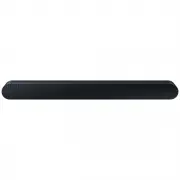 Samsung HW-S60B-XY
User Manual
Samsung HW-S60B-XY
User Manual
 Samsung HW-S61
User Manual
Samsung HW-S61
User Manual
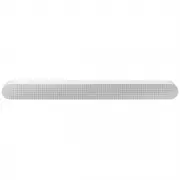 Samsung HW-S61B-XY
User Manual
Samsung HW-S61B-XY
User Manual
 Samsung HW-S800B-XY
User Manual
Samsung HW-S800B-XY
User Manual
 Samsung HW-S801B-XY
User Manual
Samsung HW-S801B-XY
User Manual
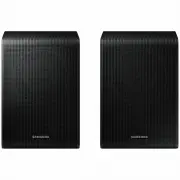 Samsung SWA-9200SXY
User Manual
Samsung SWA-9200SXY
User Manual
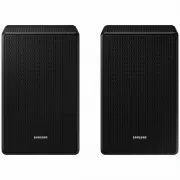 Samsung SWA-9500SXY
User Manual
Samsung SWA-9500SXY
User Manual
 Samsung HW-A430
User Manual
Samsung HW-A430
User Manual
 Samsung HW-A440
User Manual
Samsung HW-A440
User Manual