Page 2 - Important Safety Instructions; ) This device may not cause harmful interference, and; CAUTION; AM
E 2 3 Important Safety Instructions E 1. Read these instructions. 2. Keep these instructions. 3. Heed all warnings. 4. Follow all instructions. 5. Do not use this apparatus near water. 6. Clean only with dry cloth. 7. Do not block any ventilation openings. Install in accordance with the manufacturer...
Page 3 - speed shutter and a field accumulation method to improve its low
E 4 5 Chapter 1 Introduction E Contents Chapter 1 Introduction ........................................................ 5 Chapter 2 Special Features ............................................. 6 Chapter 3 Part Names and Functions ............................... 7 Chapter 4 Installation ..............
Page 4 - Side View
6 7 Chapter 2 Special Features Chapter 3 Part Names and Functions E E High Sensitivity It has an up-to-date 1/3" Super-HAD P/S CCD for an image of high sensitivity. Function of WDR The WDR camera is state-of-the-art to enlarge the screen profit effectively, especially for taking photos of a wind...
Page 5 - TXD
E E 8 9 Auto Iris Lens Control Cable This cable transmits the control signal from the camera to control the lens shutter. Back Focus Control BarIt controls the back focus. ALC Lens Setting Switch This switch sets the Auto Iris lens type for use. DC : When you attach an Auto Iris lens requiring the D...
Page 7 - Chapter 4 Installation; Before Installation
E 12 13 Chapter 4 Installation E This chapter describes what should be checked before installation, how toset the installation environment, and what should be done duringinstallation. Then, it describes how to install the camera and connect thecable in actual circumstances. ① Do not disassemble the ...
Page 8 - Connecting Auto Iris Lens Connector; DC Control Type; Installation; In case of CS lenses
E E 14 15 Connecting Auto Iris Lens Connector Prepare the Auto Iris lens connector, a camera auxiliary, as follows : Connect each uncovered shutter control cable wire to the Auto Iris lens connector as follows. Pin No. DC Control Type VIDEO Control Type 1 Damp(-) Power (+12V) 2 Damp(+) N/A 3 Drive(+...
Page 9 - Lenses with zoom function
E E 16 17 Setting Switch Control Back Focus Adjustment You should change the position of the lens setting switch on the side of the camera according to the lens type. Depending on whether you fixed the DC control type Auto Iris lens or video control type automatic shutter lens, you should put the sw...
Page 10 - Connecting Cables and Checking Operation; composed of 2 lines to the Camera Power In terminal with a flat-head
E E 18 19 Connecting Cables and Checking Operation 1 First, connect the connector of the BNC cable to the Video Out terminal 2 Second, connect the other connector of the BNC cable to the Video In terminal. 3 Then, connect the power adapter. Connect a part of the power adapter composed of 2 lines to ...
Page 11 - Chapter 5 Camera Set-Up; CAMERA ID
E 20 21 Chapter 5 Camera Set-Up E This chapter describes how to set up the camera. The first part describes the whole set up menu and composition and the second part describes the function of each menu. This CAMERA ID menu designates a CAMERA ID on the monitor screen connected to the camera. If you ...
Page 12 - VIDEO; IRIS
E E 22 23 This CAMERA has an IRIS function for automatic control of the brightness level through the intensity of radiation. The ALC can select the DC IRIS level, VIDEO IRIS, and ELC LEVEL. ❿ DC... If you select the DC menu and press the [ENTER] key, the sub-screen will appear to set the brightness ...
Page 13 - The level of DC IRIS can be set at the time of WDR function setup.
E E 24 25 ❿ BLC... If you use an ordinary camera when there is an intense and concentrated illumination behind an object, the back light will shade the image on the monitor screen. The BLC function prevents such a back light effect to secure a clear image under all illumination environments. Press t...
Page 14 - COLOR; In this mode, the camera outputs the video image only in color.; submenu screen will appear. You will be able to send out the BURST
E E 26 27 The COLOR/BW menu turns the IR(Infrared) Filter on or off. In low illumination environments, the BW mode will turn off the IR Filter and the sensitivity will be as high as that of BW cameras. Otherwise, the BW mode will turn on the IR Filter and the sensitivity will return to normal to rec...
Page 16 - AGC; SHUTTER
E E 30 31 ❿ AGC The AGC menu lightens the screen below the standard brightness because of the object taken in dark illumination. Setting up the AGC menu is available only in either High Speed Shutter mode or OFF mode. If you press the LEFT or RIGHT key to reach the LOW or HIGH position, the AGC func...
Page 17 - WHITE BAL
E E 32 33 ❿ MOTION The MOTION function is available only in the AUTO mode with these 5 steps: S.SLOW, SLOW, NORM, FAST, F.FAST. The S.SLOW minimizes the intensity of the AGC to monitor stable objects in the dark The SLOW keeps the intensity of AGC low to monitor objects with a little movement in the...
Page 18 - The brightness level is high at inverted output.
E E 34 35 The INT mode is necessary for using the internal synchronization and the LINE... mode is necessary for the operation of multi cameras because it synchronizes the camera phase by using the external signal(AC Signal). A little phase deviation for some sets may be aligned by adjusting the PHA...
Page 20 - The EXIT menu is used for the termination of the CAMERA SETUP menu.; QUIT; Ignores any change and returns to the previously saved SETUP menu.; SAVE; Saves all the changes to the menu until now.; PRESET; Ignores any change and returns to the initial value of the CAMERA; EXIT; Color System; Product Specification; PM
E E 38 39 The EXIT menu is used for the termination of the CAMERA SETUP menu. ❿ QUIT Ignores any change and returns to the previously saved SETUP menu. ❿ SAVE Saves all the changes to the menu until now. ❿ PRESET Ignores any change and returns to the initial value of the CAMERA SETUP menu which was ...
Page 21 - Dynamic Range; DETAIL, PRIVACY Setting
E 40 ITEM DESCRIPTION Minimum Scene Illumination COLOR : 0.3 Lux (F1.2) (0.002 Lux) B/W : 0.06 Lux (F1.2) (0.0004 Lux) Dynamic Range NTSC:x64PAL:x80 Day/Night COLOR/BW/AUTO/EXT Color Temperature ATW/AWC/MANUAL MODE (3200°K,5600°K,R/B Gain Adjustment) Electronic Shutter Speed ALC:OFF~1/10K sec (7 ste...
Page 22 - WDR TAG/NACHT FARBE KAMERA; BEDIENUNGSANLEITUNG
D WDR TAG/NACHT FARBE KAMERA SCC-B2305(P)/B2005P BEDIENUNGSANLEITUNG 00391A SCC-B2305(P)-GER 2003.12.26 10:56 AM 페이지1
Page 23 - Sicherheitshinweise; Warnung; Feuer oder einer Beschädigung des Geräts führen.)
D 2 3 Sicherheitshinweise D Ziel dieser Informationen ist es, den ordnungsgemäßen Gebrauch dieses Gerätssicherzustellen und dadurch Gefahren oder Sachbeschädigungen zu vermeiden.Bitte befolgen Sie alle Anweisungen. Warnung Die Nichtbeachtung eines Warnhinweises kann zum Tode oder zu schweren Verletz...
Page 24 - Vorsichtmaßnahmen für die Installation und den
D 4 5 Kapitel 1 Übersicht D INHALTVERZEICHNIS Kapitel 1 ÜBERSICHT ....................................................... 5 Kapitel 2 SPEZIALE MERKMALE .................................... 6 Kapitel 3 BEZEICHNUNG DER TEILE UND IHREFUNKTIONEN .................................................... 7 Kap...
Page 25 - Seite Ansicht
6 7 Kapitel 2 Speziale Merkmale Kapitel 3 Teilnamen und Funktionen D D Hohe Empfindlichkeit Es hat ein neuesten 1/3Super-HAD P/S CCD für ein Bild der hohen Empfindlichkeit. Funktion der WDR Die WDR Kamera ist ein Zustand der Kunst, den Bildschirm Profit wirksam zu erweitern, besonders für die Fotos ...
Page 26 - DC : Wenn Sie ein Auto Blende-blende Objektiv gebraucht mit dem DC; Strom Anzeiger LED; Wenn die Kamera mit dem Strom geliefert ist, schaltet LED ein.; Video Ausgabe Terminal; der durch diesen Terminal das Videosignal der Kamera senden.; SCC-B2005P Vista Posteriore
D D 8 9 Automatische Verschluß Objektiv Kontrollkabel Diese Kabel senden das Kontrollsignal von der Kamera über, den ObjektivVerschluß zu kontrollieren. Nun, auch im Menu müssen Sie DC/VIDEO mitder ausgewähten Taste, auswählen. Gegen Brennpunkt (Back Focus) KontrollstabEs kontrolliert das Gegenbrenn...
Page 28 - Kapitel 4 Installation; Vor der Installation
D 12 13 Kapitel 4 Installation D In diesem Kapitel wird erläutert, was vor der Installation der Kamera zubeachten ist, wie man eine geeignete Installationsstelle auswählt undwelche Vorsichtsmaßnahmen bei der Installation zu treffen sind. Nunkönnen Sie die Kamera installieren und die Kabel anschließe...
Page 29 - Verbindung des Automatischen Verschluß Objektiv Anschlußes; Verschluß Objektiv Anschluß wie folgt verbinden.; CS Objektive Fall; Der C Passepartout Adapter im Uhrzeigersinn drenen, um es zu; CS Objektive
D D 14 15 Verbindung des Automatischen Verschluß Objektiv Anschlußes Der Kamera, dazu der Automatische Verschluß Objektiv Anschluß wie folgt vorbereiten: Jede Abgezogene Verschluß Kontrollkabel Leitung zu dem automatischen Verschluß Objektiv Anschluß wie folgt verbinden. Stecknadel Nr. DC Kontrollty...
Page 30 - Einstellung des Auswahlschalters; Objektive ohne Zoom Funktion
D D 16 17 Einstellung des Auswahlschalters Einstellung des Rück-brennpunktes (Back Focus) Sie müßen die Position des Objektiv Einstellschlter neben der Kamera, je nachdem Objektivtyp ändern. Sie müßen der Schalter in der "DC" oder beziehungsweise "VIDEO" Positiondrehen, ob der Einste...
Page 31 - Anschluß der Kabel und Überprüfung des Betriebs
D D 18 19 Anschluß der Kabel und Überprüfung des Betriebs 1 Schließen Sie zuerst das eine Ende des BNC-Videokabels an den Videoausgang (VIDEO OUT) an. 2 Schließen Sie als nächstens das andere Ende des BNC-Kabels an die Videoeingangsbuchse des Monitors an. 3 Schließen Sie dann Netzadapter an. Verwend...
Page 32 - Kapitel 5 Aufbau der Kamera
D 20 21 Kapitel 5 Aufbau der Kamera D Dieses Kapatel gibt einen Überblick über den Aufbau der Einstellmenu. Zuerst das Totale Einstellmenu und der Aufbau und dann erläutert ihre Funktionen. Im Menu KAMERA ID können Sie eine Kennung für die Kamera festlegen, die auf dem Bildschirm des mit der Kamera ...
Page 38 - BEWEGUNG; WEISSABGL
D D 32 33 KAMERA ID EIN... BLENDE DC... BLC/WDR AUS FARBE/S/W AUTO... SHUTTER AUTO X2 BEWEGUNG S.SCHN WEISSABGL ATW SYNC INT SPEZIAL ... AUSGANG VERL ❿ BEWEGUNG Diese Option kann in der AUTO Mode benutzt werden; Es stehen fünf Stufen, S.LANGS, LANGS, NORM, SCHN und S.SCHN zur Auswahl. Mit S.LANGS lä...
Page 39 - ein, weil Sie selbst verständlich nicht ändern werden.
D D 34 35 Wählen Sie INT, wenn Sie die interne Synchronisation verwenden. LINIE... ist für die Synchronisation der Kameraphasen erforderlich, um mehrere Kameras mit Hilfe des externen Signals (AC Signal) zu betreiben. Sie können PHASE einstellen, um jegliche Phasenabweichungen zwischen den einzelnen...
Page 41 - Farbe; VERL; vorherig gespeicherte Einstellmenu wieder her.; SICHERN; Speichert die Einstellmenu, die bisher verändert worden sind.; wertseitigen KAMERA EINSTELLUNG Menu wieder her.; Prodotto Specificazione
D 39 SCC-B2305P/B2005P Charakteristische Merkmale ARTIKEL BESCHREIBUNG Definition CCTV Kamera (WDR&TAG/NACHT) Spannungsquelle SCC-B2305(P) : AC 24V ± 10% (NTSC:60Hz ± 0.1Hz, PAL:50Hz ± 0.1Hz), DC12V +10% ~ -5% SCC-B2005P : AC220V ~ AC240V (50Hz ±0.1Hz) Leistungsaufnahme SCC-B2305(P) : Approx. 4....
Page 43 - CAMERA COULEUR WDR JOUR/NUIT; Manuel d’Utilisation
F CAMERA COULEUR WDR JOUR/NUIT SCC-B2305(P)/B2005P Manuel d’Utilisation 00391A SCC-B2305(P)-Fra 2003.12.26 10:58 AM 페이지1
Page 44 - Précautions de sécurité; Mise en garde; de couper le courant avant son déplacement et sa réinstallation.; Avertissement; Ne branchez jamais plus d’une caméra sur un seul adaptateur. (Le
F F 2 3 Précautions de sécurité 8. Si vous détectez une odeur étrange ou de la fumée qui sort du produit, débranchez immédiatement le cordon d’alimentation et contactez le centre desoutien technique. (Une sollicitation continue de l’appareil dans ces conditionspourrait causer un incendie ou provoque...
Page 45 - Raccordement du connecteur de l’objectif à; permettant un affichage performant de la partie lumineuse.
F 4 5 Chapitre 1 Introduction F Sommaire Chapitre 1 Introduction ......................................................... 5 Chapitre 2 Caractéristiques .................................................. 6 Chapitre 3 Noms et Fonctions des Composants ................ 7 Chapitre 4 Installation ..........
Page 46 - Vue de côté; Ceci est un objectif à fixer sur la caméra.
6 7 Chapitre 2 Caractéristiques Chapitre 3 Noms et Fonctions des Composants F F Haute sensibilité La technologie de pointe ‘1/3" Super-HAD P/S CCD’ permet d’obtenir desimages d’une haute sensibilité. Fonction WDR La caméra WDR intègre une technologie ultramoderne permettant d’élargirla capacité ...
Page 49 - Chapitre 4 Installation; Avant l’installation
F 12 13 Chapitre 4 Installation F Ce chapitre contient des informations relatives aux vérifications avantl’installation de la caméra, au choix de sa mise en place et aux précautionsd’installation. Veuillez lire attentivement ces indications avant d’installer lacaméra et de connecter le câble ① La ca...
Page 50 - Lors de l’objectif CS :; Vissez l’objectif CS dans le sens des aiguilles d’une montre, comme; Lors de l’objectif C :
F F 14 15 Raccordement du connecteur de l’objectif àdiaphragme automatique Préparez le connecteur de l’objectif à diaphragme automatique fourni avec la caméra. Otez la protection des câbles de contrôle du diaphragme et reliez chaque câble au connecteur de l’objectif du diaphragme automatique en vous...
Page 51 - Objectif avec fonction de zoom
F F 16 17 Réglage du bouton de sélection de l’objectif Focalisation Vous devez régler le bouton de sélection de l’objectif situé sur le côté de la caméra selon le type d’objectif. Positionnez le bouton sur « DC » si l’objectif fixé est de type contrôle DC, et sur « VIDEO » si l’objectif fixé est de ...
Page 52 - Connexion du câble & Vérification du fonctionnement; Reliez d’abord un côté du connecteur du câble BNC à la sortie VIDEO
F F 18 19 Connexion du câble & Vérification du fonctionnement 1 Reliez d’abord un côté du connecteur du câble BNC à la sortie VIDEO (VIDEO OUT). 2 Reliez l’autre côté du connecteur du câble BNC à l’entrée VIDEO du moniteur. 3 Ensuite, reliez le cordon d’alimentation comme le montre la figure ci-...
Page 53 - Chapitre 5 Configuration de la Caméra; un nom qui s’affichera sur le moniteur. Sélectionnez ON... dans le menu
F 20 21 Chapitre 5 Configuration de la Caméra F Ce chapitre contient des informations relatives au menu Setup de lacaméra. Lisez d’abord les informations générales sur le menu Setup,puis la fonction de chaque menu. Le menu d’identification de la caméra (CAMERA ID) permet de lui attribuer un nom qui ...
Page 56 - COULEUR; Sur ce mode, le débit d’images vidéo de la caméra sera uniquement en
F F 26 27 C’est un menu pour activer ou désactiver le filtre IR (infrarouge). En basse luminosité, le filtre IR est désactivé et la caméra fonctionne en mode N&B (noir et blanc) en augmentant sa sensibilité jusqu’au niveau d’une caméra noir et blanc. Par contre, en haute luminosité, le filtre IR...
Page 58 - CAG
F F 30 31 CAMERA ID ON... IRIS DC... CJOUR/WDR OFF COULEUR/N&B AUTO...SHUTTER OFF CAG - - - BAL BLANCS BA SYNC INT SPECIAL ... SORTIE QUITTER CAMERA ID ON... IRIS DC... CJOUR/WDR OFF COULEUR/N&B AUTO...SHUTTER OFF CAG - - - BAL BLANCS BA SYNC INT SPECIAL ... SORTIE QUITTER ❿ CAG Le menu CAG ...
Page 59 - MOUVEMENT; BAL BLANCS
F F 32 33 CAMERA ID ON... IRIS DC... CJOUR/WDR OFF COULEUR/N&B AUTO...SHUTTER AUTO X2 MOUVEMENT T. V I T E BAL BLANCS BA SYNC INT SPECIAL ... SORTIE QUITTER ❿ MOUVEMENT La fonction MOUVEMENT est utilisable avec les diaphragmes AUTO. Elle est constituée de 5 modes : T.LENT, LENT, NORM, VITE, T.VI...
Page 60 - Lorsque vous utilisez l’alimentation DC, la fonction SYNC n’est pas; Dans le menu SPECIAL, vous pouvez régler vous-même les fonctions; DETAIL : Vous pouvez régler la netteté horizontale ou verticale.
F F 34 35 La fonction INT est utilisée pour la synchronisation interne. La fonction LINE… synchronise des fréquences frame et réseau en utilisant le signal AC, et elle est indispensable lors du fonctionnement de plusieurs caméras. La déviation entre chaque caméra peut être éliminée par le réglage PH...
Page 61 - DROITE. Si vous sélectionnez BAS et appuyez sur la touche Entrée, la; LANGAGE : Vous pouvez sélectionner l’une des langues suivantes :
F F 36 37 Appuyez sur les touches [ENTER] (DET MOUVE) ZONE BAS... SENSIBILITE L - - - I - - - H RET Appuyez sur la touche [ENTER] Appuyez sur la touche [ENTER] TAILLE TAILLE POSITION ❷ ➛ ❿ POSITION TAILLE POSITION ❷ ➛ ❿ La fonction AREA peut être réglée de la même manière que la fonction AREA du...
Page 62 - standard PAL; Utilisez ce menu pour fermer le menu CAMERA SETUP.; QUITTER; Annule les modifications et retourne au menu SETUP précédent.; SAUVER; Sauvegarde les modifications effectuées jusqu’à présent.; CAMERA SETUP réglés en sortie d’usine.; SORTIE; Spécifications Techniques
F 39 ARTICLE DESCRIPTION Type de produit Caméra de surveillance (WDR&JOUR/NUIT) Source d’alimentation SCC-B2305(P) : AC 24V ± 10% (NTSC:60Hz ± 0.1Hz, PAL:50Hz ± 0.1Hz), DC12V +10% ~ -5% SCC-B2005P : AC220V ~ AC240V (50Hz ±0.1Hz) Consommation d’électricité SCC-B2305(P) : Approx. 4.5W , SCC-B2005P...
Page 64 - WDR CÁMARA DEL COLOR DE DIA/NOCHE; Manual del usuario
Es WDR CÁMARA DEL COLOR DE DIA/NOCHE SCC-B2305(P)/B2005P Manual del usuario 00391A SCC-B2305(P)-SPA 2003.12.26 11:0 AM 페이지1
Page 65 - Medidas de seguridad; Advertencia; producir una generación anormal de calor o fuego.); Precaución; lugares sujetos a vibración excesiva o interferencia magnética.
Es Es 2 3 Medidas de seguridad El propósito de esta información es garantizar el uso apropiado de esteproducto con el fin de prevenir cualquier peligro o daño a la propiedad.Sírvase tomar en cuenta todas las medidas de seguridad. Advertencia El ignorar este aviso de advertencia puede ocasionar una l...
Page 66 - Conexión el conector de lente de Automático; WDR(Wide Dynamic Range) DIA/NOCHE la cámara debe ser utilizada para
Es 4 5 Capítulo 1. Introducción Es CONTENIDOS Capítulo 1 Introducción .......................................................... 5 Capítulo 2 Características Especiales ................................. 6 Capítulo 3 Nombres de piezas y funciones ......................... 7 Capítulo 4 Instalación ......
Page 67 - Vista Lateral
6 7 Capítulo 2 Características Especiales Capítulo 3 Nombre de partes y Funciones Es Es Alta Sensebilidad Adapta el CCD de Super-HAD que tiene la última lente incorporada del microchip, de alta sensibilidad. Función de WDR Cámara de WDR es un estado de arte que aumenta la ganancia de pantalla efecti...
Page 68 - Este switch configura el tipo de lente de Auto Iris para utilizar.; Mostrar Power LED; Cuando la cámara es proporciada con power, LED está encendida.; Terminal de Video de Salida; en donde la senal de cámara se ha salido.
Es Es 8 9 Cable de lente auto iris Este cable transmite la senal de control desde la cámara para control elobturador de lente. Barra de control de Enfoque PosteriorÉsto controla el Enfoque Posterior Configuración de ALC lente Este switch configura el tipo de lente de Auto Iris para utilizar. ● DC : ...
Page 70 - Capítulo 4 Instalación; Antes de la instalación
Es 12 13 Capítulo 4 Instalación Es Este capítulo descibe cuales deben ser comprobados antes de lainstalación, como configura en el ambiente de instalación, y cuales debenser hechos durante la instalación. Entonces, muestra el método deinstalación de la cámara y de conexión el cable en actual condici...
Page 71 - Conectando el conector de lente Auto Iris; lente de Auto Iris como lo siguiente.; Instalación; En el caso de lentes de CS; hasta que sea fijada como está demostado abajo.; CS lents
Es Es 14 15 Conectando el conector de lente Auto Iris Prepare el conector de lente de Auto Iris, auxilio de cámara, como lo siguiente : Conecte cada cable de control descubierto de obturador al conector de lente de Auto Iris como lo siguiente. Pin No. DC Tipo de Control VIDEO Tipo de Control 1Damp (...
Page 72 - numero es diferente, depende de los tipos. En este caso, seTiene que; Función de lente sin zoom; Rodee la barra de control de ENFOQUE POSTERIOR hasta que el; Función de lente con zoom
Es Es 16 17 Control de Switch de Configuración Ajuste del enfoque posterior Tiene que cambiar la posición de switch de configuración de lente en la parte lateral de la cámara depende del tipo de lente. Depende su fijación de lente auto iris del tipo de DC o el lente de automático obturador del tipo ...
Page 73 - Concectando los cables y chequeo de operación; Segundo, conecte otro conector de BNC cable al terminal de video.
Es Es 18 19 Concectando los cables y chequeo de operación 1Primero, conecte el conector de BNC cable al terminal de video salida. 2 Segundo, conecte otro conector de BNC cable al terminal de video. 3 Luego, conecte el power adaptador Conecte una parte del power adaptador que es compuestos por 2 line...
Page 74 - Capítulo 5 Configuración de Cámara; Este menu de CAMERA ID designa CAMERA ID en la pantalla del monitor; CÁMARA ID
Es 20 21 Capítulo 5 Configuración de Cámara Es Este capítulo describe el método de configuración de cámara. LaPrimera parte muestra el menu total y composición. La Segunda partemuestra la función de cada menu. Este menu de CAMERA ID designa CAMERA ID en la pantalla del monitor que es conectada a cám...
Page 79 - OBTURADOR
Es Es 30 31 CAMARA ID ON... IRIS DC... BLC/WDR OFF COLOR/BW AUTO... OBTURADOR OFF AGC --- BAL BLANCO ATW SYNC INT ESPECIAL ... SALIDA PAUSA CAMARA ID ON... IRIS DC... COLOR/BW OFF COLOR/ByN AUTO... OBTURADOR OFF AGC --- BAL BLANCO ATW SYNC INT ESPECIAL ... SALIDA PAUSA ❿ AGC El menu de AGC ilumina l...
Page 80 - MOVIMIENTO; BAL BLANCO
Es Es 32 33 CAMARA ID ON... IRIS DC... BLC/WDR OFF COLOR/BW AUTO... OBTURADOR AUTO X2 MOVIMIENTO M.RAPI BAL BLANCO ATW SYNC INT ESPECIAL ... SALIDA PAUSA ❿ MOVIMIENTO La función de MOVIMIENTO es disponible solo en el modo de AUTO mode con estos 5 pasos : M.LENTA, LENTA, NORM, RAPIDO, M.RAPIDO. L.LEN...
Page 81 - DETALLE : Ajusta definición horizontal y vertical.
Es 34 35 El modo de INT es necesario para el uso internal sincronización y LINEA... modo es necesitado para la operación de multi cámara Porque ésto sincroniza la fase de cámara por utilizar la externo senal (AC Senal). Poco desviasión de fase para algúna configuración puede ser posicionado por ajus...
Page 82 - El AREA es configurado de la misma manera con AREA en el menu de; IDIOMA : Usted puede elegir un de los idiomas siguientes : Inglés,
Es Es 36 37 Presione[ENTER] (ESPECIAL) RATIO DE BAUDIOS 38400 CONTRARO OFF POSI/NEGA + DETALLA (0)----I-- DET MOVI OFF PRIVADA ... IDIOMA ESPAÑOL RET presione [ENTER] Presione[ENTER] El AREA es configurado de la misma manera con AREA en el menu de BLC mientras una cosa designado entre TODO, CENTRO, ...
Page 83 - Iluminación de Mínima escena; Especificaciones del producto; El menu de SALIDA es usado para la terminación del menu de; PAUSA; Ignora cualquier cambio y vuelve al menu guardado de; ALMACENAMIENTO; Guarda todos cambios el menu hasta ahora.; SALIDA
Es 39 ITEM DESCRIPCION Definición CAMARA DE CCTV (WDR & DIA /NOCHE) Alimentación SCC-B2305(P) : AC 24V ± 10% (NTSC : 60Hz ± 0.1Hz, PAL : 50Hz ± 0.1Hz), DC12V + 10% ~ -5% SCC-B2005P : AC220V ~ AC240V (50Hz ± 0.1Hz) Consumo de energía SCC-B2305(P) : Approx. 4.5W SCC-B2005P : Approx. 5W Sistema de ...
Page 84 - Configuración de DETALLA, PRIVADO; Temperatura de Operación
Es 40 ITEM DESCRIPCIÓN Dinámico Campo NTSC : x64PAL : x80 DIA/NOCHE COLOR/BW/AUTO/EXT Temperatura de Color ATW/AWC/MANUAL MODE (3200°K, 5600°K, R/B Ajuste de ganancia) Velocidad del obturador ALC:OFF~1/10K seg (7 pasos) electrónico ELC:Max 1/100K seg Compensación de Contraluz OFF/WDR/BLC Sense Up OF...
Page 85 - MACCHINA FOTOGRAFICA COLORE WDR GIORNO/NOTTE; Manuale d’Utente
I MACCHINA FOTOGRAFICA COLORE WDR GIORNO/NOTTE SCC-B2305(P)/B2005P Manuale d’Utente 00391A SCC-B2305(P)-ITA 2003.12.26 11:7 AM 페이지1
Page 86 - Norme di sicurezza; Utilizzare esclusivamente l’adattatore in dotazione. (L’uso di un
I 2 3 Norme di sicurezza I Scopo di queste informazioni è garantire l’uso corretto del prodotto perprevenire pericoli o danni alla proprietà. Attenersi a tutte le precauzioni. AvvertenzaLa mancata osservanza di questa indicazione può provocare la morte o gravi lesioni. 1. Utilizzare esclusivamente l...
Page 87 - Connettendo Otturatore Automatica Connettore; Il WDR(Wide Dynamic Range) GIORNO/NOTTE camera deve essere usato
I 4 5 Capitolo 1 Introduzione I Contenuti Capitolo 1 Introduction ......................................................... 5 Capitolo 2 Special Features ................................................ 6 Capitolo 3 Part Names and Functions ............................... 7 Capitolo 4 Installazione ...
Page 88 - Vista Fianco
6 7 Capitolo 2 Caratteri Speciali Capitolo 3 Nomi e Funzione dei componenti I I Sensibilità Alta Ha un up-to-date 1/3” Super-HAD P/S CCD per un imaggine di sensibilità alta. Funzione di WDR La camera WDR è lo stato-di-l’arte per allargare lo schermo del profitto efficacemente, specialemente per face...
Page 89 - Cavo Controllo Lente Otturatore Automatica; l’otturatore della lente. Adesso abche nel menu deve selezionare; Interrutore Setting Lente ALC; Questo interrutore mette il tipo di lente Iris per usare.; LED Display Potenza; Quando la camenra è fornita con la potenza, LED è on.; Terminale Output Video; attraverso che il video segnale della camera uscire.
I I 8 9 Cavo Controllo Lente Otturatore Automatica Questo cavo trasmette lo segnale di controllo dalla camera per controllare l’otturatore della lente. Adesso abche nel menu deve selezionare DC/VIDEO come Interruttore selezionata. Bar Controllo Fuoco Retro Controllare il fuoco retro. Interrutore Set...
Page 91 - Capitolo 4 Installazione; Prima Installazione
I 12 13 Capitolo 4 Installazione I Questo capitolo descrive che cosa dovrebbe essere controllato primal’installazione, come mettere l’ambiente d’installazione, e che cosadovrebbe essere fatto mentre installazione. Poi, descrivere come perinstallare la camera e collegare il cavo nelle circostanze rea...
Page 92 - Collegamento Lente Otturatore Automatico Collegatore; otturatore automatico come seguente.; INSTALLAZIONE; Nel caso di lenti CS; lente C in senso orario fino è fissato come seguenti.; lenti CS
I I 14 15 Collegamento Lente Otturatore Automatico Collegatore Preparare il connettore lente otturatore automatico, una camera ausiliaria, come seguente: Collegare ogni cavo di filo metalico d’otturatore rivelato al collegatore otturatore automatico come seguente. Numero Pin Tipo Controllo DC Tipo C...
Page 93 - Lenti con funzione zoom
I I 16 17 Controllo Interruttore montaggio Aggiustamento Fuoco Retro Dovrebbe cambiare la posizione dell’interruttore di montaggio per lentesulle parte della camera secondo del tipo dilente. Può contarci se ha fissato il tipo lente d’otturatore automatica di tipo delcontrollo DC, deve mettere l’inte...
Page 94 - Collegamento cavi e controllazione operazione; Poi, collegare l’adattotore della potenza. Collegare una parte
I I 18 19 Collegamento cavi e controllazione operazione 1 Prima, collegare il collegatore del cavo BNC al terminale Video Out. 2 Secondo, collegare il collegatore altro del cavo BNC al terminale Video IN. 3 Poi, collegare l’adattotore della potenza. Collegare una parte dell’adattatore potenza compos...
Page 95 - Capitolo 5 Set-up Camera; Questo capitolo descrive come fare set-up la camera. La parte prima
I 20 21 Capitolo 5 Set-up Camera I Questo capitolo descrive come fare set-up la camera. La parte prima descrive il menu di setup interna e il composizione e la parte secondo descrive l’ogni menu del funzione. Questo menu di ID CAMERA designa un ID CAMERA sullo schermo di monitor collegato alla camen...
Page 96 - della selezione sulla camera del lato in posizione “VIDEO”.
I I 22 23 Questa CAMERA ha una funzione IRIS per controllo automatico del livello della luminosità attraverso il radiazione dell’intensità. Il ALC può selezionare il livello DC IRIS, VIDEO IRIS e ELC LIVELLO. ❿ DC... Se selezionare il menu DC e premere la chiave [ENTER], il sotto schermo sarà appari...
Page 97 - La camera WDR è stato dell’arte per allargare lo schermo profitto; installare 5 campi già installato BASS..., ALTO...,DESTRA...
I I Se premere la Chiave [Enter] ID CAMERA ON... IRIS ELC BLC/WDR BLC... COLORE/ B/N COLORE SHUTTER OFF AGC OFF BIL BIANCO ATW SYNC INT SPECIALE ... USCITA ESCI 24 25 ❿ WDR... La camera WDR è stato dell’arte per allargare lo schermo profitto efficacemente per facendo i foto di una finestra in un edi...
Page 98 - In questo modo, la camera output dell’imagine video solo in colore.
I I 26 27 Il menu COLORE/ByNgirare il Filtro IR(Infrarosso) on o off. Negli ambienti dell’illuminazione debole, il modo B/N sarà spento il Filtro IR e la sensitività sarà essere così alto come dellla camera B/N. Altrimenti, il modo B/N sarà accendere il Filtro IR e la sensitività sarà ritornare al n...
Page 100 - l’oggetto preso nell’illuminazione scuro. Setting up il menu AGC è
I I 30 31 ID CAMERA ON... IRIS DC... BLC/WDR OFF COLORE/ B/N AUTO... SHUTTER OFF AGC --- BIL BIANCO ATW SYNC INT SPECIALE ... USCITA ESCI ID CAMERA ON... IRIS DC... BLC/WDR OFF COLORE/ B/N AUTO... SHUTTER OFF AGC --- BIL BIANCO ATW SYNC INT SPECIALE ... USCITA ESCI ❿ AGC Il menu AGC alleggerire lo s...
Page 101 - MOVIMENTO; BIL BIANCO
I I 32 33 ID CAMERA ON... IRIS DC... BLC/WDR OFF COLORE/ B/N AUTO... SHUTTER AUTO X2 MOVIMENTO M.VELOC BIL BIANCO ATW SYNC INT SPECIALE ... USCITA ESCI ❿ MOVIMENTO La funzione MOVIMENTO è disponibile solo nel modo AUTO o FISSO con queste 5 passi: M.LENTO, LENTO, VELOC, M.VELOC Il M.LENTO minimizzare...
Page 102 - può usare la funzione SYNC.; Nota : Per favore rimette l’aree BLS, MOTION, PRIVACY perchè loro non
I I 34 35 Il modo INT è necessario per usando la sincronizzazione internale e il modo LINE è necessario per la operazione del multi camere perchè questo sincronizzare il fase della camera da usando la segnael esteriore (AC segnale). Un piccolo fase della deviazione per alcune cose set può essere all...
Page 103 - L’AREA è messo nello stessa via con L’AREA nel menu BLC mentre
I I 36 37 Usare Chiave [Left/Right] (SPECIALE) VELOCITÁ 38400REVERSE OFF POSI/NEGA + DETTAGLIO (0)----I-- ACTIVITY DET OFF PRIVACY ... LINGUA ITALIANO RET (SPECIALE) VELOCITÁ 38400REVERSE OFF POSI/NEGA + DETTAGLIO (0)----I-- ACTIVITY DET ON PRIVACY ... LINGUA ITALIANO RET (PRIVACY ZONE) PRIVACY 1 ON...
Page 104 - Il menu USCITAè usato per la terminazione del menu CAMERA SETUP.; ESCI; Risparmiare tutti cambiamenti al menu fino d’ora.; CAMERA SETUP che era set per il prodotto d’imbarco.; USCITA
I 39 ARTICOLO DESTRIZIONE Definizione CCTV Camera (WDR & Giorno/Notte) Alimentazione SCC-B2305(P) : AC 24V ± 10% (NTSC:60Hz ± 0.1Hz, PAL:50Hz ± 0.1Hz), DC12V +10% ~ -5% SCC-B2005P : AC220V ~ AC240V (50Hz ±0.1Hz) Consuzione Potenza SCC-B2305(P) : Approx. 4.5W , SCC-B2005P : Approx. 5W Sistema Rad...
Page 105 - Setting DETTAGLIO
I 40 Item Description Illuminazione minimma COLORE : 0.3 Lux (F1.2) (0.002 Lux) Scena B/N : 0.06 Lux (F1.2) (0.0004 Lux) Dynamic Range NTSC:x64PAL:x80 Giorno/ NOtte COLORE/B/N/AUTO/EST Temperatura Colore ATW/AWC/MANU (3200°K,5600°K,R/B Aggiustamento Gain) Velocità otturatore elettronico ALC:OFF~1/10...


 Samsung HW-A650
User Manual
Samsung HW-A650
User Manual
 Samsung HW-B450
User Manual
Samsung HW-B450
User Manual
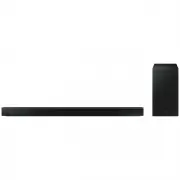 Samsung HW-B650-XY
User Manual
Samsung HW-B650-XY
User Manual
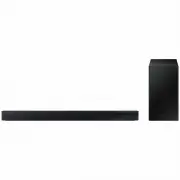 Samsung HW-C450-XY
User Manual
Samsung HW-C450-XY
User Manual
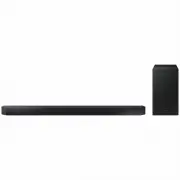 Samsung HW-Q600C-XY
User Manual
Samsung HW-Q600C-XY
User Manual
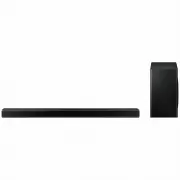 Samsung HW-Q700AXY
User Manual
Samsung HW-Q700AXY
User Manual
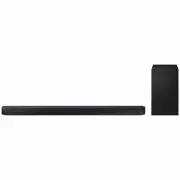 Samsung HW-Q700C-XY
User Manual
Samsung HW-Q700C-XY
User Manual
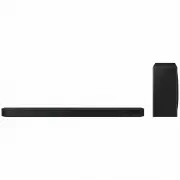 Samsung HW-Q800C-XY
User Manual
Samsung HW-Q800C-XY
User Manual
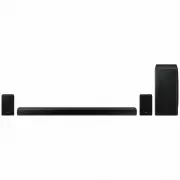 Samsung HW-Q870AXY
User Manual
Samsung HW-Q870AXY
User Manual
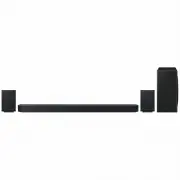 Samsung HW-Q930C-XY
User Manual
Samsung HW-Q930C-XY
User Manual
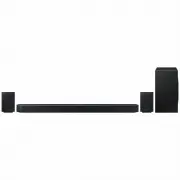 Samsung HW-Q990C-XY
User Manual
Samsung HW-Q990C-XY
User Manual
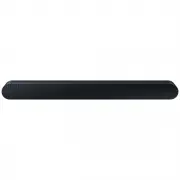 Samsung HW-S60B-XY
User Manual
Samsung HW-S60B-XY
User Manual
 Samsung HW-S61
User Manual
Samsung HW-S61
User Manual
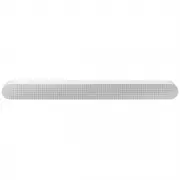 Samsung HW-S61B-XY
User Manual
Samsung HW-S61B-XY
User Manual
 Samsung HW-S800B-XY
User Manual
Samsung HW-S800B-XY
User Manual
 Samsung HW-S801B-XY
User Manual
Samsung HW-S801B-XY
User Manual
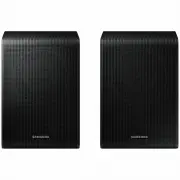 Samsung SWA-9200SXY
User Manual
Samsung SWA-9200SXY
User Manual
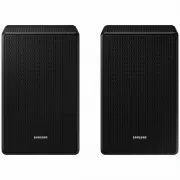 Samsung SWA-9500SXY
User Manual
Samsung SWA-9500SXY
User Manual
 Samsung HW-A430
User Manual
Samsung HW-A430
User Manual
 Samsung HW-A440
User Manual
Samsung HW-A440
User Manual