Page 2 - CAUTION; PM
E 2 CAUTION: TO REDUCE THERISK OF ELECTRIC SHOCK,DO NOT REMOVE REARCOVER. NO USERSERVICEABLE PARTS INSIDE.REFER TO QUALIFIEDSERVICE PERSONNEL. To prevent damage which may result in fire or electric shock hazard,do not expose this appliance to rain or moisture. This device complies with part 15 of th...
Page 3 - Important Safety Instructions
3 Important Safety Instructions E 1. Read these instructions. 2. Keep these instructions. 3. Heed all warnings. 4. Follow all instructions. 5. Do not use this apparatus near water. 6. Clean only with dry cloth. 7. Do not block any ventilation openings. Install in accordance with the manufacturer’s i...
Page 4 - Contents; NOTE: Avoid aiming the camera directly towards extremely bright
E 4 Contents Chapter 1 Introduction ........................................................ 5 Chapter 2 Special Features ............................................. 6 Chapter 3 Part Names and Functions ............................... 7 Chapter 4 Installation .........................................
Page 5 - Chapter 1 Introduction
5 Chapter 1 Introduction E The DAY/NIGHT Camera operates in a color mode in an the illumination over the standard value and otherwise in B/W mode by deleting the IR Cut function, which contributes to the improvement of sensitivity so that it is called a low illumination camera which is able to ident...
Page 6 - Chapter 2 Special Features; be displayed as a PIP screen.
6 Chapter 2 Special Features E High Sensitivity It has an up-to-date 1/3" Super(EXview)-HAD IT CCD for an image of high sensitivity. Low Illumination Function It has both a low illumination function and DAY/NIGHT function based on digital signal technology in order to operate in the worst enviro...
Page 7 - Chapter 3 Part Names and Functions; Side View; Mount Adapter Fixing Groove; where the camera will be installed.; Auto Iris Lens Connector; lens shutter
7 Chapter 3 Part Names and Functions E Side View Mount Adapter Fixing Groove This groove is used for screwing the mount adapter, a part of the bracket where the camera will be installed. Camera Lens(Option) This lens is installed in the camera. * A camera lens with a stained surface should be cleane...
Page 8 - This switch sets the Auto Iris lens type for use.; Rear View
E 8 Auto Iris Lens Control Cable This cable transmits the control signal from the camera to control the lens shutter. Back Focus Control BarIt controls the back focus. ALC Lens Setting Switch This switch sets the Auto Iris lens type for use. DC : When you attach an Auto Iris lens requiring the DC co...
Page 10 - DAY/NIGHT External Signal Input & Alarm Signal Output
E 10 ➃ DAY/NIGHT External Signal Input & Alarm Signal Output This is a function to receive the external DAY/NIGHT signal from the sensor(option) and convert the signal into BW. The MOTION DET function generates an alarm signal when a movement is detected. ① ➁ DAY/NIGHT IN GND ALARM OUT Connect a...
Page 12 - Chapter 4 Installation; Be sure to check if the following items are included in the package.; Before Installation; Camera
12 Chapter 4 Installation E This chapter describes what should be checked before installation, how toset the installation environment, and what should be done duringinstallation. Then, it describes how to install the camera and connect thecable in actual circumstances. Be sure to check if the follow...
Page 13 - What should be done during installation and use
E 13 ① Do not disassemble the camera on your own. ➁ Be careful when handling the camera at all times. Do not strike the camera with your fists or shake it. The camera should be stored and treated with care to avoid any damage. ➂ Do not put or operate the camera in rain or wet places. ➃ Do not scrub ...
Page 14 - Connecting Auto Iris Lens Connector; connector as follows.
E 14 Connecting Auto Iris Lens Connector Prepare the Auto Iris lens connector, a camera auxiliary, as follows : Connect each uncovered shutter control cable wire to the Auto Iris lens connector as follows. Pin No. DC Control Type VIDEO Control Type 1 Damp(-) Power (+12V) 2 Damp(+) N/A 3 Drive(+) VID...
Page 15 - In case of CS lenses; Turn the CS lens clockwise until it is fixed as shown as follows.; In case of C lenses; Turn the C-mount adapter clockwise to fix it. Then turn the C lens; CS lens
E 15 Installation Lens Fixing In case of CS lenses Turn the CS lens clockwise until it is fixed as shown as follows. In case of C lenses Turn the C-mount adapter clockwise to fix it. Then turn the C lens clockwise until it is fixed as follows. CS lens C lens 00424A SCC-B2307P-eng 4/7/05 9:12 PM ˘ ` ...
Page 16 - back focus adjustment procedure for fixed focus lenses.; Lenses without zoom function; and put the lens focus ring in the infinite(
E 16 Setting Switch Control Back Focus Adjustment You should change the position of the lens setting switch on the side of the camera according to the lens type. Depending on whether you fixed the DC control type Auto Iris lens or video control type automatic shutter lens, you should put the switch ...
Page 17 - Lenses with zoom function
E 17 Lenses with zoom function ① Image an object with high resolution(letticed) at a distance of 3 to 5 m and zoom in the lens as close to TELE as possible. Then adjust the lens focus bar until the object is seen best. ➁ Zoom in the lens as close to WIDE as possible and adjust the BACK FOCUS adjustm...
Page 18 - Connecting Cables and Checking Operation; composed of 2 lines to the Camera Power In terminal with a flat-head
E 18 Connecting Cables and Checking Operation 1 First, connect the connector of the BNC cable to the Video Out terminal 2 Second, connect the other connector of the BNC cable to the Video In terminal. 3 Then, connect the power adapter. Connect a part of the power adapter composed of 2 lines to the C...
Page 20 - Chapter 5 Camera Set-Up; This chapter describes how to set up the camera. The first part
20 Chapter 5 Camera Set-Up E This chapter describes how to set up the camera. The first part describes the whole set up menu and composition and the second part describes the function of each menu. ON... ALC... ELC... BW... EXT... AUTO... USER... COLOR... MANU... LINE... MOTION DET ON... CAMERA ID O...
Page 22 - level through the intensity of radiation.; ALC; will appear to set the brightness level. Here, you are able to set the
E 22 This CAMERA has an IRIS function for automatic control of the brightness level through the intensity of radiation. ❿ ALC If you select the ALC menu and press the [ENTER] key, the sub-screen will appear to set the brightness level. Here, you are able to set the brightness level by pressing the L...
Page 23 - ELC; Manual Lens. If you select the ELC in the IRIS menu and press the
E 23 The DC IRIS level setting is available in the SETUP MENU mode as well as in the operation mode. If you press the LEFT or RIGHT key for about 2 seconds, the DC IRIS Brightness Level setting menu will appear. Please press the LEFT or RIGHT key to change the mode from EXIT to SAVE and hit the [ENT...
Page 25 - USER AREA; If you select USER... in the BLC menu by using the LEFT or RIGHT key
E press the [ENTER] key press the [ENTER] key CAMERA ID OFF IRIS ALC... BLC USER... COLOR/BW COLOR... SHUTTER AUTO X8 MOTION F.FAST WHITE BAL ATW SYNC INT SPECIAL ... EXIT QUIT 25 ❿ USER AREA If you select USER... in the BLC menu by using the LEFT or RIGHT key and press the [ENTER] key, you will be ...
Page 26 - This is the IR Filter ON Mode with the normal screen. If you press the
E 26 The COLOR/BW menu turns the IR(Infrared) Filter on or off. In low illumination environments, the BW mode will turn off the IR Filter and the sensitivity will be as high as that of BW cameras. Otherwise, the BW mode will turn on the IR Filter and the sensitivity will return to normal to recover ...
Page 30 - SHUTTER
E 30 Use [Left/Right] Key CAMERA ID OFF IRIS ALC... BLC OFFCOLOR/BW COLOR... SHUTTER AUTO X8 MOTION F.FAST WHITE BAL ATW SYNC INT SPECIAL ... EXIT QUIT CAMERA ID OFF IRIS ALC... BLC OFFCOLOR/BW COLOR... SHUTTER AUTO X12 MOTION F.FAST WHITE BAL ATW SYNC INT SPECIAL ... EXIT QUIT The SHUTTER menu sets...
Page 31 - AGC; The AGC menu lightens the screen below the standard brightness
E 31 Use [Left/Right] Key CAMERA ID OFF IRIS ALC... BLC OFFCOLOR/BW COLOR... SHUTTER OFF AGC OFF WHITE BAL ATW SYNC INT SPECIAL ... EXIT QUIT CAMERA ID OFF IRIS ALC... BLC OFFCOLOR/BW COLOR... SHUTTER OFF AGC LOW WHITE BAL ATW SYNC INT SPECIAL ... EXIT QUIT ❿ AGC The AGC menu lightens the screen bel...
Page 32 - MOTION
E 32 Use [Left/Right] Key CAMERA ID OFF IRIS ALC... BLC OFFCOLOR/BW COLOR... SHUTTER AUTO X8 MOTION NORM WHITE BAL ATW SYNC INT SPECIAL ... EXIT QUIT CAMERA ID OFF IRIS ALC... BLC OFFCOLOR/BW COLOR... SHUTTER AUTO X8 MOTION FAST WHITE BAL ATW SYNC INT SPECIAL ... EXIT QUIT ❿ MOTION The MOTION functi...
Page 33 - USER : Use the RED and BLUE control bar to select a proper value
E 33 ❿ ATW If you select the ATW mode in the WHITE BAL menu, you will be able tomonitor the color temperature change by real time and set up the WhiteBalance to the real time color temperature automatically. ❿ AWC If you select the AWC mode in the WHITE BAL menu, you will be able toset up the White ...
Page 35 - or RIGHT key to set up the PIP screen position.
E 35 You can control the BAUD RATE, D-ZOOM, PIP, MIRROR, POSI/NEGA, DETAIL, and MOTION DET function by yourself in the SPECIAL menu. If your select the SPECIAL menu and press the [ENTER] key, the SPECIAL submenu screen will appear. SPECIAL press the [ENTER] key CAMERA ID OFF IRIS ALC... BLC OFFCOLOR...
Page 38 - The EXIT menu is used for the termination of the CAMERA SETUP menu.; QUIT; Ignores any change and returns to the previously saved SETUP menu.; SAVE; Saves all the changes to the menu until now.; Ignores any change and returns to the initial value of the CAMERA; EXIT
E 38 Use the[Left/Right]Key CAMERA ID OFF IRIS ALC... BLC OFFCOLOR/BW COLOR... SHUTTER AUTO X8 MOTION F.FAST WHITE BAL ATW SYNC INT SPECIAL ... EXIT QUIT CAMERA ID OFF IRIS ALC... BLC OFFCOLOR/BW COLOR... SHUTTER AUTO X8 MOTION F.FAST WHITE BAL ATW SYNC INT SPECIAL ... EXIT SAVE The EXIT menu is use...
Page 39 - NTSC Standard Color System; Product Specification
E 39 ITEM DESCRIPTION Definition CCTV Camera (DAYNIGHT) Power Source AC 24V ± 10% (NTSC:60Hz ± 0.1Hz), DC12V +10% ~ -5% Power Consumption Approx. 4.5W Broadcasting System NTSC Standard Color System Imaging Device 1/3 inch IT CCD Effective Pixel 768(H) X 494(V) Scanning Method 525 Line, 2:1 Interlace...
Page 41 - PAL Standard Color System
E 41 ITEM DESCRIPTION Definition CCTV Camera (DAYNIGHT) Power Source SCC-B2303P/B2307P : AC 24V ± 10% (50Hz ± 0.1Hz), DC12V +10% ~ -5% SCC-B2003P/B2007P : AC220V ~ AC240V (50Hz ± 0.1Hz) Power Consumption SCC-B2303P/B2307P : Approx. 4.5W , SCC-B2003P/B2007P : Approx. 5W Broadcasting System PAL Standa...
Page 43 - TAG/NACHT FARBE KAMERA; BEDIENUNGSANLEITUNG
D TAG/NACHT FARBE KAMERA SCC-B2303(P)/B2003P SCC-B2307P/B2007P BEDIENUNGSANLEITUNG 00424A SCC-B2307P-GER 4/7/05 9:44 PM ˘ ` 1
Page 44 - Sicherheitshinweise; Warnung
D 2 Sicherheitshinweise Ziel dieser Informationen ist es, den ordnungsgemäßen Gebrauch dieses Gerätssicherzustellen und dadurch Gefahren oder Sachbeschädigungen zu vermeiden.Bitte befolgen Sie alle Anweisungen. Warnung Die Nichtbeachtung eines Warnhinweises kann zum Tode oder zu schweren Verletzunge...
Page 45 - Feuer oder einer Beschädigung des Geräts führen.)
3 D 9. Sollte das Gerät nicht störungfrei funktionieren, setzen Sie sich mit Ihrem Händler oder dem nächsten Kundendienstzentrum in Verbindung. Das Gerät darf niemalsin keiner Weise zerlegt oder modifiziert werden. (Samsung übernimmt keineHaftung für Probleme, die durch unbefugte Abänderungen oder e...
Page 46 - INHALTVERZEICHNIS; Vorsichtmaßnahmen für die Installation und den
D 4 INHALTVERZEICHNIS Kapitel 1 ÜBERSICHT ....................................................... 5 Kapitel 2 SPEZIALE MERKMALE .................................... 6 Kapitel 3 BEZEICHNUNG DER TEILE UND IHREFUNKTIONEN .................................................... 7 Kapitel 4 INSTALLATION .......
Page 47 - Kapitel 1 Übersicht
5 Kapitel 1 Übersicht D Die TAG/NACHT Kamera ist eine niedrige Beleuchtung Kamera, die auch im dunklen Bereich der Gegenstände identifiziert; die Kamera betreibt in der Farbmode über den bestimmten Beleuchtung und andernfalls in der SW Mode beseitigt die IR Cut Funktion. Inzwischen, ist es eine Sens...
Page 48 - Kapitel 2 Speziale Merkmale
6 Kapitel 2 Speziale Merkmale D Hohe Empfindlichkeit Es hat ein neuesten 1/3" Super(EXview)-HAD IT CCD für ein Bild der hohen Empfindlichkeit. Niedrige Beleuchtung Funktion Es hat beide Funktionen; eine Illumination Funktion und TAG/NACHT funktion auf Grund der Digitalsignal Technologie, um in d...
Page 49 - Kapitel 3 Teilnamen und Funktionen; Seite Ansicht; Passepartout Adapter Befestigungsrille; wo die Kamera installiert wird.; Automatische Verschluß Objektive (Option); Dieses Objektiv ist in der Kamera installiert werden.; Automatischer Verschluß Objektiv Anschluß; für die Kontrolle des Objektiv-verschlußes.
7 Kapitel 3 Teilnamen und Funktionen D Seite Ansicht Passepartout Adapter Befestigungsrille Diese Rille benutzt für die Befestigung des Adapters, ein Teil der Klammer wo die Kamera installiert wird. Automatische Verschluß Objektive (Option) Dieses Objektiv ist in der Kamera installiert werden. * Ein...
Page 50 - DC : Wenn Sie ein Auto Blende-blende Objektiv gebraucht mit dem DC; Vista Posteriore
D 8 Automatische Verschluß Objektiv Kontrollkabel Diese Kabel senden das Kontrollsignal von der Kamera über, den ObjektivVerschluß zu kontrollieren. Gegen Brennpunkt (Back Focus) KontrollstabEs kontrolliert das Gegenbrennpunkt. ALC Objektiv Auswahlschalter Dieser Schalter stellt für die Verwendung d...
Page 51 - Strom Anzeiger LED; Wenn die Kamera mit dem Strom geliefert ist, schaltet LED ein.; Video Ausgabe Terminal; der durch diesen Terminal das Videosignal der Kamera senden.
D 9 ① Strom Anzeiger LED Wenn die Kamera mit dem Strom geliefert ist, schaltet LED ein. ➁ Video Ausgabe Terminal Der Monitor Video Input Terminal ist angeschloßen, mit diesem Terminal, der durch diesen Terminal das Videosignal der Kamera senden. ➂ Fernbedienung Input Terminal (RS-232) Dieser Termina...
Page 52 - TAG/NACHT Außensignal Input ? ALARM Signal Ausgabe
D 10 ➃ TAG/NACHT Außensignal Input ? ALARM Signal Ausgabe Diese Funktion empfängt das außen TAG/NACHT Signal von dem Außenlicht Sensor (Option) und zum SW umwandeln lassen. Die BEWEGUNG DET Funktion führt zu einem ALARM Signal wenn eine Bewegung wahrgenommen wird. ① ➁ TAG/NACHT IN GND ALARM OUT Ein ...
Page 53 - In der üblichen Betriebsmode; Beide Tasten für ca. 2 Sekunden drücken; In der Setup Menu Mode; des Sursors nach oben oder unten benutzt.; Strom Anschluß Terminal
D 11 ⑤ Kamera Betriebsschalter (Setup Schalter) Diese Funkton des Kamera Betriebsschalters ist anhängig von derKamera ob sie zur Zeit in der üblichen Mode (kein Setup Menu ist aufdas Bild aufgezeigt) ist, oder in der Setup Menu Mode. In der üblichen Betriebsmode [LINKS/RECHTS] Taste : Beide Tasten f...
Page 54 - Kapitel 4 Installation; Vor der Installation
12 Kapitel 4 Installation D In diesem Kapitel wird erläutert, was vor der Installation der Kamera zubeachten ist, wie man eine geeignete Installationsstelle auswählt undwelche Vorsichtsmaßnahmen bei der Installation zu treffen sind. Nunkönnen Sie die Kamera installieren und die Kabel anschließen. Üb...
Page 55 - Vorsichtsmaßnahmen für die Installation und den Gebrauch
D 13 ① Der Benutzer darf niemals selber die Kamera demontieren. ➁ Bei dem Umgehen der Kamera immer vorsichtig sein. Die Kamera nicht mit der Faust schlagen oder schüttern. Die Kamera muß mit Vorsicht lagert und behandelt werden, vom Schaden zu vermeinden. ➂ Achten Sie darauf, daß die Kamera an einer...
Page 56 - Verbindung des Automatischen Verschluß Objektiv Anschlußes; Verschluß Objektiv Anschluß wie folgt verbinden.
D 14 Verbindung des Automatischen Verschluß Objektiv Anschlußes Der Kamera, dazu der Automatische Verschluß Objektiv Anschluß wie folgt vorbereiten: Jede Abgezogene Verschluß Kontrollkabel Leitung zu dem automatischen Verschluß Objektiv Anschluß wie folgt verbinden. Stecknadel Nr. DC Kontrolltyp VID...
Page 57 - CS Objektive Fall; Der C Passepartout Adapter im Uhrzeigersinn drenen, um es zu; CS Objektive
D 15 Installation Einstellung des Objektivs CS Objektive Fall Der CS Objektiv im Uhrzeigersinn drehen, bis es wie unten befestigt wird. C Objektive Fall Der C Passepartout Adapter im Uhrzeigersinn drenen, um es zu befestigen. Dann drehen der C Objektiv im Uhrzeigersinn, bis es wie unten befestigt wi...
Page 58 - Einstellung des Auswahlschalters; Objektive ohne Zoom Funktion
D 16 Einstellung des Auswahlschalters Einstellung des Rück-brennpunktes (Back Focus) Sie müßen die Position des Objektiv Einstellschlter neben der Kamera, je nachdem Objektivtyp ändern. Sie müßen der Schalter in der "DC" oder beziehungsweise "VIDEO" Positiondrehen, ob der Einstellobj...
Page 59 - Objektive mit Zoom Funktion
D 17 Objektive mit Zoom Funktion ① Ein Gegenstand mit hocher Resolution (Gitterförmige Gegenstand) einer Entfernung 3m bis 5m einbilden und der Zoom in dem Objektiv zu TELE als möglich nahe einstellen. Dann drehen der Objektiv Brennpunktring, bis der Gegenstand deutlicher sein wird. ➁ Der Zoom in de...
Page 60 - Anschluß der Kabel und Überprüfung des Betriebs
D 18 Anschluß der Kabel und Überprüfung des Betriebs 1 Schließen Sie zuerst das eine Ende des BNC-Videokabels an den Videoausgang (VIDEO OUT) an. 2 Schließen Sie als nächstens das andere Ende des BNC-Kabels an die Videoeingangsbuchse des Monitors an. 3 Schließen Sie dann Netzadapter an. Verwenden Si...
Page 62 - Kapitel 5 Aufbau der Kamera
20 Kapitel 5 Aufbau der Kamera D Dieses Kapatel gibt einen Überblick über den Aufbau der Einstellmenu. Zuerst das Totale Einstellmenu und der Aufbau und dann erläutert ihre Funktionen. EIN... ALC... ELC... BENUTZER... MANU... LINE... AKTIVITAET EIN... KAMERA ID EIN.../AUS KAMERA ID AND LOCATION SETU...
Page 65 - den hohen Schnelligkeit Verschluß Niveau bei der Verwendung des
D 23 ❿ ELC Wenn es zu viele Radiation gibt, dieses Menu kontrolliert automatisch den hohen Schnelligkeit Verschluß Niveau bei der Verwendung des manuellen Objektivs und mit dem bestimmten Einstellniveau erhalten lassen. Wenn Sie im Menu BLENDE der ELC... wählen und die Taste [ENTER] drücken, wird da...
Page 67 - BENUTZER BEREICH; Im Menu BLC mit Hilfe der Taste [LINKS, RECHTS] die Kennung auf
D Die Taste [ENTER] drücken Die Taste [ENTER] drücken KAMERA ID AUS BLENDE ALC... BLC BENUTZER... FARBE/S/W FARBE... SHUTTER AUTO X8 BEWEGUNG S.SCHN WEISSABGL ATW SYNC INT SPEZIAL ... AUSGANG VERL 25 ❿ BENUTZER BEREICH Im Menu BLC mit Hilfe der Taste [LINKS, RECHTS] die Kennung auf BENUTZER... platz...
Page 68 - Es ist die IR Filter EIN(ON) Mode mit dem normalen Bild. Wenn Sie die
D 26 Das FARBE/SW Menu hat eine Funktion, das IR(Infrarot) Filter ein-oder ausschalten. In niedriger Beleuchtungsumgebung, die SW Mode wird das IR Filter ausschalten und die Empfindlichkeit wird hoch wie die SW Kamera sein. Andernfalls, die FARBE Mode wird das IR Filter einschalten und die Empfindli...
Page 74 - BEWEGUNG
D 32 Die Taste [LINKS/ RESCHTS] verwenden KAMERA ID AUS BLENDE ALC... BLC AUS FARBE/S/W FARBE... SHUTTER AUTO X8 BEWEGUNG SCHN WEISSABGL ATW SYNC INT SPEZIAL ... AUSGANG VERL KAMERA ID AUS BLENDE ALC... BLC AUS FARBE/S/W FARBE... SHUTTER AUTO X8 BEWEGUNG S.SCHN WEISSABGL ATW SYNC INT SPEZIAL ... AUS...
Page 75 - AWC; Benutzer : Unter ROT und BLAU Steuerstab ein geeigneten Wert
D 33 ❿ ATWWenn Sie WEISSABAL Menu auf ATW Mode einstellen, wacht die Kamerakontinuierlich die Veränderung der Farbtemperatur über und passt denWeissabgleich automatisch an die Farbtemperatur an. ❿ AWC Wenn Das WEISSABAL Menu auf AWC Mode einstellen, wird der Weissabgleicheinmal an die Farbtemperatur...
Page 77 - BAUD RATE : Bei der RS232, das Kommunikationstempo auf 4800,
D 35 Im Menu SPEZIAL können Sie die Optionen BAUD RATE D-ZOOM, PIP,SPIEGEL, POSI/NEGA, EINZELHEITEN, BEWEGUNG DET direkt steuern.Wenn Sie SPEZIAL wählen und [ENTER] drücken, wird ein SPEZIAL -Untermenu eingeblendet. SPEZIAL Die Taste [ENTER] drücken KAMERA ID AUS BLENDE ALC... BLC AUS FARBE/S/W FARB...
Page 80 - VERL; vorherig gespeicherte Einstellmenu wieder her.; SICHERN; Speichert die Einstellmenu, die bisher verändert worden sind.; wertseitigen KAMERA EINSTELLUNG Menu wieder her.
D 38 Die Taste [LINKS/ RESCHTS] verwenden KAMERA ID AUS BLENDE ALC... BLC AUS FARBE/S/W FARBE... SHUTTER AUTO X8 BEWEGUNG S.SCHN WEISSABGL ATW SYNC INT SPEZIAL ... AUSGANG VERL KAMERA ID AUS BLENDE ALC... BLC AUS FARBE/S/W FARBE... SHUTTER AUTO X8 BEWEGUNG S.SCHN WEISSABGL ATW SYNC INT SPEZIAL ... A...
Page 81 - NTSC Standard Farbe System; Produkt Spezifikationen; SCC-B2303 Charakteristische Merkmale
D 39 ARTIKEL BESCHREIBUNG Definition CCTV Kamera (TAG/NACHT) Spannungsquelle AC 24V ± 10% (60Hz ±0.1Hz), DC12V+10% ~ -5% Leistungsaufnahme Approx. 4.5W Fernsehnorm NTSC Standard Farbe System Bildaufnehmer 1/3 Inch IT CCD Effektive Pixel 768 (H) x 494 (V) Abtastverfahren 525 Linien, 2:1 Zeilensprung ...
Page 83 - Prodotto Specificazione; PAL Standard Farbe System
D 41 Prodotto Specificazione SCC-B2303P/B2003P/B2307P/B2007PCharakteristische Merkmale ARTIKEL BESCHREIBUNG Definition CCTV Kamera (TAG/NACHT) Spannungsquelle SCC-B2303P/B2307P :AC24V±10% (50Hz±0.1Hz), DC12V+10% ~ -5% SCC-B2003P/B2007P:AC220V ~ AC240V (50Hz±0.1Hz) Leistungsaufnahme SCC-B2303P/B2307P...
Page 85 - CAMERA COULEUR JOUR/NUIT; Manuel d’Utilisation
F CAMERA COULEUR JOUR/NUIT SCC-B2303(P)/B2003P SCC-B2307P/B2007P Manuel d’Utilisation 00424A SCC-B2307P-Fra 4/7/05 9:40 PM ˘ ` 1
Page 86 - Précautions de sécurité; Avertissement; Ne pas tenir compte d’un avertissement risque de
F 2 Précautions de sécurité L’objectif des précautions de sécurité est d’assurer l’utilisation correcte dece produit afin d’éloigner tout risque et tout dégât à la propriété. Assurez-vous de bien observer toutes les précautions. Avertissement Ne pas tenir compte d’un avertissement risque de causer d...
Page 87 - Mise en garde; de couper le courant avant son déplacement et sa réinstallation.
F 3 8. Si vous détectez une odeur étrange ou de la fumée qui sort du produit, débranchez immédiatement le cordon d’alimentation et contactez le centre desoutien technique. (Une sollicitation continue de l’appareil dans ces conditionspourrait causer un incendie ou provoquer des décharges électriques....
Page 88 - Sommaire; Raccordement du connecteur de l’objectif à; capteur d’image CCD.
F 4 Sommaire Chapitre 1 Introduction ......................................................... 5 Chapitre 2 Caractéristiques .................................................. 6 Chapitre 3 Noms et Fonctions des Composants ................ 7 Chapitre 4 Installation ......................................
Page 89 - Chapitre 1 Introduction
5 Chapitre 1 Introduction F La caméra JOUR/NUIT est une caméra de surveillance qui fonctionne en mode couleur jusqu’à une certaine luminosité et change en dessous de celle-ci son mode de fonctionnement en noir et blanc en désactivant la fonction ‘IR Cut’. Cela contribue à améliorer la sensibilité de...
Page 90 - Chapitre 2 Caractéristiques
6 Chapitre 2 Caractéristiques F Haute sensibilité La technologie de pointe ‘1/3" Super(EXview)-HAD IT CCD’ permet d’obtenir des images d’une haute sensibilité. Fonctionnement en basse luminosité Le fonctionnement en basse luminosité basé sur la technologie du signal numérique et la fonction JOUR...
Page 91 - Chapitre 3 Noms et Fonctions des Composants; Vue de côté; Encoche pour la fixation sur le support d’installation; Ceci est un objectif à fixer sur la caméra.; Connecteur de l’objectif à diaphragme automatique
7 Chapitre 3 Noms et Fonctions des Composants F Vue de côté Encoche pour la fixation sur le support d’installation Utilisez cette encoche pour fixer la caméra avec des vis sur le support d’installation constituant une partie de l’équerre sur laquelle la caméra sera installée. Objectif à diaphragme a...
Page 92 - Câble de contrôle de l’objectif à diaphragme automatique; le diaphragme de l’objectif.; Barre de focalisation; Utilisez cette barre pour la focalisation.; Bouton de sélection de l’objectif ALC; automatique souhaité.; Vue arrière
F 8 Câble de contrôle de l’objectif à diaphragme automatique Ce câble transmet le signal de contrôle émis par la caméra pour contrôler le diaphragme de l’objectif. Barre de focalisation Utilisez cette barre pour la focalisation. Bouton de sélection de l’objectif ALC Utilisez ce bouton pour sélection...
Page 93 - LED de l’alimentation; La LED s’allume lorsque l’alimentation fonctionne.; Sortie vidéo; Cette entrée est utilisée pour le réglage de la caméra en usine.
F 9 ① LED de l’alimentation La LED s’allume lorsque l’alimentation fonctionne. ➁ Sortie vidéo Cette sortie est reliée à l’entrée vidéo du moniteur et donne le signal vidéo de la caméra. ➂ Entrée REMOTE (RS-232) Cette entrée est utilisée pour le réglage de la caméra en usine. 1 TXD 2 RXD 3 +5V 4 GND ...
Page 94 - Entrée de signal externe JOUR/NUIT & sortie de signal d’alarme
F 10 ➃ Entrée de signal externe JOUR/NUIT & sortie de signal d’alarme C’est une fonction qui permet de recevoir le signal externe JOUR/NUIT émis par un détecteur de luminosité externe (option) et de changer le mode de fonctionnement en noir et blanc. Lorsque la fonction ‘MOUVEMENT DET’ est activ...
Page 95 - Mode standard; secondes) pour entrer dans le menu Setup.; Mode Setup; vers le haut ou le bas.; Port d’alimentation secteur
F 11 ⑤ Bouton de réglage de la caméra (Setup) Les fonctions de contrôle de la caméra varient selon le mode utilisé :mode standard (le menu Setup ne s’affiche pas sur l’écran) ou modeSetup. Mode standard Touches [Gauche/Droite] : Appuyez pendant 2 secondes sur les touches Gauche/Droite pour accéder a...
Page 96 - Chapitre 4 Installation; Vérifiez que les éléments suivants sont inclus dans l’emballage.; Avant l’installation; Caméra
12 Chapitre 4 Installation F Ce chapitre contient des informations relatives aux vérifications avantl’installation de la caméra, au choix de sa mise en place et aux précautionsd’installation. Veuillez lire attentivement ces indications avant d’installer lacaméra et de connecter le câble Vérifiez que...
Page 97 - Précaution d’installation et d’utilisation
F 13 ① La caméra de doit pas être démontée par l’utilisateur lui-même. ➁ Veuillez toujours utiliser la caméra avec précaution. Evitez les chocs, les secousses, un stockage sans soin et une mauvaise manipulation qui peuvent endommager la caméra. ➂ N’installez pas la caméra sous la pluie ou dans des e...
Page 99 - Lors de l’objectif CS :; Vissez l’objectif CS dans le sens des aiguilles d’une montre, comme; Lors de l’objectif C :
F 15 Installation Fixation de l’objectif Lors de l’objectif CS : Vissez l’objectif CS dans le sens des aiguilles d’une montre, comme l’indique la figure ci-dessous. Lors de l’objectif C : Vissez d’abord le support d’installation dans le sens des aiguilles d’une montre. Vissez ensuite l’objectif C da...
Page 100 - Objectif sans fonction de zoom
F 16 Réglage du bouton de sélection de l’objectif Focalisation Vous devez régler le bouton de sélection de l’objectif situé sur le côté de la caméra selon le type d’objectif. Positionnez le bouton sur « DC » si l’objectif fixé est de type contrôle DC, et sur « VIDEO » si l’objectif fixé est de type ...
Page 101 - Objectif avec fonction de zoom
F 17 Objectif avec fonction de zoom ① Prenez l’image d’un objet net (en forme de carreau) placé à une distance de 3 à 5 m, puis réglez le zoom au maximum vers TELE. Ensuite, réglez l’anneau de la focale jusqu’à ce que l’image de l’objet soit la plus nette possible. ➁ Réglez le zoom au maximum vers W...
Page 102 - Connexion du câble & Vérification du fonctionnement; Reliez d’abord un côté du connecteur du câble BNC à la sortie VIDEO
F 18 Connexion du câble & Vérification du fonctionnement 1 Reliez d’abord un côté du connecteur du câble BNC à la sortie VIDEO (VIDEO OUT). 2 Reliez l’autre côté du connecteur du câble BNC à l’entrée VIDEO du moniteur. 3 Ensuite, reliez le cordon d’alimentation comme le montre la figure ci- dess...
Page 104 - Chapitre 5 Configuration de la Caméra; caméra. Lisez d’abord les informations générales sur le menu Setup,
20 Chapitre 5 Configuration de la Caméra F Ce chapitre contient des informations relatives au menu Setup de la caméra. Lisez d’abord les informations générales sur le menu Setup, puis la fonction de chaque menu. ON... ALC... ELC... UTIL... N&B... EXT... AUTO... COULEUR... MANU... LIGNE... MOUVEM...
Page 106 - la quantité de lumière. Vous pouvez régler le niveau de luminosité.; Dans le menu IRIS, sélectionnez ALC... pour accéder au sous-menu qui
F 22 Cette caméra dispose d’une fonction de réglage automatique d’IRIS selon la quantité de lumière. Vous pouvez régler le niveau de luminosité. ❿ ALC Dans le menu IRIS, sélectionnez ALC… pour accéder au sous-menu qui vous permettra de régler la luminosité, puis appuyez sur la touche [ENTER]. Utilis...
Page 107 - dans le menu IRIS puis appuyez sur la touche ENTER pour entrer dans
F 23 Le niveau de DC IRIS est réglable non seulement dans le menu SETUP mais aussi pendant le fonctionnement. Appuyez pendant 2 secondes sur la touche [Gauche] ou [Droite] pour entrer dans le menu de réglage de la luminosité. Pour sauvegarder, sélectionnez SAVE en utilisant les touches Gauche/Droite...
Page 109 - UTIL ZONE; Dans le menu CJOUR, positionnez le curseur sur UTIL... à l’aide des
F Appuyez sur la touche [ENTER] Appuyez sur la touche [ENTER] CAMERA ID OFF IRIS ALC... CJOUR UTIL... COULEUR/N&B COULEUR...SHUTTER AUTO X8 MOUVEMENT T.VITE BAL BLANCS BA SYNC INT SPECIAL ... SORTIE QUITTER 25 ❿ UTIL ZONE Dans le menu CJOUR, positionnez le curseur sur UTIL… à l’aide des touches ...
Page 110 - caméra fonctionne en mode COULEUR (couleur) en diminuant sa; le niveau du gain de couleur à l’aide de la touche [ENTER] et le niveau
F 26 C’est un menu pour activer ou désactiver le filtre IR (infrarouge). En basse luminosité, le filtre IR est désactivé et la caméra fonctionne en mode N&B (noir et blanc) en augmentant sa sensibilité jusqu’au niveau d’une caméra noir et blanc. Par contre, en haute luminosité, le filtre IR est ...
Page 111 - Ceci est un mode noir et blanc et le filtre IR est désactivé (avec la
F 27 ❿ N&B… Ceci est un mode noir et blanc et le filtre IR est désactivé (avec la sensibilité de caméra noir et blanc). Lorsque vous appuyez sur la touche [ENTER] après avoir sélectionné N&B …, le sous-menu de N&B s’affiche sur l’écran. Dans ce sous-menu, vous pouvez activer (ON) ou désa...
Page 115 - CAG; menu CAG est possible uniquement en mode High Speed Shutter ou
F 31 Appuyez sur les touches [Gauche/Droite] CAMERA ID OFF IRIS ALC... CJOUR OFF COULEUR/N&B COULEUR... SHUTTER OFF CAG OFF BAL BLANCS BA SYNC INT SPECIAL ... SORTIE QUITTER CAMERA ID OFF IRIS ALC... CJOUR OFF COULEUR/N&B COULEUR... SHUTTER OFF CAG BAS BAL BLANCS BA SYNC INT SPECIAL ... SORT...
Page 116 - MOUVEMENT; mportant en zone sombre en diminuant le niveau AGC.
F 32 Appuyez sur les touches [Gauche/Droite] CAMERA ID OFF IRIS ALC... CJOUR OFF COULEUR/N&B COULEUR... SHUTTER AUTO X8 MOUVEMENT VITE BAL BLANCS BA SYNC INT SPECIAL ... SORTIE QUITTER CAMERA ID OFF IRIS ALC... CJOUR OFF COULEUR/N&B COULEUR... SHUTTER AUTO X8 MOUVEMENT T.VITE BAL BLANCS BA S...
Page 117 - 200K : La température de couleur sera réglée à 3200°K.
F 33 ❿ BA Si vous sélectionnez le mode BA dans le menu BAL BLANCS, Lechangement de la température de couleur sera détecté en temps réel etla balance de blanc sera automatiquement réglée selon la températurede couleur. ❿ BM Si vous sélectionnez le mode BM dans le menu BAL BLANCS, labalance de blanc s...
Page 118 - Lorsque vous utilisez l’alimentation DC, la fonction SYNC n’est pas
F 34 La fonction INT est utilisée pour la synchronisation interne. La fonction LINE… synchronise des fréquences frame et réseau en utilisant le signal AC, et elle est indispensable lors du fonctionnement de plusieurs caméras. La déviation entre chaque caméra peut être éliminée par le réglage PHASE. ...
Page 119 - Dans le menu SPECIAL, vous pouvez régler vous-même les fonctions; VITESSE : Lors de la communication RS-232, vous pouvez régler la
F 35 Dans le menu SPECIAL, vous pouvez régler vous-même les fonctions VITESSE, D-ZOOM, PIP, MIRROR, POSI/NEGA, DETAIL et DET MOUVE. Appuyez sur la touche [ENTER] après avoir sélectionné le menu SPECIAL pour accéder au sous-menu. SPECIAL Appuyez sur la touche [ENTER] CAMERA ID OFF IRIS ALC... CJOUR O...
Page 121 - fonction DET MOUVE, appuyez sur la touche ENTER sur ZONE UTIL.. ou
F 37 Vous pouvez régler la dimension et la position comme dans le menu ZONE du menu CJOUR. Pour sélectionner la zone d’image où vous appliquerez la fonction DET MOUVE, appuyez sur la touche ENTER sur ZONE UTIL.. ou sélectionnez PRESET.. dans le menu AREA pour appliquer la fonction DET MOUVE à la zon...
Page 122 - Utilisez ce menu pour fermer le menu CAMERA SETUP.; QUITTER; Annule les modifications et retourne au menu SETUP précédent.; SAUVER; Sauvegarde les modifications effectuées jusqu’à présent.; CAMERA SETUP réglés en sortie d’usine.; SORTIE
F 38 Appuyez sur les touches [Gauche/Droite] CAMERA ID OFF IRIS ALC... CJOUR OFF COULEUR/N&B COULEUR... SHUTTER AUTO X8 MOUVEMENT T.VITE BAL BLANCS BA SYNC INT SPECIAL ... SORTIE QUITTER CAMERA ID OFF IRIS ALC... CJOUR OFF COULEUR/N&B COULEUR... SHUTTER AUTO X8 MOUVEMENT T.VITE BAL BLANCS BA...
Page 123 - Système couleur standard NTSC; Spécifications Techniques
F 39 ARTICLE DESCRIPTION Type de produit Caméra de surveillance (JOUR/NUIT) Source d’alimentation AC 24V ± 10% (60Hz±0.1Hz), DC12V +10% ~ -5% Consommation d’électricité Approx. 4.5W Système de diffusion Système couleur standard NTSC Dispositif de prise de vue 1/3 inch IT CCD Nombre de pixels 768(H) ...
Page 124 - Réglage du DETAIL
F 40 ARTICLE DESCRIPTION Zoom numérique OFF/ON (x10), PIP Détection de mouvement OFF/ON (Réglage de ZONE/SENSIBILITÉ) Contrôle vidéo POSI/NEGA, Inversion (gauche/droite) Réglage du DETAIL Sortie Signal Sortie vidéo composite : 1.0 Vp-p 75 ohms/BNC Objectif VIDEO/DC Support d’objectif CS/C (Support d...
Page 125 - Système couleur standard PAL
F 41 ARTICLE DESCRIPTION Type de produit Caméra de surveillance (JOUR/NUIT) Source d’alimentation SCC-B2303P/B2307P : AC 24V ± 10% (50Hz±0.1Hz), DC12V +10% ~ -5% SCC-B2003P : AC220V ~ AC240V (50Hz±0.1Hz) Consommation d’électricité SCC-B2303P/B2307P : Approx. 4.5W , SCC-B2003P/B2007P : Approx. 5W Sys...
Page 126 - réglage du DETAIL
F 42 Article Description JOUR/NUIT COULEUR/N&B/AUTO/EXT Température de couleur Mode BA/BM/Manuel (3200°K, 5600°K, contrôle du gain R/B) Vitesse d’obturation ALC:OFF~1/10K sec (7 étape) électronique ELC:Max 1/100K sec Correction du contre-jour OFF/BAS/HAUT/GAUCHE/DROITE/CENTRE/UTIL Sense Up OFF/A...
Page 127 - CÁMARA COLOR POR DÍA/NOCHE; Manual del usuario
Es CÁMARA COLOR POR DÍA/NOCHE SCC-B2303(P)/B2003P SCC-B2307P/B2007P Manual del usuario 00424A SCC-B2307P-SPA 4/7/05 9:48 PM ˘ ` 1
Page 128 - Medidas de seguridad; Advertencia; producir una generación anormal de calor o fuego.)
Es 2 Medidas de seguridad El propósito de esta información es garantizar el uso apropiado de esteproducto con el fin de prevenir cualquier peligro o daño a la propiedad.Sírvase tomar en cuenta todas las medidas de seguridad. Advertencia El ignorar este aviso de advertencia puede ocasionar una lesión...
Page 129 - Precaución; lugares sujetos a vibración excesiva o interferencia magnética.
Es 3 8. Si hubiera olores inusuales o humo que parecieran ser causados por el producto, desconecte inmediatamente la fuente de alimentación ycomuníquese con el centro de servicios. (El continuar usando la cámaraen tales condiciones puede provocar un incendio o un choque eléctrico.) 9. Si este produc...
Page 130 - Contenido; Conectar Conectador de la Lente del Obturador; NOTA: evite apuntar con la cámara directamente a objetos muy
Es 4 Contenido Capítulo 1 Introducción ......................................................... 5 Capítulo 2 Características Especiales ................................. 6 Capítulo 3 Nombres de los Components y Funciones ....... 7 Capítulo 4 Instalación ................................................
Page 131 - Capítulo 1 Introducción
5 Capítulo 1 Introducción Es Cámara de DIA /NOCHE opera en el modo de color en el valor de iluminición. y de otra manera en el modo de B/W, por suprimir la función de IR que desarolla la sensibilidad. Por eso se llama cámara de baja iluminación que es disponible identificar los objetos en zonas oscu...
Page 132 - Capítulo 2 Características Especiales; máximo. (Si usted vuelve la función de PIP al modo de Zoom Digital, la
6 Capítulo 2 Características Especiales Es Alta Sensibilidad Tiene un actualizado 1/3" Super(EXview)-HAD IT CCD por la imagen de la alta sensibilidad. Función de la Baja Iluminación Tiene ambas función de baja iluminación y función de DÍA/NOCHE basada en la tecnología digital de señal para funci...
Page 133 - Capítulo 3 Nombres de los Componentes y Funciones; Vista Lateral; Adaptador de Montaje de la Fijación de Groove; soporte donde la cámara será instalada.; Conectador Automático De la Lente Del Obturador; alimentación, la señal de control, la señal video, o la señal de la DC
7 Capítulo 3 Nombres de los Componentes y Funciones Es Vista Lateral Adaptador de Montaje de la Fijación de Groove Este groove se utiliza para atornillar el adaptador de montaje, un par del soporte donde la cámara será instalada. Lente Automática de Obturador (Opción) Esta lente está instalada en la...
Page 134 - Conmutador para ajustar Lente de ALC; control de DC.ponga por favor este conmutador en la posición de DC.; Vista Posterior
Es 8 Cable de Control Conectador Automático de Lente de la Lente DelObturador Este cable transmite la señal de control de la cámara para controlar elobturador de la lente. Barra del Control del Foco TraseraControla el foco trasero. Conmutador para ajustar Lente de ALC Este conmutador ajusta el tipo ...
Page 137 - Conmutador de Operación de Cámara (Conmutador de Configuración); La función del conmutador de la operación de la cámara cambia; En el modo general de la operación; pueden asignar en cada menú de la configuración.; Puerto de la Conexión de alimentación
Es 11 ⑤ Conmutador de Operación de Cámara (Conmutador de Configuración) La función del conmutador de la operación de la cámara cambia dependiendo de si la cámara está en el modo general de operación actualmente (el menú de configuración no está mostrado en la pantalla) o el modo del menú de configur...
Page 138 - Capítulo 4 Instalación; Antes de la Instalación
12 Capítulo 4 Instalación Es Este capítulo describe qué se debe comprobar antes de instalación, cómofijar el ambiente de la instalación, y qué se debe hacer durante lainstalación. Entonces, describe cómo instalar la cámara y conectar el cableen circunstancias reales Configurese de que los artículos ...
Page 139 - Qué se debe hacer durante la instalación y el uso
Es 13 ① No desmonte la cámara en sus propios. ➁ should be stored and treated with care to avoid any damage. Tenga cuidado para manejar la cámara toda la hora. No pulse la cámara con sus puños ni sacudárala. La cámara se debe almacenar y tratar con cuidado para evitar cualquier daño. ➂ No ponga ni fu...
Page 140 - Conectar conectador de la Lente de Obturador Automático
Es 14 Conectar conectador de la Lente de Obturador Automático Prepare el conectador de la lente de obturador automático, auxiliar de lacámara como sigue. Conecte cada alambre destapado del cable de control del obturador con el conectador de la lente del obturador automático como sigue. Número de Pin...
Page 141 - En caso de las lentes de CS; Dé vuelta la lente a la derecha hasta que está fijada según lo; En caso de las lentes de C; dé vuelta la lente de C a la derecha hasta que está fijada como sigue.; lentes de CS
Es 15 Instalación Fijación de la Lente En caso de las lentes de CS Dé vuelta la lente a la derecha hasta que está fijada según lo demostrado como sigue. En caso de las lentes de C Dé vuelta el adaptador de C-Montaje a la derecha para fijarlo. Y luego dé vuelta la lente de C a la derecha hasta que es...
Page 142 - de la cámara según el tipo de la lente.
Es 16 Fijar Control del Conmutador Ajuste de Foco Trasero Usted debe cambiar la posición de la lente que fija el conmutador respecto al lado de la cámara según el tipo de la lente. Dependiendo de si usted fijó la lente del obturador automática del tipo del control de DC o la lente del obturador auto...
Page 144 - Conectar Cables y Comprobar la Operación; Primero, conecte el conectador del cable de BNC con el terminal de
Es 18 Conectar Cables y Comprobar la Operación 1 Primero, conecte el conectador del cable de BNC con el terminal de salida de video. 2 En segundo lugar, conecte el otro conectador del cable de BNC con el terminal de entrada de video. 3 Entonces, conecte el adaptador de la energía. Conecte una pieza ...
Page 146 - Capítulo 5 Configurar la Cámara; Este capítulo describe cómo instalar la cámara. La primera parte
20 Capítulo 5 Configurar la Cámara Es Este capítulo describe cómo instalar la cámara. La primera parte describe el menú entero de configuración y la composición y la segunda parte describe la función de cada menú. ON... ALC... USER... MANU... LÍNEA... DET MOVI ON... CÁMARA ID ON.../OFF CÁMARA ID AND...
Page 148 - Si usted selecciona el menú de ALC y presiona la tecla [ENTER],
Es 22 Esta CÁMARA tiene la función del DIAFRAGMA para permitir el control automático del nivel del brillo por la intensidad de la radiación básicamente. ❿ ALC Si usted selecciona el menú de ALC y presiona la tecla [ENTER], aparecerá la pantalla de submenu para configurar el nivel de brillo . Aquí, u...
Page 151 - UTIL ZONA; Si usted selecciona USUARIO... en el menú de CLUZusando la tecla
Es Usa las teclas[Izquierda,Der echa,Arriba,A bajo] Si prosione el botón [ENTER] CÁMARA ID OFF DIAFRAGMA ALC... CLUZ UTIL... COLOR/ByN COLOR... OBTURADOR AUTO X8 MOVIMIENTO M.RAPI BAL BLANCO BA SINC INT ESPECIAL ... SALIDA DEJAR 25 ❿ UTIL ZONA Si usted selecciona USUARIO... en el menú de CLUZusando ...
Page 152 - de IR y la sensibilidad será tan alta como la de las cámaras de ByN.; Éste es el modo de ON de filtro de IR con la pantalla normal. Si usted
Es 26 El menú de COLOR/ByN se activa o se desavtiva el filtro de IR(Infrarrojo). En ambientes de la baja iluminación, el modo de ByN desactivará el filtro de IR y la sensibilidad será tan alta como la de las cámaras de ByN. Si no, el modo de BW volverá al normal para recuperar la pantalla normal. CO...
Page 156 - OBTURADOR
Es 30 Usando las teclas [Izquierda y Derecha] CÁMARA ID OFF DIAFRAGMA ALC... CLUZ OFF COLOR/ByN COLOR... OBTURADOR AUTO X8 MOVIMIENTO M.RAPI BAL BLANCO BA SINC INT ESPECIAL ... SALIDA DEJAR CÁMARA ID OFF DIAFRAGMA ALC... CLUZ OFF COLOR/ByN COLOR... OBTURADOR AUTO X12 MOVIMIENTO M.RAPI BAL BLANCO BA ...
Page 158 - MOVIMIENTO
Es 32 Usando las teclas [Izquierda y Derecha] CÁMARA ID OFF DIAFRAGMA ALC... CLUZ OFF COLOR/ByN COLOR... OBTURADOR AUTO X8 MOVIMIENTO RAPI BAL BLANCO BA SINC INT ESPECIAL ... SALIDA DEJAR CÁMARA ID OFF DIAFRAGMA ALC... CLUZ OFF COLOR/ByN COLOR... OBTURADOR AUTO X8 MOVIMIENTO M.RAPI BAL BLANCO BA SIN...
Page 159 - BA; UTIL
Es 33 ❿ BA Si usted selecciona el modo de BA en el menú de BAL BLANCO, usted puedesupervisar el cambio de temperatura del color por tiempo real e instalar el BALBLANCO al tiempo real de la temperatura del color automáticamente. ❿ BMSi usted selecciona el modo de BM en el menú de BAL BLANCO, usted po...
Page 161 - menú ESPECIAL. Si seleciona el menú ESPECIAL y presiona la tecla; VELOCIDAD : Fija la velocidad de la comunicación a 4800, 9600,
Es 35 Usted puede controlar función de VELOCIDAD, D-ZOOM, PIP, ESPEJO,POSI/NEGA, DETALLE, y del DET MOVI por sí mismo en el menú ESPECIAL. Si seleciona el menú ESPECIAL y presiona la tecla [ENTER], aparecerá la pantalla del submenú ESPECIAL. ESPECIAL Si prosione el botón[ENTER CÁMARA ID OFF DIAFRAGM...
Page 164 - DEJAR; No hace caso de cualquier cambio y vuelve al menú CONFIGURACIÓN; SALVAR; Graba todos los cambios al menú hasta ahora.; No hace caso de cualquier cambio y vuelve al valor inicial del menú; SALIDA
Es 38 Usando las teclas [Izquierda y Derecha] CÁMARA ID OFF DIAFRAGMA ALC... CLUZ OFF COLOR/ByN COLOR... OBTURADOR AUTO X8 MOTION M.RAPI BAL BLANCO BA SINC INT ESPECIAL ... SALIDA DEJAR CÁMARA ID OFF DIAFRAGMA ALC... CLUZ OFF COLOR/ByN COLOR... OBTURADOR AUTO X8 MOTION M.RAPI BAL BLANCO BA SINC INT ...
Page 165 - Sistema de Color Estándar NTSC; Especificación de Producto; Características Especiales de SCC-B2303
Es 39 IARTÍCULO DESCRIPCIÓN Definición Cámara CCTV (DÍA/NOCHE) Fuente de Alimentación AC 24V ± 10% (60Hz±0.1Hz), DC12V +10% ~ -5% Consumo Elétrico Approx. 4.5W Sistema de Transmisión Sistema de Color Estándar NTSC Dispositivo de Imagen 1/3 inch IT CCD Pixel Eficaz 768(H) X 494(V) Método de Digitaliz...
Page 167 - Sistema de Color Estándar PAL
Es 41 ARTÍCULO DESCRIPCIÓN Definición Cámara CCTV (DÍA/NOCHE) Fuente de Alimentación SCC-B2303P/B2307P : AC 24V ± 10% (50Hz ± 0.1Hz), DC12V +10% ~ -5% SCC-B2003P/B2007P : AC220V ~ AC240V (50Hz ± 0.1Hz) Consumo Elétrico SCC-B2303P/B2307P : Approx. 4.5W, SCC-B2003P/B2007P : Approx. 5W Sistema de Trans...
Page 169 - MACCHINA FOTOGRAFICA COLORE GIORNO/NOTTE; Manuale d’Utente
I MACCHINA FOTOGRAFICA COLORE GIORNO/NOTTE SCC-B2303(P)/B2003P SCC-B2307P/B2007P Manuale d’Utente 00424A SCC-B2307P-ITA(02) 4/7/05 9:46 PM ˘ ` 1
Page 170 - Norme di sicurezza; Utilizzare esclusivamente l’adattatore in dotazione. (L’uso di un
I 2 Norme di sicurezza Scopo di queste informazioni è garantire l’uso corretto del prodotto perprevenire pericoli o danni alla proprietà. Attenersi a tutte le precauzioni. AvvertenzaLa mancata osservanza di questa indicazione può provocare la morte o gravi lesioni. 1. Utilizzare esclusivamente l’ada...
Page 171 - prima di spostarlo e reinstallarlo.
3 I 9. In caso di funzionamento difettoso dell’apparecchio, rivolgersi al rivenditore presso cui è stato effettuato l’acquisto oppure al centro diassistenza più vicino. Non smontare né modificare il prodotto. (Samsungnon è responsabile di problemi causati da modifiche non autorizzate oda tentativi d...
Page 172 - Contenuti; Connettendo Otturatore Automatica Connettore; luminosi (ad esempio sul sole). In caso contrario si potrebbe
I 4 Contenuti Capitolo 1 Introduction ......................................................... 5 Capitolo 2 Special Features ................................................ 6 Capitolo 3 Part Names and Functions ............................... 7 Capitolo 4 Installazione ...............................
Page 173 - Capitolo 1 Introduzione
5 Capitolo 1 Introduzione I La camera Giorno/Notte opera nel modo colore nell’illuminazione sopra di valore standard e altrimenti in modo B/W da cancellando la funzione IR Cut, che fornire alla sensibilità miglioramenta. Questo è chiamato alla camera d’illuminazione bassa che può identificare gli og...
Page 174 - Capitolo 2 Caratteri Speciali; nell’ambiente peggiore senza luce.
6 Capitolo 2 Caratteri Speciali I Sensibilità Alta Ha un up-to-date 1/3" Super(EXview)-HAD IT CCD per un imaggine di sensibilità alta. Funzione Illuminazione Debole Hanno tutti e due della funzione di illuminazione debole e Giorno/Notte funziona in base sul segno digitale tecnologia allo scopo t...
Page 175 - Capitolo 3 Nomi e Funzione dei componenti; Vista Fianco; Solco Fissando Adattore Supporto; parente dove la camera sarà essere installato.; Collegatore Lente Otturatore Automatica; Questo collegatore fornisce la lente otturatore automatica con
7 Capitolo 3 Nomi e Funzione dei componenti I Vista Fianco Solco Fissando Adattore Supporto Questo solco è usato per avvitando l’adattore supporto, una parte del parente dove la camera sarà essere installato. Lenti Otturatore Automatica (Opzionale) Questo lente è installato nella camera. * La lente ...
Page 176 - Cavo Controllo Lente Otturatore Automatica; l’otturatore della lente.; Interrutore Setting Lente ALC; Questo interrutore mette il tipo di lente Iris per usare.
I 8 Cavo Controllo Lente Otturatore Automatica Questo cavo trasmette lo segnale di controllo dalla camera per controllare l’otturatore della lente. Bar Controllo Fuoco Retro Controllare il fuoco retro. Interrutore Setting Lente ALC Questo interrutore mette il tipo di lente Iris per usare. DC: Quando...
Page 177 - LED Display Potenza; Quando la camenra è fornita con la potenza, LED è on.; Terminale Output Video; attraverso che il video segnale della camera uscire.
I 9 ① LED Display Potenza Quando la camenra è fornita con la potenza, LED è on. ➁ Terminale Output Video Il terminale input di monitor del video è collegato con questa terminale attraverso che il video segnale della camera uscire. ➂ Terminale Input Remoto (RS-232) Questa terminale è usato per il con...
Page 178 - Input Segnale Esteriore E Output Segnale Allarme Giorno/Notte
I 10 ➃ Input Segnale Esteriore E Output Segnale Allarme Giorno/Notte Questo è una funzione per ricevere la segnale DAY/NIGHT esteriore dal sensore(opzionale) E convertire la segnale nel BW. La funzione MOVIMENTO DET genera un segnale allarme quando un movimento è scoperto. ① ➁ DAY/NIGHT IN GND ALARM...
Page 179 - Interruttore Operazione Camera (Interruttore Setup); dubbio se la camera è è attualmente nel modo d’operazione usuale. (Il; Nel modo d’operazione usuale; Questo porto è collegato al cavo della potenza(adattatore)
I 11 ⑤ Interruttore Operazione Camera (Interruttore Setup) La funzione dell’interruttore operazione della camera cambia non cè dubbio se la camera è è attualmente nel modo d’operazione usuale. (Il menu di No setup è visto sullo schermo) o il modo del menu di setup. Nel modo d’operazione usuale [LEFT...
Page 180 - Capitolo 4 Installazione; Prima Installazione
12 Capitolo 4 Installazione I Questo capitolo descrive che cosa dovrebbe essere controllato primal’installazione, come mettere l’ambiente d’installazione, e che cosadovrebbe essere fatto mentre installazione. Poi, descrivere come perinstallare la camera e collegare il cavo nelle circostanze reale. N...
Page 181 - Che cosa dovrebbe essere fatto mentre l’installazione e uso
I 13 ① Non smontare la camera da solo. ➁ Attentare quando il trattamento della camera sempre. Non battere la camera con vostro pugno o scrollarlo. La camera dovrebbe essere depositato e trattato con cura per evitare altro danno. ➂ Non mettere o operare la camera in pioggia o in posto umidità. ➃ Non ...
Page 182 - Collegamento Lente Otturatore Automatico Collegatore
I 14 Collegamento Lente Otturatore Automatico Collegatore Preparare il connettore lente otturatore automatico, una camera ausiliaria, come seguente: Collegare ogni cavo di filo metalico d’otturatore rivelato al collegatore otturatore automatico come seguente. Numero Pin Tipo Controllo DC Tipo Contro...
Page 183 - Nel caso di lenti CS; lente C in senso orario fino è fissato come seguenti.; lenti CS
I 15 INSTALLAZIONE Fissaggio Lente Nel caso di lenti CS Girare il lenti CS in senso orario fino questo è fissato come è mostrato come seguente. Nel caso di lenti C Girare l’adattore C-supporto in senso orario per fissarlo. Poi girare il lente C in senso orario fino è fissato come seguenti. lenti CS ...
Page 184 - Lenti senza funzione zoom; Ruotare il FUOCO RETRO aggiustamento circondare fino l’oggetti è
I 16 Controllo Interruttore montaggio Aggiustamento Fuoco Retro Dovrebbe cambiare la posizione dell’interruttore di montaggio per lentesulle parte della camera secondo del tipo dilente. Può contarci se ha fissato il tipo lente d’otturatore automatica di tipo delcontrollo DC, deve mettere l’interrutt...
Page 185 - Lenti con funzione zoom; a 5m e zoom nel lente al più chiudere a TELE. Poi aggiustare il fuoco
I 17 Lenti con funzione zoom ① Immaginare un oggetto con la risoluzione(letticed) alta a una distanza di 3 a 5m e zoom nel lente al più chiudere a TELE. Poi aggiustare il fuoco del lente anello fino l’oggetto è visto migliore. ➁ Zoom nel lente al più vicinare a WIDE e aggiustare il BACK FOCUS aggius...
Page 186 - Collegamento cavi e controllazione operazione; Poi, collegare l’adattotore della potenza. Collegare una parte
I 18 Collegamento cavi e controllazione operazione 1 Prima, collegare il collegatore del cavo BNC al terminale Video Out. 2 Secondo, collegare il collegatore altro del cavo BNC al terminale Video IN. 3 Poi, collegare l’adattotore della potenza. Collegare una parte dell’adattatore potenza composto de...
Page 188 - Capitolo 5 Set-up Camera; Questo capitolo descrive come fare set-up la camera. La parte prima
20 Capitolo 5 Set-up Camera I Questo capitolo descrive come fare set-up la camera. La parte prima descrive il menu di setup interna e il composizione e la parte secondo descrive l’ogni menu del funzione. ON... ALC... UTIL... MANU... LINE... MOVIMENTO DET ON... ID CAMERA ON.../OFF ID CAMERA AND POSIZ...
Page 190 - della luminosità attraverso il radiazione dell’intensità.; Se selezionare il menu ALC e premere la chiave [ENTER], il sotto
I 22 Questa CAMERA ha una funzione IRIS per controllo automatico del livello della luminosità attraverso il radiazione dell’intensità. ❿ ALC Se selezionare il menu ALC e premere la chiave [ENTER], il sotto schermo sarà apparire per mettere il livello della luminosità. Ecco può mettere il livello del...
Page 191 - pure nel modo d’operazione. Se premere la chiave LEFT o RIGHT per; mettere il livello da premendo la chiave LEFT o RIGHT.
I 23 Il setting del livello DC IRIS è disponibile nel modo SETUP MENU come pure nel modo d’operazione. Se premere la chiave LEFT o RIGHT per circa 2 secondi, il livello della luminosità di setting sarà apparire. Per risparmiare nel condizione USCITAcambiare l’articolo SAVE con ;’uso le chiavi [Sinis...
Page 193 - Se selezionare UTIL... nel menu BLC da usando la chiave il LEFT o
I Usare la chiave [Left/Right/ Up/Down] Se premere la Chiave [Enter] ID CAMERA OFF IRIS ALC... BLC UTIL... COLORE/ B/N COLORE... SHUTTER AUTO X8 MOVIMENTO M.VELOC BIL BIANCO ATW SYNC INT SPECIALE ... USCITA ESCI 25 ❿ UTIL ZONA Se selezionare UTIL… nel menu BLC da usando la chiave il LEFT o RIGHT e p...
Page 194 - Questo è un Filtro IR di Modo ON con lo schermo normale. Se premere
I 26 Il menu COLORE/ByNgirare il Filtro IR(Infrarosso) on o off. Negli ambienti dell’illuminazione debole, il modo B/N sarà spento il Filtro IR e la sensitività sarà essere così alto come dellla camera B/N. Altrimenti, il modo B/N sarà accendere il Filtro IR e la sensitività sarà ritornare al normal...
Page 199 - l’oggetto preso nell’illuminazione scuro. Setting up il menu AGC è
I 31 Usare Chiave [Left/Right] ID CAMERA ON... IRIS ALC... BLC OFF COLORE/B/N COLORE... SHUTTER OFF AGC ALTO BIL BIANCO ATW SYNC INT SPECIALE ... USCITA ESCI ID CAMERA ON... IRIS ALC... BLC OFF COLORE/B/N COLORE... SHUTTER OFF AGC BASSO BIL BIANCO ATW SYNC INT SPECIALE ... USCITA ESCI ❿ AGC Il menu ...
Page 200 - MOVIMENTO
I 32 Usare Chiave [Left/Right] ID CAMERA ON... IRIS ALC... BLC OFF COLORE/B/N COLORE... SHUTTER AUTO X8 MOVIMENTO VELOC BIL BIANCO ATW SYNC INT SPECIALE ... USCITA ESCI ID CAMERA ON... IRIS ALC... BLC OFF COLORE/B/N COLORE... SHUTTER AUTO X8 MOVIMENTO M.VELOC BIL BIANCO ATW SYNC INT SPECIALE ... USC...
Page 201 - UTIL : Usare il RED e BLUE il bar di controllo per selezionare un; BIL BIANCO
I 33 ❿ ATW Se selezionare il modo ATW nel menu BIL BIANCO, sarà potere almonoitor il colore della temperatura cambia dal tempo reale e set up laBilancia Bianca al tempo reale di coore della temperaturaautomaticamente. ❿ AWC Se selezionare il modo AWC nel menu BIL BIANCO, sarà potere a setupla Bilanc...
Page 202 - può usare la funzione SYNC.
I 34 Il modo INT è necessario per usando la sincronizzazione internale e il modo LINE è necessario per la operazione del multi camere perchè questo sincronizzare il fase della camera da usando la segnael esteriore (AC segnale). Un piccolo fase della deviazione per alcune cose set può essere allineat...
Page 206 - Il menu USCITAè usato per la terminazione del menu CAMERA SETUP.; ESCI; Risparmiare tutti cambiamenti al menu fino d’ora.; CAMERA SETUP che era set per il prodotto d’imbarco.; USCITA
I 38 Usare Chiave [Left/Right] ID CAMERA ON... IRIS ALC... BLC OFF COLORE/B/N COLORE... SHUTTER AUTO X8 MOVIMENTO M.VELOC BIL BIANCO ATW SYNC INT SPECIALE ... USCITA ESCI ID CAMERA ON... IRIS ALC... BLC OFF COLORE/B/N COLORE... SHUTTER AUTO X8 MOVIMENTO M.VELOC BIL BIANCO ATW SYNC INT SPECIALE ... U...
Page 207 - SCC-B2303 Caratteri Speciali
I 39 ARTICOLO DESCRIZIONE Definizione CCTV Camera (DAYNIGHT) Alimentazione AC 24V ± 10% (60Hz±0.1Hz) DC12V +10% ~ -5% Consuzione Potenza Approx. 4.5W Sistema Radiodiffusione Sistema Colore Standardo NTSC Dispositivo Imagine 1/3 inch IT CCD Pixel Effettiva 768(H) X 494(V) Metodo Scanning 525 Line, 2:...
Page 208 - Setting DETTAGLIO
I 40 ITEM DESCRIPTION Senso Sopra OFF/AUTO2X~128X/FIX2X~128X Zoom Digitale OFF/ON(X10), PIP Moto Scoperta OFF/ON (ZONA/SENSIBILITÁ Setting) Controllo Video POSI/NEGA, Mirror(Left/Right), Setting DETTAGLIO Segnale Output Composito Video Out : 1.0 Vp-p 75 ohms/BNC Lenti VIDEO/DC Suppport Lente CS/C (A...
Page 209 - Sistema Colore Standardo PAL
I 41 ARTICOLO DESTRIZIONE Definizione CCTV Camera (Giorno/Notte) Alimentazione SCC-B2303P/B2307P : AC 24V ± 10% (50Hz ± 0.1Hz), DC12V +10% ~ -5% SCC-B2003P/B2007P : AC220V ~ AC240V (50Hz ± 0.1Hz) Consuzione Potenza SCC-B2303P/B2307P : Approx. 4.5W SCC-B2003P/B2007P : Approx. 5W Sistema Radiodiffusio...
Page 211 - Made in Korea
Part No: AB68-00424A(02) Made in Korea 00424A SCC-B2307P-ITA(02) 4/7/05 9:46 PM ˘ ` 43


 Samsung HW-A650
User Manual
Samsung HW-A650
User Manual
 Samsung HW-B450
User Manual
Samsung HW-B450
User Manual
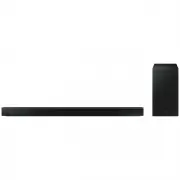 Samsung HW-B650-XY
User Manual
Samsung HW-B650-XY
User Manual
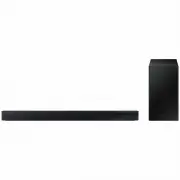 Samsung HW-C450-XY
User Manual
Samsung HW-C450-XY
User Manual
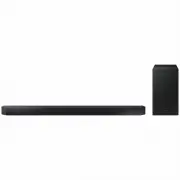 Samsung HW-Q600C-XY
User Manual
Samsung HW-Q600C-XY
User Manual
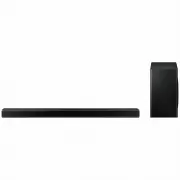 Samsung HW-Q700AXY
User Manual
Samsung HW-Q700AXY
User Manual
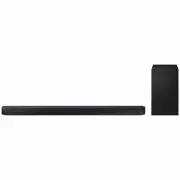 Samsung HW-Q700C-XY
User Manual
Samsung HW-Q700C-XY
User Manual
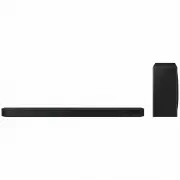 Samsung HW-Q800C-XY
User Manual
Samsung HW-Q800C-XY
User Manual
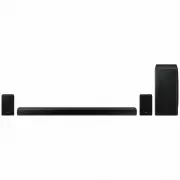 Samsung HW-Q870AXY
User Manual
Samsung HW-Q870AXY
User Manual
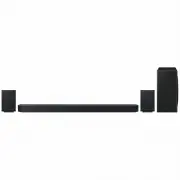 Samsung HW-Q930C-XY
User Manual
Samsung HW-Q930C-XY
User Manual
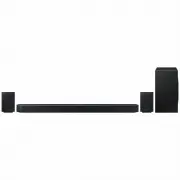 Samsung HW-Q990C-XY
User Manual
Samsung HW-Q990C-XY
User Manual
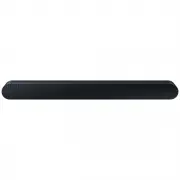 Samsung HW-S60B-XY
User Manual
Samsung HW-S60B-XY
User Manual
 Samsung HW-S61
User Manual
Samsung HW-S61
User Manual
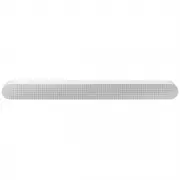 Samsung HW-S61B-XY
User Manual
Samsung HW-S61B-XY
User Manual
 Samsung HW-S800B-XY
User Manual
Samsung HW-S800B-XY
User Manual
 Samsung HW-S801B-XY
User Manual
Samsung HW-S801B-XY
User Manual
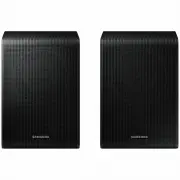 Samsung SWA-9200SXY
User Manual
Samsung SWA-9200SXY
User Manual
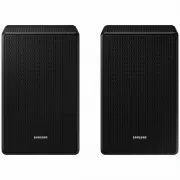 Samsung SWA-9500SXY
User Manual
Samsung SWA-9500SXY
User Manual
 Samsung HW-A430
User Manual
Samsung HW-A430
User Manual
 Samsung HW-A440
User Manual
Samsung HW-A440
User Manual