Page 2 - Safety information
2 – DIGITAL COLOR CAMERA Safety information CAUTION RISK OF ELECTRIC SHOCK. DO NOT OPEN CAUTION : TO REDUCE THE RISK OF ELECTRIC SHOCK, DO NOT REMOVE REAR COVER. NO USER SERVICEABLE PARTS INSIDE. REFER TO QUALIFIED SERVICE PERSONNEL.. This symbol indicates high voltage is present inside. It is dange...
Page 4 - Important Safety Instructions
4 – DIGITAL COLOR CAMERA Important Safety Instructions Read these instructions. Keep these instructions. Heed all warnings. Follow all instructions. Do not use this apparatus near water. Clean only with dry cloth. Do not block any ventilation openings. Install in accordance with the manufacturer’s i...
Page 5 - Contents
English – 5 ENG Contents Introduction Features 6 PRODUCT & ACCESSORIES 7 Part Names and Functions 8 Installation Connecting the Auto Iris Lens Connector 11 Mounting the lens 11 Connecting cables and checking operation 12 How to use OSD Menu Using Icons in the Menu 13 Main Menu 13 Profi le 14 Came...
Page 6 - FEATURES
6 – DIGITAL COLOR CAMERA Introduction FEATURES High Resolution This camera has realized high resolution of 600 lines using the top-notch full digital image processing and special algorithm technologies. Intelligent Motion Detection & Tracking This is an intelligent function that automatically de...
Page 7 - PRODUCT & ACCESSORIES
English – 7 ENG Introduction and t e. ra PRODUCT & ACCESSORIES Product & Accessories ❖ Accessories • Camera Camera Holder(Mount) Auto Iris Lens Connector User’s Manual Main Product • C Mount Adapter
Page 8 - PART NAMES AND FUNCTIONS
8 – DIGITAL COLOR CAMERA Introduction PART NAMES AND FUNCTIONS Side View ❖ Auto Iris Lens Connector This groove is used for screwing the mount adapter, a part of the bracket where the camera will be installed. Auto Iris Lens Control Cable This cable transmits the power and signals from the camera fo...
Page 10 - ef
10 – DIGITAL COLOR CAMERA Introduction n Input/Output Connector This connector has input and output ports for and alarm output signals. No. Function Description 1 ALARM OUT Alarm out port for motion detection. (Open collector type) 2 GND Grounding Port. 3 TRIGGER IN Displays the current still image ...
Page 11 - Installation; MOUNTING THE LENS
English – 11 ENG he e the ress Installation CONNECTING THE AUTO IRIS LENS CONNECTOR Connect each uncovered shutter control cables to the Auto Iris Lens Connector as the following Pin No. DC Control Type Video Control Type 1 Damp(-) Power (+12V) 2 Damp(+) Not applicable 3 Drive(+) Video Signal 4 Driv...
Page 12 - USI
12 – DIGITAL COLOR CAMERA Installation CONNECTING CABLES AND CHECKING OPERATION ① Connect one end of the BNC cable to the VIDEO OUT Port on the rear of the camera. ② Connect another end of the BNC cable to the VIDEO IN Port on the monitor. ③ Finally connect the power adapter to the camera. You can c...
Page 13 - USING ICONS IN THE MENU; How to use OSD Menu
English – 13 ENG wer USING ICONS IN THE MENU (EXIT) Exits the menu setting. Before you exits the menu setting, select SAVE to save your settings, or select QUIT to cancel. (RET) Returns to the previous menu. (HOME) Returns to the main menu. (SAVE) Used to save your settings of MASK AREA, PRIVACY ZON...
Page 16 - CAMERA SETUP; cdef
16 – DIGITAL COLOR CAMERA How to use OSD Menu CAMERA SETUP e CAMERA SET f CAMERA ID OFF IRIS ALC MOTION (F.FAST)---DNR MIDSHUTTER OFFSENS-UP AUTO X4 FLICKERLESS (OFF)---XDR MID DIS OFF d c DAY/NIGHT AUTO WHITE BAL DIGITAL ZOOM OFFDETAIL [2]V-SYNC INTAGC COLOR SUP LOWREVERSE OFFPOSI/NEGA +PIP OFF Set...
Page 20 - INT
20 – DIGITAL COLOR CAMERA How to use OSD Menu DIGITAL ZOOM [ON/OFF] You can set the digital zoom factor and position. If you press the SETUP switch with the DIGITAL ZOOM function set to ON , you will see the appropriate screen. When the zoom factor and position are defi ned, the digital zoom function...
Page 22 - PRIVACY ZONE SETUP; OTH
22 – DIGITAL COLOR CAMERA How to use OSD Menu PRIVACY ZONE SETUP e PRIVACY ZONE f 1 2 3 4 5 6 7 8 9 10 11 12 PRIVACY SET ON STYLE MOSAIC1 The PRIVACY function will protect your privacy by screening the privacy area that you have specifi ed during monitoring. You can specify up to 12 privacy zones. If...
Page 23 - OTHER SET; SYSTEM INFORMATION
English – 23 ENG How to use OSD Menu T> , e ove. tion ur a. e ction OTHER SET e OTHER SET f FACTORY DEFAULTS OSD COLOR BW FACTORY DEFAULTS All the settings will be restored to the factory default.However, the settings of LANGUAGE will not be restored to the default. OSD COLOR [BW, R/G/B] You can ...
Page 24 - Camera Confi guration; SPE
24 – DIGITAL COLOR CAMERA How to use OSD Menu Initial Confi guration Table Camera Confi guration • CAMERA ID OFF IRIS ALC AGC VERY HIGH DNR MID SHUTTER OFF FLICKERLESS (OFF) XDR MID DAY/NIGHT AUTO DETAIL [2] AGC COLOR SUP MID REVERSE OFF POSI/NEGA + PIP OFF DIS OFF V-SYNC INT ❖ S SPE
Page 25 - Specifi cations; SPECIFICATIONS
English – 25 ENG Specifi cations SPECIFICATIONS Items Sub-items SCC-B1331N Camera Type CCTV Camera Image Device 1/3” Super-HAD PS CCD Pixels Total 811 x 508 Effective 768 x 494 Scanning System Interlace/Progressive Scanning Line 525 lines Frame 30frame/1sec Horizontal Frequency Internal Mode 15,734 H...
Page 29 - Correct Disposal of This Product
Correct Disposal of This Product (Waste Electrical & Electronic Equipment) (Applicable in the European Union and other European countries with separate collection systems) This marking on the product, accessories or literature indicates that the product and its electronic accessories (e.g. charg...
Page 30 - Manuel d’utilisation; Imaginez
CAMERA NUMERIQUE COULEUR Manuel d’utilisation SCC-B1331(P) SCC-B1031P Imaginez les possibilités Nous vous remercions d’avoir choisi ce produit Samsung.Pour bénéfi cier d’un service plus complet, veuillez enregistrer votre produit sur le site www.samsungsecurity.com FRE
Page 31 - Informations relatives à la sécurité
2 – CAMERA NUMERIQUE COULEUR ATTENTION RISQUE DE ECHOC ELECTRIQUE NEPAS OUVRIR ATTENTION : POUR REDUIRE LES RISQUES DE CHOCS ELECTRIQUES, NE RETIREZ PAS LE COUVERCLE (OU LA PARTIE ARRIERE) LES PIECES INTERIEURES NE SONT PAS ACCESSIBLES A L’UTILISATEUR. FAITES APPEL AU PERSONNEL DE MAINTENANCE QUALIF...
Page 33 - Consignes de sécurité importantes
4 – CAMERA NUMERIQUE COULEUR Consignes de sécurité importantes Veuillez lire ces instructions. Conservez ces instructions. Prêtez attention à tous les avertissements. Veuillez suivre toutes les instructions. N’utilisez pas cet appareil à proximité de l’eau. Nettoyez-le avec un tissu sec. N’obstruez ...
Page 34 - Table des matières
Français – 5 FRE Table des matières Introduction Caractéristiques 6 Produit et Accessoires 7 Nom des pièces et fonctions 8 Installation Connexion du connecteur d’objectif Auto Iris 11 Montage de l’objectif 11 Connexion des câbles et opération de vérifi cation 12 Utilisation du menu OSD Utilisation de...
Page 35 - CARACTÉRISTIQUES
6 – CAMERA NUMERIQUE COULEUR Introduction CARACTÉRISTIQUES Haute résolution cette caméra permet d’obtenir une haute résolution de 600 lignes à l’aide de ce qui se fait de mieux en matière de traitement entièrement numérique de l’image et des technologies algorithmiques spéciales. Détection de mouvem...
Page 36 - PRODUIT ET ACCESSOIRES
Français – 7 FRE Introduction n tuelle e. D éra u les PRODUIT ET ACCESSOIRES Produit et Accessoires ❖ Accessoires • Camera Support de caméra (Socle) Auto Iris Connecteur d’objectif Guide d’utilisation Produit principal • Adaptateur pour objectif C
Page 37 - NOM DES PIÈCES ET FONCTIONS
8 – CAMERA NUMERIQUE COULEUR Introduction NOM DES PIÈCES ET FONCTIONS Vue latérale ❖ Connecteur Objectif Iris Auto Ces trous servent à visser le socle de fi xation (fait partie du support sur lequel la caméra sera installée). Câble de commande de l’objectif du diaphragme automatique Ce câble transmet...
Page 40 - MONTAGE DE L’OBJECTIF
Français – 11 FRE ert) eur er à dre Installation CONNEXION DU CONNECTEUR D’OBJECTIF AUTO IRIS Connectez comme suit chacun des fi ls dénudés des commandes d’obturateur au connecteur d’objectif Auto Iris Broche No. Type de commande DC Type de commande vidéo 1 Amortir(-) Alimentation (+12V) 2 Amortir(+)...
Page 41 - UTI
12 – CAMERA NUMERIQUE COULEUR Installation CONNEXION DES CÂBLES ET OPÉRATION DE VÉRIFICATION ① Branchez une extrémité du câble BNC au port de SORTIE VIDEO situé à l’arrière de la caméra. ② Branchez une autre extrémité du câble BNC au port d’ENTREE VIDEO de l’écran. ③ Enfi n, connectez l’adaptateur se...
Page 42 - UTILISATION DES ICONES DU MENU; MENU PRINCIPAL; Utilisation du menu OSD
Français – 13 FRE e un ant e de UTILISATION DES ICONES DU MENU (QUITTER) Quitte le réglage de menu. Avant de quitter le réglage de menu, sélectionnez SAUVER pour sauvegarder vos réglages ou QUITTER pour annuler. (RET) Permet de revenir au menu précédent. (HOME) Permet de revenir au menu principal. (...
Page 43 - PROFIL
14 – CAMERA NUMERIQUE COULEUR Utilisation du menu OSD PROFIL e PROFIL f à STANDARD ITS RETROECL JEU PERSONNALISE Dans le menu PROFIL , vous pouvez confi gurer immédiatement les réglages de la caméra. Menu REG CAMERA STANDARD ITS RETROECL JEU Menu précédent Sous-menus IRIS ALC ALC ALC ALC ALC - - - - ...
Page 45 - CONFIGURATION CAMERA
16 – CAMERA NUMERIQUE COULEUR Utilisation du menu OSD CONFIGURATION CAMERA e REG CAMERA f ID DE CAMERA OFF IRIS ALC MOUVE (T.VITE)---DNR MOYENOBTURATEUR OFFANTI-BATTEMENT (OFF)---XDR MOYEN SIN OFF d c BAL BLANCS ZOOM NUM OFFDETAIL [2]V-SYNC INTAGC SUP COULEUR BASINVERSE OFFPOSI/NEGA +PIP OFF Confi gu...
Page 51 - CONFIG ZONE PRIVEE; AUT
22 – CAMERA NUMERIQUE COULEUR Utilisation du menu OSD CONFIG ZONE PRIVEE e ZONE PRIVEE f 1 2 3 4 5 6 7 8 9 10 11 12 REG Z. PRIVEE ON STYLE MOSAIQ1 La fonction ZONE PRIVEE protège votre confi dentialité en balayant la zone privée que vous avez spécifi ée durant la surveillance. Vous pouvez spécifi er au...
Page 52 - AUTRE REG; COMM; INFORMATIONS SYSTEME
Français – 23 FRE Utilisation du menu OSD s s ue ent. ur lez bale. s e . PIP é, la AUTRE REG e AUTRE REG f REINIT REGLAGE USINE COULR OSD N&B REINIT REGLAGE USINE Tous les réglages seront réinitialisés sur leurs valeurs respectives par défaut. COULR OSD [N&B, R/G/B] Vous pouvez régler la cou...
Page 53 - Confi guration caméra; CAR
24 – CAMERA NUMERIQUE COULEUR Utilisation du menu OSD e Tableau de confi guration initiale Confi guration caméra • ID DE CAMERA OFF IRIS ALC AGC TRES HAUT DNR MOYEN OBTURATEUR OFF ANTI-BATTEMENT (OFF) XDR MOYEN ZOOM NUM OFF DETAIL [2] AGC SUP COULEUR MOYEN INVERSE OFF POSI/NEGA + PIP OFF SIN OFF V-SYN...
Page 54 - Caractéristiques techniques; CARACTÉRISTIQUES TECHNIQUES
Français – 25 FRE Caractéristiques techniques CARACTÉRISTIQUES TECHNIQUES Eléments Sous-éléments SCC-B1331N Type de caméra caméra CCTV Image Périphérique Capteur d’images CCD 1/3” SUPER HAD PS Pixels Total 811 x 508 Effectifs 768 x 494 Balayage Système Entrelacé/Progressif Fréquence horizontale Mode...
Page 58 - Les bons gestes de mise au rebut de ce produit
Les bons gestes de mise au rebut de ce produit (Déchets d’équipements électriques et électroniques) (Applicable dans les pays de l’Union Européenne et dans d’autres pays européens pratiquant le tri sélectif) Ce symbole sur le produit, ses accessoires ou sa documentation indique que ni le produit, ni...
Page 59 - DIGITALE FARBKAMERA; Benutzerhandbuch; Erleben
DIGITALE FARBKAMERA Benutzerhandbuch SCC-B1331(P) SCC-B1031P Erleben Sie die Möglichkeiten Danke, dass Sie sich für dieses Produkt von Samsung entschieden haben. Um den vollständigen Service zu erhalten, registrieren Sie Ihr Produkt unter www.samsungsecurity.com ENG GER GER SPA ITA
Page 60 - VORSICHT; Sicherheitsinformationen
2 – DIGITALE FARBKAMERA VORSICHT GEFAHR EINES ELEKTROSCHOCKSNICHT ÖFFNEN VORSICHT: NICHT DIE RÜCKSEITIGE ABDECKUNG ÖFFNEN, ABDECKUNG (ODER RÜCKSEITE) NICHT ABNEHMEN. KEINE VOM BENUTZER ZU WARTENDE TEILE INNEN. WENDEN SIE SICH AN QUALIFIZIERTESKUNDENDIENSTPERSONAL Dieses Symbol zeigt an, dass bei die...
Page 62 - Wichtige Sicherheitshinweise
4 – DIGITALE FARBKAMERA Wichtige Sicherheitshinweise Lesen Sie diese Anweisungen. Bewahren Sie sie auf. Beachten Sie alle Warnungen. Befolgen Sie alle Anweisungen. Verwenden Sie dieses Gerät nicht in der Nähe von Wasser. Reinigen Sie es nur mit einem trockenen Lappen. Blockieren Sie keine Belüftungs...
Page 63 - Inhalt
Deutsch – 5 GER Inhalt Einführung Funktionen 6 Produkt & Zubehör 7 Teilenamen und Funktionen 8 Installation Anschluss des automatischen Blendenobjektiv-Steckers 11 Montage des Objektivs 11 Anschluss der Kabel und Funktionskontrolle 12 Das Bildschirmmenü verwenden Die menüpunkte verwenden 13 Haup...
Page 64 - FUNKTIONEN
6 – DIGITALE FARBKAMERA Einführung FUNKTIONEN Hohe Aufl ösung DieseKamera hat eine hohe Aufl ösung von 600 Zeilen mit erstklassiger vollständiger digitaler Bildverarbeitung und spezieller Algorithmustechnologie. Intelligente Bewegungsentdeckung & Nachverfolgung Diese Funktion entdeckt die Bewegung...
Page 66 - TEILENAMEN UND FUNKTIONEN
8 – DIGITALE FARBKAMERA Einführung TEILENAMEN UND FUNKTIONEN Seitenansicht ❖ Automatischer Irisobjektiv-Stecker Diese Aussparung dient für das Verschrauben des Montageadapters, ein Teil der Halterung, an den die Kamera montiert wird. Kontrollkabel für Objektiv mit automatischer Blendenregelung Diese...
Page 69 - MONTAGE DES OBJEKTIVS
Deutsch – 11 GER ) t. ht. ht. mmt. gen ach der Installation ANSCHLUSS DES AUTOMATISCHEN BLENDENOBJEKTIV-STECKERS Schließen Sie jedes blanke Shutter-Steuerkabel wie folgt an den automatischen Blendenobjektiv-Stecker an: Steckerstift- Nr. DC Steuerungstyp Video Steuerungstyp 1 Kondensation (-) Energie...
Page 70 - DIE
12 – DIGITALE FARBKAMERA Installation ANSCHLUSS DER KABEL UND FUNKTIONSKONTROLLE ① Stecken Sie das eine Ende des BNC-Kabels in den VIDEO-OUT-Anschluss auf der Rückseite der Kamera. ② Stecken Sie das andere Ende des BNC- Kabels in den VIDEO-IN-Anschluss des Monitors. ③ Schließen Sie dann das Netzkabe...
Page 71 - DIE MENÜPUNKTE VERWENDEN; HAUPTMENÜ; Das Bildschirmmenü verwenden
Deutsch – 13 GER ra ng) DIE MENÜPUNKTE VERWENDEN (BEENDEN) Die Menüeinstellung wird beenden. Wählen SICHERN, bevor Sie die Menüeinstellung verlassen, um Ihre Einstellungen zu speichern, oder wählen Sie VERL, um abzubrechen. (RUE) Zurück zum vorherigen Menü. (HOME) Zurück zum Hauptmenü. (SICHERN) Um ...
Page 74 - KAMERA EINRICHTEN
16 – DIGITALE FARBKAMERA Das Bildschirmmenü verwenden KAMERA EINRICHTEN e KAMERA PROG f KAMERA ID AUS BLENDE ALC AGC SEHR HOCH DNR MITTVRSCHL AUSEMPF-PLUS AUTO X4 FLIMMERFREI (AUS)---XDR MITT DIS AUS d c TAG/NACHT AUTO WEISSABGL DIGITAL ZOOM AUSDETAIL [2]V-SYNC INTAGC UNTD FARBÜBERL WENIGRÜCKW AUSPO...
Page 80 - EINSTELLUNG PRIVATBEREICH
22 – DIGITALE FARBKAMERA Das Bildschirmmenü verwenden ERWEITERTE Funktion auf dem Bildschirm angezeigt, sobald eine solche entdeckt wird. EMPF [1~7] Stellen Sie die Empfi ndlichkeit der Bewegungserkennung ein. AUFLOESUNG [1~5] Ist diese Funktion auf hoch gestellt, so erkennt die Kamera selbst die kle...
Page 81 - CH; WEITERE EINSTELLUNGEN
Deutsch – 23 GER Das Bildschirmmenü verwenden CH em der 2 den n. rbe e und PROG PRIVAT ZONE 1 PIXELANZ [4]<PKT> <POS.> - Einstellung des Punktes Sie können jede Position der 4 Punkte festlegen. ① Wenn Sie den Schalter SETUP unter <PKT> betätigen, sehen Sie die zur Verfügung ste...
Page 82 - SYSTEMINFORMATIONEN; Kamerakonfi guration; ANG
24 – DIGITALE FARBKAMERA Das Bildschirmmenü verwenden SYSTEMINFORMATIONEN e SYSTEMINFO f TYP 3_BOX_NOR_P S/N: 000000000000000 KAMERA VERSION 0.50_090101 Sie können sich die Systeminformationen einschließlich dem Protokoll, der Adresse, der Baudrate, der Seriennummer, der Kameraversion und der EEP Ve...
Page 83 - Angaben; ANGABEN
Deutsch – 25 GER S C H T S S) T S 2] T S + S S T Angaben ANGABEN Menüpunkte Untermenüpunkte SCC-B1331N Kameratyp CCTV-Kamera Bild Gerät 1/3” Super-HAD PS CCD Pixel Gesamt 811 x 508 Effektiv 768 x 494 Bildzerlegung System Interlace/Progressiv Abtastzeile 525 Zeilen Frame 30 Frames/1 Sekunde Horizonta...
Page 87 - Korrekte Entsorgung von Altgeräten (Elektroschrott)
Korrekte Entsorgung von Altgeräten (Elektroschrott) (In den Ländern der Europäischen Union und anderen europäischen Ländern mit einem separaten Sammelsystem) Die Kennzeichnung auf dem Produkt, Zubehörteilen bzw. auf der dazugehörigen Dokumentation gibt an, dass das Produkt und Zubehörteile (z. B. La...
Page 88 - CÁMARA DIGITAL A COLOR; Manual del usuario; imagine
CÁMARA DIGITAL A COLOR Manual del usuario SCC-B1331(P) SCC-B1031P imagine las posibilidades Gracias por adquirir este producto Samsung. Para recibir un servicio más completo, registre su producto en www.samsungsecurity.com SPA
Page 89 - PRECAUCIÓN; Información de seguridad
2 – CÁMARA DIGITAL A COLOR PRECAUCIÓN NO ABRIR RIESGO DE SUFRIR UNA DESCARGA ELÉCTRICA PRECAUCIÓN: PARA REDUCIR EL RIESGO DE SUFRIR UNA DESCARGA ELÉCTRICA, NO EXTRAIGA LA CUBIERTA POSTERIOR. DENTRO NO HAY PIEZAS QUE PUEDAN SER REPARADAS POR EL USUARIO. REMITA EL APARATO A PERSONAL DE MANTENIMIENTO C...
Page 91 - instrucciones de seguridad
4 – CÁMARA DIGITAL A COLOR instrucciones de seguridad importantes Lea estas instrucciones. Consérvelas. Preste atención a todas las advertencias. Siga todas las instrucciones. No utilice este aparato cerca del agua. Límpielo únicamente con un paño seco. No obstruya ninguna abertura de ventilación. I...
Page 92 - Índice general
Español – 5 SPA Índice general Introducción Características 6 Producto Y Accesorios 7 Piezas y funciones 8 Instalación Conectar el conector de la lente iris automática 11 Montar la lente 11 Conexión de los cables y comprobación de funcionamiento 12 Cómo utilizar el menú OSD Utilización de los iconos...
Page 93 - CARACTERÍSTICAS
6 – CÁMARA DIGITAL A COLOR Introducción CARACTERÍSTICAS Alta resolución Esta cámara ha hecho realidad la alta resolución de 600 líneas utilizando el procesamiento de la imagen digital de primera calidad y tecnologías de algoritmos especiales. Detección y seguimiento inteligente de movimiento Se trat...
Page 94 - PRODUCTO Y ACCESORIOS
Español – 7 SPA Introducción en un al. n ara ejora a a las PRODUCTO Y ACCESORIOS Producto y accesorios ❖ Accesorios • Camara Soporte de la cámara Conector de lente iris automática Manual de usuario Producto principal • C Adaptador del soporte
Page 95 - PIEZAS Y FUNCIONES
8 – CÁMARA DIGITAL A COLOR Introducción PIEZAS Y FUNCIONES Vista lateral ❖ Conector de objetivo de iris automático Esta ranura se utiliza para atornillar el adaptador para soporte, una parte del soporte donde se colocará la cámara. Cable de control del objetivo de diafragma automático Este cable tra...
Page 98 - Instalación; MONTAR LA LENTE
Español – 11 SPA o.) dad. dad. dad. 00mA e al o por Instalación CONECTAR EL CONECTOR DE LA LENTE IRIS AUTOMÁTICA Conecte cada cable de control del obturador descubierto al conector de la lente iris automática siguiendo estos pasos: Núm. de Pin Tipo de control DC Típo de control de vídeo 1 Damp(-) Po...
Page 100 - MENÚ PRINCIPAL; Cómo utilizar el menú OSD
Español – 13 SPA cia do C 12 V UTILIZACIÓN DE LOS ICONOS DEL MENÚ (SALIR) Sale del ajuste del menú. Antes de salir del ajuste del menú, seleccione GRAB para guardar los ajustes o seleccione SAL. para cancelar. (VOLVER) Vuelve al menú anterior. (INICIO) Vuelve al menú principal. (GUARDAR) Se utiliza ...
Page 103 - CONFIGURACIÓN DE LA CÁMARA
16 – CÁMARA DIGITAL A COLOR Cómo utilizar el menú OSD CONFIGURACIÓN DE LA CÁMARA e AJ CAMARA f ID CAMARA NO VPS NOIRIS ALC MOV (AV RAP)--- DNR INTOBT. NOAMP SENS AUTO X4 SIN PARP. (NO)--- XDR INT DIS NO d c DIA/NOCHE AUTO BAL. BL ZOOM DIGITAL NODET. [2]V-SYNC INTAGC SUP COLOR BJRETRO. NOPOSI/NEGA +P...
Page 108 - INTELIGENCIA
Español – 21 SPA Cómo utilizar el menú OSD de ción ará el pliará el ón, INTELIGENCIA e INTEL. f MOV NOAREA MASC 1 2 3 4 PANT. SÍSENS. [4]RES. [5]SALIDA ALM Puede defi nir la detección de movimiento y el seguimiento en el menú INTEL . MOV [NO,TRACKING,DETECCIÓN] TRACKING Detecta y hace el seguimiento ...
Page 109 - OTR
22 – CÁMARA DIGITAL A COLOR Cómo utilizar el menú OSD CONFIGURACIÓN DE LA ZONA PRIVADA e ZONA PRIV f 1 2 3 4 5 6 7 8 9 10 11 12 AJ PRIV SÍ EST MOSAIC1 La función PRIV. protegerá su privacidad tapando el área privada que haya especifi cado durante la supervisión. Puede especifi car hasta 12 zonas de pr...
Page 110 - OTROS AJUSTES; INFORMACIÓN DEL SISTEMA
Español – 23 SPA Cómo utilizar el menú OSD O> , RIV. se ir la ición r er para efi ne a OTROS AJUSTES e OTRO AJ f ESTAND. FABRICA COLOR OSD ByN ESTAND. FABRICA Todos los ajustes recuperan sus valores de fábrica. No obstante, los ajustes de PROTOC. , TS BAUDIOS , DIREC. e IDIOMA no recuperarán sus v...
Page 111 - Confi guración de cámara; ESP
24 – CÁMARA DIGITAL A COLOR Cómo utilizar el menú OSD Tabla de confi guración inicial Confi guración de cámara • ID CAMARA NO IRIS ALC AGC MUY ALTA DNR INT OBT. NO SIN PARP. (NO) XDR INT DIA/NOCHE AUTO ZOOM DIGITAL NO DET. [2] AGC SUP COLOR INT RETRO. NO POSI/NEGA + PIP NO DIS NO V-SYNC INT ❖ E ESP T ...
Page 112 - Especifi caciones; ESPECIFICACIONES
Español – 25 SPA Especifi caciones ESPECIFICACIONES Opciones Subopciones SCC-B2331N Tipo de cámara Cámara CCTV Imagen Dispositivo Super HAD PS CCD de 1/3 pulg. Píxeles Totales 811 x 508 Efectivos 768 x 494 Exploración Sistema Interlazado/Progresivo Frecuencia horizontal Modo interno 15.734 Hz Modo bl...
Page 116 - Eliminación correcta de este producto
Eliminación correcta de este producto (Residuos de aparatos eléctricos y electrónicos) (Aplicable en la Unión Europea y en países europeos con sistemas de recogida selectiva de residuos) La presencia de este símbolo en el producto, accesorios o material informativo que lo acompañan, indica que al fi...
Page 117 - Guida Utente; immagina
TELECAMERA DIGITALE A COLORI Guida Utente SCC-B1331(P) SCC-B1031P immagina le possibilità Grazie per avere acquistato questo prodotto Samsung.Per ricevere un servizio più completo, registrare il prodotto all’indirizzo www.samsungsecurity.com ITA
Page 118 - Informazioni Sulla Sicurezza; ATTENZIONE
2 – TELECAMERA DIGITALE A COLORI Informazioni Sulla Sicurezza ATTENZIONE RISCHIO DI SCOSSA ELETTRICA NON APRIRE ATTENZIONE: PER RIDURRE IL RISCHI DI SCOSSA ELETTRICA, NON RIMUOVERE IL COPERCHIO (O IL PANNELLO POSTERIORE). ALL’INTERNO NON VI SONO PARTI CHE L’UTENTE POSSA RIPARARE. RIVOLGERSI A PERSON...
Page 120 - Importanti Istruzioni per la Sicurezza
4 – TELECAMERA DIGITALE A COLORI Importanti Istruzioni per la Sicurezza Leggere queste istruzioni. Conservare queste istruzioni. Rispettare tutti gli avvertimenti. Seguire tutte le istruzioni. Non utilizzare questo apparecchio vicino all’acqua. Pulire solo con un panno asciutto. Non bloccare nessuna...
Page 121 - Sommario
Italiano – 5 ITA Sommario Introduzione Caratteristiche 6 Prodotto & Accessori 7 Nomi e funzioni delle parti 8 Installazione Collegamento del connettore dell’obiettivo a diaframma automatico 11 Montare l’obiettivo 11 Collegare i cavi e controllare il funzionamento 12 Come utilizzare il menu OSD U...
Page 122 - CARATTERISTICHE
6 – TELECAMERA DIGITALE A COLORI Introduzione CARATTERISTICHE Alta risoluzione Questa telecamera dispone di una risoluzione pari a 600 linee, utilizzando una nuova tecnologia applicata al processing dell’immagine completamente digitale e una speciale tecnologia algoritmica. Rilevazione e tracciament...
Page 124 - NOMI E FUNZIONI DELLE PARTI
8 – TELECAMERA DIGITALE A COLORI Introduzione NOMI E FUNZIONI DELLE PARTI Vista Laterale ❖ Connettore obiettivo a diaframma automatico Questo foro è utilizzato per avvitare l’adattatore di montaggio, una parte della staffa sulla quale verrà istallata la telecamera. Cavo di comando obiettivo a diafra...
Page 127 - Installazione; MONTARE L’OBIETTIVO
Italiano – 11 ITA cità. cità. cità. er el a un Installazione COLLEGAMENTO DEL CONNETTORE DELL’OBIETTIVO A DIAFRAMMA AUTOMATICO Collegare ciascun cavo di controllo dell’otturatore libero al connettore obiettivo a diaframma automatico come segue Nº Pin Tipo di controllo DC Tipo di controllo Video 1 Da...
Page 129 - UTILIZZO DELLE ICONE NEL MENU; MENU PRINCIPALE; Come utilizzare il menu OSD
Italiano – 13 ITA rato 12V UTILIZZO DELLE ICONE NEL MENU (ESCI) Permette di uscire dall’impostazione del menu.Prima di uscire dall’impostazione del menu, selezionare SALVA per salvare le impostazioni o ABBANDONA per annullarle. (RET) Permette di tornare al menu precedente. (HOME) Permette di tornare...
Page 132 - IMPOSTAZIONE VIDEOCAMERA
16 – TELECAMERA DIGITALE A COLORI Come utilizzare il menu OSD IMPOSTAZIONE VIDEOCAMERA e PROG CAMERA f ID VIDEOCAMERA OFF IRIS ALC ATTIVITÀ (M.VELOC)---DNR MIDOTTURATORE OFFALTA SENS. AUTO X4 SENZA SFARF. (OFF)---XDR MID DIS OFF d c GIORNO/NOTTE AUTO BIL BIANCO ZOOM DIGITALE OFFDETTAGLIO [2]SINCR. V...
Page 138 - IMPOSTAZIONE ZONA PRIVATA; ALT
22 – TELECAMERA DIGITALE A COLORI Come utilizzare il menu OSD IMPOSTAZIONE ZONA PRIVATA e ZONA PRIVACY f 1 2 3 4 5 6 7 8 9 10 11 12 PRIVACY IMP. ON STILE MOSAICO1 La funzione PRIVACY protegge la privacy sorvegliando la zona privacy specifi cata durante il monitoraggio. Si possono specifi care fi no a 1...
Page 139 - ALTRA IMPOSTAZIONE
Italiano – 23 ITA Come utilizzare il menu OSD unti. tare i ona. era are la per CY ivata. LINEA ALTRA IMPOSTAZIONE e ALTRA PROG f IMPOST. PREDEF. COLORE OSD BW IMPOST. PREDEF. Vengono ripristinate tutte le impostazioni predefi nite.Tuttavia le impostazioni PROTOCOLLO, VELOCITÁ, INDIRIZZO e LINGUA non ...
Page 140 - INFORMAZIONI DI SISTEMA; Confi gurazione videocamera
24 – TELECAMERA DIGITALE A COLORI Come utilizzare il menu OSD INFORMAZIONI DI SISTEMA e INFO SISTEMA f TIPO 3_BOX_NOR_P N. SERIE 000000000000000 VERS. CAMERA 0.50_090101 È possibile visualizzare le informazioni di sistema compresi protocollo, indirizzo, velocità di trasmissione, LINGUA e LINGUA f EN...
Page 141 - Specifi che; SPECIFICHE
Italiano – 25 ITA O Specifi che SPECIFICHE Voci Sottovoci SCC-B1331N Tipo di videocamera Videocamera CCTV Immagine Dispositivo CCD Super-HAD PS da 1/3” Pixel Totali 811 x 508 Effettivi 768 x 494 Scansione Sistema Interlacciato/progressivo Linee di scansione 525 linee Fotogramma 30 fotogr./sec Frequen...
Page 145 - Corretto smaltimento del prodotto
AB68-00842A Corretto smaltimento del prodotto (rifiuti elettrici ed elettronici) (Applicabile nell’Unione Europea e in altri paesi europei con sistema di raccolta differenziata) Il marchio riportato sul prodotto, sugli accessori o sulla documentazione indica che il prodotto e i relativi accessori el...


 Samsung HW-A650
User Manual
Samsung HW-A650
User Manual
 Samsung HW-B450
User Manual
Samsung HW-B450
User Manual
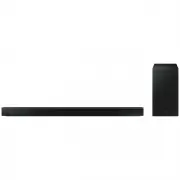 Samsung HW-B650-XY
User Manual
Samsung HW-B650-XY
User Manual
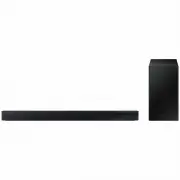 Samsung HW-C450-XY
User Manual
Samsung HW-C450-XY
User Manual
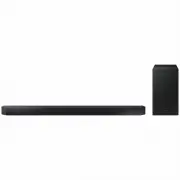 Samsung HW-Q600C-XY
User Manual
Samsung HW-Q600C-XY
User Manual
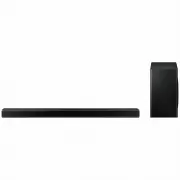 Samsung HW-Q700AXY
User Manual
Samsung HW-Q700AXY
User Manual
 Samsung HW-Q700C-XY
User Manual
Samsung HW-Q700C-XY
User Manual
 Samsung HW-Q800C-XY
User Manual
Samsung HW-Q800C-XY
User Manual
 Samsung HW-Q870AXY
User Manual
Samsung HW-Q870AXY
User Manual
 Samsung HW-Q930C-XY
User Manual
Samsung HW-Q930C-XY
User Manual
 Samsung HW-Q990C-XY
User Manual
Samsung HW-Q990C-XY
User Manual
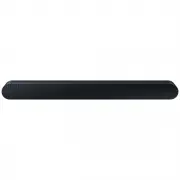 Samsung HW-S60B-XY
User Manual
Samsung HW-S60B-XY
User Manual
 Samsung HW-S61
User Manual
Samsung HW-S61
User Manual
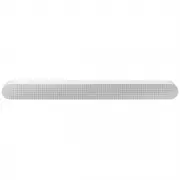 Samsung HW-S61B-XY
User Manual
Samsung HW-S61B-XY
User Manual
 Samsung HW-S800B-XY
User Manual
Samsung HW-S800B-XY
User Manual
 Samsung HW-S801B-XY
User Manual
Samsung HW-S801B-XY
User Manual
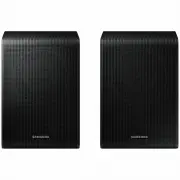 Samsung SWA-9200SXY
User Manual
Samsung SWA-9200SXY
User Manual
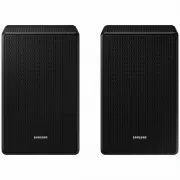 Samsung SWA-9500SXY
User Manual
Samsung SWA-9500SXY
User Manual
 Samsung HW-A430
User Manual
Samsung HW-A430
User Manual
 Samsung HW-A440
User Manual
Samsung HW-A440
User Manual