Page 2 - Safety Precautions; Warning instructions alert you to; Caution instructions alert you to the; Caution; power and then move or reinstall it.; Warning; Be sure to use only the supplied adapter.
E Safety Precautions The purpose of this information is to ensure proper use of this product toprevent danger or damage to property. Please be sure to observe allprecautions. * The precautions are divided into "Warnings" and "Cautions" as distinguished below: Warning: Ignoring this w...
Page 3 - Approval of Standards; Before Usage
1-2 E 1-1 Note: This equipment has been tested and found to comply with the limits for a Class B digital device, pursuant to part 15 of the FCC Rules. These limits are designed to provide reasonable protection against harmful interface in a residential installation. This equipment generates, uses an...
Page 4 - Table of contents
1-4 E 1-3 Before Usage --------------------------------------------------------------------------------------1-1 Chapter 1 SCC-643(P) Overview -----------------------------------------------------------1-5 SCC-643(P) Introduction ---------------------------------------------------------1-6 SCC-643(P...
Page 6 - BACK; Locations of Control; FRONT; ZOOM LENS
1-8 E 1-7 BACK Locations of Control FRONT ZOOM LENS COVER DOME COVER BODY
Page 7 - INITIAL SETTING; CAMERA ADDRESS SETUP; Dip Switch setting is same as the following example:; ADAPTER CONNECTION
1-10 E 1-9 INITIAL SETTING CAMERA ADDRESS SETUP Dip Switch setting is same as the following example: EX) CAMERA ADDR: When it's number 1, set as follows. Setting communication ProtocolUse number 5~8 PIN of SW501 to set communication Protocol. Baud Rate SettingUse PIN 3 and 4 of SW501. 1 2 3 4 5 6 7 ...
Page 8 - SWITCH SETTING
1-12 E 1-11 SWITCH SETTING Receiver Address 0123456789 10111213141516171819202122232425262728293031323334353637383940414243444546474849505152535455 SW500-1 OFF ON OFF ON OFF ON OFF ON OFF ON OFF ON OFF ON OFF ON OFF ON OFF ON OFF ON OFF ON OFF ON OFF ON OFF ON OFF ON OFF ON OFF ON OFF ON OFF ON OFF ...
Page 11 - Before Installing; Checking Package Contents; Please check that all components listed below are included in the; Bracket anchor
2-2 E 2-1 Before Installing Checking Package Contents Please check that all components listed below are included in the package: SCC-643(P) Bracket anchor Camera Holder Cover Body Owner’sInstructions Screws In this chapter, we will check the contents of the package beforeinstalling the SCC-643(P), a...
Page 12 - Now connect the Power Adapter; Cable Connection; Adjust the switch below the Power Adapter to the proper voltage.; Power Adapter Cable; terminal to the video-input terminal of the monitor.; Preparing the Cables
2-4 E 2-3 1. First, connect one end of the BNC video cable connector tothe Video Output Terminal (VIDEO OUT) 2. Then, connect the other end of the connector to the Video InputTerminal of the monitor. 3. Now connect the Power Adapter Cable. Use a driver to screwone part of the two lines ofPower Adapt...
Page 14 - Installing the Camera
2-8 E 2-7 1. [Figure 1] Install the structure on the ceiling.(Refer to Installation reference for the Length of the structure) * Built in by the builder of the structure 3. [Figure 2] Assemble the BRKT-ANCHOR on the ceilingand screw the 4 bolts in. [Figure 2] 2. Make a hole in the ceiling where the ...
Page 15 - we'll look at the functions of each menu.; Chapter 3 Setup Menu Overview; CAMERA ADAPTER
3-1 E 2-9 In this chapter, we will look over the Setup Menu of the SCC-643(P), First we'll look over the overall structure of the Setup Menu, and then we'll look at the functions of each menu. Chapter 3 Setup Menu Overview 6. [Figure 6] Match the 3 holes on the back of the CAMERA and theCONNECTOR an...
Page 16 - Structure of the Setup Menu
3-3 E 3-2 The diagram shown above illustrates the overall structure of the SetupMenu. In this section, a description of the Setup menu features will enableusers of the SCC-643(P) to tailor it to their personal needs. ALARM SET ALARM PRIORITY SET ALARM1 1~4 ALARM2 1~4ALARM3 1~4ALARM4 1~4EXIT QUIT/SAV...
Page 17 - composite video signal.; - DWELL TIME : Set the HOLDING time for switching between COLOR and BW; CAMERA ID; Caution : If you use an infrared light source while in AUTO mode, AUTO; switching malfunction and camera AF malfunction may occur.
3-5 E 3-4 Select LINE and press [Enter]. You will see the LINE LOCK submenuwhere you can adjust the phase of the LINE LOCK.You can use the PHASE menu of the LINE LOCK submenu to assign asmuch PHASE as you want. COLOR/BW In the COLOR/BW menu, you can switch ON or OFF theIR (infrared) Filter.In low li...
Page 18 - MOTION DET; ZOOM SPEED
3-7 E 3-6 2. VIDEO SET MENU IRIS The video output level of the monitor can be controlled by the IRIS lensdepending on the level of the incoming light.The video output level can beset in the ALC menu.The opening and shutting of the Iris lens can be setmanually in the MANU menu. EXIT The EXIT menu is ...
Page 19 - ALC
3-9 E 3-8 MANU If the IRIS item is set to MANU, the sub screen to open and shut the Irismanually will be shown. Using the [Left, Right] keys in the LEVEL itemyou can set Iris manual setting. SHUTTER In the SHUTTER menu, the high-speed Electric shutter and AUTO low speedshutter of the SCC-643(P) and ...
Page 20 - SLOW; (This is used mainly to monitor inanimate objects in dark places.); (This is used mainly to monitor moving objects in dark places.); FAST; (This is used mainly to monitor fast moving objects in dark places.); AGC
3-11 E 3-10 SLOW This enhances the resolution of a still image by selecting a low value forAGC GAIN and a slow speed for SHUTTER SPEED. (This is used mainly to monitor inanimate objects in dark places.) NORMAL This shows the normal picture by selecting a medium value for AGC GAINand the normal speed...
Page 21 - can select Manual White Balance will be shown.; WHITE BAL
3-13 E 3-12 WHITE BAL The WHITE BAL menu insures that white is calibrated normally under anycolor temperature condition. ● When the WHITE BAL menu is set to the ATW mode, the white balanceis automatically specified according to the color temperature. ● In the case of setting the WHITE BAL menu to AW...
Page 22 - It's the same as the EXIT function of the CAMERA SET menu.; SPECIAL; horizontal detail level can be adjusted.; The Mirror function does not work if Privacy Zone is set.
3-15 E 3-14 AUTO FOCUS In the AUTO FOCUS MENU, the Focus method can be set to AF, MF, or ONEAF. - AF: With AUTO FOCUS MODE, you can monitor the screen continuously and it will focus automatically. While moving the zoom keys, it will automaticallyfocus so FOCUS key input is not necessary. - MF: In MA...
Page 23 - Then returns to a higher menu.
3-17 E 3-16 POSITION SET... From "POSITION SET..." press [ENTER] to getinto the PAN/TILT, FOCUS/ZOOM SET screen to set the PAN/TILT location and FOCUS/ZOOMcondition then press [ENTER] to return to a higher menu. VIDEO SET This is the screen setting function for each PRESET. Refer to the expl...
Page 24 - AUTO PAN and PATTERN functions are in AUTO MODE.
3-19 E 3-18 DIRECTION This sets up the movement direction of the START to END location (PAN location standard) "RIGHT " : "LEFT " : ENDLESS This is a 360-degree rotation function that stops for the DWELL TIME only inthe START and END positions without running between the START and EN...
Page 25 - continuous motion of PATTERN 1 + PATTERN 2, HALF 2; AUX OUT CONTROL
3-21 E 3-20 ALARM OUT Each ALARM input corresponds to one of the3 ALARM OUT. ALARM PATTERN This sets the operation of PATTERN movementswhen inputting ALARM.When the ALARM is working, it will stay in thePRESET location corresponding the ALARM forthe DWELL TIME and the ALARM connected tothe PATTERN wi...
Page 26 - PRIVACY ZONE; Privacy Zones can be set as follows:; HOME RETURN; OFF: HOME RETURN function cancellation; AUTO FLIP; HOME POSITION
3-23 E 3-22 PRIVACY ZONE Pan/Tilt position and the size of Masking area can be set for up to 8privacy zones. When shooting the areas where privacy zones are set, therelevant areas will be concealed from view to protect privacy. Select PRIVACY ZONE and press the [Enter] key. The PRIVACY ZONE Mapappea...
Page 27 - Make the area large enough so that the relevant area can be hidden; CAM RESET; Product specifications
3-25 E 3-24 To set the area, select "SET AREA" and then press the [Enter] key.With OSD showing "SET", use the [up, down, left, right] key to set theAREA size. ➜ [Down] KEY ➜ [Enter] KEY Entering the AREA Setup Mode PRIVACY ZONE SET 1 SET PAN/TILT ... SET AREA ... SET LEVEL 1 EXIT QUI...
Page 28 - Cautions; • The copyright of the manual belongs to Samsung Electronics Co.,
3-27 E 3-26 Cautions • The copyright of the manual belongs to Samsung Electronics Co., Ltd. • Without the permission of Samsung Electronics it cannot be reproduced electronically, mechanically, audibly, or by any othermethod. • This manual will be modified according to product enhancements. Product ...
Page 29 - Combi Dome Camera; Benutzerhandbuch
Page 30 - Sicherheitshinweise; Achtung: Die Nichtbeachtung eines mit Achtung gekennzeichneten; Warnung
Sicherheitshinweise Ziel dieser Informationen ist es, den ordnungsgemäßen Gebrauch diesesGeräts sicherzustellen und dadurch Gefahren oder Sachbeschädigungen zuvermeiden. Bitte befolgen Sie alle Anweisungen. * Die Sicherheitshinweise sind mit “Warnung” und “Achtung” gekennzeichnet, wie nachfolgend an...
Page 31 - Normzulassungen; Vor Inbetriebnahme
1-2 D 1-1 Hinweis : Dieses Gerät wurde getestet und entsprechend den Grenzwerten als einDigitalgerät der Klasse B gemäß Abschnitt 15 der FCC Richtlinien eingestuft. Diese Grenzwerte wurden festgelegt um einen angemessenen Schutz gegengesundheitsgefährdende Berührung bei Installation in der Wohnumgeb...
Page 32 - Inhaltsverzeichnis
1-4 D 1-3 Vor Inbetriebnahme------------------------------------------------------------------------------1-1 Kapitel 1 Überblick über die SCC-643(P) ----------------------------------------------1-5 Einführung in die SCC-643(P) --------------------------------------------------1-6 Steuerungselement...
Page 34 - Rückseite; Steuerungselemente; Vorderseite
Page 35 - ERSTEINSTELLUNG; KAMERAADRESSE EINSTELLUNG; ADAPTERANSCHLUSS
1-10 D 1-9 ERSTEINSTELLUNG KAMERAADRESSE EINSTELLUNG Dip Switch setting (Dip-Schalter-Einstellung) ist gleich wie das folgendeBeispiel: EX) KAMERA ADDR: Wenn ihre Ziffer 1 ist, stellen Sie so ein. Einstellung des Kommunikationsprotokolls.Benutzen Sie die Ziffern 5 bis 8 PINs von SW501, um dasKommuni...
Page 36 - Schaltereinstellung
1-12 D 1-11 Schaltereinstellung Empfänger-adresse 0123456789 10111213141516171819202122232425262728293031323334353637383940414243444546474849505152535455 SW500-1 OFF ON OFF ON OFF ON OFF ON OFF ON OFF ON OFF ON OFF ON OFF ON OFF ON OFF ON OFF ON OFF ON OFF ON OFF ON OFF ON OFF ON OFF ON OFF ON OFF O...
Page 39 - Vor der Installation; Überprüfung des Verpackungsinhalt; enthalten sind; Haltewinkel
2-2 D 2-1 Vor der Installation Überprüfung des Verpackungsinhalt Überprüfen Sie bitte, ob alle unten aufgelisteten Teile in der Packung enthalten sind SCC-643(P) Haltewinkel Kamerahalterung Abdeckungsteile Bedienerhandbuch Schrauben In diesem Kapitel wird zunächst der Lieferumfang der SCC-643(P)über...
Page 40 - Kabelanschlüsse; Netzanschlusskabel; Vorbereitung der Kabel
2-4 D 2-3 1. Verbinden Sie ein Ende des BNC-Video-Kabels mit demVideoausgang (VIDEO OUT). 2. Verbinden Sie dann das andere Ende mit dem Videoeingang desMonitors. 3. Schließen Sie nun das Netzanschlusskabel an.Verwenden Sie einenSchraubenzieher, um ein Endeder beiden Leitungen desNetzteils mit demSpa...
Page 41 - Sicherheitshinweise für die Installation; Deckenplatte und Decke mindestens 18 cm beträgt.; Separat erhältliches Zubehör für die Installation
2-6 D 2-5 3) GEHÄUSE für den INNENBEREICH (SHG-120) Dieses Gehäuse eignet sich zur Installation der Combi-Dome-Kameraan einer Wand in einem Innenraum. 4) GEHÄUSE für den AUSSENBEREICH (SHG-220) Dieses Gehäuse eignet sich zur Installation der Combi-Dome-Kameraan einer Wand oder Decke im Außenbereich....
Page 42 - Installation der Kamera
2-8 D 2-7 1. [Bild 1] Befestigen Sie den Aufbau an der Decke.(Beachten Sie bei der Installation die Höhe des Aufbaus.) * Eingebaut vom Hersteller. 3. [Bild 2] Befestigen Sie den Haltewinkel (BRKT-ANCHOR)an der Decke und schraubenSie sie mit 4 Schrauben fest. [Bild 2] 2. Machen Sie an der Stelle, wo ...
Page 44 - Aufbau des Setup Menüs
3-3 D 3-2 Das oben gezeichnete Diagramm zeigt die allgemeine Struktur desSetup-Menüs. Im nächsten Abschnitt werden die Merkmale des Setup-Menüserläutert, die Nutzern eine Anpassung der Speed-Dome Kamera SCC-643(P)an die persönlichen Bedürfnisse ermöglichen. ALARM PROG ALARM PRIORITÄT PROG ALARM1 1~4...
Page 45 - KAMERA ID; SYNC; bildeten Videosignal zusammen ausgegeben.
3-5 D 3-4 Wählen Sie LINIE und drücken Sie die [Enter]-Taste. Jetzt erscheint dasLINIE LOCK-Untermenü, wo Sie die Phase des LINIE LOCK einstellenkönnen. Sie können das PHASE-Menü des LINIE LOCK-Untermenüsverwenden, um beliebige Phasen einzustellen. FARBE S/W Im Menü FARBE S/W (Farbe/Schwarzweiss) kö...
Page 46 - - VERL: Ignoriert alle Einstellungsänderungen und; ZOOM GESCH
3-7 D 3-6 2. VIDEO PROG-Menü BLENDE Das Video-Ausgangslevel des Monitors kann durch das BLENDE-Objektivabhängig vom einfallenden Licht geregelt werden. Das Video-Ausgangslevel kann im ALC-Menü (Auto Light Compensation)eingestellt werden. Das Öffnen und Schließen des BLENDE Objektivskann im MANU-Menü...
Page 49 - WEISSABGL
3-13 D 3-12 WEISSABGL Das WEISSABGL-Menü stellt sicher, dass weißes Licht unter beliebigenFarbtemperaturbedingungen auf normal abgeglichen wird. ● Wenn das WEISSABGL-Menü auf ATW Modus eingestellt ist, wird derWeißabgleich automatisch den Farbtemperaturbedingungen angepasst. ● Wenn das WEISSABGL-Men...
Page 50 - AUTO FOKUS; - AF: Mit dem AUTO FOKUS-Modus kann kontinuierlich aufgenommen und; AUSGANG; auf 1/16tel reduzierte Bildschirm angezeigt.; Bei Einstellung von PIVAT Zone ist die Mirror-Funktion unwirksam.
3-15 D 3-14 AUTO FOKUS Im AUTO-FOKUS-Menü kann die Fokussierung auf AF, MF oder EINAFeingestellt werden. - AF: Mit dem AUTO FOKUS-Modus kann kontinuierlich aufgenommen und automatisch fokussiert werden. Eine manuelle Focks-Einstellung ist nichterforderlich. - MF: Im MANUAL FOKUS-Modus kann der Nutze...
Page 52 - Der AUTO-Modus enthält die Funktionen AUTO PAN und PATTERN.
3-19 D 3-18 RICHTUNG Diese Option bestimmt die Bewegungsrichtung vom START- zum ENDE-Punkt (PAN-Standardposition). "rechts " : "links" : ENDLOS Die 360°- Rotationsfunktion sorgt dafür, dass die Kamera für eine bestimmteVerweildauer, DWELL TIME genannt, an der START- und ENDE-Position...
Page 53 - kontinuierliche Bewegung von PATTERN 1 +; AUX OUT KONTROLLE
3-21 D 3-20 ALARM AUS PROG Jeder Alarminput entspricht einem der 3ALARM AUS. ALARM PATTERN PROG Hier werden PATTERN-Bewegungen beiAlarminputs festgelegt.Wenn der ALARM durchgeführt wird, bleibt dieKamera in der dem Alarm entsprechendenPRESET-Position für die Verweildauer(SCHWELLZEIT) und geht dann i...
Page 54 - PRIVAT ZONE; EINSTELLUNG DER ZEIT FÜR DEN HOME ZURÜCK:; AUS: Ausschalten der HOME ZURÜCK-Funktion
3-23 D 3-22 PRIVAT ZONE S/N-Position und Größe des Maskierungsbereichs können für max. 8sichere Zonen festgelegt werden. Auf diese Weise lassen sich bestimmteBereiche bei der Bildaufnahme zum Schutz der Privatsphäre abdecken.Die Einstellung sicherer Zonen geschieht folgendermaßen: Wählen Sie PRIVAT ...
Page 55 - Machen Sie den Bereich groß genug, damit die gesamte Zone verdeckt; KAM RESET; Technische Daten
3-25 D 3-24 Um den Bereich einzustellen, wählen Sie die Option BEREICH PROG unddrücken anschließend die [ENTER]-Taste. Zeigt das Bildschirmmenü PROG an, können Sie mit den Tasten [Auf, Ab,Links, Rechts] die Größe des Bereichs festlegen. ➜ [Abwärts]-Taste ➜ [ENTER]-Taste BEREICH- Einstellmodus aufruf...
Page 56 - Achtung; • Das Urheberrecht dieses Handbuchs gehört Samsung Electronics
3-27 D 3-26 Achtung • Das Urheberrecht dieses Handbuchs gehört Samsung Electronics Co., Ltd. • Ohne vorherige Genehmigung von Samsung Electronics darf es weder elektronisch, mechanisch, hörbar noch durch eine andere Methodevervielfältigt werden. • Dieses Handbuch wird bei Produktverbesserungen geänd...
Page 57 - Manuel d’instruction
F Combi Dome Camera SCC-643(P) Manuel d’instruction
Page 58 - Précautions de sécurité; Mise en garde: Ne pas tenir compte d’une mise en garde peut entraîner; Avertissement
Précautions de sécurité L’objectif des précautions de sécurité est d’assurer l’utilisation correcte de ceproduit afin d’éloigner tout risque et tout dégât à la propriété. Assurez-vousde bien observer toutes les précautions. * La section des précautions de sécurité est répartie en deux volets, soit “...
Page 59 - Homologation des normes; Avant l’utilisation
1-2 F 1-1 Cet équipement a été évalué et trouvé à observer les limites pour une classe B le dispositif digital,conformément à partie 15 des règles FCC. Ces limites sont conçues pour fournir la protection résonnable contre l’interface nuisible dans une installation résidentielle.Cet équipement produi...
Page 60 - Table des matières
1-4 F 1-3 Avant l’utilisation -------------------------------------------------------------------------------1-1 Chapitre 1 SCC-643(P) vue d’ensemble------------------------------------------------1-5 SCC-643(P) Introduction ---------------------------------------------------------1-6 SCC-643(P) Con...
Page 62 - Arrière; Connexion d’adaptateur; Avant; BOÎTIER
1-8 F 1-7 Arrière Connexion d’adaptateur Avant BOÎTIER Couverture de dôme Lentille de zoom
Page 63 - Arrangement de commutateur; Installation d’adresse de camera; Dip Switch setting est même comme l’exemple suivant.
1-10 F 1-9 Arrangement de commutateur Installation d’adresse de camera Dip Switch setting est même comme l’exemple suivant. EX) CAMERA ADDR : quand il est le nombre 1, mettez comme suit. Arrangement de protocole de communication.Utilisez les nombres 5-8 PIN de SW501 pour mettre Protocole de communic...
Page 67 - Avant l’installation; Vérification de contenu de paquet; inclus dans le paquet.; Ancre de parenthèse
2-2 F 2-1 Avant l’installation Vérification de contenu de paquet Vérifiez s’il vous plaît que tous les composants inscrits ci-dessous sont inclus dans le paquet. SCC-643(P) Ancre de parenthèse Détenteur de camera Corps de couverturea Manueld’instruction Vis Dans le présent chapitre, nous allons véri...
Page 68 - Connexion de câble; Câble d’adaptateur électrique; Préparation des câbles
2-4 F 2-3 1. D’abord,connectez une fin du connecteur de câble vidéo BNC au terminal de production vidéo. (VIDEO OUT) 2. Ainsi, connectez l’autre fin du connceteur au terminal d’entrée vidéo du moniteur. 3. Maintenant, branchez le câble d’adaptateur électrique. Utilisez un tournevis pour visser une p...
Page 69 - Précautions à observer lors de l’installation; ) Veillez à ce que personne ne s’approche de l’aire d’installation.; Des dispositifs de montage vendus séparément
2-6 F 2-5 3) BOÎTIER D’INTÉRIEUR (SHG-120) Sert à installer la camera combi-dôme au plafond ou sur un mur à l’intérieurdu bâtiment. 4) BOÎTIER D’EXTÉRIEUR (SHG-220) Sert à installer la camera combi-dôme au plafond ou sur un mur àl’extérieur du bâtiment. Installation de la camera SCC-643(P) Précautio...
Page 70 - Installation de la Camera
2-8 F 2-7 1. [Figure 1] Installez la structure sur le plafond. (Référez-vous à la référence d’installation pour la longueur de la structure.) * Encastré par le constructeur de la structure. 3. [Figure 2] Assemblez le BRKT-ANCHOR sur le plafond et vissez les 4 boulons. [Figure 2] 2. Faites un trou da...
Page 71 - Chapitre3 Vue d’ensemble de menu d’installation
3-1 F 2-9 Dans ce chapitre,nous parcourirons le menu d’installation deSCC-643(P). D’abord nous regarderons la structure complète dumenu d’installation et les fonctions de chaque menu. Chapitre3 Vue d’ensemble de menu d’installation 6. [Figure 6] Correspondez les 3 trous sur le dos de la camera et le...
Page 72 - Contenu de menu d’installation
3-3 F 3-2 La diagramme montrée ci-dessus illustre la structure complète du menu d’installation. Dans cette section, une description des particularités de menu d’installation permet aux utlisateurs de SCC-643(P) de façonner à leurs besoins personnels. PROG ALARM E PR PRIORITE ALARME ALARME1 1~4ALARME...
Page 74 - DET MOUVE; VITE ZOOM
3-7 F 3-6 2. PROG VIDEO IRIS Le niveau de production vidéo du moniteur peut être contrôlé par la taille d’Iris selon le niveau de la lumière entrante. Le niveau de production vidéo peut être mis dans le menu ALC (Compensation d’éclairage automatique). L’ouverture et la fermeture de la lentille d’Iri...
Page 75 - MANU; Si l’item IRIS est mis à MANU, le sous-écran à ouvrir et fermer l’Iris; SHUTTER
3-9 F 3-8 MANU Si l’item IRIS est mis à MANU, le sous-écran à ouvrir et fermer l’Iris manuellement va être montré. En utilisant les clefs [GAUCHE, DROIT] dans l’item de niveau, vous pouvez mettre l’arrangement de manuel d’Iris. SHUTTER Dans le menu SHUTTER, l’obturateur électrique ultra-rapide et l’...
Page 76 - L’ordre; CAG
3-11 F 3-10 LEN Cette option rehausse la résolution des images fixes. La camera choisitune valeur faible quant au contrôle automatique du GAIN (CAG) et unevitesse lente quant à la vitesse d’obturation (VITESSE de SHUTTER).(L’option LEN s’utilise principalement pour filmer des objets inanimésdans des...
Page 77 - BAL BLANCS
3-13 F 3-12 BAL BLANCS Le menu de BAL BLANCS assure que ce blanc est calibré normalement dans n’importe Quelle condition colorée de température. ● Quand le menu de BAL BLANCS est mis au mode BA, l’équilibre blanc est automatiquement spécifié selon la température colorée. ● En cas d’arrangement du me...
Page 78 - Il est le même que la fonction de du menu de PROG CAMERA.; écran réduit au minimum va être montré.
3-15 F 3-14 AUTO FOCUS Dans le menu AUTO FOCUS, la méthode Focus peut être mis à AF, MF, ou UNAF.- AF : Avec le mode AUTO FOCUS, vous pouvez contrôler continuellement l’écran et il peut se concentrer automatiquement. Il se concentreraautomatiquement ainsi l’entrée de clef de Focus n’est pas nécessai...
Page 79 - retourne au menu plus haut.
3-17 F 3-16 PROG POSITION De “PROG POSITION…” pressez [ENTER] pourentrer dans PAN/TILT, FOCUS/ZOOM SET écranpour mettre l’emplacement PAN/TILT et la conditionFOCUS/ZOOM, alors pressez [ENTER] pourretourner au menu plus haut. PROG VIDEO C’est l’écran mettant la fonction pour chaque PRESET. Référez-vo...
Page 80 - “Droite”:; pour retourner au menu plus haut.
3-19 F 3-18 DIRECTION Cette commande permet de définir l’orientation du mouvement depuis la positionDEM jusqu’à la position STOP (position PAN standard). “Droite”: “Gauche”: SANS FIN Il s’agit de la fonction de rotation à 360 degrés qui active le TEMPS DEMAINTIEN (VIT CYCLE) chaque fois que la camer...
Page 81 - PR SORT ALARME; Chaque entrée d’ALARME correpond à un de; PR RONDE ALARME; mouvement continu des motifs RONDE 1 + RONDE; CONTÔRLE SORT
3-21 F 3-20 PR SORT ALARME Chaque entrée d’ALARME correpond à un de 3 d’SORT ALARME. PR RONDE ALARME Cela met l’opération de mouvement de RONDEen introduisant ALARME. Quand l’ALARME est fonctionné, il resteral’emplacement PRESET correspondant l’Alarmpour VIT CYCLE et l’ALARME conncté à RONDEfonction...
Page 82 - la position de départ); RETOURNEMENT
3-23 F 3-22 ZONE PRIVEE La position Pan/Tilt (panoramique et inclinaison) et la taille du masquepeuvent être définies pour un maximum de huit zones. Grâce à la fonctionProtection de la vie privée, certaines zones peuvent être cachées à la vuedes personnes non autorisées. Sélectionnez ZONE PRIVEE et ...
Page 83 - zone à masquer soit entièrement camouflée par le masque.; RAZ CAM
3-25 F ZONE PRIVEE 1 PR PAN/TILT ... PR ZONE PROG PR NIVEAU 1 SORTIE QUITTER 3-24 Pour définir la zone, sélectionnez la commande “PR ZONE”, puis appuyez surla touche [Enter].Lorsque l’OSD (message d’écran) “PROG”s’affiche, utilisez les touchesdirectionnelles (haut, bas, gauche, droite) pour définir ...
Page 84 - Mises en garde; Spécification du produit
3-27 F 3-26 Mises en garde • Samsung Electronics Co., Ltd. est le propriétaire des droits d’auteur dece guide d’utilisation. • Il est strictement interdit de copier ce guide sous forme électronique,mécanique, audio ou autre sans la permission explicite de la part deSamsung Electronics. • Le présent ...
Page 85 - Manual del usuario
Page 87 - Aprobación de estándares; Antes de Instalar el equipo
1-2 Es 1-1 Nota: Este equipo ha sido probado y cumple los límites de un dispositivo digital Clase B según la parte 15 de las reglas FCC. Estos límites están diseñados para ofrecer una protección razonable contra la interacción dañina en una instalación residencial. Este equipo genera, usa y puede ir...
Page 88 - INDICE
1-4 Es 1-3 Antes de Instalar el equipo------------------------------------------------------------------1-1 Capítulo 1 Características del SCC-643(P) ----------------------------------------------1-5 Introducción del SCC-643(P) -------------------------------------------------1-6 SCC-643(P) Localiza...
Page 90 - Localización de controles - Posterior; Localización de controles; Frontal; Lente Zoom; CUBIERTA
1-8 Es 1-7 Localización de controles - Posterior Localización de controles Frontal Lente Zoom Cubierta externa CUBIERTA
Page 91 - Ajustes Iniciales; Ajuste de la dirección de la cámara; El ajuste de los interruptores se realiza como sigue en el ejemplo:; Conexiones del adaptador
1-10 Es 1-9 Ajustes Iniciales Ajuste de la dirección de la cámara El ajuste de los interruptores se realiza como sigue en el ejemplo: Ej.: DIRECCION DE LA CAMARA: Para la cámara 1, ajuste como sigue. El SCC-643(P) trae por defecto la dirección 0 que es la primera dirección válida.Ajuste del protocol...
Page 92 - Configuración Conmutadores
1-12 Es 1-11 Configuración Conmutadores Dirección de receptor 0123456789 10111213141516171819202122232425262728293031323334353637383940414243444546474849505152535455 SW500-1 OFF ON OFF ON OFF ON OFF ON OFF ON OFF ON OFF ON OFF ON OFF ON OFF ON OFF ON OFF ON OFF ON OFF ON OFF ON OFF ON OFF ON OFF ON ...
Page 95 - Antes de la instalación; Chequeo del contenido de la caja; han llegado en la caja del equipo:; Anclaje en U
2-2 Es 2-1 Antes de la instalación Chequeo del contenido de la caja Por favor compruebe que todos los componentes indicados más abajo han llegado en la caja del equipo: SCC-643(P) Anclaje en U Adaptador/conector de cámara Cubierta Instrucciones, embellecedor y conectores Tornillos En este capítulo, ...
Page 96 - Conexión del cableado; Después, conecte el enchufe del Adaptador eléctrico al conector.; Cable de alimentación; 00m) o RG11 (hasta 600m) con conectores BNC en ambos extremos; Preparación del cable
2-4 Es 2-3 1. Primero conecte un coaxial del Vídeo Out del SCC-643(P) alVídeo In de un monitor. 2. Conecte el cable de alimentación del alimentador. Use undestornillador para conectar laalimentación en las bornas IN de24VAC del SCC-643(P). 3. Ahora, conecte el cable del adaptador de corriente. Utili...
Page 98 - Instalación de la cámara
2-8 Es 2-7 1. [Figura 1] Instalación del equipo empotrado (Consulte la guía de Instalación acerca de la longitud de la estructura) * Empotrar en el cuerpo de la estructura. 3. [Figura 2] Instale el soporte en U con 4 tornillos. [Figura 2] 2. Haga un agujero en el techo donde vaya a ser instalada la ...
Page 99 - Capítulo 3 Menú de ajustes; PALANCA DE
3-1 Es 2-9 En este capítulo se recorrerá el menú de ajustes del SCC-643(P).Primero se verá la estructura del menú de ajustes y luego seexplicarán cada uno de los menús. Capítulo 3 Menú de ajustes 6. [Figura 6] Inserte los tres espárragos del cuerpo del domo en el resultantede la figura 5 (adaptador ...
Page 100 - Estructura del menú de ajustes
3-3 Es 3-2 El diagrama anterior ilustra la estructura general del Menú de configuración. En esta sección, se presenta una descripción de las características del menú deconfiguración que permitirá a los usuarios de la cámara SCC-643(P) adecuarla asus necesidades personales. ALARMA PROG PROG PRIO ALAR...
Page 101 - compuesta de blanco y negro.; CÁMARA ID; El menú CÁMARA ID asigna una identificación al SCC-643(P) que se; “...”Significa que hay submenús.
3-5 Es 3-4 Seleccionar LÍNEA y presionar [Entrar]. Se verá el submenú LÍNEA BLOCdonde se podrá ajustar la fase del LÍNEA BLOC.Se puede utilizar el menú PHASE del submenú LÍNEA BLOC para asignartanto más PHASE como se desee. COLOR/ByN En el menú COLOR/ByN, usted puede activar odesactivar el Filtro IR...
Page 102 - DET MOVI; VEL ZOOM
3-7 Es 3-6 2. PROG VIDEO IRIS El nivel de salida de vídeo en el monitor puede ser controlada por el IRISdependiendo del nivel de entrada de luz. El nivel de salida de vídeo puedeser ajustada automaticamente en la opción ALC (Auto Compensación deluz). La apertura y cierre de la lente Iris pueden ser ...
Page 103 - automática
3-9 Es 3-8 MANU Si el menú IRIS se ajusta a MANU, aparece el submenú de ajuste manualpara abrir y cerrar el iris. Usar las teclas [izquierda, derecha] en NIVELpara ajustar manualmente el IRIS. OBTURADOR En el menú OBTURADOR, se ajustan:- el obturador eléctrico de alta velocidad que 7 velocidades dif...
Page 104 - Orden
3-11 Es 3-10 DULC Esto mejora la resolución de una imagen fija seleccionando un valor bajopara el control CAG GAIN y una velocidad lenta de obturación(OBTURADOR VELOCIDAD). (Esto se usa principalmente para monitorear objetos inanimados enlugares oscuros.) NORM Se muestra la imagen normal seleccionan...
Page 105 - submenú donde; BAL BLANCO
3-13 Es 3-12 BAL BLANCO El menú BAL BLANCO asegura que el blanco está calibrado normalmente bajocualquier condición de temperatura del color. ● Cuando el menú BAL BLANCO se fija al modo de BA el equilibrio blanco seespecifica automáticamente según la temperatura del color del ambiente. ● En el caso ...
Page 106 - Es igual que la función SALIDA del menú de la CÁMARA SET.; ESPECIAL; La función Mirror no se puede usar si se establece la Zona privada.
3-15 Es 3-14 AUTO FOCO En el menú de auto focus el método de foco se puede fijar en AF, MF, u UNOAF.- AF : Es el modo automático de autoenfoque, usted puede vigilar la pantalla continuamente y se enfocará automáticamente. Mientras que muevelas teclas del zoom, se enfocará automáticamente sin ser nec...
Page 107 - “...” Significa que hay submenús.
3-17 Es 3-16 PROG POSICIÓN Desde “PROG POSICIÓN...” presione [ENTRAR]para entrar en el submenú PAN/TILT yZUMBIDO/FOCO para fijar la localización dePAN/TILT y la condición de ZUMBIDO/FOCO,presione [ENTRAR] para volver al menú anterior. PROG VIDEO Esta es la función de configuración de pantalla para c...
Page 108 - Incluye as funciones de AUTO PAN y RONDA.
3-19 Es 3-18 DIRECCION Este ajuste establece la dirección del movimiento de EMPEZAR a STOP(ubicación estándar de paneo) "a la derecha ": "a la lzquierda " : SIN FIN Esta es una función de rotación de 360 grados que se detiene sólo para el tiempode permanencia (CICLO TIEMPO) en las po...
Page 109 - MIDIO1; CONTROL SALIDA AUX
3-21 Es 3-20 PROG SAL ALARMA Asigna las entradas de alarma a las 3 salidasde ALARMA. PROG RONDA ALARMA Fija la operación de los movimientos del recorrido(RONDA) asignados a las entradas de ALARMA y ala Detección de movimiento (MOVI). Cuando se activa una alarma, la imagen empezaráen la posición de P...
Page 110 - ZONA PRIVADA; Las zonas privadas se pueden establecer así:; VUELTA ORIG; OFF: Cancelación de la funcion VUELTA ORIG.; REVOCACIÓN
3-23 Es 3-22 ZONA PRIVADA Las posiciones PAN/TILT y el tamaño del área de Ocultamiento sepueden establecer en 8 tipos de zonas privadas. Cuando se capte algunade las áreas establecidas como zonas privadas, las áreas pertinentes nopodrán verse con el fin de proteger la privacidad. Seleccione ZONA PRI...
Page 111 - pueda ocultar por debajo.; RESET CÁM
3-25 Es 3-24 Para establecer el área, seleccione “PROG ZONA” y luego presione la tecla [Entrar].Con el menú en pantalla mostrando “PROG”, use las teclas [arriba, abajo, izquierda,derecha] para establecer el tamaño del ZONA. ➜ Tecla [Abajo] ➜ Tecla [Entrar] Para entrar en el modo de configuración de ...
Page 112 - Atención; El manual no se podrá reproducir de forma electrónica, mecánica,; Especificaciones de producto
3-27 Es 3-26 Atención • El copyright del manual es propiedad de Samsung Electronics Co., Ltd. • El manual no se podrá reproducir de forma electrónica, mecánica, por audio o por cualquier otro método sin la autorización de Samsung Electronics. • Este manual se modificará dependiendo de las mejoras de...
Page 113 - Istruzioni per l’uso
I Combi Dome Camera SCC-643(P) Istruzioni per l’uso
Page 114 - Norme di sicurezza; Avvertenza: la mancata osservanza di questo tipo di norme può; Avvertenze: istruzioni che avvertono di; Avvertenza
Norme di sicurezza Scopo di queste informazioni è assicurare un uso corretto del prodotto perevitare pericoli o danni alla proprietà. Attenersi scrupolosamente a tutte lenorme di sicurezza. * Le norme si suddividono in “Avvertenze” e “Attenzione” in base alla seguente distinzione: Avvertenza: la man...
Page 115 - Riconoscimento degli standard; Prima dell’uso
1-2 I 1-1 Nota bene: il presente dispositivo è stato sperimentato e dichiarato conforme airequisiti per gli apparecchi digitali di Classe B, come previsto dalla sezione 15delle norme della Commissione Federale delle Comunicazioni (FCC). Talirequisiti si propongono di tutelare l’utente contro eventua...
Page 116 - Indice
1-4 I 1-3 Prima dell’uso -------------------------------------------------------------------------------------1-1 Capitolo 1 Descrizione di SCC-643(P) ----------------------------------------------------1-5 Introduzione al modello SCC-643(P) -----------------------------------------1-6 Collocazione ...
Page 118 - RETRO; Collocazione dei comandi; FRONTE
Page 119 - relay esterno; CONFIGURAZIONE SET-UP TELECAMERA
1-10 I 1-9 1 2 3 4 5 6 7 8 ON OFF BAUD RATE 4800 BPS 9600 BPS 19200 BPS 38400 BPS PIN 3 ON OFF ON OFF PIN 4 ON ON OFF OFF A : SAMSUNG(SSC-1000)HALFB : SAMSUNG(SSC-1000)FULL PIN5 PIN6 PIN7 PIN8 A OFF OFF OFF OFF B ON OFF OFF OFF C OFF ON OFF OFF D ON ON OFF OFF E OFF OFF ON OFF F ON OFF ON OFF G OFF ...
Page 120 - IMPOSTAZIONI DI SELEZIONE
1-12 I 1-11 IMPOSTAZIONI DI SELEZIONE identificativo ricevitore 0123456789 10111213141516171819202122232425262728293031323334353637383940414243444546474849505152535455 SW500-1 OFF ON OFF ON OFF ON OFF ON OFF ON OFF ON OFF ON OFF ON OFF ON OFF ON OFF ON OFF ON OFF ON OFF ON OFF ON OFF ON OFF ON OFF O...
Page 123 - Prima dell’installazione; Controllo del contenuto della scatola; Mensola di supporto
2-2 I 2-1 Prima dell’installazione Controllo del contenuto della scatola Controllare che tutte le componenti sotto elencate siano presenti nella scatola: SCC-643(P) Mensola di supporto Porta-telecamera Coperchio di rivestimento Manuale dell’utente Viti In questo capitolo controlleremo il contenuto d...
Page 124 - Connessione del cavo; Connettere il terminale di; Cavo dell’adattatore; Preparazione dei cavi
2-4 I 2-3 1. Per prima cosa, connettere un’estremità del cavo connettorecon innesto a baionetta alterminale video (VIDEO OUT). 2. ‘Quindi’ connettere l’altra estremità del connettore allaporta di connessione delmonitor. 3. Connettere ora il cavo adattatore. Utilizzare uncacciavite per avvitare una p...
Page 125 - ) STAFFA PER IL MONTAGGIO A SOFFITTO
2-6 I 2-5 3) ALLOGGIAMENTO INTERNO (SHG-120) Questo alloggiamento viene utilizzato per installare la telecamera acupola Combi su una parete interna oppure a soffitto. 4) ALLOGGIAMENTO ESTERNO (SHG-220) Questo alloggiamento viene utilizzato per installare la telecamera acupola Combi su una parete est...
Page 126 - Installazione della telecamera
2-8 I 2-7 1. [Figura 1] Installare la struttura sul soffitto (Fare riferimento alleistruzioni di Installazione per valutare la lunghezza della struttura) * Realizzato sul posto dal costruttore della struttura 3. [Figura 2] Assemblare la MENSOLA DI SUPPORTO sulsoffitto, avvitando i 4 bulloni. [Figura...
Page 127 - Capitolo 3: Descrizione del menù di Setup
3-1 I 2-9 In questo capitolo, ci concentreremo sul menù di Setup di SCC-643(P). Per prima cosa, vedremo la struttura del menù nel suocomplesso, per poi soffermarci sulle funzioni di ogni singolo menù. Capitolo 3: Descrizione del menù di Setup 6. [Figura 6] Incastrare i 3 fori sul retro della TELECAM...
Page 128 - PROG ALLARMI PERCORSO; Struttura del menù di Setu
3-3 I 3-2 Il diagramma soprastante rappresenta la struttura del menù di Setup nel suocomplesso. In questa sezione, verrà offerta una descrizione delle caratteristichedel menù di Setup, per permettere a ciascun utente di personalizzare SCC-643(P) secondo le proprie necessità. PROG PROG ALLARMI PRIORI...
Page 129 - composite bianco e nero.; ID CAMERA
3-5 I 3-4 Selezionare LINE e premere [Enter]. Comparirà il sottomenù LINE LOCK,dal quale si può regolare la fase di LINE LOCK. Si può utilizzare il menùFASE del sottomenù LINE LOCK per assegnare la fase desiderata. COLORE B/N Nel menu “COLORE B/N” è possibile attivare odisattivare il filtro a raggi ...
Page 130 - - ESCI: ignora le informazioni modificate e
3-7 I 3-6 2. MENU PROG VIDEO IRIS Il livello di output video (attività video) del monitor può essere controllatodalla lente IRIS, in base al livello di luce. Il livello di output video puòessere impostato in modalità ALC (Compensazione Automatica di Luce).L’apertura e la chiusura della lente Iris pu...
Page 133 - BIL BIANCO; ROSSO e BLU
3-13 I 3-12 ➜ premere [Enter] (ABB/MANUALE) PRESET OFF(UTIL).. ROSSO (00) - - - - I - - - - BLU (00) - - - - I - - - - RET (PROG VIDEO) IRIS ALC... SHUTTER AUTO x 4 MOVIMENTO NORM BIL BIANCO MANU... SPECIALE OFF AUTO FOCUS UNOAF D-ZOOM OFF USCITA ESCI BIL BIANCO I gradi di luminosità sono generalmen...
Page 134 - USCITA; SPECIALE; - POSI/NEGA: il segnale di output video viene emesso in modalità; AUTO FOCUS
3-15 I 3-14 USCITA Questa funzione è identica alla funzione USCITA del menù PROGCAMERA. (PROG VIDEO) IRIS ALC... SHUTTER AUTO x 4 MOVIMENTO NORM BIL BIANCO ATW SPECIALE ON... AUTO FOCUS UNOAF D-ZOOM x 10 USCITA ESCI (PROG VIDEO) IRIS ALC... SHUTTER AUTO x 4 MOVIMENTO NORM BIL BIANCO ATW SPECIALE ON....
Page 135 - DEFAULT, per poi tornare al menù superiore.
3-17 I 3-16 PROG POSIZIONE... Da “Position Set...” premere [ENTER] per entrarenella schermata PROG ORR/VERT, PROGZOOM/FUOCO ed impostare la collocazioneORR/VERT e FUOCO/ZOOM, quindi premere[ENTER] per tornare al menù superiore. PROG VIDEO Questa funzione serve per impostare lo schermo per ciascuna f...
Page 136 - Le funzioni AUTO PAN e PERCORSO sono in MODO AUTO.
3-19 I 3-18 DIREZIONE Questo comando imposta la direzione del movimento delle posizioniINIZIALE e FINALE (posizione PAN standard). "destra" : "sinistra " : CONTINUA Si tratta di una funzione di rotazione a 360 gradi che interrompe laTEMPORIZZAZIONE solo nelle posizioni INIZIALE e FIN...
Page 137 - ALLARMI OUT; movimento continuo di PERCORSO 1 + PERCORSO 2, HALF; CON USCITA AUX; ALLARMI PERCORSO
3-21 I 3-20 ALLARMI OUT Ad ogni input di ALLARMI corrisponde uno dei 3ALLARMI OUT. L’impostazione “OFF” del menu “SETUP” non attiva il PERCORSO, il chesignifica 1 ➞ PERCORSO 1, 2 ➞ PERCORSO 2, 3 ➞ PERCORSO 3, HALF1 ➞ movimento continuo di PERCORSO 1 + PERCORSO 2, HALF 2 ➞ movimento continuo di PERCO...
Page 138 - ZONA PRIVACY; Le zone riservate possono essere impostate come segue:; POS INIZIALE; OFF: RIT POS INIZ cancellazione delle funzioni; RIT POS INIZ
3-23 I 3-22 ZONA PRIVACY È possibile impostare la posizione ORR/VERT e la dimensione dell’areadi mascheratura per un massimo di 8 zone riservate. Quando siriprendono le aree in cui si trovano le zone riservate, queste verrannonascoste per proteggere la privacy. Le zone riservate possono essere impos...
Page 139 - Specifiche di prodotto
3-25 I 3-24 Per impostare l’area, selezionare “PROG ZONA” e premere il tasto [Enter].Quando il display OSD visualizza la scritta “PROG”, utilizzare i tasti [Su,Giù, Sinistra, Destra] per impostare la dimensione dell’ZONA. ➜ TASTO [Giù] ➜ TASTO [Enter] Avvio della modalità d’impostazione “ZONA” ZONA ...
Page 140 - Avvertenze; • Il copyright del manuale è di proprietà di Samsung Electronics
3-27 I 3-26 Avvertenze • Il copyright del manuale è di proprietà di Samsung Electronics Co., Ltd. • Il manuale non può essere riprodotto elettronicamente, meccanicamente, su supporto audio o con qualsiasi altro metodo senza l’autorizzazione scritta di Samsung Electronics. • Il presente manuale verrà...


 Samsung HW-A650
User Manual
Samsung HW-A650
User Manual
 Samsung HW-B450
User Manual
Samsung HW-B450
User Manual
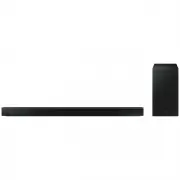 Samsung HW-B650-XY
User Manual
Samsung HW-B650-XY
User Manual
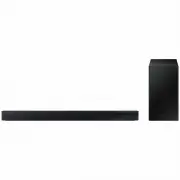 Samsung HW-C450-XY
User Manual
Samsung HW-C450-XY
User Manual
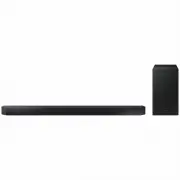 Samsung HW-Q600C-XY
User Manual
Samsung HW-Q600C-XY
User Manual
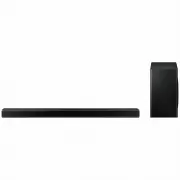 Samsung HW-Q700AXY
User Manual
Samsung HW-Q700AXY
User Manual
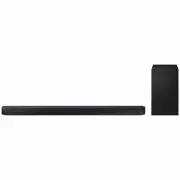 Samsung HW-Q700C-XY
User Manual
Samsung HW-Q700C-XY
User Manual
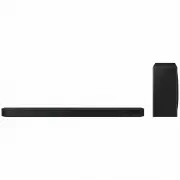 Samsung HW-Q800C-XY
User Manual
Samsung HW-Q800C-XY
User Manual
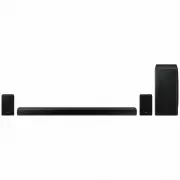 Samsung HW-Q870AXY
User Manual
Samsung HW-Q870AXY
User Manual
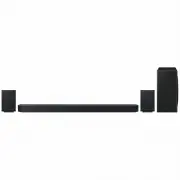 Samsung HW-Q930C-XY
User Manual
Samsung HW-Q930C-XY
User Manual
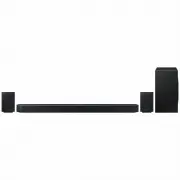 Samsung HW-Q990C-XY
User Manual
Samsung HW-Q990C-XY
User Manual
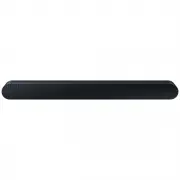 Samsung HW-S60B-XY
User Manual
Samsung HW-S60B-XY
User Manual
 Samsung HW-S61
User Manual
Samsung HW-S61
User Manual
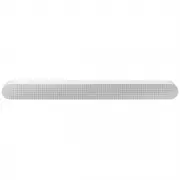 Samsung HW-S61B-XY
User Manual
Samsung HW-S61B-XY
User Manual
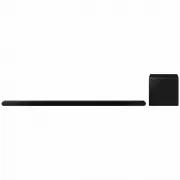 Samsung HW-S800B-XY
User Manual
Samsung HW-S800B-XY
User Manual
 Samsung HW-S801B-XY
User Manual
Samsung HW-S801B-XY
User Manual
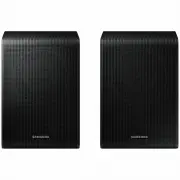 Samsung SWA-9200SXY
User Manual
Samsung SWA-9200SXY
User Manual
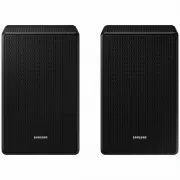 Samsung SWA-9500SXY
User Manual
Samsung SWA-9500SXY
User Manual
 Samsung HW-A430
User Manual
Samsung HW-A430
User Manual
 Samsung HW-A440
User Manual
Samsung HW-A440
User Manual