Page 2 - iii; ii; CAUTION : TO REDUCE THE RISK OF ELECTRIC SHOCK, DO
1. Read all of these instructions. 2. Save these instruction for later use. 3. Unplug this appliance system from the wall outlet before cleaningDo not use liquid cleaners or aerosol cleaner.Use a damp cloth for cleaning. 4. Do not use attachments not recommended by the appliance manufacturer, as the...
Page 3 - iv
13. Unplug this appliance from the wall outlet and refer servicing to qualified servicepersonnel under the following conditions: a. When the power cord or plug is damaged or frayed. b. If liquid has been spilled into the appliance. c. If the appliance does not operate normally by following the opera...
Page 4 - Contents; COLOR ROLLING
Contents 1. Introduction ........................................................ 3 2. Features .............................................................. 4 3. Installation .......................................................... 5 Precautions in Installation and Use .................... 5 Con...
Page 5 - Precautions in Installation and Use; High Sensitivity
3. Installation Precautions in Installation and Use ① Do not attempt to disassemble the camera yourself. ② Be cautious in handling the camera. Avoid striking orshaking the camera. Be cautious to avoid damage onthe camera caused by improper storage or operation. ③ Do not expose this camera to rain or...
Page 6 - Mounting the Lens; Connecting Auto Iris Lens Connector; Pin Number DC Control Type
7 User Guide E Mounting the Lens Loosen a screw fixing the Flange Back Adjustment Ring byturning it counterclockwise and turn the Adjustment Ring tothe "C" direction (counterclockwise) until it stops. Failure todo so may result in a damage caused by the bump of the lensagainst the image sens...
Page 7 - Adjusting Back Focus; Setting Lens Selection Switch
9 User Guide E Adjusting Back Focus Although the Back Focus of the camera has been adjustedin the factory before its shipment, the focus may not beaccurate for a certain type of the lens. In this case, followthe procedures below to adjust the Back Focus. First,following is how to adjust the Back Foc...
Page 8 - Connecting Cable
11 User Guide E Connecting Cable After mounting the lens and setting the Lens SelectionSwitch, connect the prepared cable to each terminal of thecamera. ① First, connect one end of the BNC cable to the VideoOutput Terminal (VIDEO OUT) of the camera. ② Then connect the other end of the BNC cable to t...
Page 10 - Names and Functions of Parts; • Side View; Groove for Mount Adapter; Note
15 User Guide E ③ Auto Iris Lens Connector Used for supplying power, which is required to controlthe iris of the lens, as well as control signal, videosignal, or DC signal to the Auto Iris Control Lens. ④ Auto Iris Lens Control Cable Used for transmitting the control signals to the camerato control ...
Page 11 - AC24V/DC12V Power Input Camera; • Rear Panel; AC230V Power Input Camera
① Power Connection Terminal Terminal to be connected to the power (adapter) cableConnect it to AC 24V or DC 12V. ② Power Indication LED While the power is properly supplied to the camera, theLED is turned on. ③ , ④ INC/DEC Switch The LINELOCK mode is useful for controlling VerticalSynchronous Phase....
Page 12 - Function Switches
19 User Guide E 3) SW3 (FL): This is to prevent flicker on the screen when NTSCsystem is used in 50HZ power supply region and PALsystem is used in 60HZ power supply region. That is toprevent shaking on the screen resulted from thediscordance of the vertical sync frequency and theflicker frequency of...
Page 13 - Product Specifications; Item; DC Iris Level Control
21 User Guide E 5. Product Specifications SCC-130B/131B Item Contents Product Type CCTV Camera Broadcasting NTSC STANDARD SYSTEM System CCD 1/3” IT type S-HAD CCD No. of Pixel 130B : 510(H) x 492(V) 131B : 768(H) x 494(V) Scanning Type 525 Line, 2:1 Interlace Frequency INTERNAL : 15,734 H Z (H) 59,9...
Page 16 - RISQUE DE CHOC ELECTRIQUE,
1. Lisez l’ensemble de ces instructions. 2. Conservez ces instructions en vue d’une future utilisation. 3. Débranchez cet appareil de la prise de courant murale avant de le nettoyer. N’utilisez pas de nettoyant liquide ou en aérosol.Utilisez un chiffon humide pour le nettoyage. 4. N’utilisez pas de ...
Page 18 - L’ondulation de couleur; Contenu
3 Manuel de l’utilisateur F 1. Introduction Avec un Super -HAD CCD tout récent, ces camérasoffrent les meilleures fonctions de surveillance enconnexion avec le système CCTV. ❈ Si vous installez un diaphragme manuel et activez lebouton de fonction ELC dans un environnement avec un éclairage fluoresce...
Page 19 - Précautions d’installation et d’utilisation; Sensibilité élevée
3. Installation Précautions d’installation et d’utilisation ➀ N’essayez pas de démonter la caméra vous-même. ➁ Soyez vigilant lors de la manipulation de la caméra. Evitez de la cogner ou de la secouer.Faites attention aux dommages qui pourraientêtre occasionnés suite à un rangement ou unfonctionneme...
Page 20 - Montage de l’objectif
7 F Manuel de l’utilisateur Montage de l’objectif Desserrez la vis fixant la bague de réglage de laface d’appui en la tournant dans le sens inverse desaiguilles d’une montre et tournez la bague deréglage dans la direction "C" (sens inverse desaiguilles d’une montre) jusqu’à ce qu’elle s’arrê...
Page 21 - Réglage de la mise au point arrière; Paramétrage du sélecteur de l’objectif
9 Manuel de l’utilisateur F Réglage de la mise au point arrière Bien que la mise au point arrière ait été réglée enusine avant l’expédition de l’appareil, la mise aupoint peut ne pas être précise pour un certain typed’objectif. Dans ce cas, suivez la procédure décrite ci-aprèsafin de régler la mise ...
Page 22 - Câble de connexion
11 Manuel de l’utilisateur F Câble de connexion Après avoir placé l’objectif et paramétré le sélecteurde l’objectif, branchez le câble préparé à chaqueborne de la caméra. ➀ Branchez tout d’abord un côté du câble BNC surla borne sortie vidéo (VIDEO OUT) de la caméra. ➁ Branchez ensuite l’autre extrém...
Page 24 - Noms et fonction des pièces; • Vue latérale; Cannelure pour le connecteur de
15 Manuel de l’utilisateur F Remarque: Lorsque la surface de l’objectif de la caméra estsale, essuyez-la doucement à l’aide d’un chiffonpour objectif ou un chiffon en coton imbibéd’éthanol. ③ Connecteur pour objectif à diaphragme automatique Est utilisé pour l’alimentation, nécessaire aucontrôle du ...
Page 25 - Caméra avec entrée CA 24V / CC 12V; • Panneau arrière; Caméra avec entrée CA 230V
① Borne de connexion Borne à brancher sur le câble d’alimentation(adaptateur) - Branchez-le sur le CA 24V ou leCC 12V. ② Voyant d’indication d’alimentation Lorsque la caméra est sous tension, le voyantest allumé. ③ , ④ Boutons INC/DEC Le mode LINELOCK est utilisé pour contrôler la PhaseVerticale Syn...
Page 26 - Sélecteurs de fonction
19 Manuel de l’utilisateur F 3) SW3 (FL): Ce bouton est utilisé pour éviter la vacillation de l’écranlorsque le système NTSC est utilisé avec unealimentation 50HZ ou lorsque le système PAL est utiliséavec une alimentation 60HZ. Ceci permet d’empêcherles secousses à l’écran dues à la discordance entr...
Page 27 - Caractéristiques du produit; Article
21 Manuel de l’utilisateur F 5. Caractéristiques du produit SCC-130B/131B Article Contenu Type de produit CCTV Camera Système d’émission Système NTSC Standard CCD 1/3” IT type S-HAD CCD Nombre de pixels 130B : 510(H) x 492(V) 131B : 768(H) x 494(V) Type de balayage 525 Line, 2:1 Entrelacement Fréque...
Page 30 - Warnung: Verhindern Sie einen möglichen
1. Bitte lesen Sie die Bedienungsanleitung 2. Die Bedienungsanleitung muss zur späteren Verwendung behalten werden. 3. Vor der Reinigung muss man das Gerät von der Steckdose trennen. Bitte kein flüssigesReinigungsmittel oder Aerosol verwenden. Nurmit einem feuchten Tuch reinigen. 4. Verwenden Sie ke...
Page 31 - Sollten folgende Probleme auftreten, ziehen Sie den; Bitten Sie das Servicepersonal beim Kundendienst
12. Versuchen Sie nicht die Abdeckung des Gerätes zu entfernen oder zu öffnen und das Gerät selbst zureparieren. Dadurch können Sie der gefährlichenHochspannung oder anderen Elektroschlägenausgesetzt werden. Bitte wenden Sie sich anqualifiziertes Personal beim Kundendienst. 13. Sollten folgende Prob...
Page 32 - Inhalt
1. Einleitung Diese Fernseh-Überwachungskamera verwendet denmodernsten Super-HAD-CCD-Sensor für eine optimaleLeistung ❈ Im mechanischen Leuchtstofflicht Umgebug, wenn SieMANUELLE BLENDE anbringen und den ELC Schalter unter FUNKTION Schaltern einschalten, kann Farbe gerollt werden. In diesem Fall sch...
Page 33 - Hohe Lichtempfindlichkeit
3. Installation Vorkehrungen bei der Installation undVerwendung ① Auf keinen Fall versuchen, die Kamera selber zuzerlegen. ② Vorsichtig mit dem Umgang der Kamera. VerhindernSie das Herunterfallen oder Schütteln der Kamera.Vermeiden Sie das Beschädigen der Kamera durchunsachgemäße Behandlung oder Lag...
Page 34 - Einstellen des Objektivs; Pin No DC-gesteuerte Blende ES- gesteuerte Blende
7 Benutzerhandbuch G Einstellen des Objektivs Lösen Sie die Feststellschraube gegen den Uhrzeigersinn andem Einstellring. Drehen Sie jetzt den Einstellring auf diePosition “C” bis es nicht mehr weiter geht. Sonst kann es zurBeschädigung des Objektivs oder des Bildsensors kommen. C Anweisung Automati...
Page 35 - Einstellung des Auflagemaßes; Auswahlschalter für die Objektiveinstellung
9 Benutzerhandbuch G Einstellung des Auflagemaßes Grundsätzlich unterscheidet man zwei verschiedene Artenvon Objektiven.Zum einen das C- Mount Objektiv und zum anderen das CS- Objektiv. Bei einem C- Mount Objektiv, dreht man denEinstellring auf “C”. Um ein scharfes Bild zu erhalten, drehtman den Ein...
Page 36 - Anschließen der Kabel
11 Benutzerhandbuch G Anschließen der Kabel Nachdem Sie die Einstellungen an den Schaltern und demObjektiv vorgenommen haben, müssen Sie jetztVorbereitungen für die Verkabelung des Gerätesvornehmen. ① Als erstes verbinden Sie das eine Ende des BNCKabels mit dem Video Ausgang der Kamera. (VIDEO OUT) ...
Page 38 - Einstellring; Namen und Funktion der Teile; Seitenansicht; Schraublöcher für Befestigungsplatte
15 Benutzerhandbuch G Hinweis: Wenn die Oberfläche der Kameralinse verschmutzt ist,wischen Sie die Oberfläche generell mit einem speziellenTuch für Linsen oder mit einem Ethanol befeuchtetemBaumwolltuch ab. ③ Auto-Iris-Stecker Über diesen Anschlussstecker wird die Spannung zurSteuerung der Objektivb...
Page 39 - • Rückansicht
① Spannungsversorgung Spannungsversorgung für die Kamera geschieht überein passendes AC 24V oder DC 12V Netzteil. (z.B. NT-24 / NT-12) ② Betriebsanzeige Wenn die Kamera und das Netzteil angeschlossensind, leuchtet die rote LED. ③ , ④ INC/DEC Regler Der LINELOCK Modus ist nützlich für die Kontrolle d...
Page 40 - Funktionsschalter
19 Benutzerhandbuch G 3) SW3 (FL): Dieser Regler soll das Flimmern des Bildes auf demMonitor bei 60 Hz verhindern. Ein wackelndes Bild kanndurch die Unstimmigkeit der V SYNC ( Frequenz) undder Ausleuchtung entstehen. Wenn der Regler aufPosition ON steht, beträgt die festgelegte Verschlusszeit1/120 p...
Page 44 - PRECAUCIÓN : PARA REDUCIR EL RIESGO DE DESCARGA
1. Lea con cuidado las intrucciones 2. Guarde este manual para el siguiente uso 3. Desactive este sistema de dispositivo desde la salida de pared antes de limpiarlo No use líquidode limpieza o atomizador solo use paño secocuando lo limpie . 4. No usar dispositivo no recomendado por el proveedor , ya...
Page 46 - ARRASTRE DE COLOR; Contenidos
1. Introducción Utilizando la novedosa tecnología CCD Super -HAD,estascámaras proporcionan la mejor función de monitoreocuando se conectan a sistemas CCTV. ❈ Cuando se usa la luz fluorescente mecánico, si ustedconecta el IRIS MANUAL y enciende el interruptor ELC (es decir, ajusta en el modo ON) en e...
Page 47 - Precauciones de instalación y uso.; Alta sensibilidad
3. Instalación Precauciones de instalación y uso. ① No intentar desmontar la cámara por uno mismo . ② Mucho cuidado cuando maneja la cámara . No golpearo agitarlo . Cuidese para que no cause algún daño porina propiada o incorrecta operación. ③ No la exponga a la lluvia ni la coloque en un lugarmojad...
Page 48 - Montaje de lente; Conexión el Coctor de lente Auto Iris; Pin Numero Tipo de DC Control Tipo de control de vídeo
7 Guía de Usuario ES Montaje de lente Afloje el tornillo fijando el Anillo de Ajuste de Flange Backgirando En el sentido de las agujas del y gire el Anillo deAdjuste a la dirección "C" (en el sentido de las agujas delreloj) hasta que pare.Puede casuar algún dano por Bump de la lente contra l...
Page 49 - Abjuste del enfoque posterior
9 Guía de Usuario ES Abjuste del enfoque posterior Aunque el enfoque posterior de cámara es ajustado enfábrica antes de su empaque, el enfoque no puede serpreciso según el tipo particular de las lentes. En estecaso ,haga definicion abajo para ajustar un EnfoquePosterior .Primero , Muestra el método ...
Page 50 - Conexión de Cable
11 Guía de Usuario ES Conexión de Cable Después de montar la lente y configurarlo Selección Pin,conecte el cable debido a cada terminal de cámara. ① Primero , conecte un extremo de BNC cable a la VideoSalida Terminal (VIDEO OUT) de la cámara. ② Luego , conecte otro extremo de BNC cable laTerminal de...
Page 52 - Nota; Conector de Lente Auto iris; Pin de selección de ALC Lente; Nombres y Funciones de las; • Vista lateral; Ranura para la montura del adaptador
15 Guía de Usuario ES Nota Cuando la superficie de cámara está contaminada o sucia,Limpie la superficie con pano para las lentes o con panode algodón con alcohol. ③ Conector de Lente Auto iris Se utiliza para alimentación de energia , que esproporciada para controlar iris de la lente , tal como seña...
Page 53 - Cámara con alimentación AC24V/DC12V; • Panel trasero; Cámara con alimentación AC230V
① Terminal de conexión de alimentación Terminal que puede ser conectado al cable dealimentación (adaptador ) Conectelo a AC 24V o DC12V. ② Power Indicación LED Mientras la alimentación es proporcionadaadecuadamente a la cámara , Se encenderá ③ , ④ INC/DEC Switch El modo LINELOCK es útil para control...
Page 54 - Switches de Función
19 Guía de Usuario ES 3) SW3 (FL): Este es para prevenir el parpadeo en la pantalla cuando se realiza el sistema de NTSCsistema es usado en la region con corriente eléctrica 50HZy PAL sistema es usado en la region con corriente eléctrica60HZ . Esto es para evitar lo que mueve la pantalla acauado de ...
Page 58 - ATTENZIONE
1. Leggere tutte le istruzioni. 2. Conservare le istruzioni per uso futuro. 3. Prima di pulire l’apparecchio, disinserire il cavo di alimentazione dalla presa a muro.Non usare detergenti liquidi o spray.Per la pulizia utilizzare un panno umido. 4. Non usare accessori non indicati dalla casa produttr...
Page 60 - Descrizione; Collegamento del connettore per l’obiettivo
1. Introduzione Adottando il più avanzato Super –HAD CCD,questetelecamere forniscono una qualità di immaginesuperiore quando sono collegate a d un sistema CCTV. ❈ Se nell' ambiente in cui è installata la telecamera èpresente una sorgente luminosa artificiale fluorescente e si utilizzano obiettivi co...
Page 61 - Precauzioni per l’installazione e l’uso; Elevata sensibilità
3. Installazione Precauzioni per l’installazione e l’uso ➀ Non tentare di smontare la telecamera. ➁ Maneggiare con cautela l’apparecchio. Evitare di colpire o scuotere la telecamera. Evitare diprovocare danni all’apparecchio causati daimmagazzinaggio o funzionamento non corretti. ➂ Non esporre l’app...
Page 62 - Montaggio dell’obiettivo; Numero pin Tipo di controllo DC Tipo di controllo video
7 Manuale d’uso I Montaggio dell’obiettivo Allentare la vite che fissa l’anello di regolazioneposteriore della flangia ruotandola in sensoantiorario, quindi ruotare l’anello di regolazione indirezione "C" (in senso antiorario) fino al suoarresto. La mancata osservanza di questa normapuò prov...
Page 63 - Regolazione della profondità di campo; Impostazione del selettore obiettivo
9 Manuale d’uso I Regolazione della profondità di campo Anche se la profondità di campo della telecameraviene regolata in fabbrica prima dell’inviodell’apparecchio, l’impostazione potrebbe risultareinadatta per determinati tipi di obiettivi. Se ciò si dovesse verificare, seguire le procedureindicate...
Page 64 - Cavo di collegamento
11 Manuale d’uso I Cavo di collegamento Dopo aver montato l’obiettivo e aver impostato ilselettore, collegare il cavo predisposto a ciascunconnettore della telecamera. ➀ Per prima cosa, collegare un’estremità del cavo BNC al connettore d'uscita video (VIDEO OUT) della telecamera. ➁ Collegare quindi ...
Page 66 - Connettore obiettivo Auto Iris; Nomi e funzioni delle parti; • Vista laterale; Scanalatura per adattatore
15 Manuale d’uso I Nota Quando la superficie dell’obiettivo della telecameraè sporca, pulirla delicatamente con apposita cartaper obiettivi oppure con un panno di cotoneinumidito d’alcol. ③ Connettore obiettivo Auto Iris Serve per fornire i segnali e l'alimentazionenecessari per il corretto funziona...
Page 67 - Telecamera con ingresso alimentazione 12V dc&24VAC; • Pannello posteriore; Telecamera con ingresso alimentazione AC 230V
① Collegamento dell’ alimentazione Da collegare all’alimentazione 230 Vac oall'uscita dell' adattatore di tensione (12Vdc o24vac). ② Led Power Il Led si accende quando la telecamera èalimentata correttamente. ③ , ④ INC/DEC Interruttore In modalità LINELOCK è utilizzato per regolare laFase relativa a...
Page 68 - Selettori funzione
19 Manuale d’uso I 3) SW3 (FL): Questo funzione impe disce il tremolio dell'immaginenel monitor. In questa modalità la velocitàdell'otturatore elettronico e fissa a 1/120 di secondoe viene utilizzata per ridurre l'effetto di"sfarfallameto" (flicker).Quando il selettore è impostato in ON l’ot...
Page 69 - Specifiche del prodotto; Voce; Controllo del livello Iris DC
21 Manuale d’uso I 5. Specifiche del prodotto SCC-130B/131B Voce Descrizione Tipo di prodotto Telecamera CCTV Sistema di SISTEMA STANDARD NTSC trasmissione CCD CCD S-HAD 1/3” IT N. di pixel 130B : 510(H) x 492(V) 131B : 768(H) x 494(V) Sistema di scansione 525 linee, interlaccio 2:1 Frequenza INTERN...
Page 74 - —Ó‰ÂʇÌËÂ
—Ó‰ÂʇÌË 1. ¬‚‰ÂÌËÂ........................................... 3 2. ‘ÛÌ͈ËË ............................................ 4 3. ”ÒÚ‡Ìӂ͇ ......................................... 5 ÃÂ˚ Ô‰ÓÒÚÓÓÊÌÓÒÚË ‚Ó ‚ÂÏˇÛÒÚ‡ÌÓ‚ÍË Ë ÔË ˝ÍÒÔÎÛ‡Ú‡ˆËË ........ 5œÓ‰Íβ˜ÂÌË ‡Á˙Âχ Ó·˙ÂÍÚË‚‡ Ò‡‚ÚÓχÚ˘ÂÒÍÓÈ ‰Ë...
Page 75 - ¬ ̊ÒÓ͇ˇ ̃Û‚ÒÚ‚ËÚÂÎ ̧ÌÓÒÚ ̧
3. ”ÒÚ‡Ìӂ͇ ÃÂ˚ Ô‰ÓÒÚÓÓÊÌÓÒÚË ‚Ó ‚ÂÏˇÛÒÚ‡ÌÓ‚ÍË Ë ÔË ˝ÍÒÔÎÛ‡Ú‡ˆËË ① Õ ‡Á·Ë‡ÈÚ ‚ˉÂÓ͇ÏÂÛÒ‡ÏÓÒÚÓˇÚÂθÌÓ. ② Œ·‡˘‡ÈÚÂÒ¸ Ò Í‡ÏÂÓÈ ÓÒÚÓÓÊÌÓ. Õ ۉ‡ˇÈÚ ÔÓ Í‡ÏÂÂ Ë Ì ڡÒËÚÂÂÂ. œË ı‡ÌÂÌËË Ë ˝ÍÒÔÎÛ‡Ú‡ˆËË ‚ˉÂÓ͇ÏÂ˚ÒΉÛÂÚ Òӷβ‰‡Ú¸ ÓÒÚÓÓÊÌÓÒÚ¸, ˜ÚÓ·˚ËÁ·Âʇڸ ÔÓ‚ÂʉÂÌËÈ. ③ Õ ÓÒÚ‡‚ΡÈÚ...
Page 76 - ”ÒÚ‡Ìӂ͇ Ó· ̇ÂÍÚË‚‡
7 –ÛÍÓ‚Ó‰ÒÚ‚Ó ÔÓθÁÓ‚‡ÚÂΡ ”ÒÚ‡Ìӂ͇ Ó·˙ÂÍÚË‚‡ ŒÒ··¸Ú ‚ËÌÚ, ÙËÍÒËÛ˛˘ËÈ ÍÓθˆÓ„ÛÎËÓ‚ÍË Á‡‰ÌÂ„Ó ÙÓÍÛÒ‡, ‡ÒÔÓÎÓÊÂÌÌÓÂ̇ Ù·̈ ӷ˙ÂÍÚË‚‡ (ÓÚ‚Ó‡˜Ë‚‡ÂÚÒˇ ÔÓÚË‚˜‡ÒÓ‚ÓÈ ÒÚÂÎÍË), Ë ÔÓ‚ÂÌËÚ„ÛÎËÓ‚Ó˜ÌÓ ÍÓθˆÓ ‚ ̇ԇ‚ÎÂÌËË ÏÂÚÍË “ — ” (ÔÓÚË‚ ˜‡ÒÓ‚ÓÈ ÒÚÂÎÍË) ‰Ó ÛÔÓ‡. Õ‚˚ÔÓÎÌÂÌË ˝ÚÓ„Ó Ú·ӂ...
Page 78 - œÓ‰ÍÎ ̨ ̃ÂÌË ͇·ÂÎÂÈ
11 –ÛÍÓ‚Ó‰ÒÚ‚Ó ÔÓθÁÓ‚‡ÚÂΡ œÓ‰Íβ˜ÂÌË ͇·ÂÎÂÈ œÓÒΠÛÒÚ‡ÌÓ‚ÍË Ó·˙ÂÍÚË‚‡ Ë ÛÒÚ‡ÌÓ‚ÍËÔÂÂÍβ˜‡ÚÂΡ ÚËÔ‡ ÛÔ‡‚Ρ˛˘Â„Ó Ò˄̇· ‚ÔÓÎÓÊÂÌËÂ, ÒÓÓÚ‚ÂÚÒÚ‚Û˛˘Â ÚËÔÛÓ·˙ÂÍÚË‚‡, ÔÓ‰Íβ˜ËÚ ÔÓ‰„ÓÚÓ‚ÎÂÌÌ˚Â͇·ÂÎË ÍÓ ‚ÒÂÏ ‡Á˙ÂÏ‡Ï Í‡ÏÂ˚. ① —̇˜‡Î‡ ÔÓ‰ÒÓ‰ËÌËÚ ‡Á˙ÂÏ Í‡·ÂΡ BNC(͇·Âθ Ò ÏËÌˇڲÌ˚ÏË ·‡ÈÓÌÂÚÌ˚ÏËÒ...
Page 81 - «‡‰Ìˇˇ Ô‡ÌÂÎ ̧
① √ÌÂÁ‰Ó ‰Îˇ ÔÓ‰Íβ˜ÂÌˡ ÔËÚ‡Ìˡ K ˝ÚÓÏÛ „ÌÂÁ‰Û ÔÓ‰Íβ˜‡ÂÚÒˇ ¯ÌÛ ÔËÚ‡Ìˡ(·ÎÓÍ ÔËÚ‡Ìˡ). œÓ‰Íβ˜ËÚÂ Í ·ÎÓÍÛÔËÚ‡Ìˡ 24 ¬ ÔÂÂÏÂÌÌÓ„Ó ÚÓ͇ ËÎË 12 ¬ÔÓÒÚÓˇÌÌÓ„Ó ÚÓ͇ ② —‚ÂÚÓ‰ËÓ‰Ì˚È Ë̉Ë͇ÚÓ ‚Íβ˜ÂÌˡÔËÚ‡Ìˡ ›ÚÓÚ Ë̉Ë͇ÚÓ Á‡„Ó‡ÂÚÒˇ ÔË ÔÓ‰‡˜Â ̇‚ˉÂÓ͇ÏÂÛ ÔËÚ‡˛˘Â„Ó Ì‡ÔˇÊÂÌˡ. ③ , ④ œÂÂÍβ˜‡ÚÂÎË INC...
Page 83 - “ÂıÌË ̃ÂÒÍË ı‡‡ÍÚÂËÒÚËÍË
21 –ÛÍÓ‚Ó‰ÒÚ‚Ó ÔÓθÁÓ‚‡ÚÂΡ 5. “ÂıÌ˘ÂÒÍË ı‡‡ÍÚÂËÒÚËÍË ‚ˉÂÓ͇ÏÂ˚ SCC-130B/131B ’‡‡ÍÚÂËÒÚË͇ «Ì‡˜ÂÌË “ËÔ ËÁ‰ÂÎˡ ¬Ë‰ÂÓ͇χ ‰Îˇ Á‡ÏÍÌÛÚÓÈ ÚÂ΂ËÁËÓÌÌÓÈ ÒËÒÚÂÏ˚ —ËÒÚÂχ ˆ‚ÂÚÌÓ„Ó —ڇ̉‡Ú̇ˇ ÒËÒÚÂχ ˆ‚ÂÚÌÓ„Ó ÚÂ΂ˉÂÌˡ ÚÂ΂ˉÂÌˡ NTSC ‘ÓÏËÓ‚‡ÚÂθ œ«—-χÚˈ‡ S-HAD Ò ËÁÓ·‡ÊÂÌˡ ÏÂÊÒÚÓ˜Ì˚Ï...
Page 96 - Function
19 3) SW3 (FL): NTSC 50Hz PAL 60Hz ON NTSC 4) SW4 (AWB): ON (ATW) ON/OFF (AWC) AWB 18 % Function 1) SW1 (LL): OFF ON INT INC/DEC 2) SW2 (ELC): MANUAL 1/60 1/120,000 DC Video Control OFF AC SW1 ON (NTSC:60Hz, PAL:50Hz) ON 1. L/L 2. ELC 3. FL 4. AWB SW1 SW2 SW3 SW4


 Samsung HW-A650
User Manual
Samsung HW-A650
User Manual
 Samsung HW-B450
User Manual
Samsung HW-B450
User Manual
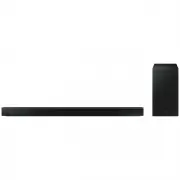 Samsung HW-B650-XY
User Manual
Samsung HW-B650-XY
User Manual
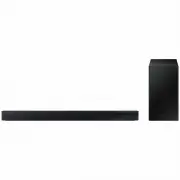 Samsung HW-C450-XY
User Manual
Samsung HW-C450-XY
User Manual
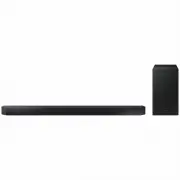 Samsung HW-Q600C-XY
User Manual
Samsung HW-Q600C-XY
User Manual
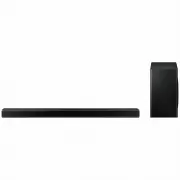 Samsung HW-Q700AXY
User Manual
Samsung HW-Q700AXY
User Manual
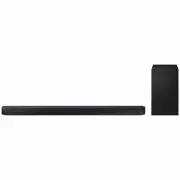 Samsung HW-Q700C-XY
User Manual
Samsung HW-Q700C-XY
User Manual
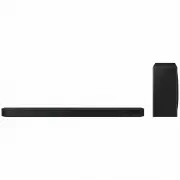 Samsung HW-Q800C-XY
User Manual
Samsung HW-Q800C-XY
User Manual
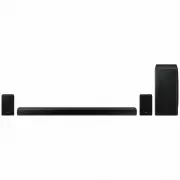 Samsung HW-Q870AXY
User Manual
Samsung HW-Q870AXY
User Manual
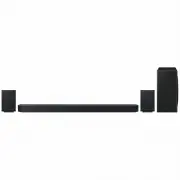 Samsung HW-Q930C-XY
User Manual
Samsung HW-Q930C-XY
User Manual
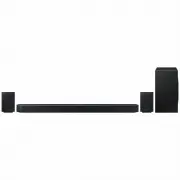 Samsung HW-Q990C-XY
User Manual
Samsung HW-Q990C-XY
User Manual
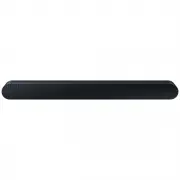 Samsung HW-S60B-XY
User Manual
Samsung HW-S60B-XY
User Manual
 Samsung HW-S61
User Manual
Samsung HW-S61
User Manual
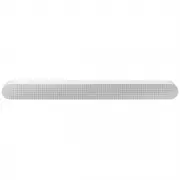 Samsung HW-S61B-XY
User Manual
Samsung HW-S61B-XY
User Manual
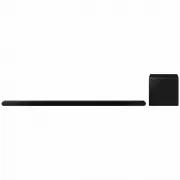 Samsung HW-S800B-XY
User Manual
Samsung HW-S800B-XY
User Manual
 Samsung HW-S801B-XY
User Manual
Samsung HW-S801B-XY
User Manual
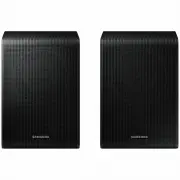 Samsung SWA-9200SXY
User Manual
Samsung SWA-9200SXY
User Manual
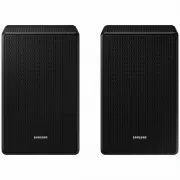 Samsung SWA-9500SXY
User Manual
Samsung SWA-9500SXY
User Manual
 Samsung HW-A430
User Manual
Samsung HW-A430
User Manual
 Samsung HW-A440
User Manual
Samsung HW-A440
User Manual