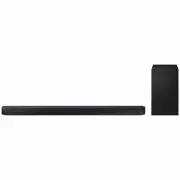
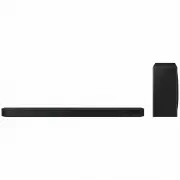
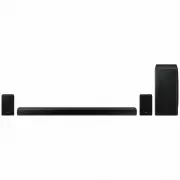
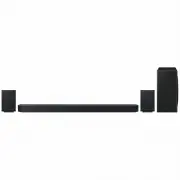
Page 2 - SAFETY INFORMATION; SAFETY WARNINGS; WARNING; CAUTION; Wiring the Main Power Supply; IMPORTANT NOTICE
ENG - ii SAFETY INFORMATION SAFETY WARNINGS TO REDUCE THE RISK OF ELECTRIC SHOCK, DO NOT REMOVE THE COVER (OR BACK). NO USER-SERVICEABLE PARTS ARE INSIDE. REFER SERVICING TO QUALIFIED SERVICE PERSONNEL. CAUTION RISK OF ELECTRIC SHOCK. DO NOT OPEN. This symbol indicates that high voltage is present i...
Page 3 - IMPORTANT; PRECAUTIONS
ENG - iii However, if there is no alternative to cutting off the plug, remove the fuse and then safely dispose of the plug. Do not connect the plug to a mains socket as there is a risk of shock hazard from the bared flexible cord. Never attempt to insert bare wires directly into a mains socket. A pl...
Page 4 - CONTENTS; Checking the Components; Connecting to your TV; ABOUT THIS MANUAL; USER MANUAL
ENG - iv CONTENTS 01 Checking the Components 2 Inserting Batteries before using the Remote Control (AA batteries X 2) ------------------------- 2 02 Product Overview 3 Front Panel / Right Side Panel of the Soundbar ------------------------- 3 Bottom Panel of the Soundbar ------------------------- 4 ...
Page 5 - Specifications and Guide
ENG - v 05 Connecting an External Device 13 Connecting using an HDMI Cable ------------------------- 13 Connecting using an Optical or Analogue Audio (AUX) Cable ------------------------- 14 06 Connecting a USB 15 07 Connecting a Mobile Device 17 Connecting via Bluetooth ------------------------- 17...
Page 6 - 1 CHECKING THE COMPONENTS
ENG - 2 01 CHECKING THE COMPONENTS Surround VOL WOOFER SOUNDBAR SOUND MODE Bluetooth POWER Soundbar Main Unit Subwoofer Remote Control / Batteries 1 2 3 Power Cord (Subwoofer) AC/DC Adapter (Main Unit) Power Cord (AC/DC Adapter) • The power connection steps are labelled ( 1 , 2 , 3 ). For more infor...
Page 7 - 2 PRODUCT OVERVIEW; Front Panel / Right Side Panel of the Soundbar
ENG - 3 02 PRODUCT OVERVIEW Front Panel / Right Side Panel of the Soundbar Right Side of the Soundbar Position the product so that the SAMSUNG logo is located on the top. Display Displays the product’s status and current mode. +/- (Volume) Button Adjusts the volume. • When adjusted, the volume level...
Page 8 - Bottom Panel of the Soundbar
ENG - 4 Bottom Panel of the Soundbar Wi-Fi SETUP SPK ADD DIGITAL AUDIO IN (OPTICAL) USB (5V 0.5A) AUX IN HDMI IN HDMI OUT (TV-ARC) DC 24V DIGITAL AUDIO IN (OPTICAL) USB (5V 0.5A) AUX IN HDMI OUT (TV-ARC) HDMI IN DC 24V DIGITAL AUDIO IN (OPTICAL) Connect to the digital (optical) output of an external...
Page 9 - 3 CONNECTING THE SOUNDBAR; Connecting Electrical Power; Subwoofer
ENG - 5 03 CONNECTING THE SOUNDBAR Connecting Electrical Power Use the power components ( 1 , 2 , 3 ) to connect the units to electrical outlets in the following order: 1.) Subwoofer 2.) Soundbar Main Unit. See the illustrations below. • For more information about the required electrical power and...
Page 10 - Connecting the Soundbar to the Subwoofer; Automatic connection between the subwoofer and the Soundbar; LED Indicator Lights on the Rear of Subwoofer; LED
ENG - 6 Connecting the Soundbar to the Subwoofer When the subwoofer is connected, you can enjoy rich bass sound. Automatic connection between the subwoofer and the Soundbar When you turn the power on after connecting the power cables to the Soundbar and subwoofer, the subwoofer is automatically conn...
Page 11 - Check before performing the manual connection; VOL; ID SET; NOTES
ENG - 7 Manually connecting the subwoofer if automatic connection fails Check before performing the manual connection • Check whether the power cables for the Soundbar and subwoofer are connected properly. • Make sure that the Soundbar is turned on. 1. Press and hold ID SET on the rear of the subwoo...
Page 13 - 4 CONNECTING TO YOUR TV; Method 1. Connecting with a Cable; Connecting a TV using an HDMI Cable; TV ARC
ENG - 9 04 CONNECTING TO YOUR TV Hear TV sound from your Soundbar through wired or wireless connections. • When the Soundbar is connected to a selected Samsung TVs, the Soundbar can be controlled using the TV’s remote control. – When using optical cable, this feature can be supported by 2017 Samsung...
Page 14 - Connecting using an Optical Cable; Auto Power Link
ENG - 10 • If “ TV ARC ” does not appear in the display window of the Soundbar main unit, confirm that the cable is connected to the correct port. • Use the volume buttons on the TV’s remote control to change the volume on the Soundbar. NOTES • HDMI is an interface that enables the digital transmiss...
Page 15 - Method 2. Connecting Wirelessly; Connecting a TV via Bluetooth; The initial connection
ENG - 11 3. Press the Left button on the remote control for 5 seconds to turn Auto Power Link on or off. • Auto Power Link is set to ON by default. (To turn off this function, turn off Auto Power using the Soundbar.) • Depending on the connected device, Auto Power Link may not function. • This funct...
Page 16 - What are the BT READY and BT PAIRING statuses?; Disconnecting the Soundbar from the TV
ENG - 12 What are the BT READY and BT PAIRING statuses? • BT READY : In this mode, you can search for previously connected TVs or connect to the Soundbar from a previously connected mobile device. • BT PAIRING : In this mode, you can connect to a new device. (While in “ BT ” mode, press and hold the...
Page 17 - 5 CONNECTING AN EXTERNAL DEVICE; Connecting using an HDMI Cable; HDMI
ENG - 13 05 CONNECTING AN EXTERNAL DEVICE Connect to an external device via a wired or wireless network to play the external device’s sound through the Soundbar. Connecting using an HDMI Cable Right Side of the Soundbar HDMI OUT (TV-ARC) HDMI IN HDMI OUT HDMI IN (ARC) HDMI Cable (not supplied) HDMI ...
Page 18 - Connecting using an Optical or Analogue Audio (AUX) Cable; Optical Cable
ENG - 14 Connecting using an Optical or Analogue Audio (AUX) Cable Right Side of the Soundbar DIGITAL AUDIO IN (OPTICAL) USB (5V 0.5A) AUX IN OPTICAL OUT - AUDIO - R L Optical Cable (not supplied) Audio (AUX) Cable (not supplied) Bottom of Soundbar BD / DVD player / Set-top box / Game console 1 Opti...
Page 19 - 6 CONNECTING A USB; USB
ENG - 15 06 CONNECTING A USB You can play music files located on USB storage devices through the Soundbar. Display USB port Wi-Fi SETUP SPK ADD DIGITAL AUDIO IN (OPTICAL) USB (5V 0.5A) AUX IN HDMI IN HDMI OUT (TV-ARC) DC 24V USB (5V 0.5A) Micro USB to USB adapter Cable (not supplied) USB 1. Connect ...
Page 20 - File Format Type Compatibility list
ENG - 16 File Format Type Compatibility list Extension Codec Sampling Rate Bit Rate *.mp3 MPEG 1 Layer2 16KHz ~ 48KHz 80kbps~320kbps MPEG 1 Layer3 16KHz ~ 48KHz 80kbps~320kbps MPEG 2 Layer3 16KHz ~ 48KHz 80kbps~320kbps MPEG 2.5 Layer3 16KHz ~ 48KHz 80kbps~320kbps *.wma Wave_Format_MSAudio1 16KHz ~ 4...
Page 21 - 7 CONNECTING A MOBILE DEVICE; Connecting via Bluetooth; If the device fails to connect
ENG - 17 07 CONNECTING A MOBILE DEVICE Connecting via Bluetooth When a mobile device is connected using Bluetooth, you can hear stereo sound without the hassle of cabling. • You cannot connect more than one Bluetooth device at a time. Bluetooth device The initial connection 1. Press the (Source) but...
Page 23 - Disconnecting the Bluetooth device from a Soundbar; BT DISCONNECTED; Disconnecting the Soundbar from the Bluetooth device; BT; More About Bluetooth
ENG - 19 Disconnecting the Bluetooth device from a Soundbar You can disconnect a Bluetooth device from the Soundbar. For instructions, see the Bluetooth device’s user manual. • The Soundbar will be disconnected. • When the Soundbar is disconnected from the Bluetooth device, the Soundbar will display...
Page 24 - Using the Samsung Audio Remote App; Installing the Samsung Audio Remote App; Launching the Samsung Audio Remote App
ENG - 20 Using the Samsung Audio Remote App Installing the Samsung Audio Remote App To control the Soundbar with your smart device and the Samsung Audio Remote app, download the Samsung Audio Remote app from the Google Play store. Market search : Samsung Audio Remote Launching the Samsung Audio Remo...
Page 25 - 8 USING THE REMOTE CONTROL; How to Use the Remote Control
ENG - 21 08 USING THE REMOTE CONTROL How to Use the Remote Control Surround VOL WOOFER SOUNDBAR SOUND MODE Bluetooth POWER Power Surround VOL WOOFER SOUND MODE Bluetooth POWER Turns the Soundbar on and off. Sound Control Surround VOL WOOFER SOUND MODE Bluetooth POWER You can select from TREBLE , BAS...
Page 28 - Adjusting the Soundbar volume with a TV remote control
ENG - 24 Surround VOL WOOFER SOUND MODE Bluetooth POWER WOOFER Sur rou nd SOU ND MO DE Blue toot h POW ER VOL WOOFE R SOUNDB AR Sur rou nd SOU ND MO DE Blue toot h POW ER VOL WOOFE R SOUNDB AR Sur rou nd SOU ND MO DE Blue toot h POW ER VOL WOOFE R SOUNDB AR Sur rou nd SOU ND MO DE Blue toot h POW ER...
Page 30 - 9 INSTALLING THE WALL MOUNT; Installation Precautions; Wallmount Components; Wall Mount Guide
ENG - 26 09 INSTALLING THE WALL MOUNT Installation Precautions • Install on a vertical wall only. • Do not install in a place with high temperature or humidity. • Verify whether the wall is strong enough to support the product’s weight. If not, reinforce the wall or choose another installation point...
Page 32 - Screws; Mount
ENG - 28 6. Use the two Screws (M4 x L12) to attach both Bracket-Wall Mount L and R to the Soundbar’s bottom. For a proper fit, make sure to align the bumps on the Soundbar to the holes on the brackets. • When assembling, make sure the hanger part of the Bracket-Wall Mounts are located behind the re...
Page 33 - UPDATE; Samsung may offer updates for the Soundbar’s
ENG - 29 Detaching the Soundbar from the Wall 1. To separate the Soundbar from the wall mount, push it in the direction of arrow, tilt it up slightly, and then pull it away from the wall as shown. • Do not hang onto the installed unit and avoid striking or dropping the unit. • Secure the unit firmly...
Page 34 - Updating Procedure; INIT; If UPDATE is not displayed
ENG - 30 Updating Procedure 1. Connect a Micro USB to USB adapter cable with a male USB 2.0 Micro USB plug (Type B) on one end and a standard female 2.0 USB jack (Type A) on the other end to the micro USB jack on your Soundbar. • The Micro USB to USB adapter cable is sold separately. To purchase, co...
Page 35 - 1 TROUBLESHOOTING
ENG - 31 11 TROUBLESHOOTING Before seeking assistance, check the following. The unit will not turn on. Is the power cord plugged into the outlet? ; Connect the power plug to the outlet. A function does not work when the button is pressed. Is there static electricity in the air? ; Disconnect the powe...
Page 36 - 3 OPEN SOURCE
ENG - 32 12 LICENCE Manufactured under license from Dolby Laboratories. Dolby, Dolby Audio, Pro Logic, and the double-D symbol are trademarks of Dolby Laboratories. For DTS patents, see http://patents.dts.com. Manufactured under license from DTS Licensing Limited. DTS, the Symbol, DTS in combination...
Page 37 - 5 SPECIFICATIONS AND GUIDE; BT max transmitter power; Press the “
ENG - 33 15 SPECIFICATIONS AND GUIDE Specifications GENERAL USB 5V/0.5A Weight Soundbar Main Unit 2.6 kg Subwoofer (PS-WM30) 7.2 kg Dimensions (W x H x D) Soundbar Main Unit 1010.5 x 54.0 x 87.5 mm Subwoofer (PS-WM30) 200.0 x 392.0 x 378.0 mm Operating Temperature Range +5°C to +35°C Operating Humid...