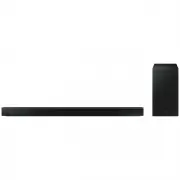
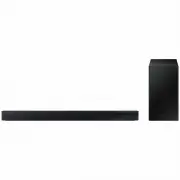
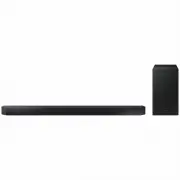
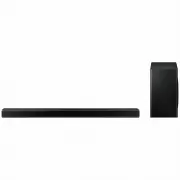
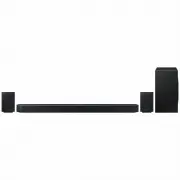
Page 2 - features; LICENCE
2 features SoundShare SoundShare produces TV sound on your SAT via a Bluetooth connection and controls the sound. HDMI HDMI transmits video and audio signals simultaneously, and provides a clearer picture. The unit is also equipped with the ARC function which lets you listen to sound from your TV vi...
Page 3 - ENG; safety information; SAFETY WARNINGS
3 ENG safety information SAFETY WARNINGS TO REDUCE THE RISK OF ELECTRIC SHOCK, DO NOT REMOVE THE COVER (OR BACK). NO USER-SERVICEABLE PARTS ARE INSIDE. REFER SERVICING TO QUALIFIED SERVICE PERSONNEL. CAUTION RISK OF ELECTRIC SHOCK DO NOT OPEN This symbol indicates “dangerous voltage” inside the prod...
Page 4 - PRECAUTIONS
4 PRECAUTIONS Ensure that the AC power supply in your house complies with the power requirements listed on the identification sticker located on the back of your product. Install your product horizontally, on a suitable base (furniture), with enough space around it for ventilation (3~4 inches, 7~10 ...
Page 5 - contents
5 ENG contents FEATURES 2 2 Features 2 Licence SAFETY INFORMATION 3 3 Safety warnings 4 Precautions GETTING STARTED 6 6 Before reading the user’s manual 6 What’s included DESCRIPTIONS 7 7 Front/Bottom panel 8 Rear Panel REMOTE CONTROL 9 9 Tour of the remote control CONNECTIONS 10 10 Installing the w...
Page 6 - getting started; BEFORE READING THE USER’S MANUAL; Icons used in this manual; Safety Instructions and Troubleshooting; WHAT’S INCLUDED
6 getting started BEFORE READING THE USER’S MANUAL Note the following terms before reading the user manual. Icons used in this manual Icon Term Definition Caution Indicates a situation where a function does not operate or settings may be cancelled. Note Indicates tips or instructions on the page tha...
Page 7 - descriptions; VACUUM
7 ENG ● DESCRIPTIONS descriptions FRONT/BOTTOM PANEL VACUUM TUBE AMP VOLUME +/- NFC TAG 5V 0.5A 1 2 3 4 1 DISPLAY Displays the current mode. - If there is no input from the product or remote control for 15 seconds, the display will turn off automatically. - The display will not turn off automaticall...
Page 8 - REAR PANEL
8 descriptions REAR PANEL DC 24V ASC IN HDMI IN HDMI OUT AU X IN OPTIC AL IN DC 24V ASC IN 5 6 3 4 2 1 1 HDMI IN JACK Receives digital video and audio signals simultaneously from an external source using an HDMI cable. 2 HDMI OUT JACK Outputs digital video and audio signals simultaneously using an H...
Page 9 - remote control; TOUR OF THE REMOTE CONTROL; Installing Batteries in the Remote Control
9 ENG ● REMOTE CONTROL remote control TOUR OF THE REMOTE CONTROL SOURCE 3D SOUND+ TV CH TV CH VOL S/W LEVEL AUTO POWER AUDIO SYNC AH59-02583A SMART VOL SPEAKER STANDARD MUTE TV SOURCE TV AUX USB BT MUSIC NEWS DRAMA CINEMA SPORTS GAME ASC TONE TV INFO VT DIMMER TV EXIT TV MUTE TV VOL - TV VOL + D.IN ...
Page 10 - connections; INSTALLING THE WALL MOUNT
10 connections INSTALLING THE WALL MOUNT You can use the wall mount bracket to mount this unit on a wall. Installation Precautions • Install on a vertical wall only. • For the installation, avoid a location with high temperature or humidity, or a wall that cannot sustain the weight of the set. • Che...
Page 11 - CONNECTING THE WIRELESS SUBWOOFER
11 ENG ● CONNECTIONS CONNECTING THE WIRELESS SUBWOOFER The Subwoofer's linking ID is preset at the factory and the main unit and subwoofer should link (connect wirelessly) automatically when the main unit and subwoofer are turned on. If the LINK indicator does not light when the main unit and subwoo...
Page 12 - LOOPING THE POWER CABLE AROUND THE TOROIDAL CORE
12 connections ATTACHING THE TOROIDAL FERRITE CORE TO THE POWER CORD OF THE SUBWOOFER Attaching the Toroidal ferrite core to the power cord of the subwoofer helps prevent RF interference from radio signals. 1. Pull the fixing tab of the Toroidal ferrite core to open it. 2. Make two loops around the ...
Page 13 - CONNECTING AN EXTERNAL DEVICE USING AN HDMI CABLE
13 ENG ● CONNECTIONS CONNECTING AN EXTERNAL DEVICE USING AN HDMI CABLE HDMI is the standard digital interface for connecting to such devices as a TVs, projectors, DVD players, Blu-ray players, set top boxes, and more. Because HDMI transmits the highest quality digital signal, you can enjoy superior ...
Page 14 - ASSEMBLING THE CABLE CLIP
14 connections CONNECTING AN EXTERNAL DEVICE USING AUDIO (ANALOGUE) CABLE OR OPTICAL (DIGITAL) CABLE This unit comes equipped with one optical in digital jack and one audio analogue in jack, giving you two ways to connect it to a TV. DC 24V ASC IN HDMI IN HDMI OUT AUX IN OPTIC AL IN AUX IN AUDIO OUT...
Page 15 - functions; INPUT MODE
15 ENG ● FUNCTIONS functions INPUT MODE You can select D.IN, AUX, HDMI, BT, TV input or USB input. Press an appropriate button on the remote control to select a desired mode, or press repeatedly to select from D.IN, AUX, HDMI, BT, TV or USB mode. Input mode Display Optical Digital input D.IN AUX inp...
Page 16 - NFC
16 functions NFC Connect your NFC compatible device via Bluetooth to the Air Track using this simple set-up procedure and play music on the device through the Air Track. Bluetooth device 1. Turn on the NFC function on the device and make sure the screen lock function on the device is off. The device...
Page 17 - BLUETOOTH; To connect the Air Track to a Bluetooth device
17 ENG ● FUNCTIONS BLUETOOTH You can use a Bluetooth device to enjoy music with high quality stereo sound, all without wires! What is Bluetooth? Bluetooth is a technology that enables Bluetooth-compliant devices to interconnect easily with each other using a short wireless connection. • A Bluetooth ...
Page 18 - To disconnect the Bluetooth device from the Air Track; To disconnect the Air Track from the Bluetooth device
18 functions You may be required to enter a PIN code (password) when connecting the Bluetooth device to the Air Track. If the PIN code input window appears, enter <0000>. The Air Track only supports Middle Quality SBC data (up to 237kpps@48kHz). It does not support High Quality SBC data (3...
Page 19 - SOUNDSHARE
19 ENG ● FUNCTIONS SOUNDSHARE This section explains how to connect the Crystal Surround Air Track to a Bluetooth compatible SAMSUNG TV. To connect the Crystal Surround Air Track to a Bluetooth compatible Samsung TV Connect Press the ( ) on the front panel of the Air Track or the Sound Share button o...
Page 20 - Before you connect a USB device
20 functions USB 1. Connect the USB device to the USB port of the product. 2. Press the ( ) button on the front panel of the Air Track repeatedly until USB appears. 3. USB appears on the display screen and then disappears. • The Crystal Surround Air Track connection is complete. • The SAT automatica...
Page 21 - USING THE REMOTE CONTROL; Using the REPEAT function
21 ENG ● FUNCTIONS USING THE REMOTE CONTROL Play/Pause/Stop During playback, press the ► , button. • Press the ► button again to stop playing the file temporarily. Press the ► button to play the selected file. • To stop playback, press the Stop ( ) button during playback. Skip Forward/Back Du...
Page 22 - Using the AUDIO SYNC function
22 Using the SMART VOL function This will regulate and stabilize the volume level against a drastic volume change caused by a channel change or scene transition. Press SMART VOL on the remote control. • Each time the button is pressed, the selection changes as follows : SMART VOLUME ON ➡ SMART VOLUM...
Page 23 - Using the VT DIMMER function
23 ENG ● FUNCTIONS Using the VT DIMMER function This feature controls the brightness of the VACUUM TUBE AMP. Press VT DIMMER on the remote control of this unit. • Each time the button is pressed, the selection changes as follows :VT DIMMER OFF ➡ VT DIMMER MIN ➡ VT DIMMER MAX The VT DIMMER does not...
Page 24 - Using the Sound Effect function; SOFTWARE UPGRADE
24 Using the Sound Effect function You can select from 7 different sound modes - MUSIC, NEWS, DRAMA, CINEMA, SPORTS, GAME and STANDARD (Original Sound) - depending on the type of sources you want to enjoy. Press MUSIC, NEWS, DRAMA, CINEMA, SPORTS, GAME on the remote control. • Select the STANDARD mo...
Page 25 - troubleshooting
25 ENG ● TROUBLESHOOTING troubleshooting Before requesting service, please check the following. Symptom Check Remedy The unit will not turn on. • Is the power cord plugged into the outlet? • Connect the power plug to the outlet. A function does not work when the button is pressed. • Is there static ...
Page 26 - appendix; SPECIFICATIONS
26 appendix SPECIFICATIONS Model name HW-F850 GENERAL USB 5V/0.5A Weight Main unit 4.0 kg Subwoofer (PS-WF850) 10.5 kg Dimensions (W x H x D) Main unit 1182 x 126 x 57 mm Subwoofer (PS-WF850) 305 x 401.5 x 305 mm Operating temperature range +5 °C to +35 °C Operating humidity range 10 % to 75 % AMPLI...