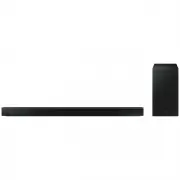
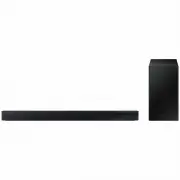
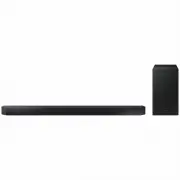
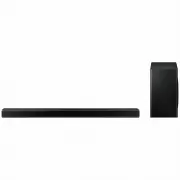
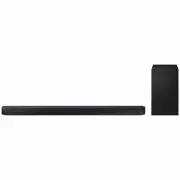
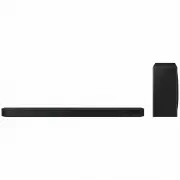
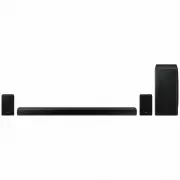
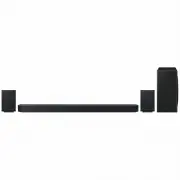
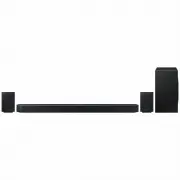
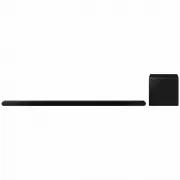
Page 2 - features; LICENCE
2 features SoundShare SoundShare produces TV sound on your SAT via a Bluetooth connection and controls the sound. HDMI HDMI transmits video and audio signals simultaneously, and provides a clearer picture. The unit is also equipped with the ARC function which lets you listen to sound from your TV vi...
Page 3 - ENG; safety information; SAFETY WARNINGS; CAUTION
3 ENG safety information SAFETY WARNINGS TO REDUCE THE RISK OF ELECTRIC SHOCK, DO NOT REMOVE THE COVER(OR BACK). NO USER-SERVICEABLE PARTS ARE INSIDE. REFER SERVICING TO QUALIFIED SERVICE PERSONNEL. CAUTION RISK OF ELECTRIC SHOCK DO NOT OPEN This symbol indicates “dangerous voltage” inside the produ...
Page 4 - PRECAUTIONS
4 PRECAUTIONS 3.9 inch 3.9 inch 2.7 inch 3.9 inch 99.1mm 99.1mm 99.1mm 68.6mm Ensure that the AC power supply in your house complies with the power requirements listed on the identification sticker located on the back of your product. Install your product horizontally, on a suitable base (furniture)...
Page 5 - contents
5 ENG contents FEATURES 2 2 Features 2 Licence SAFETY INFORMATION 3 3 Safety warnings 4 Precautions GETTING STARTED 6 6 Before reading the User’s manual 6 What’s included DESCRIPTIONS 7 7 Front/Rear Panel REMOTE CONTROL 8 8 Tour of the remote control CONNECTIONS 9 9 Installing the wall mount 10 Conn...
Page 6 - BEFORE READING THE USER’S MANUAL; Icons used in this manual; getting started; WHAT’S INCLUDED
6 BEFORE READING THE USER’S MANUAL Note the following terms before reading the user manual. Icons used in this manual Icon Term Definition Caution Indicates a situation where a function does not operate or settings may be cancelled. Note Indicates tips or instructions on the page that help you opera...
Page 7 - descriptions
7 ENG ● DESCRIPTIONS descriptions FRONT/REAR PANEL ƒ When you turn on this unit, there will be a 4 to 5 second delay before it produces sound. ƒ When disconnecting the power cable from the wall outlet, pull the plug. Do not pull the cable. ƒ Do not connect this unit or other components to an AC outl...
Page 8 - remote control; TOUR OF THE REMOTE CONTROL; Installing batteries in the Remote Control
8 remote control TOUR OF THE REMOTE CONTROL ƒ SAT stands for Surround Air Track, which is a Samsung’s proprietary name. ƒ The remote control can operate TVs made by SAMSUNG only. ƒ Depending on the TV you are using, you may not be able to operate your TV with this remote control. If you can't, opera...
Page 9 - INSTALLING THE WALL MOUNT; connections; Installation Precautions
9 ENG ● CONNECTIONS INSTALLING THE WALL MOUNT You can use the wall mount bracket to mount this unit on a wall. connections Installation Precautions • Install on a vertical wall only.• For the installation, avoid a location with high temperature or humidity, or a wall that cannot sustain the weight o...
Page 10 - CONNECTING THE WIRELESS SUBWOOFER
10 connections CONNECTING THE WIRELESS SUBWOOFER The Subwoofer's linking ID is preset at the factory and the main unit and subwoofer should link (connect wirelessly) automatically when the main unit is turned on. If the link indicator ( ) does not light when the main unit and subwoofer are turned on...
Page 11 - LOOPING THE POWER CABLE AROUND THE TOROIDAL CORE
11 ENG ● CONNECTIONS ATTACHING THE TOROIDAL FERRITE CORE TO THE POWER CORD OF THE SUBWOOFER Attaching the Toroidal ferrite core to the power cord of the subwoofer helps prevent RF interference from radio signals. 1. Pull the fixing tab of the Toroidal ferrite core to open it. 2. Make two loops aroun...
Page 12 - CONNECTING AN EXTERNAL DEVICE USING HDMI CABLE
12 connections CONNECTING AN EXTERNAL DEVICE USING HDMI CABLE HDMI is the standard digital interface for connecting to such devices as a TVs, projectors, DVD players, Blu-ray players, set top boxes, and more. HDMI removes any loss of signal from analogue conversion, enabling you to enjoy video and a...
Page 14 - functions; INPUT MODE
14 functions INPUT MODE You can select D.IN, AUX, HDMI, BT, TV input or USB input. Input mode Display Optical Digital input D.IN AUX input AUX HDMI input HDMI BLUETOOTH mode BT TV mode TV USB mode USB The unit turns off automatically in the following situations: • BT/TV/USB/HDMI/ARC/D.IN MODE - If t...
Page 15 - To connect the Air Track to a Bluetooth device
15 ENG ● FUNCTIONS To connect the Air Track to a Bluetooth device Check if the Bluetooth device supports the Bluetooth compliant stereo headset function. Connect Bluetooth device 1 . Press the SOURCE button on the remote control of the Air Track to display the BT message. • You will see WAIT for 4 s...
Page 16 - To disconnect the Bluetooth device from the Air Track; To disconnect the Air Track from the Bluetooth device; SOUNDSHARE
16 functions To disconnect the Bluetooth device from the Air Track You can disconnect the Bluetooth device from the Air Track. For instructions, see the Bluetooth device's user manual. • The Air Track will be disconnected. • When the Air Track is disconnected from the Bluetooth device the Air Track ...
Page 17 - Before you connect a USB device
17 ENG ● FUNCTIONS <To pair to your TV> To produce TV sound on your Air Track via a Bluetooth connection, you need to pair your system to the Bluetooth compliant TV first. Once the pairing is established, the pairing information is recorded and kept and no further Bluetooth connection message ...
Page 18 - USING THE REMOTE CONTROL; Using the REPEAT function
18 functions • Connect USB devices directly to the USB port of the product. Otherwise, you may encounter a USB compatibility problem. • Do not connect multiple storage devices to the product via a multi-card reader. It may not operate properly. • Digital camera PTP protocols are not supported.• Do n...
Page 19 - Muting the sound
19 ENG ● FUNCTIONS Muting the sound This is useful when answering a doorbell or telephone call. 1 . To mute the sound of this unit, press the MUTE button on the remote control. 2 . To mute the TV, press the TV MUTE ( ) button on the remote control. 3 . Press MUTE/ TV MUTE ( ) on the remote control a...
Page 20 - Using the AUTO POWER LINK function; Using the AUDIO SYNC function; Using the DIMMER function; SPEAKER button
20 functions Using the AUTO POWER LINK function The Crystal Surround Air Track is automatically turned on when you turn on the TV or any device connected to the Air Track with the optical cable. Press AUTO POWER on the remote control of this unit. • The Auto power link function turns on and off each...
Page 21 - Using the TV functions (with Samsung TVs only); SOFTWARE UPGRADE
21 ENG ● FUNCTIONS Using the Anynet+(HDMI-CEC) function Anynet+ is a function that enables you to control other Samsung Devices with your Samsung TV's remote control. The Anynet+ function turns on and off each time you press Anynet+ . 1 . Connect the product to a Samsung TV with an the HDMI cable. (...
Page 22 - troubleshooting
22 troubleshooting Before requesting service, please check the following. Symptom Check Remedy The unit will not turn on. • Is the power cord plugged into the outlet? • Connect the power plug to the outlet. A function does not work when the button is pressed. • Is there static electricity in the air...
Page 23 - SPECIFICATIONS; appendix
23 ENG ● APPENDIX SPECIFICATIONS Model name HW-F450 GENERAL USB 5V/0.5A Weight Main unit 1.92 kg Subwoofer(PS-WF450) 5.4 kg Dimensions (W x H x D) Main unit 906 x 70 x 45 mm Subwoofer(PS-WF450) 176 x 360 x 295 mm Operating temperature range +5 °C to +35 °C Operating humidity range 10 % to 75 % AMPLI...