Page 2 - Contents
Contents 2 Caring for the environment .................................................................................. 6 Warning and Safety instructions ......................................................................... 7 Operating the washing machine ........................................
Page 4 - Problem solving guide
Contents 4 Problem solving guide ........................................................................................ 67 The programme does not start.............................................................................. 67Fault message after a programme has been interrupted. ..............
Page 5 - Settings
Contents 5 Settings ................................................................................................................ 96 Accessing the Settings menu................................................................................ 96Selecting settings .....................................
Page 6 - Caring for the environment
Caring for the environment 6 Disposal of the packing mater-ial The packaging is designed to protectthe appliance from damage duringtransportation. The packaging materialsused are selected from materials whichare environmentally friendly for disposaland should be recycled. Recycling the packaging red...
Page 7 - Warning and Safety instructions; Correct application; This washing machine is intended for use in domestic households
Warning and Safety instructions 7 This washing machine complies with all current local and nationalsafety requirements. However, inappropriate use can lead to per-sonal injury and damage to property. Read the operating instructions carefully before using the washingmachine. They contain important in...
Page 8 - Safety with children
Warning and Safety instructions 8 The washing machine can only be used by people with reduced physical, sensory or mental capabilities, or lack of experience orknowledge, if they are supervised whilst using it or have been shownhow to use it safely and recognise and understand the con-sequences of...
Page 11 - Correct use; Do not install the washing machine in a room where there is a risk
Warning and Safety instructions 11 Correct use Do not install the washing machine in a room where there is a risk of frost. Frozen hoses may burst or split. The reliability of the elec-tronic control unit may be impaired at temperatures below freezingpoint. Before using the machine for the first...
Page 13 - Colour run and dye removers contain sulphur compounds which; Accessories; Accessory parts may only be fitted when expressly approved by
Warning and Safety instructions 13 Colour run and dye removers contain sulphur compounds which can cause damage such as corrosion. Do not use these products inthis machine. If detergent comes into contact with the eyes, rinse them thor- oughly with lukewarm water immediately. If swallowed, seek ...
Page 14 - Operating the washing machine; Control panel; Control field
Operating the washing machine 14 Control panel a Control field The control field consists of a dis-play and various sensor controls.The individual sensors are explainedin the following sections. b Display The following values are shown onthe display and/or selected from it:1. The temperature, spin s...
Page 15 - – An estimate of the energy and wa-
Operating the washing machine 15 g Sensors for extra options You can supplement wash pro-grammes with extra options.If a wash programme has been se-lected, the sensor controls for thepossible Extras light up dimly. h sensor control You can view information about theenergy and water consumption o...
Page 16 - Display; OK
Operating the washing machine 16 Display The standard display shows the follow-ing from left to right: 2:59 OK 1600 – The selected wash temperature – The selected spin speed – Programme duration Examples on how to operatethe machine Scrolling through a list The scroll bar in the display...
Page 17 - Before using for the first time; Damage resulting from incorrect
Before using for the first time 17 Damage resulting from incorrect installation and connection.Installing and connecting the wash-ing machine incorrectly will causeserious property damage.See “Installation”. Protective foil and stickers re-moval Remove: – The protective foil from the door – Any ...
Page 18 - Availability of the WiFi connection
Before using for the first time 18 Miele@home Your washing machine is equippedwith an integrated WiFi module. In order to use it you need: – a WiFi network – the Miele@mobile App – a Miele user account. The user ac- count can be created via theMiele@mobile App. The Miele@mobile App will guide youas ...
Page 19 - steps
Before using for the first time 19 Switching on the washing ma-chine Turn the programme selector to the Cottons programme. The welcome tone will sound and thewelcome screen will light up. The display will guide you through the 5 steps of the initial commissioning process. 1. Set the language You w...
Page 20 - Remove the transit bars; Settings for compartment
Before using for the first time 20 3. Remove the transit bars Damage resulting from failure to remove the transit bars.Failure to remove the transit bars canresult in damage to the washing ma-chine and to adjacent cabinetry orappliances.Remove the transit bars as describedin “Installation and conn...
Page 22 - UltraPhase 2
Before using for the first time 22 Settings for compartment The UltraPhase 2 values are preset inthe standard settings. After the cartridge has been pushed in,the display message switches to: Agent for OK Confirm with the OK sensor control. Miele UltraPhase 2 OK Confirm w...
Page 23 - Cottons
Before using for the first time 23 5. Starting the calibration pro-gramme For optimum water and energy con-sumption and excellent wash results, itis important to calibrate the washingmachine. To do this, the Cottons programme must be run without laundry and without detergent. No other programmes ca...
Page 24 - Washing environmentally and economically; Energy and water consumption
Washing environmentally and economically 24 Energy and water consumption – To get the most out of your machine, load the maximum dry load size forthe programme you are using.The energy and water consumptionwill be the lowest in relation to thesize of the load. – When smaller amounts of laundry are w...
Page 25 - Prepare the laundry; Sort the laundry
1. Prepare the laundry 25 Empty all pockets. Damage due to foreign objects. Nails, coins, paper clips, and so oncan cause damage to garments andcomponents in the machine.Check the laundry before washingand remove any foreign objects. Sort the laundry Sort the laundry by colour and bycare label...
Page 26 - Select a programme; Programme selection; ” and using
2. Select a programme 26 Switching on the washing ma-chine Turn the programme selector to aprogramme. Programme selection There are three possible ways to selecta programme: 1. Select standard programmes withthe programme selector dial Turn the programme selector to therequired programme. The se...
Page 27 - programme selector pos-; Turn the programme selector to the; The following appears in the display:
2. Select a programme 27 3. Selecting programmes via the Mo-bileStart programme selector pos- ition and the Miele@mobile app Tip: In order to use MobileStart , the washing machine must be logged on tothe WiFi network and Remote control must be switched on. Turn the programme selector to th...
Page 28 - Load the washing machine; Open the door; Please note the maximum load for; Close the door; Shut the door with a gentle swing.
3. Load the washing machine 28 Open the door Take hold of the door and pull itopen. Check the drum for pets or foreignobjects before loading it with laun-dry. The most efficient use of energy andwater is achieved when a full load iswashed. However, do not overload asthis reduces cleaning efficienc...
Page 29 - Select programme settings; Selecting an extra option; Extras sensor control; Level of soiling
4. Select programme settings 29 Selecting a temperature/spinspeed You can alter the preset temperature/spin speed of a wash programme ifthis option is permitted for that pro-gramme. The temperatures reached inside thewashing machine might not be thesame as the temperatures selected.Perfect wash resu...
Page 30 - Delay start/SmartStart; Delay start; Setting the delay start time
4. Select programme settings 30 Delay start/SmartStart Delay start With the delay start function, you candelay the start of the programme. This function is active when the set-ting SmartGrid is switched off. The hours can be set from 00 to 24 . The minutes can be set in 15 minute in-crements from ...
Page 31 - SmartStart; Setting the time period
4. Select programme settings 31 SmartStart The SmartStart function lets youdefine a period of time during whichyour washing machine will start auto-matically. The appliance will start onreceipt of a signal, e.g. from your en-ergy supplier, that indicates that theelectricity tariff is particularly ec...
Page 32 - Activating TwinDos dispensing; Changing TwinDos dispensing
5. Add detergent 32 There are several options for adding de-tergent. The washing machine has the TwinDossystem. TwinDos has to be activated as de-scribed in “Before using for the firsttime”. How UltraPhase 1 and UltraPhase 2work UltraPhase 1 is a liquid detergent whichdissolves dirt and removes the ...
Page 33 - Selecting the degree of soiling
5. Add detergent 33 Selecting the degree of soiling The degree of soiling in laundry is di-vided into 3 settings: – Light No visible soiling or stains – Normal Visibly soiled and/or just a few slightstains – Heavy Heavily soiled and/or stains clearlyvisible The dispensing amount for T...
Page 34 - Detergent dispenser drawer; Adding detergent
5. Add detergent 34 Detergent dispenser drawer Any detergent suitable for automaticfront loading washing machines can beused. Please observe the instructionsfor use and dosage on the detergentpackaging. Ensure that TwinDos dispensing isdeactivated. Adding detergent Pull out the detergent drawer an...
Page 36 - Inserting a capsule
5. Add detergent 36 CapDosing Three different types of capsule areavailable: = Fabric care (e.g. fabric condi- tioner, proofing agent) = Additives (e.g. detergent en- hancer) = Detergent (for the main wash only) Each capsule contains the correctamount for one wash cycle. Caps are available to ...
Page 38 - Starting the programme; Energy savings
6. Starting the programme 38 Touch the flashing Start / Add laundry sensor control. The door will lock and the programmewill start. The programme status will appear inthe display. The washing machine will keep you up-dated on the programme status and thetime remaining for the programme torun. If ...
Page 39 - Start
7. End of programme 39 Opening the door and remov-ing the laundry The door remains locked during theanti-crease phase. The display willchange to show: Finish/Anti-crease Press Start button Unlock the door either by touchingthe Start / Add laundry sensor control or by turning the programme selec...
Page 40 - Spinning
Spinning 40 Final spin speed in the pro-gramme When a programme is selected, the op-timum spin speed for this wash pro-gramme is shown in the display. A faster spin speed can be selected forcertain wash programmes. The highest selectable spin speed is in-dicated in the table. Programme rpm Cottons ...
Page 41 - Interim spin
Spinning 41 Interim spin There is a spin cycle after the mainwash and between the rinses. A reduc-tion in the final spin speed will also re-duce the interim spin speed as appro-priate. Omitting the final spin (Rinsehold) Set the spin speed to (Rinse hold). The laundry is not spun after the fina...
Page 42 - Programme chart; Programmes on the programme selector
Programme chart 42 Programmes on the programme selector Cottons Cold to 90 °C Max. load 9.0 kg Items Cotton, linen or mixed fibre fabric, e.g. table linen, towelling, under-wear, T-shirts, etc. Tip The wash temperatures 60 °C/40 °C are different to the / wash temperatures due to: – Shorter pro...
Page 43 - Silks
Programme chart 43 Delicates Cold to 40 °C Max. load 3.0 kg Items Delicate garments made from synthetic fibre, mixed fibre and vis-cose Tip Deselect the spin for items which crease easily. Woollens Cold to 40 °C Max. load 2,0 kg Items Wool or wool blend fabric Tip Reduce the spin speed for fabric ...
Page 45 - Programmes accessed via Further programmes/; Outerwear
Programme chart 45 Programmes accessed via Further programmes/ on the pro- gramme selector Outerwear Cold to 40 °C Max. load 2.5 kg Items Performance outerwear (e.g. jackets and trousers) made from mem-brane fabric such as Gore-Tex®, SYMPATEX®, WINDSTOPPER®,etc. Tip – Zip up or close any jackets w...
Page 46 - Pillows
Programme chart 46 Pillows Cold to 60 °C 2 pillows (40 x 80 cm) or 1 pillow (80 x 80 cm) Items Washable pillows with synthetic filling Tip – Remove air from the laundry before washing to prevent an excess- ive build-up of foam. To do this either push the items into a narrowlaundry bag to compress th...
Page 47 - Down duvets
Programme chart 47 Down duvets Cold to 60 °C Max. load 2.5 kg 1 down duvet 2.20 m x 2.00 m Items Quilts, duvets and pillows with feather or down filling Tip – Remove air from the laundry before washing to prevent an excess- ive build-up of foam. To do this either push the items into a narrowlaundry ...
Page 48 - Maintenance wash
Programme chart 48 Settings /maintenance Settings You can use the settings function to alter the washing machine's electronics to suitchanging requirements. See “Settings” for more detailed information. Maintenance The washing machine has two maintenance programmes. 1. Clean machine for cleanin...
Page 49 - Extra options; Selecting Extras; tras; SingleWash
Extra options 49 You can use the extra options buttonsto augment the wash programmes. Selecting Extras Extra options are selected or deselec-ted using the sensors in the controlfield. Additional extra options can beselected from the display using the Ex- tras sensor. Touch the sensor for the extra...
Page 51 - Extra quiet
Extra options 51 Extra quiet This option reduces noise levels duringthe wash programme. Use this if youwant to wash during quiet periods (forinstance when children are sleeping).The final spin is automatically reducedto (Rinse hold). The programme duration is increased. Extra gentle Drum rotation...
Page 52 - Wash programme chart - Extras
Wash programme chart - Extras 52 SingleWash Pre-ironing Water + Quick Eco Cottons Cottons / – Minimum iron Delicates Woollens – – – – Silks – – – – Shirts QuickPowerWash – – Dark garments/Denim ECO 40-60 – – – – – Proofing – –...
Page 54 - Programme sequence; Main wash
Programme sequence 54 Main wash Rinses Spinning Water level Wash rhythm Water level Rinses Cottons 2-5 2,3 Minimum iron 2-4 2,3 Delicates 2-4 2,3 Woollens 2 Silks 2 Shirts 3-4 3 QuickPowerWash 2 Dark garments/Denim 3-5 2,3 ECO 40-...
Page 55 - Woollens
Programme sequence 55 = low water level = medium water level = high water level = intensive rhythm = normal rhythm = sensitive rhythm = handwash rhythm = carried out – = not carried out This washing machine has fully elec-tronic controls with automatic load con-trol. The washing mach...
Page 56 - PowerWash
Programme sequence 56 PowerWash PowerWash is a washing technique de-veloped by Miele. It is activated in thefollowing programmes: – Cottons (with small and medium load sizes) – Minimum iron – Shirts – Automatic plus – Delicates – ECO 40-60 (with small and medium load sizes) How it works Conventional...
Page 57 - Changing the programme sequence; Cancelling a programme; Interrupting a programme
Changing the programme sequence 57 Changing a programme (safetylock) A programme, temperature, spin speedor selected option cannot be changedonce the machine has been success-fully started. This is to prevent the oper-ation of the machine being tamperedwith (by a child, for example). Cancelling a pr...
Page 58 - Garment care label symbols
Garment care label symbols 58 Washing The figure quoted in the bucket is themaximum temperature the garmentcan be washed at. The number ofbars under the symbol indicates thelevel of agitation permitted. No bar under the symbol:= normal agitation One bar under the symbol:= reduced agitation Two...
Page 59 - Detergent; The correct detergent; – the soiling level of the load; Water softeners; Water hardness levels; Dispensing aids
Detergent 59 The correct detergent All detergents produced for automaticwashing machines are suitable. Followthe manufacturer's instructions anddosage recommendations on the pack-aging. For users in Asia:please use a low foaming detergentsuitable for use in front-loading ma-chines The right amount t...
Page 61 - Recommended Miele detergents
Detergent 61 Recommended Miele detergents Miele detergents have been specially designed for day-to-day use in Miele wash-ing machines. See “Detergents and care products” for more information aboutthese detergents. Miele UltraPhase 1 and 2 Miele single-use capsules Cottons – Minimum iro...
Page 63 - Cleaning and care; Risk of electric shock!
Cleaning and care 63 Cleaning the external casingand the control panel Risk of electric shock! Mains voltage is present when thewashing machine is switched offDisconnect the machine from theelectricity supply before cleaning ormaintenance. Risk of damage due to ingress of water.The pressure of a...
Page 64 - Cleaning the siphon and the
Cleaning and care 64 Cleaning the siphon and the / compartment channel Liquid starch results in clogging. Ifclogged, the siphon in the / compartment will not work and thecompartment can overflow.Clean the siphon particularly thor-oughly after using liquid starch a fewtimes. 1. Remove the sip...
Page 65 - TwinDos maintenance; Starting the maintenance programme
Cleaning and care 65 TwinDos maintenance Damage resulting from dried laundry detergent.If the system has not been used for along time (more than two months),detergent in the hoses can becomeviscous or dry out. The hoses canbecome blocked and would thenneed to be cleaned by a servicetechnician.Clea...
Page 66 - Maintenance; Cleaning the water inlet filter; Cleaning the filter in the inlet hose
Cleaning and care 66 Hygiene info(Cleaning the drum) Washing at low temperatures and/or us-ing liquid detergents can cause bacteriaand odours to build up in the washingmachine. Use the Maintenance wash programme to clean the washing machine. Note the message in the dis-play: Hygiene info: run a pro...
Page 67 - or; The programme does not start; Problem; Close the door again.
Problem solving guide 67 Many malfunctions and faults that can occur in daily operation can be easilyremedied. Time and money will be saved because a service call will not beneeded. The following guide may help you to find the reason for a malfunction or a fault,and to correct it. Some of the messag...
Page 68 - Fault message after a programme has been interrupted.; at least 2 minutes
Problem solving guide 68 Fault message after a programme has been interrupted. Problem Cause and remedy Drainage See The drain is blocked or restricted.The drain hose has been fixed too high. Clean the drain filter and the drain pump. The maximum drain height is 1 m. Water intake See The ...
Page 69 - Fault message at the end of a programme; grammes
Problem solving guide 69 Fault message at the end of a programme Problem Cause and remedy Check dosage Excessive foam has built up during washing. With TwinDos, check the dosage amount set. Reduce the amount set in 10 % increments. Use less detergent next time and follow the manu-facturer's ...
Page 71 - Messages or faults with the TwinDos system
Problem solving guide 71 Messages or faults with the TwinDos system Problem Cause and remedy is almost empty.Only a few more pro-grammes are pos-sible The detergent in the cartridge is running low. There issufficient left for approx. 4 to 8 wash programmes. Order a new cartridge. TwinDos i...
Page 72 - General problems with the washing machine
Problem solving guide 72 General problems with the washing machine Problem Cause and remedy The washing machinesmells. Hygiene info was ignored. When washing, a washprogramme using a temperature above 60 °C has notbeen run for a long time. Run the Maintenance wash programme using Miele machine cle...
Page 74 - An unsatisfactory wash result
Problem solving guide 74 An unsatisfactory wash result Problem Cause and remedy Grey, greasy particlescling to washed laundry. Insufficient amounts of detergent were used to breakdown the particles of grease in heavily soiled laundry. Use more detergent. Before washing the next load, run the Mai...
Page 75 - The door will not open; The door lock has jammed.
Problem solving guide 75 The door will not open Problem Cause and remedy The door cannot bepulled open during awash cycle. The drum is locked during the wash cycle. Follow the description in “6. Starting a programme– Adding or removing laundry”. Comfort cooling appears in the displayafter a progra...
Page 76 - Switch off the washing machine.
Problem solving guide 76 Opening the door in the eventof a blocked drain outlet and/or power cut Switch off the washing machine. Open the drain pump access panel. Blocked drain outlet If the drain outlet is blocked, there maybe a large quantity of water left behindin the washing machine. Risk ...
Page 77 - Clean the drain filters thoroughly.
Problem solving guide 77 Clean the drain filters thoroughly. Remove any foreign objects (e.g. but-tons, coins, etc.) and clean the in-terior. Turn the impellers by hand tocheck that they rotate freely. Replace the drain filters correctly (onthe right and left) and tighten themsecurely. Close...
Page 78 - Service; Contact in case of malfunction
Service 78 Contact in case of malfunction In the event of any faults which youcannot remedy yourself, please contactyour Miele Dealer or Miele Service. Contact information for Miele Servicecan be found at the end of this docu-ment. Please note that telephone calls may bemonitored and recorded for tr...
Page 79 - Installation; Front view
Installation *INSTALLATION* 79 Front view a Water inlet hose (pressure tested to7000 kPa) b Mains connection cable c Flexible drain hose (with detachableswivel elbow) d Control panel e Detergent dispenser drawer f Door g Access to filters, pumps and emer-gency release h Access panel for TwinDos cart...
Page 80 - Rear view; Drain hose
Installation *INSTALLATION* 80 Rear view a Drain hose b Transport clips for inlet and drainhoses and mains connection cable c Mains connection cable d Protruding lid for holding when mov-ing the machine e Water inlet hose (pressure tested to7000 kPa) f Safety caps for transit bars g Transport clips ...
Page 81 - Installation surface
Installation *INSTALLATION* 81 Installation surface A concrete floor is the most suitable in-stallation surface. It is far less prone tovibration during the spin cycle thanwooden floorboards or a carpeted sur-face. Please note: The machine must be level and se-curely positioned. To avoid vibrati...
Page 82 - withdraw the transit bar.
Installation *INSTALLATION* 82 Using the spanner supplied, turn theleft-hand transit bar 90°, then withdraw the transit bar. Turn the right-hand transit bar 90°,then withdraw the transit bar.
Page 83 - Risk of injury from sharp edges.; Re-fitting the transit bars
Installation *INSTALLATION* 83 Risk of injury from sharp edges. There is a risk of injury from reachinginto holes that are not covered.Cover the holes for the transit barsafter they have been removed. Fit the stoppers onto the two holes. Secure the transit bars to the back ofthe washing machin...
Page 84 - Levelling the machine; Screwing out and adjusting the feet
Installation *INSTALLATION* 84 Levelling the machine The washing machine must stand per-fectly level on all four feet to ensuresafe and proper operation. Incorrect installation may increase elec-tricity and water consumption and maycause the machine to move about. Screwing out and adjusting the feet...
Page 85 - Risk of electric shock due to ex-
Installation *INSTALLATION* 85 Installing under a continuous work-top Risk of electric shock due to ex- posed cablesThere is a risk of coming into contactwith live parts while the lid is re-moved.Do not remove the washing machinelid. This washing machine (with lid intact)can be pushed under a coun...
Page 86 - The water protection system; Inlet hose
Installation *INSTALLATION* 86 The water protection system The Miele water protection system pro-tects all parts of the washing machinefrom water damage. The system consists of three main com-ponents: – the inlet hose – the electronic unit and drainage and overflow protection – the drain hose Inlet ...
Page 87 - Connection to the water supply; Health risk and risk of damage
Installation *INSTALLATION* 87 Connection to the water supply Health risk and risk of damage due to contaminated incoming water.The quality of the incoming watermust correspond to the drinking wa-ter specification of the country inwhich the washing machine is beingoperated.Always connect the washi...
Page 88 - Water drainage
Installation *INSTALLATION* 88 Water drainage The suds are drained through a drainpump with a 1 m delivery head. For thewater to drain freely, the hose must befree of kinks.If required, the hose can be extended toa length of up to 5 m. Accessories areavailable from Miele or from your Mieledealer. Fo...
Page 89 - Electrical connection; Risk of fire from overheating.
Installation *INSTALLATION* 89 Electrical connection The washing machine is supplied withan electrical connection cable withmoulded plug ready for connection to aswitched socket. The socket must be easily accessibleafter the washing machine has been in-stalled. If that is not possible, ensurethat a ...
Page 90 - Technical data
Technical data 90 Height 850 mm Width 596 mm Depth 643 mm Depth with door open 1077 mm Height for building under 850 mm Width for building under 600 mm Weight Approx. 96 kg Capacity 9 kg dry laundry Voltage See data plate Connected load See data plate Fuse rating See data plate Consumption data See ...
Page 91 - Conformity declaration
Technical data 91 Conformity declaration Miele hereby declares that this washing machine complies with Directive 2014/53/EU. The complete text of the EU declaration of conformity is available from one of thefollowing internet addresses: – Products, Download from www.miele.co.uk – For service, inform...
Page 92 - Data sheet household washing machines
Technical data 92 Data sheet household washing machines In acc. with delegated regulation (EU) No. 1061/2010 MIELE Model name/identifier WWI 860 Rated capacity 1 9,0 kg Energy efficiency class A+++ (most efficient) to D (least efficient) A+++ Annual energy consumption (AE c ) 2 130 kWh/year Energy c...
Page 94 - Consumption data
Consumption data 94 Load Energy Water Duration Residual moisture °C kg kWh Litres h:min % Cottons 90 9.0 2.60 65 2:29 50 60 9.0 1.45 65 2:29 50 60 4.5 1.10 52 2:19 50 * 9.0 0.74 54 2:59 44 * 4.5 0.55 49 2:59 44 40 9.0 1.20 65 2:39 50 * 4.5 0.35 42 2:59 44 20 9.0 0.45 65 2:39 50 Minimum iron 3...
Page 95 - Note for test institutes; Test programme in accordance with EN 60456 and energy label with
Consumption data 95 Note for test institutes * Test programme in accordance with EN 60456 and energy label with Directive 1061/2010 TwinDos dispensing must be deactivated when carrying out comparison tests. With the PowerWash washing technique, during the heating phase, the temper- ature measured by...
Page 96 - Accessing the Settings menu; Further programmes; Selecting settings; Changing a setting; Closing the settings menu
Settings 96 You can use the settings to alter thewashing machine's electronics to suitchanging requirements. The settings can be altered at anytime. Accessing the Settings menu Turn the programme selector to the Further programmes / position. Outerwear OK Touch the sensor controls...
Page 97 - Language; Change dosage
Settings 97 Language The display can be set to appear inone of several different languages. The flag after the word Language acts as a guide in case a language which isnot understood has been set. The language selected is saved. TwinDos You can set the type of detergent anddispensing quantities...
Page 98 - Degree of soiling; Keypad tone; Selection; Welcome tone; Selection; Consumption; Selection
Settings 98 Degree of soiling You can specify the degree of soilingthat is preset for the sensor con- trol. Options: – Light – Normal (factory default) – Heavy Buzzer volume The buzzer sounds to let you know theprogramme has finished. The buzzercan be set to be louder or quieter. Selection – Off...
Page 99 - Code; Units
Settings 99 Code The PIN code prevents the washingmachine being used without yourknowledge. Selection – Activate If you activate the PIN code, youhave to enter a PIN code afterswitching the washing machine on.Otherwise it cannot be operated.The factory default PIN code is 125. – Change If wished, yo...
Page 100 - Programme info; Memory
Settings 100 Disp. switch-off stat. The display and the sensor controllighting is switched off to save energy.The Start/Add laundry sensor control flashes slowly. Selection – On (factory default) The lighting switches off after10 minutes. – On (not current pr.) The lighting remains switched onthrou...
Page 101 - Soak duration; Soak; Gentle action; Gentle action can be activated for the; Water plus; Water plus level; Levels
Settings 101 Soak duration You can set a duration for the soakprocess of between 30 minutes and6 hours. The duration can be selected in30 minute increments. When the Soak extra option is selected, the laundry willbe soaked for the duration selected. A duration of 0:30 h is set as standard. Gentle ac...
Page 102 - Maximum rinse level; tons; Low water pressure
Settings 102 Maximum rinse level This function is important for allergysufferers as it achieves excellent rinseresults. The water level in the rinses can be per-manently set to the highest value. Thewater consumption will be increased. The maximum rinse level is deactivatedas standard. Suds cooling ...
Page 104 - MobileStart; Delay
Settings 104 Remote control The Remote control setting is only vis- ible if the Miele@home setting is set up and activated. Once the Miele@mobile app has beeninstalled on your mobile device, youcan check the status of your washingmachine from anywhere and start it re-motely. You can also control it ...
Page 105 - Activating/Deactivating
Settings 105 RemoteUpdate The RemoteUpdate menu option is only displayed and can only be selected ifthe requirements for usingMiele@home have been met (see “Be-fore using for the first time –Miele@home”). The RemoteUpdate function is used toupdate the software in your washingmachine. If an update i...
Page 106 - Detergents and care products; Miele UltraPhase 1 and 2
Detergents and care products 106 Detergent, fabric care, additives andmachine care products are available forthis washing machine. All the productshave been designed for Miele washingmachines. These and many other useful productscan be ordered via the internet atwww.miele.co.uk or from Miele (see en...
Page 107 - Specialist detergents
Detergents and care products 107 Specialist detergents These specialist detergents are avail-able as convenient single-use capsules. Caps Sport – For synthetic fabrics – Neutralises odours thanks to built-in odour absorber – Prevents static charge in clothes – Retains the shape and breathability ...
Page 108 - Fabric care
Detergents and care products 108 Fabric care These fabric care products are availableas convenient single-use capsules. Fabric conditioner cap – Fabric conditioner for freshly scented laundry – Pure and thorough cleanliness with a fresh scent – For soft, bouncy laundry – Prevents static charge in...
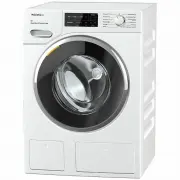


 Miele 11614040
User Manual
Miele 11614040
User Manual
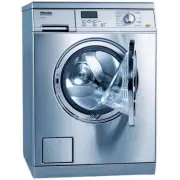 Miele PW 5065
Manual
Miele PW 5065
Manual
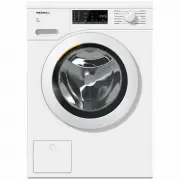 Miele WCA020
User Manual
Miele WCA020
User Manual
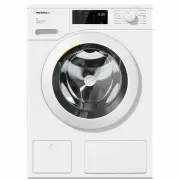 Miele WCD660
User Manual
Miele WCD660
User Manual
 Miele WTD160WCS
User Manual
Miele WTD160WCS
User Manual
 Miele WTR870WPM
User Manual
Miele WTR870WPM
User Manual
 Miele WTW870WPM
User Manual
Miele WTW870WPM
User Manual
 Miele WWD120
User Manual
Miele WWD120
User Manual
 Miele WWD160 WCS
User Manual
Miele WWD160 WCS
User Manual
 Miele WWD164
User Manual
Miele WWD164
User Manual
 Miele WWD320
User Manual
Miele WWD320
User Manual
 Miele WWD660 WCS TDOS
User Manual
Miele WWD660 WCS TDOS
User Manual
 Miele WWG360
User Manual
Miele WWG360
User Manual
 Miele WWG660
User Manual
Miele WWG660
User Manual
 Miele WWR860WPS
User Manual
Miele WWR860WPS
User Manual
 Miele WWV980WPS
User Manual
Miele WWV980WPS
User Manual
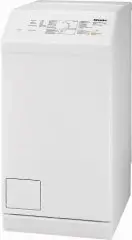 Miele W667
Manual
Miele W667
Manual
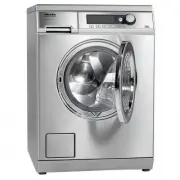 Miele PW 6065
Manual
Miele PW 6065
Manual