Page 2 - Contents
Contents 2 Caring for the environment .............................................................................. 6 Warning and Safety instructions ..................................................................... 7 Operating the washing machine ..................................................
Page 5 - Detergents and care products
Contents 5 Reduce temperature..................................................................................... 84 Maximum rinse level ..................................................................................... 85 Suds cooling ...................................................
Page 6 - Caring for the environment
Caring for the environment 6 Disposal of the packing mater-ial The packaging is designed to protectthe appliance from damage duringtransportation. The packaging materialsused are selected from materials whichare environmentally friendly for disposaland should be recycled. Recycling the packaging red...
Page 7 - Warning and Safety instructions; Correct application; This washing machine is intended for use in domestic households
Warning and Safety instructions 7 This washing machine complies with all current local and nationalsafety requirements. However, inappropriate use can lead to per-sonal injury and damage to property. Read the operating instructions carefully before using the washingmachine. They contain important in...
Page 8 - Safety with children
Warning and Safety instructions 8 The washing machine can only be used by people with reduced physical, sensory or mental capabilities, or lack of experience orknowledge, if they are supervised whilst using it or have been shownhow to use it safely and recognise and understand the con-sequences of...
Page 11 - Correct use; Do not install the washing machine in a room where there is a risk
Warning and Safety instructions 11 Correct use Do not install the washing machine in a room where there is a risk of frost. Frozen hoses may burst or split. The reliability of the elec-tronic control unit may be impaired at temperatures below freezingpoint. Before using the machine for the first...
Page 13 - If detergent comes into contact with the eyes, rinse them thor-; Accessories; Only use original Miele accessories. If other parts are used, war-
Warning and Safety instructions 13 If detergent comes into contact with the eyes, rinse them thor- oughly with lukewarm water immediately. If swallowed, seek medicalassistance immediately and retain the packaging or label for refer-ence. Those with skin problems or sensitive skin should avoid thei...
Page 14 - Operating the washing machine; Control panel; Control field
Operating the washing machine 14 Control panel a Control field The control field consists of a timedisplay and various sensor controls.The individual sensor controls areexplained in the following sections. b Sensor controls – temperature for selecting the temperature. c Se...
Page 15 - Time display; How the control field works; The
Operating the washing machine 15 g Time display After the programme has started, theprogramme duration will appear inthe display in hours and minutes.When Delay start is being used, theprogramme duration will appear afterthe Delay start time has elapsed. h Sensor controls The Delay start tim...
Page 16 - Before using for the first time; Damage resulting from incorrect
Before using for the first time 16 Damage resulting from incorrect installation and connection.Installing and connecting the wash-ing machine incorrectly will causeserious property damage.See “Installation”. Protective foil and stickers re-moval Remove: - The protective foil from the door - Any ...
Page 17 - In order to use it you need:
Before using for the first time 17 Miele@home Your washing machine is equippedwith an integrated WiFi module. In order to use it you need: - a WiFi network - the Miele@mobile App - a Miele user account. The user ac- count can be created via theMiele@mobile App. The Miele@mobile App will guide youas ...
Page 18 - Remove the transit bars; Logging in via the Miele@mobile app
Before using for the first time 18 1. Remove the transit bars Damage resulting from failure to remove the transit bars.Failure to remove the transit bars canresult in damage to the washing ma-chine and to adjacent cabinetry orappliances.Remove the transit bars as describedin “Installation and conn...
Page 19 - Commissioning TwinDos; Open the access panel for TwinDos.
Before using for the first time 19 3. Commissioning TwinDos The TwinDos system can only be oper-ated with the Miele UltraPhase 1 andUltraPhase 2 detergent cartridges. It isnot possible to use any other detergentin the TwinDos system. The dispensing quantities forUltraPhase 1 and UltraPhase 2 are pre...
Page 20 - Cottons
Before using for the first time 20 4. Starting the calibration pro-gramme For optimum water and energy con-sumption and excellent wash results, itis important to calibrate the washingmachine. To do this, the Cottons programme must be run without laundry and without detergent. Open the stopcock. ...
Page 21 - Washing environmentally and economically; Energy and water consumption
Washing environmentally and economically 21 Energy and water consumption - To get the most out of your machine, load the maximum dry load size forthe wash programme you are using.This will keep the energy and waterconsumption to a minimum in relationto the size of the load. - Programmes that are mor...
Page 22 - Prepare the laundry; Sort the laundry
1. Prepare the laundry 22 Empty all pockets. Damage due to foreign objects. Nails, coins, paper clips, and so oncan cause damage to garments andcomponents in the machine.Check the laundry before washingand remove any foreign objects. Sort the laundry Sort the laundry by colour and bycare label...
Page 23 - Select a programme; programme; To use
2. Select a programme 23 Switching on the washing ma-chine Turn the programme selector to aprogramme. 1. Selecting wash programmesusing the programme selector Turn the programme selector to therequired programme. The programme running time appearson the time display. 2. Selecting programmes usin...
Page 24 - Load the washing machine; Open the door; Please note the maximum load for; Close the door; Shut the door with a gentle swing.
3. Load the washing machine 24 Open the door Reach under the door grip and pullthe door open. Check the drum for pets or foreignobjects before loading it with laun-dry. The most efficient use of energy andwater is achieved when a full load iswashed. However, do not overload asthis reduces cleaning...
Page 25 - Select programme settings; Selecting extra options
4. Select programme settings 25 Selecting a temperature andspin speed The wash programme’s preset tem-perature and spin speed light upbrightly. The choice of available tem-peratures and spin speeds for thewash programme light up dimmed. The temperatures reached inside thewashing machine might not be...
Page 27 - Degree of soiling of the laundry; normal; Replacing detergent cartridges; Twin Dos whites
5. Add detergent 27 Degree of soiling of the laundry There are 3 different degrees of soil-ing. The quantity of detergent dispensedvia TwinDos and the quantity of waterrequired for rinsing are preset for the normal degree of soiling. - Light No visible soiling or stains - Normal Visibly soiled and/o...
Page 28 - Detergent dispenser drawer; Adding detergent
5. Add detergent 28 Detergent dispenser drawer Any detergent suitable for automaticfront loading washing machines can beused. Please observe the instructionsfor use and dosage on the detergentpackaging. Adding detergent Pull out the detergent drawer and adddetergent to the compartments. Detergen...
Page 30 - Sensor control; Inserting a capsule
5. Add detergent 30 CapDosing Three different types of capsule areavailable: = Fabric care (e.g. fabric condi- tioner, proofing agent) = Additives (e.g. detergent en- hancer) = Detergent (for the main wash only) Each capsule contains the correctamount for one wash cycle. Caps are available to ...
Page 32 - Starting the programme; Starting a programme; Energy savings
6. Starting the programme 32 Starting a programme Touch the flashing Start / Add laundry sensor control. The door locks and the programmestarts. If a Delay start time has been selected,this counts down on the time display. Atthe end of the Delay start time or imme-diately after the programme has ...
Page 34 - Spinning; Rinse and interim spin; tons
Spinning 34 Final spin speed in wash pro-grammes When a programme is selected, thesensor control for the optimum spinspeed for that programme will bebrightly lit up in the control field. A faster spin speed can be selected forcertain wash programmes. The highest selectable spin speed is in-dicated i...
Page 35 - Delay start/SmartStart; Delay start; Selecting Delay start
Delay start/SmartStart 35 Delay start With the Delay start function, you candelay the start of the programme. This function is active when the SmartGrid programmable function isswitched off. You can delay the start of a programmefrom 30 minutes up to a maximum of24 hours. This allows you to ma...
Page 36 - SmartStart; Setting the time period
Delay start/SmartStart 36 SmartStart The SmartStart function lets youdefine a time period during which yourwashing machine will start automatic-ally based on an external signal. Theappliance will start on receipt of a sig-nal, e.g. from your energy supplier,that indicates that the electricity tari...
Page 37 - Programme chart; Note for test institutes:
Programme chart 37 ECO 40-60 Max. load 8.0 kg Items For normally soiled cotton garments Tip A laundry load consisting of mixed cottons that are intended forwashing at 40 °C or 60 °C can be washed in the same wash cycle. This programme is the most efficient in terms of energy and waterconsumption for...
Page 38 - Minimum iron
Programme chart 38 Minimum iron Cold to 60 °C Max. load 3.5 kg Items Synthetic and mixed fibre textiles as well as easy care cotton Tip Reduce the spin speed for fabric that creases easily. Delicates Cold to 40 °C Max. load 2.0 kg Items Delicate garments made from synthetic fibre, mixed fibre and vi...
Page 39 - Shirts
Programme chart 39 Dark garments/Denim Cold to 60 °C Max. load 3.0 kg Items Black and dark items made of cotton, mixed fibre or denim Tip - Wash inside out. - Denim often contains excess dye and may run during the first few washes. Therefore, wash light and coloured items separately. Shirts Cold to ...
Page 40 - Extra options; Short
Extra options 40 You can use the extra options buttonsto augment the wash programmes. Extra options are selected and deselec-ted using the relevant sensor buttonson the control field. Touch the sensor button for the extraoption you require. The relevant sensor will light up brightly. Not all extra...
Page 41 - Garment care label symbols
Garment care label symbols 41 Washing The figure quoted in the bucket is themaximum temperature the garmentcan be washed at. The number ofbars under the symbol indicates thelevel of agitation permitted. No bar under the symbol:= normal agitation One bar under the symbol:= reduced agitation Two...
Page 42 - Programme sequence; Main wash
Programme sequence 42 Main wash Rinses Spinning Water level Wash rhythm Water level Rinses ECO 40-60 2–3 2 Cottons 2-4 1,2 Minimum iron 2-3 2 Delicates 2-3 2 Woollens 2 Express 20 1 Dark garments/Denim 3-4 2 Shirts 3 Proofing – 1 ...
Page 43 - Woollens
Programme sequence 43 = low water level = medium water level = high water level = intensive rhythm = normal rhythm = sensitive rhythm = handwash rhythm = carried out – = not carried out This washing machine has fully elec-tronic controls with automatic load con-trol. The washing mach...
Page 44 - Changing the programme sequence; Cancelling a programme; Selecting a new programme
Changing the programme sequence 44 Changing a programme (safetylock) A programme, temperature, spin speedor selected options cannot be changedonce the machine has been success-fully started. This prevents the machinebeing operated unintentionally, e.g. bychildren. If the washing machine is switched ...
Page 45 - Detergent; The correct detergent; - the soiling level of the load; Water softeners; Dispensing aids; Damage due to colour run/dye
Detergent 45 The correct detergent All detergents produced for automaticwashing machines are suitable. Followthe manufacturer's instructions anddosage recommendations on the pack-aging. For users in Asia:please use a low foaming detergentsuitable for use in front-loading ma-chines The right amount t...
Page 46 - Recommended Miele detergents
Detergent 46 Recommended Miele detergents Miele detergents have been specially designed for day-to-day use in Miele wash-ing machines. See “Detergents and care products” for more information aboutthese detergents. Miele UltraPhase 1 and 2 Miele single-use capsules ECO 40-60 – Cottons –...
Page 48 - Cleaning and care; Risk of electric shock!
Cleaning and care 48 Cleaning the external casingand the control panel Risk of electric shock! Mains voltage is present when thewashing machine is switched offDisconnect the machine from theelectricity supply before cleaning ormaintenance. Risk of damage due to ingress of water.The pressure of a...
Page 49 - Cleaning the siphon and the
Cleaning and care 49 Cleaning the siphon and the / compartment channel Liquid starch results in clogging. Ifclogged, the siphon in the / compartment will not work and thecompartment can overflow.Clean the siphon particularly thor-oughly after using liquid starch a fewtimes. 1. Remove the sip...
Page 50 - Cleaning the water inlet filter; Cleaning the filter in the inlet hose
Cleaning and care 50 Hygiene info(Cleaning the drum) Washing at low temperatures and/or us-ing liquid detergent can cause bacteriaand unpleasant odours to build up inthe washing machine. Use the Cottons 90 °C programme to clean the washingmachine. Clean the drum no later thanthe point at which the ...
Page 51 - TwinDos maintenance; Starting the maintenance programme
Cleaning and care 51 TwinDos maintenance Damage resulting from dried laundry detergent.If the system has not been used for along time (more than two months),detergent in the hoses can becomeviscous or dry out. The hoses canbecome blocked and would thenneed to be cleaned by a servicetechnician.Clea...
Page 52 - Problem solving guide; The programme does not start; Problem
Problem solving guide 52 Many malfunctions and faults that can occur in daily operation can be easilyremedied. Time and money will be saved because a service call will not beneeded. The following guide may help you to find the reason for a malfunction or a fault,and to correct it. The programme does...
Page 54 - During the programme, a symbol appears in the time display
Problem solving guide 54 During the programme, a symbol appears in the time display Message Cause and remedy lights up The programme selector was moved to a differentposition after the programme had started. Turn the programme selector back to the originalposition. At the end of the programme,...
Page 55 - Messages or faults with the TwinDos system; Twin Dos
Problem solving guide 55 Messages or faults with the TwinDos system Problem Cause and remedy The Twin Dos whites sensor control flashes. The UltraPhase 1 cartridge is empty. Replace the UltraPhase 1 cartridge while thewashing machine is switched on. The TwinDos col- ours sensor control flashes. ...
Page 56 - General problems with the washing machine
Problem solving guide 56 General problems with the washing machine Problem Cause and remedy The washing machinesmells. The indicator light lighting up and appearing on the time display was ignored. When washing, a washprogramme using a temperature above 60 °C has notbeen run for a long time. I...
Page 58 - An unsatisfactory wash result
Problem solving guide 58 An unsatisfactory wash result Problem Cause and remedy Liquid detergent doesnot give the requiredresult. Liquid detergents usually contain no bleachingagents. They do not remove fruit, coffee and teastains. Use the Miele 2 Phase System. The targeted addi-tion of UltraPhase...
Page 59 - The door will not open
Problem solving guide 59 The door will not open Problem Cause and remedy The door cannot bepulled open during aprogramme. The drum is locked during a programme. Follow the description in “5. Starting a programme– Adding or removing laundry”. After the programme iscancelled, flashing bars ... ...
Page 60 - Switch off the washing machine.
Problem solving guide 60 Opening the door in the eventof a blocked drain outlet and/or power cut Switch off the washing machine. Open the drain pump access panel. Blocked drain outlet If the drain outlet is blocked, there maybe a large quantity of water left behindin the washing machine. Risk ...
Page 61 - Clean the drain filter thoroughly.
Problem solving guide 61 Clean the drain filter thoroughly. Remove any foreign objects (e.g.,buttons, coins etc.) and clean the in-terior. Turn the impellers by hand tocheck that they rotate freely. Replace the drain filter correctly andtighten it securely. Close the drain pump access panel....
Page 62 - Service; Contact in the event of a fault; Warranty
Service 62 Contact in the event of a fault In the event of any faults which youcannot remedy yourself, please contactyour Miele dealer or the Miele CustomerService Department. You can book a Miele Customer Ser-vice Department call-out online atwww.miele.com/service. Contact information for the Miele...
Page 63 - Installation; Front view
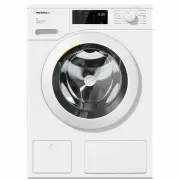
Installation *INSTALLATION* 63 Front view a Water inlet hose (pressure tested to7000 kPa) b Mains connection cable c Flexible drain hose (with detachableswivel elbow) d Control panel e Detergent dispenser drawer f Door g Access to drain filters, drain pumpsand emergency release h Access panel for Tw...
Page 64 - Rear view; Drain hose
Installation *INSTALLATION* 64 Rear view a Drain hose b Transport clips for inlet and drainhoses and mains connection cable c Mains connection cable d Protruding lid for holding when mov-ing the machine e Water inlet hose (pressure tested to7000 kPa) f Safety caps for transit bars g Transport clips ...
Page 65 - Installation surface; If installing on a wooden joist floor:
Installation *INSTALLATION* 65 Installation surface A concrete floor is the most suitable in-stallation surface. It is far less prone tovibration during the spin cycle thanwooden floorboards or a carpeted sur-face. Please note: The machine must be level and se-curely positioned. To avoid vibrati...
Page 66 - Removing the transit bars; Removing the left-hand transit bar
Installation *INSTALLATION* 66 Removing the transit bars Removing the left-hand transit bar Push the cover out and turn the left-hand transit bar 90° using the span-ner supplied. Withdraw the transit bar. Removing the right-hand transit bar Push the cover out and turn the left-hand transit bar...
Page 67 - Covering holes
Installation *INSTALLATION* 67 Covering holes Risk of injury from sharp edges. There is a risk of injury from reachinginto holes that are not covered.Cover the holes for the transit barsafter they have been removed. Push the covers in firmly until theyengage in position. Securing the transit bar...
Page 68 - Fitting the transit bars; Opening the covers
Installation *INSTALLATION* 68 Fitting the transit bars Opening the covers Press against the retainer with asharp object (a narrow screwdriver,for example). The cover opens. Fitting the transit bars To fit the bars, follow the instructionsfor removing them in reverse order. Tip: The bars will sl...
Page 69 - Levelling the machine; Screwing out and adjusting the feet
Installation *INSTALLATION* 69 Levelling the machine The washing machine must stand per-fectly level on all four feet to ensuresafe and proper operation. Incorrect installation may increase elec-tricity and water consumption and maycause the machine to move about. Screwing out and adjusting the feet...
Page 70 - Risk of electric shock due to ex-
Installation *INSTALLATION* 70 Installing under a continuous work-top Risk of electric shock due to ex- posed cablesThere is a risk of coming into contactwith live parts while the lid is re-moved.Building under kits* must only be in-stalled/dismantled by a suitably qual-ified fitter in accordance ...
Page 71 - The water protection system; - the electronic unit and drainage and
Installation *INSTALLATION* 71 The water protection system The Miele water protection system pro-tects all parts of the washing machinefrom water damage. The system consists of three main com-ponents: - the inlet hose - the electronic unit and drainage and overflow protection - the drain hose Inlet ...
Page 72 - Connection to the water supply; Health risk and risk of damage
Installation *INSTALLATION* 72 Connection to the water supply Health risk and risk of damage due to contaminated incoming water.The quality of the incoming watermust correspond to the drinking wa-ter specification of the country inwhich the washing machine is beingoperated.Always connect the washi...
Page 73 - Water drainage
Installation *INSTALLATION* 73 Water drainage The suds are drained through a drainpump with a 1 m delivery head. For thewater to drain freely, the hose must befree of kinks.If required, the hose can be extended toa length of up to 5 m. Accessories areavailable from Miele or from your Mieledealer. Fo...
Page 74 - Electrical connection; Risk of fire from overheating.
Installation *INSTALLATION* 74 Electrical connection The washing machine is supplied withan electrical connection cable withmoulded plug ready for connection to aswitched socket. The socket must be easily accessibleafter the washing machine has been in-stalled. If that is not possible, ensurethat a ...
Page 76 - Technical data
Technical data 76 Height 850 mm Width 596 mm Depth 636 mm Depth with door open 1054 mm Height for building under 820 (+8/-2) mm Width for building under 600 mm Depth for building under 600 mm Weight Approx. 85 kg Capacity 8.0 kg dry laundry Supply voltage See data plate Rated load See data plate Fus...
Page 77 - Conformity declaration
Technical data 77 Conformity declaration Miele hereby declares that this washing machine complies with Directive 2014/53/EU. The complete text of the EU declaration of conformity is available from one of thefollowing internet addresses: - Products, Download from www.miele.co.uk - For service, inform...
Page 78 - Consumption data
Consumption data 78 Load Energy Water Duration Residual moisture °C kg kWh Litres h:min % Cottons * 60 8.0 0.90 49 2:59 53 60 4.0 0.88 48 2:59 53 40 4.0 0.53 39 2:59 53 Cottons 90 8.0 2.10 49 2:29 53 60 8.0 1.35 49 2:29 53 60 4.0 1.15 48 2:19 53 40 8.0 0.98 54 2:39 53 20 8.0 0.35 54 2:39 53 Minim...
Page 79 - Note for test institutes; Test programme in accordance with EN 60456 and energy label with
Consumption data 79 Note for test institutes * Test programme in accordance with EN 60456 and energy label with Directive 1061/2010 TwinDos dispensing must be deactivated when carrying out comparison tests.
Page 81 - Accessing the programming level
Programmable functions 81 The programmable functions are usedto alter the machine's electronics tosuit changing requirements. Program-mable functions can be altered at anytime. The programming is carried out in eightsteps ( , , ... ) using the sensor controls. Accessing the programming level...
Page 82 - Start; Exit programming level
Programmable functions 82 Editing and saving a program-mable function You can either switch a programmablefunction on/off or select different op-tions. Touch the or sensor control to switch the programmable functionon/off or to select an option: Programmable function Available options ...
Page 83 - Lock code
Programmable functions 83 Lock code The lock code prevents the washingmachine being used without yourknowledge. When the code has been activated, youhave to enter a code after switching thewashing machine on. Otherwise thewashing machine cannot be operated. Options = Lock code switched off (...
Page 84 - Memory; Reduce temperature
Programmable functions 84 Memory The washing machine will save thelast settings (temperature, spin speedand some of the extras) selected for aprogramme after the programme hasstarted. When this programme is chosen again,these saved settings will appear in thedisplay. Options = Memory is swit...
Page 85 - Maximum rinse level
Programmable functions 85 Maximum rinse level The water level in the rinse cycle canbe permanently set to the highestvalue. This function is useful for allergy suffer-ers as it achieves an excellent rinse res-ult. Water consumption will increase. Options = Maximum rinse level is switched off...
Page 88 - Networking
Programmable functions 88 Networking The , and programmable functions are only displayed if the re-quirements for using Miele@homehave been met (see the “Before usingfor the first time” chapter,“Miele@home” section). Remote control You can use the Miele@mobile app tocheck the status ...
Page 89 - RemoteUpdate; Running a RemoteUpdate
Programmable functions 89 RemoteUpdate The RemoteUpdate function is used toupdate the software in your washingmachine. If an update is available foryour washing machine, it will automatic-ally download it. Updates will not be in-stalled automatically. They must be initi-ated manually. If you do ...
Page 90 - Postponing the update; Switching off WiFi; MobileStart
Programmable functions 90 Postponing the update After the washing machine is switchedon, appears on the time display. Touch the sensor control. The running time of the selected pro-gramme appears on the time display. The next time you switch on the wash-ing machine, you will be prompted tost...
Page 91 - Miele UltraPhase 1 and 2
Detergents and care products 91 Detergent, fabric care, additives andmachine care products are available forthis washing machine. All the productshave been designed for Miele washingmachines. These and many other useful productscan be ordered via the internet atwww.miele.co.uk or from Miele (see end...
Page 92 - Specialist detergents
Detergents and care products 92 Specialist detergents These specialist detergents are avail-able as convenient single-use capsules. Caps Sport - For synthetic fabrics - Neutralises odours thanks to built-in odour absorber - Prevents static charge in clothes - Retains the shape and breathability o...
Page 93 - Fabric care
Detergents and care products 93 Fabric care These fabric care products are availableas convenient single-use capsules. Fabric conditioner cap - Fabric conditioner for freshly scented laundry - Pure and thorough cleanliness with a fresh scent - For soft, bouncy laundry - Prevents static charge in ...


 Miele PLW 8615 Installation Manual
 Miele PW 5065 Manual
 Miele PW 6065 Manual
 Miele W667 Manual
 Miele WTD160WCS User Manual
 Miele WTR870WPM User Manual
 Miele WTW870WPM User Manual
 Miele WWD120 User Manual
 Miele WWG360 User Manual
 Miele WWG660 User Manual
 Miele WWI860 User Manual
 Miele WWR860WPS User Manual
 Miele WWV980WPS User Manual