Page 2 - Contents
Contents 2 Warning and Safety instructions ......................................................................... 5 Operating the washing machine ........................................................................ 12 Control panel ..............................................................
Page 4 - Technical data
Contents 4 Levelling the machine ............................................................................................ 63 Screwing out and adjusting the feet................................................................. 63Installing under a continuous worktop .................................
Page 5 - Warning and Safety instructions; Correct application; This washing machine is designed for domestic use and for use in
Warning and Safety instructions 5 This washing machine complies with all current local and nationalsafety requirements. However, inappropriate use can lead topersonal injury and damage to property. Read the operating instructions carefully before using the washingmachine. They contain important info...
Page 6 - Safety with children
Warning and Safety instructions 6 This washing machine is not intended for use by persons (including children) with reduced physical, sensory or mentalcapabilities, or lack of experience and knowledge, unless they havebeen given supervision or instruction concerning its use by a personresponsible ...
Page 9 - Correct use; Do not install the washing machine in a room where there is a risk
Warning and Safety instructions 9 Correct use Do not install the washing machine in a room where there is a risk of frost. Frozen hoses may burst or split. The reliability of theelectronic control unit may be impaired at temperatures belowfreezing point. Before using the machine for the first ti...
Page 11 - Accessories; Only use genuine Miele spare parts and accessories with this
Warning and Safety instructions 11 Accessories Only use genuine Miele spare parts and accessories with this appliance. If spare parts or accessories from other manufacturersare used, this will invalidate the warranty, and Miele cannot acceptliability. A Miele tumble dryer can be stacked on top o...
Page 12 - Operating the washing machine; Control panel; for selecting the temperature.
Operating the washing machine 12 Control panel a Control panel The control panel consists of a timedisplay and various sensor controls.The individual sensors are explainedin the following. b Sensor controls – temperature for selecting the temperature. c Sensor controls – spin speeds for selecting th...
Page 13 - Time display; How the control panel works
Operating the washing machine 13 g Time display After the programme has started, theprogramme duration will appear inthe display in hours and minutes.When Delay start is being used, theprogramme duration will appear afterthe Delay start time has elapsed. h sensor controls The Delay start time ...
Page 14 - Caring for the environment
Caring for the environment 14 Disposal of the packingmaterial The transport and protective packaginghas been selected from materials whichare environmentally friendly fordisposal, and can normally be recycled. Recycling the packaging reduces theuse of raw materials in themanufacturing process and al...
Page 15 - Before using for the first time; Damage resulting from incorrect
Before using for the first time 15 Damage resulting from incorrect installation and connection.Installing and connecting thewashing machine incorrectly willcause serious damage to property.See “Installation”. Removing the protective foiland stickers Remove: – the protective foil from the door – ...
Page 16 - Running the first programme
Before using for the first time 16 Running the first programme Turn on the tap. Turn the programme selector to the Cottons position. The washing machine is now switchedon and in the control panel thetemperature 60°C lights up. Touch the Start / Add laundry sensor. The programme will start. A...
Page 17 - Washing environmentally and economically; Energy and water consumption
Washing environmentally and economically 17 Energy and water consumption – To get the most out of your machine, load the maximum dry load for theprogramme you are using.The energy and water consumptionwill be the lowest in relation to thesize of the load. – When smaller amounts of laundry are washed...
Page 18 - Preparing the laundry; Sorting the laundry
1. Preparing the laundry 18 Empty all pockets. Damage due to foreign objects. Nails, coins, paper clips, and so oncan cause damage to garments andcomponents in the machine.Check the laundry before washingand remove any foreign objects. Sorting the laundry Sort the laundry by colour and bycare ...
Page 19 - Loading the washing machine; Opening the door; Please note the maximum; Closing the door; Shut the door with a gentle swing.
2. Loading the washing machine 19 Opening the door Take hold of the door and pull itopen. Check the drum for pets or foreignobjects before loading it withlaundry. The most efficient use of energy andwater is achieved when a full load iswashed. However, do not overload asthis reduces cleaning effic...
Page 20 - Selecting a programme; Programme selection
3. Selecting a programme 20 Programme selection The washing machine is switched on byturning the programme selector to awash programme. Turn the programme selector to therequired programme. The likely wash time is shown in thetime display and the pre-settemperature and spin speed light up inthe co...
Page 21 - Selecting Extras
3. Selecting a programme 21 Selecting Extras The selection of Extras available forthe wash programme lights up dimly. Touch the sensor for the Extra youwant. It then lights up brightly. Useful tip: You can select multiple Extras for a wash programme. Please refer to “Extras” for moreinformation.
Page 22 - Detergent dispenser drawer; Filling with detergent
4. Adding detergent 22 Detergent dispenser drawer Any detergent suitable for automaticfront loading washing machines can beused with this appliance. Pleaseobserve the instructions for use anddosage on the detergent packaging. Filling with detergent Pull out the detergent drawer and adddetergents t...
Page 24 - Sensor; Inserting a capsule
4. Adding detergent 24 CapDosing Three different types of capsule areavailable: = Fabric care (e.g. fabric softener) = Additives (e.g. booster) = Detergent (for the main wash only) Each capsule contains the correctamount for one wash cycle. You can order the capsules online atshop.miele.com (d...
Page 26 - Starting the programme; Starting a programme; Energy savings
5. Starting the programme 26 Starting a programme Touch the flashing Start / Add laundry sensor. The door will lock and the programmewill start. If a Delay start time has been selected,this counts down in the time display. Atthe end of the Delay start time orimmediately after the programme hassta...
Page 27 - At the end of the programme; Start
6. At the end of the programme 27 Opening the door andremoving the laundry The door remains locked during theAnti-crease phase. The control panellights up for 10 minutes after theprogramme ends. The control panelthen goes out and the Start / Add laundry sensor flashes. Turn the programme selector...
Page 28 - Spinning; Rinse and interim spin; Cottons
Spinning 28 Final spin speed in washprogrammes When a programme is selected, thesensor for the optimum spin speed forthat programme will be brightly lit up inthe control panel. A faster spin speed can be selected forcertain wash programmes. The highest selectable spin speed isindicated in the table....
Page 29 - Delay start; Selecting Delay start
Delay start 29 With Delay start you can delay the startof a programme from 30 minutes up toa maximum of 24 hours. This allowsyou to make use of night-time economyelectricity rates, for example. Selecting Delay start Delay start is not possible in the Drain/ Spin and Proofing programmes. Select th...
Page 30 - Programme chart
Programme chart 30 Cottons 60°C Max. load 8.0 kg Items Cottons, linens or cotton mix fabrics, e.g. table linen, towelling,underwear, T-shirts etc. Notes With Cottons 60°C the actual wash temperature reached will be lower than 60°C although the wash performance is the same as withthe standard Co...
Page 31 - Delicates
Programme chart 31 Delicates Cold to 40°C Max. load 2.0 kg Items Delicate garments made from synthetic fibre, mixed fibre, rayon andviscose. Performance outerwear (e.g. jackets and trousers) made frommembrane fabric such as Gore-Tex®, SYMPATEX®,WINDSTOPPER®, etc. Curtains specified as machine-washab...
Page 32 - QuickPowerWash
Programme chart 32 QuickPowerWash 40°C – 60°C Max. load 4.0 kg Items Moderately soiled garments which are also suitable for washing inthe Cottons programme. Notes A special saturation process and wash rhythm ensure that thelaundry is cleaned particularly quickly and thoroughly. Express 20 Cold to 40...
Page 33 - Separate rinse/Starch
Programme chart 33 Drain/Spin – Notes – Drain only: Set spin speed to . – Make sure you select the appropriate spin speed. Separate rinse/Starch Max. load 8.0 kg Items – For rinsing hand-washed items. – For starching table cloths, serviettes and workwear. Notes – Reduce the spin speed for fabrics...
Page 34 - Extras; Separate
Extras 34 You can use the Extras sensors toaugment the wash programmes. Selecting Extras Extras are selected and deselectedusing the relevant sensors on thecontrol panel. Touch the sensor for the Extra youwant. The relevant sensor will light up brightly. Not all the Extras can be used withevery pr...
Page 36 - Programme sequence; Main wash
Programme sequence 36 Main wash Rinse Spin Water level Wash rhythm Water level Rinses Cottons 2-5 2,3 Cottons 2-5 1,2,3 Minimum iron 2-4 2,3 Delicates 2-4 2,3 Woollens 2 Shirts 3-4 3 QuickPowerWash 2 Express 20 1 ECO 40-60 3 ...
Page 37 - Woollens
Programme sequence 37 = low water level = medium water level = high water level = intensive rhythm = normal rhythm = sensitive rhythm = handwash rhythm = carried out – = not carried out This washing machine has fullyelectronic controls with automatic loadcontrol. The washing machine ...
Page 38 - PowerWash
Programme sequence 38 PowerWash PowerWash is a washing techniquedeveloped by Miele. It is activated inthe following programmes: – Cottons (with small and medium- sized loads) – Minimum iron – Shirts – Delicates – ECO 40-60 (with small and medium- sized loads) How it works Conventional washing techni...
Page 39 - Changing the programme sequence; Changing the programme; Turn the programme selector to the
Changing the programme sequence 39 Changing the programme It is not possible to change theprogramme, the temperature, the spinspeed or the selected Extras after theprogramme has started. Cancelling a programme You can cancel a programme at anytime after it has started. Turn the programme selector ...
Page 40 - Garment care label symbols
Garment care label symbols 40 Washing The figure quoted in the symbol is themaximum temperature at which thegarment can be washed. The numberof bars under the symbol indicates thelevel of agitation permitted. No bar under the symbol =normal agitation One bar under the symbol =reduced agitation ...
Page 41 - Detergent; The correct detergent; – The soiling level of the laundry.; Detergent dispensing aids
Detergent 41 The correct detergent All detergents produced for automaticfront loading washing machines aresuitable. Follow the manufacturer'sinstructions and dosagerecommendations on the packaging. The right amount to dispensewill depend on the following: – The soiling level of the laundry. – The qu...
Page 43 - Miele detergents
Detergent 43 Miele detergents Miele detergents have been specially designed for everyday use in Miele washingmachines. See “Detergents and care products” for more information about thesedetergents. Miele detergents Miele capsules UltraWhite UltraColor Cottons – Cottons – Mini...
Page 45 - Cleaning and care; Risk of electric shock!
Cleaning and care 45 External casing and fasciapanel Risk of electric shock! Mains voltage is present when thewashing machine is switched off.Disconnect the machine from theelectricity supply before cleaning ormaintenance. Risk of damage due to ingress of water.The pressure of a water jet cancau...
Page 46 - Cleaning the siphon and the
Cleaning and care 46 Cleaning the siphon and the / compartment channel Liquid starch results in clogging. Ifclogged, the siphon in the / compartment will not work and thecompartment can overflow.Clean the siphon particularlythoroughly after using liquid starch afew times. 1. Remove the sipho...
Page 47 - Cleaning the water inlet filter; Cleaning the filter in the inlet hose
Cleaning and care 47 Hygiene info(Cleaning the drum) Washing at low temperatures and/orusing liquid detergent can causebacteria and unpleasant odours to buildup in the washing machine. Use the Cottons 90 °C programme to clean the washing machine. This should be doneat the latest when the indicator ...
Page 48 - Problem solving guide; The programme does not start; Problem
Problem solving guide 48 With the help of the following guide, minor faults in the performance of theappliance, some of which may result from incorrect operation, can be remediedwithout contacting Miele. This will save you time and money because you won'tneed a service call. Please note that a call-...
Page 50 - During the programme, a symbol appears in the time display
Problem solving guide 50 During the programme, a symbol appears in the time display Message Possible cause and remedy lights up The programme selector was moved to a differentposition after the programme had started. Turn the programme selector back to the originalposition. At the end of the p...
Page 51 - General problems with the washing machine
Problem solving guide 51 General problems with the washing machine Problem Possible cause and remedy The washing machinesmells. The indicator light was ignored. A programme using a temperature above 60°C has not been run fora long period of time. In order to prevent bacteria and unpleasant odou...
Page 53 - An unsatisfactory wash result
Problem solving guide 53 An unsatisfactory wash result Problem Possible cause and remedy Liquid detergent doesnot give the requiredresult. Liquid detergents usually contain no bleachingagents. They do not remove fruit, coffee and teastains. Use a general purpose powder detergentcontaining a bleach...
Page 54 - The door will not open
Problem solving guide 54 The door will not open Problem Possible cause and remedy The door cannot bepulled open during aprogramme. The drum is locked during a programme. Follow the instructions in "5. Starting a programme– Adding laundry during a programme sequence". After the programme is...
Page 55 - Switch off the washing machine.
Problem solving guide 55 Opening the door in the eventof a blocked drain outlet and/or power cut Switch off the washing machine. Open the drain pump access panel. Blocked drain outlet If the drain outlet is blocked, a largerquantity of water can remain in thewashing machine. Risk of scalding d...
Page 56 - Clean the filters thoroughly.
Problem solving guide 56 Clean the filters thoroughly. Remove any foreign objects (e.g.,buttons, coins etc.) and clean theinterior. Turn the impellers by hand tocheck that they rotate freely. Replace the filters correctly (on theright and left) and tighten them. Close the drain pump access p...
Page 57 - Service; Contact in case of fault
Service 57 Contact in case of fault In the event of any faults which youcannot remedy yourself, please contactMiele. Contact information for Miele can befound at the end of this booklet. Please quote the model and serialnumber of your appliance whencontacting Miele. This information canbe found on t...
Page 58 - Installation; Front view; Electrical connection
Installation *INSTALLATION* 58 Front view a Inlet hose (tested to withstandpressures up to 7000 kPa) b Electrical connection c Flexible drain hose (with detachableswivel elbow) d Control panel e Detergent dispenser drawer f Door g Access to filters, pumps andemergency release h Four height-adjustabl...
Page 59 - Rear view; Drain hose
Installation *INSTALLATION* 59 Rear view a Drain hose b Transport clips for inlet and drainhoses and mains connection cable c Electrical connection d Protruding lid for holding whenmoving the machine e Inlet hose (tested to withstandpressures up to 7000 kPa) f Safety caps for transit bars g Transpor...
Page 60 - Installation surface
Installation *INSTALLATION* 60 Installation surface A concrete floor is the most suitableinstallation surface. It is far less proneto vibration during the spin cycle thanwooden floorboards or a carpetedsurface. Please note: The machine must be level andsecurely positioned. To avoid vibrations du...
Page 61 - withdraw the transit bar.
Installation *INSTALLATION* 61 Using the spanner supplied, turn theleft-hand transit bar anti-clockwise90°, then withdraw the transit bar. Turn the right-hand transit barclockwise 90°, then withdraw the transit bar.
Page 62 - Risk of injury from sharp edges.; Refitting the transit bars
Installation *INSTALLATION* 62 Risk of injury from sharp edges. There is a risk of injury from reachinginto holes that are not covered.To avoid the risk of injury, the holesfor the transit bars must be coveredafter the transit bars have beenremoved! Fit the stoppers onto the two holes. Secure ...
Page 63 - Levelling the machine; Screwing out and adjusting the feet
Installation *INSTALLATION* 63 Levelling the machine The washing machine must standperfectly level on all four feet to ensuresafe and proper operation. Incorrect installation may increaseelectricity and water consumption andmay cause the machine to move about. Screwing out and adjusting the feet The...
Page 64 - Risk of electric shock due to
Installation *INSTALLATION* 64 Installing under a continuousworktop Risk of electric shock due to exposed cables.There is a risk of coming into contactwith live parts while the lid isremoved.Do not remove the washing machinelid. This washing machine (with lid intact)can be pushed under a worktop i...
Page 65 - Inlet hose
Installation *INSTALLATION* 65 The Miele water protectionsystem The Miele water protection systemprotects all parts of the washingmachine and surrounds from waterdamage. The system consists of three maincomponents: – the inlet hose – the electronic unit and drainage and overflow protection – the dra...
Page 66 - Connection to the water supply; Health risk and risk of damage
Installation *INSTALLATION* 66 Connection to the water supply Health risk and risk of damage due to contaminated mains water.The quality of the water used mustcorrespond to the drinking waterspecification of the country in whichthe washing machine is beingoperated.Always connect the washingmachine...
Page 67 - Drainage; Drain hose connection options
Installation *INSTALLATION* 67 Drainage The suds are drained through a drainpump with a 1 m delivery head. For thewater to drain freely, the hose must beinstalled free of kinks.If required, the hose can be extended toa length of up to 5 m. The necessaryparts can be purchased from Miele. For a delive...
Page 68 - Risk of fire from overheating!
Installation *INSTALLATION* 68 Electrical connection The washing machine is supplied with amains cable with moulded plug readyfor connection to a switched socket. The socket must be easily accessibleafter the machine has been installed. Ifthe switch is not accessible afterinstallation an additional ...
Page 70 - Consumption data
Consumption data 70 Load Energy Water Duration Residual moisture °C kg kWh Litres h:min % Cottons 60 8.0 0.84 50 2:59 53 60 4.0 0.83 46 2:59 53 40 4.0 0.34 39 2:59 53 Cottons 90 8.0 2.30 57 2:29 53 60 8.0 1.35 57 2:29 53 60 4.0 1.00 48 2:19 53 40 8.0 0.92 72 2:39 53 40 4.0 0.60 48 2:29 53 20 8.0 ...
Page 71 - Programmable functions; Accessing the programming level
Programmable functions 71 The programmable functions are usedto alter the machine's electronics tosuit changing requirements.Programmable functions can bealtered at any time. Programming is carried out in 8 steps( , , ... ) using sensors. Accessing the programming level Before you begin, ens...
Page 72 - Exiting the programming level
Programmable functions 72 Editing and saving theprogrammable function You can either switch a programmablefunction on or off or select differentoptions. Touch the or sensor to switch the programmable function on/off orto select an option: Programmable function Available options ...
Page 73 - PIN Code; Stop; Control panel standby
Programmable functions 73 PIN Code The PIN code prevents the washingmachine being used without yourknowledge. When the code has been activated, youhave to enter a code after switching thewashing machine on. Otherwise thewashing machine cannot be operated. Options = PIN code is switched off (...
Page 74 - Memory; Reduce temperature
Programmable functions 74 Memory The washing machine will save thelast settings (temperature, spin speedand some of the Extras) selected for aprogramme after the programme hasstarted. When the programme is chosen again,the saved settings will appear in thedisplay. Options = Memory is switche...
Page 75 - Water plus
Programmable functions 75 Water plus You can determine the amount ofwater used if the Water + Extra is selected. Options = More water is used in the wash and rinse stages (factory default setting) = An extra rinse is carried out = The water level in the wash and rinse stages is incre...
Page 76 - Suds cooling; factory default setting
Programmable functions 76 Suds cooling When this is activated, additionalwater flows into the drum at the end ofthe main wash to cool the suds down.Hot suds can damage plastic drainagepipes. Suds cooling takes place when aCottons programme with a temperatureof 70°C or higher is selected. Suds co...
Page 77 - Detergents and care products
Detergents and care products 77 Detergent, fabric care, additives andmachine care products are available forthis machine. All the products havebeen designed for Miele appliances. These and many other useful productscan be ordered via the internet atshop.miele.com (depending on country)or from Miele ...
Page 78 - Specialist detergents; Caps Sport
Detergents and care products 78 Specialist detergents These specialist detergents areavailable as convenient single-usecapsules. Caps Sport – For synthetic fabrics – Neutralises odours thanks to built-in odour absorber – Prevents static charge in clothes – Retains the shape and breathability of sy...
Page 79 - Fabric care; Caps Fabric Softener; Additive; Caps Booster; Machine care products; Descaling agent
Detergents and care products 79 Fabric care These fabric care products are availableas convenient single-use capsules. Caps Fabric Softener – Fabric softener for freshly scented laundry – Pure and thorough cleanliness with a fresh scent – For cuddly soft laundry – Prevents static charge in clothes...
Page 83 - Miele New Zealand Limited
Miele Experience Centre and Head Office Melbourne: 1 Gilbert Park DriveKnoxfield, VIC 3180 Miele Experience Centre South Melbourne: 206-210 Coventry StreetSouth Melbourne, VIC 3205 Miele Experience Centre and Office Sydney: 3 Skyline PlaceFrenchs Forest, NSW 2086 Miele Experience Centre and Office B...
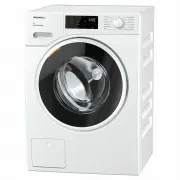


 Miele WTD160WCS User Manual
 Miele WTR870WPM User Manual
 Miele WTW870WPM User Manual
 Miele WWD120 User Manual
 Miele WWG360 User Manual
 Miele WWG660 User Manual
 Miele WWI860 User Manual
 Miele WWR860WPS User Manual
 Miele WWV980WPS User Manual
 Miele PLW 8615 Installation Manual
 Miele PW 5065 Manual
 Miele PW 6065 Manual
 Miele W667 Manual