Miele WWD660 WCS TDOS - Quick Guide
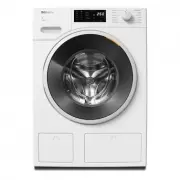
A user manual for a washing machine outlines essential operational steps like loading laundry, selecting programs, and managing detergent use while addressing maintenance tasks such as cleaning the drum and control panel. The guide also covers common issues–including error codes and indicator lights–and provides care recommendations to ensure proper function and longevity. Key topics include program selection, detergent guidelines, troubleshooting diagnostics, and basic upkeep procedures.


fold here
fold here
fold here
fold here
fold here
fold here
OPERA
TION
PREP
ARING THE LA
UNDR
Y/SELEC
TING A PROGRAM
ADDING LA
UNDR
Y
Damage from incorrect installation
and connection.
Installing and connecting the washing ma-
chine incorrectly will cause serious dam-
age to property.
See “Installation”.
Damage resulting from failure to re-
move the shipping struts.
Failure to remove the shipping struts can
result in damage to the washing machine
and to adjacent cabinetry or appliances.
Remove the shipping struts as described
in “Installation and connection”.
4 steps must be completed to put the
washing machine into operation.
1. Remove the shipping struts.
2. Set up Miele@home.
3. TwinDos commissioning.
4. Start the calibration program.
For additional information, please refer to
the separate operating instructions sup-
plied.
Operating the sensor buttons
The sensor buttons react to fingertip con-
tact. If a sensor button is illuminated, it can
be selected.
If a sensor button is brightly lit, this means:
currently selected
If a sensor button is dimly lit, this means:
selection possible
a
Control field
b
Temperature sensor buttons
for selecting the temperature.
c
Spin Speed sensor buttons
for selecting the final spin speed.
d
Sensor buttons for TwinDos and
Options
You can deactivate or activate TwinDos
dispensing for a wash program and add
options to the program.
e
Indicator lights
Faults affecting the water inlet
and drainage
Excess detergent used
Reminder about Sanitize informa-
tion or TwinDos cleaning
The Add laundry function cannot
be selected.
f
CapDosing sensor buttons
Fabric care (e.g., fabric softener,
proofing agent)
Additives (e.g., detergent en-
hancers)
Detergent (for the main wash
only)
g
Time display
After the program has started, the pro-
gram runtime will appear on the display
in hours and minutes.
h
Sensor buttons
For the Delay start function.
i
Start
/
Add laundry
sensor button
Touching the
Start
/
Add laun-
dry
sensor button starts the se-
lected program. The sensor but-
ton lights up constantly.
Once the program has been
started, the
Start
/
Add laun-
dry
sensor button allows you to
add laundry.
j
Optical interface
This is used by the Service department
as a transmission point.
k
Program selector
For selecting programs and for switch-
ing the machine off. The washing ma-
chine is switched on when you select a
program, and switched off by turning
the program selector to the
position.
Environmentally friendly washing
- Make use of the maximum load that the
wash program can accommodate. This
will keep energy and water consumption
to a minimum in relation to the size of the
load.
- Use the
Express
program for small, lightly
soiled loads.
- Modern detergents make it possible to
wash at lower temperatures (e.g.,
70°F/20°C). Using the corresponding
temperature settings will save energy.
- Washing at low temperatures and/or us-
ing liquid detergents can cause bacteria
and odors to build up in the washing ma-
chine. Miele therefore recommends
cleaning the washing machine once ev-
ery month.
When the
indicator light lights up on
the control field and
appears on the
time display, the washing machine must
be cleaned.
1. Preparing the laundry
Empty all pockets.
Damage due to foreign ob-
jects.
Nails, coins, paper clips, and so
on can cause damage to gar-
ments and components in the
machine.
Check the laundry before wash-
ing and remove any such foreign
objects.
Sort the laundry by color and by care label. Most gar-
ments have a textile care label in the collar or side
seam.
Pre-treat stains and badly soiled areas.
2. Selecting a program
1. Selecting the standard programs with the program
selector dial
Turn the program selector to the
required program. The selected
program will be shown in the
display. This will then be re-
placed by the standard display.
2. Selecting programs via the
MobileStart
program selector position and the
Miele app
To use MobileStart
, the washing machine must be
logged on to the WiFi network and Remote control must
be switched on.
Turn the program selector to the
MobileStart
position.
appears on the time display.
The washing machine can now be operated with the Miele
app.
1
Detergent drawer
2
Control panel
3
Drain filter
4
Door
5
TwinDos dispensing
3. Loading the washing machine
Opening the door
Take hold of the door and pull it
open.
Unfold the laundry and load
loosely into the drum.
Closing the door
Make sure that no items are
caught between the door and
the seal.
Shut the door gently.
4. Selecting program settings
Selecting a temperature and spin speed
The wash program’s pre-set temperature and spin speed
light up brightly. The choice of temperatures and spin
speeds selectable for the wash program light up dimly.
Touch the sensor button for the temperature desired. It
will then light up brightly.
Touch the sensor button for the spin speed desired. It
will then light up brightly.
Selecting options
The selection of options available for the wash program
lights up dimly.
Touch the sensor button for the required option. It will
then light up brightly.
Tip:
You can select multiple options for a single wash pro-
gram.
5. Add detergent
There are several options for adding deter-
gent to the washing machine.
TwinDos
TwinDos dispensing is automatically acti-
vated on all programs in which dispensing
is possible. The TwinDos sensor button
lights up brightly. The TwinDos Whites sen-
sor button lights up dimly in some wash
programs.
Changing TwinDos dispensing
You can change the suggested color com-
position of the laundry.
Touch the
TwinDos
Whites
sensor button
if required.
Deactivating TwinDos dispensing
Touch the brightly lit
TwinDos
Whites
or
TwinDos
Colors
sensor button.
Both sensor buttons are dimmed and dis-
pensing is deactivated.
CapDosing
If you selected CapDosing when setting the
program, detergent will be dispensed via
the capsule for this wash program.
Using powder detergent
The detergent drawer contains an insert for
liquid detergent in the
compartment.
This insert must be removed to use powder
detergent. It is not possible to use powder
detergent in the
compartment.
Filling with detergent
This washing machine requires particularly
efficient detergent. Add detergent in accor-
dance with the value in the pull-down
dosage display.
Ensure that TwinDos dispensing is deacti-
vated.
Pull out the deter-
gent drawer and
add detergent to
the compart-
ments.
Chlorine bleach for removing
stains or liquid detergent for the
pre-wash
Detergent for the main wash,
including Soak if selected
Fabric softener, liquid starch, or
caps
Using chlorine bleach
Damage due to chlorine bleach.
Textiles may be discolored or their fibers
damaged.
Only use chlorine bleach on suitable tex-
tiles.
Chlorination must be activated in the set-
tings before chlorine bleach is first used.
The
Pre-wash
option must not be se-
lected.
Pour
max. 1/4 cup (60 ml)
of bleach
into the
chamber.
The chlorine bleach is added automatically
10 minutes before the end of the main
wash.
6. Start the program
Touch the flashing
Start
/
Add laundry
sensor button.
The door will lock and the wash program
will start.
Adding laundry during a program
sequence
Laundry can be added or removed at any
time, provided that the
symbol is not illu-
minated on the control field.
Touch the
Start
/
Add laundry
sensor but-
ton.
Rotating bars
... ...
appear on
the time display.
If the word
appears on the time dis-
play, the door can be opened.
Open the door and add or remove laun-
dry.
Close the door.
Touch the
Start
/
Add laundry
sensor but-
ton.
The wash program will continue.
Changing a program (safety lock)
A program, temperature, spin speed, or se-
lected options cannot be changed once the
machine has been successfully started.
This prevents the machine being operated
unintentionally, e.g., by children.
Canceling a program
You can cancel a wash program at any time
after it has started.
Turn the program selector to the
posi-
tion.
Turn the program selector to any posi-
tion.
Rotating bars
... ... or
ap-
pear on the time display. The water is
pumped away and the door lock is then re-
leased.
7. Program end
The door is locked in the Anti-crease
phase.
Turn the program selector to the
posi-
tion.
appears on the time display and the
indicator light goes out. The door will be
unlocked.
Tip:
After the Anti-crease phase, the door
will unlock automatically.
Take hold of the
door and pull it
open.
Remove the laun-
dry.
Items left in the drum could discolor other
items in the next wash or become discol-
ored themselves.
Remove all items from the drum.
Check the folds in
the door seal for
any foreign ob-
jects.
Tip:
Leave the door slightly open.
If you used a capsule, remove it from the
detergent drawer.
Tip:
Leave the detergent drawer slightly
open.
Delay Start/SmartStart
You can delay the start of a program from
30 minutes up to a maximum of 24 hours.
This allows you to make use of night-time
economy electricity rates, for example.
Selecting Delay Start
Select the wash program required.
Touch the
sensor but-
ton.
Touch the
or
sensor button re-
peatedly until the required Delay Start
time appears on the time display.
- In the case of settings below 10 hours,
the Delay Start time changes in incre-
ments of 30 minutes.
- In the case of settings above 10 hours,
the delay-start period changes in incre-
ments of 1 hour.
Touch the flashing
Start
/
Add laundry
sensor button.
The Delay Start process starts and counts
down on the time display.
SmartStart – Setting the time period
If the
SmartGrid programmable func-
tion is activated, the function of the sensor
button changes. The time display no
longer shows the Delay Start period; in-
stead, it shows the time period in which
your washing machine can be started au-
tomatically. The procedure for setting this
is the same as for setting the time for De-
lay Start. For additional information, please
refer to the separate operating instructions
supplied.
Options
Options are selected and deselected us-
ing the relevant sensor buttons in the con-
trol field.
SoftSteam
In order to reduce creasing, the laundry
undergoes a smoothing process at the
end of the program. Reducing the maxi-
mum load by 50% will give a better result.
Please note the load information in the
display. Small loads achieve a better re-
sult.
without
SoftSteam
with
SoftSteam
Full load
Half load
Half load
Small load
Small load
Very small load
The garments must be suitable for drying
in a tumble dryer
and suitable for
ironing
.
Buzzer
A buzzer sounds at the end of the pro-
gram. The buzzer sounds until the wash-
ing machine is switched off.
Before the first use
Operation
Preparing the laundry
Selecting a program
Starting a program
Delay Start/Options
fold here
fold here
fold here
fold here
fold here
fold here
en-US
M.-Nr
. 11 622 830
WWD 660
"Loading the manual" means you need to wait until the file loads and becomes available for online reading. Some manuals are very large, and the time they take to appear depends on your internet speed.
Was this manual helpful?
About this manual
- Brand
- Miele
- Model
- WWD660 WCS TDOS
- Document type
- Quick Guide
- Category
- Washing Machine
- Language(s)
- English
- Pages
- 2
- File size
- 728.2 KB
- Format
Other Manuals for Miele WWD660 WCS TDOS
Ask a question
Related manuals
Popular Miele Washing Machines


More Miele Washing Machines models
 Miele WTR870WPM User Manual
 Miele WTW870WPM User Manual
 Miele WWD120 User Manual
 Miele WWG360 User Manual
 Miele WWG660 User Manual
 Miele WWI860 User Manual
 Miele WWR860WPS User Manual
 Miele WWV980WPS User Manual
 Miele PLW 8615 Installation Manual
 Miele PW 5065 Manual
 Miele PW 6065 Manual
 Miele W667 Manual
 Miele WTD160WCS User Manual