Page 2 - Contents
Contents 2 Caring for the environment .............................................................................. 6 Warning and Safety instructions ..................................................................... 7 Operating the washer-dryer .....................................................
Page 4 - Language
Contents 4 General problems with the washer-dryer ............................................................ 91An unsatisfactory wash result ............................................................................. 94Unsatisfactory drying result....................................................
Page 5 - Detergents and care products
Contents 5 Programme sequence ......................................................................................... 115 TwinDos .......................................................................................................... 115Soiling......................................................
Page 6 - Caring for the environment
Caring for the environment 6 Disposal of the packingmaterial The transport and protective packaginghas been selected from materials whichare environmentally friendly fordisposal, and can normally be recycled. Recycling the packaging reduces theuse of raw materials in themanufacturing process and als...
Page 7 - Warning and Safety instructions; essential; Correct application
Warning and Safety instructions 7 It is essential to read these instructions. This washer-dryer complies with all current local and nationalsafety requirements. However, inappropriate use can lead topersonal injury and damage to property. Read the operating instructions carefully before using the ...
Page 8 - Safety with children
Warning and Safety instructions 8 All other types of use are not permitted. Miele cannot be held liablefor damage resulting from incorrect or improper use or operation. The washer-dryer is not intended for outdoor use. This appliance is not intended for use by persons (including children) with r...
Page 9 - Technical safety
Warning and Safety instructions 9 Technical safety Before installation check the washer-dryer for visible signs of damage. Do not install or use a damaged appliance. Before connecting the appliance, make sure that the connection data on the data plate (voltage, frequency, and connected load)matc...
Page 12 - Correct use; Do not install the washer-dryer in rooms that are subject to frost.
Warning and Safety instructions 12 Correct use Warning: Risk of fire / Flammable materials. To avoid the possibledanger of fire, please read these warnings carefully. Do not install the washer-dryer in rooms that are subject to frost. Frozen hoses may burst or split, and the reliability of the ele...
Page 13 - not
Warning and Safety instructions 13 Risk of burning or scalding due to hot temperatures. The metal cap located on the inside of the door glass will be hot after drying.Open the door wide after drying. Do not touch the metal cap. Fabric softener and similar products must be used according to the i...
Page 16 - Accessories; Only use original Miele accessories. If other parts are used,
Warning and Safety instructions 16 Accessories Only use original Miele accessories. If other parts are used, warranty, performance and product liability claims will be invalidated. Miele will guarantee to supply functional spare parts for a minimum of 10 years and up to 15 years following thedis...
Page 17 - Operating the washer-dryer; Control panel; sensor; Touch display and sensors
Operating the washer-dryer 17 Control panel a sensor Takes you back one level in the menu. b Touch display c Start/Stop sensor Touching the Start/Stop sensor starts the selected programme or cancels a programme that has already started. The programme can be started as soon asthe sensor is flashi...
Page 18 - Main menu; Washing
Operating the washer-dryer 18 Main menu After switching on the washer-dryer, themain menu will appear in the display. You can access all important sub-menus from the main menu. Touch the sensor at any time to return to the main menu. Values thathave not yet been confirmed are notsaved when you ret...
Page 19 - Washing/Drying assistant; and; programmes are located in the; menu (see “Cleaning and; Selection lists
Operating the washer-dryer 19 Washing/Drying assistant The Washing and Drying assistant guides you step by step so that you canselect the optimum wash programmeand drying programme for your laundry(see “Washing and Drying assistant”). Maintenance Maintenance options for the TwinDossystem and the...
Page 20 - Setting numerical values
Operating the washer-dryer 20 Extras menu (multiple selection) 11:02 Quick Soak Water plus Extra rinse Extras OK You can scroll to the right or the left byswiping your finger across the screen.Place your finger on the touch displayand swipe it in the direction you want. The orange bar un...
Page 21 - Help display; Exiting a menu; Applications; wash separately
Operating the washer-dryer 21 Pull-down menu The pull-down menu can be used todisplay information, e.g. about a washprogramme. 11:02 40 °C 1600 1:57 Cottons h Main wash Temperature Spin speed TwinDos Extras not selected not selected Timer Save rpm Touch the top edge of the screen in ...
Page 22 - Before the first use; Damage resulting from incorrect
Before the first use 22 Damage resulting from incorrect installation and connection.Installing and connecting thewasher-dryer incorrectly will causeserious property damage.Please observe the instructions in“Installation”. This washer-dryer has undergone acomplete functional test at the factoryand ...
Page 23 - remotely
Before the first use 23 Miele@home Your washer-dryer is equipped with anintegrated Wi-Fi module. To use this feature, you will need: - a Wi-Fi network - the Miele App - a Miele user account. The user account can be created via the MieleApp. The Miele App will guide you as youconnect your washer-drye...
Page 24 - Switching the washer-dryer on; steps; Setting the language; Settings menu; OK
Before the first use 24 Switching the washer-dryer on Press the sensor. The welcome screen will light up. The display will guide you through the 6 steps of the initial commissioning process. 1. Setting the language You will be asked to select the languagefor the display. It is possible to change...
Page 25 - Setting the clock format; Confirm with the; Removing the transit bars; Damage resulting from failure to
Before the first use 25 3. Setting the clock format The time of day display can be in 12 hor 24 h clock format. Select the clock format you want andconfirm this with the OK sensor. The display will then bring up thescreen for setting the time of day. Setting the time of day This message only appea...
Page 26 - Setting up TwinDos
Before the first use 26 5. Setting up TwinDos Skip Continue Set up "TwinDos"? Touch the Continue sensor to set up TwinDos straight away. Useful tip: To postpone set-up until later: touch the Skip sensor. The following message will then appear inthe display: It is possible to set up l...
Page 27 - Open the access panel for TwinDos.
Before the first use 27 Remove the foil from the detergentcartridge. Open the access panel for TwinDos. Push the UltraPhase 1 detergentcartridge into compartment 1 until itlocks into position. The following message appears in thedisplay: Now enter the settings for UltraPhase 2.
Page 28 - Setting up compartment; Confirm the preset value with the; The following will appear in the display:
Before the first use 28 Setting up compartment The dispensing quantity forUltraPhase 2 is preset for (water hardness level I) . 36 3534 37 38 Dosage for comp. ml OK 11:02 Confirm the preset value with the OK sensor, or change the value. UltraPhase 2 Hardness level I 36 ml Hardness leve...
Page 30 - Environmentally friendly washing and drying; Energy and water consumption
Environmentally friendly washing and drying 30 Energy and water consumption - Use the maximum load size for the current programme. The energy andwater consumption will then be thelowest in relation to the size of theload. - Programmes that are more efficient with regard to energy and waterconsumptio...
Page 31 - Preparing the laundry; Sorting the laundry
Washing 31 1. Preparing the laundry Empty all pockets. Damage due to foreign objects. Foreign objects (e.g. nails, coins,paper clips etc.) can cause damageto garments and to components inthe machine.Check the laundry before washingand remove any foreign objects. Sorting the laundry Sort the la...
Page 32 - Selecting a programme
Washing 32 2. Selecting a programme Switching the washer-dryer on Press the sensor. The interior drum lighting will come on. The drum lighting will go outautomatically after a few minutes. Useful tip: To switch the drum lighting on again, open the pull-down menufrom the overview menu and then to...
Page 34 - Selecting Extras; Selecting stains
Washing 34 Selecting Extras You can supplement the washprogrammes with Extras. Touch the Extras sensor. Select one or more Extras. Not all Extras can be combined.Extras that cannot be combined aregreyed out and cannot be selected. Confirm with the OK sensor. The display will change to the stan...
Page 35 - Opening the door
Washing 35 4. Loading the drum Opening the door Reach under the door grip and pullthe door open. Check the drum for pets or foreignobjects before loading it withlaundry. Unfold the laundry and load loosely inthe drum. Mixing both large and small items givesbetter wash results and helps distribut...
Page 36 - Activating TwinDos dispensing; Deactivating TwinDos dispensing; Replacing detergent cartridges
Washing 36 5. Adding detergent Detergent can be dispensed viaTwinDos , via the detergent dispenser drawer or with CapDosing . TwinDos The washer-dryer has the TwinDossystem. TwinDos must be activated (see“Before the first use”). How UltraPhase 1 and UltraPhase 2work UltraPhase 1 is a liqu...
Page 37 - Selecting the degree of soiling
Washing 37 Selecting the degree of soiling The level of soiling in laundry is dividedinto three settings: - Light No visible soiling or stains - Normal Visibly soiled and/or just a few slightstains - Heavy Heavily soiled and/or stains clearlyvisible The dispensing amount for TwinDosand th...
Page 38 - Detergent dispenser drawer; Adding detergent
Washing 38 Detergent dispenser drawer Any detergent suitable for automaticfront loading washing machines can beused with this appliance. Pleaseobserve the instructions for use anddosage on the detergent packaging. Ensure that TwinDos dispensing isdeactivated. Adding detergent Pull out the deterg...
Page 39 - - laundry not getting properly clean
Washing 39 Adding fabric softener Add the fabric softener or the liquidstarch to the compartment. Do not exceed the maximum level mark. This will be automatically dispensed inthe final rinse. At the end of the washprogramme a small amount of waterremains in the compartment. Starch can make th...
Page 40 - Inserting a capsule
Washing 40 CapDosing If you selected CapDosing when setting the programme, detergent will bedispensed via the capsule for this washprogramme. Only one capsule can be selected perwash programme. Three different types of capsules areavailable: = Fabric care (e.g. fabric softener, proofing agent) ...
Page 41 - Close the lid and press it firmly shut.
Washing 41 Close the lid and press it firmly shut. Close the detergent dispenserdrawer. The capsule is opened by the act ofinserting it in the detergent dispenserdrawer. The contents can run out ofthe capsule if you then remove itfrom the detergent drawer before it isused.In this case, dispose o...
Page 42 - Starting the programme; Time left; Saving energy
Washing 42 6. Starting the programme The programme can be started whenthe Start/Stop sensor is flashing on and off. Touch the Start/Stop sensor. The door will lock and the programmewill start. The programme status will appear inthe display. 11:02 2:25 Cottons h Main wash Main wash Time left Ad...
Page 43 - Spin cycle
Washing 43 7. End of the programme/unloading laundry At the end of the programme, the drumcontinues to turn at intervals for up to30 minutes. The door will lock and thefollowing will appear in the display: Finish/Anti-crease and Unlock with "Start/ Stop" . Touch the Start/Stop sensor. The ...
Page 44 - Interim spin
Washing 44 Final spin speed in washprogrammes When a programme is selected, theoptimum spin speed for this washprogramme is shown in the display. A faster spin speed can be selected forcertain wash programmes. The highest selectable spin speed isindicated in the table. Omitting the final spin (Rinse...
Page 45 - Programme chart
Washing 45 Programme chart ECO 40-60 Max. load 8.0 kg Items Normally soiled cotton garments. Notes - A laundry load consisting of mixed cottons that are intended for washing at 40°C or 60°C can be washed in the same wash cycle. Information for customers: You cannot normally select any temperatures o...
Page 46 - Shirts
Washing 46 Shirts Cold to 60°C Max. load 1.0 kg/2.0 kg Items Shirts and blouses made of cotton and mixed fibre. Notes - Pre-treat collars and cuffs if necessary. - Turn shirts and blouses inside out, do up buttons and turn collars and cuffs inwards. - Wash silk shirts and blouses in the Silks pr...
Page 47 - Proofing
Washing 47 Proofing 40 °C Max. load 2.5 kg Items For treating microfibre fabric, ski wear or table linen made frommainly synthetic fibres to provide a finish which is resistant to waterand dirt. Notes - The items should be freshly laundered and spun or dried before proofing. - For best results, the ...
Page 48 - Trainers
Washing 48 Trainers Cold to 40°C Max. 2 pairs Items Sport shoes only (not leather shoes). Notes - Observe the instructions on the care label. - Do not use fabric softener. - Coarse soiling should be brushed off first. - Close Velcro fasteners. - A pre-rinse without detergent is carried out automatic...
Page 49 - Cottons hygiene
Washing 49 Cottons hygiene 60°C to 90°C Max. load 8.0 kg Items Cotton or linen with direct skin contact or for which special hygienerequirements apply, e.g. underwear, bed linen, encasing products. Notes - Observe the instructions on the care label. - Temperature holding times are longer than in the...
Page 51 - Programme sequence
Washing 51 Programme sequence Main wash Rinses Spin cycle Water level Wash rhythm Water level Rinses ECO 40-60 2-3 2 Cottons 2–5 1,2,3 Minimum iron 2–4 2,3 QuickPower 2 Delicates 2–4 2,3 Shirts 3–4 3 Woollens 2 Denim 2–4 2,3 Outerwear ...
Page 52 - Woollens
Washing 52 = low water level = medium water level = high water level = intensive rhythm = normal rhythm = sensitive rhythm = ultra sensitive rhythm = handwash rhythm = carried out – = not carried out This washer-dryer has fully electroniccontrols with automatic loadrecognition. It ...
Page 53 - QuickPower
Washing 53 PowerWash PowerWash is a washing techniquedeveloped by Miele which is activatedin the following wash programmes: - ECO 40–60 (with small and medium load sizes) - Cottons (with small and medium load sizes) - QuickPower - Minimum iron - Shirts - Automatic plus - Delicates How it works Conve...
Page 55 - and suitable for
Washing 55 Soak For heavily soiled fabrics with proteinstains. A soak duration of between 30 minutesand 5 hours in 30-minute incrementscan be selected. See “Settings” formore information. The factory default setting is 30minutes. Intensive For hard-wearing laundry that is veryheavily soiled. Cleanin...
Page 56 - Detergent; - the degree of soiling of the laundry; Detergent dispensing aids
Washing 56 Detergent Any detergent suitable for automaticfront loading washing machines can beused with this appliance. Follow themanufacturer's instructions and dosagerecommendations on the packaging. The amount to dispense will dependon: - the degree of soiling of the laundry - the amount of laund...
Page 57 - TwinDos dispensing
Washing 57 Using fabric softener, liquid starch orstarch separately Prepare the starch in accordance withthe manufacturer's instructions on thepackaging. Useful tip: When adding fabric softener, activate the Water plus Extra. Dispensing via the detergentdispenser drawer Add fabric softener to the ...
Page 58 - Miele detergents
Washing 58 Miele detergents Miele detergents have been specially designed for everyday use in Miele washingmachines. See “Detergents and care products” for more information about thesedetergents. Miele UltraPhase 1 and 2 Miele capsules ECO 40-60 – Cottons – Minimum iron – Qui...
Page 60 - Drying; Separate drying
Drying 60 Separate drying The separate drying programmeshould be run if the load in the washprogramme is greater than themaximum load permitted for drying, orif you only want to dry part of the loadthat was washed. 1. Preparing the laundry Sorting the laundry Sort the laundry according to type off...
Page 62 - Selecting a thermospin spin speed; Selecting the drying level
Drying 62 3. Selecting programmesettings Selecting a thermospin spin speed The preset spin speed for thethermospin can be changed ifrequired. Touch the Spin speed sensor. Select the desired spin speed. The display will change to the standardmenu for that drying programme. Selecting the drying l...
Page 63 - Starting the programme
Drying 63 4. Loading the drum Opening the door Reach under the door grip and pullthe door open. Check the drum for pets or foreignobjects before loading it withlaundry. Load the laundry loosely in the drum. Overloading places a strain on thetextiles and affects drying results.Observe the maximum...
Page 64 - Adding laundry; Exceptions to adding laundry
Drying 64 Adding laundry Laundry can be added or removed if Add laundry is illuminated in the display. Touch the Add laundry sensor. The following will appear in the display: Please wait The programme will stop and the doorwill unlock. Risk of burning when touching hot laundry in the drum.You ...
Page 65 - Timed drying
Drying 65 Programme chart * Weights are based on the weight of dry laundry. 1 For further information on Timed drying , see the end of the Programme chart. ECO 40-60 Max. load 4.0 kg* Normal Cotton textiles: T-shirts, underwear, baby clothes, workwear, jackets,covers, aprons, overalls, hand towels, ...
Page 66 - Delicates; Denim
Drying 66 Delicates Max. load 1.0 kg* Normal plus, Normal, Hand iron, Timed drying 1 Items Delicate items with the symbol on the care label made of synthetic fibres, easy care cotton or blended fabric, e.g. shirts,blouses, lingerie and evening wear with sequins and beading. Notes Reducing the load...
Page 70 - Items
Drying 70 Cottons Max. load 4.0 kg* Normal Items Cotton items such as those described under Cottons Normal with normal residual moisture. 1 Timed drying Timed drying is particularly suitable for small loads or when you want to dryindividual items. The items are dried with warm air (a drying time b...
Page 71 - Thermospin
Drying 71 Thermospin A thermospin is carried out in somedrying programmes to reduce energyconsumption. Thermospin is not carried out if timeddrying is selected. The maximum spin speed for thethermospin is the maximum permittedspin speed for the appropriate washprogramme. The thermospin can be reduce...
Page 72 - Washing and Drying; Touch the
Washing and Drying 72 Washing and drying in onecontinuous sequence It is advisable to wash and dry in acontinuous sequence when theamount of laundry to be washed doesnot exceed the amount to be dried,and the amount to be dried does notexceed the permitted dry weight forthe programme. It is essential...
Page 73 - Extra quiet
Washing and Drying 73 4. Selecting programmesettings Select the desired temperature, spinspeed and drying level. The minimum spin speed cannot belower than 800 rpm. For some programmes the spin speedcannot be changed. To prevent laundry forming a ringagainst the drum wall, the spin speedis limited...
Page 74 - After each washing or drying programme; fully
After each washing or drying programme 74 Open the drum door fully . Risk of burning due to hot metal. The metal cap located on the insideof the door glass will be hot afterdrying.Do not touch the metal cap. Remove the laundry. Laundry left in the drum could shrink,discolour or be damaged in t...
Page 75 - Changing the programme sequence; Cancelling a programme; Removing the laundry; Interrupting a programme
Changing the programme sequence 75 Changing the programme(safety lock) It is not possible to change theprogramme, the temperature, the spinspeed or the selected Extras after theprogramme has started. This preventsthe appliance being operatedunintentionally, e.g. by children. If the washer-dryer is s...
Page 76 - Favourite programmes; Option 1; Entering a name
Favourite programmes 76 Creating a favouriteprogramme You can save your own customisedwash programmes under names of yourchoice. Option 1 Scroll through the main menu until Favourites appears. Touch the Favourites sensor. The display will change to show the Favourites menu. Touch the Create se...
Page 78 - Altering the Timer; Deleting the Timer; Starting the Timer
Timer/SmartStart 78 Timer The Timer can be used to set the timeat which a programme starts or finishes.The programme start can be delayed byup to 24 hours. Setting the Timer Touch the Timer sensor. Select the Finish at or Start at option. Set the hours and the minutes andconfirm your entry ...
Page 79 - Setting the timeframe
Timer/SmartStart 79 SmartStart (only functional inselected countries) The SmartStart function lets youdefine a time period during which yourwasher-dryer will start automatically.The machine will start on receipt of asignal, e.g. from your energy supplier,that indicates that the electricity rate ispa...
Page 80 - Cleaning and care; Starting a programme; Cleaning the compartment
Cleaning and care 80 Starting maintenanceprogrammes The washer-dryer has 3 maintenanceprogrammes. Scroll through the main menu until Maintenance appears. Touch the Maintenance sensor. 11:02 Clean "TwinDos" Maintenance Rinse out fluff Clean machine Clean "TwinDos" Clean "...
Page 81 - Hygiene info
Cleaning and care 81 Clean machine With frequent washing at lowtemperatures there is a danger of abuild-up of bacteria in the washer-dryer. Cleaning the washer-dryer willsignificantly reduce bacteria, mould andbiofilm and prevent the build-up ofunpleasant odours. Start the Clean machine programme at...
Page 82 - Risk of electric shock.
Cleaning and care 82 Cleaning the external casingand fascia panel Risk of electric shock. The mains voltage is applied to thewasher-dryer even if it is switchedoff.Disconnect the machine from theelectricity supply before cleaning ormaintenance. Risk of damage due to ingress of water.The pressure...
Page 83 - Cleaning the siphon and the channel; Cleaning the porthole glass; Dry both with a soft cloth.
Cleaning and care 83 Cleaning the siphon and the channel Pull the siphon out of the compartment and clean it under warm running water. Clean the siphon tube in the sameway. Refit the siphon. Clean the fabric softener channelusing a brush and warm water. Liquid starch results in clogging. ...
Page 84 - Cleaning the water inlet filter; Never
Cleaning and care 84 Cleaning the water inlet filter The washer-dryer has a filter to protectthe water inlet valve. The filter at theopen end of the water inlet hose shouldbe checked approximately every6 months. Perform this check moreoften if there are frequent interruptionsto the external water su...
Page 85 - Problem solving guide; A programme cannot be started; Problem
Problem solving guide 85 With the help of the following guide, minor faults in the performance of theappliance, some of which may result from incorrect operation, can be remediedwithout contacting Miele. This will save you time and money because you won'tneed a service call. Please note that a call-...
Page 86 - Fault messages after a programme has been cancelled
Problem solving guide 86 Fault messages after a programme has been cancelled Problem Possible cause and remedy Water intake fault.Turn on the tap. The water inlet is blocked or restricted. Check whether the tap is turned on properly. Check whether the inlet hose is kinked. Check whether ther...
Page 87 - Fault messages at the end of a programme; Message
Problem solving guide 87 Fault messages at the end of a programme Message Possible cause and remedy Intensive flow: Cleanthe filter and jetnozzle or removeforeign objects fromthe pump housing The pumps are dirty. Clean the pumps as described in the “Problemsolving guide – Opening the door in the...
Page 89 - Problems with TwinDos
Problem solving guide 89 Problems with TwinDos Problem Possible cause and remedy Fit a new cartridge orfill container The cartridge is empty. Replace the cartridge. Check whether the laundry is clean. There may nothave been enough detergent. Wash the items again if necessary. Only a few mo...
Page 91 - General problems with the washer-dryer
Problem solving guide 91 General problems with the washer-dryer Problem Possible cause and remedy The washer-dryer is notsteady during a spincycle. The machine feet are not level. Level the machine and adjust the feet correctly. Unusual pumpingnoises. This is not a fault. Slurping noises occur at ...
Page 94 - An unsatisfactory wash result
Problem solving guide 94 An unsatisfactory wash result Problem Possible cause and remedy White residues whichlook like powderdetergent are seen ondark textiles afterwashing. The detergent contains compounds (zeolites) to aidwater softening which are not soluble in water. Thesehave ended up on the la...
Page 95 - Unsatisfactory drying result; appears in the
Problem solving guide 95 Unsatisfactory drying result Problem Possible cause and remedy The laundry is too dampafter drying and Check load appears in the display The load is too small. The electronics could notassess the residual moisture correctly. Start the programme again and instead of a dryin...
Page 96 - The door will not open; appears in
Problem solving guide 96 The door will not open Problem Possible cause and remedy The door cannot beopened while aprogramme is running. The door is locked during a programme. Follow the instructions in “Washing – 6. Starting aprogramme“. There is still water in the drum and the washer-dryeris unab...
Page 97 - Open the drain pump access panel.
Problem solving guide 97 Opening the door in the eventof a blocked drain outlet and/or power cut Switch the washer-dryer off. Open the drain pump access panel. Blocked drain outlet If the drain outlet is blocked, a largequantity of water can remain in thewasher-dryer. Risk of scalding due to h...
Page 98 - Cleaning the drain filters
Problem solving guide 98 Cleaning the drain filters Clean the filters thoroughly. Remove any foreign objects (e.g.buttons, coins) and clean the interior.Turn the impellers by hand to checkthat they rotate freely. Replace the filters correctly (on theright and left) and tighten them. Risk of ...
Page 99 - Service; Contact in case of fault
Service 99 Contact in case of fault In the event of any faults which youcannot remedy yourself, please contactMiele. You can book a Miele customerservice call-out online atwww.miele.com.au/service orwww.miele.co.nz/service. Contact information for Miele can befound at the end of this booklet. Please...
Page 100 - Installation; Front view
Installation *INSTALLATION* 100 Front view a Water inlet hose (waterproof metal,braided) b Electrical connection c Flexible drain hose (with detachableswivel elbow) d Control panel e Detergent dispenser drawer f Door g Access to drain filters, drain pumpand emergency release h Access panel for TwinD...
Page 101 - Rear view; Drain hose
Installation *INSTALLATION* 101 Rear view a Protruding lid for holding whenmoving the machine b Drain hose c Water inlet hose d Safety caps for transit bars e Transport clips for water inlet hosesand drain hoses f Electrical connection
Page 102 - Installation surface; If possible, install the; Removing the transit bars; Removing the left transit bar
Installation *INSTALLATION* 102 Installation surface A concrete floor is the most suitableinstallation surface. It is far less proneto vibration during the spin cycle thanwooden floorboards or a carpetedsurface. Please note: The washer-dryer must be level andsecurely positioned. To avoid vibrati...
Page 103 - Then pull the transit bar out.
Installation *INSTALLATION* 103 Then pull the transit bar out. Removing the right transit bar Push the flap outwards and turn thetransit bar 90° using the enclosedspanner. Then pull the transit bar out. Covering the holes Risk of injury from sharp edges! There is a risk of injury from reachi...
Page 104 - Refitting the transit bars; Risk of damage from incorrect
Installation *INSTALLATION* 104 Refitting the transit bars Risk of damage from incorrect transport.The washer-dryer may becomedamaged if moved without the transitbars in place.Keep the transit bars in a safe place.Fit them again if the washer-dryer isto be moved (e.g. when movinghouse). Opening th...
Page 105 - Levelling the washer-dryer; Screwing out and adjusting the feet
Installation *INSTALLATION* 105 Levelling the washer-dryer The washer-dryer must stand perfectlylevel on all four feet to ensure safe andproper operation. Incorrect installation may increaseelectricity and water consumption andmay cause the machine to move about. The appliance must not be installe...
Page 106 - and overflow protection
Installation *INSTALLATION* 106 The Miele water protectionsystem The water protection system protects allparts of the washer-dryer from waterdamage. The system consists of three maincomponents: - the inlet hose - the electronic unit, and the drainage and overflow protection - the drain hose Inlet ho...
Page 107 - Water intake; Health risk and risk of damage
Installation *INSTALLATION* 107 Water intake Health risk and risk of damage due to contaminated incoming water.The quality of the water used mustcorrespond to the drinking waterspecification of the country in whichthe appliance is being operated.Always connect the appliance topotable water. The wa...
Page 108 - Drainage; Drain hose connection options
Installation *INSTALLATION* 108 Drainage The suds are drained through a drainpump with a 1 m delivery head. For thewater to drain freely, the hose must beinstalled free of kinks. The elbow piecesupplied hooks onto the end of thehose. If required, the hose can beextended to a length of up to 5 m. The...
Page 109 - Electrical connection; Risk of fire from overheating.
Installation *INSTALLATION* 109 Electrical connection The washer-dryer is supplied with amains cable with moulded plug readyfor connection to a 230V electricitysupply. The voltage, rated load and plugrating are given on the data plate.Please ensure these match thehousehold mains supply. The socket m...
Page 110 - Technical data
Technical data 110 Height 850 mm Width 596 mm Depth 637 mm Depth with door open 1055 mm Height for building under 820 (+8/-2) mm Width for building under 600 mm Weight Approx. 98 kg Capacity, washingCapacity, drying 8.0 kg dry laundry4.0 kg dry laundry Supply voltage see data plate Rated load see da...
Page 111 - Consumption data
Consumption data 111 P rogr ammes L oad Ener gy W at er Dur ation T emper atur e 1 Residual moistur e Spin speed kg kWh Litr es h:min °C % rpm W ashing Cott ons 60 8.0 1.35 57 2:29 54 50 1600 20 8.0 0.35 72 2:39 20 50 1600 Minimum ir on 30 3.5 0.32 47 1:59 30 30 1200 Expr ess 2 40 3.5 0.33 30 0:20 ...
Page 112 - Garment care label symbols
Garment care label symbols 112 Washing The figure quoted in the bucket is themaximum temperature at which thegarment can be washed. Normal agitation Reduced agitation Much reduced agitation Hand wash Do not wash Programme selectionexamples Programme Garment care label symbols ECO 40-60 ...
Page 113 - Calling up settings; Selecting settings; Select the required area.
Settings 113 Default settings can be altered toadapt the washer-dryer to differentrequirements. Settings can be alteredat any time. Calling up settings Switch the washer-dryer on. Scroll through the main menu until Settings appears. Touch the Settings sensor. The display will change to show t...
Page 115 - Display brightness
Settings 115 Display brightness The brightness of the display can bealtered. It can be set to one of seven differentsettings. Temperature unit The temperature can be displayed asdegrees Celsius (°C) or Fahrenheit (°F). Factory default setting: Celsius (°C). Programme sequence TwinDos You can set and...
Page 117 - Longer pre-wash Cottons; Drying levels
Settings 117 Longer pre-wash Cottons If you require a longer pre-wash, youcan extend the standard pre-washtime of 25 minutes. Options - Normal (factory default setting) 25-minute pre-wash. - + 6 min 31-minute pre-wash. - + 9 min 34-minute pre-wash. - + 12 min 37-minute pre-wash. Gentle action With G...
Page 118 - Extended cool down; Network; Options
Settings 118 Extended cool down The cooling down phase which takesplace before the end of a programmecan be extended if required. This coolsthe garments down even more. Thecooling down phase can only beextended if a drying level has beenselected. Extended cool down is notactive for timed drying. The...
Page 119 - Remote control
Settings 119 The setting is only visible ifMiele@home is set up. The Wi-Fi function is deactivated andthe Wi-Fi connection will be reset tothe factory default. The network configuration should bereset whenever the washer-dryer isbeing disposed of or sold, or if a usedwasher-dryer is being put intoop...
Page 120 - Activating/Deactivating
Settings 120 The RemoteUpdate function is used forupdating the software in your washer-dryer. If an update is available for yourwasher-dryer, it will automaticallydownload it. Updates will not beinstalled automatically. They must beinitiated manually. If you do not install an update, you cancontinue...
Page 121 - Appliance parameters; . The liability and warranty
Settings 121 Appliance parameters Copyright and licences for operatingand control software For the purpose of operating andcontrolling the appliance, Miele usesproprietary or third-party software thatis not covered by open source licensingterms. These items of software/softwarecomponents are protect...
Page 122 - Installation requirements; Low water pressure; Suds cooling
Settings 122 Installation requirements Low water pressure If the water pressure is below 100 kPa(1 bar), the washer-dryer will stop theprogramme and a water intake faultmessage will appear. If the on-site water pressure cannot beincreased and the water pressure isconstantly low, activating this sett...
Page 123 - Miele UltraPhase 1 and 2
Detergents and care products 123 Detergent, fabric care, additives andmachine care products are available forthis machine. All the products havebeen designed for Miele appliances. These and many other useful productscan be ordered via the internet atshop.miele.com (depending on country)or from Miele...
Page 124 - Specialist detergents; Caps Sport
Detergents and care products 124 Specialist detergents These specialist detergents areavailable as convenient single-usecapsules. Caps Sport - For synthetic fabrics - Neutralises odours thanks to built-in odour absorber - Prevents static charge in clothes - Retains the shape and breathability of s...
Page 125 - Fabric care; Caps Fabric Softener; Additive; Caps Booster; Machine care products; TwinDosCare
Detergents and care products 125 Fabric care These fabric care products are availableas convenient single-use capsules. Caps Fabric Softener - Fabric softener for freshly scented laundry - Pure and thorough cleanliness with a fresh scent - For cuddly soft laundry - Prevents static charge in clothe...
Page 127 - Miele New Zealand Limited
Miele Head Office Melbourne: Level 4, 141 Camberwell RoadHawthorn East, VIC 3123 Miele Experience Centre South Melbourne: 206-210 Coventry StreetSouth Melbourne, VIC 3205 Miele Experience Centre and Office Sydney: 3 Skyline PlaceFrenchs Forest, NSW 2086 Miele Experience Centre and Office Brisbane: T...


 Miele 11614040
User Manual
Miele 11614040
User Manual
 Miele PW 5065
Manual
Miele PW 5065
Manual
 Miele WCA020
User Manual
Miele WCA020
User Manual
 Miele WCD660
User Manual
Miele WCD660
User Manual
 Miele WTD160WCS
User Manual
Miele WTD160WCS
User Manual
 Miele WTW870WPM
User Manual
Miele WTW870WPM
User Manual
 Miele WWD120
User Manual
Miele WWD120
User Manual
 Miele WWD160 WCS
User Manual
Miele WWD160 WCS
User Manual
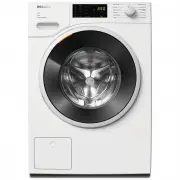 Miele WWD164
User Manual
Miele WWD164
User Manual
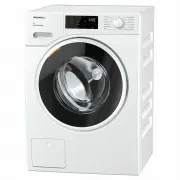 Miele WWD320
User Manual
Miele WWD320
User Manual
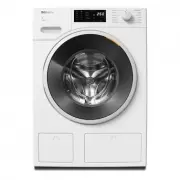 Miele WWD660 WCS TDOS
User Manual
Miele WWD660 WCS TDOS
User Manual
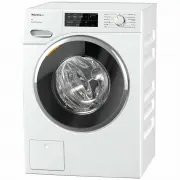 Miele WWG360
User Manual
Miele WWG360
User Manual
 Miele WWG660
User Manual
Miele WWG660
User Manual
 Miele WWI860
User Manual
Miele WWI860
User Manual
 Miele WWR860WPS
User Manual
Miele WWR860WPS
User Manual
 Miele WWV980WPS
User Manual
Miele WWV980WPS
User Manual
 Miele W667
Manual
Miele W667
Manual
 Miele PW 6065
Manual
Miele PW 6065
Manual