Page 2 - SPECIFICATIONS
2 ENGLISH ENGLISH (Original instructions) SPECIFICATIONS Model: XSL08 XSL07 Blade diameter 305 mm (12″) Hole diameter 25.4 mm (1″) Max. kerf thickness of the saw blade 3.2 mm (1/8″) Max. miter angle Right 60°, Left 60° Max. bevel angle Right 48°, Left 48° No load speed (RPM) 4,400 /min Laser type Wa...
Page 3 - Applicable battery cartridge and charger; SAFETY WARNINGS; For your own safety, read; General power tool safety warnings; Save all warnings and instruc-
3 ENGLISH Applicable battery cartridge and charger Battery cartridge BL1815N / BL1820B / BL1830 / BL1830B / BL1840B / BL1850B / BL1860B Charger DC18RC / DC18RD / DC18RE / DC18SD / DC18SE / DC18SF • Some of the battery cartridges and chargers listed above may not be available depending on your region...
Page 4 - Safety instructions for mitre saws
4 ENGLISH 9. Always wear protective goggles to protect your eyes from injury when using power tools. The goggles must comply with ANSI Z87.1 in the USA. It is an employer's responsibility to enforce the use of appropriate safety protective equipment by the tool operators and by other persons in the ...
Page 6 - Symbols; Important safety instructions for
6 ENGLISH 5. Do not operate saw without guards in place. Check blade guard for proper closing before each use. Do not operate saw if blade guard does not move freely and close instantly. Never clamp or tie the blade guard into the open position. 6. Keep hands out of path of saw blade. Avoid contact ...
Page 7 - SAVE THESE INSTRUCTIONS.
7 ENGLISH 5. Do not short the battery cartridge: (1) Do not touch the terminals with any con- ductive material. (2) Avoid storing battery cartridge in a con- tainer with other metal objects such as nails, coins, etc. (3) Do not expose battery cartridge to water or rain. A battery short can cause a l...
Page 8 - PARTS DESCRIPTION
8 ENGLISH 24. When cleaning the wireless unit, gently wipe with a dry soft cloth. Do not use benzine, thin- ner, conductive grease or the like. 25. When storing the wireless unit, keep it in the supplied case or a static-free container. 26. Do not insert any devices other than Makita wireless unit i...
Page 9 - INSTALLATION; Installing the grip
9 ENGLISH 5 6 7 9 8 10 10 11 12 13 14 1 2 3 4 15 16 17 1819 20 21 1 Stopper pin (for carriage elevation) 2 Hose (for dust extraction) 3 Guide fence (upper fence) 4 Guide fence (lower fence) 5 Switch trigger 6 Lock-off button 7 Hole for padlock 8 Lid (for wireless unit) (For XSL08 only) 9 Switch (for...
Page 11 - FUNCTIONAL DESCRIPTION; Installing or removing battery; Tool / battery protection system
11 ENGLISH FUNCTIONAL DESCRIPTION WARNING: Always be sure that the tool is switched off and the battery cartridge is removed before adjusting or checking the functions on the tool. Failure to switch off and remove the battery cartridge may result in serious personal injury from accidental start-up. ...
Page 12 - Indicating the remaining battery capacity; Automatic speed change function; Blade guard
12 ENGLISH Indicating the remaining battery capacity Only for battery cartridges with the indicator 1 2 ► 1. Indicator lamps 2. Check button Press the check button on the battery cartridge to indi- cate the remaining battery capacity. The indicator lamps light up for a few seconds. Indicator lamps R...
Page 13 - Kerf boards; Maintaining maximum cutting
13 ENGLISH If the blade guard is especially dirty and vision through the guard is impaired, remove the batteries and use the supplied wrench to loosen the hex bolt holding the cen- ter cover. Loosen the hex bolt by turning it counterclock- wise and raise the blade guard and center cover. With the bl...
Page 14 - Stopper arm
14 ENGLISH Push the carriage toward the guide fence fully and lower the handle completely. Adjust the blade position by turning the adjusting bolt with the hex wrench. The periphery of the blade should come to the point where the front face of the guide fence meets the top surface of the turn base a...
Page 18 - ASSEMBLY; Hex wrench storage
18 ENGLISH Laser line can be shifted to either the left or right side of the saw blade by turning the adjusting screw as follows. 1 ► 1. Adjusting screw 1. Loosen the adjusting screw by turning it counterclockwise. 2. With the adjusting screw loosened, slide the adjusting screw to the right or left ...
Page 20 - Connecting a vacuum cleaner
20 ENGLISH Install the outer flange and hex socket bolt. Tighten the hex socket bolt counterclockwise using the hex wrench while pressing the shaft lock. 1 2 3 4 5 6 ► 1. Hex socket bolt 2. Outer flange 3. Saw blade 4. Inner flange 5. Spindle 6. Ring NOTICE: If the inner flange is removed, be sure t...
Page 22 - Vertical vise; Horizontal vise
22 ENGLISH Vertical vise WARNING: The workpiece must be secured firmly against the turn base and guide fence with the vise during all operations. If the workpiece is not properly secured against the fence, the material may move during the cutting operation causing pos- sible damage to the saw blade,...
Page 23 - Sub base; OPERATION
23 ENGLISH Sub base WARNING: Always support a long workpiece so it is level with the top surface of the turn base for an accurate cut and to prevent dangerous loss of tool control. Proper workpiece support will help avoid blade pinch and possible kickback which may result in serious personal injury....
Page 24 - Press cutting; Miter cutting
24 ENGLISH Press cutting WARNING: Always lock the sliding movement of the carriage when performing a press cutting. Cutting without lock may cause possible kickback which may result in serious personal injury. Workpieces up to 92 mm (3-5/8") high and 183 mm (7-1/4") wide can be cut in the fo...
Page 25 - Cutting base boards
25 ENGLISH Bevel cut WARNING: After setting the blade for a bevel cut, ensure that the carriage and saw blade will have free travel throughout the entire range of the intended cut before operating the tool. Interruption of the carriage or blade travel during the cutting oper- ation may result in kic...
Page 27 - In the case of right bevel cut
27 ENGLISH Table (B) – Molding position in the figure Molding edge against guide fence Finished piece For inside corner (a) Ceiling contact edge should be against guide fence. Finished piece will be on the Left side of blade. (b) Wall contact edge should be against guide fence. For outside corner (c...
Page 28 - Miter and Bevel Angle Settings
28 ENGLISH Miter and Bevel Angle Settings Wall to Crown Molding Angle: 52°/38° 30.1 29.7 29.4 29.0 28.7 28.3 28.0 27.6 27.2 26.9 26.5 26.1 25.8 25.4 25.0 24.7 24.3 23.9 23.6 23.2 22.8 22.5 22.1 21.7 21.3 21.0 20.6 20.2 19.8 19.5 19.1 18.7 18.3 17.9 17.6 17.2 16.8 16.4 16.0 15.6 26.9 26.5 26.1 25.7 2...
Page 30 - Crown molding stopper
30 ENGLISH Crown molding stopper Optional accessory Crown molding stoppers allow easier cuts of crown molding without tilting the saw blade. Install them on the turn base as shown in the figures. At right 45° miter angle 2 3 4 1 ► 1. Crown molding stopper L 2. Crown molding stop- per R 3. Turn base ...
Page 31 - Cutting aluminum extrusion; Special Max Width Cutting
31 ENGLISH Cutting aluminum extrusion 12 5 3 4 ► 1. Vise 2. Spacer block 3. Guide fence 4. Aluminum extrusion 5. Spacer block When securing aluminum extrusions, use spacer blocks or pieces of scrap as shown in the figure to prevent deformation of the aluminum. Use a cutting lubricant when cutting th...
Page 33 - Carrying tool; WIRELESS ACTIVATION; What you can do with the wireless
33 ENGLISH Use of wood facing helps to assure splinter-free cuts in workpieces. Attach a wood facing to the guide fence using the holes in the guide fence and 6 mm (1/4") screws. See the figure concerning the dimensions for a sug- gested wood facing. 1 1 2 3 3 4 5 5 4 6 7 ► 1. Hole 2. Over 15 mm...
Page 34 - Installing the wireless unit; Tool registration for the vacuum
34 ENGLISH Installing the wireless unit Optional accessory CAUTION: Place the tool on a flat and stable surface when installing the wireless unit. NOTICE: Clean the dust and dirt on the tool before installing the wireless unit. Dust or dirt may cause malfunction if it comes into the slot of the wire...
Page 36 - Description of the wireless activation lamp status
36 ENGLISH 4. Push the wireless activation button on the tool briefly. The wireless activation lamp will blink in blue. 1 2 ► 1. Wireless activation button 2. Wireless activation lamp 5. Pull the switch trigger of the tool. Check if the vacuum cleaner runs while the switch trigger is being pulled.To...
Page 38 - Troubleshooting for wireless activation function
38 ENGLISH Troubleshooting for wireless activation function Before asking for repairs, conduct your own inspection first. If you find a problem that is not explained in the manual, do not attempt to dismantle the tool. Instead, ask Makita Authorized Service Centers, always using Makita replace- ment...
Page 39 - MAINTENANCE; Adjusting the cutting angle; ° bevel angle
39 ENGLISH MAINTENANCE WARNING: Always be sure that the tool is switched off and batteries are removed before attempting to perform inspection or maintenance. Failure to removing the batteries and switch off the tool may result in accidental start up of the tool which may result in serious personal ...
Page 40 - 5° bevel angle; Adjusting the sub fences
40 ENGLISH Carefully square the side of the saw blade with the top surface of the turn base using the triangular rule, try- square, etc. by turning the 0° adjusting bolt clockwise. Then tighten the knob firmly to secure the 0° angle you have set. 1 2 3 ► 1. Triangular rule 2. Saw blade 3. Top surfac...
Page 41 - Adjusting the laser line position
41 ENGLISH Adjusting the laser line position WARNING: The batteries must be installed while adjusting the laser line. Take extra care not to switch on the tool during adjustment. Accidental start up of the tool may result in serious personal injury. CAUTION: Never look directly into the laser beam. ...
Page 42 - OPTIONAL ACCESSORIES; MAKITA LIMITED WARRANTY
42 ENGLISH Cleaning the laser light lens The laser light becomes hard to see as the lens for the laser light gets dirty. Clean the lens for laser light periodically. 1 2 ► 1. Screw 2. Lens Remove the batteries. Loosen the screw and pull out the lens. Clean the lens gently with a damp soft cloth. NOT...
Page 43 - ESPECIFICACIONES
43 ESPAÑOL ESPAÑOL (Instrucciones originales) ESPECIFICACIONES Modelo: XSL08 XSL07 Diámetro del disco 305 mm (12″) Diámetro del orificio 25,4 mm (1″) Ancho de corte máx. del disco de la sierra 3,2 mm (1/8″) Ángulo de inglete máximo Derecho 60°, Izquierdo 60° Ángulo de bisel máximo Derecho 48°, Izqui...
Page 44 - Cartucho de batería y cargador aplicables; ADVERTENCIAS DE; Advertencias generales de seguridad
44 ESPAÑOL Cartucho de batería y cargador aplicables Cartucho de batería BL1815N / BL1820B / BL1830 / BL1830B / BL1840B / BL1850B / BL1860B Cargador DC18RC / DC18RD / DC18RE / DC18SD / DC18SE / DC18SF • Algunos de los cartuchos de batería y cargadores enumerados arriba podrían no estar disponibles d...
Page 48 - Símbolos; Instrucciones importantes de
48 ESPAÑOL 13. Tenga cuidado de no dañar el eje, las bridas (especialmente la superficie de instalación) ni el perno. Los daños en estas piezas podrían provocar la ruptura del disco. 14. Asegúrese de que la base giratoria esté debi- damente asegurada de forma que no se mueva durante la operación. Ut...
Page 49 - GUARDE ESTAS INSTRUCCIONES.
49 ESPAÑOL Para efectuar los preparativos del artículo que se va a enviar, se requiere consultar a un experto en materiales peligrosos. Si es posible, consulte ade- más otras regulaciones nacionales más detalladas. Pegue o cubra con cinta adhesiva los contactos abiertos y empaque la batería de maner...
Page 50 - DESCRIPCIÓN DE LAS PIEZAS
50 ESPAÑOL DESCRIPCIÓN DE LAS PIEZAS 1718 19 20 1 2 3 4 5 6 7 8 9 10 11 12 13 14 15 16 21 22 23 1 Soporte de corredera 2 Clavija de retención (para el deslizamiento del carro) 3 Prensa vertical 4 Botón de liberación (para el ángulo de bisel del lado derecho) 5 Base inferior 6 Base giratoria 7 Marcad...
Page 51 - INSTALACIÓN; Instalación de la perilla
51 ESPAÑOL 5 6 7 9 8 10 10 11 12 13 14 1 2 3 4 15 16 17 1819 20 21 1 Clavija de retención (para la elevación del carro) 2 Manguera (para la extracción de polvo) 3 Guía lateral (guía superior) 4 Guía lateral (guía inferior) 5 Gatillo interruptor 6 Botón de desbloqueo 7 Orificio para el candado 8 Tapa...
Page 53 - Instalación o extracción del; Sistema de protección para la; Protección contra sobredescarga
53 ESPAÑOL DESCRIPCIÓN DEL FUNCIONAMIENTO ADVERTENCIA: Asegúrese siempre de que la herramienta esté apagada y el cartucho de batería haya sido extraído antes de realizar cual- quier ajuste o revisión del funcionamiento de la herramienta. El no apagar y extraer el cartucho de batería puede provocar l...
Page 54 - Función de cambio de velocidad automática
54 ESPAÑOL Estado del indicador de batería Capacidad restante de la batería Encendido Apagado Parpadeando 50% a 100% 20% a 50% 0% a 20% Cargar la batería Indicación de la capacidad restante de la batería Únicamente para cartuchos de batería con el indicador 1 2 ► 1. Luces indicadoras 2. Botón de ver...
Page 55 - Paneles de corte
55 ESPAÑOL Con el fin de garantizar su seguridad personal, man- tenga siempre el protector del disco en buen estado. Cualquier operación irregular del protector del disco deberá ser corregida de inmediato. Asegúrese de com- probar la acción de regreso del protector mediante el resorte. ADVERTENCIA: ...
Page 57 - Ajuste del ángulo de bisel
57 ESPAÑOL Brazo de retención La posición del límite inferior del disco puede ser ajustada fácilmente con el brazo de retención. Para ajustarla, gire el brazo de retención en la dirección de la flecha tal como se muestra en la figura. Gire el tornillo de ajuste de manera que el disco se detenga en l...
Page 60 - Freno eléctrico; Función eléctrica
60 ESPAÑOL 3 2 1 ► 1. Gatillo interruptor 2. Botón de desbloqueo 3. Orificio para el candado El botón de desbloqueo es suministrado para evitar jalar accidentalmente el gatillo interruptor. Para encen- der la herramienta, presione el botón de desbloqueo y jale el gatillo interruptor. Para detenerla,...
Page 61 - MONTAJE; Almacenamiento de la llave Allen
61 ESPAÑOL Alineación de la línea de láser Alinee la línea de corte en su pieza de trabajo con la línea de láser. A B A) Cuando desee obtener el tamaño correcto del lado izquierdo de la pieza de trabajo, cambie la línea de láser a la izquierda del disco. B) Cuando desee obtener el tamaño correcto de...
Page 63 - Conexión de una aspiradora
63 ESPAÑOL Instale la brida exterior y el perno de cabeza hexago- nal. Apriete el perno de cabeza hexagonal en sentido inverso al de las manecillas del reloj usando la llave hexagonal mientras presiona el bloqueo del eje. 1 2 3 4 5 6 ► 1. Perno de cabeza hexagonal 2. Brida exterior 3. Disco de la si...
Page 64 - Guías laterales
64 ESPAÑOL Aseguramiento de la pieza de trabajo ADVERTENCIA: Es sumamente importante asegurar siempre la pieza de trabajo de manera correcta usando un tipo adecuado de prensa o topes para moldura de corona. El no hacerlo podría ocasionar lesiones personales graves y causar daños a la herramienta y/o...
Page 65 - Prensa vertical; Prensa horizontal
65 ESPAÑOL Prensa vertical ADVERTENCIA: La pieza de trabajo deberá estar firmemente sujetada contra la base giratoria y la guía lateral con la prensa durante todas las operaciones. Si la pieza de trabajo no queda debi- damente asegurada contra la guía, el material podría desplazarse durante la opera...
Page 66 - Base inferior; OPERACIÓN; Corte con prensa
66 ESPAÑOL NOTA: El ancho máximo de la pieza de trabajo que puede asegurarse con la prensa horizontal es de 228 mm (9″). Base inferior ADVERTENCIA: Apoye siempre una pieza de trabajo de gran tamaño de tal forma que esté nive- lada con la superficie de la base giratoria para un corte preciso y para e...
Page 67 - Corte en inglete
67 ESPAÑOL Las piezas de trabajo de hasta 92 mm (3-5/8″) de alto y 183 mm (7-1/4″) de ancho pueden ser cortadas de la siguiente manera. 1 ► 1. Clavija de retención 1. Empuje el carro hacia la guía lateral hasta que se detenga y bloquéelo con la clavija de retención. 2. Asegure la pieza de trabajo co...
Page 68 - Corte de zócalos
68 ESPAÑOL Corte en bisel ADVERTENCIA: Una vez que haya ajustado el disco para realizar un corte en bisel, asegúrese de que el carro y el disco de la sierra puedan des- plazarse libremente a través del rango completo del corte previsto antes de operar la herramienta. La interrupción del trayecto del...
Page 70 - En caso de un corte en bisel derecho
70 ESPAÑOL Tabla (B) – Posición de la moldura en la figura Borde de la moldura contra la guía lateral Pieza terminada Para rincón interno (a) El borde de contacto con el techo deberá estar contra la guía lateral. La pieza terminada estará del lado izquierdo del disco. (b) El borde de contacto con la...
Page 71 - Ajustes del ángulo de inglete y de bisel
71 ESPAÑOL Ajustes del ángulo de inglete y de bisel De la pared al ángulo de la moldura corona: 52°/38° 30.1 29.7 29.4 29.0 28.7 28.3 28.0 27.6 27.2 26.9 26.5 26.1 25.8 25.4 25.0 24.7 24.3 23.9 23.6 23.2 22.8 22.5 22.1 21.7 21.3 21.0 20.6 20.2 19.8 19.5 19.1 18.7 18.3 17.9 17.6 17.2 16.8 16.4 16.0 1...
Page 73 - Tope para moldura de corona
73 ESPAÑOL Tope para moldura de corona Accesorio opcional Los topes para moldura de corona permiten cortar más fácilmente una moldura de corona sin tener que inclinar el disco de la sierra. Instálelos en la base giratoria tal como se muestra en las ilustraciones. A un ángulo de inglete de 45° derech...
Page 74 - Corte de extrusión de aluminio; Técnica de capacidades de corte de
74 ESPAÑOL Corte de extrusión de aluminio 12 5 3 4 ► 1. Prensa 2. Bloque espaciador 3. Guía lateral 4. Extrusión de aluminio 5. Bloque espaciador Cuando asegure extrusiones de aluminio, utilice blo- ques espaciadores o piezas de desecho tal como se muestra en la figura para evitar la deformación del...
Page 76 - Transporte de la herramienta
76 ESPAÑOL PRECAUCIÓN: Use una pieza recta de madera con un grueso uniforme para el elemento auxiliar de madera. PRECAUCIÓN: Para poder cortar completa- mente a través de piezas de trabajo con una altura de 107 mm a 120 mm ( 4-1/4 ″ a 4-3/4 ″), deberá usarse un elemento auxiliar de madera en la guía...
Page 77 - Lo que puede hacer con la función
77 ESPAÑOL FUNCIÓN DE ACTIVACIÓN INALÁMBRICA Para el modelo XSL08 únicamente Lo que puede hacer con la función de activación inalámbrica La función de activación inalámbrica permite una ope- ración limpia y cómoda. Si conecta a la herramienta una aspiradora compatible, podrá hacer que ésta funcione ...
Page 78 - Registro de la herramienta para la
78 ESPAÑOL Cuando extraiga la unidad inalámbrica, abra la tapa lentamente. Los ganchos en la parte posterior de la tapa levantarán la unidad inalámbrica mientras usted jala hacia arriba la tapa. 3 1 2 ► 1. Unidad inalámbrica 2. Gancho 3. Tapa Una vez extraída la unidad inalámbrica, guárdela en el es...
Page 83 - MANTENIMIENTO; Ajuste del ángulo de corte
83 ESPAÑOL Estado de la anomalía Causa probable (avería) Remedio La aspiradora no funciona junto con el interruptor de la herramienta. La unidad inalámbrica no está instalada en la herramienta. La unidad inalámbrica está instalada incorrectamente en la herramienta. Instale la unidad inalámbrica corr...
Page 84 - Ángulo de bisel; Ángulo de bisel de 0°
84 ESPAÑOL Ajuste la base giratoria en la posición de 0° usando la función de tope de seguridad. Cuadre el lado del disco con la cara de la guía lateral usando una regla trian- gular o escuadra. Mientras los mantiene cuadrados, apriete los tornillos en la escala del ángulo de inglete. Después, aline...
Page 86 - Limpieza del lente de luz láser; Luego del uso; ACCESORIOS OPCIONALES
86 ESPAÑOL Ajuste de la línea de láser del lado izquierdo del disco 4 1 2 3 5 ► 1. Tornillo de ajuste 2. Tornillo de ajuste de rango 3. Llave hexagonal 4. Línea de láser 5. Disco de la sierra Ajuste de la línea de láser del lado derecho del disco 5 1 2 3 4 ► 1. Tornillo de ajuste 2. Tornillo de ajus...
Page 87 - GARANTÍA LIMITADA DE MAKITA; Ésta Garantía no aplica para México
87 ESPAÑOL • Regla triangular • Llave hexagonal • Llave hexagonal (para el ajuste del láser) • Unidad inalámbrica (para el modelo XSL08) • Batería y cargador originales de Makita NOTA: Algunos de los artículos en la lista pueden incluirse en el paquete de la herramienta como acce- sorios estándar. É...
Page 88 - Makita Corporation
Some dust created by power sanding, sawing, grinding, drilling, and other construction activities contains chemicals known to the State of California to cause cancer, birth defects or other reproductive harm. Some examples of these chemicals are: • lead from lead-based paints, • crystalline silica f...


 Makita GSL02Z
User Manual
Makita GSL02Z
User Manual
 Makita GSL03M1
User Manual
Makita GSL03M1
User Manual
 Makita GSL03M1-BL4040
User Manual
Makita GSL03M1-BL4040
User Manual
 Makita GSL03Z
User Manual
Makita GSL03Z
User Manual
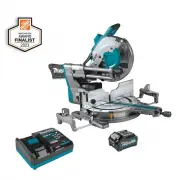 Makita GSL04M1
User Manual
Makita GSL04M1
User Manual
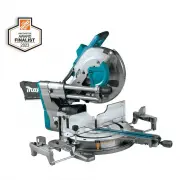 Makita GSL04Z
User Manual
Makita GSL04Z
User Manual
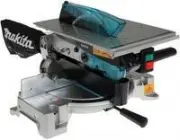 Makita LH1040
User Manual
Makita LH1040
User Manual
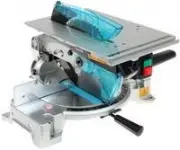 Makita LH1040F
User Manual
Makita LH1040F
User Manual
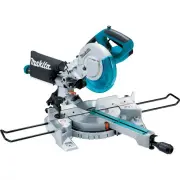 Makita LS0815F
User Manual
Makita LS0815F
User Manual
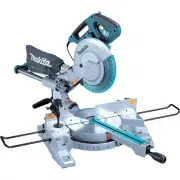 Makita LS1018
User Manual
Makita LS1018
User Manual
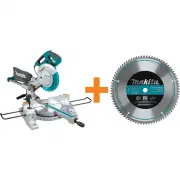 Makita LS1018A-93681
User Manual
Makita LS1018A-93681
User Manual
 Makita LS1019L
User Manual
Makita LS1019L
User Manual
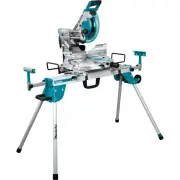 Makita LS1019LX
User Manual
Makita LS1019LX
User Manual
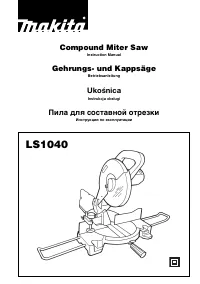 Makita LS1040
User Manual
Makita LS1040
User Manual
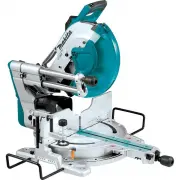 Makita LS1219L
User Manual
Makita LS1219L
User Manual
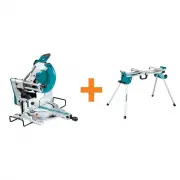 Makita LS1219L-WST06
User Manual
Makita LS1219L-WST06
User Manual
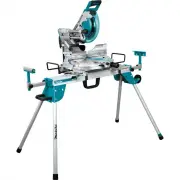 Makita LS1219LX
User Manual
Makita LS1219LX
User Manual
 Makita LS1221
User Manual
Makita LS1221
User Manual