Page 2 - OWNER’S MANUAL
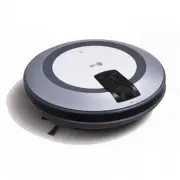
OWNER’S MANUAL HOM-BOT LRV590S Before using, please carefully read the Safety Precautions pages toallow for safe operation of the product. After reading the operationmanual, please keep it in an easily accessible location. www.lg.com MFL67086045
Page 3 - FEATURES
FEATURES Images of the floor are obtained from the sensors of the lower camera, andthrough this, the location of HOM-BOT will be confirmed,therefore, elaboratecleaning can be accomplished for every part of the room. As the height of the HOM-BOT is low (90mm), even the underside of a framedbed or furni...
Page 4 - CONTENTS; BEFORE USING
CONTENTS Safety Precautions Included with Product Parts Descriptions Button Functions Display Status Information Before You Start Overview 1 BEFORE USING 2 HOW TO USE How to Install the Home Station How to Turn the Power Supply On and Off. How to Start and Stop Cleaning How to Charge the Battery Cle...
Page 5 - SAFETY PRECAUTIONS; Basic safety precautions; WARNING; CAUTION
SAFETY PRECAUTIONS The purpose of the safety precautions described below is for the user to use the product safely and correctly to prevent any unexpected risk or damage. Basic safety precautions After reading this manual, please keep it in an easily accessible location. This is the safety alert sym...
Page 8 - Tip
SAFETY PRECAUTIONS In rare cases, the HOM-BOT’s brush can damage the carpet. If this happens, immediately stop the cleaning operation. When a carpet has long tassels, the tassels can be damaged. Do not allow the HOM-BOT to sweep up liquids, blades, thumb tacks, kindling, etc. These items can cause p...
Page 9 - INCLUDED WITH PRODUCT; Remote controller
INCLUDED WITH PRODUCT Figures can be different from actual objects. Dry cell for remote controller (2 units of AAA size) l a u n a m n o it a r e p O e d i u g k c i u Q Side Brush Dust bin filter(spare) Remote controller Home station HOM-BOT www.lg.com P/No.: MHK63425321 QUICK GUIDE CLEANING ROBOT ...
Page 11 - PART DESCRIPTION – HOME STATION / DUST BIN; Home station
PART DESCRIPTION – HOME STATION / DUST BIN ᶀ Figures can be different from actual objects. Home station Dust bin Power lamp Charging terminal Reset button Sponge filter HEPA filter Dust bin handle Dust bin cover Suction port cover Dust bin cover opening button Power cord fixing groove 7
Page 12 - BUTTON FUNCTIONS – HOM-BOT
BUTTON FUNCTIONS – HOM-BOT START/STOP ţ Press the START/STOP button to turn the HOM-BOT on/off or start/stop cleaning. ţ1SFTTUIF45"354501CVUUPOXIJMFUIF)0.#05JTPOBOEJUXJMMBVUPNBUJ - cally start cleaning. ţ*GUIF45"354501CVUUPOJTQSFTTFEEVSJOHBVUPNBUJDDMFBOJOHUIF)0. BOT will stop cleaning. ţ1SFT...
Page 13 - BUTTON FUNCTIONS – REMOTE CONTROL
BUTTON FUNCTIONS – REMOTE CONTROL Zigzag cleaning and thenspatial expansion The Hom-BOT will clean whilemaneuvering in a zigzagpattern and then expand the cleaning area. ţ5IF)0.#05ŜTQPXFSTVQQMZDBOOPUCFUVSOFEPOXJUIUIFSFNPUFDPOUSPMţ5PUVSOPOUIFQPXFSTVQQMZVTF45"354501CVUUPOPOUIFUPQPG)0.#05ţ*OPSEFSUP...
Page 14 - DISPLAY STATUS INFORMATION
DISPLAY STATUS INFORMATION ţ6TFUIFSFNPUFDPOUSPMUPDIBOHFUIFDMFBOJOHNPEF ţ0ODFUIFDMFBOJOHNPEFIBTCFFOTFMFDUFEJUXJMMCFNFNPSJTFEBOEBVUPNBUJDBMMZTFMFDUFE when the unit is turned on again, unit it is changed again. ţ5PDBODFMUIFUJNFSTFUUJOHQSFTTUIF4501CVUUPOPOUIFSFNPUFDPOUSPMPSUIF45"354501 button on the...
Page 15 - BEFORE YOU START; Check these items before cleaning; Precautions while using the remote control
BEFORE YOU START Check these items before cleaning Loading the remote control battery 1. Open the battery cover by lifting the rear hook of the remote control.2. Insert two AAA batteries, checking for +, - nodes while loading.3. Close the battery cover completely so that the batteries will not fall ...
Page 16 - OVERVIEW
OVERVIEW 1 2 3 4 5 6TFDMFBOJOHNFUIPETBOEBVYJMJBSZGVODUJPOT QBHF_ With remote controller, auxiliary function can be used. For auxiliary functions, manual cleaning, spot, timer function. Install the home station. (page 13) Insert the power cord plug into an outlet and locate the station against a wall...
Page 17 - HOW TO INSTALL THE HOME STATION; How to Install the Home Station
HOW TO INSTALL THE HOME STATION 1. Position the home station against a wall, to prevent sliding dur- ing docking, on hard level flooring. Remove objects within 1.5m. to the right and left side and within 2m. to the front. 2. Plug the power cord into an outlet. Wrap the power cord around the fixed hang...
Page 18 - HOW TO TURN THE HOM-BOT POWER SUPPLY ON & OFF; Turning on the main power supply
HOW TO TURN THE HOM-BOT POWER SUPPLY ON & OFF To turn the power supply on, turn the HOM-BOT upside down on a smooth/soft surface and check whether the main power supply switch is turned on. If the main power supply switch is turned off, turn on the switch. ٙ When turning on the power switch, do ...
Page 19 - HOW TO START AND STOP CLEANING; Using the buttons on the HOM-BOT
HOW TO START AND STOP CLEANING After the HOM-BOT is turned on, press the START/STOP button to begin cleaning. A melody will sound and cleaning will begin. Press the START/STOP button during the cleaning cycle to stop cleaning. ٙ When the ‘START/STOP’ button is pressed while the power supply of the H...
Page 20 - HOW TO CHARGE THE BATTERY; Automatic charging
HOW TO CHARGE THE BATTERY If using the HOM-BOT for the first time or to charge the battery by interrupting the cleaning, you can manually charge the battery. Method 1. Attach the HOM-BOT to the home station by matching up the two arrows on the HOM-BOT and the home station. A melody will sound and cha...
Page 21 - If the Battery is Not Charging
Full charging (Under charging) High Middle Low Charging is required Flickering HOW TO CHARGE THE BATTERY Check 1. If the battery is not charging even when the HOM-BOT is at- tached to the home station, check the following items. - Turn the power switch on the bottom of the HOM-BOT off once and then ...
Page 22 - CLEANING MODES; Cleaning pattern of large spaces after
CLEANING MODES After the zigzag cleaning process is completed, the spaces are divided into rectangles and the whole apartment surface is cleaned in detail. 1. Press the " ZIGZAG + Cell by cell" button on the remote control. 2. HOM-BOT cleans to the left until it meets the wall or it cleans o...
Page 23 - AUXILIARY CLEANING MODES; Manual cleaning; Spot Cleaning
㬅㩅㷡 AUXILIARY CLEANING MODES This method of cleaning involves manually moving the HOM-BOT by pressing the directional (arrow) buttons on the remote control.The interior space will be cleaned by the HOM-BOT as it is being moved to the front, rear, or rotated to the left and right side according to th...
Page 24 - TIMER CLEANING
TIMER CLEANING 2. Adjust the time by multiple pressures on the TIMER button. Each time the button is pressed, the time will increase to 2 hours, 6 hours and 12 hours. Hom-Bot can be scheduled to start cleaning after a certain period of time.The time can be set among 2 hours, 6 hours and 12 hours. ţ8...
Page 25 - CLEANING THE DUST BIN
CLEANING THE DUST BIN 1. Open the dust bin cover by pressing the PUSH button on the HOM-BOT. 2. Grab the handle of the dust bin and pull it upward. 3. Separate the HEPA filter and the inside sponge filter by removing the HEPA filter To clean the dust bin filter, refer to page 23. 4. Lift the cover upwar...
Page 26 - CLEANING THE DUST BIN FILTER
CLEANING THE DUST BIN FILTER The dust bin filters are comprised of the HEPA filter and the sponge filter.Clean the HEPA filter and the sponge filter according to the following sequence: 1. Separate the HEPA filter and the inside sponge filter by removing the HEPAfilter (as shown). 3. After washing the HEPA ...
Page 27 - CLEANING THE BRUSH
CLEANING THE BRUSH Lay a smooth cloth on the floor.Turn the HOM-BOT over and put the HOM-BOT on the cloth.Turn off the power switch beforecleaning. Grab the brush and remove bypulling it up. Insert the fixing hook on the op-posite side of the brush (markedwith a rounded rectangle) bymatching it to the...
Page 28 - CLEANING THE SENSOR/CHARGING TERMINAL
Camera sensor CLEANING THE SENSOR/CHARGING TERMINAL Receiving sensor of remote controller ot clean the HOM-BOT by directly spraying it with water, thinner, benzene, etc. Call the service center if the sensors or charging terminals are damaged. Sensor and terminaldamage can cause the product to malfu...
Page 29 - CLEANING THE SIDE BRUSH
CLEANING THE SIDE BRUSH Foreign objects/materials such as hair can easily adhere to the side brush. Remove such materials at least once a week. If excessive amounts of foreign materials are stuck to the brush, there is a risk of damage to the brushes. If the floor is rough or wall skirtings are freq...
Page 30 - TROUBLESHOOTING
TROUBLESHOOTING When the voice, “Please check the wheels”, is announced. If the unit becomes stuck or suspended and the wheels do not allow the unit move, the voice,“Please check the wheels”, will be announced. wheel trapped in the front door, balcony, stairway, etc? foreign material wound around th...
Page 31 - When the voice, “Please check the dust bin”, is announced
When the voice, “Battery is low”, is announced. When the voice, “Please check the dust bin”, is announced When an abnormality is detected with the dust bin, the voice, “Please check the dust bin”, is announced. When remaining amount of battery is almost nil, the voice, “Battery is low”, is generated...
Page 33 - BEFORE YOU CALL FOR SERVICE
BEFORE YOU CALL FOR SERVICE Confirm before reporting the failure of HOM-BOT. ) e g a p e c n e r e f e R ( s n o i t u l o S m e l b o r P The HOM-BOT will notactivate. Confirm that the power switch is turned on. (page 14)Confirm that the battery has been charged. (page 17) Movements or travel path are...
Page 34 - PRODUCT SPECIFICATIONS
PRODUCT SPECIFICATIONS Item/Model LG HOM-BOT LRV590S External dimensions Weight 3.2 kg Power consumption 1 W Battery (fully charged) DC 16.8 V Maximum Traveling Velocity 350 mm/sec Use time (1 time charging) Approx. 90 minutes Based on general floor surface Charging time 3 hours Main functions Obsta...