Page 2 - WARNING – To reduce risk of injury:
2 1.0 IMPORTANT SAFETY INSTRUCTIONS WARNING – To reduce risk of injury: 1. Read and understand the entire owner's manual before attempting assembly or operation. 2. Read and understand the warnings posted on the machine and in this manual. Failure to comply with all warnings may cause serious injury...
Page 3 - About This Manual
3 29. Never leave the machine running unattended. Turn the power off and do not leave the machine until it comes to a complete stop. 30. Remove loose items and unnecessary work pieces from the area before starting the machine. 31. Stand out of the path of workpiece when feeding a board. 32. Always f...
Page 4 - Table of Contents; Section
4 3.0 Table of Contents Section Page 1.0 IMPORTANT SAFETY INSTRUCTIONS ....................................................................................................... 2 2.0 About this Manual ........................................................................................................
Page 5 - Specifications
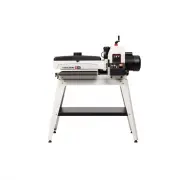
5 4.0 Specifications Model number ........................................................................................................................................ JWDS-1632OSC Stock numbers: Sander with Open Stand .................................................................................
Page 6 - Features and Terminology
6 Conveyor: Conveyor Speed ............................................................................... infinitely variable within 0 to 10 FPM (0-3 MPM) Conveyor Table Dimensions ........................................................................ 17-15/16 x 16-17/32 in. (456 x 420 mm) Convey...
Page 7 - Read and understand the; Setup and Assembly; Shipping Contents; Tools Required for Assembly
7 Read and understand the entire contents of this manual before attempting set-up or operation! Failure to comply may cause serious injury. 6.0 Setup and Assembly Open boxes and check for shipping damage. Report any damage immediately to your distributor and shipping agent. Do not discard any shippi...
Page 8 - Assembling Stand; Mounting Sander to Stand
8 Figure 6-3: Assembly 6.3 Assembling Stand (Refer to Figure 6-3. If further clarification is needed, consult parts breakdown at back of this manual. 1. Assemble legs (F) to outside of Short Rails (D) using carriage bolts (J) and flanged lock nuts (K). Finger tighten only. 2. Assemble Long Rail (E) ...
Page 9 - Infeed and Outfeed Tables; Dust Collection; Installing Abrasives
9 6.5 Infeed and Outfeed Tables (optional accessory) The sander must be bolted to the stand or a work table when using these table extensions. Maximum working load of each table is 35 pounds. Fasteners are provided with the extension tables. 1. Install infeed and outfeed brackets (L, Figure 6- 3) to...
Page 10 - Electrical Connections; GROUNDING INSTRUCTIONS
10 1. Press fastener lever (Figure 6-7) on outboard (left) end of drum and insert tapered end of abrasive through slit in fastener, as shown. Align tapered edge of abrasive strip with left edge of drum. Insert enough strip so that the right edge aligns with the reference notch; this will ensure the ...
Page 11 - Extension Cords; Adjustments; Drum Height Control
11 Figure 7-1 Never use an adapter to connect the three-prong electrical plug to a non-grounded, 2-pole receptacle. Do not modify the plug provided. Improper connection of the grounding conductor can result in a risk of electric shock. Check with a qualified electrician or service person if you do n...
Page 12 - Inspecting Drum Alignment
12 8.3.1 Belt Tension Adjustment 1. Unplug sander from power source. 2. Adjust take-up screw nuts (Figure 8-2) with 5mm hex wrench. Do this on both sides of conveyor to obtain approximately equal tension on both sides of sanding belt when taut. NOTE: Insufficient belt tension will cause slippage of ...
Page 13 - Fine-Tuning Drum Alignment; Tension Roller Adjustment; Operation; Oscillation Mode
13 8.4.1 Fine-Tuning Drum Alignment Note: This is an operational test for sanding boards wider than the drum. Perform this procedure only after you have become familiar with sander operation. When sanding boards wider than the drum, table alignment is critical and table must be adjusted exactly leve...
Page 14 - Basic Operating Procedure; Setting Depth of Cut; Establishing Drum Height; Selecting SandSmartTM Feed
14 9.3 Basic Operating Procedure 1. Establish depth of cut. 2. Start dust collection system. 3. Start sanding drum. 4. Start oscillation (if desired). 5. Start conveyor and select feed rate. 6. Feed stock through machine. To feed stock through the sander, rest and hold board to be sanded on conveyor...
Page 15 - Maximum Performance Tips
15 If the load on the drum motor increases, the SandSmart control will decrease the conveyor feed rate and will stop the conveyor under extreme conditions. If the load on the drum decreases, SandSmart will increase the feed rate but will not increase it faster than the manual setting on the speed ad...
Page 16 - Stock Feeding Angle; Cleaning and Lubrication
16 9.7.7 Stock Feeding Angle Some pieces, because of their dimensions, will need to be fed into the machine at a 90° angle (perpendicular to drum). However, even a slight offset angle of stock will provide for more effective stock removal. The optimum feeding angle for stock removal is about 60°. An...
Page 17 - Conveyor Belt Replacement
17 Figure 10-3: Drum Removal Figure 10-4: Drum Removal Figure 10-5: Drum Removal Figure 10-6: Drum Removal 10.3 Conveyor Belt Replacement 5. Disconnect sander from power. 6. Raise drum to highest position. 7. Turn take-up screws (Figure 8-2) on both sides of conveyor to relieve belt tension and slid...
Page 18 - Commutator Brush Inspection; Additional Servicing
18 Step 1 : Check conveyor drive roller and driven roller to make sure they are parallel to surface of conveyor table. To do this, first center conveyor belt on the conveyor table. Then lay a straight edge on the exposed edge of conveyor table on left (outboard) side, extending it over the roller. N...
Page 19 - Tracker Kit
19 11.0 Tracker Kit Stock No.: PM2244-213 Trackers dramatically reduce tracking adjustments of conveyor belts. They are already installed on your sander. The following information is for resetting or replacing your trackers, should that become necessary. 1. Disconnect power to sander. 2. Raise drum ...
Page 20 - Abrasives; Selecting Drum Abrasives; Increasing Abrasive Life
20 12.0 Abrasives The abrasive material you choose will have a substantial effect on the performance of your sander. Variations in paper type, weight, coating and durability all contribute to achieving your desired finish. JET Abrasives are available in Ready-To-Wrap TM pre-cut lengths or in the con...
Page 21 - Troubleshooting JWDS-1632OSC Drum Sander
21 13.0 Troubleshooting JWDS-1632OSC Drum Sander Symptom Possible Cause Correction * Drum motor won’t start when switch is activated. No incoming current. Check connections at plug or circuit panel. Safety key missing from switch. Install safety key. Low voltage. Check power line for proper voltage....
Page 23 - Optional Accessories; Replacement Parts
23 14.0 Optional Accessories 98-0130 Locking Casters, set of 4 723521 Infeed/Outfeed Tables The following abrasives are available only for model JWDS-1632 & JWDS-1632OSC (Abrasive strips are 3” wide, cloth backed, aluminum oxide, resin bond, open coat.) 60-6036 Ready-To-Wrap TM Abrasive Strip, 3...
Page 24 - JWDS-1632OSC Head Assembly – Exploded View
24 15.1.1 JWDS-1632OSC Head Assembly – Exploded View
Page 25 - JWDS-1632OSC Head Assembly – Parts List; Index No Part No
25 15.1.2 JWDS-1632OSC Head Assembly – Parts List Index No Part No Description Size Qty 1 ................. JWDS2244-102 ........... Socket Head Cap Screw .............................................. M6 x 1.0P x 16L .............. 2 2 ................. JWDS1632-103 ........... Drum Carriage Hinge ...
Page 30 - Electrical Connections for JWDS-1632OSC
Page 31 - Warranty and Service
31 17.0 Warranty and Service JET warrants every product it sells against manufacturers’ defects. If one of our tools needs service or repair, please contact Technical Service by calling 1-800-274-6846, 8AM to 5PM CST, Monday through Friday. Warranty Period The general warranty lasts for the time per...