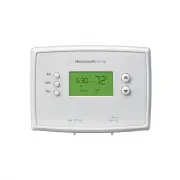
Page 2 - AT TENTION: MERCURY RECYCLING NOTICE; N O M E R C U R Y; Hg; Customer assistance
2 NOTICE: To avoid possible compressor damage, do not run air conditioner if the outside temperature drops below 50°F (10°C). AT TENTION: MERCURY RECYCLING NOTICE This product does not contain mercury. However, this product may replace a product that contains mercury. Mercury and products containing...
Page 3 - Table of contents; or
3 Installation Installation ....................................................... 3Advanced Installation ................................ 8 About your new thermostat Controls and Home screen quick reference ........................................... 10Preset energy-saving schedules ....... 11 Pro...
Page 4 - Label Wires with Tags; Remove Old Thermostat
4 Do not remove wallplate yet 3 Label Wires with Tags Label the wires using the supplied wire labels as you disconnect them. Wire Labels M32731 TO REMOVE WALLPLATE PULL HERE Wallplate C C MCR33823 Terminal designation If you have an older thermostat with a sealed mercury tube, turn to page 2 for pro...
Page 5 - Mount Wallplate; Mount the new wallplate using the included screws and anchors.; Connect Wires; Thermostat does not work on Heat Pumps with auxiliary/backup heat.; Remove metal
5 5 Mount Wallplate Mount the new wallplate using the included screws and anchors. Drill 3/16-in. holes for drywallDrill 3/32-in. holes for plaster 6 Connect Wires Simply match wire labels.If labels do not match letters on the thermostat, check “Alternate Wiring” on page 6 and connect to terminal as...
Page 6 - Install Batteries
6 Alternate Wiring If wires will be connected to both R and Rc terminals, remove metal jumper.Do not use C or X . Wrap bare end of wire with electrical tape. If you have a heat pump without auxiliary/backup heat connect O or B , not both. If you do not have a heat pump , do not connect B . Wrap bare...
Page 7 - Set fan operation switch; Electric or Heat Pump:; Install Thermostat; 0 Turn Power Back On
7 8 Set fan operation switch Move the switch to the proper setting: Gas or Oil: For gas or oil heating systems, leave the fan operation switch in this factory-set position (for systems that control the fan in a call for heat). Electric or Heat Pump: Change the switch to this setting for heat pump or...
Page 8 - stage conventional systems.; Advanced Installation; Enter System Setup; RUN
8 11 If your system type is... If your system type is: q Single Stage Heat and Cool q Heat Only or Cool Only Congratulations, you’re done! If your system type is: q Heat pump q High efficiency furnace q Hot water q Electric furnace q Gas/oil steam q Gravity system Continue with Advanced Installation...
Page 9 - About your new thermostat; Displays ambient (measured) temperature at all times
9 NOTE: If you do not press any button for 60 seconds while you are in the setup menu, the thermostat automatically saves any changes made and exits the menu. Function Description Press the s or t button to Setting 5 select your heating system and optimize its operation 5 Gas or oil furnace: Use thi...
Page 10 - Thermostat controls; SYSTEM; Display screen; Lo; Heat
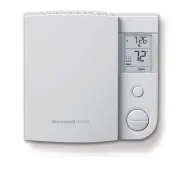
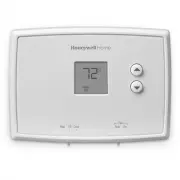
10 Thermostat controls M33612 Heat Off Cool Auto On Fan Heat Off Cool Auto On Fan Set Hold Run Set: Press to set time/day/ schedule. Hold: Press to override programmed temperature control. Run: Press to resume program schedule. Temperature adjustment Press the up or down buttons until you reach the ...
Page 11 - Set the time and day; SET; Program Schedule
11 Set Hold Run Set Time am 6:30 M33787 Set Day We Set Hold Run M33788 Set the time and day 1. Press the SET button, then press s or t to set the clock time. 2. Press the SET button, then press s or t to select the day of the week. 3. Press RUN to save & exit. NOTE: If the clock flashes, the the...
Page 13 - HOLD
13 Set Hold Run M33796 Temporary Set am 70 6:30 Set am 75 6:30 M33797 Set Hold Run Program schedule override (temporary) Press s or t to immediately adjust the temperature. This will temporarily override the temperature setting for the current time period.“Temporary” will appear on the display and t...
Page 14 - Built-in compressor protection; Change Filter; Cool
14 Built-in compressor protection Change filter (RTH2300 only) This feature helps prevent damage to the compressor in your air conditioning or heat pump system.Damage can occur if the compressor is restarted too soon after shutdown. This feature forces the compressor to wait 5 minutes before restart...
Page 15 - Battery replacement; Lo Batt; Electrical Ratings
15 Change filter (RTH2300 only) Battery replacement Install two fresh AAA batteries when Lo Batt flashes on the screen. Lo Batt appears for 60 days before the batteries are depleted.Replace batteries once a year, or when you will be away for more than a month.Most settings are stored in non- volatil...
Page 16 - Troubleshooting
16 Troubleshooting If you have difficulty with your thermostat, please try the following suggestions. Most problems can be corrected quickly and easily. Display is blank • Check circuit breaker and reset if necessary. Heating or cooling system does not respond • Set system switch to Heat. Make sure ...
Page 17 - -year limited warranty
17 1-year limited warranty Resideo warrants this product, excluding battery, to be free from defects in workmanship or materials, under normal use and service, for a period of one (1) year from the date of first purchase by the original purchaser. If at any time during the warranty period the produc...
Page 19 - Series; Lea y guarde estas; Manual del; Identifique el tipo de sistema
RTH2300/RTH221 Series M37777 Heat Off Cool Auto On Fan Heat Off Cool Auto On Fan Set Hold Run Lea y guarde estas instrucciones. Para obtener ayuda, visite honeywellhome.com Manual del propietario TermostatoProgramable Identifique el tipo de sistema Este termostato es compatible con los siguientes si...
Page 20 - Asistencia al cliente
2 AVISO: Para evitar posibles daños al compresor, no utilice el aire acondicionado si la temperatura externa es inferior a 50 °F (10 °C). ATENCIÓN: AVISO PARA EL RECICL A JE DEL MERCURIO Este producto no contiene mercurio. Sin embargo, este producto puede reemplazar uno que contenga mercurio. El mer...
Page 21 - Acerca; Caja de interruptores
3 Instalación Instalación ....................................................... 3Guía de instalación avanzada ................ 8 Acerca de su nuevo termostato Referencia rápida de los controles y la pantalla de inicio............................... 10Cronogramas de ahorro de energía predeterminado...
Page 22 - Identifique los cables; Remueva su viejo termostato
4 3 Identifique los cables Identifique los cables a medida que los desconecta, utilizando las etiquetas que se suministran. M32731 TO REMOVE WALLPLATE PULL HERE Placa de montaje No retirar la placa mural todavía C C MCR33823 Designación de los terminales Si el termostato existente tiene un tubo de m...
Page 23 - Retire el empalme
5 5 Coloque la placa de montaje Monte la nueva placa de montaje utilizando los tornillos y anclajes que se suministran. Taladre agujeros de 3/32 in. (2,4 mm) en yeso Taladre agujeros de 3/16 in. (4,8 mm) en paneles de yeso 6 Conecte los cables Simplemente haga corresponder las etiquetas de los cable...
Page 24 - Instale las baterías
6 Conexión alternativa Si los cables se conectarán a los terminales R y Rc , retire el puente metálico.No utilice C o X . Envuelva los extremos pelados del cable con cinta aislante.Si tiene una bomba de calor sin calefacción auxiliar/de reserva conecte O o B , no ambos. Si no tiene una bomba de calo...
Page 25 - Eléctrico o bomba de calor:
7 8 Configure el interruptor de funcionamiento del ventilador Mueva el interruptor a la configuración adecuada: Gas o aceite: para los sistemas de calefacción de gas o aceite, deje el interruptor del ventilador en esta posición configurada de fábrica (para sistemas que controlan el ventilador en una...
Page 26 - Guía de instalación avanzada; Ingrese la configuración del sistema; Run
8 11 Si su tipo de sistema es... Si su tipo de sistema es: q Calor y frío de una sola etapa q Calefacción únicamente o Refrigeración únicamente ¡Felicitaciones, ya está listo! Si su tipo de sistema es: q Bomba de calor q Sistema de calefacción de alto rendimiento q Sistema de calefacción de agua cal...
Page 27 - Acerca de su nuevo termostato
9 NOTA: si no se presiona ningún botón durante 60 segundos mientras esté abierto el menú de configuración, el termostato salvaguarda los cambios automáticamente y sale del menú. Función Descripción Presione el botón s o t para Configuración 5 elegir su sistema de calefacción y optimizar su funcionam...
Page 28 - Controles del termostato; Pantalla de visualización
10 Set (configuración): Presione este botón para configurar la hora, el día o el cronograma. Hold (suspender): Presiónelo para anular el control de temperatura programada. Run (restablecer): Presione para volver al cronograma del programa. Controles del termostato M33612 Heat Off Cool Auto On Fan He...
Page 29 - Configuración de la hora y el día; Cronograma del programa
11 Set Hold Run Set Time am 6:30 M33787 Set Day We Set Hold Run M33788 Configuración de la hora y el día 1. Presione el botón “ SET ”, luego presione s o t para configurar la hora del reloj. 2. Presione el botón “ SET ”, luego presione s o t para seleccionar el día de la semana. 3. Presione “ RUN ” ...
Page 30 - Para ajustar los cronogramas del programa (RTH2300); Para ajustar los cronogramas del programa (RTH221)
12 Para ajustar los cronogramas del programa (RTH2300) 1. Presione SET (configurar) hasta que Set Schedule (configurar el cronograma) se muestre en la pantalla. 2. Presione s o t para configurar la hora para despertarse para el día que se muestra y luego presione SET . 3. Presione s o t para configu...
Page 31 - Programación de la anulación del cronograma (temporal); Programación de la anulación del cronograma (permanente)
13 Programación de la anulación del cronograma (temporal) Presione s o t para ajustar inmediatamente la temperatura. Esto anulará temporalmente la configuración de la temperatura para el período actual.La palabra “Temporary” (temporalmente) aparecerá en la pantalla y el período del programa actual d...
Page 32 - Protección del compresor incorporada; Change
14 Protección del compresor incorporada Esta función ayuda a prevenir el daño del compresor en su acondicionador de aire o en su sistema de bomba de calor.El compresor puede dañarse si se vuelve a iniciar inmediatamente después de ser apagado. Esta característica hace que el compresor demore unos mi...
Page 33 - Reemplazo de la batería; Rangos eléctricos
15 Cambio del filtro (RTH2300 solamente) Reemplazo de la batería Hale de la parte inferior para quitar el termostato de la placa para pared. Gire el termostato e inserte baterías AAA alcalinas nuevas; luego, vuelva a instalar el termostato. Ponga el conmutador del sistema en OFF antes de retirar las...
Page 34 - Localización y solución de problemas
16 Localización y solución de problemas Si tiene dificultades con el termostato, intente seguir las sugerencias que se indican a continuación. La mayoría de los problemas pueden corregirse rápida y fácilmente. La pantalla está vacía • Asegúrese de que las baterías AAA alcalinas estén instaladas corr...
Page 35 - POLIZA DE GARANTIA
17 IMPORTADO EN MEXICO POR: Instromet Mexicana S. de R.L. de C.V. Avenida Santa Fe 94, Torre A Piso 1, Zedec ED Plaza Santa Fe, Alvaro Obregon, Ciudad de Mexico, CP 01210 Telefono: 01 (55) 5081 0200Instromet Mexicana S. de R.L. de C.V. garantiza que éste producto está libre de defectos en su mano de...