Honeywell RTH111B - User Manual
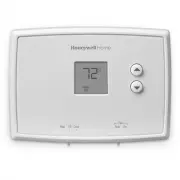
Honeywell RTH111B Thermostat – User Manual, read for free online in PDF format. We hope this helps you resolve any issues you may have. If you have further questions, please contact us through the contact form.


Table of Contents:
- Page 2 – Read and save these instructions.; For assistance with this product please visit; Table of contents
- Page 3 – Features; Operating Manual
- Page 4 – About your new thermostat; Select system setting:; Preset to
- Page 5 – Quick reference to controls; Fan Switch
- Page 6 – Set; Cool; Quick reference to display screen; or
- Page 7 – Select the system setting; The; switch can be set to control; SYSTEM; switch to control the
- Page 8 – Select the fan setting; Set the; switch to Auto or; FAN; switch to choose whether the fan
- Page 9 – Adjust the temperature; Press
- Page 10 – Built-in compressor protection; Damage can occur if the compressor is
- Page 11 – Battery replacement; Install two fresh AAA batteries when; Lo Batt; flashes on the screen.; appears for 60 days before the
- Page 12 – Customer assistance; Or call Honeywell Customer Care toll-
- Page 13 – Display is blank; • Set system switch to; In case of difficulty
- Page 16 – Automation and Control Solutions; Honeywell International Inc.
- Page 17 – Termostato no programable
- Page 18 – Índice; Acerca de su nuevo termostato; En caso de inconvenientes; Lea y guarde estas instrucciones.; ¿Necesita asistencia?; PRECAUCIÓN : PELIGRO DE DAÑO
- Page 19 – Características
- Page 20 – Manual de funcionamiento; ¡Este termostato está listo para funcionar!; Seleccione la configuración del sistema:; Predetermine la función; Seleccione la configuración del ventilador:; Para cambiar, vea la página 6
- Page 21 – El ventilador funciona sin; Rápida referencia de los controles; Apaga todos
- Page 22 – El sistema de refrigeración está encendido.; Rápida referencia de la pantalla; Aviso de batería baja
- Page 23 – Mueva el interruptor “; ” para; PRECAUCIÓN: PELIGRO DE DAÑO EN; Para evitar posibles daños en; Seleccione la configuración del sistema; El interruptor “; ” puede configurarse para
- Page 24 – ” hasta la posición; Configure el botón “; ” para seleccionar; Seleccione la configuración del ventilador
- Page 25 – Acerca de su nuevo term; Presione
- Page 26 – Esta función ayuda a prevenir el daño del; El mensaje titila hasta que haya; Protección del compresor incorporada
- Page 27 – Reemplazo de la batería; aun cuando se hayan sacado las baterías.; Instalar dos pilas AAA nuevas cuando; parpadee en la pantalla.; aparecerá 60 días antes de que las pilas; Hale de la parte
- Page 28 – Para obtener asistencia relacionada con; Asistencia al cliente
- Page 29 – • Asegúrese de que la puerta del sistema de calefacción esté bien
- Page 31 – Garantía limitada de 1 año
- Page 32 – Automatización y control desenlace
Operating
Manual
RTH111 Series
Non-Programmable Thermostat
69-2731ES-02
69-2731ES_A.indd 1
3/28/2012 12:45:00 PM
"Loading the manual" means you need to wait until the file loads and becomes available for online reading. Some manuals are very large, and the time they take to appear depends on your internet speed.
Was this manual helpful?
About this manual
- Brand
- Honeywell
- Model
- RTH111B
- Document type
- User Manual
- Category
- Thermostat
- Language(s)
- English, Spanish
- Pages
- 32
- File size
- 1 MB
- Format
Other Manuals for Honeywell RTH111B
Summary
About your new thermostat Thermostat features ................................... 1Quick reference to controls ....................... 3Quick reference to display ........................ 4 Operation Select system setting ................................ 5Select fan setting ............................
RTH111 1 69-2731ES—02 About your new thermostat About your new thermostat Your new Honeywell thermostat has been designed to give you many years of reliable service and easy-to-use, push-button climate control. Features • Displays ambient (measured) temperature at all times• One-touch access to setp...
Operating Manual 69-2731ES—02 2 About your new thermostat This thermostat is ready to go! Simply perform the three steps below and the thermostat is in operation: 1. Select system setting: Preset to Off ................................ To change, see page 5 2. Select fan setting: Preset to Auto .......
Ask a question
Related manuals
Popular Honeywell Thermostats


More Honeywell Thermostats models
 Honeywell CT87K User Manual
 Honeywell CT87N User Manual
 Honeywell CT410B User Manual
 Honeywell RLV4305A User Manual
 Honeywell RTH221B User Manual
 Honeywell RTH2300B User Manual
 Honeywell RTH2410B User Manual
 Honeywell RTH2510B User Manual
 Honeywell RTH4110U2000-2PK/E User Manual
 Honeywell RTH5160 User Manual
 Honeywell RTH6360 User Manual
 Honeywell RTH6360D1002 User Manual
 Honeywell RTH6580WF User Manual
 Honeywell RTH6580WF1001 User Manual