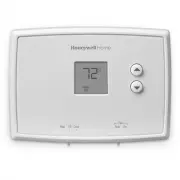
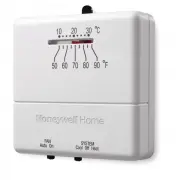
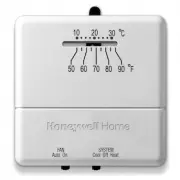
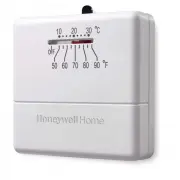
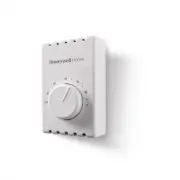
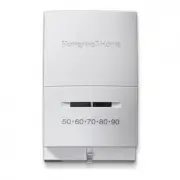
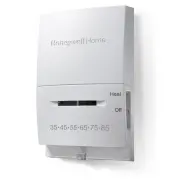
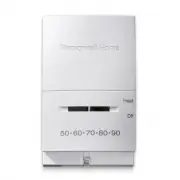
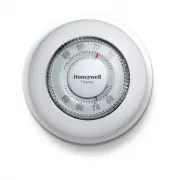
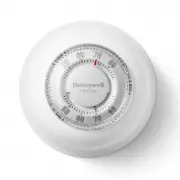
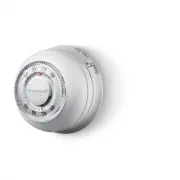
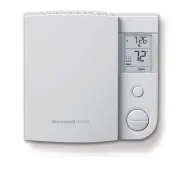
Page 2 - Identify System Type; This thermostat is compatible with the following systems:; This thermostat cannot be used on heat pumps with
69-2732ES—02 ii Identify System Type This thermostat is compatible with the following systems: Gas, oil or electric furnace Central air conditioner Hot water system with or without pump Millivolt system Central heating and cooling system Heat pump without auxiliary/backup heat Do you need assistance...
Page 3 - OFF; or
1 69-2732ES—02 1 Turn Off Power to Heating/ Cooling System OFF or 69-2732ES_A.indd 1 4/19/2012 8:33:40 AM
Page 4 - Old thermostat; Remove Old Thermostat; Do not remove
69-2732ES—02 2 50 60 70 80 F OFF AUTO EM. HEAT EM. HEAT AUX. HEAT CHECK FILTER MONTHLY 50 60 70 80 M33762 Is there a sealed tube containing mercury? If so, see back cover for proper disposal instructions. Old thermostat Cover Remove old thermostat but leave wallplate with wires attached. Remove Old ...
Page 5 - Label Wires with Tags; Wire Labels
3 69-2732ES—02 Label Wires with Tags 3 Label the wires using the supplied wire labels as you disconnect them. Wire Labels M28100 M33763 69-2732ES_A.indd 3 4/19/2012 8:33:41 AM
Page 6 - Separate Wallplate from; Wallplate
69-2732ES—02 4 M32731 TO REMOVE WALLPLATE PULL HERE Separate Wallplate from New Thermostat 4 Remove wallplate from the new thermostat and mount onto wall. Wallplate 69-2732ES_A.indd 4 4/19/2012 8:33:41 AM
Page 7 - Mount Wallplate
5 69-2732ES—02 Mount the new wallplate using the included screws and anchors. 5 Mount Wallplate Drill 3/16-in. holes for drywallDrill 3/32-in. holes for plaster W/ Aux Not Used M32714 69-2732ES_A.indd 5 4/19/2012 8:33:41 AM
Page 8 - Connect Wires; Simply match wire labels.; Rc
69-2732ES—02 6 M32732 SCREW INSERT WIRES AND TIGHTEN SCREWS WIRE HOLE LABELED WIRES W G R Not Used W Y Connect Wires 6 Simply match wire labels. Remove metal jumper if you have both R and Rc wires. Labels don’t match? See page 18.We are here to help.Call 1-800-468-1502 for wiring assistance. 69-2732...
Page 9 - Install two AAA alkaline batteries.; Install Batteries
7 69-2732ES—02 RTHXXXX M32707 Install two AAA alkaline batteries. Back of thermostat 7 Install Batteries 69-2732ES_A.indd 7 4/19/2012 8:33:42 AM
Page 10 - Electric or Heat Pump:; Change the switch to this setting; Set fan operation switch
69-2732ES—02 8 Move the switch to the proper setting: Gas or Oil: For gas or oil heating systems, leave the fan operation switch in this factory-set position (for systems that control the fan in a call for heat). Electric or Heat Pump: Change the switch to this setting for heat pump or electric heat...
Page 11 - Install thermostat onto the wallplate on the wall.; Install Thermostat onto Wallplate
9 69-2732ES—02 W/ Aux Not Used M33588 Heat Off Cool Auto On Fan Heat Off Cool Auto On Fan Install thermostat onto the wallplate on the wall. 9 Install Thermostat onto Wallplate 69-2732ES_A.indd 9 4/19/2012 8:33:42 AM
Page 12 - Turn the power back on to the heating/cooling system.; Turn Power Back On; ON
69-2732ES—02 10 Turn the power back on to the heating/cooling system. 10 Turn Power Back On or ON 69-2732ES_A.indd 10 4/19/2012 8:33:43 AM
Page 13 - If your system type is:; Single Stage Heat and Cool; If you are not sure of your system type or if you have; This thermostat works on 24 volt or 750 mV systems.; NOT; conventional system or 120/240 Volt systems.
11 69-2732ES—02 If your system type is: q Single Stage Heat and Cool q Heat Only or Cool Only Congratulations, you’re done! If you are not sure of your system type or if you have other questions, call us toll-free at 1-800-468-1502. This thermostat works on 24 volt or 750 mV systems. It will NOT wor...
Page 14 - Advanced Installation
Advanced Installation Enter system setup ............................................................13Changing settings ..............................................................14Heating cycle rate ..............................................................15Temperature display ...............
Page 15 - Enter System Setup; System setup; To enter system setup, press and hold both the
RTH111 13 69-2732ES—02 SETUP WIRING ASSIST ANCE TROUBLESHOOTING Enter System Setup System setup To enter system setup, press and hold both the s and t buttons until the display changes (approximately 5 seconds). M33589 Heat Off Cool Auto On Fan 69-2732ES_A.indd 13 4/19/2012 8:33:43 AM
Page 16 - Advanced Installation Guide; Changing Settings
Advanced Installation Guide 69-2732ES—02 14 SETUP WIRING ASSIST ANCE TROUBLESHOOTING 5 5 M33590 System setup NOTE: If you do not press any button for 60 seconds while you are in the setup menu, the thermostat automatically saves any changes made and exits the menu. See pages 15–17 to change Function...
Page 17 - About your new thermostat; Function 5: Heating cycle rate
RTH111 15 69-2732ES—02 About your new thermostat SETUP WIRING ASSIST ANCE TROUBLESHOOTING 5 5 M32733 System setup Function 5: Heating cycle rate 5 Gas or oil furnace: Use this setting if you have a standard gas or oil furnace that is less than 90% efficient. 6 Electric furnace: Use this setting if y...
Page 18 - Function 14: Temperature display
Advanced Installation Guide 69-2732ES—02 16 SETUP WIRING ASSIST ANCE TROUBLESHOOTING 14 0 M32759 System setup Function 14: Temperature display 0 Fahrenheit temperature display (°F) 1 Celsius temperature display (°C) Press the s or t button to select Fahrenheit or Celsius temperature display. Press t...
Page 19 - Function 15: Compressor Protection
RTH111 17 69-2732ES—02 SETUP WIRING ASSIST ANCE TROUBLESHOOTING 15 1 M32760 System setup Function 15: Compressor Protection 1 On 0 Off Press the s or t button to select Compressor Protection settings. Compressor Protection: This feature forces the com- pressor to wait approximately 5 minutes before ...
Page 20 - If labels do not match letters on the thermostat, check; Alternate Wiring; heat pump; B O G Y
Advanced Installation Guide 69-2732ES—02 18 About your new thermostat SETUP WIRING ASSIST ANCE TROUBLESHOOTING If labels do not match letters on the thermostat, check the chart below and connect to terminal as shown here (see notes, below). Alternate Wiring If wires will be connected to both R and R...
Page 21 - Troubleshooting; If you have difficulty with your thermostat, please try
RTH111 19 69-2732ES—02 Troubleshooting SETUP WIRING ASSIST ANCE TROUBLESHOOTING If you have difficulty with your thermostat, please try the following suggestions. Most problems can be cor- rected quickly and easily. Display is blank • Make sure furnace door is closed securely. • Make sure fresh AAA ...
Page 22 - Customer assistance
Advanced Installation Guide 69-2732ES—02 20 Troubleshooting SETUP WIRING ASSIST ANCE TROUBLESHOOTING Temperature settings do not change Make sure heating and cooling temperatures are set to acceptable ranges: • Heat: 40° to 90°F (4.5° to 32°C).• Cool: 50° to 99°F (10° to 37°C). “Cool On” is flashing...
Page 23 - One-year limited warranty
21 69-2732ES—02 One-year limited warranty Honeywell warrants this product, excluding battery, to be free from defects in the workmanship or materials, under normal use and service, for a period of one (1) year from the date of purchase by the consumer. If at any time during the warranty period the p...
Page 24 - To avoid possible compressor
Automation and Control Solutions Honeywell International Inc.1985 Douglas Drive NorthGolden Valley, MN 55422http://yourhome.honeywell.com ® U.S. Registered Trademark © 2012 Honeywell International Inc. 69-2732ES— 02 M.S. 04-12 Printed in Mexico CAUTION : To avoid possible compressor damage, do not r...
Page 25 - Termostato no programable; Guía de instalación rápida
69-2732ES-02 Serie RTH111 Termostato no programable Guía de instalación rápida 69-2732ES_A.indd 1 4/19/2012 8:33:45 AM
Page 26 - Identifique el tipo de sistema; Este termostato es compatible con los siguientes; Este termostato no puede usarse en bombas
69-2732ES—02 ii Identifique el tipo de sistema Este termostato es compatible con los siguientes sistemas: Calefactor a gas, aceite o eléctrico Aire acondicionado central Sistema a agua caliente con o sin bomba Sistema de milivoltios Calefacción y aire acondicionado centrales Bomba de calor sin calef...
Page 27 - APAGADO
1 69-2732ES—02 1 Desconecte la alimentación en el sistema de calefacción/ refrigeración o APAGADO 69-2732ES_A.indd 1 4/19/2012 8:33:46 AM
Page 28 - Remueva su viejo termostato
69-2732ES—02 2 Termostato viejo Cubierta Retire el termostato existente pero deje la placa de montaje con los cables adheridos. Remueva su viejo termostato No retirar la placa mural todavía 2 ¿Hay un tubo sellado que contiene mercurio? Si es así, consulte en la cubierta de este manual las instruccio...
Page 29 - Identifique los cables; Rótulos para los cables
3 69-2732ES—02 Identifique los cables 3 Rótulos para los cables M28100 Identifique los cables a medida que los desconecta, utilizando las etiquetas que se suministran. M33763 69-2732ES_A.indd 3 4/19/2012 8:33:46 AM
Page 30 - Placa de montaje
69-2732ES—02 4 Separe la placa de montaje del termostato nuevo 4 Placa de montaje Retire la placa de montaje del termostato nuevo y móntela en la pared. M32731 TO REMOVE WALLPLATE PULL HERE 69-2732ES_A.indd 4 4/19/2012 8:33:46 AM
Page 31 - Coloque la placa de montaje
5 69-2732ES—02 Monte la nueva placa de montaje utilizando los tornillos y anclajes que se suministran. 5 Coloque la placa de montaje Taladre agujeros de 3/32 in. (2,4 mm) en yeso Taladre agujeros de 3/16 in. (4,8 mm) en paneles de yeso W/ Aux Not Used M32714 69-2732ES_A.indd 5 4/19/2012 8:33:46 AM
Page 32 - Conecte los cables; Retire el empalme metálico si tiene los cables “R” y “Rc”.
69-2732ES—02 6 MS32732 W G R Not Used W Y TORNILLO INSERTE LOS CABLES Y APRIETE LOS TORNILLOS ORIFICIO DE CABLEADO CABLES ETIQUETADOS Conecte los cables 6 Simplemente haga corresponder las etiquetas de los cables. Retire el empalme metálico si tiene los cables “R” y “Rc”. ¿Los rótulos no coinciden? ...
Page 33 - Parte de atrás del termostato; Instale las baterías
7 69-2732ES—02 RTHXXXX M32707 Instale dos baterías alcalinas AAA en la parte de atrás del termostato. Parte de atrás del termostato 7 Instale las baterías 69-2732ES_A.indd 7 4/19/2012 8:33:46 AM
Page 34 - Mueva el interruptor a la configuración adecuada:; Eléctrico o bomba de calor:; cambie el interruptor a; Configure el interruptor de
69-2732ES—02 8 8 RTHXXXX M32716 GAS OR OIL ELECTRIC OR HEAT PUMP GAS OR OIL ELECTRIC OR HEAT PUMP Mueva el interruptor a la configuración adecuada: Gas o aceite: para los sistemas de calefacción de gas o aceite, deje el interruptor del ventilador en esta posición configurada de fábrica (para sistema...
Page 35 - Instale el termostato en la placa de montaje en la pared.; Instale el termostato en la placa
9 69-2732ES—02 Instale el termostato en la placa de montaje en la pared. 9 Instale el termostato en la placa de montaje W/ Aux Not Used M33588 Heat Off Cool Auto On Fan Heat Off Cool Auto On Fan 69-2732ES_A.indd 9 4/19/2012 8:33:46 AM
Page 36 - ENCENDIDO
69-2732ES—02 10 Active nuevamente el suministro eléctrico del sistema de calefacción/aire acondicionado. 10 Active nuevamente el suministro eléctrico o ENCENDIDO 69-2732ES_A.indd 10 4/19/2012 8:33:47 AM
Page 37 - Si su tipo de sistema es:; Calor y frío de una sola etapa; Si no está seguro del tipo de sistema que tiene o si; Este termostato funciona con sistemas de 24 voltios o
11 69-2732ES—02 Si su tipo de sistema es: q Calor y frío de una sola etapa q Calefacción únicamente o Refrigeración únicamente ¡Felicitaciones, ya está listo! Si no está seguro del tipo de sistema que tiene o si tiene otras preguntas, llámenos gratis al 1-800-468-1502. Este termostato funciona con s...
Page 38 - Guía de instalación avanzada
Guía de instalación avanzada Ingrese la configuración del sistema ................................13Cómo cambiar la configuración ........................................14Frecuencia del ciclo de calefacción ..................................15Visor de la temperatura ...................................
Page 39 - Configuración del sistema; Ingrese la configuración del sistema; Para ingresar la configuración del sistema, presione
RTH111 13 69-2732ES—02 CONFIGURACIÓN WIRING ASSIST ANCE TROUBLESHOOTING Configuración del sistema M33589 Heat Off Cool Auto On Fan Ingrese la configuración del sistema Para ingresar la configuración del sistema, presione y mantenga presionados los botones s (arriba) y t (abajo) hasta que el visualiz...
Page 40 - Cómo cambiar la configuración
Guía de instalación avanzada 69-2732ES—02 14 CONFIGURACIÓN WIRING ASSIST ANCE TROUBLESHOOTING 5 5 M33590 Configuración del sistema 1. Presionar s o t para cambiar la función. 2. Presionar s y t al mismo tiempo por un segundo para ir a la función siguiente. 3. Cuando haya aparecido en pantalla la últ...
Page 41 - Función 5: Frecuencia del ciclo de calefacción
RTH111 15 69-2732ES—02 About your new thermostat CONFIGURACIÓN WIRING ASSIST ANCE TROUBLESHOOTING Configuración del sistema 5 5 M32733 Cambio de configuración Presione el botón s o t para elegir su sistema de calefacción y optimizar su funcionamiento Función 5: Frecuencia del ciclo de calefacción 5 ...
Page 42 - Función 14: Visor de la temperatura
Guía de instalación avanzada 69-2732ES—02 16 CONFIGURACIÓN WIRING ASSIST ANCE TROUBLESHOOTING Configuración del sistema Función 14: Visor de la temperatura 14 0 M32759 MS33591 Y O Presione para cambiar la configuración Cuando termine, presione s y t para avanzar hasta la siguiente función. 0 Indicad...
Page 43 - Encendido
RTH111 17 69-2732ES—02 CONFIGURACIÓN WIRING ASSIST ANCE TROUBLESHOOTING Configuración del sistema 1 Encendido 0 Apagado 15 1 M32760 MS33591 Y O Presione para cambiar la configuración Cuando termine, presione s y t para salir y guardar los cambios. Función 15: Protección del compresor Presione el bot...
Page 44 - Conexión alternativa; Si las etiquetas no corresponden con las letras del
Guía de instalación avanzada 69-2732ES—02 18 SETUP CABLEADO ASSIST ANCE TROUBLESHOOTING Conexión alternativa Si los cables se conectarán a los terminales R y Rc , retire el puente metálico (refiérase a la Page 6). No utilice C o X . Envuelva los extremos pelados del cable con cinta aislante.Si tiene...
Page 45 - En caso de dificultades
RTH111 19 69-2732ES—02 SETUP WIRING ASSIST ANCE EN CASO DE DIFICUL TADES En caso de dificultades Si usted tiene dificultades con su termostato, pruebe las sugerencias que figuran a continuación. La mayoría de los problemas se pueden solucionar rápida y fácilmente. Pantalla en blanco • Asegúrese de q...
Page 48 - No arroje su viejo
Automatización y control desenlace Honeywell International Inc.1985 Douglas Drive NorthGolden Valley, MN 55422http://yourhome.honeywell.com ® Marca Registrada en los EE. UU. © 2012 Honeywell International Inc. 69-2732ES— 02 M.S. 04-12 Impreso en México AVISO DE MERCURIO: No arroje su viejo termostat...