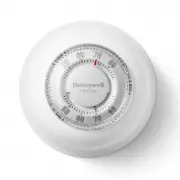
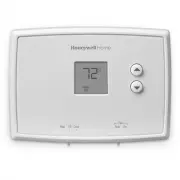
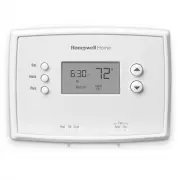
Page 2 - ATTENTION: MERCURY RECYCLING NOTICE; N O M E R C U R Y; Hg; SUPPLIED PARTS; Installation
2 ATTENTION: MERCURY RECYCLING NOTICE This product does not contain mercury. However, this product may replace a product that contains mercury. Mercury and products containing mercury should not be discarded in household trash.For more information on how and where to properly recycle a thermostat co...
Page 3 - Up
3 Wiring Connect the thermostat wires to the power and to the load using solderless connectors for copper wires. 4-wire Installation 2-wire Installation Thermostat mounting 1. Push the excess wires back inside the electrical box. 2. Secure the thermostat to the electrical box using the provided scre...
Page 4 - Clock and day setting; Day; Controls
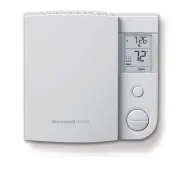
4 Clock and day setting 1. Press the Day button to set the day. 2. Use the Hour and Min buttons to set the clock. 3. Press the button to exit. The clock must be set when the time is incorrect or flashes on the screen. Controls Day buttonHour buttonMinute buttonProgram buttonReturn button Mode button...
Page 5 - Display; Temporary Override
5 * To display the set temperature (setpoint), press the Up or Down button once. The thermostat will display the setpoint instead of the clock for 5 seconds. Display Setpoint temperature* Time and day Indicates that the settings are locked (see page 8)Room temperature Mode indicator (see pages 5 and...
Page 7 - Advanced settings; Pgm; Fan
7 Advanced settings 1. Press the Pgm button for 3 seconds. 2. To display the next parameter, press the Pgm button. 3. To modify the displayed parameter, press the Up or Down button. 4. To exit the menu, press the button or do not press any button for 1 minute. The first parameter appears when the me...
Page 8 - to normal time on the first Sunday of November.; Early Start; thus there is a delay before you reach the desired temperature.; Keypad lock; view the temperature setpoint.; Troubleshooting; traced to the following:
8 2 Away temperature Set the temperature you wish to use when the thermostat is in Away mode (see page 6). 3 Daylight Saving Time When the Daylight Saving Time function is enabled (On), the thermostat auto- matically switches to Daylight Saving Time on the second Sunday of March and to normal time o...
Page 9 - Resetting the thermostat (default settings); Power outage; LP; Specifications
9 Resetting the thermostat (default settings) NOTE: All parameters, except the clock (time and day), return to their default settings when the thermostat is reset.1. Press the Mode button until Standby appears on the screen. 2. Press the button for 6 seconds. 3. The thermostat will display rSt (rese...
Page 10 - -year limited warranty
33-00147ES-03 Resideo Inc., 1985 Douglas Drive North, Golden Valley, MN 55422 33- 0 0147ES— 03 M.S. Rev. 09-19 | Printed in United States This product is manufactured by Resideo Technologies, Inc., Golden Valley, MN, 1-80 0-831-2823 ©2019 Resideo Technologies, Inc. The Honey well Home trademark is u...
Page 11 - Application; WARNING Riesgo de descarga eléctrica.
RLV4305 Lea y guarde estas instrucciones. Para obtener ayuda, visite customer.resideo.com Manual del propietario Termostato programable Application Este termostato está diseñado para controlar un sistema eléctrico de calefacción, como un calentador de zócalo, un techo radiante, un convector o un cal...
Page 12 - N O B O T E; PIEZAS SUMINISTRADAS; Instrucciones de instalación
12 ATENCIÓN: AVISO PARA EL RECICLAJE DEL MERCURIO Este producto no contiene mercurio. Sin embargo, este producto puede reemplazar uno que contenga mercurio. El mercurio y los productos que contengan mercurio no se deben desechar con los desperdicios domésticos. Para más información sobre cómo y dónd...
Page 14 - Configuración de hora y día; Controles
14 El reloj se debe configurar cuando la hora sea incorrecta o destelle en la pantalla. Configuración de hora y día 1. Presione el botón Day (día) para configurar el día. 2. Use los botones Hour (hora) y Min (minutos) para configurar el reloj. 3. Presione el botón para salir. Controles Botón de díaB...
Page 15 - Visualizador; Día y hora; Modo automático; Anulación temporal; arriba; abajo; Auto
15 * Para mostrar la temperatura configurada (punto de ajuste), presione el botón de ajuste arriba o abajo una vez. El termostato mostrará el punto de ajuste en lugar del reloj durante 5 segundos. Visualizador Temperatura del punto de ajuste* Día y hora Indica que las configuraciones están bloqueada...
Page 17 - Configuraciones avanzadas; Ventilador; Yes
17 Configuraciones avanzadas 1. Presione el botón Pgm (programación) durante 3 segundos. 2. Para visualizar el siguiente parámetro, presione el botón Pgm (programación). 3. Presione el botón de ajuste arriba o abajo para modificara el parámetro mostrado. 4. Para salir del menú, presione el botón o n...
Page 18 - Arranque anticipado; Bloqueo del teclado; Localización y solución de problemas
18 2 Temperatura en ausente Configure la temperatura que desea tener cuando el termostato esté en modo Away (ausente) (consulte la pág. 16). 3 Horario de verano Cuando la función de horario de verano está On (activada), el termostato cambia automáticamente al horario de verano el segundo domingo de ...
Page 19 - Reinicio del termostato; Presione el botón durante 6 segundos.; rSt; indicar que se reinició y, luego, volverá a la pantalla normal.; Corte de energía; las 5 horas, se debe ajustar nuevamente la hora y la fecha.; Especificaciones; Rango de visualización:
19 Reinicio del termostato (configuraciones predeterminadas) NOTA: Todos los parámetros, excepto el reloj (hora y día), vuelven a las configuraciones predeterminadas cuando se reinicia el termostato.1. Presione el botón Mode (modo) hasta que aparezca Standby (en espera) en la pantalla. 2. Presione e...
Page 20 - Garantía limitada de 1 año
33-00147ES-03 Resideo Inc., 1985 Douglas Drive North, Golden Valley, MN 55422 www.resideo.com 33- 0 0147ES— 03 M.S. Rev. 09-19 | Impreso en EE. UU. Este producto es fabricado por Resideo Technologies, Inc., Golden Valley, MN, 1-80 0-831-2823 ©2019 Resideo Technologies, Inc. La marca comercial Honey ...