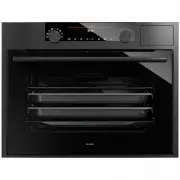
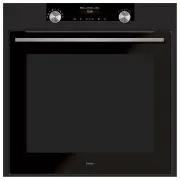
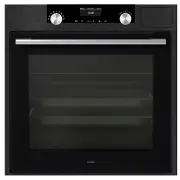
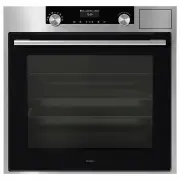
Page 3 - CONTENTS
EN 3 CONTENTS Your oven Introduction 4Description 5Guide rails/Telescopic guide rails 5 Accessories 6Door 7 Cooling fan 7 Control panel 8 First use Before using the appliance for the first time 9 Use Switching on and settings 10 Oven settings 13 Choosing the settings 17 Selecting additional function...
Page 4 - YOUR OVEN; Introduction; cooking method every time.
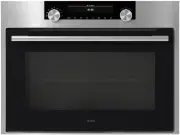
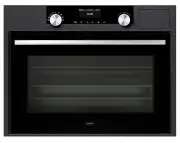
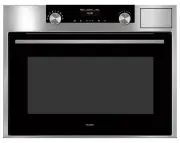
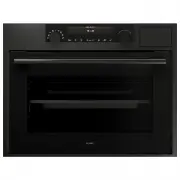
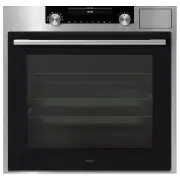
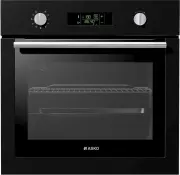
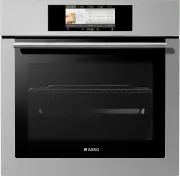
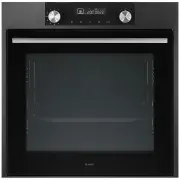
EN 4 YOUR OVEN Introduction Congratulations on the purchase of this ASKO oven. This product is designed to offer optimum user-friendliness. The oven has a wide range of settings enabling you to select the correct cooking method every time. This manual shows how you can best use this oven. In additio...
Page 5 - Description; on the telescopic guide rails, back into the oven cavity.
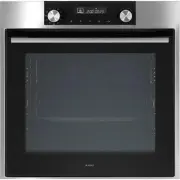
EN 5 YOUR OVEN Description 1. Control panel 2. Rack levels 3. Oven door 4. Handle Guide rails/Telescopic guide rails • The oven has four or five guide rails (Level 1 to 4/5), depending on the model. Level 1 is mainly used in combination with bottom heat. The two upper levels are mainly used for the ...
Page 6 - Accessories; Enamelled baking tray
EN 6 Accessories Your appliance is accompanied by a range of accessories, depending on the model. Only use original accessories; they are specially suited to your appliance. Be sure that all the accessories that are being used are able to withstand the temperature settings of the chosen oven functio...
Page 7 - Door; The oven continues operating when the door is closed.; Cooling fan
EN 7 YOUR OVEN Door • The door switches interrupt the operation of the oven when the door is openegd during use. The oven continues operating when the door is closed. • This oven has a ‘Soft close door system’. When closing the oven door, this system dampens the movement, from a certain angle, and s...
Page 8 - Control panel; time you press a button during use, a short signal will sound.
EN 8 YOUR OVEN Control panel 1. Off2. Quick preheat 3. Top heat + bottom heat 4. Small grill 5. Large grill 6. Grill with fan 7. Hot air + bottom heat 8. Hot air 9. Bottom heat with fan 10. ECO cooking 11. Defrosting12. Pyrolysis13. Display (cooking information and timer)14. Selection dial 15. Child...
Page 9 - Before using the appliance for the first time; emitted. Ventilate the room thoroughly during the first use.; FIRST USE
EN 9 Before using the appliance for the first time • Upon receiving the appliance, remove all parts, including any transport equipment, from the oven. Clean all accessories and utensils with warm water and regular detergent. Do not use any abrasive cleaners. • When the oven heats up for the first ti...
Page 10 - USE; Switching on and settings; and the symbol will light up.
EN 10 USE Switching on and settings After connecting your appliance or after an extended power outage, 12:00 will flash on the display and the symbol will light up. Set the time of day. SETTING THE CLOCK Rotate the SETTINGS KNOB (-/+) and first set the minutes; then, the cursor will switch to hours....
Page 11 - SETTINGS
EN 11 USE SETTINGS To change the settings, rotate the setting knob to the right and hold it for three seconds. Press the start/sop icon to scroll through respective settings or parameters. To change a parameter, rotate the setting knob to the right or to the left. BRIGHTNESS LEVEL Select between thr...
Page 12 - END
EN 12 USE END By pressing the start/stop icon, user can go out of settings menu back to standby mode. You can go out of settings manu also if you hold selection knob on the left for 3 sec, or it you turn the system knob. To change the settings, rotate the setting knob to the right and hold it for th...
Page 13 - Oven settings
EN 13 Function/Recommended temp. °C Description 160 °C Quick preheat Use this function to heat the oven quickly to the desired temperature. This function is not suitable for cooking food! • Turn the ‘oven function dial’ to the ‘quick preheat’ position. The prior set temperature will be displayed. Yo...
Page 17 - Choosing the settings; CHANGING THE COOKING TEMPERATURE
EN 17 Choosing the settings Each cooking system features basic or default settings which can be adjusted. Adjust the settings by pressing the relevant key (before pressing the START/STOP key). Some settings are not available with some programs; an acoustic signal will remind you of such cases. CHANG...
Page 18 - Timer function display
EN 18 TIMER FUNCTIONS First rotate the COOKING SYSTEM SELECTOR KNOB; then, set the temperature. Touch the TIMER key several times to select the symbol. The icon for the selected timer function will light up and the adjustable cooking start/end time will flash on the display. Other icons are dimly li...
Page 19 - Setting the minute minder; Selecting additional functions; Child lock
EN 19 USE Setting the minute minder The minute minder can be used independently of the oven operation. The longest possible setting is 24 hours.During the last minute, the minute minder is displayed in seconds. After the set time expires, the oven will automatically stop operating (end of cooking). ...
Page 20 - Oven lighting
EN 20 USE Oven lighting Oven lighting is switched on automatically when the door is opened or when the oven is switched on.After the end of the cooking process, the light will remain on for another minute. The light inside the oven can be switched on or off by pressing the LIGHT key. Acoustic signal...
Page 21 - Starting the cooking process; Turn the COOKING SYSTEM SELECTOR KNOB to position »0«.
EN 21 USE Starting the cooking process Start the cooking process by pressing the START/STOP key and holding it for a while. Switching off the oven Turn the COOKING SYSTEM SELECTOR KNOB to position »0«. After the end of the cooking process and after the oven has been switched off, declining temperatu...
Page 22 - Culisensor; The display will show the culisensor screen and icon.; OPERATION
EN 22 Culisensor If the culisensor is plugged in, the culisensor screen will be shown and a small culisensor icon will appear. The oven operates until the food core reaches the set temperature. The core temperature is measured by means of the temperature probe. 1. Screw the metal cover from the conn...
Page 24 - MAINTENANCE; Cleaning the oven; Important; Removing and cleaning the guide rails.; Only use conventional cleaners to clean the guides.
EN 24 MAINTENANCE Cleaning the oven Clean the oven regularly to prevent fat and leftover food from accumulating, especially on interior and exterior surfaces, the door and seal. • Clean exterior surfaces with a soft cloth and soapy warm water. Wipe afterwards with a clean, damp cloth and dry the s...
Page 25 - Removal and installation of the oven door; Remove the oven door; The hinges will be locked in the
EN 25 MAINTENANCE Removal and installation of the oven door Keep your fingers away from the hinges of the oven door. The hinges are spring loaded and can cause injury if they spring back.Make sure that the hinge latches are applied correctly to lock the hinges. Remove the oven door 1. Open the door ...
Page 26 - Removing the oven window; removing it. Also remove the rubber seals around the glass.
EN 26 Removing the oven window The glass in the oven door can be cleaned from the inside, but you do need to remove the glass from the door to do this. First remove the oven door (see chapter ‘Removing the oven door’). • Lift the brackets on the left and right side of the door upwards slightly (to m...
Page 27 - Fire; Starting the Pyrolysis function; symbol will appear on the display.
EN 27 The Cleaning function (pyrolysis) Instead of cleaning manually, you can clean the oven space or an enamelled baking tray using the ‘Pyrolysis’ oven feature. During pyrolysis the oven space is heated to a very high temperature. Contaminants that are present incinerate at this high temperature a...
Page 28 - Do not attempt to open the oven door while the automatic cleaning; Replacing the oven lamp; The lamp is not suitable for household room illumination.
EN 28 Please note: Do not attempt to open the oven door while the automatic cleaning programme is in progress. The programme may be terminated. Risk of burns! MAINTENANCE Replacing the oven lamp The lamp in this household appliance is only suitable for illumination of this appliance. The lamp is not...
Page 29 - General; Close the door properly.; MALFUNCTIONS
EN 29 General Try the solutions below if you have problems with your oven. You could save yourself the time and effort of an unnecessary phone call to customer services. The food is not cooked • Check whether the timer has been set and you have pressed the ‘start button’. • Close the door properly. ...
Page 30 - • Guarantee
EN 30 Storing and repairing the oven Repairs may only be performed by a qualified service technician. If maintenance is required, remove the plug from the socket and contact ASKO customer services. Have the following information to hand when you call: • The model number and serial number (stated on ...
Page 31 - ENVIRONMENTAL ASPECTS; Disposal of the appliance and packaging; The product has a pictogram of a crossed-out waste container. This
EN 31 ENVIRONMENTAL ASPECTS Disposal of the appliance and packaging This product is made from sustainable materials. However, the appliance must be disposed of responsibly at the end of its useful life. The government can provide you with information about this. The appliance packaging can be recycl...