Page 2 - EN; Manual; Pictograms used; Important information
EN Manual EN 3 - EN 38 Pictograms used Important information Tip
Page 3 - YOUR OVEN
EN 3 YOUR OVEN Your oven Introduction 4 Control panel 5 Description 6 Guide rails 6 Door 7 Cooling fan 7 Main functions 7 Keys 8 Navigation 9 Initial use What to do first 11 Operation Selecting your function 13 Functions settings mode 13 Progress mode 15 Finish display 15 Changing settings during th...
Page 4 - Introduction; Installation instructions are supplied separately.
EN 4 Introduction Congratulations on choosing this ASKO combi microwave oven. This product is designed to offer simple operation and optimum user-friendliness. The oven has a wide range of settings enabling you to select the correct cooking method every time. This manual shows how you can best use t...
Page 5 - Control panel
EN 5 YOUR OVEN Control panel 12 13 14 15 16 17 18 19 1 10 11 6 7 8 9 5 4 3 2 1. Function knob (in ‘Off’ position)2. Defrost3. Programs & Favourites4. Fast preheat5. Oven6. Microwave7. Combi microwave8. Warming 9. Aqua clean 10. Display11. Selection knob12. On/off key and stop key (cancel)13. Lig...
Page 6 - Description; The following accessories are supplied with your oven:; used for pastries and cakes.; Guide rails; • The oven has four guide rails (level 1 to 4). Level 1 is mainly used; Level 1
EN 6 YOUR OVEN Description 1. Control panel2. Oven levels3. Oven door4. Door handle The following accessories are supplied with your oven: • Baking tray; used for pastries and cakes. Do not use the baking tray for the microwave functions! • Oven rack; mainly used for grilling. A dish or pan with foo...
Page 7 - Door; • This oven has a ‘Soft close door system’. When closing the oven; Cooling fan; • The appliance is equipped with a cooling fan that cools the casing; Main functions; Setting
EN 7 Door • The door switches interrupt the operation of the oven when the door is opened during use. The oven continues operating when the door is closed. • This oven has a ‘Soft close door system’. When closing the oven door, this system dampens the movement, from a certain angle, and silently clo...
Page 8 - Manual defrost; Keys; - Press short: cancel operation or go one step back in
EN 8 YOUR OVEN Defrost Manual defrost Microwave My microwave Microwave Combi microwave Hot air + microwaveLarge grill + fan + microwave Warming Plate warmingKeep warm Aqua clean Keys In the table below you can find the discription of the different keys. Keys Description of the keysOn/off key and sto...
Page 9 - Navigation
EN 9 Plus key - To open or exit the settings menu (in standby- mode). - To open or exit the plus menu with the extra options possible at that moment (in on-mode). Child lock key - Press and hold the lock key to lock the appliance. Confirm key - To confirm all the white settings/elements in the scree...
Page 10 - Within every menu the navigation is as follows:; • Use the navigation keys or press the selection knob to move the
EN 10 YOUR OVEN Within every menu the navigation is as follows: • Use the navigation keys or press the selection knob to move the active area (grey background). • The setting in the active area can be changed by turning the selection knob (left = less, right = more). This setting will be saved autom...
Page 11 - INITIAL USE; What to do first; • Clean the oven interior and accessories with hot water and; Setting the language; English; Deutsch; Confirm the setting by pressing the confirm key.; Setting the date; pressing the selection knob.
EN 11 INITIAL USE What to do first • Clean the oven interior and accessories with hot water and washing-up liquid. Do not use aggressive cleaning agents, abrasive sponges and similar. • The oven will emit a strange smell when it is used for the first time; this is normal. You should ensure that ther...
Page 12 - Setting the time; Standby display; • Press and hold the stop key to shut down the appliance manually.; Switching the appliance on
EN 12 Setting the time : 00 11 12 13 TIME l HOUR 1. Turn the selection knob and select the hours.2. Confirm this setting by pressing the right navigation key or by pressing the selection knob. 3. Turn the selection knob and select the minutes.4. Confirm this setting by pressing the confirm key. All ...
Page 13 - Selecting your function; key is blinking if it is possible to start the program).; Function settings mode; Example; Choose a main function by turning the function knob.; Confirm the setting by pressing the right navigation key or by; OPERATION
EN 13 Selecting your function Select a function appropriate for the meal you are cooking. Consult the table in chapter ‘Functions table’ to see which functions are available.• Go directly to the progress mode by pressing the confirm key (this key is blinking if it is possible to start the program). ...
Page 14 - The next sub-function setting becomes active.
EN 14 4. Turn the selection knob and change the setting. 200 °C OVEN l TEMPERATURE 14:30 205 210 °C 215 5. Confirm the setting by pressing the right navigation key or by pressing the selection knob. The next sub-function setting becomes active. 210 °C OVEN l COOKING TIME 14:30 ▷ The timer icon shows...
Page 15 - Progress mode; • Left side on the screen, the temperature or/and the power is; Finish display; Stop the progress
EN 15 Progress mode • Left side on the screen, the temperature or/and the power is displayed (if the set temperature is not reached, the temperature will switch between cavity temp (grey) and set temp (white)). If the set temp is reached a pop-up will appear ‘set temperature is reached’. • Right sid...
Page 16 - Add extra time; The previous process is activated again.; Gratin; Grill settings will be shown.; Save as favourite
EN 16 OPERATION Add extra time 1. Press the right navigation key to select ‘Add extra time’. 2. The time setting becomes active and can be changed directly by rotating the selection knob. 3. Confirm by means of the confirm key. The previous process is activated again. Gratin 1. Press the right navig...
Page 17 - Changing settings during the progress; shown with the changed settings.
EN 17 Changing settings during the progress • During progress, pressing the navigation keys will show the active area. The selected setting can now be changed, see chapter ‘Function settings mode’. • After confirmation with the confirm key the progress screen will be shown with the changed settings....
Page 18 - USE; Functions table
EN 18 USE Functions table Consult the table to select the preferred function. Also consult the instructions for preparation on the dish packaging. • In ‘Microwave function’: do not use metal cookware or utensils and do not preheat the oven. • Only use glass dishes that can withstand temperatures of ...
Page 19 - Function Description
EN 19 USE Function Description Large Grill • Heating by means of the upper element and grill element. • This mode can be used with dishes and baked goods that require a distinctive bottom crust or browning. Use just before the end of the baking or roasting time. • Place the the oven rack on level 4 ...
Page 20 - he upper h
EN 20 USE Function Description Top Heat • Heating only by means of the upper heating element. • This mode can be used when you wish to bake/ roast the top part of your dish. • Place the baking tray or oven rack on level 2.• Suggested temperature: 150 °C 2 Bottom Heat • Heating only by means of the l...
Page 21 - • Heating by means of hot air. ECO hot air uses less; Microwave function; • Microwave energy is used to cook and defrost; Combi functions; • This system employs a combination of
EN 21 USE Function Description ECO Hot air • Heating by means of hot air. ECO hot air uses less energy but gives the same result as the hot air setting. Cooking takes a few minutes longer. • This mode can be used for roasting meat and baking pastry. • Place the tray on level 2. • Suggested temperatu...
Page 22 - Using the microwave
EN 22 USE Function Description Microwave + Grill with Fan • The food is cooked with a combination of microwaves and grill with fan. • Use this combination for smaller chunks of meat, fish and vegetables. • It allows fast cooking and the food will have a nicely browned crispy crust. • Place the glass...
Page 23 - Cooking principle
EN 23 USE The microwave is used for:• the microwave function.• the combi functions. Cooking principle 1. The microwaves generated by the microwave are spread evenly by a distribution system. This cooks the dish evenly. 2. The food absorbs the microwaves to a depth of approximately 2.5 cm. Cooking th...
Page 24 - Guidelines for microwave cookware; Cookware
EN 24 USE Guidelines for microwave cookware Cookware that you use for the microwave function should not block the microwaves. Metals such as stainless steel, aluminium and copper reflect microwaves. For that reason, do not use metal cookware. Cookware which is designated as microwave-safe can be use...
Page 25 - Settings menu
EN 25 USE Cookware Microwave safe Remarks Plastic 3 Especially heat-resistant thermoplastic material. Other types of plastic can warp or discolour at high temperatures. Do not use melamine plastic. Can be used to hold moisture. May not touch the food. Be careful when you remove the film; hot steam c...
Page 26 - General; display set start timer, second display set end time); Cooking settings
EN 26 USE General You can set the following from this menu:• Language (language of the display)• Time (always in 24H format)• Time display (24H or 12H format)• Date (always day-month-year format)• Date display (ddmmyyyy or mmddyyyy)• Sounds (volume of the general sounds and alarms)• Key sounds (on/o...
Page 27 - Plus menu; • To exit the plus menu, press the ‘stop key’ or ‘plus key’ the display
EN 27 USE Plus menu Depending on the function, there is a possibility to choose extra functionality (after you have chosen a main function and settings in the ‘Function settings mode’) by pressing the ‘plus key’.• A small icon next to the curent time will give an indication about the activated plus ...
Page 28 - Cooking information; Activate the fast preheat in the plus menu.; The small preheat icon will be shown next to the current time.; Starting with fast preheat
EN 28 USE Cooking information The cooking info screen will give more information about the chosen function, like the needed equipment and for what kind of purposes the function is used. Fast preheat There are two different ways to use fast preheat: Activate the fast preheat in the settings menu (to ...
Page 29 - Delayed start; with the confirm key.; A small grill icon will appear next to the current time.; Stage cooking; A small icon will appear next to the world time.
EN 29 USE Delayed start Use the ‘delayed start’ function to start cooking at a later time, by setting the desired finishing time.1. Press the plus key (in the ‘Function settings mode’).2. Select ‘Delayed start’ with the right navigation key. 3. Press the confirm key. The display will show the delay ...
Page 30 - The display will switch to the oven setting display.; Go to manual cooking; Automatic programs
EN 30 4. To add a stage, select the second stage by pressing the navigation key or rotating the selection knob and to enter the stage for editing, press the confirm key. The display will switch to the oven setting display. 5. Make a selection of all available functions of the appliance.6. Save the s...
Page 31 - Favourites; Egg timer; The egg timer is started.; Child lock
EN 31 • In the settings, first a picture of the dish is visible (not editable), the weight (depending on the dish) (if it is editable), the intensity (not always editable) and the cooking time. If necessary, adjust the intensity and/or the weight. Favourites (see chapter ‘Finish display’) • You can ...
Page 33 - CLEANING; Cleaning the appliance; • Activate the key lock (to prevent that the appliance is switched on; Important; accumulation of dirt and allows you to close the door properly.; Aqua clean; Using aqua clean; Do not open the door during the cleaning program.
EN 33 CLEANING Cleaning the appliance Clean the oven regularly to prevent fat and leftover food from accumulating, especially on the surfaces of the interior and the exterior, the door and the seal. • Activate the key lock (to prevent that the appliance is switched on accidentally). • Clean the exte...
Page 34 - Removing and cleaning the guide rails; Save the
EN 34 Removing and cleaning the guide rails Use conventional cleaning products to clean the guide rails.• Remove the screw using a screwdriver.• Remove the guide rails from the holes in the back wall. Save the guide rail spacers carefully. Return the spacers after cleaning. This prevents sparks bein...
Page 35 - Replacing the oven lamp; Unscrew the cover panel’s four screws. Remove the cover panel
EN 35 Replacing the oven lamp The lamp in this household appliance is only suitable for illumination of this appliance. The lamp is not suitable for household room illumination. The light bulbs (2x) (halogen G9, 230 V, 25 W) are a consumer items and therefore not covered by warranty. To replace it, ...
Page 36 - SOLVING PROBLEMS
EN 36 General If you have problems with your oven, consult the error overview below. Should the problems persist, please contact the Customer Services Department. The food stays raw • Check whether the timer has been set and you have pressed the confirm key. • Is the door closed properly?• Check whe...
Page 37 - • Consult a service technician.; Storing and repairing the oven; • The model number and serial number (stated on the inside of the
EN 37 Light reflects on the door and the exterior of the appliance. • This is normal. Steam escapes from the door or the vents. • This is normal. Clicking sounds can be heard when the oven is working, particularly in the defrost setting. • This is normal. The fuse switches off regularly. • Consult a...
Page 38 - Disposal of the appliance and packaging; Declaration of conformity; YOUR OVEN AND THE ENVIRONMENT
EN 38 Disposal of the appliance and packaging This product is made from sustainable materials. However, the appliance must be disposed of responsibly at the end of its useful life. The government can provide you with information about this. The packaging of the appliance can be recycled. The followi...
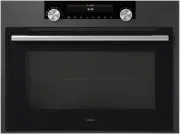


 Asko OCM8487B User Manual
 Asko OCM8487S User Manual
 Asko OCS8464S User Manual
 Asko OCS8487B User Manual
 Asko OCS8664A User Manual
 Asko OCS8664B User Manual
 Asko OCS8664S User Manual
 Asko OCS8687S User Manual
 Asko OP8631A User Manual
 Asko OP8637A User Manual
 Asko OP8637S User Manual
 Asko OP8664A User Manual
 Asko OP8664B User Manual
 Asko OP8664S User Manual
 Asko OP8687A User Manual
 Asko OP8687B User Manual
 Asko OP8687S User Manual

