Asko OP8637A - User Manual
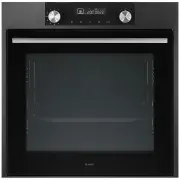
Asko OP8637A Oven – User Manual, read for free online in PDF format. We hope this helps you resolve any issues you may have. If you have further questions, please contact us through the contact form.


Table of Contents:
- Page 2 – EN; Manual; Pictograms used; Important information
- Page 3 – CONTENTS
- Page 4 – Introduction; Installation instructions are supplied separately.; YOUR OVEN
- Page 5 – Control panel
- Page 6 – Description; • Place the oven rack, baking tray or steam dish in the gap between; ote: remove the guide rails / telescopic guide rails out of the; Accessories; not all accessories are suitable/available for every appliance; Level 1
- Page 7 – Enamelled baking tray; Door; • This oven has a ‘Soft close door system’. When closing the oven; Cooling fan; • The appliance is equipped with a cooling fan that cools the casing
- Page 8 – USE; Initial use; Set the current time; After three seconds the clock symbol and; Using your oven; For most dishes you should first preheat the oven.; If desired, set a cooking time by pressing the ‘timer button’ and use
- Page 9 – Notes; number of conditions.; Oven settings; Function; Food is heated by the top grill heating element.; Large grill
- Page 11 – Oven functions; • Turn the ‘oven function dial’ to the ‘quick preheat’ position.; Top heat + bottom heat; Quick preheat
- Page 12 – Small Grill; Food is heated by the grill element.; baking tray on the second guide rail level.
- Page 13 – • Keep an eye on the cooking process. At high temperatures, meat; Hot air + bottom heat; Grill and fanr
- Page 14 – Hot air
- Page 15 – ECO cooking; • Place the tray at level 3.; Defrosting; and setting the time using the ‘selection dial’.; Timer; ECO heating
- Page 16 – Setting the timer; • Select an oven function using the ‘oven function dial’ and set the; ‘Setting the ‘cooking time’; • In this setting you can set how long the oven needs to operate; ‘Setting the ‘end time’; • In this setting you can set the time the oven should switch off.; • Press the ‘start/stop button’ to start the cooking process.
- Page 17 – ‘Timer alarm’ function; • The ‘timer alarm’ function can be used independently of the oven.; Selecting additional functions; Child lock; • To deactivate the child lock, press the button again for a few
- Page 18 – Oven lamp; if the oven is switched on.; Sound signal; • Turn the ‘selection dial’ to select one of three volume levels (one,; Reduce display contrast; • Turn the ‘selection dial’ to adjust the dimming level of the display
- Page 19 – Standby; ‘Off’ and the ‘timer’ pictogram will appear on the display.; Culisensor; completely into the food.
- Page 20 – Beef
- Page 22 – Cleaning the oven; • Clean exterior surfaces with a soft cloth and soapy warm water.; Important; Removing and cleaning the guide rails.; CLEANING
- Page 23 – Removal and installation of the oven door; Remove the oven door; The hinges will be locked in the; Install the oven door; positioned correctly.
- Page 24 – Removing the oven window; Lift the brackets on the left and right side of the door upwards
- Page 25 – Chunks of food and fat may ignite during; Starting the Pyrolysis function; To choose the desired cleaning intensity level,
- Page 26 – Replacing the oven lamp; Rear wall lamp; Use a flat-blade screwdriver to snap and remove the lamp cover
- Page 27 – General; • Check whether the timer has been set and you have pressed the; The fan keeps working after the oven is switched off; • This is normal. Once the oven has been switched off, the cooling; Air flow can be felt at the door and the exterior of the appliance; SOLVING PROBLEMS
- Page 28 – Storing and repairing the oven; • The model number and serial number (stated on the inside of the
- Page 29 – YOUR OVEN AND THE ENVIRONMENT; Disposal of the appliance and packaging; Declaration of conformity
- Page 30 – COOKING TEST; Food tested in compliance with the EN 60350-1 standard; Baking
Instructions for use
OVEN
OP8637S / BO6PY4I3-42
OP8637A / BO6PY4I3-42
"Loading the manual" means you need to wait until the file loads and becomes available for online reading. Some manuals are very large, and the time they take to appear depends on your internet speed.
Was this manual helpful?
Helpful for 5 of 5 readers
About this manual
- Brand
- Asko
- Model
- OP8637A
- Document type
- User Manual
- Category
- Oven
- Language(s)
- English
- Pages
- 32
- File size
- 3.6 MB
- Format
Summary
EN 2 EN Manual EN 3 - EN 30 Pictograms used Important information Tip
EN 3 CONTENTS Your oven Introduction 4Control panel 5 Description 6Guide rails/Telescopic guide rails 6 Accessories 6Door 7Cooling fan 7 Use Initial use 8 Oven settings 9 Oven functions 11 Timer 15Selecting additional functions 17 Culisensor 19 Cleaning Cleaning the oven 22 Removing and cleaning the...
EN 4 Introduction Congratulations on the purchase of this ASKO oven. This product is designed to offer optimum user-friendliness. The oven has a wide range of settings enabling you to select the correct cooking method every time. This manual shows how you can best use this oven. In addition to infor...
Ask a question
Related manuals
More Asko Ovens models
 Asko OCM8487A User Manual
 Asko OCM8487B User Manual
 Asko OCM8487S User Manual
 Asko OCS8464S User Manual
 Asko OCS8487B User Manual
 Asko OCS8664A User Manual
 Asko OCS8664B User Manual
 Asko OCS8664S User Manual
 Asko OCS8687S User Manual
 Asko OP8631A User Manual
 Asko OP8637S User Manual
 Asko OP8664A User Manual
 Asko OP8664B User Manual
 Asko OP8664S User Manual
 Asko OP8687A User Manual
 Asko OP8687B User Manual
 Asko OP8687S User Manual


