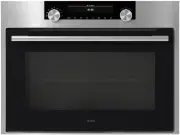
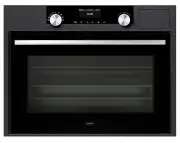
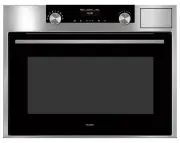
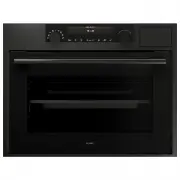
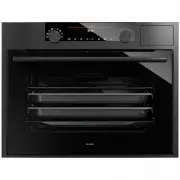
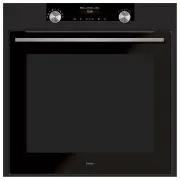
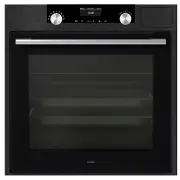
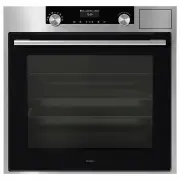
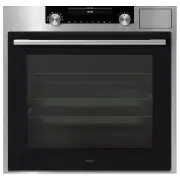
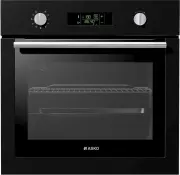
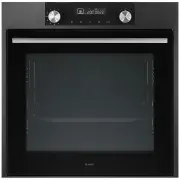
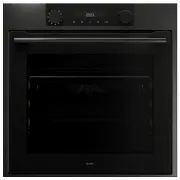
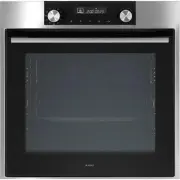
Page 3 - Rating plate; Electric oven
418669 We sincerely thank you for your purchase. We believe you will soon fi nd ample evidence that you can really rely on our products. To make the use of the appliance easier, we attach these comprehensive instruction manual. The instructions should aid you in getting familiar with your new applia...
Page 4 - Safety percautions
418669 • This appliance can be used by children aged from 8 years and above and persons with reduced physical, sensory or metal capabilities or lack of experience and knowledge if they have been given supervision or instruction concerning use of the appliance in a safe way and understand the hazards...
Page 5 - Warnings; damage resulting from an attempt to remove it.; ce, your household waste disposal service or the shop where you
418669 Warnings • The appliance may only be connected to the power mains by an authorized service technician or expert. • Tampering with the appliance or non-professional repair thereof may result in risk of severe injury or damage to the product. Any repairs may only be carried out by an authorized...
Page 6 - for a while in order to additionally cool down the appliance.; Appliance purpose
418669 The appliance is intended for conventional preparation of food in households and should not be used for any other purpose. Individual options of use are comprehensively described in this instruction manual. The switch will turn off the oven heating and the fan when door is opened during oven ...
Page 7 - Appliance description
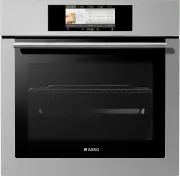
418669 The fi gure represents one of the appliance models. Since a group of appliances to which these instructions apply, have different features, the instruction manual may describe functions and equipment that may not be available in your appliance. 1. Control panel 2. Oven door handle 3. Oven doo...
Page 8 - Oven control; Control unit – touch control
A B C D E F G H I J K L M 418669 • A fi eld coloured green or orange indicates the selected setting. • Move through the menu by sliding your fi nger up and down or left and right. • Touch the INFO (D) key at any time for information about the menu you are currently in. On/Off Child lock A Back to ma...
Page 9 - Before the
418669 • Remove all accessories from the oven and clean them with warm water and regular detergent. Do not use any abrasive cleaners. • When the oven heats up for the fi rst time, the characteristic smell of “the new” will be emitted. Therefore, ventilate the room thoroughly during fi rst operation....
Page 10 - CLOCK; rm your language selection; display colour scheme; rst time or after being disconnected from the; Selecting the language
418669 If you are not happy with the language in which the messages on the display are presented, you may select another one. Select the CLOCK display in the main menu. Touch the ( ) symbol to set the language. A list of languages will appear; slide up and down to scroll through the list. Con fi rm ...
Page 11 - SIMPLEbake in AUTObake; B) COOKING BY SELECTING THE OPERATION MODE -; PRObake; A) COOKING BY SELECTING THE TYPE OF FOOD; The; The program offers nine categories of the
418669 If the display is not touched within 5 minutes, the light is automatically switched off and clock will be displayed (in clock display mode, power consumption is approx. 3 W higher than when the appliance is turned off). The process of preparing food in your oven can be controlled in two ways:...
Page 14 - B) COOKING BY SELECTING THE OPERATION MODE; and; preheating; The oven may operate in the following modes:; Upper / lower heater; The heaters on the upper and lower side of the oven; Large grill; With this operation mode, the upper heater and the
418669 B) COOKING BY SELECTING THE OPERATION MODE Use this mode when you wish to prepare any type and amount of food. In this mode, you manually choose the cooking/heating system, temperature, duration, cooking end time, and preheating . All cooking parameters and settings may be changed during cook...
Page 17 - Timer functions
418669 • After setting the heater combination and temperature, touch the START symbol to start cooking, or choose extra settings (see section Timer Functions). • All settings are indicated on the display. The last frame displays the oven temperature and the cooking time elapsed. Setting the cooking ...
Page 18 - • Touch the; START; symbol to turn on the oven. The oven will
418669 After one minute, the acoustic signal will be switched off automatically. Setting the delayed start – combination of cooking time and end time In this mode, you may specify the duration of the cooking process (cooking time) and the time when you wish the cooking process to stop (end time). En...
Page 20 - Touch the; EXTRA; eld to set extra functions.; Before activating the automatic pyrolitic cleaning; Extra functions
418669 For safety reasons, the oven will automatically switch off after a certain cooking time: - after 10 hours if the set temperature is higher than 120°C; - after 24 hours if the set temperature is lower than 120°C. manjša od 120°C. Touch the EXTRA fi eld to set extra functions. Oven self-cleanin...
Page 22 - MYbake
418669 Minute minder. Use this function independently of oven operation when you wish to be warned at a previously set time. The minder’s countdown timer can be set to a maximum of 10 hours.- Set the clock by touching the CLOCK symbol. Touch the ( ) symbol to select the settings time and con fi rm i...
Page 23 - inserted into the oven at four levels.; wire guides should be removed from the oven!
418669 23 Using your own recipes The fi lmstrip can be moved left and right. Your favourite recipes that you have previously stored in the memory can be retrieved and used at any time. The list may contain up to 120 different recipes. Select and set the procedure by touching the MYbake fi eld. • Acc...
Page 24 - Stainless steel pro
418669 Before pyrolitic cleaning, the extendible telescopic guides should be removed from the oven! For easier insertion of the baking tray, the inserted pro fi le allows both telescopic guides to be pulled out equally and simultaneously. Installation: • To insert the pro fi le, fi rst pull out both...
Page 26 - Grease
418669 PYROLITIC DEEP BAKING TRAY is intended for baking meat and moist pastry; it is also intended as a drip tray. PYROLITIC DEEP BAKING TRAY is marked with a dot (embossment). It can be cleaned using the automatic pyrolitic cleaning program. Unless you are using the grill, or the deep baking tray ...
Page 27 - fl; Baking pastry with hot air; Baking pastry; Food preparation
418669 • For baking pastry, use the , or . mode of operation. (Oven operation with the selected mode, or system, depends on the appliance model). • When baking pastry, always remove the fat fi lter. Instructions • When baking pastry, always observe the instructions on the shelf / guide level, temper...
Page 30 - Settings table for baking pastry with hot air and lower heater
418669 Settings table for baking pastry with hot air and lower heater Type of pastry Guide (from the bottom) Temperature (°C) Cooking time (minutes) Cheesecake (750g cheese) - short pastry 2 150-160 65-80 Pizza * - leavened dough 2 200-210 15-20 Quiche Loraine - short crust dough 2 180-200 35-40 App...
Page 31 - Tips on using the cookware; Some notes on cooking meat; Cooking / roasting meat
418669 • To cook meat, use the operating modes and . • Data printed in bold represent the most appropriate operation mode for a particular type of meat. • When cooking meat, the use of the fat fi lter is recommended (depending on the model). Tips on using the cookware • Meat can be cooked in enamel ...
Page 32 - on the grid inserted into the
418669 Meat cooking table for upper/lower heater combination or with hot air - when cooking on one level only Type of meat Weight (g) Guide (from bottom) Tempera- ture (°C) Guide (from bottom) Tempera- ture (°C) Cooking time (min.) Beef Beef roast 1000 2 190-210 2 180-190 100-120 Beef roast 1500 2 1...
Page 33 - Some tips on using the grill function; Grilling and browning
418669 • When grilling meat, you should be particularly careful. The high temperatures and infra heater heat the grid and other parts of the oven to very high degrees; use protective kitchen gloves and special meat tongs. • Hot fat may squirt out of pierced meat (e.g. from sausages). To avoid burnin...
Page 35 - Cooking table - Large grill; rst or second guide this way, it will serve as a
418669 Cooking table - Large grill Type of food Weight (g) Guide level (from bot- tom) Temperature (°C) Temperature (°C) Cooking time (min) Meat and sausages 4 beef loin chops, rare 180g/pc 4 240 - 14-16 4 beef loin chops, medium “ 4 240 - 16-20 4 beef loin chops, well done “ 4 240 - 18-21 4 pork ne...
Page 36 - Recommended core temperature:
418669 • In this programming mode, you may set the desired food temperature. The setting can be made in the range from 30 and 99°C. • Cooking with a meat probe is ideal for preparing large boneless chunks of meat. Chicken and rabbit are not appropriate for this preparation method. Recommended core t...
Page 37 - Preservation
418669 Cooking procedure using the meat probe • Connect the meat probe plug to the socket and stick the probe into the chunk of food. The socket is located in the upper corner of the left oven cavity wall. The socket is protected by a metal plug which should be removed and replaced after the end of ...
Page 38 - Defrosting; Preservation table
418669 • Air circulating in the oven may speed up the process of defrosting frozen food. • Food appropriate for defrosting includes cakes with heavy cream or butter-based fi lling, other cakes and pastry, bread, buns, and deep-frozen fruit. • For reasons of hygiene, meat and poultry should not be de...
Page 39 - The inner door glass is treated with a special re; Cleaning and maintenance
418669 Do not use a steam cleaner or a high-pressure steam cleaner to clean the appliance. Before you start cleaning the appliance, disconnect it from the power mains and let it cool down. Appliance housing front Clean the surfaces with liquid non-abrasive detergents intended for smooth surfaces, an...
Page 40 - Cleaning
418669 Oven 1. Automatic self-cleaning program – PYROLYSIS The PYROLYSIS program allows automatic cleaning of the oven interior by employing high temperature that causes the grease stains and other impurities to incinerate and thus reduces them to ashes. During pyrolitic cleaning, unpleasant odors m...
Page 41 - • The oven can be cleaned in conventional manner (with
418669 During the automatic cleaning program, the oven interior lighting will be switched off. After a certain period of time, oven door will be automatically locked for your safety. Symbol ( ) will appear on the display.After the cleaning process, oven door will remain locked for approx. 30 minutes...
Page 45 - Attention
418669 • Slowly close the door until the clips are pressed against the supports / seats. At approximately 15° (relative to the closed door position), pull the door slightly upward and pull them out of the both hinge supports on the appliances (Figure 3). • Replace the door in the reverse order. Inse...
Page 46 - Oven bulb; • Unscrew the glass cover in the counterclockwise direction,
418669 Oven bulb (only with some models)Oven bulb is considered a replacement ware part and is not covered by the warranty. Replace the bulb with a new one with the following speci fi cations: socket G 9, 230 V, 25 W, 300°C. • Unscrew the glass cover in the counterclockwise direction, replace the bu...
Page 47 - Important; Special warnings and error reporting
418669 Sensors do not respond, the display has frozen • Disconnect the cooker from the power network for a few minutes (remove the fuse or trip the main switch); then, reconnect it to the power network and turn on the oven The main fuse is tripped repetitively • Call a service technician! Oven inter...
Page 48 - Instructions for installation and connection
418669 • Veneer or other fi nish of the furniture the appliance is being built into should be processed with heat-resistant glue (100°C); otherwise, high temperatures may cause them to deform. • Before installing the appliance, remove the back wall from the piece of kitchen furniture the appliance i...
Page 50 - Electrical connection
418669 The appliance may only be connected to the power mains by an authorized service technician or a registered electrician! Incorrect connection may result in damage to or destruction of respective parts of the appliance; in such cases, the warranty is void. • Open the connection clip using a scr...
Page 52 - Technical characteristics
WE RESERVE THE RIGHT TO MAKE ANY CHANGES THAT DO NOT AFFECT THE FUNCTIONALITY OF THE APPLIANCE. Instructions for use of the appliance can also be found on our website at www.gorenje.com / < http://www.gorenje.com /> 418669 Rating plate A Serial number B Code C Model D Type E Trademark F Techni...