Whirlpool AKP9785IXAUS - User Manual
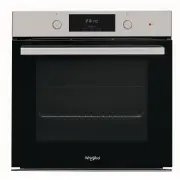
Whirlpool AKP9785IXAUS Oven – User Manual, read for free online in PDF format. We hope this helps you resolve any issues you may have. If you have further questions, please contact us through the contact form.


Table of Contents:
- Page 2 – ACCESSORIES; The number of accessories may vary depending on which
- Page 3 – FUNCTIONS; * Function used as reference for the energy efficiency
- Page 4 – USING THE APPLIANCE FOR THE FIRST TIME; SELECT A FUNCTION; DAILY USE; SET THE TIME
- Page 7 – USEFUL TIPS
- Page 8 – COOKING TABLE
- Page 9 – doesn’t require preheating.
- Page 10 – MAINTENANCE AND; REPLACING THE LIGHT
- Page 11 – REMOVING AND REFITTING THE DOOR; LOWER THE TOP HEATING ELEMENT
- Page 12 – PRODUCT FICHE; HOW TO OBTAIN THE USE AND CARE GUIDE; CONTACTING OUR AFTER-SALES SERVICE; TROUBLESHOOTING
EN
1
PRODUCT DESCRIPTION
CONTROL PANEL
1.
Control panel
2.
Fan
3.
Circular heating element
(not visible)
4.
Shelf guides
(the level is indicated on the front
of the oven)
5.
Door
6.
Upper heating element/grill
7.
Lamp
8.
Meat probe insert point
(if present)
9.
Identification plate
(do not remove)
10.
Lower heating element
(not visible)
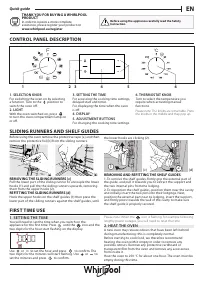
1. LEFT-HAND DISPLAY
2. LIGHT
For switching the lamp on/off.
3. ON/OFF
For switching the oven on and off
and for stopping an active function
at any time.
4. BACK
For returning to the previous menu
when configuring settings.
5. ROTARY KNOB / 6
TH
SENSE
BUTTON
Turn this to navigate through the
functions and adjust all of the
cooking parameters. Press
to select, set, access or confirm
functions or parameters and
eventually start the cooking
program.
6. TEMPERATURE
For setting the temperature.
7. TIME
For setting or changing the time
and adjusting the cooking time.
8. START
For starting functions and
confirming settings.
9. RIGHT-HAND DISPLAY
DAILY REFERENCE
GUIDE
Before using the appliance carefully read the Health and Safety guide.
THANK YOU FOR PURCHASING A
WHIRLPOOL PRODUCT
To receive more comprehensive help and
support, please register your product at
www.whirlpool.eu/register
WWW
You can download the Safety Instructions
and the Use and Care Guide by visiting our
website
docs.whirlpool.eu
and following
the instructions on the back of this booklet.
5
4
3
2
1
5
4
3
2
1
1
2
3
4
5
9
10
7
6
1
2
5
6
9
3
4
7 8
8
"Loading the manual" means you need to wait until the file loads and becomes available for online reading. Some manuals are very large, and the time they take to appear depends on your internet speed.
Summary
2 ACCESSORIES WIRE SHELF DRIP TRAY BAKING TRAY SLIDING RUNNERS (ONLY IN SOME MODELS) MEAT PROBE (ONLY IN SOME MODELS) The number of accessories may vary depending on which model is purchased. Other accessories can be purchased separately from the After-sales Service. INSERTING THE WIRE SHELF AND OTH...
EN 3 CONVENTIONAL For cooking any kind of dish on one shelf only. GRILL For grilling steaks, kebabs and sausages, cooking vegetables au gratin or toasting bread. When grilling meat, we recommend using a drip tray to collect the cooking juices: Position the tray on any of the levels below the wire sh...
4 USING THE APPLIANCE FOR THE FIRST TIME 1. SELECT A FUNCTION When the oven is off, only the time is shown on the display. Press and hold to switch the oven on. Turn the knob to view the main functions available on the left-hand display. Select one and press . To select a sub-function (where availab...