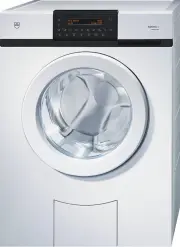
Page 2 - Model; Adora S
Thank you for choosing to buy one of our products. Your appliance is made tohigh standards and is easy to use. Nevertheless, please take the time to readthese operating instructions in order to familiarize yourself with the applianceand get the best use out of it. Please follow the safety precaution...
Page 3 - Contents
Contents 1 Safety precautions 5 1.1 Symbols used ......................................................................................... 5 1.2 General safety precautions .................................................................. 6 1.3 Appliance-specific safety precautions ....................
Page 5 - Safety precautions; Symbols used; Information and precautions that should be observed.
1 Safety precautions 1.1 Symbols used Denotes important safety precautions.Failure to observe said precautions can result in injury or indamage to the appliance or fittings! Information and precautions that should be observed. Information on disposal Information about the operating instructions Indi...
Page 6 - General safety precautions; Safety precautions
1.2 General safety precautions • Read the operating instructions before usingthe appliance for the first time! • This appliance can be used by children aged8 and above and by persons with reducedphysical, sensory or mental capabilities, orlack of experience and/or knowledge,provided they are supervi...
Page 8 - Appliance-specific safety precautions; CAUTION
1.3 Appliance-specific safety precautions • Children under 3 years of age must be keptaway unless constantly supervised. • The appliance has a maximum dry loadcapacity of 8 kg. CAUTION • If this appliance is supplied from a cord exten-sion set or electrical portable outlet device,the cord extension ...
Page 9 - Instructions for use; Before using for the first time; Use original spare parts only.; Note on use
1.4 Instructions for use Before using for the first time • The appliance must be installed and connected to the electricity supply inaccordance with the separate installation instructions. Have a qualified fitter/electrician carry out the necessary work. • Ensure access to the place of disconnection...
Page 11 - How to avoid damaging the appliance; Close the appliance door carefully.
How to avoid damaging the appliance • Close the appliance door carefully. • Before closing the appliance door and starting a programme, ensure thatthere are no foreign objects or pets in the washing drum, detergentdispenser drawer or around the foreign body trap. Foreign objects such ascoins, nails,...
Page 12 - Packaging; Remove or disable the lock on the appliance door.; Disposal; The
2 Disposal Packaging • All packaging materials (cardboard, plastic film (PE) and polystyrene (EPS))are marked and should, if possible, be collected for recycling and disposedof in an environmentally friendly way. Disconnection • Disconnect the appliance from the mains. With a fixed appliance, this i...
Page 13 - Using for the first time; Transport lock; II
3 Using for the first time The appliance must be installed and connected to the electricity supply inaccordance with the separate installation instructions. Have a qualified fitter/electrician carry out the necessary work. The appliance was tested with water before being shipped. There maytherefore ...
Page 14 - Where is the identification plate?; Using for the first time
3.1 Where is the identification plate? 1 Identification plate with serial number(FN) 1* * Depending on the serial number (FN) Note down the serial number (FN) of your appliance on the back page ofthese operating instructions. 3 Using for the first time 14
Page 15 - Appliance description; Appliance overview
4 Appliance description 4.1 Appliance overview • Load capacity: 8 kg dry washing • 6 main programmes • 2 standard programmes • 4 extra programmes • Additional programmes • Load capacity: 8 kg dry washing • 6 main programmes • 2 programmes for normally soiled cotton load • 4 extra programmes • 6 favo...
Page 16 - Appliance construction; Detergent dispenser drawer
4.2 Appliance construction The appliance door can be set to open to the left or to the right. OurCustomer Services can make the necessary adjustments to the appli-ance. 1 Operating and display elements(pivoting operating panel) 1 2 3 4 5 6 7 8* 2 Detergent dispenser drawer 3 Appliance door 4 Drain t...
Page 17 - Operating and display elements; Plain text displays; Appliance description
4.3 Operating and display elements 60 40 30 20 °C 95 * * Depending on the serial number (FN) Plain text displays Various information appears in the plain text display during the programmeselection and the programme sequence. • Programme name with duration • Delayed start • Programme end time • User ...
Page 18 - Indicator light flashes
Additional programmes Eco Steam anti-crease Sprint Fabric types Easy care AquaPlus Pre-wash Degree of soiling, anti-mite Additional functions Spin speed Delayed start ° C Temperature setting Fast forward / End ofprogramme / Pause / Door opener* or Door opener* * Depending on the serial number (FN) I...
Page 19 - Programme overview; Main programmes; Coloureds 60 °C
5 Programme overview 5.1 Main programmes To select the right programme, follow the fabric care symbols on thelabels of the wash items, e.g. 40 . 95 Whites 95 °C 1–8 kg 1x White cottons, linens with the 95 fabric care symbol e.g. bed and table linen, towels, white or colour-fast underwear. 60 Coloure...
Page 20 - Coloureds 20 °C; symbols; Woollens 30 °C; a felt-free finish and labelled as «machine washable».; Hand wash 20 °C; Very gentle wash for items labelled with the; programmes for normally soiled cotton load; 0 °C Coloureds normal
20 Coloureds 20 °C 1–8 kg Energy-saving programme for lightly soiled textiles with fabric care symbols 30 , 40 , 60 or 95 . Woollens 30 °C 1–2 kg Gentle wash for woollens and other delicates. Only for woollens with a felt-free finish and labelled as «machine washable». Hand wash 20 °C 1–2 kg Very ge...
Page 21 - Extra programmes; × Dry, creased washing that can be washed at min. 40°C is partially; Proofing; be added to the fabric conditioner compartment .; Appliance hygiene; × Without any washing. A small amount of water is heated up to; Programme overview
5.3 Extra programmes 95 Steam anti-crease 1–1.5 kg 2× Dry, creased washing that can be washed at min. 40°C is partially uncreased and made damp, ready to iron. 95 Proofing 1–3 kg 3× For starching or proofing fabrics. The starching or proofing agent can be added to the fabric conditioner compartment ...
Page 22 - Additional programmes; Eco
5.4 Additional programmes Eco Large energy savings due to reduced wash temperature. The extended washing time ensures the washing performance is main-tained. • Programme duration extended: 25–60 minutes • Energy saving depending on programme: 10–40 % Water savings due to reduced amount of water for ...
Page 28 - Additional functions
5.5 Additional functions Function/Symbol Uses Temperature setting ° C The temperature can be changed in steps of10 °C or 15 °C, allowing slightly soiled (notstained) textiles to be washed with a saving inenergy. Cold wash: Not heated Spin speed The spin speed can be changed in steps of 200rpm (1200,...
Page 29 - User settings; Adjusting user settings; Changing user settings; Exiting user settings
6 User settings 6.1 Adjusting user settings Providing no programme is running and no error message is displayed, theuser settings can be changed with the appliance door open or closed. Theprocedure is generally the same for all settings. Changing user settings Hold the button depressed for 5 seconds...
Page 30 - Possible user settings; User settings
Possible user settings The following two-page diagram gives an overview of the possible usersettings. ▸ Hold the button depressed for 5 seconds. • Time • OFF *• ON • 1200 rpm *• 1400, 1500/1600**, 400, 600, 800, 1000 rpm • Text in English• Text in Deutsch• Texte en français• … • Standard *• More wat...
Page 32 - Language; Changing the language
6.2 Language The language in the plain text display can be changed. Changing the language Hold the button depressed for 5 seconds. User settingsFN XXXXX XXXXXX Press the button repeatedly until the current language setting appears in theplain text display, e.g.: D/F/I/R/E English Language Press the ...
Page 33 - Changing the time
6.3 Time The time must be reset if the appliance has been disconnected from themains for a longer period of time (about 5 weeks). To ensure the time is stored, the appliance should not be discon-nected from the mains supply for at least 30 minutes after making thesettings. Changing the time Hold the...
Page 34 - «Standard»; Changing the rinsing intensity
6.4 AquaPlus There are 5 different settings for rinsing intensity. «Standard» • Normal water level «More water» • The water level is increased by around 1–3 cm during the main wash andeach rinse cycle. «+1 rinse» • An extra rinse cycle is added to each programme. «More water +1 rinse» • An extra rin...
Page 35 - Switching soft water on/off
6.5 Soft water The programmes can be adjusted for use with very soft water. The slightly reduced wash action prevents excessive foaming. Since the deter-gent does not rinse out as well with soft water, the amount of water used forrinsing is increased slightly and an extra rinse cycle is added. Switc...
Page 36 - Spin speed; Setting maximum spin speed
6.6 Spin speed Each programme and combination of programmes is assigned an optimumspin speed at the factory. This can be adjusted to suit individual needs. Increasing the spinspeed: To protect delicates, can only be used with suitableprogrammes (e.g. whites). Reducing the spinspeed: Can be used with...
Page 37 - Switching hygiene recommendation on/off
6.7 Hygiene recommendation It is common nowadays to select programmes with temperatures below 60° Cin order to save energy. These achieve perfectly good results with lightlysoiled everyday washing. Washing almost exclusively with low temperatureswill result in the formation of foul smelling coatings...
Page 38 - Switching the childproof lock on/off; Automatic door opener; Switching the automatic door opener on/off
6.8 Childproof lock The childproof lock is to prevent children accidentally starting or stopping aprogramme. When the childproof lock is on, a programme can only be startedby pressing two buttons simultaneously. Switching the childproof lock on/off Hold the button depressed for 5 seconds. User setti...
Page 39 - Loosening up the washing; Changing the loosening-up period
6.10 Loosening up the washing The loosening-up period at the end of the programme can be set to 4 levels: • 30 seconds* • 10 minutes • 30 minutes • 6 hours *Factory setting Changing the loosening-up period Hold the button depressed for 5 seconds. User settingsFN XXXXX XXXXXX Press the button repeate...
Page 40 - Changing the brightness
6.11 Brightness The text in the plain text display can be set to 5 levels of brightness. • 1 very dark • 2 dark • 3 medium • 4 bright • 5 very bright Changing the brightness Hold the button depressed for 5 seconds. User settingsFN XXXXX XXXXXX Press the button repeatedly until the current setting ap...
Page 41 - Restoring factory settings
6.12 Restoring factory settings The factory settings can be restored. Hold the button depressed for 5 seconds. User settingsFN XXXXX XXXXXX Press the button repeatedly until the following appears in the plain text display: Factory settingrestore? Press the 60 button. Restore factory settings «YES»: ...
Page 42 - Washing; Preparing the appliance
7 Washing 7.1 Preparing the appliance Ensure that the foreign body trap 1 is sitting properly. 1 Plug the appliance in at the mains or turn the wallswitch on. – The appliance switches on. 1 0 1 0 Turn on the water tap. Press the or button to open the appliance door. 42
Page 43 - Loading the appliance; Washing
7.2 Loading the appliance Load dry washing (max. 8 kg). • If washing normally soiled whites andcoloureds, fill the washing drum. • If washing heavily soiled whites andcoloureds, fill the washing drum max. ¾full. • If washing easy care cotton fabrics, whiteand coloured synthetic fabrics as well asmix...
Page 44 - Adding washing detergent; Powder detergent; Liquid detergent
7.3 Adding washing detergent Pull the detergent dispenser drawer out asfar as it will go. Powder detergent If using powder detergent, flap 1 in compart- ment II must be removed. Pull flap 1 upwards and out of position 3 and insert in position 2 . 2 3 II 1 Liquid detergent If using liquid detergent, ...
Page 45 - Soft
Liquid detergent and a delayed start If a delayed start has been selected, after loading the washing the liquid deter-gent should be added to a dosing aid (e.g. ball). It is important that the liquiddetergent does not spill onto the washing during the delayed start period,otherwise the washing could...
Page 46 - Compartment; Fabric conditioner
Compartment Pre-wash detergent Add to compartment I I II Main detergent Add to compartment II Fabric conditioner (soft-ener) Add to compartment Bio wash Alkaline detergent Add to compartment II Bleach Add to compartment I Fabric conditioner (softener) Add to compartment Soap wash Water softener Add ...
Page 47 - Selecting a programme; «Press and go»; Close the appliance door.
Dyeing textiles Textiles can be dyed in the appliance using suitable dyeing agents. Pleasefollow the manufacturer’s safety instructions and warnings carefully. Each wash programme starts with brief draining and for this reasonliquid dye components should be added after this. After adding the wash de...
Page 48 - Selecting additional programme
°C 60 40 30 20 95 Press the desired programme button (press or 95 1× or more). – The indicator light for the programme selected illuminates.– The programme selected, the likely duration (hours/minutes) and the end time are displayed. – The indicator lights for additional programmes that may be selec...
Page 49 - Selecting fabric type
Selecting fabric type °C 95 60 40 30 20 Immediately after selecting a programme, press the button repeatedly until the desired fabric type appears in the plain text display: • Coloureds • Net curtains • Baby garments • Shirts • Black garments • Down • Outdoor garments • Denim • Silks – The likely du...
Page 50 - Selecting AquaPlus; Immediately after selecting a programme, press the
Selecting AquaPlus °C 95 60 40 30 20 Immediately after selecting a programme, press the button repeatedly until the desired rinsing intensity appears in the plain text display: • Standard • More water • + 1 rinse • More water + 1 rinse • Skin protection – The likely duration of the programme appears...
Page 51 - Setting the soaking time
Selecting degree of soiling / anti-mite / soaking °C 95 60 40 30 20 Immediately after selecting a programme, press the button repeatedly until the desired degree of soiling appears in the plain text display: • Soiling light • Soiling heavy • Soaking • Soiling medium • Anti-mite – The likely duration...
Page 52 - Changing the spin speed
Changing the spin speed °C 95 60 40 30 20 Immediately after selecting a programme, press the button repeatedly until the desired spin speed appears in the plain text display. It is possible to change the current setting while a programme isrunning. The recommended and maximum settable spin speeds de...
Page 53 - Changing the temperature
Changing the temperature °C 95 60 40 30 20 Immediately after selecting a programme, press the °C button repeatedly until the desired temperature appears in the Plain text display. It is still possible to change the temperature once the programme hasstarted running. 7 Washing 53
Page 55 - Selecting separate rinsing / separate spinning; Opening the appliance door during operation
Selecting separate rinsing / separate spinning Select main programme. Press the button 1×. Rinsing 0h40 15:38 Press the button 2×. Final rinse 0h18 15:16 Press the button 3×. Final spin 0h12 15:10 Opening the appliance door during operation The appliance door can only be opened if the water level an...
Page 56 - Changing selection; During programme selection
For appliances with the button Press the button. – The appliance door opens.– The Plain text display flashes. Add or unload wash items.Close the appliance door. – The programme is resumed. In the event of a power failure, the appliance door can only be openedusing the emergency door release.The prog...
Page 57 - Programme selection with childproof lock activated; Aborting a programme
7.6 Programme selection with childproof lock activated How to switch the childproof lock on/off is described in 'User settings'. Close the appliance door. – In the plain text display appears:– The indicator lights for the programme buttons flash. Childproof lock ON Hold the desired programme button ...
Page 58 - Programme selection for a normally soiled cotton load; Data for the 40 °C Coloureds normal programme
7.7 Programme selection for a normally soiled cotton load °C 60 40 30 20 95 Close the appliance doorPress the flashing button once for selection of 40 °C Coloureds normal. 40°C Coloureds normal 3h40 End 13:49 max. 8 kg Press the flashing button twice for selection of 10 °C Coloureds normal. 10°C Col...
Page 59 - Loosening up the washing; With «Automatic door opener ON»
7.8 End of programme Loosening up the washing Shortly before the end of the programme, the washing is loosened up. Thistakes about 1–2 minutes. If steam anti-crease has been selected, the loos-ening-up period is extended to about 60 minutes to prevent further creasing. Press the or button to unload ...
Page 60 - With the hygiene recommendation display; With one of the next wash cycles carry out a wash with at least 60°C.; At the end of the wash day; – This allows the washing drum and the door seal
With the hygiene recommendation display Hygiene recommendation:at least 60 °C programme / or select appliancehygiene With one of the next wash cycles carry out a wash with at least 60°C. or: Unload the washing.Press the 95 4× button. – The «Appliance hygiene» programme starts. 7.9 At the end of the ...
Page 61 - Care and maintenance; Cleaning the detergent dispenser drawer; Cleaning the detergent compartments
8 Care and maintenance Using the correct dosage of detergent will automatically clean the inside of theappliance. Immediately wipe away all traces of detergent with a soft cloth toavoid staining. 8.1 Cleaning the detergent dispenser drawer If the correct dosage of detergent is used, the compartments...
Page 62 - Cleaning the water inlet filter; To avoid blockages, the filter; Care and maintenance
8.2 Cleaning the water inlet filter To avoid blockages, the filter 1 in the water inlet must be periodically checked and, if necessary, cleaned. 1 The water inlet should be tested for leaks following maintenance work. 8 Care and maintenance 62
Page 63 - Emergency draining
8.3 Emergency draining The water in the appliance may be hot. Scalding hazard! Allow tocool before emergency draining.In the event of a blocked water outlet or drain pump, a malfunctionor a power failure, if there is water still in the appliance it must bedrained off as follows: Open the drain tray ...
Page 64 - Cleaning the foreign body trap
8.4 Cleaning the foreign body trap The foreign body trap 1 must be periodically cleaned of any deposits. The foreign body trap should also be cleaned after washing e.g. petblankets or other wash items that cause a thick build-up of fluff. Drain off any residual water, see section on «Emer-gency drai...
Page 65 - What to do if ...; Before calling Customer Services, please note down the error; Restart the programme.; Restart the programme.
9 Trouble-shooting 9.1 What to do if … This section lists faults that can be solved simply by following the instructionsgiven. If another fault is displayed or the fault cannot be remedied, please callCustomer Services. Before calling Customer Services, please note down the error message in full. FX...
Page 66 - Wash items are tangled.
... in the display appears A5 Spin stop: Unbalanced load Possible cause Solution • Large items are unevenlydistributed in the washingdrum. Wash large and small items together toreduce the possibility of unbalancedloads forming. • Pillows or similar items in thewash. Remove the pillows.Spin the washi...
Page 67 - The water tap is turned off.; Call Customer Services.
... in the display appears A9 Check water inlet? Possible cause Solution • The water tap is turned off. • The mesh filter in the waterconnection is clogged. • Interruption in water supply. • The water pressure is too low. Remove the cause of the problem orwait until the water supply is restored.Canc...
Page 69 - Faulty electrical connection.
... in the display appears U1 / E27 see instructions FN XXXXX XXXXXX Possible cause Solution • Faulty electrical connection. • Overvoltage Cancel the error message by pressingthe button. Switch off the power supply for about1 minute.Switch the power supply back onagain and select a new programme. If...
Page 72 - ... the washing is not spinning or is not being spun properly
... in the display appears Too many articlesheating extended Possible cause Solution • Selected programme isintended for a reducedwashing load. If there aretoo many articles, heatingand possibly also therinsing will be extended. With the next wash cycle adjust the amount ofarticles to the max. washi...
Page 73 - ... vibrating heavily when spinning; Remove transportation lock.
... in the display appears Large unbalanced loadspin extended Possible cause Solution • Large unbalance in thewashing drum. The appli-ance tries to improve thedistribution of the washload. The final spin isextended. Wash large and small items together toreduce the possibility of unbalanced loadsform...
Page 74 - Store washing detergent in a dry place.
… at the end of the programme water sounds can be heard when thewashing drum is turned by hand Possible cause Solution • The water that the vaneswere filled with tocompensate the unbal-anced load could not becompletely drained beforethe end of theprogramme. No action is necessary. The expelled water...
Page 77 - Washing tips; Fabric care symbols
10 Washing tips 10.1 Fabric care symbols To wash items correctly, please follow the fabric care symbols on the labels ofthe wash items. 10.2 Washing detergent The wash temperature selected should agree with the recommended tempera-ture range of the washing detergent to ensure the washing detergent i...
Page 78 - 0 Washing tips
10.4 Net curtains If washing curtains made from mixed or man-made fibres: • Ask the retailer whether the curtains are machine washable and, if so, atwhat water temperature. • Fill the washing drum only a quarter full. • Tie up metal rollers and plastic sliders using an open weave fabric. • Use a mil...
Page 79 - Saving energy and water; Use the maximum wash load capacity of the particular programme.; rpm
10.5 Saving energy and water • Use the maximum wash load capacity of the particular programme. • Select «Pre-wash» or «Soaking» only for washing that is heavily soiled orstained. • For lightly soiled washing without staining select the main 20 programme or the additional «Sprint» function. • Select ...
Page 80 - Unsatisfactory wash results; White residue on washing; Put less laundry into the washing drum.; Washing feels hard to the touch; Select the «Soft water» user setting.
10.6 Unsatisfactory wash results White residue on washing Possible cause Solution • Despite thorough rinsing,badly soluble compounds(zeolites) in the detergentcan be left on thewashing. Shake out or brush the wash items.Wash the items again with just a littlewashing detergent.Use a liquid detergent ...
Page 81 - Unsatisfactory wash result using detergent for coloureds; Unsatisfactory wash result using liquid detergent; Use washing detergent containing bleach.; Soap deposits on washing; Empty garment pockets.
Unsatisfactory wash result using detergent for coloureds Possible cause Solution • Exceptionally heavilysoiled washing. Select stronger wash programme, e.g.degree of soiling «heavy». • Washing detergent useddoes not contain bleach.Fruit, coffee and teastains cannot beremoved. Use washing detergent c...
Page 83 - Fabric wear
Fabric wear Possible cause Solution • Washing drum over-loaded. Put less laundry into the washing drum. • Friction between fabricsduring washing. Select the additional «Easy care» programme. • Pilling. Turn items inside out before washing. 10 Washing tips 83
Page 84 - Spare parts
11 Spare parts Please give product family and exact designation when ordering parts. Drain hose 1.5 m / 4.0 m Emergency door release tool Foreign body trap Drain tray Siphon Detergent dispenser drawer Liquid detergent flap 84
Page 85 - Technical data; Connection to water supply:; Electrical connection; See identification plate
12 Technical data 12.1 Dimensions Height: 85 cm Width: 59.5 cm Depth: 60 cm Empty weight: 64 kg Dry load capacity: 8 kg 12.2 Plumbing in Connection to water supply: Cold water G¾" Permitted pressure of water supply: 0.1–0.6 MPa (1–6 bar)Max. pumping height of drain pump: 1.2 m 12.3 Electrical co...
Page 86 - Consumption data; Whites and coloureds programmes, light soiling; 2 Technical data
12.5 Consumption data The consumption data and programme durations given serve only as a guide.They refer to the maximum load capacity and can vary with, for instance,towelling material, a very cold water feed, the degree of soiling selected or asmaller wash load. The time remaining and the programm...
Page 87 - Note for testing institutes; VAS Vibration Absorbing System
Extra programmes Programme Load kg Spin speed 1 rpm Duration hrs./mins. Water litres Energy kWh Steam anti-crease 1–1.5 None 0h23 1 0.1 Proofing 20 °C 1-3 800 0h28 12 0.1 Appliancehygiene 0 None 0h38 9 0.7 12.6 Note for testing institutes Set to the test programmes according to AS/NZS 2040.2:2005 Pr...
Page 88 - Water and energy economy; Power consumption; watts
12.8 Water and energy economy During the first few minutes of a programme running, sensors automaticallydetermine the type and the size of the load being washed. Water levels are then optimally adjusted to the wash load so that only the strictamount of water needed is used. 12.9 Automatic energy-sav...
Page 89 - Notes
Page 91 - Index; Automatic water and energy
14 Index A Additional functions ................18, 28Additional programmes ... 15, 18, 22 Selecting ..................................... 48 Allergies ....................................26, 34Anti-mite ....................................26, 51Appliance Construction ..............................1...
Page 95 - Repair service; FN; – The identification plate* is located next to the foreign body trap.; Your repair order
15 Repair service The «Trouble-shooting» section gives you valuable tips on how tocorrect minor functions yourself, saving you the time and trouble ofcalling out a service technician and the cost that goes along with it. Register your V-ZUG appliance today online via our website at vzug.com orusing ...
Page 96 - Quick instructions
Quick instructions Please first read the safety precautions in the operating instructions! Switch on the appliance and turn on the water tapOpen the appliance door by pressing the or button Load the washing and then close the appliance doorPull the detergent dispenser drawer out and add the washing ...