Page 2 - Safety precautions; General safety precautions; CAUTION; Instructions for use
2 Safety precautions Read the operating instructions be-fore using the appliance for the firsttime. General safety precautions ▪ This appliance can be usedby children aged 8 andabove and by persons withreduced physical, sensoryor mental capabilities, orlack of experience and/orknowledge, provided th...
Page 3 - Correct use
Safety precautions 3 ▪ Any repairs, modifications or manipula-tions to the appliance, especially anyelectrically live parts, may only be car-ried out by the manufacturer, its cus-tomer service department or similarlyqualified persons. Repairs if carried outincorrectly may cause serious injury,damage...
Page 4 - Using for the first time; Transport lock; II; Serial number; Symbols used; Type; Modifications
Safety precautions 4 Using for the first time The appliance must be installed andconnected to the electricity supply bya qualified fitter/electrician in accord-ance with the separate installation in-structions. Transport lock Remove the transport lock (hexagonhead screws at the back of the appli-anc...
Page 5 - Contents
Contents 1 Appliance description 6 1.1 Appliance construction .................................. 6 1.2 Indicator lights and button state .................. 6 1.3 Operating and display elements .................. 7 2 Programme overview 8 2.1 Whites and coloureds programmes ............ 8 2.2 Progra...
Page 6 - Appliance description; Appliance construction; Indicator lights and button state; Indicator lights
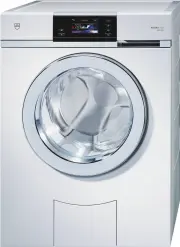
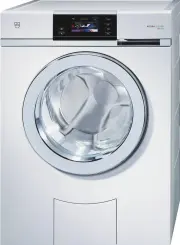
1 Appliance description 1.1 Appliance construction 67 89 Detergent dispenser drawer (2) 10 121314 11 Drain tray (5) 1 2 3 4 5 1 Pivoting operating panel 8 Fabric conditioner, compartment 2 Detergent dispenser drawer 9 Liquid detergent flap / drain tray opener 3 Appliance door 10 Siphon for fabric co...
Page 7 - Operating and display elements
1 Appliance description 1.3 Operating and display elements 1 4 5 6 7 8 9 10 2 C olour e ds S ele c t temp erature 3 cold 1 Door opener 8 Programmes for 1 h 0 0 End 16 : 13 60°C Coloureds 800 1 h 0 0 End 16 : 13 60°C Coloureds 800 11 2 TouchDisplay normally soiled 3 Fabric types cotton load and 4 Sta...
Page 8 - Programme overview; Whites and coloureds programmes; Programmes for normally soiled cotton load; 0 °C Coloureds normal:
2 Programme overview 2 Programme overview To select the right programme, please follow the fabric care symbols on the laundry labels, e.g. 40 . woollens and textiles with the fabric care label may only be washed using the additional function «Hand wash». 2.1 Whites and coloureds programmes Buttons P...
Page 11 - Additional functions
2 Programme overview 2.5 Additional functions Buttons Additional functions Load capacity Eco: Large energy savings due to reduced wash temperature. The extended wash- ing time ensures the washing performance is maintained. Depending on pro-gramme, energy savings of about 10%-40%, extension of the wa...
Page 12 - EcoManagement
2 Programme overview Buttons Additional functions Delayed start : For using cheap-rate electricity (setting range of up to 24 hours). The programme starts automatically when the set time is reached. OptiTime: If a programme end time has been selected, OptiTime calculates the most energy-efficient pr...
Page 13 - Operating the appliance; Preparations
3 Operating the appliance 3 Operating the appliance 3.1 Preparations ▸ Check the foreign body trap is inserted correctly. ▸ Insert the mains plug into a suitable mains socket. ▸ Turn on water tap. ▸ Press the button to open the appliance door. 3.2 Loading the washing ▸ Load up to a maximum of 8 kg d...
Page 14 - Adding washing detergent; Compartments
3 Operating the appliance 3.3 Adding washing detergent Liquid detergent Powder detergent ▸ Pull the detergent dis- penser drawer out as faras it will go. ▸ Pull the detergent dis- penser drawer out as faras it will go. a 1 ▸ Pull flap a upwards and out and insert into position 1 . 2 a ▸ Pull flap a ...
Page 15 - Detergent dosage; Water hardness; Soft; After adding the washing detergent; Dyeing textiles; Main wash programmes
3 Operating the appliance 3.4 Detergent dosage Adding too much washing detergent can cause excess foaming, The con-sequences: poor wash results, damage to the appliance in the worst case. The correct dosage depends on the degree of soiling, the wash load, the water hardness andthe product used. Foll...
Page 16 - Fabric programmes
3 Operating the appliance 60 ▸ Touch the button for the de- sired programme. 1200 1 h 00 End 16 : 13 60°C Coloureds The programme selected, theexpected duration, the expec-ted programme end time andthe selectable additional func-tions are displayed. The indic-ator light for the selectable button fla...
Page 17 - Extra programmes; Selecting additional functions
3 Operating the appliance Extra programmes ▸ Close the appliance door. 10° Standard Steam anti-cr. 40° Standard App. hygiene Spinning Proofing Extra ▸ Touch the button. The adjacent TouchDisplay ap-pears. ▸ Touch the button for the de- sired extra programme. ▸ Touch the button. The programme selecte...
Page 18 - Delayed start; Selecting programme end time; Selecting programme start time
3 Operating the appliance 3.8 Delayed start Selecting programme end time The option «Programme end, OptiTime off» must be enabled in the user settings under «Pro-gramming delayed start / OptiTime» (see page 29) . 60 ▸ Touch the button for the de- sired programme. ▸ Touch the button. 8 1 4 5 Progr. e...
Page 20 - Bio wash; Correcting entry; Clearing entries in the current view; Aborting a programme
3 Operating the appliance 3.11 Bio wash / Soap wash To start Bio or Soap wash, «Multi-component detergent» must be enabled in the user settings (see page 30) . Ensure the alkaline detergent or soap detergent are added to the correct compartment (see page 14) . 60 ▸ Touch the button for the de- sired...
Page 21 - With childproof lock activated; Selecting programme
3 Operating the appliance 3.14 With childproof lock activated Selecting programme How to turn the childproof lock on/off is described in «User settings». ▸ Close the appliance door. 0 0 0 Childproof lock Code 731 The adjacent TouchDisplay ap-pears. 731 ▸ Touch the digits 7, 3, 1 in se- quence. ▸ Tou...
Page 22 - Unloading the washing before time; «Automatic door opener ON»
3 Operating the appliance 3.15 Opening the appliance door during washing The appliance door can only be opened if the indicator light for the button is illuminated. ▸ Touch the button. The appliance door opens. Laundry can be added or removed. ▸ Close the appliance door. ▸ Touch the button. The prog...
Page 23 - «Automatic door opener OFF» and «EcoManagement ON»; Stop after rinsing; Draining with spinning; Each time after use
3 Operating the appliance «Automatic door opener OFF» and «EcoManagement ON» When the programme has finished, the adjacentdisplay appears for about 20 minutes. 60°C Coloureds End of programme 0 h 00 Consumption values 0.9 kWh10 ▸ Touch the button to open the appliance door and unload thewashing at a...
Page 24 - EcoManagement statistics; Displaying the last programme; Display total and average consumption
3 Operating the appliance 3.17 EcoManagement statistics Energy and water consumption can be displayed before a programme starts or after a programme ends. Displaying the last programme ▸ Touch the button. Last programme Consumption values 0.9 kWh10 The energy and water con-sumption of the last pro-g...
Page 25 - Favourites; Defining favourites; empty; Changing favourites; Change; Yes
4 Favourites 4 Favourites Simple start to frequently used programmes. Note: The appliance door has to be open to define, change or delete a fa- vourite. 4.1 Defining favourites ▸ Touch the button. empty ▸ Touch one of the favourite buttons. 60 ▸ Select programme and ad- ditional functions. ▸ Touch t...
Page 26 - Deleting favourites; Clear; Starting favourites
4 Favourites 4.3 Deleting favourites ▸ Touch the button. 60°C ▸ Select the favourite programme to be deleted. Clear ▸ Touch the button. The favourite programme is deleted. 4.4 Starting favourites ▸ Close the appliance door. ▸ Touch the button. 60°C ▸ Select the desired favourite programme. ▸ Touch t...
Page 27 - User settings; Language
5 User settings 5 User settings Providing no programme is running and no error message is displayed, the user settingscan be changed. 5.1 Preparations ▸ Touch the button. 10° Standard Steam anti-cr. 40° Standard App. hygiene Spinning Proofing Extra The adjacent TouchDisplay ap-pears. ▸ Touch the but...
Page 28 - Spin speed; Degree of soiling; lightly soiled; On; Off
5 User settings 5.4 Spin speed ..... 16 0 0 4 0 0 An increase in the spin speed is only as-signed to suitable programmes. A reduc-tion in the spin speed is assigned to allprogrammes. 5.5 AquaPlus Standard Skin protection ..... 1 ▪ Standard: Normal water level. ▪ more water: Increased water level. ▪ ...
Page 29 - Hygiene info; Automatic door opener; Programming delayed start/OptiTime; Programme start; Soft water
5 User settings 5.8 Hygiene info On Off Hygiene info 1 When the function is turned on, a washof at least 60 °C is recommended forhygiene reasons whenever the formationof foul smelling coatings in the applianceis to be prevented. 5.9 Childproof lock On Off 1 The childproof lock prevents a pro-gramme ...
Page 30 - Multi-component detergent; Silent; Loosening up the washing; Brightness; Medium bright; Background image
5 User settings 5.13 Multi-component detergent On Off Multi-comp. detergent 1 When the function is turned on, the de-sired type of wash can be selected un-der the additional function «Pre-wash». 5.14 Silent On Off 1 When the function is turned on, pro-grammes with the additional function«Eco» are qu...
Page 31 - Button tone; Factory settings; Restore; Care and maintenance; Cleaning the detergent dispenser drawer (as required); Cleaning the detergent compartments
6 Care and maintenance 5.18 Button tone On Off 1 The button tone can be turned on and off. The button tone for the and buttons cannot be turned off. 5.19 Factory settings Restore Do not restore The factory settings can be restored. Thelanguage if changed is not reset to thefactory setting. 1 Factory...
Page 32 - Note
6 Care and maintenance 6.2 Cleaning the water inlet filter Test the water inlet for leaks following maintenance work. 1 ▸ To avoid blockages, periodically check and, if necessary, clean the water inlet filter 1 . 6.3 Emergency draining The water in the appliance may be hot. Scalding hazard! Allow to...
Page 33 - Cleaning the foreign body trap
6 Care and maintenance 6.4 Cleaning the foreign body trap Note : Clean the foreign body trap at regular intervals as well as after washing, for instance, pet blankets or other wash items that cause a thick build-up of fluff. ▸ Open the appliance door. ▸ Drain off any residual water (see page 32) . 1...
Page 34 - Opening the appliance door in the event of a power failure
6 Care and maintenance 6.5 Opening the appliance door in the event of a power failure Wait until the washing drum is completely stationary. A washing drum that is stillrotating poses a risk of serious injury. ▸ Close the water tap and disconnect the appliance from the mains. ▸ Open the drain tray by...
Page 35 - Error messages; Display
7 Trouble-shooting 7 Trouble-shooting You may be able to trouble-shoot the following errors yourself. If not, note down the errormessage in full (message, F and E numbers) and call Customer Services. 7.1 Error messages Display Possible cause Solution A2 Check water outlet ▪ The foreign body trap isc...
Page 37 - Other possible problems
7 Trouble-shooting Display Possible cause Solution Foam in mainwash:Rinsing extended ▪ If there is very heavyfoaming, the programmeis automatically extendedby a rinsing cycle. Thisimproves the wash res-ults, but extends the pro-gramme time. ▸ Reduce the amount of washing deter- gent used next time. ...
Page 39 - Unsatisfactory wash results
7 Trouble-shooting Problem Possible cause Solution Laundry is still dryafter programmehas finished – noerror message. ▪ «Demo mode» is turnedon. ▸ Open the appliance door. ▸ Hold the and buttons de- pressed. ▸ Simultaneously touch the button. In the display appears: «Demo mode status: On" ▸ Touc...
Page 41 - Spare parts
8 Spare parts Result Possible cause Solution Fabric wear ▪ Washing drum over-loaded ▸ Put less laundry into the washing drum (see page 13) . ▪ Friction between fabricsduring washing. ▸ Select additional function «Easy care» (see page 11) . ▪ Pilling ▸ Turn items inside out before washing. 8 Spare pa...
Page 42 - Technical data; Note for testing institutes; Data for the 40 °C Coloureds normal programme
9 Technical data 9 Technical data Dimensions Spin speed Height 85 cm 400, 600, 800, 1000, 1200,1400, 1600 rpm Width 59.5 cm Depth 62.5 cm Weight 71 kg Electrical connection Pumping height of pump 1.2 m See identification plate: ▸ Open the drain tray. Dry load capacity 8 kg The identification plate...
Page 43 - Consumption values
9 Technical data 9.2 Consumption values The consumption data and programme times given serve only as a guide. They refer to themaximum load capacity and can vary with, for instance, towelling material, a very cold waterfeed, the degree of soiling selected or a smaller wash load. The time remaining s...
Page 44 - Fabric types; VAS Vibration Absorbing System
9 Technical data Fabric types Programme Load kg/items Spin speed ¹ rpm Duration hrs./mins. Water Litres Energy kWh Shirts 40 °C max. 7 items 1000 1h23 33 0.4 Woollens 30 °C 1–2.5 800 0h48 52 0.3 Hand wash 20 °C 1–2 600 0h45 58 0.2 Down 40 °C 1 item, max. 2 kg 800 1h25 40 0.5 Outdoor garments40 °C 3 ...
Page 45 - Washing tips; Energy and water economy; rpm; Avoiding damage
10 Washing tips 10 Washing tips 10.1 Energy and water economy ▪ Where possible fill the drum to the maximum load capacity of the relevant programme. ▪ Select «Pre-wash» or «Soaking» only for washing that is heavily soiled or stained. ▪ For lightly soiled washing without staining select the «20 °C» m...
Page 46 - Packaging; Disposal
11 Disposal 11 Disposal 11.1 Packaging Never allow children to play with packaging material due to the danger of injury orsuffocation. Store the packaging material in a safe location or dispose of it in anenvironmentally-friendly way. 11.2 Safety Render the appliance unusable to prevent accidents ca...
Page 47 - Notes
Page 48 - Quick instructions; Starting programme
13 Quick instructions Please first read the safety precautions in the operating instructions. Starting programme ▸ Switch on appliance and turn on water tap. ▸ Press the button. Appliance door opens. ▸ Load laundry. ▸ Add washing detergent to detergent dis- penser drawer. ▸ Select programme and any ...