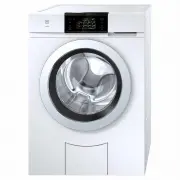
Page 2 - Appliance designation
Thank you for choosing to buy one of our products. Your appliance is made to highstandards and is easy to use. Nevertheless, please take the time to read these operatinginstructions in order to familiarize yourself with the appliance and get the best use out ofit. Please follow the safety precaution...
Page 3 - Contents
3 Contents 1 Safety warnings 5 1.1 Symbols used......................................................... 5 1.2 General safety precautions .................................. 5 1.3 Appliance-specific safety precautions ............... 5 1.4 Instructions for use .......................................
Page 5 - Safety warnings; Symbols used; Information on disposal; General safety precautions
5 1 Safety warnings 1.1 Symbols used Denotes important safety precau-tions.Failure to observe said precautionscan result in injury or in damage tothe appliance or fittings! Information and precautions thatshould be observed. Information on disposal Information about the Operating In-structions ▸ Ind...
Page 6 - Safety warnings; Instructions for use; Before using for the first time
1 Safety warnings 6 ▪ The appliance is only to beused with the recommendedvaporizing medium. The useof other substances may giverise to a toxic or fire risk. 1.4 Instructions for use Before using for the first time ▪ The appliance must be installed andconnected to the electricity supply inaccordance...
Page 8 - Using for the first time; Transport lock; Appliance description; Construction; II
2 Using for the first time The appliance must be installed and connected to the electricity supply in accord-ance with the separate installation instructions. Have a qualified fitter/electriciancarry out the necessary work. 2.1 Transport lock Remove the transport lock (hexagon head screws at the bac...
Page 9 - Operating and display elements; Operating panel; TouchDisplay; Buttons
3 Appliance description 3.2 Operating and display elements Operating panel 3 1 2 4 4 4 4 1 Operating panel Buttons 2 V-ZUG-Home display Door opener 3 TouchDisplay EcoManagement 4 Indicator lights EcoHybrid Programmes for normally soiled cot-ton load and extra programmes Start/Pause/Drum illumination...
Page 10 - Programme overview; Whites and coloureds programmes; cold
4 Programme overview 3.3 Indicator lights Indicator light Activity State Indicator light is il-luminated. Function is active. Indicator light isflashing. Function is selectable. Indicator light isnot illuminated. Function is not selectable. 3.4 Button state Background colour Symbol colour State Blue...
Page 11 - Textile programmes; Programmes
4 Programme overview 4.2 Textile programmes Touch the button for the selection of textile programmes. Programmes Load capacity Coloureds: Standard programme 1–8 kg Woollens: Gentle treatment for woollens and other delicate textiles. Only for woollens with a felt-free finish and labelled as «machinew...
Page 12 - Programmes for normally soiled cotton load; Extra programmes
4 Programme overview Programmes Load capacity Black garments: Optimized rinsing through a higher water level and extended rinsing time for dark textiles. 1–4 kg Black hand wash: Optimized rinsing through a higher water level and extended rinsing time for dark textiles labelled with the fabric care s...
Page 13 - Additional functions
4 Programme overview 4.5 Additional functions Whenever a programme is selected, the selectable additional functions are displayed. Additional functions Load capacity EcoHybrid: The appliance is equipped with two heating systems: ▪ Heat pump heater (approximately 1 kW heat output) with verylow energy...
Page 15 - EcoManagement; Button
4 Programme overview Additional functions Load capacity Bio wash: The programme sequence is adapted for the use of multi-component detergents (alkaline detergent + bleach) (seepage 22). Soap washing The programme sequence is adapted for the use of multi-component detergents (softener + soap detergen...
Page 16 - Operating the appliance; Preparations
5 Operating the appliance 5 Operating the appliance 5.1 Preparations ▸ Check the foreign body trap is inserted correctly (see page 34). ▸ Insert the mains plug into a mains socket. ▸ Turn on water tap. ▸ Touch the button to open the appliance door. 5.2 Loading the washing ▸ Load up to a maximum of 8...
Page 17 - Adding washing detergent
5 Operating the appliance 5.3 Adding washing detergent Liquid detergent 1 b a ▸ Pull the detergent dispenser drawer out as far as it will go. ▸ Pull flap 1 upwards and out of position a and insert in position b . Do not fill liquid detergent past the upper mark. Liquid detergent can only be usedfor ...
Page 18 - Operating the appliance; Detergent dosage; ▸ Close the appliance door.; ▸ Touch the button for the desired pro-
5 Operating the appliance 5.4 Detergent dosage Adding too much washing detergent can cause excess foaming. The con-sequences: poor wash results, damage to the appliance in the worst case. The correct dosage depends on the degree of soiling, the wash load, the water hardnessand the product used. Foll...
Page 20 - Selecting additional functions; Delayed start; Selecting programme end time
5 Operating the appliance 5.7 Selecting additional functions 60 ▸ Touch the button for the desired pro- gramme. – The programme selected and all se-lectable additional functions are dis-played. The indicator light for the se-lectable button flashes. 1200 1 h 0 0 En d 16 : 13 6 0°C C olour e ds ▸ For...
Page 21 - Selecting programme start time; OptiTime; Separate rinsing/spinning
5 Operating the appliance ▸ Touch the button.▸ The delayed start time starts. The de- sired programme starts so that it fin-ishes at the programme end time. 6 0°C olour e ds 1 h 0 0 End 16 : 13 Washing can be added at any time during the delayed start time (see page 24). Selecting programme start ti...
Page 22 - Washing with multi-component detergent; Correcting entry; Clearing entries in the current view; Aborting a programme
5 Operating the appliance 5.12 Washing with multi-component detergent To start Bio or Soap wash, «Multi-component detergent» must be enabled in the user set-tings (see page 30). Ensure the alkaline detergent or soap detergent are added to thecorrect compartment (see page 17). 60 ▸ Touch the button f...
Page 23 - With childproof lock activated; Selecting programme; Drum illumination
5 Operating the appliance 5.15 With childproof lock activated Selecting programme How to turn the childproof lock on/off is described in «User settings». ▸ Close the appliance door. – The input field for the code appearsin the TouchDisplay. Childproof lock 0 1 2 3 4 5 6 7 8 9 0 0 0 Code 731 ▸ Touch ...
Page 24 - Unloading the washing before time
5 Operating the appliance 5.17 Opening the appliance door during washing The appliance door can be opened when the indicator light for the button is illumin- ated. ▸ Touch the button. – The appliance door opens. Laundry can be added or removed. ▸ Close the appliance door. ▸ Touch the button. – The p...
Page 25 - Each time after use
5 Operating the appliance Stop after rinsing The washing remains lying in the water after the final rinse. The water must be drainedoff before the washing can be unloaded. ▸ Touch the button 1x. – The washing is spun at the spin speed set for the programme. – The water is pumped off. Or: ▸ Touch the...
Page 26 - Displaying estimate during programme selection; Displaying last programme; Displaying total and average consumption; Favourites; Defining favourites
6 Favourites 5.19 EcoManagement Only active if «EcoManagement» is turned on in the user settings (see page 30). Displaying estimate during programme selection The expected energy and water consumption can be displayed during additional functionselection. 60 ▸ Touch the desired programme. – The progr...
Page 27 - Changing favourites; Deleting favourites; Starting favourites
6 Favourites ▸ Touch the button. Yes ▸ Touch the button to save the favourite programme. No ▸ Touch the button to cancel the action. 6.2 Changing favourites ▸ Touch the button. – The appliance door opens. ▸ Touch the button. 60°C ▸ Touch the favourite programme to be changed. Change ▸ Touch the butt...
Page 28 - User settings; Customizing user settings; Button tone
7 V-ZUG-Home 60°C ▸ Touch the desired favourite programme. ▸ Touch the button. – The programme selected starts. 7 V-ZUG-Home Your appliance is networkable. You can find further information under www.vzug.com . 8 User settings Providing no programme is running and no error messages are displayed, the...
Page 31 - Demo mode; Switching on
9 Demo mode 8.18 Soft water When the function is turned on, adjusting for verysoft water prevents heavy foaming. ▪ On ▪ Off (factory setting) 8.19 EcoHybrid There are 3 settings for energy efficiency. ▪ Optimal ▪ Very good ▪ Good 8.20 V-ZUG-Home Your appliance is networkable. ▪ Operate and display ▪...
Page 32 - Switching off; Care and maintenance; Cleaning intervals; Appliance part; Cleaning the detergent dispenser drawer; Cleaning the detergent compartments
10 Care and maintenance 9.2 Switching off ▸ Touch the button. – The appliance door opens. ▸ Hold the buttons depressed at the same time. – The «Demo mode» menu appears inthe TouchDisplay. ▸ Touch the button. – The demo mode is not selected. ▸ Touch the button. – The setting is saved. – The TouchDisp...
Page 33 - Cleaning the water inlet filter; Test the water inlet for leaks following maintenance work.; Emergency draining
10 Care and maintenance 10.3 Cleaning the water inlet filter Test the water inlet for leaks following maintenance work. 1 ▸ To avoid blockages, periodically check and, if necessary, clean the water inlet filter 1 . 10.4 Emergency draining The water in the appliance may be hot. Scalding hazard! Allow...
Page 35 - Opening the appliance door in the event of a power failure
10 Care and maintenance 10.7 Opening the appliance door in the event of a power failure Wait until the washing drum is completely stationary. A washing drum that is stillrotating poses a risk of serious injury. ▸ Close the water tap and disconnect the appliance from the mains. ▸ Open the drain tray ...
Page 36 - Error messages; Display
11 Trouble-shooting 11 Trouble-shooting You may be able to trouble-shoot the following malfunctions yourself. If not, note downthe error message in full (message, F and E numbers) and call Customer Services. 11.1 Error messages Display Possible cause Solution A2 Check water outlet ▪ The foreign body...
Page 38 - Other possible problems
11 Trouble-shooting Display Possible cause Solution Hygiene recom-mendation ▪ No wash cycle hasbeen carried out at atemperature of at least60 °C for a longerperiod of time. ▸ With one of the next wash cycles carry out a wash with at least 60° C. Or: ▸ Run «Appliance hygiene» pro- gramme without laun...
Page 40 - Unsatisfactory wash results
11 Trouble-shooting Problem Possible cause Solution The consumptionvalues for Eco-Management dis-played are toohigh. ▪ The values can vary ac-cording to programme,load, additional func-tions and user settings. ▪ System-related fluctu-ations cannot be ruledout. ▸ Observe the user settings and addi- t...
Page 42 - Spare parts
12 Spare parts Result Possible cause Solution Holes, rips ortears ▪ Items in the wash withzips or hooks open. ▸ Fasten zip fasteners and hooks be- fore washing. ▸ Wash delicates in a laundry bag or pillow case. ▸ Turn pockets inside out.▸ Empty garment pockets. ▪ Chemical effect ofwashing detergent,...
Page 43 - Technical data; Note for testing institutes
13 Technical data 13 Technical data Dimensions Height 85 cm Width 59.5 cm Depth 62.5 cm Weight 89 kg Pumping height of pump 1.2 m Load capacity 8 kg dry washing Plumbing in Connection to water supply Cold water G¾" Permitted pressure of water sup-ply 0.1–0.6 MPa (1–6 bar) Max. pumping height o...
Page 46 - Washing tips; Energy and water economy; Spin speed; Avoiding damage
14 Washing tips 14 Washing tips 14.1 Energy and water economy ▪ Where possible fill the drum to the maximum load capacity of the relevant pro-gramme. ▪ Select «Pre-wash» or «Soaking» only for washing that is heavily soiled or stained. ▪ For lightly soiled washing without staining select the «20 °C» ...
Page 47 - Packaging; ▸ Remove or disable the lock on the appliance door.; Disposal; For more information, please contact the local authorities.; Note on heat pump; Heat pump
15 Disposal 15 Disposal 15.1 Packaging Never allow children to play with packaging material due to the danger of injury orsuffocation. Store the packaging material in a safe location or dispose of it in anenvironmentally-friendly way. 15.2 Safety Render the appliance unusable to prevent accidents ca...
Page 48 - Index
16 Index A Aborting Programme entry ......................................... 22Running programme ............................ 22, 23 Additional functions ......................................... 13 Starting........................................................... 20 Allergies Anti-mite .........
Page 51 - Appliance; Identification plate; Your repair order
17 Service & Support 17 Service & Support The «Trouble-shooting» section gives you valuable tips on how to deal with minormalfunctions yourself, saving you the time and trouble of calling out a service tech-nician and any cost that goes along with it. Information on the V-ZUG warranty can be...
Page 52 - Quick instructions; When programme has finished
Quick instructions Please first read the safety precautions in the operating instructions. ▸ Switch on appliance and turn on water tap.▸ Press the button. Appliance door opens. ▸ Load laundry.▸ Add washing detergent to detergent dispenser drawer.▸ Select programme and any additional functions (if re...