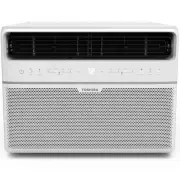
Page 2 - User Manual; Read This Manual; CAUTION
Page 2 User Manual Read This Manual Inside you’ll find many helpful hints on how to use and maintain your air conditioner properly. Just a little preventive care on your part can save you a great deal of time and money over the life of your air conditioner. You’ll find many answers to common problem...
Page 3 - WARNING; This symbol indicates a hazardous situation which, if not avoided,; This symbol indicates a hazardous situation, which, if not avoided,; N OT I C E; This symbol addresses practices not related to physical injury.
User Manual Page 3 To prevent injury to the user or other people and property damage, the instructions shown here must be followed. Incorrect operation due to ignoring of instructions may cause harm or damage. The level of risk is shown by the following indications. Safe ty Precautions WARNING This ...
Page 7 - NOTICE
User Manual Page 7 The power supply cord with this air conditioner contains a current detection device designed re. In the event that the power supply cord is damaged, it can not be repaired. It must be replaced with a cord from the manufacturer. Safe ty Precautions . • Always make sure the RESET bu...
Page 10 - Air Directional Louvers; Levers; Air Dir ectio n
Page 10 User Manual Oper ating Instruc tions Air Conditioner Features (general) This air conditioner is designed to be operated under the following conditions: Cooling Operation Outdoor temp.: 64 ~ 109°F / 18 ~ 43°C Indoor temp.: 62 ~ 90°F / 17 ~ 32°C To begin operating the air conditioner, follow t...
Page 11 - THERMOSTAT; TEMP; MODE; The controls featured in this manual are representative of many
User Manual Page 11 The Fresh Air Vent allows the air conditioner to:1. Recirculate inside air – Vent Closed (See Fig. A)2. Draw fresh air into the room - Vent Open (See Fig. B)3. Exchange air from the room and draw fresh air into the room - Vent and Exhaust Open (See Fig. C). FRESH AIR VENT CONTROL...
Page 12 - Electronic Control Operating Instructions
Page 12 User Manual Oper ating Instru ctions Key Pad Features (Model RAC-WK06) Before you begin, thoroughly familiarize yourself with the control panel as shown below and all its functions, then follow the symbol for the functions you desire. The unit can be controlled by the unit control alone, wit...
Page 13 - Oper
User Manual Page 13 TO TURN UNIT ON OR OFF: . NOTE: The unit will automatically initiate the Energy Saver function under Cool, Dry, Auto modes. TO CHANGE TEMPERATURE SETTING: Press UP/DOWN button to change temperature setting.NOTE: Press or hold either UP ( ) or DOWN ( )button until the desired temp...
Page 15 - Window Requirements; INSTALLATION INSTRUCTIONS; Before You Begin; • IMPORTANT; - Observe all governing; Phillips; Flathead
User Manual Page 15 Window Requirements Tools You Will Need Tools You May Use INSTALLATION INSTRUCTIONS Before You Begin Read these instructions completely and carefully. • IMPORTANT - Save these instructions. • IMPORTANT - Observe all governing codes and ordinances. We recommend that two people ins...
Page 16 - Prepare the Window; Installa; B: Remove top rail from the packaging material as shown in Fig. D.; Top Rail; Packaging
Page 16 User Manual 1. Prepare the Window 2. Prepare the Air Conditioner Installa tion Instruc tions Lower sash must to allow a clear vertical opening (see dimension H in Table 1). Side louvers and the rear of the AC must have clear air space to allow enough air ow through the condenser for heat rem...
Page 18 - Install Air Conditioner; Install
Page 18 User Manual Top Rail Bottom Rail Fig. 3 B. Slide the free end “ I “ section of the panel directly into the cabinet as shown in Fig. 2. Slide the panel down. Be sure to leave enough space to slip the top and bottom of the frame into the rails on the cabinet. C. Once the panel has been install...
Page 19 - A. Place the frame lock between the frame extensions; Secure Air Conditioner; C. Secure lower sash in place
User Manual Page 19 window frame Fig. 6 Fig. 7A Fig. 7B Fig. 9 Fig. 9 FOAM SEAL Fig. 10 A. Place the frame lock between the frame extensions and the window sill as shown (Fig. 7A for Wooden windows), (Fig. 7B for Vinyl-Clad windows). Drive 3/4” (19 mm) or 1/2” (12.7 mm) locking screws through the fr...
Page 20 - If AC is Blocked by Storm Window; rotective backing and; Removing AC From Window; rm grip on the air conditioner, raise the sash and carefully remove.
Page 20 User Manual 6. Install Weather Stripping (ENERGY STAR models only) If AC is Blocked by Storm Window Fig. 11 In order to minimize air leaks between the room air conditoner and the window opening, trim the weather stripping to the proper rotective backing and plug any gaps if needed (Fig. 11)....
Page 21 - CARE AND CLEANING; Car
User Manual Page 21 Air Filter Cleaning Cabinet Cleaning Winter Storage lter should be checked at least once a month to lter can build up and cause an accumulation of frost on the cooling coils. lter by sliding it out from the right- hand side. (RAC-WK05/06K) • Push the vent handle to the Vent Close...
Page 22 - Problem
Page 22 User Manual Trou blesh oo tin g Tips Before calling for service, review this list. It may save you time and expense. This list includes common occurrences that are not the result of defective workmanship or materials in this appliance. Problem Solution Air conditioner does not start. rmly in...
Page 23 - Air conditioner
User Manual Page 23 Problem Solution Air conditioner rapidly. lter. Outside temperature extremely hot. Set FAN speed to a higher setting to bring air past cooling coils more frequently. Check for potential obstructions blocking the outdoor intake/exhaust. Clear any obstructions. Noise when unit is c...
Page 24 - Handling the Remote Control; REMOTE CONTROL AND APP INSTRUCTIONS; Location of the remote control
Page 24 User Manual Handling the Remote Control REMOTE CONTROL AND APP INSTRUCTIONS Location of the remote control Use the remote control within a distance of 26.2 ft (8 meters) from the air conditioner, pointing it towards the receiver. Reception is c med by a beep. Oper ating Instruc tions (W ith ...
Page 25 - Rated voltage
R cations Function Buttons REMOTE CONTROL AND APP INSTRUCTIONS Before you begin using your new air conditioner, make sure to familiarize yourself with its remote control. The following is a brief introduction to the remote control itself. For instructions on how to operate your air conditioner, refe...
Page 26 - NOT SURE WHAT A FUNCTION DOES?; INSERTING AND REPLACING BATTERIES; BATTERY NOTES
Handling the Remote Control NOT SURE WHAT A FUNCTION DOES? Refer to the Operating Instructions section of this manual for a detailed description of the functions available using the remote. NOTICE Button designs on your unit may di er slightly from the example shown.If the unit does not have a speci...
Page 27 - Remote LED Screen Indicators
Rem ote Con trol and App Instruc tions AUTO COOL DRY HEATFAN Transmission Indicator Lights up when remote sends signal to unit MODE display Displays the currentmode, including: TIMER ON display Displays when TIMER ON is set TIMER OFF display Displays when TIMER OFF is set Battery display Low battery...
Page 28 - Basic Functions; SETTING THE DESIRED TEMPERATURE; Changing the Fan Speed
Rem ote Con trol and App Instru ctions Basic Functions SETTING THE DESIRED TEMPERATURE The operating temperature range for this unit is 62°F-86°F (17-30°C). You can increase or decrease the set temperature in 1°F or 1°C increments. Changing the Mode 1. To change the operating mode, press the MODE bu...
Page 29 - TIMER ON; TIMER ON function; sec; sec; TIMER OFF function
Rem ote Con trol and App Instruc tions Timer Functions NOTICE This number indicates the amount of time after the current time after which you want the unit to turn on.For example, if you set TIMER ON for 2 hours, “2.0h“ will appear on the screen, and the unit will turn on after 2 hours. Your air con...
Page 30 - Wait 2 seconds, then the TIMER OFF function will be activated.; either function by setting the timer to “0.0h“.; Setting both TIMER ON and; Your remote display; Timer on
Rem ote Con trol and App Instru ctions Timer Functions (cont.) 3. Wait 2 seconds, then the TIMER OFF function will be activated. The digital display on your remote control will then return to the temperature display. NOTICE When setting the TIMER ON or TIMER OFF functions, up to 10 hours, the time w...
Page 31 - How to Use the Advanced Functions
How to Use the Advanced Functions SHORTCUT Function ECO button SLEEP Function The SLEEP function is used to decrease energy use while you sleep (and don’t need the same temperature settings to stay comfortable). Press this button to activate theEnergy saving mode.Press it again to stop the function ...
Page 32 - NOTE
Page 32 User Manual We hereby declare that this AC is in compliance with the essential requirements and other relevant provisions of Directive 1999/5/EC. 1. Supports operating systems: iOS 7+ or Android 4+.2. In the event of a OS update, there may be a delay between the update of the OS and a relate...
Page 33 - Devices required to use the Smart AC:; Smart Phone with compatible iOS or Android system.; SYSTEM OVERVIEW; DOWNLOAD AND INSTALL THE APP; icting information. The information displayed on the
User Manual Page 33 Devices required to use the Smart AC: 1. Smart Phone with compatible iOS or Android system. 2. Wireless Router (a 2.4GHz network is required to connect) 3. Smart Air Conditioner SYSTEM OVERVIEW Oper ating Instruc tions (W ith Remot e) DOWNLOAD AND INSTALL THE APP e d o c R Q e l ...
Page 35 - ADDITIONAL APP AND SMART HOME FUNCTIONS; Declaration of conformity; --Increase the separation between the equipment and receiver.
User Manual Page 35 ADDITIONAL APP AND SMART HOME FUNCTIONS Oper ating Instruc tions (W ith Remot e) For additional instructions regarding the features of the app and Smart Home skill capabilities, scan the QR code below. This device complies with Part 15 of the FCC Rules and it contains licence-exe...
Page 36 - Supplier's Declaration of Conformity; Responsible Party U.S. Contact Information; CHEMICAL BURN HAZARD. KEEP BATTERIES AWAY
Supplier's Declaration of Conformity 47 CFR § 2.1077 Compliance Information Unique Identifier: TOSHIBA brand, RG57J4(B)/BGCEU1 Responsible Party U.S. Contact Information Midea America Corporation300 Kimball DrParsippany NJ07054 This device complies with Part 15 of the FCC Rules. Operation is subject...
Page 37 - MANUAL DEL USUARIO
User Manual MANUAL DEL USUARIO Precauciones de Seguridad Instrucciones de Operación Instrucciones de Instalación Instrucciones del Control Remoto y del App Soluciones de Problemas Mantenimento Y Limpieza RAC-WK0512CMRU (5,000 BTU)RAC-WK0612CRRU (6,000 BTU)RAC-WK0812ESCWRU (8,000 BTU)RAC-WK1012ESCWRU...
Page 38 - Lea este Manual; Manual del propietario; PRECAUCIÓN
Page 38 User Manual Lea este Manual En su interior encontrará muchos consejos útiles sobre como usar y mantener su acondicionador de aire correctamente. Unos pocos cuidados por su parte pueden ahorrar una gran cantidad de tiempo y dinero, alargando la vida útil de su acondicionador de aire. Encontra...
Page 39 - ADVERTENCIA; causar la muerte o lesiones graves.; resultar en lesiones leves o moderadas.; AV I S O; Este símbolo aborda las prácticas no relacionadas con lesiones
User Manual Page 39 Para evitar daños al usuario u otras personas y a la propiedad, las instrucciones que se muestran aquí deben ser seguidas. Las operaciones incorrectas por la ignora de las instrucciones podría causar perjuicios cado por las siguientes indicaciones. Precaucionesde S eguridad ADVER...
Page 42 - ADVERTENCIA (para usar solo refrigerante R32)
Page 42 User Manual Precaucionesde S eguridad ADVERTENCIA Este símbolo muestra que este aparato ha utilizado un refrigerante ltrado y exposto a una fuente de ignición externa, hay riesgo de incendio. PRECAUCIÓN Este símbolo muestra que el manual de instrucciones debe leerse cuidadosamente. PRECAUCIÓ...
Page 43 - AVISO
User Manual Page 43 El cable de energía que acompaña este acondicionador de aire contiene un dispositivo de detección de corriente diseñado para reducir el riesgo de incendio.En el caso del cable de energía esté dañado, no se puede reparar. Debe sustituirlo por un cable del fabricante. Precaucionesd...
Page 44 - Sonido Agudo
Page 44 User Manual Instru cciones de Ope ración Modelo RAC-WK05 Modelo RAC-WK06 Gorgoteo/Silbido Un sonido parecido a un "gorgoteo o silbido" puede escucharse debido al refrigerante pasando a través del evaporador durante una normal operación. Sonido de Corrientedel Aire Delante de la unida...
Page 46 - Características del condicionador de aire (general)
Page 46 User Manual Instruc ciones de Oper ación Características del condicionador de aire (general) Este acondicionador de aire está diseñado para funcionar en las siguientes condiciones: Operación de enfriamiento Temperatura exterior: 64 ~ 109°F / 18 ~ 43°C Temperatura interior: 62 ~ 90°F / 17 ~ 3...
Page 47 - TERMOSTATO; cada, el termostato arrancará y detendrá; MODO REFRIGERADOR; guración de frío deseada es seleccionada girando el botón en el; ENFRIAMIENTO ALTO; Características del acondicionador de aire (RAC-WK05 solamente)
User Manual Page 47 La ventilación de aire fresco permite al acondicionador de aire:1. Recircular el aire interior – Ventilación Cerrada (Ver Fig. A)2. Sacar aire fresco a la habitación – Ventilación Abierta (Ver Fig. B)3. Cambiar el aire de la habitación y exprimir el aire fresco en la habitación -...
Page 48 - Instrucciones de operación del control electrónico
Page 48 User Manual Instru cciones de Ope ración Características del teclado (modelo RAC-WK06) Antes de comenzar, familiarícese completamente con el panel de control como se muestra a continuación y todas sus funciones, luego siga el símbolo de las funciones que desee. La unidad se puede controlar s...
Page 49 - Instruc
User Manual Page 49 PARA ENCENDER O APAGAR LA UNIDAD: Pulse el botón de encendido para encender o apagar la unidad.NOTA: La unidad iniciará automáticamente la función de Ahorro de Energía en los modos Frío, Seco y Automático. PARA CAMBIAR EL AJUSTE DE TEMPERATURA: Pulse el botón UP/DOWN para cambiar...
Page 50 - FUNCIÓN TEMPORIZADOR: Función Início; Instru
Page 50 User Manual Cuando se opera en modo Automático:- Al ajustar el acondicionador de aire al modo AUTO, seleccionará automáticamente el enfriamiento o el funcionamiento solo del ventilador dependiendo de la temperatura que haya seleccionado y de la temperatura ambiente actual. - El acondicionado...
Page 51 - Requisitos de la ventana; INSTRUCCIONES DE INSTALACIÓN; Antes de empezar; - Observe todos los; Acodo
User Manual Page 51 Requisitos de la ventana Herramientas que necesitará Herramientas que puede usar INSTRUCCIONES DE INSTALACIÓN Antes de empezar Lea estas instrucciones completa y cuidadosamente. • IMPORTANTE - Guarde estas instrucciones. • IMPORTANTE - Observe todos los códigos y ordenanzas que r...
Page 52 - Prepare la ventana; superior en la unidad.
Page 52 User Manual 1. Prepare la ventana 2. Prepare el Acondicionador de Aire Instruc ciones de Instalación ciente para permitir una apertura vertical clara (véase la dimensión H del Cuadro 1). Las rejillas laterales y la parte trasera del acondicionador ciente a través del condensador para la cio ...
Page 54 - Instale el Acondicionador de Aire
Page 54 User Manual B. Deslice la sección “ I ” del panel directamente en el gabinete como se muestra en la Fig. 2. Deslice el panel hacia abajo. Asegúrese de dejar te espacio para deslizar la parte superior e inferior del marco en los carriles del gabinete. C. Una vez que el panel se ha instalado e...
Page 55 - Acondicionador de Aire seguro
User Manual Page 55 Fig. 7A Fig. 7B Fig. 9 A. Coloque el bloqueo de los marcos entre las extensiones del marco y el umbral de la ventana como se muestra (Fig. 7A para ventanas de madera), (Fig. 7B para ventanas de vinilo). Conduzca tornillos de bloqueo de 3/4” (19 mm) o 1/2” (12,7 mm) a través de la...
Page 56 - Instalación de la Banda Adesiva (solo modelos ENERGY STAR); n de minimizar las fugas de aire entre; Eliminar el Acondicionador del Aire de la Ventana; las piezas junto con el acondicionador de aire.
Page 56 User Manual 6. Instalación de la Banda Adesiva (solo modelos ENERGY STAR) Si el Acondicionador del Aire está bloqueado por la Ventana de Tormenta Fig. 11 n de minimizar las fugas de aire entre el acondicionador de aire de la habitación y la abertura de la ventana, recorte la banda adesiva a ...
Page 57 - MANTENIMIENTO Y LIMPIEZA; Cuidado y Limpie
User Manual Page 57 ltro de aire Limpieza del gabinete Almacenamiento en invierno ltro de aire deberá revisarse cuando menos una car si es necesario limpiarlo. Las ltro podrían crear y acumular escarcha en los serpentines de enfriamiento. ltro deslizándolo hacia fuera desde el lado de la mano derech...
Page 58 - Problema
Page 58 User Manual Solu ció n de Pro ble ma s Antes de llamar al servicio técnico, revise esta lista. Puede ahorrarle una gran cantidad de tiempo y dinero. Esta lista incluye ocurrencias comunes que no son consecuencia de un trabajo o materiales defectuosos en el equipo. Problema Solución El aire a...
Page 59 - de
User Manual Page 59 Problema Solución Acondicionador de aire enfriándose, pero el ambiente está demasiado templado - NO hay formación de escarcha en los serpentines de enfriamiento detrás ltro. Consulte la sección Cuidado y Limpieza. Para descongelar, establezca el modo FAN ONLY. guración más baja. ...
Page 60 - Manejo del Control Remoto; INSTRUCCIONES DEL CONTROL REMOTO Y DEL APP; Ubicación del control remoto
Page 60 User Manual Manejo del Control Remoto INSTRUCCIONES DEL CONTROL REMOTO Y DEL APP Ubicación del control remoto Utilice el control remoto a distancia a una distancia de 8 metros del acondicionador de aire, apuntando hacia el receptor. La recepción se rma con un pitido. Instruc ciones del con t...
Page 61 - caciones del Control Remoto; Model
User Manual Page 61 caciones del Control Remoto Funcionamiento de los Botones INSTRUCCIONES DEL CONTROL REMOTO Y DEL APP Antes de empezar a utilizar el nuevo acondicionador de aire, asegúrese de familiarizarse con su control remoto. Lo que sigue es una breve introducción al propio control remoto. Pa...
Page 63 - Indicadores de la pantalla de LEDs del Control Remoto
User Manual Page 63 AUTO COOL DRY HEATFAN Indicador de Transmisión Enciende cuando el control remoto envía una señal a la unidad Indicador del MODE Muestra el modo actual, incluso: Indicador del TIMER ON Aparece cuando TIMER ON está configurado Indicador del TIMER OFF Aparece cuando TIMER OFF está c...
Page 64 - Funciones Básicas; AJUSTANDO LA TEMPERATURA DESEADA; El alcanze de la c; Cambiando el Modo; Para cambiar el modo de funcionamiento, pulse el botón MODE; Cambiando la Velocidad del Ventilador
12 3 1 3 2 Page 64 User Manual Funciones Básicas AJUSTANDO LA TEMPERATURA DESEADA El alcanze de la c s de 62°F a 86°F (17°C - 30°C). Se puede aumentar o disminuir la temperatura ajustada en incrementos de 1°F o 1°C. Cambiando el Modo 1. Para cambiar el modo de funcionamiento, pulse el botón MODE has...
Page 65 - ración del TIMER ON; ración del TIMER OFF
User Manual Page 65 Este número indica la cantidad de tiempo después de la hora actual de la cual desea que la unidad se encienda.Por ejemplo, si establece TIMER ON durante 2 horas, aparecerá “2.0h” en la pantalla y la unidad se encenderá después de 2 horas. Su acondicionador de aire tiene dos funci...
Page 66 - gurar las funciones TIMER ON o TIMER OFF, hasta 10 horas,; Ajustando las funciones TIMER; La pantalla del control remote mostra:
Timer on Page 66 User Manual ContinúepresionandoTIMER ON oTIMER OFFhasta alcanzarel tiempodeseado. Funciones del Timer (cont.) 3. Espere 2 segundos y se activará la función TIMER OFF. El indicador digital del control remoto volverá al indicador detemperatura. AVISO gurar las funciones TIMER ON o TIM...
Page 67 - Cómo utilizar las funciones avanzadas
User Manual Page 67 Cómo utilizar las funciones avanzadas Función SHORTCUT Botón ECO Función SLEEP La función SLEEP es usada para ahorar energíamientras del sueño (y no necesita los ajustesde temperatura para mantenerse cómodo). Pulse este botón para activar el modo deahorro de energía.Púlselo de nu...
Page 68 - DECLARACIÓN DE CONFORMIDAD
Page 68 User Manual Declaramos que este Acondicionador de Aire cumple los requisitos esenciales y otras disposiciones pertinentes de la Directiva 1999/5/CE. 1. Soporte para los sistemas operativos: iOS 7+ o Android 4+..2. En el caso de una actualización del sistema operativo, puede haber un retraso ...
Page 69 - VISIÓN GENERAL DEL SISTEMA; DESCARGAR E INSTALAR LA APLICACIÓN; Código QR de Apple; cámara de 5 megapíxeles.
User Manual Page 69 Dispositivos necesarios para utilizar el Acondicionador de aire inteligente: 1. Smartphone con sistema iOS o Android compatible. 2. Router inalámbrico (se requiere una red de 2.4GHz para conectarse) 3. Acondicionador de aire Inteligente VISIÓN GENERAL DEL SISTEMA Instruc ciones d...
Page 71 - Declaración de conformidad; interferencia mediante una o más de las siguientes medidas:; FUNCIONES ADICIONALES DE LA APLICACIÓN Y SMART HOME
Este dispositivo cumple con la Parte 15 de las Reglas FCC y contiene transmisores/ receptores libres de licencia que cumplen con los RSS de Innovación, Ciencia y Desarrollo Económico de Canadá que no exigen la licencia. El funcionamiento está sujeto a las dos condiciones siguientes: (1) Este disposi...
Page 72 - Declaración de conformidad del proveedor; Identificador único
ADVERTENCIA: PELIGRO DE QUEMADURA QUÍMICA. MANTENGA LAS PILAS ALEJADAS DE LOS NIÑOS. Este producto contiene una batería de celda tipo moneda/botón. Si una batería de celda tipo moneda/botón nueva o usada llegara a ser ingerida o que se la han colocada dentro de alguna parte del cuerpo, causaría quem...