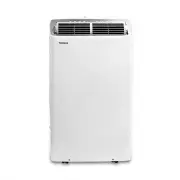
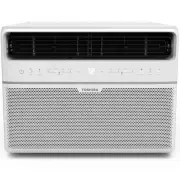
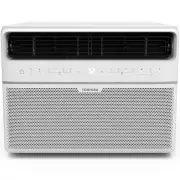
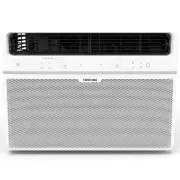
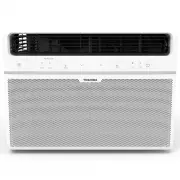
Page 2 - Read This Manual; User Manual; CAUTION; • Contact the installer for installation of this unit.
Page 2 User Manual Read This Manual Inside you’ll find many helpful hints on how to use and maintain your air conditioner properly. Just a little preventive care on your part can save you a great deal of time and money over the life of your air conditioner. You’ll find many answers to common problem...
Page 3 - SAFETY PRECAUTIONS; WARNING; Sa; installation can cause water leakage, electrical shock, or fi re.
User Manual Page 3 SAFETY PRECAUTIONS WARNING WARNING: This symbol indicates the possibility of death or serious injury. CAUTION: This symbol indicates the possibility of injury or damage to property. Sa fe ty Precautions To prevent injury to the user or other people and property damage, the followi...
Page 4 - around the unit at all times.
Page 4 User Manual WARNING Sa fe ty Precautions • DO NOT allow children to play with the air conditioner. Children must be supervised around the unit at all times. • If the air conditioner is knocked over during use, turn off the unit and unplug it from the main power supply immediately. Visually in...
Page 5 - Preparation; Energy Rating Information:; Mode; Cool; Exhaust Hose Installation:; OPERATING INSTRUCTIONS; Instruc
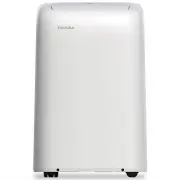
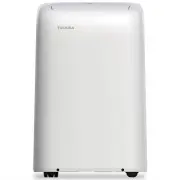
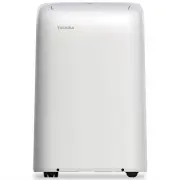
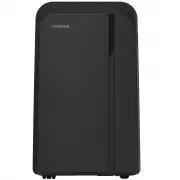
User Manual Page 5 Preparation control panel handle (both sides) horizontal louver blade (automatic swing) Caster Panel r a e R t n o r F power plug socket power cord buckle bottom tray drain outlet power cord outlet drain outlet (only for pump heating mode) upper air filter (modelsRAC-PD1412CRU/RAC...
Page 6 - Control Panel Features; NOTE
Page 6 User Manual Control Panel Features O perating Instruc tions Swing Button Used to initiate the Auto Swing feature. When the operation is ON, pressing the SWING button can stop the louver at the desired angle. Timer button Used to initiate the AUTO ON start time and AUTO OFF stop time program, ...
Page 7 - Operating Instructions
User Manual Page 7 O perating Instruc tions Operating Instructions COOL operation • Press the “MODE” button until the “COOL” indicator light comes on. • Press the ADJUST buttons Up ( ) or Down ( ) to select your desired room temperature. The temperature can be set within a range of 17°C~30°C/62°F~86...
Page 8 - Other Features; FOLLOW ME/TEMP SENSING feature; NOTE: This feature is unavailabe under FAN or DRY mode.; WAIT 3 MINUTES BEFORE RESUMING OPERATION; When the Power is ON, the louver opens fully.; WATER DRAINAGE; • During dehumidifying modes, remove the upper drain plug
Page 8 User Manual Other Features FOLLOW ME/TEMP SENSING feature This feature can be activated from the remote control ONLY. The remote control serves as a remote thermostat allowing for the precise temperature control at its location. To activate the Follow Me/Temp Sensing feature, point the remote...
Page 9 - Installation not recommended. (See Figs with
User Manual Page 9 WATER DRAINAGE (cont.) • During heating mode, remove the lower drain plug from the back of the unit and install the drain connector (5/8” universal female mender) with 3/4” hose (locally purchased). For models without drain connector, just attach the drain hose to the hole. Place ...
Page 10 - INSTALLATION INSTRUCTIONS; Installa; Choosing the Right Location
Page 10 User Manual INSTALLATION INSTRUCTIONS Installa tion Instruc tions Choosing the Right Location Recommended Installation 30 cm 12 inch 30 cm 12 inch Your installation location should meet the following requirements: • Make sure that you install your unit on an even sur face to minimize noise a...
Page 11 - Accessories; Unit adaptor; Quantity; Tools Needed; Medium Phillips screwdriver
User Manual Page 11 Accessories Your Window Installation Kit fi ts windows 67.5-123 cm (26.5”-48”) and can be shortened for smaller windows. n o i t p i r c s e D t r a P Unit adaptor Window slider adaptor Window slider A Window slider B Exhaust hose Bolt Foam seal A (adhesive) Foam seal B (adhesive...
Page 12 - Window Installation Kit; Depending on the size of your window,
Page 12 User Manual Installa tion Instruc tions Window Installation Kit Step One: Preparing the exhaust hose assembly Press the exhaust hose into the window slider adaptor and unit adaptor, clamp automatically by elastic buckles of the adaptors. Step Two: Install the exhaust hose assembly to the uni...
Page 13 - Type 1: Hung window installation
User Manual Page 13 Installa tion Instruc tions Type 1: Hung window installation 1. Cut the adhesive foam seal A and B strips to the proper lengths, and attach them to the window sash and frame as shown. 2. Insert the window slider assembly into the window opening. 3. Cut the non-adhesive foam seal ...
Page 14 - Type 2: Sliding window installation
Page 14 User Manual Type 2: Sliding window installation 1. Cut the adhesive foam seal A and B strips to the proper lengths, and attach them to the window sash and frame as shown. 2. Insert the window slider assembly into the window opening. 3. Cut the non-adhesive foam seal C strip to match the wind...
Page 15 - CARE AND CLEANING; re; Remove the
User Manual Page 15 Air Filter Cleaning Unit Cleaning Store the Unit When Not in Use Safety Precautions CARE AND CLEANING Ca re and Cleaning • Always unplug the unit before cleaning or servicing.• DO NOT use fl ammable liquids or chemicals to clean the unit.• DO NOT wash the unit under running water...
Page 16 - Malfunction Diagnosis; TROUBLESHOOTING TIPS; Troubleshooting; Problem
Page 16 User Manual Malfunction Diagnosis TROUBLESHOOTING TIPS Troubleshooting T ips Please check the machine according to the following table before calling for service: Problem Possible Cause Troubleshooting Unit does not turn on when pressing ON/OFF button P1 Error Code. The water collection tray...
Page 17 - Remote Control Specifi cations; REMOTE CONTROL INSTRUCTIONS; Model
User Manual Page 17 Remote Control Specifi cations Function Buttons REMOTE CONTROL INSTRUCTIONS Before you begin using your new air conditioner, make sure to familiarize yourself with its remote control. The following is a brief introduction to the remote control itself. For instructions on how to op...
Page 18 - Handling the Remote Control; NOT SURE WHAT A FUNCTION DOES?; SPECIAL NOTE; INSERTING AND REPLACING BATTERIES; BATTERY NOTES
Page 18 User Manual Handling the Remote Control NOT SURE WHAT A FUNCTION DOES? Refer to the Operating Instructions section of this manual for a detailed description of how to use your air conditioner. SPECIAL NOTE Button designs on your unit may differ slightly from the example shown. If the unit do...
Page 19 - Remote LED Screen Indicators
User Manual Page 19 AUTO COOLDRY HEATFAN Transmission Indicator Lights up when remote sends signal to unit MODE display Displays the currentmode, including: TIMER ON display Displays when TIMER ON is set TIMER OFF display Displays when TIMER OFF is set ECO display Not available on this unit Battery ...
Page 20 - Basic Functions; SETTING THE DESIRED TEMPERATURE
Page 20 User Manual Basic Functions SETTING THE DESIRED TEMPERATURE The operating temperature range for this unit is 17-30°C (62°F-86°F). You can increase or decrease the set temperature in 1°C (1°F) increments. AUTO operation In AUTO mode, the unit will automatically select the COOL, FAN, HEAT or D...
Page 21 - FAN operation; Press the MODE button to select FAN mode.; HEAT operation; Press the MODE button to select HEAT mode.
User Manual Page 21 NOTE As outdoor temperature drops, the performance of your unit’s HEAT function may be affected. In such instances, we recommend using this air conditioner in conjunction with another heating appliance. NOTE You cannot set temperature in FAN mode. As a result, your remote control...
Page 22 - TIMER ON function; sec; TIMER OFF function
Page 22 User Manual Timer Functions NOTE This number indicates the amount of time after the current time after which you want the unit to turn on. For example, if you set TIMER ON for 2 hours, “2.0h“ will appear on the screen, and the unit will turn on after 2 hours. Your air conditioning unit has t...
Page 23 - You can turn off either function by setting the timer to “0.0h“.; T i m e r o n; Your remote display
User Manual Page 23 Timer Functions (cont.) 3. Wait 2 seconds, then the TIMER OFF function will be activated. The digital display on your remote control will then return to the temperature display. NOTE When setting the TIMER ON or TIMER OFF functions, up to 10 hours, the time will increase in 30 mi...
Page 24 - How to Use the Advanced Functions; NOTES; • Button
Page 24 User Manual How to Use the Advanced Functions SHORTCUT Function SWING Function FOLLOW ME function Note: SLEEP Function The SLEEP function is used to decrease energy use while you sleep (and don’t need the same temperature settings to stay comfortable). This function can only be activated via...
Page 25 - • Reorient or relocate the receiving antenna.
User Manual Page 25 NOTES • The device may comply with local national regulations. In Canada, it should comply with CAN ICES-3(B)/NMB-3(B). In USA, this device complies with part 15 of the FCC Rules. Operation is subject to the following two conditions: (1) This device may not cause harmful interfer...
Page 26 - Chemical Burn Hazard. Keep batteries away from children.
WARNING: Chemical Burn Hazard. Keep batteries away from children. This product contains a lithium button/coin cell battery. If a new or used lithium button/coin cell battery is swallowed or enters the body, it can cause severe internal burns and can lead to death in as little as 2 hours. Always comp...