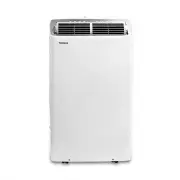
Page 2 - User Manual; Read This Manual; CAUTION
Page 2 User Manual Read This Manual Inside you’ll find many helpful hints on how to use and maintain your air conditioner properly. Just a little preventive care on your part can save you a great deal of time and money over the life of your air conditioner. You’ll find many answers to common problem...
Page 3 - WARNING; This symbol indicates a hazardous situation which, if not avoided,; This symbol indicates a hazardous situation, which, if not avoided,; N OT I C E; This symbol addresses practices not related to physical injury.
User Manual Page 3 Safe ty Precautions To prevent injury to the user or other people and property damage, the instructions shown here must be followed. Incorrect operation due to ignoring of instructions may cause harm or damage. The level of risk is shown by the following indications. WARNING This ...
Page 7 - NOTICE
User Manual Page 7 The power supply cord with this air conditioner contains a current detection device designed re. In the event that the power supply cord is damaged, it can not be repaired. It must be replaced with a cord from the manufacturer. Safe ty Precautions . • Always make sure the RESET bu...
Page 8 - Preparation; Unit Operating Temperature Range:; Heat Pump; OPERATING INSTRUCTI ONS; Oper; Control panel
Page 8 User Manual Preparation Unit Operating Temperature Range: e g n a R e r u t a r e p m e T e d o M ) C ° 5 3 ~ C ° 6 1 ( F ° 5 9 ~ F ° 0 6 l o o C ) C ° 5 3 ~ C ° 3 1 ( F ° 5 9 ~ F ° 5 5 y r D Heat Pump 41°F ~ 86°F (5°C ~ 30°C) OPERATING INSTRUCTI ONS Oper ating Instruc tions r a e R t n o r F...
Page 9 - Control Panel Features
User Manual Page 9 Oper ating Instruc tions Control Panel Features Swing Button Used to initiate the Auto Swing feature. When the operation is ON, pressing the SWING button can stop the louver at the desired angle. Connect Button The swing button is also used to initiate the wireless connection mode...
Page 10 - Operating Instructions; COOL operation
Page 10 User Manual Oper ating Instruc tions Operating Instructions COOL operation • Press the “MODE” button until the “COOL” indicator light comes on. • Press the adjust buttons Up ( ) or Down ( ) to select your desired room temperature. The temperature can be set within a range of 60°F~86°F/16°C~3...
Page 11 - SLEEP operation; Other Features; MyTemp feature
User Manual Page 11 Oper ating Instruc tions SLEEP operation Pressing this button will increase (during cooling operation) or decrease (during heating operation, applicable models) 2°F/1°C after 30 minutes. The temperature will again increase (cooling) or decrease (heating) by another 2°F/1°C after ...
Page 12 - INSTALLATION INSTRUCTI ONS; Installa; Choosing the Right Location; nch
Page 12 User Manual INSTALLATION INSTRUCTI ONS Installa tion Instruc tions Choosing the Right Location Recommended Installation Your installation location should meet the following requirements:• Make sure that you install your unit on an even surface to minimize noise and vibration. • The unit must...
Page 13 - Accessories; Description; • Saw (optional, to shorten window adaptor for
User Manual Page 13 Accessories ts windows 19.1’’-63.8’’ (48.4-160.2 cm). Please doublecheck all packaging materials to make sure accessories do not get accidentally thrown away. Tools Needed • Phillips screwdriver• Tape measure or ruler• Knife or scissors Installa tion Instruc tions Description Par...
Page 14 - Window Installation Kit; : For Hung Window types only; Air Exhaust; : Applying insulation to the window slider
Page 14 User Manual window slider window dimension (mm) window dimension (inch) a+b 484 ~ 592 19.1 ~ 23.3 b+c 592 ~ 696 23.3 ~ 27.4 a+b+c 696 ~ 802 27.4 ~ 31.6 b+e 802 ~ 896 31.6 ~ 35.3 a+b+e 896 ~ 998 35.3 ~ 39.3 a+b+c+d 998 ~ 1210 39.3 ~ 47.6 a+b+c+d+e 1210 ~ 1620 47.6 ~ 63.8 Installa tion Instruc...
Page 15 - Type 1: Hung window installation; Window
User Manual Page 15 Type 1: Hung window installation 1. Cut the adhesive foam seal A and B strips to the proper lengths, and attach them to the window sash and frame as shown. 2. Insert the window slider assembly into the window track. If the hose opening is covered by the lip of the window frame, r...
Page 16 - Window slider A; screw
Page 16 User Manual Foam seal B(Adhesivetype-shorter) Foam seal A (Adhesive type) Window slider A Window slider B (if required) Install ation Instru ctions Type 2: Sliding window Installation (Optional) 1. Cut the adhesive foam seal A and B strips to the proper lengths, and attach them to the window...
Page 17 - Remove; • During Dry modes, remove the upper drain plug from the
User Manual Page 17 Install ation Instru ctions NOTICE To ensure proper function, DO NOT overextend or bend the hose. Make sure that there are no objects within 20in (~500mm) of the inlet and outlet hose. All illustrations in this manual are for explanation purposes only, your air conditioner may be...
Page 18 - Install
Page 18 User Manual NOTICE rmly to prevent leakage before using the unit. NOTICE Because this unit contains a condensate pump, the drain hose can be elevated up to 6 ft. (1.8 m). Direct the hose toward the drain, ow. Make g. with check mark symbol). gure with X symbol is not recommended as the end o...
Page 19 - CARE AND CLEANING; Car; Maintenance Tips
User Manual Page 19 Air Filter Cleaning Unit Cleaning Store the Unit When Not in Use Safety Precautions CARE AND CLEANING Car e and Cleaning • Always unplug the unit before cleaning or servicing.• DO NOT u mmable liquids or chemicals to clean the unit. • DO NOT wash the unit under running water. Doi...
Page 20 - Problem
Page 20 User Manual Trou blesh oo tin g Tips Before calling service, review this list. It may save you time and expense. This list includes common occurences that are not the result of defective workmanship or materials of this appliances. NOTICE Do not add extension to the exhaust hose(s)! Problem ...
Page 22 - REMOTE CONTROL AND APP INSTRUCTIONS; LOCATION OF THE REMOTE CONTROL; Handling the Remote Control; BATTERY NOTES
Page 22 User Manual REMOTE CONTROL AND APP INSTRUCTIONS Rem ote Con trol and App Instruc tions LOCATION OF THE REMOTE CONTROL Use the remote control within a distance of 26 ft. (8m) from the air conditioner, pointing it towards the unit. The unit will beep when it receives a signal. 26 ft (8 meters)...
Page 23 - Function Buttons; BATTERY DISPOSAL; cations
User Manual Page 23 Rem ote Con trol and App Instruc tions Function Buttons TIMER OFF Sets timer to turn unit off (see How to Use Basic Functions for instructions). FAN SPEED Switches the fanspeed as follows:Auto Low Medium High ... SLEEP Saves energy duringsleeping hours. SWING Starts and stops the...
Page 24 - Remote Screen Indicators; Information is displayed when the remote control is powered on.
Page 24 User Manual Remote Screen Indicators Information is displayed when the remote control is powered on. Transmission Indicator MODE display FAN SPEED display LOCK display Temperature/Timer/Fan speed display Fresh feature display (Not applicable) Sleep mode display MyTemp feature display Wireles...
Page 25 - xn
User Manual Page 25 TIMER ON SETTING TIMER OFF SETTING TIMER ON & OFF setting (example) Press TIMER ON button to initiate the ON time sequence. Press TIMER OFF button to initiate the OFF time sequence. Keep in mind that the time periods you set for both functions refer to hours after the current...
Page 26 - PRECAUTIONS; : Printed PCB Antenna; NOTE
Page 26 User Manual 1. Supports operating systems: iOS 7+ or Android 4+.2. In the event of a OS update, there may be a delay between the update of the OS and a related software update during which your OS may or may not be supported until a new version is c mobile phone or problems in your network m...
Page 27 - icting information. The information displayed on the; Devices required to use the Smart AC:; Smart Phone with compatible iOS or Android system.; SYSTEM OVERVIEW; Scan to download app.
Toshiba will not be responsible for any problems that could be caused by incompatibility or network issues, your wireless router and mobile phone. NOTICE 5. Due to unstable network connectivity, requests may time out. If this happens, re-run the network guration. 6. Due to unstable network connectiv...
Page 29 - ADDITIONAL APP AND SMART HOME FUNCTIONS; Declaration of conformity
ADDITIONAL APP AND SMART HOME FUNCTIONS For additional instructions regarding the features of the app and Smart Home skill capabilities, scan the QR code below. This device complies with Part 15 of the FCC Rules and it contains licence-exempt transmitter(s)/receiver(s) that comply with Innovation, S...
Page 30 - Supplier's Declaration of Conformity; Responsible Party U.S. Contact Information
Supplier's Declaration of Conformity 47 CFR § 2.1077 Compliance Information Unique Identifier: RG10F2(B2)/BGEFU1 Responsible Party U.S. Contact Information Midea America Corporation300 Kimball DrParsippany NJ07054 This device complies with Part 15 of the FCC Rules. Operation is subject to the follow...
Page 31 - MANUAL DEL USUARIO; Tipo
MANUAL DEL USUARIO Tipo Portatil Aire Acondicionado de Habitación Precauciones de Seguridad Instrucciones de Operación Instrucciones de Instalación Instrucciones del Control Remoto y del App Soluciones de Problemas Mantenimento Y Limpieza Warning notices: Antes de usar esteproducto, lea atentamente ...
Page 32 - Lea este Manual; PRECAUCIÓN; Manual del usuario
Page 32 Lea este Manual En su interior encontrará muchos consejos útiles sobre como usar y mantener su acondicionador de aire correctamente. Unos pocos cuidados por su parte pueden ahorrar una gran cantidad de tiempo y dinero, alargando la vida útil de su acondicionador de aire. Encontrará muchas re...
Page 33 - ADVERTENCIA; causar la muerte o lesiones graves.; resultar en lesiones leves o moderadas.; AV I S O; Este símbolo aborda las prácticas no relacionadas con lesiones
Page 33 Para evitar daños al usuario u otras personas y a la propiedad, las instrucciones que se muestran aquí deben ser seguidas. Las operaciones incorrectas por la ignora de las instrucciones podría causar perjuicios cado por las siguientes indicaciones. Precaucionesde S eguridad ADVERTENCIA Este ...
Page 36 - ADVERTENCIA (solo para usar refrigerante R32)
Page 36 Precaucionesde S eguridad ADVERTENCIA Este símbolo muestra que este aparato ha utilizado un refrigerante ltrado y exposto a una fuente de ignición externa, hay riesgo de incendio. PRECAUCIÓN Este símbolo muestra que el manual de instrucciones debe leerse cuidadosamente. PRECAUCIÓN Este símbo...
Page 37 - AVISO
Page 37 Precaucionesde S eguridad • No utilice este dispositivo para encender o apagar la unidad.• Asegúrese siempre de que el botón RESET esté pulsado para una operación correcta . • El cable de energía debe ser reemplazado si lo falla al reiniciar mismo cuando el botón TEST esté pulsado o no se pu...
Page 38 - Faja de Temperatura de Funcionamiento de la Unidad:; Panel de control
Page 38 Instruc ciones de Oper ación Faja de Temperatura de Funcionamiento de la Unidad: a r u t a r e p m e T e d a j a F o d o M Enfriamiento (Cool) 60°F ~ 95°F (16°C ~ 35°C) cación (Dry) 55°F ~ 95°F (13°C ~ 35°C) Calefacción (Heat) 41°F ~ 86°F (5°C ~ 30°C) Mango de traslado (ambos os lados) Sopor...
Page 39 - Pantalla de LEDs
Page 39 Botón del Swing (Connect) Botones Arriba y Abajo ( ) ( ) Botón del Mode Botón Encendido/Apagado (ON/OFF) Botón del Sleep Botón del Fan Botón del Timer Visor de LEDs Indicador del Wireless Instruc ciones de Oper ación Botón Oscilación (Swing) Se utiliza para iniciar la función de oscilación a...
Page 40 - Códigos de Error y códigos de protección:; Instrucciones de Funcionamiento; Funcionamiento del FAN
Page 40 Instruc ciones de Oper ación Códigos de Error y códigos de protección: La unidad puede dejar de funcionar o continuar funcionando de forma segura.Si se produce un código de error, Espere unos 10 minutos.El problema puede resolverse por sí solo.Si no, desconecte la energía y vuelva a conectar...
Page 41 - Otras Características; Función MyTemp; Instruc
Page 41 AVISO La función de funcionamiento SLEEP no está disponible en los modos FAN o DRY. Otras Características Función MyTemp REINICIO AUTOMÁTICO Si la unidad se apaga inesperadamente debido a un corte de energía, se reiniciará con la función previamente establecida automáticamente cuando se rean...
Page 42 - INSTRU CCIONES DE INSTALACIÓN; Elección de la Ubicación Correcta
Page 42 INSTRU CCIONES DE INSTALACIÓN Elección de la Ubicación Correcta Instalación Recomendada AVISO La apariencia de su unidad puede ser un tanto diferente. • Este acondicionador de aire es una unidad herméticamente uorados. Para obtener la ca sobre el tipo de gas y la cantidad, consulte la etique...
Page 43 - Accesorios; • Sierra (opcional, para acortar el adaptador de; Adaptador de aire de escape; Cantidad; Deslizadores de ventana
Page 43 Instruc ciones de Instalación Accesorios todos los materiales de embalaje para asegurarse de que los accesorios no se desechen accidentalmente. Herramientas Necesarias • Destornillador Phillips• Regla o cinta métrica• Tijera o cuchillo • Sierra (opcional, para acortar el adaptador de ventana...
Page 44 - Kit de Instalación en Ventanas; : Solamente para ventanas de colgar; Adaptador; : Aplicar aislamiento al deslizador de la ventana; Deslizador de
Page 44 Instruc ciones de Instalación Kit de Instalación en Ventanas 1: Solamente para ventanas de colgar Inserte el adaptador de aire de escape en la manguera de escape (la abertura circular) para un rendimiento óptimo. Gire el adaptador en el sentido de las agujas del reloj hasta que las pestañas ...
Page 45 - Tipo 1: Instalación en ventanas de colgar
Page 45 Instruc ciones de Instalación Tipo 1: Instalación en ventanas de colgar 1. Corte las tiras A y B del sello de espuma adhesiva a las longitudes adecuadas y fíjelas al marco y al marco de la ventana como se muestra. 2. Inserte el conjunto deslizador de ventana en el carriel de la ventana. Si l...
Page 46 - Tornillos
Page 46 Instruc ciones de Instalación Tipo 2: Instalación en ventanas de deslizar (Opcional) 1. Corte las tiras A y B del sello de espuma adhesiva a las longitudes adecuadas y fíjelas al marco y al marco de la ventana como se muestra. 2. Montaje del adaptador de ventana de deslizar (solo necesario p...
Page 47 - Retire el tapón
Page 47 AVISO Para garantizar un funcionamiento correcto, NO extienda demasiado ni doble la manguera. Asegúrese de que no haya objetos acerca de una distancia de 20” (500 mm) de la manguera de escape. Todas nes explicativos, su acondicionador de aire puede ser ligeramente diferente de lo que se mues...
Page 49 - Limpieza del Filtro de Aire; MANTENIMIENTO Y LIMPIEZA; Informaciones de mantenimiento; y Limpie; Limpieza del AC Portátil
Page 49 Limpieza del Filtro de Aire MANTENIMIENTO Y LIMPIEZA Informaciones de mantenimiento ltro de aire cada 2 semanas para un rendimiento óptimo. ltro con agua y asegúrese de que esté seco antes de volver a instalarlo. • La bandeja de recolección de agua debe drenarse inmediatamente después de que...
Page 50 - Problema
Page 50 Solu ció n de Pro ble ma s Antes de llamar al servicio técnico, revise esta lista. Puede ahorrarle una gran cantidad de tiempo y dinero. Esta lista incluye ocurrencias comunes que no son consecuencia de un trabajo o materiales defectuosos en el equipo. AVISO ¡No agregue extensión a la(s) man...
Page 52 - INSTRUCCIONES DEL CONTROL REMOTO Y DEL APP; UBICACIÓN DEL CONTROL REMOTO; Manejo del Control Remoto; AVISO SOBRE LA BATERÍA
Page 52 INSTRUCCIONES DEL CONTROL REMOTO Y DEL APP UBICACIÓN DEL CONTROL REMOTO Utilice el control remoto a distancia a una distancia de 26 piés (8 metros) del acondicionador de aire, apuntando hacia el receptor. rma con un pitido. 26 ft (8 metros) Manejo del Control Remoto Instr uccio nes del c ont...
Page 53 - Funcionamiento de los Botones; ELIMINACIÓN DE BATERÍAS; caciones del Control Remoto; ir
Page 53 Inst rucci one s del c ont rol r em oto y d el A pp Botón SHORTCUT Se utiliza para restaurarla configuración actual oreanudar la configuraciónanterior. Botón TIMER OFF Configura el temporizadorpara apagar la unidad(consulte Cómo usar lasfunciones básicas paraobtener instrucciones). Botón FAN...
Page 54 - Indicadores de la Pantalla del Control Remoto
Page 54 Indicadores de la Pantalla del Control Remoto Las informaciones se muestran cuando se enciende el control remoto. Indicador de Transmission Presenta MODE Presenta FAN SPEED Presenta Temperature/Timer/Fan speed Presenta LOCK Aparece cuando la funciónBLOQUEO está activada. Se enciende cuando e...
Page 57 - VISIÓN GENERAL DEL SISTEMA
4. Para garantizar el escaneo adecuado del código QR, su smart phone debe tener al menos una cámara de 5 megapíxeles. 5. Debido a la conectividad de red inestable, las solicitudes pueden agotar el tiempo de espera. Si guración de red. 6. Debido a la conectividad de red inestable, los comandos pueden...
Page 59 - FUNCIONES ADICIONALES DE LA APLICACIÓN Y SMART HOME; El funcionamiento está sujeto a las dos condiciones siguientes:; Declaración de conformidad; interferencia mediante una o más de las siguientes medidas:
Manual del usuario Page 59 FUNCIONES ADICIONALES DE LA APLICACIÓN Y SMART HOME Para obtener instrucciones adicionales sobre las características de la aplicación y las capacidades del sistema Smart Home, escanee el código QR a continuación Instrucci one s del c ont rol r em oto y de l Ap p Este dispo...
Page 60 - Identificador único
Declaración de conformidad del proveedor 47 CFR § 2.1077 Información sobre el cumplimiento Identificador único : RG10F2(B2)/BGEFU1 Parte responsable Información de contacto de los Estados Unidos Midea America Corporation300 Kimball DrParsippany NJ07054 Este dispositivo cumple con la Parte 15 de las ...