Toshiba RAC-PD1013CWRU - User Manual
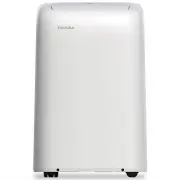
This user manual covers Toshiba’s line of portable room air conditioners, including models like RAC-PD0811CRU through RAC-PD1412HRU, focusing on their operation, safety, installation, maintenance, and troubleshooting. The guide emphasizes critical safety precautions–such as proper grounding, avoiding modifications to power cords, and child supervision–to prevent accidents, electrical hazards, or fire risks. It also details functional aspects like remote control usage (including battery handling), operational modes (cooling, heating, dehumidification), and drainage setup for water management during use. Installation instructions address window types, exhaust hose connections, and environmental requirements to ensure safe and effective performance.


Table of Contents:
- Page 1 – Product Identification and Manual Overview
- Page 2 – Safety Introduction and Caution
- Page 3 – Installation Safety Precautions
- Page 4 – General Operational Safety Warnings
- Page 5 – Operating Specifications and Design
- Page 6 – Control Panel Features and Error Codes
- Page 7 – Air Conditioner Operating Modes
- Page 8 – Advanced Operational Features
- Page 9 – Water Drainage Setup and Error Handling
- Page 10 – Installation Location Requirements
- Page 11 – Window Unit Installation Components
- Page 12 – Exhaust Hose and Window Installation
- Page 13 – Hung Window Installation Steps
- Page 14 – Sliding Window Installation Steps
- Page 15 – Care, Cleaning, and Storage
- Page 16 – Troubleshooting Guide
- Page 17 – Remote Control Specifications
- Page 18 – Remote Battery Handling
- Page 19 – Remote Control LED Indicator Functions
- Page 20 – Setting Temperature and Modes via Remote
- Page 21 – Operating Modes via Remote Control
- Page 22 – Timer Functions Operation
- Page 23 – Simultaneous Timer Setting
- Page 24 – Advanced Remote Control Functions
- Page 25 – Regulatory Compliance and Interference
- Page 26 – Battery Safety Warning
USER MANUAL
Safety Precautions
Operating Instructions
Installation Instructions
Remote Control Instructions
Troubleshooting Tips
Care and Cleaning
RAC-PD0811CRU
RAC-PD1011CRU
RAC-PD1211CRU
RAC-PD1412CRU
RAC-PD1412HRU
Portable Type
Room Air Conditioner
Warning notices: Before using this product,
please read this manual carefully and keep
it for future reference.
change without prior notice for product
improvement. Consult with your dealer or
the manufacturer for details.
m
o
c
.
e
l
y
t
s
e
f
i
l
-
a
b
i
h
s
o
t
.
s
u
9
1
0
2
-
1
0
-
B
n
o
i
s
r
e
v
Installation
R
em
ote
Con
T
r
o
u
b
les
hoo
Care a
an
nd
d C
Clle
version C - 06 - 2019
USER MANUAL
Safet
ff y Precautions
Operating Instructions
Instructions
ntrol Instructions
oubleshooting Tips
eaning
RAC-PD0811CRU
RAC-PD1011CRU
RAC-PD1211CRU
RAC-PD1412CRU
RAC-PD1412HRU
Portable Type
T
T
Room Air Conditioner
Warning notices: Before using this product,
please read this manual carefully and keep
it for future reference.
change without prior notice for product
improvement. Consult with your dealer or
the manufacturer for details.
m
o
c
.
e
l
y
t
s
e
fe
i
l
-
a
b
i
h
s
o
t
.
s
u
Installation
R
em
ote
Con
T
r
o
u
b
les
hoo
Care a
an
nd
d C
Cllle
version C - 06 - 2019
"Loading the manual" means you need to wait until the file loads and becomes available for online reading. Some manuals are very large, and the time they take to appear depends on your internet speed.
Was this manual helpful?
About this manual
- Brand
- Toshiba
- Model
- RAC-PD1013CWRU
- Document type
- User Manual
- Category
- Air Conditioner
- Language(s)
- English
- Pages
- 26
- File size
- 2.2 MB
- Format
Summary
Listing of covered models and manual sections: Safety Precautions, Operating Instructions, Installation Instructions, Care and Cleaning, Troubleshooting Tips, and Remote Control Instructions.
Table of contents and introductory safety section, including warnings to contact technicians for repairs and precautions against unsupervised use by children.
Critical warnings for air conditioner installation, emphasizing following instructions to prevent injury, electrical shock, fire, water leakage, and proper grounding.