TCL 40S6000FS - User Manual
This User Manual provides an overview of the TCL LED TV series, covering essential topics like safety precautions, setup procedures, operation controls, network connectivity, and troubleshooting. The document details critical safety measures such as proper ventilation, power handling, and environmental conditions to prevent damage or injury. It also outlines connection options–including HDMI, USB, optical audio, Wi-Fi, and Ethernet–for integrating peripherals and streaming services. The manual explains remote control functionality, menu navigation, and advanced features like channel recording, media playback, and network-based settings. Additionally, it includes troubleshooting guidance for common issues such as connectivity failures, display problems, and remote malfunctions, ensuring users can resolve basic operational challenges effectively.


Table of Contents:
- Page 1 – Product Identification and Disclaimer
- Page 2 – Table of Contents
- Page 3 – Safety Precautions for Operation
- Page 4 – Control Button Functions
- Page 5 – Input and Output Sockets
- Page 6 – Remote Control Functions
- Page 7 – Powering On and Power Handling
- Page 8 – Network Connection Setup
- Page 9 – Initial System Setup
- Page 10 – General Operation Controls
- Page 11 – Homepage Navigation
- Page 12 – Video and Input Source Selection
- Page 13 – Application Management
- Page 14 – Menu Configuration Settings
- Page 15 – Advanced Menu Operations
- Page 16 – System Modes and Media Access
- Page 17 – Media Playback and EPG
- Page 18 – Recording and Time Shift Features
- Page 19 – Recording and Parental Controls
- Page 20 – Network Configuration Details
- Page 21 – Network Sharing and Remote Setup
- Page 22 – Smart Features and Remote Wakeup
- Page 23 – Network Troubleshooting
- Page 24 – General Display Troubleshooting
- Page 25 – Legal Disclaimers and Licensing
- Page 26 – Contact Information
Figures and illustrations in this User’s Guide are
actual product appearance. Product design and
OPERATION MANUAL
For use with models: 32S6000S/40S6000FS/
43S6000FS/49S6000FS/55S6000FS
"Loading the manual" means you need to wait until the file loads and becomes available for online reading. Some manuals are very large, and the time they take to appear depends on your internet speed.
Was this manual helpful?
About this manual
- Brand
- TCL
- Model
- 40S6000FS
- Document type
- User Manual
- Category
- TV
- Language(s)
- English
- Pages
- 26
- File size
- 4 MB
- Format
Summary
Identification of TV models, slogan, and disclaimer regarding illustration accuracy.
Listing of chapters and corresponding page numbers for the television instruction manual.
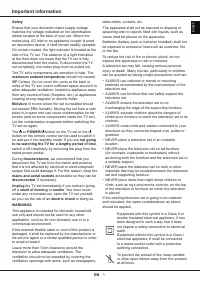
Critical safety warnings concerning children, ventilation, power usage, cable handling, environmental conditions, wall mounting, and operational limits.